1
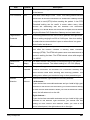
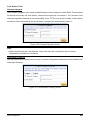
Item
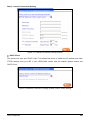
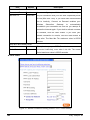
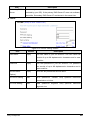
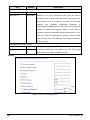
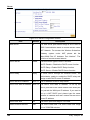
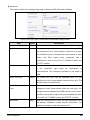
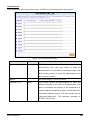
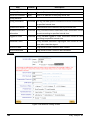
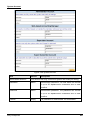
PPTP Local IP Address
Default
Empty
Description
A PPTP local IP address for the xDSL/Cable
connection (provided by your ISP).
PPTP Local Subnet Mask Empty
A PPTP local IP address for the xDSL/Cable
connection (provided by your ISP).
PPTP Server IP Address
Empty
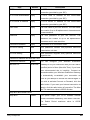
User name
Empty
A PPTP server IP address for the xDSL/Cable
connection (provided by your ISP).
The user name of your ISP account. The user name
can consist of up to 80 alphanumeric characters and
is case sensitive.
Password
Empty
The user password of your ISP account. The
password can consist of up to 80 alphanumeric
characters and is case sensitive.
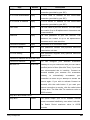
Connection ID/Name
Empty
Connection ID or connection name.
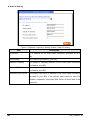
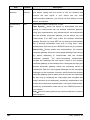
PPP MTU Setting
1460
MTU (Maximum Transfer Unit) specifies maximum
TCP mss Setting
1360
transmission unit size.
MSS (Maximum Segment Size) specifies maximum
segment size.
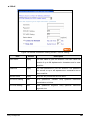
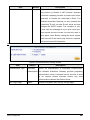
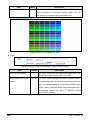
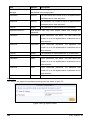
Connect on Demand and Max Idle Time
Connect on Demand
Enable
You
can
configure
your
Wireless
Subscriber
Max Idle Tim
10 Minutes
Gateway to cut your connection with your ISP after a
specified period of time (Max Idle Time). If you have
been disconnected due to inactivity, Connect on
Demand enables your Wireless PnP Subscriber
Gateway
to
automatically
re-establish
your
connection as soon as you attempt to access the
Internet again. If you wish to activate Connect on
Demand, click the radio button. If you want your
Internet connection to remain, click the radio button
of keep alive. The Max Idle Tim maximum value is
65535 minutes.
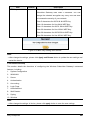
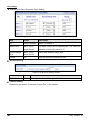
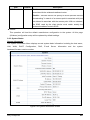
Keep alive and Redial Period
Keep alive
Disable
This option keeps your PPTP enabled Internet
access connected indefinitely, even when it sits idle.
The Redial Period maximum value is 65535
seconds.
Easy Hotspot Kit
33