1
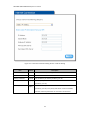
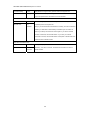
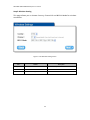
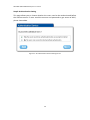
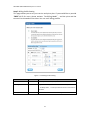
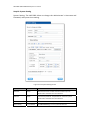
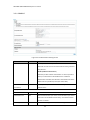
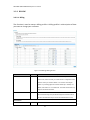
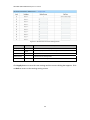
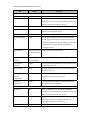
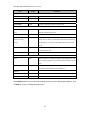
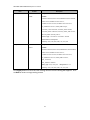
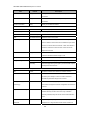
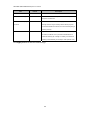
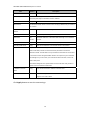
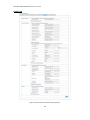
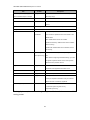
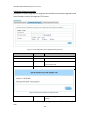
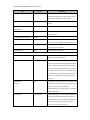
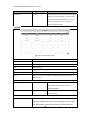
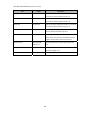
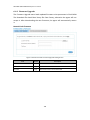
WG‐500P & WG‐500P M Hotspot in a Printer match with the RADIUS server setting. The allowed numbers are from
0 to 65535.
Share Secret Key Empty The share secret key, the key number also has to match with the
Server setting. Up to 64 characters are allowed.
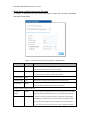
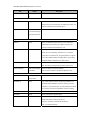
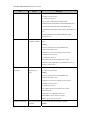
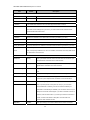
Secondary RADIUS Server Server IP Empty Enter the IP address of RADIUS server. Authentication Port 1812 Enter the authentication port number; the authentication port
number must match with the secondary RADIUS server
setting. The allowed numbers are from 0 to 65535. Accounting Port 1813 Enter the accounting port number; the accounting port number
must match with the secondary RADIUS server setting. The
allowed numbers are from 0 to 65535. Share Secret Key Empty The share secret key, the key number also has to match with the
secondary RADIUS Server setting. Up to 64 characters are allowed.
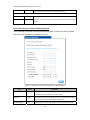
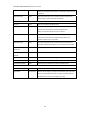
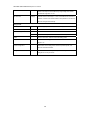
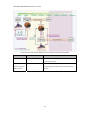
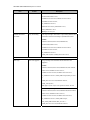
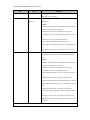
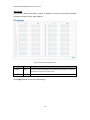
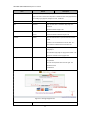
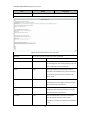
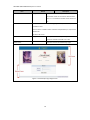
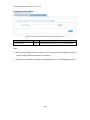
1 Specify the retry times when primary fail. 3 The field default value is 3 seconds. Accounting Service Disable Enables or disables the accounting service. Interim Update Time 5 Minutes Specify the interim update time. Authentication Method CHAP CHAP Enter the authentication method of RADIUS server. Enable Disable Enables or disables WISPr Smart Client roaming function. Login Mode Directly Reply
Options: Directly Reply, Proxy Reply with “Redirect Login Page” URL
Retry times when
Primary fail Retry Frequency ~
Seconds WISPr Smart Client and Proxy Reply with Specific URL. The login mode information for
the IPASS GIS connection. (Provided by your ISP).
36