1
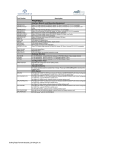
The interface is installed correctly when it is displayed in Device Manager as shown above.
In case of installation issue, the according PROFIBUS interface is marked with an exclamation
point in a yellow circle. Double-clicking on the icon provides additional details about the installation
issue; for example “cannot find the file specified (code 31)”.
2. The PROFIBUS interfaces must be properly configured in the PROFIBUS Control Panel in
Windows Control Panel.
Open the Softing PROFIBUS Control Panel:
Start Menu -> Settings -> Control Panel -> PROFIBUS
A green check mark appears in front of the device if the interface is configured correctly and ready
for operation. If you cannot see the corresponding entry „Node0“, click on the “Add” button in the
dialog box to create it and then save your changes via the “Apply” button.
0015-PB-EN-110510-Version 1.0 SJ
2