1
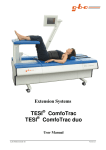
Massage Table
®
TESI Relax
User Manual
gbo Medizintechnik AG
Version 2.1
2
TESI Relax
The company gbo Medizintechnik AG has taken care in the preparation of this manual, but makes no
expressed or implied warranty of any kind and does not assume any responsibility for errors or omissions.
All rights reserved. No part of this manual may be reproduced, in any form or by any means (electronic,
mechanical, or otherwise) without the prior written permission of gbo Medizintechnik AG.
© gbo Medizintechnik AG
gbo Medizintechnik AG
Kleiststrasse 6
D-64668 Rimbach
Telephone:
Telefax:
E-Mail:
Internet:
Version
Date of issue
Part number
gbo Medizintechnik AG
+49-6253-808-0
+49-6253-808-245
[email protected]
http://www.gbo-med.de
2.1
October 10th, 2013
018-7-0002
Version 2.1
TESI Relax
3
Notations
Times New Roman in type size 11
- Descriptions and explanations;
Arial in type size 10
- Keys and buttons of the TESI tables;
Lucida in type size 10/11
- Text appears on the display of the TESI tables.
Warnings and safety precautions
Warning!
Warnings which have to be observed by all means!
Caution!
Observe the instructions for use!
!!
Note!
Information that will facilitate your work.
Glossary
Touch Screen
-
Display equipped with a touch panel. The touch panel reacts to the smooth
touch of the respective sector.
Button
-
Sector in the Touch Screen which reacts to the smooth touch.
Touch
-
Smooth touch of the Touch Screen.
Standby-push-button
-
Switch to the right of the Touch Screen puts the device into the Standbymode. In this mode Stand-by-display lights up.
Firmware
-
Software for a microcontroller in Eprom / Flashrom programmed.
gbo Medizintechnik AG
Version 2.1
4
TESI Relax
Contents
1
INTRODUCTION
6
1.1
Intended use
6
1.2
Note concerning the operating personnel
6
1.3
Description of the unit
6
1.4
Device view of TESI table
7
1.5
Short instructions
8
2
START OF OPERATION
2.1
Transport and assembly
10
10
2.2
Connection and switch-on
2.2.1 Fuses
10
11
2.3
Placing out of operation
11
2.4
Waste removal of the device and accessories
11
2.5
Settings
2.5.1 The menu
2.5.2 Device settings
2.5.3 Basic settings
2.5.4 Creating chip cards
3
DESCRIPTION OF FUNCTION
12
12
12
13
14
15
3.1
Standby-push-button
15
3.2
Optical and acoustic user guidance
15
3.3
Remote control
15
3.4
Touch Screen
16
3.5
Chip cards
17
3.6
Head phones
17
3.7
Compact Flash Card
17
4
THERAPY
18
4.1
Thermotherapy
18
4.2
Massage
18
gbo Medizintechnik AG
Version 2.1
TESI Relax
4.3
5
Course of treatment
BEHAVIOR IN CASE OF FAILURES
5
19
21
5.1
Notes
21
5.2
Warnings
21
5.3
Errors
22
5.4
Other notes
22
6
MAINTENANCE
23
6.1
Legal provisions and requirements
23
6.2
Safety controls
23
6.3
Cleaning, disinfection and care
24
7
WARNINGS AND SAFETY PRECAUTIONS
24
8
EXPLANATION OF THE SIGNS USED
25
9
TECHNICAL DATA
26
10
ACCESSORIES
27
11
INDEX
28
gbo Medizintechnik AG
Version 2.1
6
TESI Relax
1
Introduction
1.1
Intended use
Device for vibration massage
1.2 Note concerning the operating personnel
The device is to be operated by healthcare professionals only.
1.3 Description of the unit
The TESI Relax tables are medical devices for combined physical therapy. The following options for
treatment are offered:
thermotherapy,
paravertebral massage,
vibration.
The system permits the optional or combined application of these modes. While the patient feels very
comfortable with the treatment, for the therapist it offers high operational comfort for time-saving treatment.
Therapeutic effects of heat:
Dilatation of the vascular system; reflectorically also in deep tissue layers. Also suited for
bearers of implants without any restrictions;
Increase in elasticity and mobility;
Pain relief.
Effects of paravertebral massage and vibration:
Increase in circulation and metabolism;
Muscle relaxation and increase in elasticity and mobility.
gbo Medizintechnik AG
Version 2.1
TESI Relax
1.4
7
Device view of TESI table
Touch Screen (5)
Slot for Compact Flash Card (1)
Slot for Chip Card (2)
Stepped bed (3)
Support arm (6)
Handle (4)
Infrared remote
control(7)
Head phones for
audio playback (8)
Middle section =
Massage section (12)
Leg rest (9)
Optional, connector for
support arm left (10a)
Lock for service access (11)
Power switch
and connector
for mains cable
Head rest (13)
Figure 1: Device view
gbo Medizintechnik AG
Version 2.1
8
TESI Relax
1.5
Short instructions
1.
Switch on the table through the main switch at the front of the head piece (13).
The device carries out an automatic check of all functions. The faultless automatic check ends with an
acoustic sign (triad-gong).
2.
Please act upon the instructions shown on the Touch Screen. The instructions depend on the accounting
mode of the table. You can choose between “free access/unlocked mode” (in this mode you don’t need a
chip card to use the table) and “card with time credit” or “personal card” (for details see Chapter
settings). In the following the instructions for the a locked mode are described.
3.
On the Touch Screen you find the request: “Please insert your chip card to activate!”
4.
The patient inserts his chip card into the slot to unlock the table.
5.
The patient positions himself on the table according to the intended treatment.
6.
On the Touch Screen you find the request: “Load settings of last treatment from chip card?”
By touching the YES-Button on the Touch Screen or the OK-Button on the remote control the
treatment of the stored settings will be started.
By touching the NO-Button on the Touch Screen the request to adjust the height of the stepped bed
(3) will appear. After adjusting the height press the OK-Button and the treatment will be started with
the basic settings.
If you use the remote control: Press the (+) button to activate NO. Press OK. The request to adjust
the height of the stepped bed (3) will appear. Adjust the height according to the instructions on the
Touch Screen and press OK. The treatment will be started with the basic settings.
!!
Note!
If you use newly created personal cards or cards with time credit this request does not appear. You will
only find the request to adjust the height of the stepped bed (3). Adjust the height according to the
instructions on the Touch Screen and press OK. The treatment will be started with the basic settings.
7.
If the patient wants to change the settings, he can adjust them with the remote control. Or, if desired, the
settings can be changed on the Touch Screen by touching the respective buttons.
8.
The treatment time ends with the triad-gong. The massage rollers move down and stop. Vibration stops.
9.
After the treatment the patient should remain in an upright position with his legs dangling over the side
of the table for about 3 to 5 minutes and remain quiet and relaxed.
10. If the table is not used any longer, press the Standby-push-button. If the table is not used for 10
minutes it switches automatically in standby-mode (this may be customized at the settings menu). By
pressing the Standby-push-button again or by touching the Touch Screen the table will be activated
again.
gbo Medizintechnik AG
Version 2.1
TESI Relax
!!
9
Note!
You can handle the table at any time with the Touch Screen as well as with the remote control. The
activated function will appear in green colour on the display.
gbo Medizintechnik AG
Version 2.1
10
TESI Relax
2
Start of operation
2.1
Transport and assembly
To place the unit, each plane surface is appropriate. Please take care of having enough space around the
device to reach the power switch comfortably and possibly be able to pull off the power cable. Keep a wall
distance of at least 20 cm. For fixing the device please use the brakes of the rollers.
The device should not be placed in front of radiators or radiant. The device is not made for outdoor
operation.
The TESI Relax corresponds to the regulations of EN 60601-1. It is a device of protection class I. Within
the scope of the Medical Device Directive (MPG) the TESI Relax belongs to class IIb (please observe also
Chapter 7 Warnings and safety precautions).
Please check all components to be in external integrity before use.
Warning!
The unit is not designed to be operated in places with the inherent risk of explosions. If
it is used in dangerous areas of anesthesia departments, the possibility of an explosion
cannot be excluded.
If the patient and/or the patient cable is directly exposed to a radiator of a medical
device for high frequency heat therapy, damage of the device or danger to the patient
cannot be excluded. As a rule, a clearance distance of 2 - 3 m is sufficient.
Do not pierce the heated cover.
In case of any visible operational disturbances, please contact gbo Medizintechnik AG
or one of the service agencies authorized by gbo Medizintechnik AG immediately .
2.2
Connection and switch-on
The TESI Relax has been set to be connected to supply voltages of 100 - 240 V. Irrespective of the
adjusted mains voltage, the device is appropriate for power frequencies of 50 to 60 Hz.
Connect the device with the mains cable to a socket with protective ground. The protective ground must
work correctly.
The TESI Relax is switched on by the mains switch at the front of the head piece (13). By this
arrangement an erroneous or unintended disconnection of the device during normal operations shall be
avoided.
After switching on the TESI Relax, an automatic check of all functions will be carried out.
gbo Medizintechnik AG
Version 2.1
TESI Relax
11
Warning!
To avoid the risk of electric shock, this equipment must only be connected to a supply
mains with protective earth.
It is only allowed to connect CompactFlash-cards or chip-cards provided by the
manufacturer into the card-slots of the device.
2.2.1 Fuses
1.
2.
3.
4.
Unplug the mains plug.
The device is protected by 2 fuses on the mains side that are located in a pluggable box at the front of
the head piece (10).
With a screw driver the box can be pulled out of the receiver by the small slot.
Only fuses that correspond to the specifications named in the technical data should be used.
Warning!
Risk of fire if unqualified fuses are used!
2.3 Placing out of operation
In order to disconnect the device just disconnect it from the mains power supply. No other measures are to
be taken.
2.4
Waste removal of the device and accessories
This product complies with WEEE Directive 2002/96/EG (waste electrical and electronic equipment).
Separate collection for electrical and electronic equipment. The waste removal at the end of the service life
will be done by the manufacturer.
gbo Medizintechnik AG
Version 2.1
12
2.5
TESI Relax
Settings
2.5.1 The menu
You can open the menu by using the adjustment card or a service card. The adjustment card is included in
the delivery of the table.
When inserting the respective card the menu will be opened. It provides the following submenus:
Basic settings (see Chapter 2.5.3);
Device settings (see Chapter 2.5.2);
Create chip cards (see Chapter 2.5.4);
Service menu (see Service manual; it can only be activated by a service card).
The settings are device-specific settings (see Table 1 and Table 2). These settings should be done during
installation by a medical product adviser or a service technician. Once the TESI table has been switched on
and is ready, you can start the threapy immediately using the customized settings.
!!
Note!
You can only start the menu if no treatment is in progress and the correct chip card is inserted.
You can handle the table at any time with the Touch Screen as well as by the remote control. The
activated function will appear in green colour on the display.
2.5.2 Device settings
Several device settings allow the user to customize the user interface and the device's behavior. The settings
will be automatically restored when the device starts up.
Settings
Language
* This language is not activated on
delivery.
Access control
Setting options
Basic settings upon delivery
German
English
Russian
Espanõl*
Italiano*
Francais*
German
Personal cards
Personal cards
Cards with time credit
Unlocked mode (free access)
Volume of gong
Standby
0–3
1
After 10 min
After 10 min
After 30 min
Never
Table 1: Settings
gbo Medizintechnik AG
Version 2.1
TESI Relax
1.
2.
3.
4.
5.
6.
7.
8.
13
Insert the service card or adjustment card in the intended slot at the Touch Screen.
You are in the menu. Act according to the instructions on the Touch Screen.
Touch the Button for settings.
You are in the submenu settings. The submenu provides the above-mentioned options.
Modify the device settings by touching the respective Button.
Change the parameters to the desired setting.
To store confirm by touching the Button (OK). If you do not want to store the modifications of the
settings touch the Button (Abort). You return to the menu.
Pull out the chip card. Dependent on the access control, the following request appears on the display:
“Please insert your chip card to activate!”. The table is ready for treament.
2.5.3 Basic settings
The following therapy settings can be customized and will be automatically restored when the device starts
up:
Settings
Possible options
Basic settings upon delivery
Compression of the rolls
0 - 100
50
Speed (cm/s)
0 - 15
5
off, 15 - 35
19
Vibration (Hz)
Spine area
analog
Height of stepped bed (cm)
0 - 50
0
Temperature (°C)
15 - 35
20
Time of treatment (min)
0 - 30
10
Volume of audio signal
0 - 15
0
Table 2: Basic settings
1.
2.
3.
4.
5.
6.
7.
Insert the service card or adjustment card (see Chapter 3.5) in the intended slot at the Touch Screen.
You are in the menu. Act according to the instructions on the Touch Screen.
Touch the Button for basic settings.
You are in the submenu basic settings. The submenu provides the above-mentioned options.
Modify the device settings by touching the respective Button.
Change the parameters to the desired setting.
To store confirm by touching the Button (OK). If you do not want to store the modifications of the
settings touch the Button (Abort). You return to the menu.
8. Eject the chip card. Dependent on the access control the following request appears on the display:
“Please insert your chip card to activate!”. The table is ready for treament.
gbo Medizintechnik AG
Version 2.1
14
TESI Relax
2.5.4 Creating chip cards
For the creation of chip cards please act according to the instructions on the Touch Screen!
1.
2.
3.
4.
5.
6.
7.
8.
9.
10.
Insert the service card or adjustment card (see Chapter 3.5) in the intended slot at the Touch Screen.
You are in the menu. Act according to the instructions on the Touch Screen.
Touch the Button in order to create chip cards.
You are in the submenu create chip cards.
Touch on the button for the desired card (service card, adjustment card, personal card, card with
time credit; see also Chapter 3.5).
In case you want to create a personal card or card with time credit, you will be requested to enter the
desired time account. You can choose between 1, 2, 5 and 10 hours. Confirm your choice with the
(OK) Button.
Eject the service or adjustment card.
Insert the card that you want to create in the intended slot at the Touch Screen. The card will be
programmed.
Eject the card when you see the information on the display that the programming has been
successful.
If you want to generate further cards, insert the service or adjustment card in the intended slot and
repeat the above mentioned procedure. Otherwise, touch the Button (Abort). You return to the
menu. Eject the chip card. Dependent on the access control the following request appears on the
display: “Please insert your chip card to activate!”. The table is ready for treament.
!!
Note!
You can handle the table at any time with the Touch Screen as well as by the remote control. The activated
function will appear in green colour on the display.
gbo Medizintechnik AG
Version 2.1
TESI Relax
15
3
Description of function
3.1
Standby-push-button
The standby-push-button is placed on the right side below the Touch Screen. If the device is in standbymode, the standby-push-button is shining.
You can put the table in standby-mode by pressing the standby-push-button. The stepped bed will lower
down and all functions of the table are switched off. By pressing the standby-push-button again, the normal
functions of the table will be reactivated.
10 minutes after the end of the treatment the device will automatically activate the stand-by-mode, which
means that the stepped bed will move down. This setting can be modified (see chapter 2.5.2).
3.2
Optical and acoustic user guidance
Optical user guidance:
Optical user guidance is effected on the Touch Screen. The setting, which is changed at the moment, is
displayed in green.
Acoustic user guidance:
The following table shows the acoustic signals and the relating meaning:
Type of signal
Reason
Information sound
In case of a failure;
Triad gong
At the end of the faultless automatic check when switching on
the device;
At the end of the treatment time.
Table 3: Acoustic user guidance
3.3
Remote control
The remote control is an infrared remote control with plastic foil keyboard. By the remote control the patient
is able to change the settings at anytime before and especially during the treatment. The cuurrent meaning of
the buttons are displayed on the Touch Screen (see Figure 2).
By touching the Buttons (<,>) setting/function can be selected.
By touching the Buttons (+,–) the value of setting/function can be changed.
By touching the Button (OK) you confirm your choice.
If you want to change the batteries:
1. Open the remote control by unscrewing the cross-head screw on the backside of the remote control.
2. Open the cover-plate carefully. Please pay attention to the connecting cables between the cover-plate
and the backside of the remote control.
3. Remove the holding-clamp for the batteries by dismantling the screw.
4. Replace the old batteries with two new micro-batteries.
5. Fix the holding-clamp.
gbo Medizintechnik AG
Version 2.1
16
TESI Relax
6. Lock the housing of the remote-control on the bakcside with the cross-head screw.
3.4
Touch Screen
TESI Relax has a high-resolution colour graphic display (640 x 480 pixels). In front of this display there is
a touch panel. This whole unit is therefore called Touch Screen.
Following settings are shown on the Touch Screen:
Settings
Possible variations of setting
Pressure of the rolls
0 - 100
0 – 15 cm/s
Speed (cm/s)
off, 15 – 35 Hz
Vibration (Hz)
Spine area
analog
Height of stepped bed (cm)
0 – 50 cm
Temperature (°C)
20 – 35 °C
Time of treatment (min)
1 – 30 min
Volume of audio signal
0 - 15
Table 4: Possible variations of the settings
Current settings can be changed by using
the remote control.
User guidance for the
remote control
Button (-) used
when operating
the Touch
Screen
selected
speed
selected
vibration
selected
spine area
selected height of
stepped bed
selected
temperature
treatment time left
selected volume of audio
signal
Figure 2: Display shown during the treatment
gbo Medizintechnik AG
Version 2.1
TESI Relax
3.5
17
Chip cards
There are four types of chip cards:
1.
Service card
This authorized card is meant for:
Using the service menu;
Creating chip cards including service cards, see Chapter 2.5.4;
Changing device settings, see Chapter 2.5.2;
Changing basic settings, see Chapter 2.5.3.
2.
Adjustment card
This authorized card is meant for:
Creating chip cards, see Chapter 2.5.4;
Changing device settings, see Chapter 2.5.2;
Changing basic settings, see Chapter 2.5.3.
3.
Personal card
With this chip card the patient can use the TESI Relax for pre-paid time of treatment. The treatment
settings used last are stored on the card and will be applicable for the next treatment.
4.
Card with time credit
With this chip card the patient can use the TESI Relax for pre-paid time of treatment. However, no
treatment settings can be stored on this card.
3.6
Head phones
The head phones included in the scope of delivery are used for audio playback.
Please note that there is also a volume control regulator at the earphones. You can set the volume at the head
phones to maximum and adjust it comfortably on the Touch Screen or by remote control.
3.7
Compact Flash Card
The Compact Flash Card has stored about 1 hour of music. In order to play this music insert the Compact
Flash Card in the intended slot at the Touch Screen. Activate the settings for volume control and choose
from the menu playback. Confirm your choice by touching the Button (OK). Adjust the volume according to
your desire. Now you can listen to the music through the head phones.
gbo Medizintechnik AG
Version 2.1
18
TESI Relax
4
Therapy
4.1
Thermotherapy
For thermotherapy the cover of the middle section of the TESI Relax table can be heated. If required the
thermotherapy can be combined with all other therapies.
By touching the Button (+) or Button (-) on the Touch Screen the temperature of the cover of the middle
section of the TESI Relax table can either be increased up to a maximum heating capacity of 35°C or
reduced.
4.2
Massage
Through casters which pass the vertebral column with adjustable pressure it is possible to apply a
paravertebral roller massage with in-depth muscular effect. The height of the massage rollers is adjustable. If
required the massage can be supported by an additional and separately connectable vibration.
The massage is independent of the thermotherapy and extension treatment but can be combined with them if
required.
By touching the Buttons (+,-) you set:
Temperature (if thermotherapy is required),
Raise of step.
2. Touch the Button for massage. The roller pressure will be set on 50%.
3. Touch the Buttons (+,-) to set the treatment time.
4. Touch the Buttons (+,-) to set the roller pressure.
5. Touch the Buttons (<,>) to set the region of the back.
6. Touch the Buttons (+,-) to set the speed, the massage starts! The treatment time does not pass yet (see
Point 8).
7. If required, set the vibration by touching the Buttons (+,-).
8. Touch the Start-Button. The treatment time passes.
9. At the end of the treatment time the triad-gong sounds. The massage rollers go down and stop.
Vibration stops.
10. After the treatment the patient should remain in an upright position with his legs dangling over the side
of the table for about 3 to 5 minutes and remain quiet and relaxed.
1.
11. If the table is not used any longer, press the Standby-push-button.
!!
Note!
The treatment can be stopped at any time by touching the Button (Stop).
The treatment can be stopped at any time by pressing the Interruption switch.
10 minutes after the end of the treatment the device will automatically activate the standby-mode,
consequently the stepped bed will move down.This setting can be modified (see Chapter 2.3.2).
gbo Medizintechnik AG
Version 2.1
TESI Relax
4.3
19
Course of treatment
In general, the course of treatment is as follows:
User guidance and hints
for remote control.
Patient has to follow the
instructions.
Figure 3: Basic display of Touch Screens
1.
Follow the instructions on the Touch Screen.
2.
On the Touch Screen you find the request: „Please insert your chip card to activate!“
3.
Insert the chip card into the slot. The table will be unlocked.
4.
The patient positions himself on the table according to the intended treatment.
5.
a) In case of current settings stored, on the Touch Screen you will find the request: „Load settings of
the last treatment from chip card?”
By touching the Button (YES) on the Touch Screen or by pressing the Button (OK) on the
remote control the treatment of the stored settings will be started. Continue with point 6.
By touching the Button (NO) on the Touch Screen or by pressing the Button (+) → Button (NO)
will be activated → pressing the Button (OK). Continue with point 5.b)
b) Alternatively: If you use a new personal card or card with time credit you will find the request:
“Please change height of stepped bed using the keys +‘ and ‚-‘ . Proceed with ‘OK’.“
Change height of stepped bed accordingly and confirm with OK. Treatment will start with basic
settings.
6.
If the patient wants some changes in the settings, he can adjust them at any time during the treatment by
the remote control. Optionally, the settings can be changed on the Touch Screen by touching the
respective buttons.
7.
The treatment time ends with the triad-gong . The massage rollers will move down and stop. Vibration
stops.
8.
If a personal chip card is used, current settings of the treatment will be stored at the end of the
treatment to make it possible to use them for the next treatment.
gbo Medizintechnik AG
Version 2.1
20
TESI Relax
At the end of the treatment the following request appears: “Question: Do you want to activate with another
treatment?”
By touching the Button (YES) on the Touch Screen or pressing Button (OK) on the remote control
treatment will be started with the current settings again.
By touching the Button (No) on the Touch Screen or pressing Button (+) → Button (NO) will be
activated → pressing the Button (OK) . Continue with point 9.
9. You will find the instruction to remove the chip card. After removing the chip card TESI Relax will be
deactivated.
10. After the treatment the patient should remain in an upright position with his legs dangling over the side
of the table for about 3 to 5 minutes and remain quiet and relaxed.
!!
Note!
You can handle the table at any time with the Touch Screen as well as by the remote control. The
activated function will appear in green colour on the display.
While adjusting parameters for Vibration you have the possibility to select the desired
effectiveness:
- Dicongestion
= 19 Hz
- Warming up phase
= 23 Hz
- Build-up of muscles
= 25 Hz
- Muscle extension
= 26 Hz
- Pain relief
= 29 Hz
While adjusting parameters for Volume you have the possibility to select the function of play
back:
- Play
- Next track
- Last track
- Stop
Continue with OK.
gbo Medizintechnik AG
Version 2.1
TESI Relax
5
21
Behavior in case of failures
The following failures will be indicated by the TESI table both optically and acoustically. Most of them can
be remedied by following the instructions on the display. As a rule, the following applies:
1.
2.
3.
The TESI table will not execute any incorrectly entered functions or modifications entered by pressing
on the Touch Screen.
The acoustic error signal will sound.
An error message will appear on the display.
5.1
Notes
Note – Touch the screen with a single finger only. Don’t slide over the screen.
Possible reason: The Touch Screen was touched at several different points or the fingers made a sliding
movement across the screen. The Touch Screen must not be operated in this way.
Suggestion:
1. Please note that the Touch Screen will only work properly if it is touched only by a single finger at a
single point. If more than one finger or the ball of the thumb are placed on the active surface, this
will trigger the error message shown above.
2. Confirm the message with the Button (OK).
Note – Time credit of chip card expired. Please recharge your card for future use.
Possible reason: The time credit of the card is expired.
Suggestion:
Recharge time account on the card.
5.2
Warnings
Warning – The stepped bed has been stopped! It should only be moved without load.
Possible reason: The stepped bed can only be moved when not under excessive load.
Suggestion:
1. The patient must remove his feet from the stepped bed.
2. Touch the Button (OK).
3. Move the stepped bed into the desired position.
Warning – The carriage motor is blocked and was stopped.
Possible reason: The carriage cannot be moved and was therefore stopped for safety reasons.
Suggestion:
1. Remove all unnecessary loads from the cover.
2. Confirm the message by touching the Button (OK) and try again to move the carriage by touching the
Touch Screen.
3. If the message appears again, contact the Service Center.
gbo Medizintechnik AG
Version 2.1
22
TESI Relax
Warning – The spindle motor is blocked and was stopped.
Possible reason: The contact pressure adjuster for the carriage cannot be moved and has therefore been
stopped for safety reasons.
Suggestion:
1. Remove all unnecessary loads from the cover.
2. Confirm the message by touching the Button (OK) and try to move the carriage again by touching the
Touch Screen.
3. If the message appears again, contact the Service Center.
5.3
Errors
There are two possible error messages:
Error - CAN: No ACK.
and
Error - CAN: Timeout.
Possible reason: A communication error between the different internal subsystems occurred.
Suggestion: Contact the service center.
5.4
Other notes
The remote control doesn’t work.
Suggestion:
1. Change the batteries.
2. If the remote control is still not working, please contact the service center.
gbo Medizintechnik AG
Version 2.1
TESI Relax
6
23
Maintenance
Functionality, reliability and safety characteristics of the TESI Relax table are only guaranteed in case of
proper use in accordance with the operating instructions. Safety control, maintenance work, repair work and
modifications shall only be carried out by the manufacturer or the service agents authorized by him. In case
of a failure, parts which influence the safety of the device shall only be replaced by original spare parts of
the manufacturer. The electric installation shall be carried out in accordance with the requirements of
VDE/IEC.
Simple maintenance (e.g. lubrication of the rollers) will be carried out by the user in accordance to the
instructions. The middle part of the patient cover can be removed by the user. In case of intended use the
removable middle section of the patient’ cover must be placed and locked with the fastener. All other
service works shall be carried out by service agents authorized by the manufacturer.
The device does not contain any parts which require maintenance work by the user.
6.1
Legal provisions and requirements
The device is subject to the provisions of the Medical Device Directive. The safety controls have to be
carried out on the basis of this directive. Thereby, the operator regulation has to be observed in particular.
Operators of medical devices in active use are obligated to maintain a book of the medical devicse and
document all safety controls.
!!
6.2
Note!
The Medical Device Directive is only valid in countries throughout the EU.
Safety controls
The device is subject to the Medical Device Directive. The safety controls are to be carried out on the basis
of this directive at 12-months intervals by a qualified service agency.
Irrespective of the legal rules or beyond the scope of the Medical Device Directive, it is recommended to
have the device checked by the manufacturer or by a service agency authorized by him at 12-months
intervals.
The check shall consist of at least the following criteria:
Safety check of electric parts of the device
Check of the device in respect of external integrity
Check of all display and operating elements in respect of damages
Check of all inscriptions in respect of legibility
Check of the power-cable
Check of all functions of the device
The manufacturer keeps a respective check list available.
gbo Medizintechnik AG
Version 2.1
24
TESI Relax
6.3
Cleaning, disinfection and care
Warning!
Before cleaning or disinfection unplug the mains plug out of the socket!
The device is suited for wiping disinfection. Make sure that no liquids soak into the device. Under no
circumstances the plug or socket must get wet. Do not sprinkle the device for cleaning or disinfection. The
device is not suited for hot sterilisation or sterilisation with gases.
To clean the imitation leather parts use a dry or damp cloth. Do not use any agents containing higher
portions of alcohol. Example for usefull products to be used for cleaning are: “Mikrobac Tissues” by
Hartmann/Bode or “Cleanisept Wipes” by Dr. Schumacher.
If the imitation leather of the heating cover is wet, dry it carefully. In case you detect any damage or
disturbance, the heating cover has to be repaired by the manufacturer.
For the equipment dry cleaning is recommended.
To clean the remote control use a dry or damp cloth. Be careful that no liquid penetrates the housing of
the remote control.
7
Warnings and safety precautions
Warning!
Do not pierce the heating cover accidentally.
In case of any visible operational disturbances, please contact immediately gbo
Medizintechnik AG or one of the service agencies authorized by gbo
Medizintechnik AG.
gbo Medizintechnik AG
Version 2.1
TESI Relax
8
25
Explanation of the signs used
0123
CE Conformity sign
Observe the instructions for use!
Application section with protection class B
This product complies with WEEE Directive 2002/96/EG
(waste electrical and electronic equipment). Separate
collection for electrical and electronic equipment.
gbo Medizintechnik AG
Version 2.1
26
9
TESI Relax
Technical data
Supply voltage and supply
frequency:
Current consumption:
Mains fuses:
100-240V
50 – 60 Hz
max. 2.3 A at 100 V
max. 0.95 A at 240 V
T 6.3A H 250V
Vibration frequency:
15 – 35 Hz ± 0.5Hz
Heating temperature:
max. 35°C at 23°C ambient temperature
Accuracy of position of
stepped bed:
Operating mode:
± 2 cm
MPG device class:
IIa
Protection class:
I
Protection degree:
B
IP class:
IPX0
Safe working load:
Table:
135 kg
Stepped
45 kg
bed:
Support
75 kg The handle of the support arm can be used to
arm:
get up.
max. 66/175 cm(*) x 200 cm x 94 cm (height x depth x width)
(*)height of the device without/with support arm
Dimensions:
Continuous operation
Weight:
max. 80 kg without accessories
Color:
Display:
RAL 9002 or special varnish
Coat blue
TFT-Display
Environmental conditions:
Operation:
Temperature range +10° C ... +35° C
Relative air humidity 30 ... 75 %
Transport and Temperature +10° C ... +50° C
storage:
Relative air humidity < 90 %, non condensing
By request of technical personnel gbo Medizintechnik AG can offer spare part lists check lists and circuit diagrams.
The mains connector is used for all pin disconnection from the mains power supply.
gbo Medizintechnik AG reserves the right to modify the design and specification without prior notice.
gbo Medizintechnik AG
Version 2.1
TESI Relax
27
10 Accessories
Part
Part number
TESI Relax
1 Mains supply cable
Scope of supply
1 User’s manual
018-0-0010
1 Infrared remote control
1 Adjustment card
1 Chip card freely programmable
1 Cervical bolster small
1 Compact flash card
1 Relaxation CD
1 Head phones set
Chip card freely programmable
018-4-0006
Adjustment card
018-4-0006-EK
Infrared remote control
018-1-0059
Head phones
018-4-0012
Headphones (for hardware revision F and higher)
017-4-0005
Head phones (wireless, for hardware revision E and lower)
018-4-0012
Cervical bolster small
016-0-0058
!!
Note!
Use gbo original accessories only to guarantee the safe function of the unit.
gbo Medizintechnik AG
Version 2.1
28
TESI Relax
11 Index
A
assembly 10
N
Note 8, 9, 12, 14, 18, 20
B
Basic settings 13
R
Remote control 15
C
Chip cards 17
Chipkarte 17
Compact Flash Card 17
Connection and switch-on 10
Course of treatment 19
Creating chip cards 14
S
settings 12
Short instructions 8
Standby-switch 15
supply voltage 10
T
D
Device settings 12
F
Taste (OK) 15
Tasten (+,-) 15
thermotherapy 18
Touch Screen 16
Transport 10
Fuses 11
U
I
user guidance 15
User guidance 15
Information sound 15
V
M
Vibration 18
Maintenance 23
massage rollers 18
W
Warning 24
gbo Medizintechnik AG
Version 2.1
TESI Relax
29
Notes in accordance with the EC Directive and Medical Device
Directive
The TESI® Relax is a mains operated system for combined physical therapy of protection class I.
The device is in accordance with the EC Medical Device Directive (93/42/EEC) and therefore carries the CE
sign with the registration number of the notified body for medical devices. The respective graphical symbol
is placed on the type plate.
According to the Medical Device Directive, the TESI® Relax tables are devices of class IIa.
The manufacturer is only responsible for the safety, operational reliability and functionality of the device if:
the device is used in accordance with the instructions for use, especially the notes concerning
maintenance and cleaning of the device as described in Chapter 6;
the electrical installation of the location where the device will be used corresponds to the
respective current requirements of electrical safety;
the device is not used in hazardous environments and humid locations;
the mountings, amplifications, readjustments, modifications or repair works are carried out only by
personnel authorized by the manufacturer;
the operator regulation of this EC-directive is observed within the framework of the Medical
Device Directive.
You will obtain technical support by the manufacturer, dealers or service authorized by the manufacturer.
The product’s life time anticipated by the manufacturer is 10 years.
The TESI® Relax tables are electronic devices. For their disposal the respective regulations for electronic
devices have to be observed.
On request, the manufacturer will provide further technical descriptions for all repairable parts of the device,
such as circuit diagrams, spare part lists and adjustment instructions as far as these are of use for the
qualified technical staff of the operator.
Comments on electromagnetic compatibility (EMC)
Medical, electrical devices are subject to special precautions concerning the EMC. They must be installed
and operated according to the EMC-advice given in the accompanying documents. In particular medical,
electrical devices may be influenced by portable and mobile RF-communication devices.
The manufacturer guarantees the conformity of the unit with the EMC-requirements only when using
accessories which are listed in the EC declaration of conformity. The usage of other accessories may cause
an increased emission of electromagnetic disturbances or may lead to a reduced electromagnetic immunity.
The unit must not be placed close to other devices or stacked. If such an arrangement cannot be avoided the
unit must be observed for the intentional operation.
You find more EMC-comments in the Chapter “Warnings and Safety Precautions” of this manual as well as
in the Technical Information on the next two pages.
gbo Medizintechnik AG
Version 2.1
30
TESI Relax
In accordance with the EMC-regulations for medical products we are obliged by law to
provide the following information.
Guidance and manufacturer’s declaration — electromagnetic emissions
The equipment is intended for use in the electromagnetic environment specified below. The customer or
the user of the equipment should assure that it is used in said environment.
Emissions test
Compliance
Electromagnetic environment – guidance
RF emissions,
CISPR 11
Group 1
The equipment uses RF energy only for its internal function.
Therefore, its RF emissions are very low and are not likely to cause
any interference in nearby electronic equipment.
The equipment is suitable for use in all establishments, including
domestic establishments and those directly connected to the public
low-voltage power supply network that supplies buildings used for
domestic purposes.
RF emissions,
Class B
CISPR 11
Harmonic emissions,
Class A
IEC 61000-3-2 (*)
Voltage fluctuation/flicker
Complies
emissions, IEC 61000-3-3 (*)
(*) Note: For devices with a power consumption between 75 W and 1000 W only.
Guidance and manufacturer’s declaration — electromagnetic immunity
The equipment is intended for use in the electromagnetic environment specified below. The customer or
the user of the equipment should assure that it is used in said environment.
Immunity test
IEC 60601- test level Compliance level Electromagnetic environment –
guidance
Electrostatic discharge (ESD),
IEC61000-4-2
Electrical fast transient/burst,
IEC 61000-4-4
Surge,
IEC 61000-4-5
Voltage dips, short
interruptions and voltage
variations on power supply
input lines,
IEC 61000-4-11
Power frequency (50/60 Hz)
magnetic field,
IEC 61000-4-8
6 kV contact
6 kV contact
8 kV air
8 kV air
2 kV for power supply
lines
2 kV for power supply
lines
1 kV for input/output
lines
1 kV differential mode
1 kV for input/output
lines
1 kV differential mode
2 kV common mode
<5 % U
for ½ cycle
(>95 % dip)
2 kV common mode
<5 % U
for ½ cycle
(>95 % dip)
40 % U
for 5 cycles
60 % dip)
40 % U
for 5 cycles
60 % dip)
70 % U
for 25 cycles
30 % dip)
70 % U
for 25 cycles
30 % dip)
<95 % U
for 5 s
(>5 % dip)
<95 % U
for 5 s
(>5 % dip)
3 A/m
3 A/m
Floors should be wood, concrete or
ceramic tile. If floors are covered with
synthetic material, the relative humidity
should be at least 30 %.
Mains power quality should be that of a
typical commercial or hospital
environment.
Mains power quality should be that of a
typical commercial or hospital
environment.
Mains power quality should be that of a
typical commercial or hospital
environment.
If the user of the equipment requires
continued operation during power mains
interruptions, it is recommended that the
equipment be powered from an
uninterruptible power supply or a
battery.
Power frequency magnetic fields should
be at levels characteristic of a typical
location in a typical commercial or
hospital environment.
Note: U is the a.c. mains voltage prior to application of the test level.
gbo Medizintechnik AG
Version 2.1
TESI Relax
31
Guidance and manufacturer’s declaration — electromagnetic immunity
The equipment is intended for use in the electromagnetic environment specified below. The customer or
the user of the equipment should assure that it is used in said environment.
Immunity test
IEC 60601- test level Compliance level Electromagnetic environment –
guidance
Portable and mobile RF communications
equipment should be used no closer to any
part of the equipment, including cables,
than the recommended separation distance
calculated from the equation applicable to
the frequency of the transmitter.
Conducted RF,
IEC 61000-4-6
Radiated RF,
IEC 61000-4-3
3 Vrms
150 kHz to 80 MHz
3 V/m
80 MHz to 2.5 GHz
Recommended separation distance:
d=1.2 P
3 Veff
3V/m
d=1.2 P
for 80 MHz to 800 MHz
d=2.3 P
for 800 MHz to 2.5 GHz
Where P is the maximum output power
rating of the transmitter in watts according
to the transmitter manufacturer and d is the
recommended separation distance in
meters (m).
Interference may occur in the vicinity of
equipment marked with the following
symbol:
Recommended separation distances to portable and mobile RF communication equipment
The equipment is intended to be operated in an electromagnetic environment, where radiated RF
interference is controlled. The user can help in avoiding interferences by means of meeting minimum
separation distances between portable and mobile RF communication equipment (transmitters) according
to the maximum output power of the communication equipment.
Rated power of the
Separation distance according to the transmission frequency (m)
transmitter (W)
150 kHz to 80 MHz
80 MHz to 800 MHz
800 MHz to 2.5 GHz
d=1.2 P
d=1.2 P
d=2.3 P
0.01
0.12
0.12
0.23
0.1
0.38
0.38
0.73
1
1.2
1.2
2.3
10
3.8
3.8
7.3
100
12
12
23
gbo Medizintechnik AG
Version 2.1
32
gbo Medizintechnik AG
TESI Relax
Version 2.1