1
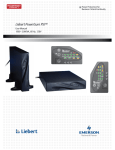
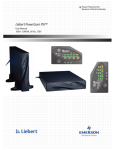
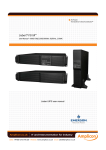
1 2 Introduction The Network Pro UPS features a rack/tower convertible design, single AVR boost and single buck, pure sine wave output, user-friendly LCD display, built-in customer option slot, hot swappable battery, and USB/RS232 communications interface. The Network Pro provides a flexible rack/tower form factor for use with critical file servers, minicomputers, network switches, hubs, and other business critical equipment. Sine wave output provides clean output power to connected equipment. User-friendly LCD panel displays system status including load level, battery level, AVR-Boost/Buck and fault status for easy monitoring and service. 90% high efficiency design when used in Normal mode meets high efficiency energy saving standards and reduces noise and heat. User-replaceable hot-swappable battery design saves time and money by allowing quick battery changes without downtime. Cold start function enables UPS to power up without connecting to incoming utility power. Optional Communication Software allows not only the control of the UPS and graceful shutdown when the Utility Fails, but also allows the user to remotely test the major operating functions of the UPS, communicate via SNMP/web/network optional card, access UPS functions via the web and alert users via SMS messages against specific events. User-friendly design can easily be installed by end user. Plug-and-play USB/RS232 interface conveniently offers a USB or RS232 port for connecting to a computer or other hardware. IMPORTANT SAFETY INSTRUCTION 2.1 An Important Notice 1. The UPS has its own internal energy source (battery). If the UPS is switched on when no AC power is available, there could be voltage at the output receptacles. 2. Make sure that the AC Utility outlet is correctly grounded. 3. Do not open the case, as there are no serviceable parts inside. Your warranty will be voided if the case is opened. 4. Do not try to repair the unit yourself; contact your local supplier or Orion Power Systems Technical support if the unit needs repair. 5. Please make sure that the input voltage of the UPS matches the supply voltage. 6. To eliminate any overheating of the UPS, keep all ventilation openings free from obstruction. 7. Make sure the UPS is installed within the proper environment as specified. (0-40℃ and 30-90% non-condensing humidity) 8. Do not install the UPS in direct sunlight. 9. The UPS is designed for indoor installation only. Do not install the UPS outdoors or in an environment that is not climate controlled. 10. Dusty, corrosive and salty environments can damage the UPS. 11. Install the UPS away from objects that give off excessive heat and areas that are excessively wet. 12. If liquids are spilled onto the UPS or foreign objects are dropped into the unit, the warranty will be void. 13. The battery will discharge if the system is disconnected from AC power for long periods (>3 months). If left uncharged, the battery may require replacement for the UPS to provide battery backup. 2 3