1
US 7,916,120 B2
3
4
having a scrolling element. The scrolling element includes a
tion controller adds convenience in that the laser pointer has
Wheel, a trackball, pressure sensitive switches or solid state
rollers that are con?gured to enable a scrolling function. The
scrolling element in such a computer mouse typically com
bines the operations Which are normally carried out by a
utility during a presentation, since the operator can use such a
presentation controller to control the presentation and use the
laser pointer to point to sections of relevant screens, Without
needing to carry both a presentation controller and a laser
middle button of a three button mouse (i.e. by being clickable)
With the operations that are Well-suited to the scrolling func
pointer device. Further, a laser pointer that is coupled With a
presentation device as is done in embodiments of the present
invention, is easily actuated by a button click of the device
110. The button used to activate the laser pointer 120 is any of
the multiple mouse buttons 112. Altemately a dedicated but
tion of a mouse-Wheel, as is knoWn in the art.
Preferably, the hybrid device of the present invention oper
ates in at least tWo modes. In a ?rst or mouse mode, or tabletop
ton is used on the device 110 for the actuation of the laser
mode, the device functions as a usual computer input device
(e. g. a computer mouse), Which is placed on a ?at surface to
input position-based information to a host computer.
pointer 120.
A three position on/off sWitch 118 shoWn in FIG. 1B, is
placed on the underside of the device 110 to turn the device on
and use it in either the presentation mode or the mouse mode.
In one embodiment, a ?rst activation of the button 118 turns
the device on and places it in the mouse mode; a second button
In a second or presentation mode, or a hand-held mode the
device is lifted from the tabletop and carried by its operator to
control a computer-based presentation by clicking any of the
device’s buttons to move forWard or backward in the elec
tronic slide presentation.
activation places the device in the presentation mode; and a
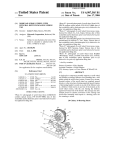
FIG. 1A shoWs an embodiment of the hybrid presentation
controller and computer input device 110 of the present
invention. The device 110 has tWo buttons 112. One button,
for example, the left button operates as “forWard” and the
other, for example, the right one operates as “backWard”
While in a computer-based presentation (e. g. Microsoft PoW
erPointTM), When the device is in the presentation mode. For
example, the clicking of one of the buttons is con?gured to
advance the presentation forWard by one slide frame, While
the clicking of another mouse button is con?gured to move
the presentation one slide frame backWard, in the same Way
that using the “page doWn” and “page up” buttons on a com
third activation turns the device 110 off. In an embodiment,
20
120 is enabled, and When the device is in a mouse mode, the
laser pointer is disabled.
25
30
puter keyboard cause a forWard and a backWard movement
Within an electronic slide document.
In the mouse mode, the buttons act as they do in a typical
mouse, Where the left button acts as the “click/select” button
and the right button acts as the “alt select” button. In both the
LEDs indicate battery poWer level and Wireless connectivity.
For battery poWer level, in an embodiment, the green light
Will shine for, for example, 5 seconds When the device is
sWitched on and then go off, When the battery level is good. If
the battery level gets loW (e.g. less than 50 hours or 20% of
typical usage left), the LED Will ?ash red, at a rate of, for
example, once per 10 seconds. Then, if the battery is excep
tionally loW (e.g. less than 5% of usage left), the LED Will
remain a constant red. If during use, the battery level goes
from an acceptable level to a loW level, the LED starts to ?ash
red at rate of, for example, once every 5 seconds to Warn the
user that the battery is loW.
40
for example, once every second until the connection is made
and then the green LED is on for, for example, 5 seconds, and
For Wireless connectivity, the connectivity LED ?ashes,
then off. If the user starts to move out of the range of the
device’s receiver, the LED ?ashes, for example, red once a
second until the user moves back in range. While connectivity
45
Ser. No. 10/010,072, entitled: “Pointing Device With Force
Sensitive Resistor,” assigned to the assignee herein, the dis
closure of Which is incorporated herein by reference in its
is maintained, the connectivity LED ?ashes, for example,
green every 30 seconds and When the user hits any of the
buttons. A recessed connect button is placed on the bottom
side of the device 110 to enable the connection of a device 110
to its receiver, at least for the very ?rst time the device is used.
entirety. In an embodiment that includes a solid state roller
(SSR), scrolling is achieved by placement of a ?nger on
Certain embodiments of the device 110 include status
LEDs 114, such as, for example, tWo red/green colored LEDs
that are visible via WindoWs in the top cover of the device 110,
in front of buttons 112. In a Wireless device embodiment, the
35
mouse and the presentation mode the button functionality is
changeable via a device setup softWare program that may be
installed on a computer during the initial installation of the
device.
The device 110 also has a scrolling element 116. Various
embodiments of the scrolling element 116, include a track
ball, mini joystick, a touchpad, a Wheel, a solid state roller
(“SSR”), or a force sensitive resistor. The functionality of the
force-sensitive resistor that is implemented in a pointing
device is described in a co-pending U.S. patent application
When the device is in the presentation mode, the laser pointer
50
Altemately, in addition to the sWitching betWeen the tWo
metallic sensor(s), one pair at the front of the SSR to indicate
modes using the three-Way on/ off sWitch 118, the sWitching is
a “scroll up” and one pair at the rear of the SSR to indicate
“scroll doWn.” One press of the SSR is equivalent to a “roller
enabled automatically. An automatic sWitching from a ?rst
mode (e.g. pointing device mode) to a second mode (e.g.
presentation mode) occurs When the device is lifted from the
tabletop. The device is con?gured to recogniZe that it has been
ratchet” and the continuous pressing of the SSR is equivalent
to a “continuous scroll.” The scrolling element 114 is placed
55
lifted from the tabletop using mechanical means for a
on the top side of the device 110 to alloW a user to have scroll
capabilities in the mouse as Well as the presentation modes.
Alternate embodiments of the device 110 include a laser
pointer 120 that is coupled With the device 110, as is shoWn in
FIG. 1B. The laser pointer 120 may be con?gured to be
mechanical (eg a ball-type mouse) mouse. Altemately, the
device 110 is con?gured to recogniZe that it has been lifted
from the tabletop using optical means for an optical mouse.
60
Mechanical means, for example, include a sWitch that is
activated in response to a mouse button click. Moreover, the
biased against the top of the ball, and is con?gured to detect
laser pointer 120 may only be activatable When the device 120
is being operated in its hand-held or presentation mode. Laser
pointers have become more popular as pointing devices, and
When the ball drops loWer, for example, as in When the mouse
some have even combined laser pointers With other devices
such as Watches, pens, range ?nders and ?rearm targeting
devices. The incorporation of a laser pointer With a presenta
is lifted from the table-top. Optical means, for example,
65
include using optical detectors to sense a change in the inten
sity of the detected light to indicate that very little re?ected
light is hitting the optical detector, as in, for example, When
the optical mouse is lifted from the tabletop. Furthermore, the