1
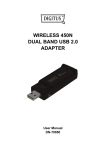
802.11b/g/n Wireless Network Adapter User Manual Chapter 1 Product Introduction Thank you for choosing our wireless adapter! The wireless adapter supports IEEE wireless standards, and is able to quickly process file transfer, video, multi-media and other applications that require higher bandwidth. This wireless adapter also integrates wireless configuration program, which makes it easy and quick to set up the wireless client. Besides, Soft AP is supported forfast wireless network establishment, and WPS encryption supported for you to quickly encrypt and secure your wireless network. All in all, the wireless adapter is easy-to-use, and of robust signal, long transmitting distance. 1.1 Package Contents One Wireless network adapter One Software CD (includes user guide and driver) The above list is for your reference only; the actual contents may differ according to the product you purchase. 1.2 Product Features Supports soft AP feature Detects wireless network and adjusts transmitting rate automatically Provides two working modes: Infrastructure and Ad-Hoc Supports WEP data encryption and WPA-PSK/WPA2-PSK encryption methods Supports WPS (Wi-Fi Protected Setup) encryption to secure your wireless network Complies with Windows 7/Windows 8/XP/ 2000/Vista, Linux, MAC OS, etc. 1.3 Product Usage This Wireless Adapter offers a fast, reliable and extendable solution for wireless access. It is mostly used in the following circumstances: 1. Enables staff members who require higher mobility, to have access to the wireless network anywhere inside their company. 2. Enables wireless communication for companies or places which are not suitable for wired LAN installation because of budget or building environment restrictions, such as historical buildings, rentals, or places for short-term usage. 3. Suitable for Enterprises or individuals requiring to regularly alter the networking topology 4. Helps enterprises or individuals who would like to use wireless to establish wireless network quickly and frees them from the trouble of cable distribution. 2