Transcript
GB
30 000 413 - 1
Universal remote control UFB
Logitech Harmony Touch with
wireless infrared converter FIW
Only skilled electricians may install
this electrical equipment otherwise
there is the risk of fire or electric
shock!
Temperature at mounting location:
-20°C up to +50°C.
Storage temperature: -25°C up to +70°C.
Relative humidity:
annual average value <75%.
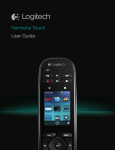
Universal remote control Logitech
Harmony Touch for almost all devices of
consumer electronics. Additionally with
28 channels plus one 4-way scene
control for the Eltako wireless building.
This universal remote control not only
replaces 14 single remote controls, but,
when used together with a wireless
infrared converter FIW55 or FIW-USB,
converts infrared telegrams into wireless
telegrams for the Eltako wireless network.
For this remote control the records of almost all popular old and new devices of
consumer electronics are available
for download from the internet at
myharmony.com and therefore all individual remote controls in a room can be
easily replaced by this universal remote
control.
Before shipment, we load a special
Eltako FIW data record in the original
Harmony Touch remote control. These
infrared signals are converted into wireless telegrams by a wireless infrared
converter FIW and transmitted to the
Eltako wireless network.
This data record can be loaded by any
owner of a Harmony Touch backed by
the enclosed Logitech User Manual. This
record can also be downloaded by each
owner of a Harmony Touch itself according to the enclosed Logitech operating
manual. It’s available in the Logitech
menu among the FIW55.
If
i
l
t
t lH
menu among the FIW55.
If an universal remote control Harmony
Touch already exists or was provided
elsewhere, the Logitech file for the
infrared converter FIW has to be
downloaded from the internet according
to the Logitech operating manual. You
can find it in the device range among
Eltako FIW55.
The device name after loading is automatically 'light Controller' and can be
changed under 'settings / rename this
Device'.
If you download for entertainment electronic equipment, also select the FIW
data record, otherwise it is deleted in
the UFB.
One actuator can be controlled by each
of the max 28 channels e.g. for lighting,
blinds, awnings and roller shutters.
In as-delivered state, the FIW sends a
message every time one of the numeric
buttons on the UFB is clicked. This permits the teach-in of 10 rapid channels
using the numeric buttons.
If additional channels are required,
switch over to the 'double-click' function
by using the key sequence 7 and 3 on
the UFB within 10 seconds after switching on the FIW power supply. In this
function an additional 10 channels 00, 11,
22, 33 etc. up to 99 can be taught-in.
Press the key sequence 9 and 1 within
10 seconds after switching on the power
supply to reset to single-click.
The numeric buttons in the actuators
can be taught-in either as direction
switches or universal switches. Dim
function with up and down arrow buttons
in the navigation cross.
When a numeric button in the associated
actuator is taught-in as direction button,
first select the channel by pressing the
numeric button when the device is in service, then control by pressing the up and
down arrow buttons in the navigation
cross.
Another 4 channels can be set to the +
and - of the volume and channel buttons,
e.g. for the central control of lighting and
shading.
A further 3 direction buttons can be
taught-in directly using the left and right
buttons in the navigation cross, the fast
forward and fast reverse buttons and the
buttons for forward skip and reverse skip.
In addition, the four labelled buttons in
the display with the colours red, green,
yellow and blue are available as scene
buttons for lighting or shading. You can
change their labels using the enclosed
CD and a Logitech Internet access.
The central control signals ON/OFF or
UP/DOWN can also be taught-in here as
scenes and labelled accordingly.
The wireless infrared converters FIW
can only be used in conjunction with
the universal remote control UFB. They
convert the predefined infrared telegrams
of the universal remote control UFB-Harmony Touch into wireless telegrams for
the Eltako wireless network. Otherwise
they have no function of their own.
Infrared converter FIW55
Wireless infrared converter for individual
fitting or integration in the 55x55 mm
and 63x63 mm switch system. Only
0.4 watt standby loss.
Power supply 230 V.
The scope of supply includes a frame R,
an intermediate frame ZR in the same
colour and a mounting plate. In addition, an intermediate frame ZRF in the
same colour is supplied for installation
in an existing frame R1F, R2F or R3F for
flat pushbuttons.
A 20 cm long wire is located at the rear
for the 230 V power connection, black
(L) and blue (N). Otherwise no further
installation depth is required behind the
mounting plate.
We recommend sheet metal countersink
screws 2.9x25mm, DIN 7982 C, for
screw connections on 55mm switch
boxes.
Infrared converter FIW-USB
Wireless infrared converter with USB
port. Only 0.05 watt standby loss.
Either connect to a device with power
supply to the USB socket or use a USB
charger for mains voltage. USB plug
Type A with 2 m connecting cable.
Teaching-in of the universal remote
control UFB in wireless actuators
The downstream wireless actuators are
taught in and then controlled using the
keys on the universal remote control.
The green LED of the FIW indicates
keys on the universal remote control.
The green LED of the FIW indicates
every detected infrared telegram.
The teach-in process is described in the
Operator Manual for the actuators.
UFB:
WEEE registration number DE 52635780
FIW-USB:
WEEE registration number DE 30298319
Must be kept for later use!
Eltako GmbH
D-70736 Fellbach
+49 711 94350000
www.eltako.com
04/2013 Subject to change without notice.