1
ENGLISH
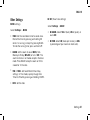
Other Settings
WATCH settings
Select Settings > WATCH
•
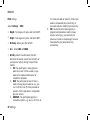
Select Settings > HR SET
•
HR ALARM: Select VOL 2 (loud), VOL 1 (quiet), or
alarm OFF.
•
HR VIEW: Select HR (beats per minute), or HR%
TIMER: Set the countdown timer to sound once.
Restart the timer by pressing and holding OK
while it is running, or stop it by pressing BACK.
To hide the running timer, press and hold UP.
•
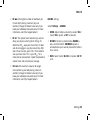
HR SET (Heart rate settings)
(a percentage of your maximum heart rate).
ALARM: Set the alarm to sound DAILY, from
Monday to Friday (MON-FRI) or turn it OFF. The
alarm functions in all modes except in Exercise
mode. Press BACK to stop the alarm or OK to
snooze for 10 minutes.
•
TIME / TIME2: Set two different time of day
settings. In Time mode, quickly change from
Time1 to Time2 by pressing and holding DOWN.
•
DATE: Set the date.
Settings 21