1
SCAN OPERATION
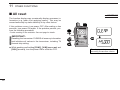
■ Auto memory write scan
This scan is useful for searching a specified frequency range
and automatically storing busy frequencies into memory
channels. The same frequency ranges used for program scan
are used for auto memory write scan.
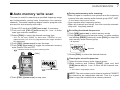
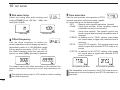
q Select VFO mode with [V/M] (SKIP•S.MW), if necessary.
wPush and hold [CALL] (MODE•SCAN) for 1 sec. to enter
scan type selection condition.
e Rotate [DIAL] to select the desired scanning type.
• “ALL” for full scan; “BAND” for band scan, “PROGxx” for programmed scan (xx= 0 to 24; programmed scan edges numbers
only displayed)
r Push [CALL] (MODE•SCAN) to start the scan.
tPush [V/M] (SKIP•S.MW) to toggle the automatic memory
write function ON and OFF.
•“
” indicator blinks during auto memory write.
- 2 short beeps sound when stored.
• Scan resumes after frequency storing.
• When all channels are stored, the scan cancels automatically and 1 long beep sounds.
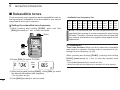
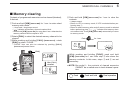
D Re-calling the stored frequencies:
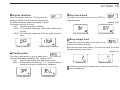
qPush [V/M] (SKIP•S.MW) to select memory mode.
wPush [BAND] (TS•LOCK) several times, or while pushing
and holding [BAND] (TS•LOCK), rotate [DIAL] to select the
auto memory write channel group.
7
• “♦” appears.
WFMAM -DUP T SQL
DTCS ATT
Appears
e Rotate [DIAL] to select the desired channel.
WFMAM -DUP T SQL
DTCS ATT
VOL PRIO P SKIP MR
9
5
LOW 1
SCAN
S.MW
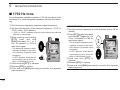
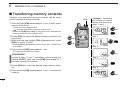
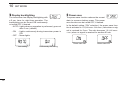
D During auto-memory write scanning:
• When a signal is received, scan pauses and the frequency
is stored into auto memory write channel group (000♦–199♦).
VOL PRIO P SKIP MR
9
5
LOW 1
[DIAL]
SCAN
7
“
” indicator blinks
SET
yPush [CALL] (MODE•SCAN) to stop scan.
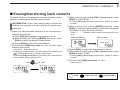
D Clearing the stored frequencies:
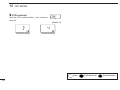
q Select the auto memory write channel group.
wWhile pushing and holding [FUNC], push and hold
[V/M] (SKIP•S.MW) for 1 sec. to clear the all channels contents.
• 1 short and 1 long beeps sound.
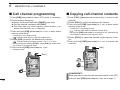
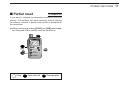
NOTE: The auto memory write channel contents CANNOT
be cleared as an independent channel. Thus it is a good
idea to copy the contents into a memory channel.
38