1
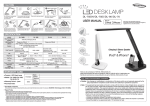
Features and how to operate How to use Bluetooth Search FM Frequency ඖ Ready for Bluetooth Volume Control Telephone mode Bluetooth LED Light FM Radio Touch type control button Brightness Control Preset(FM) Power On/OFF Reading Mode Study Mode Relaxation Mode Timer Bedtime Mode ඖ One Touch Control Function. Convenient to control functions of ON/OFF on various situations by simple touch method. USB Port & Power Jack ඖ Brightness Control Function.( 5Step Brightness Control Function. ) ඖ Operational Modes. Reading Mode (4,300~5,300K) It stimulates concentration and reduces eye strain with the choice of mid-range color temperature. User can listen to music or take a phone call by Bluetooth pairing with external Bluetooth devices or Bluetooth mobile phone. First, user should check device which has Bluetooth function. 1Bluetooth version : V2.1 + EDR / Profile : A2DP,HFP,SPP / Frequency : 2400~2483Mhz / Wireless output : Power class2 ඖ Pairing with mobile phone or other Bluetooth devices. 1Pairing Bluetooth between DL-60BSH and Bluetooth devices. 1DL-60BSH will catch other Bluetooth devices in a close range after first pairing is succeeded. ඖ Steps of pairing ) during 3 seconds. Stand-by mode after press Bluetooth button( ) and Bluetooth button( ) will be blinked 2 times periodically during Stand-by mode for pairing.User 僠Red LED of Call button( can search device by Bluetooth device or mobile phone at that time. Find out DL60BSH in searching list of Bluetooth device or mobile phone. 乀Press 0000 PIN code for mobile phone's request.(PIN code won't not requested by some mobile phones) 乁Red LED of Bluetooth button will be stopped blinking after succeed pairing. ) and Red LED of Call button( ) will be turned off if pairing is failed in 2 min. 䮝Bluetooth button( 䮝Bluetooth device could be connected to lamp in a close range if device is succeeded pairing already.(Two devices should be Bluetooth ON status) ඖ Bluetooth ON/OFF 1Press Bluetooth button( ), Red LED of Bluetooth button( ) will be ON during connecting to mobile phone or Bluetooth devices ) will be ON after connected. and Red LED of Bluetooth button( 1Play mode will be stopped if press Bluetooth button( ) during playing music by Bluetooth pairing mode. 1Bluetooth connection will be disconnected if press Bluetooth button( ) during 3 sec. Intensity of illumination by mode Study Mode (6,000~7,000K) Increases attention and concentration with the choice of high-range color temperature. Relaxation Mode (2,500~3,300K) Bedtime Mode (2,500~3,300K) Study mode 600 750 900 1000 1100 Relaxation mode 300 350 400 450 500 Bedtime mode 50 100 150 200 250 Promotes relaxation along with improved mood with the choice of low-range color temperature. USB Port Power Jack Encourages a deep sleep with the comfortable soft light. ඖ Timer Control Function.( ) Automatically turns off the light off in one hour(1hr) while in any mode of operation. Headphone Jack Mic. Control Button Volume Control Button Unit : Lux, ρ100Lux Step Reading mode Step 1 Step 2 Step 3 Step 4 Step 5 500 650 800 900 1000 (Measuring standard : 40 cm space from emitting area.) ඖ Bluetooth On/Off Setting and operation Pairing Bluetooth device to Lamp and then press Bluetooth button( ) shortly then Bluetooth mode will be OFF and RED LED will be turned off as well. If press it again shortly, Bluetooth mode will be ON and RED LED will be turned on. ඖ Listen to the FM Radio 1Turn on the Radio by press button FM( ). Choose your Frequency by SCAN button ( ). The frequency range is from 87.5 to 108Mhz and search it by 100Khz step. 1Press PRESET button and then LED will be turned ON. Press Left-Right key of SCAN button ( ), then you can find and listen to the Radio by your fixed-set frequency. ) during stand-by Bluetooth, the Radio will be ON and Bluetooth button's( ) RED LED will be turned off. 举If press FM button( 举During listening to the Radio, the Radio will be OFF if you get a phone call or pairing some Bluetooth device to the lamp. 举During pairing mode to listen to music, music playing will be stopped if turn on the FM Radio. 1.Do not place at slanting place. 2.Adjust height appropriately. 3.Please put a plug into the socket after connect AC adaptor to the back side of the body. 4.Press the power button. ඖ Set PRESET 1Turn on the radio by press FM button( ). FM button( ) will be blinked by Red color if press left or right key of SCAN button during 1.5sec Also, search frequency and set it automatically. (Maximum 20 channels available) 1Red Led of Preset button will be ON after searching and setting then move to first set frequency. (If there is no searching set frequency cause of bad reception, it will keep previous set frequency) Press PRESET button again, LED will be turned off and cleared Preset mode. 1Add frequency and delete : Press PRESET button during 1.5 sec after cleared PRESET mode, User can add present frequency. On PRESET mode, if press PRESET button during 1.5sec, delete frequency and then move set frequency.(Red LED of PRESET button will be turned OFF after deleted all of set frequency) ) flickers on and off once when addition or delete of PRESET work normally while the red LED of 举The red LED of the FM button( ) flickers on and off twice when it failed to add due to an excess of the number of set-up that the maximum is 20. the FM button( Product Box Contains Multi-Pivot Flexible Positioning A. Light Stand including light B. Control Button C. Light Base D. AC Adaptor(Length 180cm) E. Set Holder 50π ඖ Call / Receive Call / Hang-Up / Reject Call / Call Transfer 1Call : Call by mobile phone, RED Led of Call button( ) will be turned ON if lamp got pairing with mobile phone. 1Receive call : If lamp got pairing with mobile phone, ring at a time by mobile phone and lamp. Red LED of call button( ) will be turned ) shortly as 0.5 sec. on and take a phone call by press call button( 1Hang-up : After finish phone call, press call button( ) shortly as 0.5 second. 1Rejects call : For reject call, press call button( ) during 1.5 second. 1Transfer call : Press call button( ) during 3 second, it could be transferred lamp mode or mobile phone mode conversation.(Press call button again during 3 second, it will be transferred again) 举Music playing will be stopped temporary while user takes a phone call. ඖ USB Port(Charging) 1Possible to recharge various digital devices such as MP3 & Mobile phone through USB port supplying 5V(700mA) power. A 90π D 90π E 130π B C