Download User`s Manual

Transcript
4 Web Management
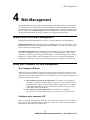
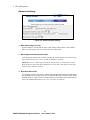
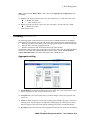
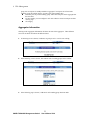
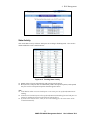
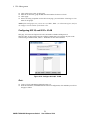
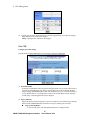
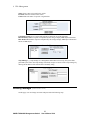
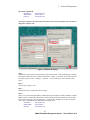
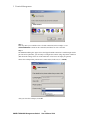
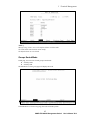
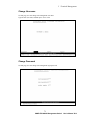
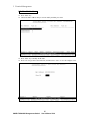
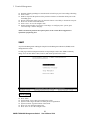
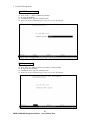
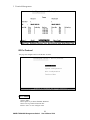
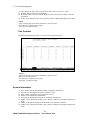
User name: Type the new user name.
Password: Type the new password.
Reconfirm password: Retype the new password.
Click Apply.
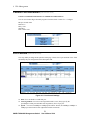
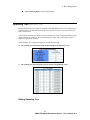
Introduction to 802.1x Authentication Protocol
Function:
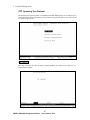
The 802.1x protocol allow authentication and authorization information to be embedded
inside the Ethernet frame through EAP(extended authentication protocol). This allows each
packet to be check for authentication without the need of opening tunnel through PPP protocol.
Because of this capability, 802.1x is particular suitable for wireless and broadband service
provider for authentication and accounting implementation. To setup a successful 802.1x
environment, 3 elements are needed:
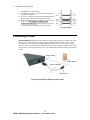
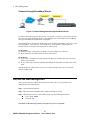
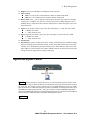
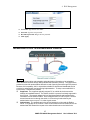
Supplicant: The supplicant typically means a PC or mobile device that need the
wireless or broadband access. For WinXP, the 802.1x protocol is already supported in
the OS level. The network adapter’s driver should automatically add authentication
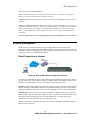
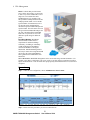
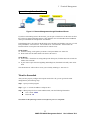
information into the Ethernet frame. On the diagram above, the PC on part 1 wants to
access Internet service through the switch, it will need to get authorized by the
authentication server on port 11 in order to gain access.
Authenticator: The authenticator is the device between the client and the Radius
server. It is typically an AP or switch. When a client needs to access certain service, the
authenticator will forward the request to the authentication server and wait for the
45
SNMP-FSH2602G Management Switch
User’s Manual V2.0