1
PHOTOMOD 5.21
GeoMosaic
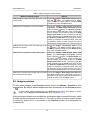
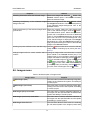
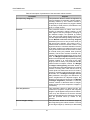
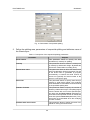
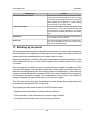
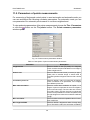
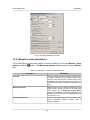
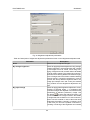
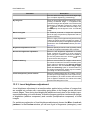
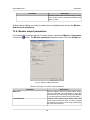
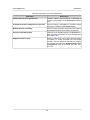
Table 8. Description of parameters of the automatic cutlines creation
Parameter
Purpose
Fast (Voronoy diagram)
This parameter allows to select the algorithm of
Voronoy diagram for automatic cutlines creation.
Creating cutlines by this method consists in
splitting all the project area into polygons based
on proximity to nadir points or, if the latter are not
given, to image centers.
Detailed
This parameter allows to select more fine algorithm for automatic cutlines creation. In this
case edges of Voronoy’s diagram, belonging to
two different images, are replaced by broken
lines, which provide optimal images joining. You
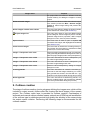
can also adjust the following settings. Non-dimensional Maximal shift from Voronoy diagram
parameter (from zero to one): at zero value you
will get Voronoy diagram, if the value is one –
maximal area is used for cutlines creation. This
algorithm allows to calculate estimation function
on images. Cutlines are created on lines in such
a way, that maximal value of this function on them
is minimal among all possible lines (minimax
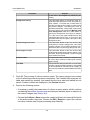
method). The function consists of several summands, with specified weight (from zero to one)
each. The Weight of objects outlines parameter
allows to avoid separate objects (houses) during
cutlines creation or to cross them at the right
angle (in case of roads). This parameter has the
maximal value on objects’ outlines. The Weight
of images heterogeneity parameter allows to
avoid small cities and settlements during cutlines
creation, including also urban blocks, since at
certain pixel size settlements look more heterogeneous, comparing with forested areas, agricultural fields, etc. The Weight of images correlation parameter: the bigger the differences of
point’s neighborhood on adjacent images, the
bigger this component for each point. The Weight
of images brightness parameter is used for
cutlines creation in darkened areas of images,
where human eye is less receptive to images inconsistency.
Thin out precision
This parameter allows to define the thin out
coefficient of polylines. Polylines with segment
length of 1 pixel appear in the process of creation.
Then, they are thinned out so that the thinned
lines were deviated from the sources by not more
than the specified value (in meters on the
ground).
Source images cutting
This parameter allows to exclude the edges of
the image during the cutlines creation. The size
of the edge images (in fractions) is determined
21