1
Proceed to the next section to configure the equipment connected to
CDU-TCP.
5 .- HOW TO SETUP DEVICES CONNECTED TO CDU-TCP
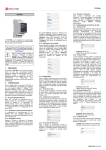
To set the units connected to the CDU-TCP RS485 bus, click on "Add" from
the list of devices connected to CDU-TCP
CDU
(right list)
In the next window select the wished devices.. In this tutorial we used a X2 in
the “Electric
Electric Vehicle”
Vehicle area. Select the device and click "OK" (X2 is standard
CCL-PE2, CCL--PE2-XX, CCL-CP1, CCL-CP1-XX,
XX, CCL-CP2,
CCL
CCL-CP2-XX
driver)
ame and description for the device,, and the number of device on the
Define a name
communication bus. The X2 has a default peripheral No. 98.
Click on "Accept".
CDU-TCP User Manual
11 / 21