1
to
d.
om
tre.
ngs
Camera
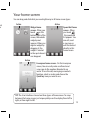
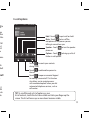
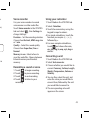
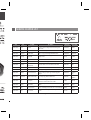
Getting to know the viewfinder
Exposure - A low contrast image will
appear foggy, whereas a high contrast
image will appear much sharper.
Zoom - zoom in or zoom out. This
function is enabled depending on the
picture size you take.
Back
Taking a photo
y
Video mode - Slide
down this icon to
switch to video mode.
ive
n
s of
n.
turn
our
Settings - Touch this icon to open
the settings menu. See Using the
advanced settings.
View mode - Choose from Full
screen or Full image.
Continuous shot - This enables you
to take 3/6/9 shots automatically in
very quick succession.
Gallery -This enables
you to access your
saved photos from
within the camera
mode. Simply touch,
and your gallery will
appear on the screen.
TIP! You can bring up the options by tapping the screen. They automatically
turn off after a few seconds.
29