1
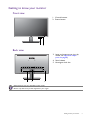
Getting to know your monitor
Front view
1. Control buttons
2. Power button
1
2
Back view
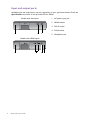
3. Input and output ports (vary by
model, see Input and output
ports on page 8)
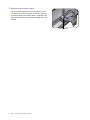
4. Stand release
5. Kensington lock slot
3
4
5
• Above diagram may vary depending on the model.
• Picture may differ from product supplied for your region.
Getting to know your monitor
7