1
SUN/190.11 —Importing regions of the HST GSC
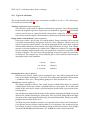
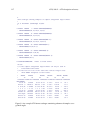
catcdsin
equinox=J2000
82
epoch=J1995.3
Obviously, you substitute values appropriate to your catalogue. The equinox and epoch should
have their usual CURSA syntax (see Section 7). Either, neither or both can be specified. If you
wish to suppress the automatic interpretation of celestial coordinates, and instead have the
sexagesimal subdivisions of angles treated as separate columns, type:
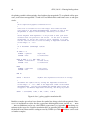
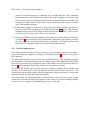
catcdsin
angles=no
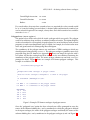
The input CDS description file does not have to be called ReadMe. For example, a file called
cdsdesc.lis could be processed by typing:
catcdsin infile=cdsdesc.lis
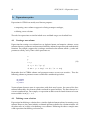
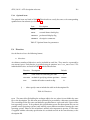
These various options can be combined. For example, to process a file called cdsdesc.lis,
specifying the equinox as J2000 and not copying the CDS file as textual information type:
catcdsin
infile=cdsdesc.lis
equinox=J2000
text=none
CDS ReadMe files can (and often do) contain descriptions of more than one catalogue or table.
Usually these catalogues or tables will be closely related; perhaps a main catalogue and a table of
notes. catcdsin creates a separate STL description file for every catalogue found in the ReadMe
file.
A few CDS catalogues do not contain celestial coordinates; spectral line wavelength lists are
the obvious example. Occasionally the coordinates may be in a non-standard format which
catcdsin does not interpret properly. In this case it may be possible to fix-up the STL description
file generated by catcdsin by hand. See Appendices D and E for details of the STL format. Such
occurrences seem to be rare.
24
Importing regions of the HST GSC
The Hubble Space Telescope Guide Star Catalog (GSC, see Section 2, above) is divided into some
9537 regions and each region is held as a separate FITS table file. These FITS tables can be read
directly by CURSA. However, there is a CURSA utility to convert them to a more convenient
format. I recommend that you use it to convert a region before accessing the region with other
CURSA applications. The utility generates a new version of the region with the following
changes:
• the units of the Right Ascension and Declination are changed from degrees to radians and
the UNITS attributes set so that CURSA can format the coordinates as sexagesimal values
for display,
• the region is sorted into ascending Declination order so that (fast) range selections can be
performed on it.