1
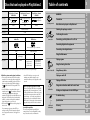
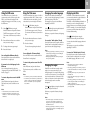
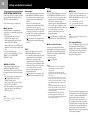
Discs that can be played on PlayStation®2
Disc logo
Disc colour
“
PlayStation®2 format
CD-ROM
”, PlayStation®2 logo
and
designation
“
”, PlayStation®2 logo
and
designation
Silver
GB
PlayStation® format
CD-ROM
WARNING
PlayStation® logo and
designation
Precautions
Getting started
Blue
Black
Contents
Audio and video
Disc size
12 cm
Discs that can be played on PlayStation®2
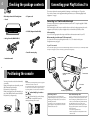
Checking the package contents
Positioning the console
Audio CDs
DVD videos
Connection
Connecting your PlayStation®2 to a TV set
Disc logo
Connecting digital audio equipment
The “DVD VIDEO” logo is a trademark.
Connecting other digital devices
Contents
Audio
Audio and video
Disc size
12 cm
8 cm*
(CD single)
12 cm
8 cm
Play time
74 min
20 min
About 4 hrs
(single-sided) /
about 8 hrs
(double-sided)
About 80 min
(single-sided) /
about 160 min
(double-sided)
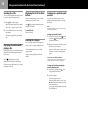
* When you position the console vertically and play an 8 cm audio CD, be sure to use an optional adaptor.
DVD video systems and regional restrictions
•This console conforms to the PAL broadcast
standard. You cannot play discs recorded for
other broadcast standards (such as NTSC) on
this console (unless the NTSC disc displays
the ALL label and an NTSC compatible TV is
used).
•Some DVD videos are marked with region
numbers such as 2 . The number contained
within the symbol represents the region
number of DVD players on which the disc can
be played. DVD videos that do not bear this
symbol, or that do not display the number 2
cannot be played on your console.
•DVDs with the ALL label can also be played on
this console.
If you attempt to play any other DVDs, a
message stating “This disc cannot be played
due to regional restrictions.” will appear onscreen.
Using the Main menu
Playing a game
Using the Analog Controller
Game / Audio CD
Playing a DVD video
Using various functions with the Control Panel
Note on playback operations of DVDs
Specially-shaped discs
Do not use irregularly-shaped CDs (for
example, heart- or star-shaped CDs) as they
may cause the console to malfunction.
Using Memory Cards
Playing an audio CD
•Some DVDs that have no region code
markings may still be subject to area
restrictions and may not be playable on the
console.
This console plays DVD video as originally
designed by the software producers. Some
of the playback features of this console may
not have been incorporated into the DVD
video design. As a result, some playback
features may not be available with certain
DVD videos. Please refer to the instructions
supplied with your DVD video for details.
3
DVD video
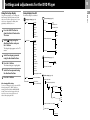
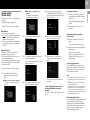
Settings and adjustments for the DVD Player
Troubleshooting
Specifications
Additional
information
Glossary
GUARANTEE
2
2
3
4
4
4
6
6
7
8
9
10
10
11
12
15
19
20
21
21
Connection
PlayStation®2 format
DVD-ROM
Table of contents