1
No.99MBB079A5
SERIES No.178
SJ-201
Surface
Roughness Tester
User's Manual
Read this User’s Manual thoroughly
before operating the instrument. After reading,
retain it close at hand for future reference.
CONVENTIONS USED IN USER'S MANUAL
Safety Precautions
To operate the instrument correctly and safely, Mitutoyo manuals use various safety signs (Signal
Words and Safety Alert Symbols) to identify and warn against hazards and potential accidents.
The following signs indicate general warnings:
DANGER
WARNING
Indicates an imminently hazardous situation which, if not avoided, will result in serious
injury or death.
Indicates a potentially hazardous situation which, if not avoided, could result in serious
injury or death.
Indicates a potentially hazardous situation which, if not avoided, may result in minor or
moderate injury or property damage.
CAUTION
The following signs indicate specific warnings or prohibited actions, or indicate a mandatory action:
Alerts the user to a specific hazardous situation. The given example means “Caution,
risk of electric shock”.
Prohibits a specific action. The given example means “Do not disassemble”.
Specifies a required action. The given example means “Ground”.
i
No. 99MBB079A
CONVENTIONS USED IN USER'S MANUAL
On Various Types of Notes
The following types of notes are provided to help the operator obtain reliable measurement data
through correct instrument operation.
IMPORTANT • An important note is a type of note that provides information essential to the completion of a task. You cannot disregard this note to complete the task.
• An important note is a type of precaution, which if neglected could result in a loss of
data, decreased accuracy or instrument malfunction/failure.
NOTE A note emphasizes or supplements important points of the main text. A note supplies
information that may only apply in special cases (e.g.. Memory limitations, equipment
configurations, or details that apply to specific versions of a program).
TIP A tip is a type of note that helps the user apply the techniques and procedures described in the text to their specific needs.
It also provides reference information associated with the topic being discussed.
Mitutoyo assumes no liability to any party for any loss or damage, direct or indirect,
caused by use of this instrument not conforming to this manual.
Information in this document is subject to change without notice.
© Copyright Mitutoyo Corporation. All rights reserved.
No. 99MBB079A
ii
PRECAUTIONS
To obtain the highest performance from this instrument and to use it safely, read this User’s
Manual prior to use.
This user's manual is intended for users of surface roughness testers SJ-201P and SJ-201R.
“SJ-201P” is used in almost all descriptions of this user's manual. If using model SJ-201R
read this manual assuming “SJ-201P” as “SJ-201R”. Unless otherwise noted, the manual
gives common information about the SJ-201P and SJ-201R.
Observe the following precautions to get the most of the instrument and to attain high
accuracy for long time.
This instrument has a sharp stylus at the edge of the detector. Take care not to be
injured.
CAUTION
IMPORTANT • For the power supply, follow the conditions described on the AC adapter supplied.
Do not use other than the AC adapter provided.
• Do not disassemble the instrument unless otherwise specified in this User’s
Manual. It will result in instrument failure or damage. The instrument has been
rigorously adjusted and assembled at the factory.
• Do not drop or give impact to the detector. The detector is a precision part.
• Do not use the instrument in an environment where it is subject to dust or vibrations. Also keep it as far apart from noise generator such as large power supply,
high-voltage relay switch as possible.
• Avoid using the instrument where there is sudden temperature change, and
operate it where the temperature is between 0 and 30°C(RH: 85 % or less). Do
not operate/store the instrument close to a room heater or in the direct sunlight.
• Store the instrument where the temperature can be controlled between -10 and
40°C.
• When mounting the detector to the drive unit, take care not to apply excessive
force to the drive unit.
• Before connecting /detaching the connector or connecting cable, turn the power off
(by auto sleep function).
• The stylus tip is machined precisely. Take care not to break it.
• Before measurement, wipe off oil or dust on the workpiece surface to be measured.
WARRANTY
This instrument has been manufactured, adjusted, and inspected under rigorous quality
control system of Mitutoyo. In the event that this instrument should fail within one year from
the original date of purchase through normal use conforming to the User’s Manual provided
with the product, we will repair or replace it, at our option, free of charge, upon its prepaid
return to Mitutoyo.
This warranty shall not apply if the product has been subject to fair wear and tear, abuse
through misuse or improper use/handling/storage/maintenance/service/repair or through
adaptation/modification by the original purchaser or any third party without prior written
consent of Mitutoyo or as a result of damage by an actual disaster or circumstances beyond
the control of Mitutoyo.
This warranty is not transferable and is only valid within the country of the original purchase.
iii
No. 99MBB079A
CONTENTS
CONVENTIONS USED IN USER'S MANUAL ................................................................. i
PRECAUTIONS ...............................................................................................................iii
WARRANTY .................................................................................................................... iii
No. 99MBB079A
1
SJ-201P OVERVIEW ............................................................................................ 1-1
1.1 Outline of the SJ-201P ................................................................................. 1-1
1.2 Standard SJ-201P Configuration .................................................................. 1-3
1.3 Name of Each Part on the SJ-201P ............................................................. 1-7
1.4 Attaching and Detaching the Drive/Detector Unit ....................................... 1-11
1.4.1 Attaching and Detaching the Detector .......................................... 1-11
1.4.2 Attaching and detaching the drive/detector unit ............................ 1-15
1.4.3 Plugging in and unplugging the display unit cable ........................ 1-17
1.4.4 Using the connection cable ........................................................... 1-18
1.5 Carrying Case ............................................................................................. 1-20
2
OUTLINE OF THE SJ-201P FUNCTIONS AND KEY OPERATIONS ................ 2-1
2.1 Relationship Between SJ-201P Functions and Available Keys ................... 2-1
2.2 Key Operations to Enter Numeric Values .................................................... 2-6
3
MEASUREMENT OPERATION
3.1 Overall Measurement Flow ........................................................................... 3-1
3.2 Power ON and OFF ...................................................................................... 3-4
3.2.1 Turning the power on/off ................................................................. 3-4
3.2.2 Setting the auto-sleep function in use of the built-in battery .......... 3-7
3.3 Calibration ..................................................................................................... 3-8
3.3.1 Calibration preparation .................................................................... 3-8
3.3.2 Performing calibration .................................................................... 3-11
3.4 Measurement .............................................................................................. 3-14
3.4.1 Setting the workpiece and SJ-201P .............................................. 3-14
3.4.2 Starting measurement ................................................................... 3-16
3.4.3 Switching the objective parameter to be displayed ....................... 3-17
3.4.4 Detector retraction procedure ........................................................ 3-18
3.4.5 Displaying the detector stylus position .......................................... 3-20
3.5 Daily Care ................................................................................................... 3-22
3.5.1 Storage of SJ-201P ....................................................................... 3-22
3.5.2 Recharging the built-in battery ...................................................... 3-22
3.5.3 Checking for normal operation ...................................................... 3-25
4
MODIFYING THE MEASUREMENT CONDITIONS ............................................ 4-1
4.1 Switching the Cutoff Length .......................................................................... 4-1
4.2 Modifying the Number of Sampling Lengths ................................................ 4-3
4.3 Setting the Evaluation Length to an Arbitrary Length .................................. 4-5
4.4 Setting the Pre-travel/Post-travel Length to OFF ......................................... 4-7
4.5 Modifying the Measurement Range .............................................................. 4-9
4.6 Switching the Surface Roughness Standard .............................................. 4-11
4.7 Changing the Measured Profile .................................................................. 4-13
4.8 Changing the Filter ..................................................................................... 4-15
4.9 Setting the GO/NG Judgment Function ...................................................... 4-17
4.10 Setting Parameters Other Than Ra, Ry, Rz, and Rq ................................. 4-20
iv
4.11
4.12
4.13
4.14
v
Modifying the Traversing speed .................................................................
Modifying the Calibration Conditions ..........................................................
Resetting to the Factory-Set Defaults ........................................................
Switching the Unit of Measurements ..........................................................
4-29
4-31
4-34
4-36
5
INSTALLING THE SJ-201P WITH OPTIONAL ACCESSORIES ........................ 5-1
6
SAVING/OUTPUTTING/COMMUNICATING THE MEASUREMENT RESULTS ... 6-1
6.1 Setting the Measurement Result Output ...................................................... 6-1
6.2 Saving/Calling/Deleting Measurement Results ............................................. 6-3
6.2.1 Saving measurement results ........................................................... 6-3
6.2.2 Calling the saved data ..................................................................... 6-5
6.2.3 Deleting the saved data ................................................................... 6-7
6.3 Printing Measurement Results and Saved Data .......................................... 6-9
6.3.1 Connecting the SJ-201P and printer ............................................. 6-10
6.3.2 Printing the measurement results or saved data .......................... 6-13
6.3.3 Setting the print items .................................................................... 6-16
6.3.4 Setting the print magnification ....................................................... 6-18
6.3.5 Setting the print language ............................................................. 6-21
6.4 SPC Data Output ........................................................................................ 6-23
6.4.1 Connecting the SJ-201P and DP-1VR .......................................... 6-24
6.4.2 Outputting the measurement results or saved data ...................... 6-25
6.5 Connecting with a Personal Computer ....................................................... 6-28
7
REPLACEMENT OF THE BUILT-IN BATTERY PACK ...................................... 7-1
7.1 Purchasing a Built-In Battery Pack ............................................................... 7-1
7.2 Replacing the Built-In Battery Pack .............................................................. 7-2
8
TROUBLESHOOTING .......................................................................................... 8-1
9
PRODUCT SPECIFICATIONS ............................................................................. 9-1
9.1 Detector ......................................................................................................... 9-1
9.2 Drive Unit ...................................................................................................... 9-1
9.3 Display Unit ................................................................................................... 9-2
9.3.1 Compatible surface roughness standard ......................................... 9-2
9.3.2 Measured profiles and applicable filters .......................................... 9-2
9.3.3 Cutoff length/sampling length, number of sampling lengths,
and sampling interval ....................................................................... 9-2
9.3.4 Roughness parameters and display range ..................................... 9-3
9.3.5 Evaluation length ............................................................................. 9-3
9.3.6 Measurement range and resolution ................................................. 9-3
9.4 Power Supply ................................................................................................ 9-4
9.5 Temperature/Humidity Range ....................................................................... 9-4
9.6 External Dimensions and Mass .................................................................... 9-4
9.7 Optional Accessories .................................................................................... 9-5
9.8 SPC Output Specifications ........................................................................... 9-6
9.9 Connection Specifications with a Personal Computer ................................. 9-8
9.10 RS-232C Communication Specifications ...................................................... 9-9
No. 99MBB079A
10
REFERENCE INFORMATION ............................................................................ 10-1
10.1 Surface Roughness Standard ..................................................................... 10-1
10.1.1 Evaluation according to JIS B0601-1982 ...................................... 10-1
10.1.2 Evaluation according to JIS B0601-1994 ...................................... 10-2
10.1.3 Evaluation according to DIN .......................................................... 10-3
10.1.4 Evaluation according to JIS B0601-2001, ISO .............................. 10-4
10.1.5 Evaluation according to ANSI ........................................................ 10-5
10.2 Assessed Profile and Applicable Filters ..................................................... 10-6
10.2.1 Measured profile ............................................................................ 10-6
10.2.2 Filters ............................................................................................. 10-9
10.2.3 Difference of filter characteristics ................................................ 10-12
10.2.4 Amplitude characteristic of 2RC and PC50 (Gaussian) filters .... 10-13
10.3 Mean line compensation ........................................................................... 10-14
10.4 Traversing Length ..................................................................................... 10-15
10.5 Definitions of the SJ-201P Roughness Parameters ................................. 10-19
10.5.1 Arithmetic mean deviation of the profile, Ra ............................... 10-19
10.5.2 Root-mean-square deviation of the profile, Rq ........................... 10-19
10.5.3 Maximum height of the profile, Ry (JIS’82, JIS’94) ..................... 10-20
10.5.4 Ten-point height of irregularities, Rz (JIS’82, JIS’94) ................. 10-21
10.5.5 Maximum two point height of the profile, Ry (DIN, ANSI) .......... 10-22
10.5.6 Maximum height of the profile, Rz (DIN, ISO, ANSI, JIS’01) ..... 10-22
10.5.7 Maximum profile peak height, Rp (DIN, ISO, JIS’94, JIS’01) ..... 10-22
10.5.8 Total height of the profile, Rt ....................................................... 10-22
10.5.9 Mean width of the profile elements, Sm (JIS, ISO, DIN) ............ 10-23
10.5.10 Peak count, Pc (JIS, ISO, DIN) ................................................... 10-23
10.5.11 Material ratio of the profile, mr[c] (tp:material ratio of the profile) .. 10-24
10.5.12 Base roughness depth, R3z ........................................................ 10-24
10.5.13 Mean spacing of local peaks of the profile, S ............................. 10-25
10.5.14 Material ratio curve of the profile (Abbott Firestone curve), BAC .. 10-26
10.5.15 Bearing length ratio, mr (mrd:bearing length ratio) ..................... 10-26
10.5.16 Core roughness depth, Rk
(Depth of the roughness core profile) ......................................... 10-27
10.5.17 Reduced peak height, Rpk
(Average height of the protruding peaks above
the roughness core profile) .......................................................... 10-27
10.5.18 Reduced valley depth, Rvk
(Average depth of the profile valleys projecting through
the roughness core profile) .......................................................... 10-27
10.5.19 Material portion, Mr1 .................................................................... 10-27
10.5.20 Material portion, Mr2 .................................................................... 10-27
10.5.21 Peak area, A1 .............................................................................. 10-27
10.5.22 Valley area, A2 ............................................................................ 10-27
10.5.23 Measuring volume Vo .................................................................. 10-28
SERVICE NETWORK
No. 99MBB079A
vi
MEMO
vii
No. 99MBB079A
1
1.1
SJ-201P OVERVIEW
Outline of the SJ-201P
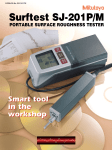
The Surftest SJ-201P is a shop-floor type surface-roughness measuring instrument, which
traces the surfaces of various machine parts, calculates their surface roughness based on
roughness standards, and displays the results.
This section explains the principle of surface roughness measurement and the features of the
SJ-201P.
■ SJ-201P surface roughness measurement principle
A pick-up (hereinafter referred to as the “stylus”) attached to the detector unit of the SJ-201P
will trace the minute irregularities of the workpiece surface. The vertical stylus displacement
during the trace is processed and digitally displayed on the liquid crystal display of the SJ-201P.
2. The vertical stylus displacement produced
during tracing the workpiece surface is
converted into electrical signals.
AC adapter
(The instrument can also be
powered by the built-in battery.)
3. The electrical signals are subject to
various calculation processes.
1. The detector stylus traces the
workpiece surface
(measurement surface).
SJ-201P
DP-1VR
(optional)
Workpiece
4. The calculation results (measurement
results) are displayed on the LCD.
Printer
(Optional)
Direction of detector traverse
Workpiece
surface
Prints the measurement results
and saved data.
It is provided with the statistical
processing function.
Prints the measurement
results and saved data.
Stylus
No. 99MBB079A
1-1
■ Features of the SJ-201P
● Designed to be convenient
The SJ-201P has a lightweight (0.5 kg) design for excellent portability. In addition, it is
made compact so that it can be held and operated in one hand.
The built-in battery makes it easy to perform roughness measurement on the shop floor or
other sites where there may be no AC power supply.
NOTE No power is drawn from the battery while the instrument is supplied power via the
AC adapter.
For more information about the built-in battery, refer to “3.5.2 Recharging the built-in
battery” and “Chapter 7 Replacement of the Built-in Battery Pack”.
● Wide measurement range and various roughness parameters
The instrument has a maximum measurement range of 350 μm (-200 μm to +150 μm) or
13780 μin (-7880 μin to +5900 μin) and can represent surface texture using various
surface roughness parameters.
● Auto-sleep function to save power
With auto-sleep set to ON under operation on the built-in battery, the SJ-201P automatically turns the power off (enters the auto-sleep state) if it is not in operation for 30 seconds
even when the power is on. The SJ-201P still retains the set measurement conditions in
memory even if the power is turned off.
● Large-size LCD and external output functions
Measurement results are displayed on the large easy-to-view LCD unit. These measurement results can also be outputted externally as SPC (Statistical Process Control) data. If
connected to a personal computer, the SJ-201P can be remotely controlled (for output or
measurement commands) via the RS-232C communication interface.
● Measurement result saving function
The SJ-201P can save measurement results up to 10 cases of measurements. It can also call
the saved data to display and print the data.
● Compatible with various surface roughness standards
The SJ-201P outputs measurement results conforming to a variety of surface roughness
standards, including JIS (JIS-B-0601-2001, JIS-B-0601-1994, JIS-B-0601-1982), DIN,
ISO, and ANSI.
■ Features of the SJ-201R
● Detector retraction function
In the SJ-201R, the detector escapes all the way to the front. Thereby, the detector can be
set up for measurement without the detector tip being in contact with a workpiece.
NOTE Unless otherwise noted, the manual gives common information about the SJ-201P
and SJ-201R.
1-2
No. 99MBB079A
1. SJ-201P OVERVIEW
1.2
Standard SJ-201P Configuration
This section explains the standard configuration, the standard set, and typical uses of the
optional accessories.
■ Standard SJ-201P configuration
After unpacking, confirm that all the items given below are present in your SJ-201P package.
Display unit
No.178-243-2* (mm)
No.178-248-2* (mm/inch)
Drive/detector unit
Drive unit
No.178-230-2
Detector
No.178-390 (Measuring force 4mN)
No.178-296 (Measuring force 0.75mN)
Standard accessory
Carrying case
No.12BAA304
Connection cable (1m/40")
No.12BAA303
Precision roughness specimen (with case)
No.178-601 (mm)
No.178-602 (mm/inch)
Calibration stage
No.353134
AC adapter
No.526688 (100V)
No.526688A (120V)
No.526688D (230V)
No.526688E (240V)
No.526688K (220V)
No.526688DC (220V)
Ra 120μin Rmax 390μin
3.05μm (Ry) 9.9μm
Operation manual
Quick reference manual
99MBB079A (English) 99MBB081A (English)
Phillips screwdriver
No.538612
*: One of the suffixes below is added to the No. according to the AC voltage used.
None: 100V, K: 220V, A: 120V, D: 230(220)V, DC: 220V, E: 240V
No. 99MBB079A
1-3
■ SJ-201R standard configuration (set no.178-985: measuring force 4mN/178-995: measuring force
0.75mN/178-992A: measuring force 4mN SJ-201R for MAC)
Check that the SJ-201R package you purchased contains all the products shown in the
following figure.
Display unit
No.178-250-* (mm)
No.178-251-* (mm/inch)
Drive/detector unit
Drive unit
No.178-235
No.178-236 (SJ-201R for MAC)
Detector
No.178-290 (measuring force: 4mN)
No.178-296 (measuring force: 0.75mN)
Detector (with slot)
No.178-280 (SJ-201R for MAC)
Standard accessory
Carrying case
No.12BAA304
Connection cable (1m)
No.12BAA303
Roughness specimen (with case)
No.178-601 (mm)
No.178-602 (mm/inch)
Calibration stage
No.353134
AC adapter
No.526688 (100V)
No.526688A (120V)
No.526688D (230V)
No.526688E (240V)
No.526688K (220V)
No.526688DC (220V)
Ra 120μin Rmax 390μin
3.05μm (Ry) 9.9μm
Operation manual
Quick reference manual
99MBB079A (English) 99MBB081A (English)
Phillips screwdriver
No.538612
*: One of the suffixes below is added to the No. according to the AC voltage used.
None: 100V, K: 220V, A: 120V, D: 230(220)V, DC: 220V, E: 240V
IMPORTANT • Use the supplied AC adapter only for this tester. If the AC adapter is used for any
•
1-4
instrument other than this tester, the adapter or instrument may be damaged.
Unless otherwise noted, the manual gives common information about the SJ201Pand SJ-201R.
No. 99MBB079A
1. SJ-201P OVERVIEW
■ SJ-201P set configuration
The following combinations are provided depending on the measuring force, measurement
unit system and AC adapter used.
SJ-201P
(Measuring force: 4mN)
Model No.
mm
mm/inch
178-920-2C
mm
-
-
mm/inch
178-930-2C
178-923-2
178-920-2K
Set No.
SJ-201P
(Measuring force: 0.75mN)
-
-
-
178-933-2
178-930-2K
-
AC adapter
Order No.
Line voltage
526688
100 V
526688
100 V
526688K
220 V
178-920-2A
178-923-2A
178-930-2A
178-933-2A
526688A
120 V
178-920-2D
178-923-2D
178-930-2D
178-933-2D
526688D
230(220) V
178-920-2DC
178-923-2DC
178-930-2DC
178-933-2DC
526688DC
220 V
178-920-2E
178-923-2E
178-930-2E
178-933-2E
526688E
240 V
178-390
Detetor
-
178-296
-
178-230-2
Drive unit
178-243-2*
Display
178-248-2*
178-243-2*
-
178-248-2*
*: One of the suffixes below is added to the No. according to the AC voltage used.
None: 100V, K: 220V, A: 120V, D: 230(220)V, DC: 220V, E: 240V, C: 100V
IMPORTANT Only use the supplied AC adapter for this instrument. Otherwise, not only the
adapter but that equipment it is used with may be damaged.
■ SJ-201R set configuration
SJ-201R
(Measuring force: 4mN)
Model No.
mm
mm/inch
178-985-C
-
-
mm/inch
178-995-C
-
-
AC adapter
Order No.
Line voltage
-
526688
100 V
178-996
526688
100 V
526688K
220 V
178-985-A
178-986-A
178-995-A
178-996-A
526688A
120 V
178-985-D
178-986-D
178-995-D
178-996-D
526688D
230(220) V
178-995-K
-
178-985-DC
178-986-DC
178-995-DC
178-996-DC
526688DC
220 V
178-985-E
178-986-E
178-995-E
178-996-E
526688E
240 V
Detector
178-290
178-296
Drive unit
Display
mm
178-986
178-985-K
Set No.
SJ-201R
(Measuring force: 0.75mN)
-
178-235
178-250*
178-251*
-
178-250*
178-251*
-
*: One of the suffixes below is added to the No. according to the AC voltage used.
None: 100V, K: 220V, A: 120V, D: 230(220)V, DC: 220V, E: 240V, C: 100V
■ SJ-201R for MAC set configuration
Model No.
SJ-201R for MAC
(Measuring force: 4mN)
mm/inch
Set No.
178-992A
Order No.
526688A
Line voltage
120V
178-280
-
Drive unit
178-236
-
Display
178-251A
-
Detector
No. 99MBB079A
AC adapter
1-5
■ SJ-201P optional accessories
Depending on the shape of the workpiece, it may be necessary to use optional accessories to
set up the SJ-201P. Consider the shape of the workpiece when purchasing an optional
accessory. The following illustration gives an example of how optional accessories can be
used.
Display unit
Support feet (optional accessory)
Connection cable
Drive/detector unit
Nosepiece for flat surface (optional accessory)
Workpiece
TIP For a complete list of optional accessories refer to “Chapter 5 Installing the SJ-201P
with Optional Accessories”.
1-6
No. 99MBB079A
1. SJ-201P OVERVIEW
1.3
Name of Each Part on the SJ-201P
This section gives the name of each key on the display unit.
■ Display unit and drive/detector unit
The SJ-201P consists of the display unit and drive/detector unit. The drive/detector unit is
designed to be removable from the display unit. Depending on the shape of the workpiece, it
may be easier to perform measurement without mounting the drive/detector unit to the
display unit.
Drive/detector unit
Display unit
Drive unit
Detector
TIP For information about attaching and detaching the drive/detector unit refer to “1.4
Attaching and Detaching the Drive/Detector Unit”.
No. 99MBB079A
1-7
■ Names of each part on the drive/detector unit
Drive unit
Nosepiece mounting screws
Detector
Support feet mounting groove
Side view
Stylus
Nosepiece and support feet are optional.
■ Display unit cover
E
D
O C
M S
E
The top cover of the display unit slides to allow access to the setting modification keys
underneath.
T
E
R
US
V
R
U E
C ILT
F
L/C
A
R R
A E
P T
E
M
↓
TE
O
EM
R ←
n T
N
E
TO
A
D
A
T
T
R
A
T P
S TO
S
L
A
C TD GE
S N
A
R
↑
CU
TO
FF
Display unit
PO
WE
R
Cover
1-8
No. 99MBB079A
1. SJ-201P OVERVIEW
■ Name of each part on the display unit
B
D
E
A
F
Ra Ry Rz Rq
LCD
C
%cm
μm
H
Primary operation keys
G
POWER
DATA
START
STOP
CAL
STD
RANGE
CUTOFF
↑
↓
PARAMETER
The primary operations of the SJ-201P
are performed with three keys:
the [POWER/DATA] key,
[START/STOP] key, and
[PARAMETER] key.
n
ENT
REMOTE
←
CURVE
FILTER
TOL/CUST
Setting modification keys
MODE
ESC
< Items to be displayed on LCD >
A: In measurement mode:
Objective parameter name
In condition setting mode:
Abbreviation of the mode name
B: Cutoff length
C: Number of sampling lengths
D: Low battery voltage alarm
E: GO/NG judgment result
F: Objective parameter name
G: Calculation result (measurement result)
H: Unit of measurement
<Names of each key>
[POWER/DATA] key (Power/Data key)
[START/STOP] key (Start/Stop key)
[PARAMETER] key (Parameter key)
[CAL/STD/RANGE] key (Calibration/Standard/Range key)
[n/ENT] key (n/Enter key)
[CUTOFF ↑] key (Cutoff/Increment key)
[REMOTE ←] key (Remote/Digit shift/Power off key)
[CURVE/FILTER/TOL/CUST] key (Curve/Filter/Tolerancing/Customize key)
[↓] key Decrement key.
With the mm/inch model, the following key is provided and can also be used for metric/inch conversion.
mm/inch
↓
In the following pages, it is represented by [↓] if used as the decrement key.
[MODE/ESC] key (Mode/Escape key)
No. 99MBB079A
1-9
■ Names of the connectors on the display unit
Rear of the display unit
View with rear cover of display unit removed
Rear cover
Screw
Screw
SPC connector
AC adapter connector
SPC
AC ADAPTOR
DC9V-500mA
RS-232C
MADE IN JAPAN
Connector cap
RS-232C connector
Bottom of the display unit
OFF ON
Battery
power
switch
AC ADAPTOR
DC9V-500mA
MADE IN JAPAN
Built-in battery on/off switch
If the drive/detector unit connection
plug is being placed in the storage
position, neatly fit the cable in the
groove of the display unit.
UNLOCK
Drive/detector unit
connection plug
Drive/detector unit retaining plate
1 - 10
Drive/detector unit
retaining pin
No. 99MBB079A
1. SJ-201P OVERVIEW
1.4
Attaching and Detaching the Drive/Detector Unit
1.4.1
Attaching and Detaching the Detector
The detector can be detached from the drive unit. Each time a measurement task has been
completed with the SJ-201P, it is recommended that the detector be detached from the drive
unit and stored in a safe place to prevent damage caused by such as a blow, etc.
IMPORTANT Always hold the detector body if it is being attached or detached. If the tip or stylus
is held during attachment or detachment, the detector may be damaged.
Drive unit
Detector
IMPORTANT Never touch the stylus, otherwise it may be damaged.
Stylus
No. 99MBB079A
1 - 11
■ Attaching the detector
IMPORTANT • If fitting the detector into the drive unit, do not force the detector. Doing so may
•
damage the instrument.
The detector moves smoothly at first being fitted with the guide way in the drive
unit, then pins of the connectors on the detector and the drive unit must be fitted
to each other. After the detector is felt tight in the guide of the drive unit, further
push in the detector until it stops with the pins on the connectors fitted.
If the detector is firmly fitted in the drive unit, the screw on the top of the detector
is aligned with the end face of the drive unit.
Screw
End face
•
•
1 - 12
For SJ-201P, do not attempt inserting the detector in the drive unit if it is in
detector retraction state. The connector at the recess of the detector guide way in
the drive unit may not be located with the detector.
Concerning the SJ-201R, attach the detector to the connector with the detector
escaped all the way to the front. Otherwise, the detector may not be attached
because the connector is located deep in the drive unit.
No. 99MBB079A
1. SJ-201P OVERVIEW
● Attaching the detector of SJ-201P
1. Check whether the detector is in the retraction state or in such an abnormal state that it
cannot return to the origin.
If the detector is not in retraction or not abnormal, advance to step 4.
If the detector is in retraction or abnormal, press the [POWER/DATA] key.
2. Press the [START/STOP] key to move the detector to the origin.
NOTE If the detector cannot return to the origin, press the [START/STOP] key to return to
the origin after measurement.If the detector is not in contact with a workpiece, the
SJ-201P displays an error message, but returns the detector to the origin.
TIP For information about releasing the detector from retraction, refer to “3.4.4 Detector
Retraction Procedure”.
3. Press the [REMOTE←] key to turn off the power.
4. After confirming the orientation of both detector and drive unit connectors (pin positions),
gently and straightforward insert the detector into the drive unit hole.
Connector view
Drive unit
Detector
Connector view
Set the detector with
the stylus facing
downward.
No. 99MBB079A
1 - 13
● Attaching the detector of SJ-201R
1. Check that the detector is in the front escape status.
If the detector is escaped all the way to the front, advance to step 4.
If the detector is not escaped to the front, press the [POWER/DATA] key.
2. Press the [START/STOP] key to restore the front escape status of the detector.
NOTE When pressing the [START/STOP] key, the SJ-201R performs measurement and
restores the front escape status of the detector. If the detector is not in contact with
a workpiece, the SJ-201R displays an error message, but restores the front escape
status of the detector.
3. Press the [REMOTE←] key to turn off the power.
4. After confirming the orientation of both detector and drive unit connectors (pin positions),
gently and straightforward insert the detector into the drive unit hole.
Connector view
Detector
Drive unit
Connector view
Set the detector with
the stylus facing
downward.
■ Detaching the detector
Gently pull the detector straightforward from the drive unit.
1 - 14
No. 99MBB079A
1. SJ-201P OVERVIEW
1.4.2
Attaching and detaching the drive/detector unit
Follow the method below to attach and detach the drive/detector unit to/from the display unit:
■ Detaching the drive/detector unit
1. While pressing section A in the direction indicated by the arrow (1), erect the drive/
detector unit in the direction indicated by the arrow (2).
2. Pull out section B from the drive/detector unit retaining pin on the display unit and lift it in
the direction indicated by the arrow (3).
B
(3)
(1)
U
N
LO
C
K
(2)
Position of the drive/detector unit retaining pin
A
UNLOCK
Drive/detector unit retaining plate
Drive/detector unit retaining pin
IMPORTANT Do not hold the detector when detaching the drive/detector unit. Otherwise, the
detector may be damaged.
No. 99MBB079A
1 - 15
■ Mounting the drive/detector unit
1. Push the drive/detector unit all the way into the display unit as indicated by the arrow (1).
It fits with the drive unit retaining pin.
2. Lower the drive/detector unit in the direction indicated by the arrow (2) while pressing it in
the direction indicated by the other arrow (1) until it is caught by the hook on the drive
unit retaining plate.
(1)
U
N
LO
C
K
(2)
Position of the drive/detector unit retaining pin
UNLOCK
Drive/detector unit retaining plate
1 - 16
Drive/detector unit retaining pin
No. 99MBB079A
1. SJ-201P OVERVIEW
1.4.3
Plugging in and unplugging the display unit cable
IMPORTANT These connections (or disconnections) should be made while the power to the SJ201P is off (or in the auto-sleep mode).
■ Disconnecting the display unit cable
Slide the shown section in the direction indicated by the arrow (1) and remove the drive/
detector unit connection plug from the socket connector at the rear of the drive unit.
Drive unit
Display unit cable
Connector
Section to be held
(1)
Drive/detector unit connection plug
■ Connecting the display unit cable
After confirming the orientation of the socket connector (pin positions) at the drive unit and
that of the drive/detector unit connection plug (pin positions), insert the plug into the connector.
Rear of drive unit
Socket
connector
Display unit cable
Drive/detector unit connection plug
Drive unit
Section to be held
No. 99MBB079A
1 - 17
1.4.4
Using the connection cable
To operate the drive/detector unit separately from the display unit, use the connection cable
as shown below.
Display unit
Connection cable
Drive/detector unit
1 - 18
No. 99MBB079A
1. SJ-201P OVERVIEW
■ Plugging in and unplugging the connection cable
Plug in and unplug the connection cable as shown below:
View in the
direction of V3
C
V4
Connector
View in the direction
of V1
Drive/detector unit
connection plug
V3
Connection cable
View in the
direction of V4
Connector
Plug
Drive unit
V2
V1
● Connecting the drive/detector unit connection plug
Confirm the orientation of the mating connector and
plug, then connect the connector and the plug while
firmly holding section C.
B
A
● Disconnecting the drive/detector unit connection plug
Pull out the plug while firmly holding section C.
View in the
direction of V2
● Connecting the connection cable plug
Confirm the orientation of the mating connector and plug,
then insert the plug into the drive unit connector while firmly holding section B.
● Disconnecting the connection cable plug
While holding the section A, slide A towards B, then pull out the plug.
■ Retaining the connection cable
The connection cable should be positioned such that it is held in place by the hook provided
on the bottom of the display unit.
Bottom of the display unit
UNLOCK
Connection cable
No. 99MBB079A
Hook
1 - 19
1.5
Carrying Case
The carrying case supplied is convenient for safekeeping and carrying the SJ-201P.
It is also possible to perform measurement with the drive/detector unit being connected via
connecting cable to the display unit housed in the case.
Upper lid
Strap
Lid
■ Opening the upper lid
Open the upper lid as shown below and the LCD display of the display unit is located,
permitting operation of the primary operation keys. When not in use, close the upper lid for
safekeeping.
R
E
W
O A
P AT
D
T
R
A
T P
S TO
S
A
R R
A E
P T
E
M
Upper lid
1 - 20
No. 99MBB079A
1. SJ-201P OVERVIEW
■ Connecting the connecting cable
There are windows on both sides of the carrying case as shown below, through which you
can connect the display unit in the case to the external drive/detector unit.
Window for
connecting cable
Window for RS232C cable
Window for AC adapter
and SPC cable
■ Housing accessories
Accessories of SJ-201P can be stored in position as specified below.
Space for detectors (4 pcs)
For housing standard and optional detectors
and extension rod.
Space for calibration stage and
precision roughness specimen.
No. 99MBB079A
1 - 21
MEMO
1 - 22
No. 99MBB079A
2
2.1
OUTLINE OF THE SJ-201P
FUNCTIONS AND
KEY OPERATIONS
Relationship Between SJ-201P Functions and Available
Keys
In addition to the normal measurement mode, the SJ-201P has a calibration mode and
condition setting mode, any of which can be selected by a simple key operation.
IMPORTANT Do not press the keys with a pointed object or fingernail. This can brake the key.
■ List of SJ-201P operation modes
The SJ-201P has various operation modes including the measurement mode, calibration
mode, condition setting mode, RS-232C communication mode, detector retraction mode, and
detector position display mode.
● Measurement mode
In this mode, the SJ-201P can start and stop measurement, calculate measurements
(parameters) and switch display contents, save measurement results, print data, and output
SPC data.
● Calibration mode
Sets the calibration value prior to measurement and performs calibration measurement.
● Condition setting mode
Sets and modifies measurement conditions. This mode has 18 sub-modes.
● RS-232C communication mode
Used for communication with a personal computer.
● Detector retraction mode
Retracts the detector as required.
● Detector position display mode
Displays the current detector stylus position.
No. 99MBB079A
2-1
Power ON
( ): Abbreviation displayed on the LCD
Measurement mode
Calibration mode (CAL)
Condition setting mode
Surface roughness standard setup mode (STD)
Sets the applicable surface roughness standard.
Measured profile setting mode (CRV)
Sets a measured profile.
Measurement range setup mode (RAN)
Sets the measurement range.
Filter setup mode (FIL)
Selects the filter type appropriate for the measured profile.
GO/NG judgment function setup mode (TOL)
Selects the application of the GO/NG judgment function to the measurement
result and sets the judgment criteria.
Parameter setup mode (CUS)
Adds or deletes a parameter.
Parameter calculating condition setup mode (PAR)
Sets the calculating conditions to obtain Pc, Sm, or mrc.
Traversing speed setup mode (TSP)
Sets the traversing speed.
Pre-travel/post-travel length setup mode (TRA)
Includes pre-travel and post-travel lengths in the traverse length.
RS-232C baud rate setup mode (SPD)
Sets the communication speed with a personal computer.
Measurement result output setting mode (DAK)
Sets measurement result outputs to be saved/outputted as SPC data/printed.
Saved data call/delete setting mode (RMR)
Sets the saved data to be called or deleted.
Print item setting mode (PRN)
Sets the print items.
Vertical magnification setting mode (VER)
Sets the vertical magnification of printed profiles.
Horizontal magnification setting mode (HOR)
Sets the horizontal magnification of printed profiles.
Print language setting mode (LAN)
Sets a print language.
Calibrating condition setup mode (CAL)
Sets the conditions for calibration measurement.
Default value restoration mode (INI)
Resets the measurement conditions of the SJ-201P to the factory settings (default values).
Auto-sleep setup mode (SLP)
Sets the auto-sleep function to ON/OFF in use of the built-in battery.
RS-232C communication mode (RMT)
Detector retraction mode (OFF/ON)
Detector position display mode (POS)
2-2
No. 99MBB079A
2. OUTLINE OF THE SJ-201P FUNCTIONS AND KEY OPERATIONS
■ Relationship between the operation modes and available keys
Operation mode
Calibration mode
Symbol
(on LCD)
CAL
Key for mode switching
Related
section
[CAL/STD/RANGE]
[3.3.2]
[4.6]
Surface roughness standard setup mode
STD
[CAL/STD/RANGE]
Measurement range setup mode
RAN
[CAL/STD/RANGE]
[4.5]
Measured profile setting mode
CRV
[CURVE/FILTER/TOL/CUST]
[4.7]
Filter setup mode
FIL
[CURVE/FILTER/TOL/CUST]
[4.8]
GO/NG judgment function setup mode
TOL
[CURVE/FILTER/TOL/CUST]
[4.9]
Parameter setup mode
CUS
[CURVE/FILTER/TOL/CUST]
[4.10]
Parameter calculating condition setup
mode
PAR
[MODE/ESC]
[4.10]
Traversing speed setup mode
TSP
[MODE/ESC]
[4.11]
Pre-travel/post-travel length setup mode
TRA
[MODE/ESC]
[4.4]
RS-232C baud rate setup mode
SPD
[MODE/ESC]
[6.3.1]
Measurement result output setting mode
DAK
[MODE/ESC]
[6.1]
Saved data call/delete setting mode
RMR
[MODE/ESC]
[6.2.2]
Print item setting mode
PRN
[MODE/ESC]
[6.3.3]
Vertical magnification setting mode
VER
[MODE/ESC]
[6.3.4]
Horizontal magnification setting mode
HOR
[MODE/ESC]
[6.3.4]
Print language setting mode
LAN
[MODE/ESC]
[6.3.5]
Calibrating condition setup mode
CAL
[MODE/ESC]
[4.1.2]
Auto-sleep setup mode
SLP
[MODE/ESC]
[3.2.2]
Default value restoration mode
I NI
Press [POWER/DATA] while simultaneously holding
down [PARAMETER] and [START/STOP] during
auto sleep.
[4.1.3]
RS-232C communication mode
RMT
Press [POWER/DATA] while holding down
[REMOTE υ] during auto sleep.
Detector retraction mode
Detector position display mode
OFF
ON
POS
[6.5]
Retraction:
Press [POWER/DATA] while holding down
[START/STOP] during auto sleep.
[3.4.4]
Canceling retraction:
Press [START/STOP] if the detector is retracted and
the power is on.
SJ-201P:
With the power supply being off (in auto-sleep), press
the [POWER/DATA] key while holding down the
[PARAMETER] key.
[3.4.5]
SJ-201PR:
[MODE/ESC]
No. 99MBB079A
2-3
■ Functions and how they are represented on the LCD
Switching objective
parameter of display
Moving to the calibration mode
CAL
Ra
Moving to the surface
roughness standard
setup mode
Ry
STD
Rz
Moving to the measurement
range setup mode
Rq
RAN
Rt
• Power off
• Shifting the digit place for
entering a numeric value
Accepting the entered
numeric value
(if a numeric value is entered)
0000
POWER
DATA
Switching the cutoff length
START
STOP
0.25
CAL
STD
RANGE
↑ cursor key
• Count-up of numeric value
• Switching the setup item
n
ENT
CUTOFF
REMOTE
↑
←
Switching the number of sampling
lengths/switching to the arbitrary
evaluation length input mode
(if the number of sampling
lengths is set)
×5
CURVE
FILTER
TOL / CUST
MODE
ESC
↓
0000μm
PARAMETER
mm/inch conversion *
Moving to the measured
profile setting mode
CRV
μm
μin
↓ cursor key
• Count-down of numeric value
• Switching the setup item
Moving to the filter setup mode
This is only possible if one of
the parameters Pc, Sm and mr
has been set.
FIL
Moving to the GO/NG judgment
function setup mode
Moving to the parameter
calculating condition
setup mode
TOL
Moving to the calibrating
condition setup mode
CAL
PAR
Moving to the parameter
setup mode
CUS
Moving to the traverse
speed setup mode
TSP
Moving to the measurement
result output mode
DAK
Moving to the pre-travel/
post-travel length
setup mode
Moving to the saved data
call/delete setting mode
RMR
TRA
Moving to the RS-232C
baud rate setup mode
SPD
Moving to the print
item setting mode
PRN
Moving to the detector
position display mode
POS
Moving to the auto-sleep
setup mode
Moving to the vertical
magnification setting mode
VER
Moving to the horizontal
magnification setting mode
HOR
Moving to the print language
setting mode
LAN
This function is only performed if data
has been stored in internal memory.
SLP
This is only available for SJ-201R.
* : Function unique to mm/inch model.
2-4
No. 99MBB079A
2. OUTLINE OF THE SJ-201P FUNCTIONS AND KEY OPERATIONS
■ Functions enabled by pressing multiple keys and how they are represented on the LCD
Detector retraction/cancel
(The retraction function is not
available for the SJ-201R)
Press
POWER
DATA
while holding down
Default value restoration
(default value restoration mode)
START
STOP
START
STOP
CAL
STD
RANGE
POWER
DATA
PARAMETER
REMOTE
←
CURVE
FILTER
TOL/CUST
CUTOFF
↑
MODE
ESC
↓
Move to the RS-232C communication
mode
POWER
DATA
START
STOP
while holding down
START
STOP
CAL
STD
RANGE
n
ENT
↓
Press
while simultaneously
and
PARAMETER
with the power off (auto-sleep).
OFF/ON
CUTOFF
↑
POWER
DATA
holding down
if the power is off (auto-sleep).
POWER
DATA
Press
REMOTE
←
INI
PARAMETER
n
ENT
REMOTE
←
CURVE
FILTER
TOL/CUST
MODE
ESC
Moving to the detector position display mode
(The SJ-201R requires another operation. For detailed
information, refer to “3.4.5 Displaying the detector stylus
position”.)
With the power supply being off (in auto-sleep), press the
if the power is off (auto-sleep).
while holding down the
POWER
DATA
PARAMETER
POS
POWER
DATA
START
STOP
CAL
STD
RANGE
CUTOFF
↑
↓
No. 99MBB079A
POWER
DATA
PARAMETER
CAL
STD
RANGE
n
ENT
REMOTE
←
CURVE
FILTER
TOL/CUST
START
STOP
PARAMETER
n
ENT
RMT
MODE
ESC
2-5
2.2
Key Operations to Enter Numeric Values
With the SJ-201P it is sometimes necessary to enter numeric values for such operations as
modifying the measurement condition. This section explains how to enter a numeric value.
■ Key operation required to enter a numeric value to modify the measurement condition
The following keys are used to enter a numeric value.
•
•
•
•
[CUTOFF ↑] key:
[↓] key:
[REMOTE ←] key:
[n/ENT] key:
Count-up (increment the numeric value)
Count-down (decrement the numeric value)
Shifting the objective digit place for input
Accepting the entered numeric value
The following are two practical methods to enter a numeric value.
• No specific digit place is selected but the whole digits can be the objective for an increment.
• Selecting a specific digit place for an increment.
These two methods are explained using an example where a calibration value is modified
from “3.00” to “2.95”.
NOTE Do not press the [n/ENT] key before the numeric value has been entered. Only press
the [n/ENT] key to terminate numeric value entry and accept it at that point in time.
● No specific digit place is selected but the whole
digits can be the objective for an increment.
1
Remains in the calibration mode, ready for the entry of a
numeric value. “03.00” flashes.
μm
[CUTOFF↑]
or
[↓]
Press the [↓] key five times.
The four digits will change to “02.95” and keep flashing.
TIP
2
μm
[n/ENT]
Keep holding down the [CUTOFF ↑] or [↓] key
to increase the count-up or count-down speed.
Confirm that the correct value is displayed, then press the
[n/ENT] key.
The entered value is accepted.
NOTE Numeric values to be entered may be subject
to limitations.
An arbitrary evaluation length, for example,
should be within a 0.3 mm (.01") to 12.5 mm
(.49") range.
If the [n/ENT] key is pressed after a numeric
value that is outside the permissible range is
entered as the arbitrary evaluation length, it will
be automatically corrected to the lower limit
(0.3 mm/.01") or upper limit (12.5 mm/.49")
before it is accepted.
2-6
No. 99MBB079A
2. OUTLINE OF THE SJ-201P FUNCTIONS AND KEY OPERATIONS
● Selecting a specific digit place for an increment
1
μm
[REMOTE←]
Remains in the calibration mode, ready for the entry of a
numeric value. “03.00” flashes.
Press the [REMOTE ←] key once.
The digit in the second decimal places flashes.
2
μm
[CUTOFF↑]
or
[↓]
Press the [CUTOFF ↑] key five times.
The digit in the second decimal place changes to “5”.
3
μm
[REMOTE←]
Press the [REMOTE ←] key once.
The digit in the first decimal place flashes.
4
μm
[CUTOFF↑]
or
[↓]
Press the [CUTOFF ↑] key nine times.
The digit in the first decimal place changes to “9”.
5
μm
[REMOTE←]
Press the [REMOTE ←] key once.
The digit in the units position flashes.
6
No. 99MBB079A
2-7
5
6
μm
[CUTOFF↑]
or
[↓]
7
Press the [↓] key once.
The digit in the units position changes to “2”.
μm
[n/ENT]
Confirm that the correct value is displayed, then press the
[n/ENT] key.
The entered value is accepted.
2-8
No. 99MBB079A
3
MEASUREMENT
OPERATION
In this chapter the surface roughness measurement with the SJ-201P is
described according to the general procedures.
3.1
Overall Measurement Flow
Setting the SJ-201P
→ “1.4 Attaching and Detaching
the Drive/Detector Unit”
Power on
Set up the SJ-201P (attaching/detaching the drive
unit/detector, and cable connection, etc.) according to
the feature of the workpiece to be measured.
Select either the AC adapter or built-in battery as
the power supply.
→ “3.2 Power ON and OFF”
Modifying the measurement condition
→ “Chapter 4 MODIFYING THE
MEASUREMENT CONDITIONS”
Performing calibration
→ “3.3 Calibration”
Modify the measurement conditions as necessary.
For information about measurement conditions that can
be modified refer to the next page.
Calibration is a means of adjusting the detector gain so that
the SJ-201P can yield correct measurements. This can be
easily performed by measuring a supplied precision
roughness specimen.
Measure the roughness specimen and display the result.
Executing the actual measurement of
the roughness specimen
→ “3.4 Measurement”
Outputting measurement results
→ "Chapter 6 SAVING/OUTPUTTING/
COMMUNICATING MEASUREMENT RESULTS"
Daily maintenance
→ “3.5 Daily Care”
Measurement results can be saved, printed, outputted as
SPC data, and communicated with a personal computer
via RS-232C interface.
After measurement, store the SJ-201P safely by detaching
the drive/detector unit, etc. Recharge the built-in
battery as required.
: Perform regularly
: Not necessary to
perform regularly
No. 99MBB079A
3-1
■ List of measurement conditions that can be modified
The following table shows the measurement conditions that can be modified by the user. If
they are not modified, then measurement will be performed according to the default values
(factory settings).
Measurement condition
Default value
Cutoff length (sampling length)
0. 8 m m (. 03 in)
4. 1
Number of sampling lengths
x5
4.2
Arbitrary evaluating length
None
If measurement is not performed with the cutoff length and the
number of sampling lengths provided by the SJ-201P, set an
arbitrary length for traversing.
4.3
Surface roughness standard
*1
Set to the desired standard.
4.6
Measured profile
R profile
Switch this to a measured profile to be used.
4. 7
Filter
Pc50
Switch this to a filter to be used.
4.8
Set the upper or lower roughness limit to discriminate between
measured workpieces to be accepted or rejected.
4.9
Application of GO/NG judgment and
None
the range
3-2
Related
section
Remark
Surface roughness parameter
Only Ra, Rz,
Rq
Parameters to be yielded can be set on/off.
4.10
Traversing speed
0.5 mm/s
(.02 in/s)
Default traversing speed can be modified.
4.11
To include pre-travel/post-travel
length in the traversing length
ON
Since the existing surface roughness standards require the pretravel/post-travel length to be included in the traversing length, the
setting is usually set to “ ON” . However, if these lengths can not
be traced due to the limited space, the setting can be changed to
“ OFF” .
4.4
Calibration value
3.00 μm
(118 μin)
Can be set according to the value of the precision reference
specimen.
4.12
Unit of measurement
*2
Depending on the model/destination.
4.14
Baud rate
19200bps
Change this to a baud rate when communicating with a personal
computer or the printer. Either 9600bps or 19200bps can be
selected.
6. 5
Print item
0111
Set this when changing the item to be printed. Select a print item
from measurement condition, measured profile, calculated results,
and BAC.
6.3.3
Vertical print magnification
Auto
Set the vertical magnification of a printed profile.
6.3.4
Horizontal print magnification
Auto
Set the horizontal magnification of a printed profile.
6.3.4
Print language setup
0
Set the print language to English or Japanese.
6.3.5
Measurement result output setup
0
Select whether measurement results are to be saved, printed, or
outputted as SPC data.
6.1
Auto-sleep setup
ON
Sets the auto-sleep function to ON/OFF in use of the built-in
battery.
3.2.2
No. 99MBB079A
3. MEASUREMENT OPERATION
*1, *2:
SJ-201P
Measurement condition
Set No.
178-920-2*
178-923-2*
mm
inch
*1 Surface roughness standard
*2 Unit of measurement
178-930-2*
178-933-2*
JIS'01
mm
inch
*: One of the suffixes below is added to the No. according to the AC voltage used.
None: 100V, K: 220V, A: 120V, D: 230(220)V, DC: 220V, E: 240V, C: 100V
SJ-201R
Measurement condition
Set No.
178-985*
178-986*
*1 Surface roughness standard
*2 Unit of measurement
178-995*
178-996*
mm
i nc h
JIS'01
mm
inch
*: One of the suffixes below is added to the No. according to the AC voltage used.
None: 100V, K: 220V, A: 120V, D: 230(220)V, DC: 220V, E: 240V, C: 100V
■ What is calibration?
Calibration of a surface roughness measuring instrument is performed by measuring (called
“calibration measurement”) a reference workpiece (precision roughness specimen) and adjust
the difference (gain adjustment), if any between the measured value and reference value
(precision roughness specimen).
With the SJ-201P, adjustment of the difference between the measured value and reference
value (gain adjustment) can be easily achieved by calibration measurement.
Calibration should be performed periodically according to how much and in which conditions
the SJ-201P is used. If the instrument is used for the first time or if the detector is mounted/
replaced, calibration is essential. Without properly calibrating the instrument, correct measurement data can not be obtained.
No. 99MBB079A
3-3
3.2
Power ON and OFF
An AC adapter and a built-in battery are provided to supply power to the SJ-201P.
If an external power supply is available, connect the AC adapter to the SJ-201P and turn on
the power.
If the AC adapter is not connected, power is supplied from the built-in battery.
3.2.1
Turning the power on/off
■ Using the AC adapter
IMPORTANT • Do not connect the AC adapter to a power line which may cause electrical
•
•
interference. Although this instrument has reasonable protection against electrical
interference, supplying power from such a line may hamper correct measurement.
If you have removed the rear cover of the display unit, take care and do not
connect the AC adapter plug to the SPC or RS232C connector. Instrument failure
will result.
Do not turn on/off the battery switch with the AC adapter connected to the SJ-201P.
This can cause the battery to be overcharged. Only turn on/off the battery switch if
the AC adapter has been disconnected.
1. Turn on the battery switch prior to the connection of the AC adapter. (See the following
page to locate the battery switch.) Proceed to the next step if the battery switch is on.
2. Connect the AC adapter to the wall outlet.
3. Remove the connector cap on the rear cover, then insert the AC adapter plug into the
connector.
AC adapter plug
Connector cap
4. Press the [POWER/DATA] key.
[POWER/DATA] key
POWER
DATA
3-4
START
STOP
PARAMETER
No. 99MBB079A
3. MEASUREMENT OPERATION
■ Using the built-in battery
1. Remove the two screws on the rear cover using a Phillips screwdriver.
2. Remove the rear cover.
3. Turn on the battery switch.
4. Replace the rear cover and the two screws removed in step 1.
Two screws
Rear cover
Battery switch
OFF
ON
5. Press the [POWER/DATA] key.
[POWER/DATA] key
POWER
DATA
START
STOP
CAL
STD
RANGE
CUTOFF
↑
↓
PARAMETER
n
ENT
REMOTE
←
CURVE
FILTER
TOL/CUST
MODE
ESC
NOTE Retain the battery switch to on unless the SJ-201P will not be used for a long period
of time (approximately 2 to 3 weeks).
If the battery switch is off, the measurement results and conditions may not be
stored.
TIP The indicator showing that recharging is in progress (low battery voltage alarm
indicator) also stays on during auto-sleep. For more information refer to “3.5.2
Recharging the built-in battery”.
For information about the auto-sleep setup, refer to “3.2.2 Setting the auto-sleep
function in use of the built-in battery”.
No. 99MBB079A
3-5
NOTE •
•
If battery power falls below 1/4 of the full capacity, the low battery voltage alarm
indicator starts flashing. “Err” will result if measurement is started under this
condition.
If the built-in battery power is almost consumed, the power supply cannot be
turned on. Charge the built-in battery to drive the SJ-201P again with the battery.
Notice that the data including measurement results saved in the built-in memory
will be cleared.
Low battery voltage
alarm indicator
Ra
μm
If the low battery voltage alarm indicator is flashing, recharge the built-in battery as soon as
possible.
TIP For information about recharging the battery refer to “3.5.2 Recharging the built-in
battery”.
■ Turning the power off
The following two methods are available for tuning the power off.
• Power off using the [REMOTE←] key
• Power off with auto-sleep in use of the built-in battery
● Power off using the [REMOTE←] key
Press the [REMOTE←] key under the measurement mode and the remote mode, then the
power is turned off.
● Power off with auto-sleep in use of the built-in battery
With the built-in battery in use and auto-sleep set to ON, if the SJ-201P is not operated for
more than a constant time after power-on, the power is automatically turned off with the
auto-sleep function.
NOTE If the AC adapter is used, auto-sleep will not function irrespective of the setup for the
auto-sleep function. To turn off the SJ-201P power, press the [REMOTE←] key.
The measurement conditions are retained when the power is turned off by the auto-sleep
function.The measurement results will also be retained if the battery switch is on. If this is
the case,the measurement results will be displayed on the LCD the next time the power is
turned on.
Ra
Specified period of
time elapses.
μm
Power-on condition
3-6
Power automatically turned off.
No. 99MBB079A
3. MEASUREMENT OPERATION
The relationship between the auto-sleep function and each operation mode is given below:
SJ-201P operation mode
Auto-sleep function
Measurement mode
The power is automatically turned off if no key operation is performed for 30
seconds.
Calibration mode
Condition setting mode
The power is automatically turned off if no key operation is performed for 5
minutes.
RS-232C communication mode
Auto-sleep does not take place. The power of the SJ-201P should be turned off
either by pressing the [REMOTE ← ] key or via a communication command.
Detector retraction mode
The power is automatically turned off if no key operation is performed for 30
seconds after detector retraction has been completed.
Detector position display mode
Auto-sleep does not take place.
TIP • If a request signal ( REQUEST signal) is inputted from an external device during
SPC data output, the SJ-201P power will not be turned off for a specified period
of time after signal input.
For information about turning off the SJ-201P power while in the RS-232C
communication mode refer to “6.5 Connecting with a Personal Computer”.
•
3.2.2
Setting the auto-sleep function in use of the built-in battery
The SJ-201P is capable of setting the auto-sleep function in use of the built-in battery.
NOTE If the AC adapter is used, auto-sleep will not function irrespective of the setup for the
auto-sleep function. To turn off the SJ-201P power, press the [REMOTE←] key.
■ Operating procedure
Ra
μm
[MODE/ESC]
Press the [MODE/ESC] key a several times in the measurement mode.
The SJ-201P is switched to the auto-sleep setting mode.
[CUTOFF↑]
or
[↓]
Press the [CUTOFF←] key or [↓] key.
Each time the key is pressed, the auto-sleep function is
switched to either of “On” or “OFF”.
On: The auto-sleep function is enabled.
OFF: The auto-sleep function is disabled.
[n/ENT]
Confirm the display, and then press the [n/ENT] key.
The setup content is accepted, returning to the measurement mode.
Ra
μm
No. 99MBB079A
3-7
3.3
Calibration
The process of calibration involves the measurement of a reference workpiece (precision
roughness specimen) and the adjustment of the difference (gain adjustment), if there is one
between the measured value and the reference value (precision roughness specimen).
On the SJ-201P this difference can be easily adjusted through calibration measurement.
Depending on the usage of the SJ-201P, calibration should be performed periodically. In
addition, if the instrument is used for the first time or if the detector has been mounted/
replaced, calibration is essential. Without properly calibrating the instrument, correct measurements can not be obtained.
3.3.1
Calibration preparation
Use the supplied precision roughness specimen for calibration.
NOTE If calibration needs to be performed with a standard other than the supplied precision
roughness specimen, it must only be done after the default calibration conditions
have been modified so they are suitable for the roughness specimen. For information
about the procedure used to modify the calibrating conditions refer to “4.12 Modifying
the Calibration Conditions”.
■ Setting up the precision roughness specimen, calibration stage, and SJ-201P
1. Place the precision roughness specimen and calibration stage on a level table.
Calibration stage
Precision roughness specimen
3-8
No. 99MBB079A
3. MEASUREMENT OPERATION
2. Mount the SJ-201P on the calibration stage.
3. Set the SJ-201P so that the detector traversing direction is perpendicular to the cutter mark
of the precision roughness specimen.
SJ-201P
Detector
Detector traversing
direction
SJ-201P
90°
Detector
No. 99MBB079A
Cutter mark
Precision roughness
specimen
3-9
4. Confirm that the detector is parallel to the measured surface.
• Front view of detector
Detector
90°
Measured surface
• Side view of detector
Detector
Measured surface
NOTE If calibrating the SJ-201R, check whether the detector is parallel with the measuring
surface using the detector position display mode. For information about the detector
position display mode, refer to “3.4.5 Displaying the detector stylus position”.
3 - 10
No. 99MBB079A
3. MEASUREMENT OPERATION
3.3.2
Performing calibration
■ Calibrating with the default values
If calibrating the SJ-201P with the roughness specimen supplied, be sure to calibrate with the
default values shown below that have been used for calibrating the roughness specimen.
Calibrating condition
setup item
Default value
Parameter
Ra
Cutoff length
2.5mm (.1")
Number of sampling lengths
5
Measurement range
Auto
Measured profile/filter
R-profile/Pc50(depends)
Pre-travel/post-travel length
ON
NOTE If the SJ-201P needs to be calibrated with a standard other than the supplied
precision roughness specimen, the default calibration conditions must be modified for
the roughness specimen to be used. For information about the procedure used to
modify the calibration conditions refer to “4.12 Modifying the Calibration Conditions”.
No. 99MBB079A
3 - 11
■ Calibration procedure
1
Ra
μm
[CAL/STD/RANGE]
Press the [CAL/STD/RANGE] key in the measurement mode.
The calibration mode is entered and the current calibration
value is displayed. In this state the calibration value can be
modified.
2
μm
If the displayed value is different from that marked on the
precision roughness specimen, modify the calibration value.
If the calibration value does not require modification, proceed
to the next step.
[[Only if the calibration value
needs to be changed]]
[CUTOFF↑],
[↓]
or
[REMOTE←]
3
TIP
• If the SJ-201P is being calibrated for the first
time, “3.00 μm (118 μin)” will be displayed.
• See also “2.2 Key Operation to Enter Numeric Values”.
• The calibration value to be set is the Ra
value marked on the specimen.
• To cancel the numeric entry operation press
the [MODE/ESC] key. This restores the
measurement mode.
μm
[n/ENT]
Confirm the displayed value, then press the [n/ENT] key.
The entered calibration value is set.
4
3 - 12
No. 99MBB079A
3. MEASUREMENT OPERATION
3
4
The calibration value has now been set.
μm
[START/STOP]
Press the [START/STOP] key.
A calibration measurement with the precision roughness
specimen is performed, and “-----” is displayed during the
calibration measurement (while the detector is traversing).
Ra
μm
NOTE Calibration measurement can not be started if
the low battery voltage alarm indicator is
flashing. See “3.2 Power On and Off” for
details.
5
When the calibration measurement has been completed,
the measured value will be displayed.
Ra
μm
Press the [n/ENT] key.
[n/ENT]
The calibration factor is updated, completing the entire
calibration operation.
NOTE • If “CAL Err” appears, perform calibration measurement again.
If the same error persists, refer to “Chapter 8 TROUBLESHOOTING”.
Ra
No. 99MBB079A
•
If “BAT Err” appears, charge the battery with the AC adapter. See “3.5.2. Recharging the built-in battery”.
•
To cancel the calibration result (calibration factor) press the [MODE/ESC] key.
This restores the measurement mode and retains the calibration factor obtained
in the previous calibration.
3 - 13
3.4
Measurement
To start measurement, set the SJ-201P on a workpiece and press the [START/STOP] key.
After measurement has been completed, the measurement result will be displayed on the
LCD for confirmation.
3.4.1
Setting the workpiece and SJ-201P
■ Placing the workpiece and SJ-201P
If the workpiece surface is large enough for the SJ-201P, place the SJ-201P on the
workpiece.
For surface roughness measurement to be successful, it should be performed on a firm base
that is insulated as well as possible from all sources of vibration. If measurement is performed being subject to significant vibrations, results may be unreliable.
TIP In cases where the measured surface is smaller than the SJ-201P or where the
surface is curved (cylindrical, etc.), install the SJ-201P using an appropriate optional
accessory. See also “Chapter 5 INSTALLING THE SJ-201P WITH OPTIONAL
ACCESSORIES”.
1. Position the workpiece so that the measured surface is level.
2. Place the SJ-201P on the workpiece.
In this operation support the SJ-201P by reference surfaces A and B, as shown below.
B
A
CK
LO
UN
3 - 14
No. 99MBB079A
3. MEASUREMENT OPERATION
3. Confirm that the stylus is in proper contact with the measured surface.
In addition, confirm that the detector is parallel to the measured surface.
• Front view of detector
Detector
90°
Measured surface
• Side view of detector
Detector
Measured surface
No. 99MBB079A
3 - 15
3.4.2
Starting measurement
■ Measurement procedure
1
Ra
μm
[START/STOP]
Press the [START/STOP] key in the measurement mode.
The detector starts traversing to perform measurement.
Ra
μm
While measurement is being performed (detector is
traversing), “-----” is displayed on the LCD.
After the measurement has been completed, the measured
value will be displayed.
Ra
μm
NOTE Measurement can not be started if the low
battery voltage alarm indicator is flashing. See
"3.2 Power On and Off" for details.
3 - 16
No. 99MBB079A
3. MEASUREMENT OPERATION
3.4.3
Switching the objective parameter to be displayed
The objective parameter to be displayed can be switched by pressing the [PARAMETER]
key while the measurement result is being displayed on the LCD.
■ Switching the parameter display
A measurement result (on parameter Ra) is being displayed
now.
1
Ra
μm
[PARAMETER]
2
Press the [PARAMETER] key until the desired parameter
value is displayed on the LCD.
Each time the key is pressed, the displayed parameter
changes in the following order: Ra -> Ry -> Rz -> Rq -> Ra.
Ry
μm
[PARAMETER]
TIP
• For information on how to switch the displayed parameter refer to “4.10 Setting
Parameters Other Than Ra, Ry, Rz, and Rq”.
• Parameter value Rz can be calculated and
displayed even from peaks and valleys of the
insufficient number for the specifications. In
this case, a message “LEP” is displayed as
shown below. If there is no peaks and
valleys, a display of “L-P” results.
Rz
Ra Ry Rz Rq
μm
No. 99MBB079A
%cm
3 - 17
3.4.4
Detector retraction procedure
If moving the SJ-201P or if it will not be used for a long period of time, prevent damage to
the detector or workpiece caused by the detector tip interfering with the workpiece by
retracting the detector.
IMPORTANT • Do not perform detector retraction if an extension rod (optional) is installed. The
•
extended detector is subject to an external force: This may cause breakage of the
drive unit.
The SJ-201R cannot use the retraction function due to the front escape type.
■ Retracting the detector
Drive unit
Detector
Retracted position
Path of detector
■ Detector retraction procedure
1
NOTE The retraction function will not work while the
power is on or when the SJ-201R is used.
[START/STOP]
+
[POWER/DATA]
2
μm
3 - 18
When the power is off, press the [POWER/DATA] key while
holding down the [START/STOP] key.
This retracts the detector.
During retraction “-----” will be displayed on the LCD.
NOTE If the AC adapter is used or if the auto-sleep
function is set to OFF, the power is turned off.
Press the [REMOTE←] key to turn off the
power. With auto-sleep set to ON, if key
operation is not performed for more than 30
seconds after the detector retraction, the power
turns off with the auto-sleep function.
No. 99MBB079A
3. MEASUREMENT OPERATION
■ Canceling detector retraction
1
μm
[START/STOP]
2
While the detector is in retraction, press the [START/STOP]
key.
The detector returns to the position it was in before
retraction started.
μm
While the detector is being moved, “-----” will be displayed on the LCD.
As the detector is restored to its previous position, the
string of “-” disappears gradually.
Ra
μm
If the detector is completely released from retraction, the
measurement mode is entered.
■ Escape status of the SJ-201R detector
The SJ-201R detector is always escaped to the front before starting measurement. When the
[START/STOP] key is pressed, the SJ-201R drives the detector from the escape position and
starts measurement after passing the escape range.
1
2 (Escaping range)
NOTE
No. 99MBB079A
The SJ-201R cannot use the retraction function due to the front escape type.
3 - 19
3.4.5
Displaying the detector stylus position
The SJ-201P/R is capable of displaying the current detector stylus position to easily check for
the correct tilt adjustment of the drive unit and contact of the stylus with a measuring surface
if measurement is made using supporting legs, etc.
Here is explained the tilt adjustment of the drive unit when measurement is performed using
the supporting legs.
■ Displaying the detector stylus position in the SJ-201R
Set the drive unit on a horizontal surface (e.g. a glass sheet).
Ra
μm
[MODE/ESC]
Press the [MODE/ESC] key several times in the measurement
mode until it changes to the detector position display/setting
mode.
Press the [n/ENT] key to enter the detector position display
mode.
The detector is released from the escape status and moves
to the measurement start position.
[n/ENT]
[MODE/ESC]
μm
[POWER/DATA]
After the escape status has been released, the detector
stylus position is displayed.
Press the [POWER/DATA] key.
The current stylus position is set to 0μm.
Mount the supporting legs so that the detector stylus position
is in the vicinity of 0μm with the processing unit remains in
the same state.
μm
[MODE/ESC]
Press the [MODE/ESC] key to return to the measurement
mode, restoring the escape status.
Ra
μm
3 - 20
No. 99MBB079A
3. MEASUREMENT OPERATION
■ Displaying the detector stylus position in the SJ-201P
Set the drive unit on a horizontal surface (e.g. a glass sheet).
[PARAMETER]
+
[POWER/DATA]
With the power supply being off, press the [POWER/DATA]
key while holding down the [PARAMETER] key.
The detector stylus position is displayed.
Displayed stylus position displacement:
About 2 to 400μm
μm
[POWER/DATA]
Press the [POWER/DADTA] key.
The current stylus position is set to 0μm.
NOTE When the [POWER/DATA] key is pressed, the
μm
SJ-201P sets the current stylus position to 0μm
and then displays the subsequent stylus
positions as relative values. As the result the
minus sign will not be displayed.
Mount the supporting legs so that the detector stylus position
is in the vicinity of 0μm with the processing unit remains in
the same state.
[PARAMETER]
Press the [PARAMETER] key to return to the measurement
mode.
Ra
μm
No. 99MBB079A
3 - 21
3.5
Daily Care
3.5.1
Storage of SJ-201P
■ Detaching the drive/detector unit
After a measurement task has been completed, detach the drive/detector unit from the display
unit and separate the detector from the drive unit. Store all the SJ-201P components and its
accessories in cases to keep out dust and moisture.
NOTE Keep the battery switch on unless the SJ-201P will not be used for a long period of
time (more than 2 to 3 weeks). With the battery switch on, measurement results
obtained immediately before the SJ-201P is turned off by the auto-sleep function will
be saved and displayed on the LCD the next time the instrument is used. However,
if the battery switch is off, the measurement results will be lost.
The setup specifications, however, will not be lost even if the battery switch is turned
to off in the auto-sleep mode.
TIP For information on how to detach the drive/detector unit and the separation of the
two, refer to “1.4 Attaching and Detaching the Drive/Detector Unit”.
■ Selecting a suitable storage place
Store the SJ-201P in a suitable place where the temperature can be maintained in a range
between -10°C and 40 °C. The service life of the built-in battery varies a substantial amount
depending on the ambient temperature conditions, etc.
■ Cleaning
If the SJ-201P is soiled, wipe it using a soft, dry cloth. Do not use thinner or benzine for
cleaning.
3.5.2
Recharging the built-in battery
Charge the battery in the following cases:
• If the low battery voltage alarm indictor starts flashing (during measurement) as illustrated
below.
Low battery voltage
alarm indicator
Ra
μm
• If the battery power is supposed to be exhausted after having performed significant times
of measurements although the low battery voltage alarm indicator is not flashing.
3 - 22
No. 99MBB079A
3. MEASUREMENT OPERATION
NOTE The battery will not be charged in the following cases if the low battery voltage alarm
indicator is not flashing.
• If the battery switch is off.
• If more than 50% of battery power remains.
The low battery voltage alarm indicator does not turn on in this case.
TIP If almost all the battery power is exhausted, it takes about 16 hours to fully recharge it.
■ Recharging the battery
The battery switch must be on to recharge the battery. If the switch is off, remove the rear
cover by loosening the specified screws and turn the switch on.
Two screws
Rear cover
Battery switch
OFF
ON
1. Connect the AC adapter to the wall outlet.
2. Remove the connector cap from the rear cover, then insert the AC adapter plug into the
connector.
AC adapter plug
Connector cap
No. 99MBB079A
3 - 23
• If the AC-adapter is connected to the display unit while it is on, recharging of the battery
will automatically start. The low battery voltage alarm indicator turns on during charging
and goes off if the battery is fully charged.
The low battery voltage alarm indicator stays on during charging.
Ra
μm
• If the AC-adapter is connected to the display unit while it is off (auto-sleep mode), proceed
to step 3 below.
3. Press the [POWER/DATA] key.
The low battery voltage alarm indicator turns on.
[POWER/DATA] key
POWER
DATA
START
STOP
CAL
STD
RANGE
CUTOFF
↑
↓
PARAMETER
n
ENT
REMOTE
←
CURVE
FILTER
TOL/CUST
MODE
ESC
Recharging starts and the low battery voltage alarm indicator turns on.
If fully charged, the low battery voltage alarm indicator goes off.
NOTE Do not turn off the battery switch during charging. Charging will be terminated if the
switch is turned off.
3 - 24
No. 99MBB079A
3. MEASUREMENT OPERATION
3.5.3
Checking for normal operation
To judge whether the SJ-201P is in normal operation, after calibrating it with the supplied
roughness specimen (Order No.178-601) check that the dispersion of Ra values is within
±0.05 µm, which are obtained from repeated measurements of the same point.
However, if the measured point on the supplied roughness specimen (Order No.178-601) is
changed during repeated measurement, the dispersion of ±0.09 µm (±3% of the nominal
value) included in the roughness specimen will be added to that of the Ra values. Care should
be exercised.
NOTE This dispersion in the roughness specimen is a value obtained under the conditions
that there are no dent and abrasion on the detector stylus tip and no scratch and
abrasion on the specimen surface.
No. 99MBB079A
3 - 25
MEMO
3 - 26
No. 99MBB079A
4
MODIFYING
THE MEASUREMENT
CONDITIONS
Modify the measurement conditions according to the surface roughness parameters, the
amplitude of roughness, the conditions of the objective area of measurement, etc.
The SJ-201P can obtain each roughness parameter based on the JIS'01, JIS'94, JIS'82, DIN,
ISO, and ANSI standards.
Refer to “Chapter 10 REFERENCE INFORMATION” for measurement conditions to be set
according to the surface roughness standard.
4.1
Switching the Cutoff Length
The cutoff length can be switched to either 0.8, 2.5, or 0.25mm (.03, .1, or .01").
■ Display and operation keys
Cutoff length
Ra
μm
POWER
DATA
START
STOP
CAL
STD
RANGE
CUTOFF
↑
↓
PARAMETER
n
ENT
REMOTE
←
CURVE
FILTER
TOL/CUST
MODE
ESC
[CUTOFF↑] key
No. 99MBB079A
4-1
■ Operating procedure
Each time the [CUTOFF ↑] key is pressed, the displayed cutoff length changes in the
following order: 0.8 → 2.5 → 0.25 → 0.8 (mm) (.03 → .1 → .01 → .03 (in)).
Cutoff length
1
Ra
μm
Press the [CUTOFF ↑] key in the measurement mode.
[CUTOFF↑]
2
The displayed cutoff length changes to “0.8”.
Ra
μm
[CUTOFF↑]
TIP
Each time the [CUTOFF ↑] key is pressed, the
displayed cutoff length changes as follows: 0.8
→ 2.5 → 0.25 → 0.8 (mm) (.03 → .1 → .01 →
.03 (in)).
TIP
• For information on how to set the evaluation
length to an arbitrary length refer to “4.3
Setting the Evaluation Length to an Arbitrary
Length”.
• If the cutoff length has been set to 0.8 (.03),
either 0.5 mm/s (.02in/s) or 0.25 mm/s (.01in/
s) can be selected as the traversing speed.
See also “4.11 Modifying the Traversing
Speed”.
3
Ra
μm
[CUTOFF↑]
4
Ra
μm
[CUTOFF↑]
4-2
No. 99MBB079A
4. MODIFYING THE MEASUREMENT CONDITIONS
4.2
Modifying the Number of Sampling Lengths
The “evaluation length” (sampling length x number of sampling lengths) can be set on the
SJ-201P by switching the number of sampling lengths to either “1”, “3”, “5”, or “L”. If “L”
is selected, the evaluation length can be set as desired within the range between 0.3mm (.01")
and 12.5mm (.49").
■ Display and operation keys
Number of sampling lengths
(1, 3, 5, or L)
Ra
μm
POWER
DATA
START
STOP
CAL
STD
RANGE
CUTOFF
↑
↓
No. 99MBB079A
PARAMETER
n
ENT
REMOTE
←
CURVE
FILTER
TOL/CUST
[n/ENT] key
MODE
ESC
4-3
■ Operating procedure
Number of
sampling lengths
1
Ra
μm
[n/ENT]
Press the [n/ENT] key in the measurement mode.
2
Ra
μm
Each time the [n/ENT] key is pressed, the displayed
number of sampling lengths changes in the following
order: 1→ 3→5→L→1.
[n/ENT]
3
Ra
μm
[n/ENT]
4
Ra
μm
The “L” indicates that the input wait state has been entered
for an arbitrary evaluation length. In this stage an evaluation length can be entered. See also “4.3 Setting the
Evaluation Length to an Arbitrary Length”.
[n/ENT]
5
Ra
μm
[n/ENT]
6
Returns to the step in which the number of sampling
lengths was selected.
Ra
μm
[n/ENT]
4-4
No. 99MBB079A
4. MODIFYING THE MEASUREMENT CONDITIONS
4.3
Setting the Evaluation Length to an Arbitrary Length
On the SJ-201P the evaluation length can be set as desired in a range between 0.3mm and
12.5mm (.01" and .49").
TIP For information about the relationship between the arbitrary evaluation length and
cutoff length if the roughness profile (R) is specified, refer to “9.3.3 Cutoff length/
sampling length, number of sampling lengths, and sampling interval”.
■ Display and operation keys
“L” is displayed in place of the number of
sampling lengths and the arbitrary evaluation
length that is currently specified flashes.
Ra
μm
POWER
DATA
START
STOP
CAL
STD
RANGE
CUTOFF
↑
↓
PARAMETER
n
ENT
REMOTE
←
CURVE
FILTER
TOL/CUST
[n/ENT] key
MODE
ESC
[REMOTE←] , [CUTOFF↑], or [↓] key
No. 99MBB079A
4-5
■ Operating procedure
1
Ra
μm
[n/ENT]
In the measurement mode press the [n/ENT] key until an “L”
appears in place of the number of sampling lengths.
2
The input wait state for an arbitrary evaluation length is
entered.
Ra
μm
[CUTOFF↑],
[↓]
or
[REMOTE←]
Enter a desired length.
This value must be between 0.3 (.01") and 12.5 mm (.49")
with 0.1 mm (.01") increments.
TIP
3
Ra
For information about the method used to enter
a numeric value refer to “2.2 Key Operations to
Enter Numeric Values”.
μm
[n/ENT]
Confirm the displayed value and press the [n/ENT] key.
This accepts the entered value.
Ra
μm
If the [n/ENT] key is pressed for a length that is out of range,
it will be automatically corrected to either of the following,
then set.
If the setting value is less than the lower limit, 0.3 mm (.01")
is set.
If the setting value is greater than the upper limit, 12.5 mm
(.49") is set.
TIP
4-6
If the arbitrary evaluation length is set to
between 1.2 mm and 4.0 mm, the traversing
speed can be set to between 0.5 mm/s or
0.25 mm/s (.02"/s or .01"/s).
No. 99MBB079A
4. MODIFYING THE MEASUREMENT CONDITIONS
4.4
Setting the Pre-travel/Post-travel Length to OFF
The use of the pre-travel/post-travel lengths can be set to none (OFF) in specific cases where
the traversing length must be limited for the measurement in which the roughness profile is
employed as the measured profile. Doing so can reduce the traversing length as much as the
pre-travel length and post-travel length, allowing the measurement to be performed in the
limited range.
The pre-travel/post-travel length is factory-set to “ON”.
IMPORTANT Generally, the pre-travel/post-travel length should be set to “ON”. If it is set to OFF
errors in the calculated value may result depending on the workpiece.
TIP For more information about the traversing length refer to “10.4 Traversing Length”.
■ Display and operation keys
Pre-travel/post-travel length setup mode
POWER
DATA
START
STOP
CAL
STD
RANGE
CUTOFF
↑
↓
PARAMETER
n
ENT
REMOTE
←
CURVE
FILTER
TOL/CUST
[n/ENT] key
MODE
ESC
[MODE/ESC] key
No. 99MBB079A
4-7
■ Operating procedure
1
Ra
μm
[MODE/ESC]
In the measurement mode press the [MODE/ESC] key until
the pre-travel/post-travel length setup mode is entered.
2
μm
[CUTOFF↑]
or
[↓]
3
μm
[n/ENT]
Press the [CUTOFF ↑] key or [↓] key.
Each time the key is pressed the display toggles between
“On” and “OFF”.
On: Includes the pre-travel and post-travel lengths in the
traversing length.
OFF: Does not include the pre-travel and post-travel
lengths in the traversing length.
Press the [n/ENT] key.
This accepts the switched setting.
4
μm
The measurement mode is restored.
Ra
μm
4-8
No. 99MBB079A
4. MODIFYING THE MEASUREMENT CONDITIONS
4.5
Modifying the Measurement Range
The measurement range on the SJ-201P can be selected from “Auto”, 350, 100, 50, or 10µm
(14000, 4000, 2000, or 400µin). Generally it should be set to “Auto”, since a highly-sensitive
(narrow) measurement range may easily cause an over-range error.
■ Display and operation keys
Measurement range setup mode
Display of the measurement range
POWER
DATA
START
STOP
PARAMETER
[CAL/STD/RANGE] key
CAL
STD
RANGE
CUTOFF
↑
↓
No. 99MBB079A
n
ENT
REMOTE
←
CURVE
FILTER
TOL/CUST
[n/ENT] key
MODE
ESC
4-9
■ Operating procedure
1
Ra
μm
[CAL/STD/RANGE]
2
In the measurement mode press the [CAL/STD/RANGE] key
three times.
Used to switch to the measurement range setup mode.
μm
[CUTOFF↑]
or
[↓]
3
μm
[n/ENT]
Press the [CUTOFF ↑] key or [↓] key until the desired
measurement range appears on the LCD.
Each time the key is pressed the display changes as
follows: Auto ←→ 350 ←→ 100 ←→ 50 ←→ 10 (µm).
(Auto ←→ 14000 ←→ 4000 ←→ 2000 ←→ 400 (µin))
After the desired range is displayed, press the [n/ENT] key.
This accepts the selected measurement range.
4
μm
The measurement mode is restored.
Ra
TIP
μm
4 - 10
• If the [MODE/ESC] key is pressed before the
[n/ENT] key has been pressed, the selected
measurement range is canceled and the
measurement mode is restored.
• If a measurement range is changed, the
resolution is automatically changed accordingly.
No. 99MBB079A
4. MODIFYING THE MEASUREMENT CONDITIONS
4.6
Switching the Surface Roughness Standard
The SJ-201P is compatible with each of the JIS'01, JIS'94, JIS'82, ISO, and ANSI surface
roughness standards.
TIP For about 1 second after the power is turned on the current setting contents, including the surface roughness standard, are displayed. Use this display to confirm the
currently set surface roughness standard.
■ Display and operation keys
Surface roughness standard setup mode
Display of the current surface
roughness standard
POWER
DATA
START
STOP
PARAMETER
[CAL/STD/RANGE] key
CAL
STD
RANGE
CUTOFF
↑
n
ENT
REMOTE
←
CURVE
FILTER
TOL/CUST
[n/ENT] key
MODE
ESC
↓
● Correspondence between the surface roughness standards and their notations on the display
No. 99MBB079A
Surface roughness
standard
Displayed notation
JIS'01
JIS
JIS'94
nJIS
JIS'82
oJIS
DIN
dIn
ISO
ISO
ANSI
AnSI
4 - 11
■ Operating procedure
1
Ra
μm
[CAL/STD/RANGE]
2
In the measurement mode press the [CAL/STD/RANGE] key
twice.
The surface roughness standard setup mode is entered.
[CUTOFF↑]
or
[↓]
3
Press the [CUTOFF ↑] key or [↓] key until the desired
surface roughness standard appears on the LCD.
Each time the key is pressed the display changes as
follows: “JIS” ←→ “oJIS” ←→ “nJIS” ←→ “dIn” ←→
“ISO” ←→ “AnSI” .
[n/ENT]
Press the [n/ENT] key if the desired Standard is selected.
This accepts the selected surface roughness standard.
4
The measurement mode is restored.
Ra
μm
4 - 12
TIP
• If the [MODE/ESC] key is pressed before the
[n/ENT] key has been pressed, the selected
surface roughness standard is canceled and
the measurement mode is restored.
• Changing a surface roughness standard
causes the filter setting to be automatically
changed accordingly.
No. 99MBB079A
4. MODIFYING THE MEASUREMENT CONDITIONS
4.7
Changing the Measured Profile
The measured profile can be changed to either primary profile (P profile), R profile, or
DIN4776.
NOTE The SJ-201R is not compatible with DIN4776.
■ Display and operation keys
Measured profile setting mode
Measured profile display
POWER
DATA
START
STOP
CAL
STD
RANGE
CUTOFF
↑
↓
PARAMETER
n
ENT
REMOTE
←
CURVE
FILTER
TOL / CUST
[n/ENT] Key
MODE
ESC
[CURVE/FILTER/TOL/CUST] Key
[CUTOFF↑] Key
[↓] Key
No. 99MBB079A
4 - 13
■ Operating procedure
1
Ra
μm
[CURVE/FILTER/
TOL/CUST]
Press the [CURVE/FILTER/TOL/CUST] key several times in
the measurement mode.
The SJ-201P is switched to the measured profile setting
mode (CRV display) to display the settings.
P: Primary profile (P profile)
r: R profile
d: DIN4776
2
[CUTOFF↑]
or
[↓]
3
Press the [CUTOFF ↑] key or [↓] key until a measured profile
desired to be set is displayed.
Each time either key is pressed, the measured profile is
switched in the order of "P" ←→ "r" ←→ "d".
When the measured profile to be set is displayed, press the [n/
ENT] key to load the measured profile.
[n/ENT]
4
The SJ-201P returns to the measurement mode.
Ra
μm
TIP
4 - 14
If the [MODE/ESC] key is pressed before
loading the measured profile, the selected
measured profile will be canceled, and then the
SJ-201P returns to the measurement mode.
No. 99MBB079A
4. MODIFYING THE MEASUREMENT CONDITIONS
4.8
Changing the Filter
If the measured profile is set to R profile or DIN4776, the filter can be switched to either
"2RC", "Pc50", or "Pc75". If the measured profile is set to P profile, the SJ-201P automatically selects "No filter".
TIP For information about the measured profile and filter definitions, refer to “10.2
Assessed Profile and Applicable Filters”.
NOTE If changing the roughness standard, note that the filter is automatically changed
according to a selected roughness standard.
■ Display and operation keys
Filter setting mode
Filter display
POWER
DATA
START
STOP
CAL
STD
RANGE
CUTOFF
↑
↓
PARAMETER
n
ENT
REMOTE
←
CURVE
FILTER
TOL / CUST
[n/ENT] Key
MODE
ESC
[CURVE/FILTER/TOL/CUST] Key
[CUTOFF↑] Key
[↓] Key
No. 99MBB079A
4 - 15
■ Operating procedure
1
Ra
μm
[CURVE/FILTER/
TOL/CUST]
Press the [CURVE/FILTER/TOL/CUST] key several times in
the measurement mode.
The Surftest is switched to the filter setting mode (FIL
display) to display the settings.
Pc50: PC50
2cr: 2RC75
Pc75: PC75
2
[CUTOFF↑]
or
[↓]
3
Press the [CUTOFF ↑] key or [↓] key until a filter desired to
be set is displayed.
Each time either key is pressed, the filter to be set is
switched in the order of "Pc50" ←→"Pc75" ←→"2cr".
When the filter to be set has been set, press the [n/ENT] key
to load the filter.
[n/ENT]
4
The SJ-201P returns to the measurement mode.
Ra
μm
TIP
4 - 16
If the [MODE/ESC] key is pressed before
loading the filter, the selected filter will be
canceled, and then the SJ-201P returns to the
measurement mode.
No. 99MBB079A
4. MODIFYING THE MEASUREMENT CONDITIONS
4.9
Setting the GO/NG Judgment Function
The SJ-201P is provided with the GO/NG judgment function to facilitate GO/NG judgment
of workpieces based on the surface roughness.
With this GO/NG judgment function the measurement result is compared to its upper and
lower limits, and if it exceeds either of the limits, the judgment result will be indicated by
“↑” or “↓”.
■ GO/NG judgment is possible for up to two parameters
The GO/NG judgment function can be set for two parameters. To perform GO/NG judgment for parameters other than those currently set, cancel the setting of this function for
either of the two (by setting the upper limit to zero), then set this function to the objective
parameter. This function is valid only for parameters that can be displayed on the LCD.
TIP For information about the method used to set the parameters refer to “4.10 Setting
Parameters Other Than Ra, Ry, Rz, and Rq”.
■ Display and operation keys
GO/NG judgment function setup mode
Objective parameter of GO/NG judgment
Indicator that the GO/NG
judgment function is on.
Measurement > Upper limit
Measurement < Lower limit.
μm
POWER
DATA
START
STOP
CAL
STD
RANGE
CUTOFF
↑
↓
No. 99MBB079A
Limit
PARAMETER
n
ENT
REMOTE
←
CURVE
FILTER
TOL/CUST
MODE
ESC
[n/ENT] key
[CURVE/FILTER/TOL/CUST] key
4 - 17
■ Operating procedure
1
Ra
μm
[CURVE/FILTER/
TOL/CUST]
2
In the measurement mode press the [CURVE/FILTER/TOL/
CUST] key three times.
The GO/NG judgment function setup mode is entered.
μm
Press the [n/ENT] key.
[n/ENT]
If this function has already been set, then the set value will
be displayed.
3
μm
from
step 9
[PARAMETER]
4
Press the [PARAMETER] key, if required, to switch to the
parameter for which the GO/NG judgment function is to be set.
If there is no need to switch from the current parameter, proceed
to the next step without pressing the [PARAMETER] key.
μm
The currently flashing parameter changes.
While the desired parameter is flashing, press the [n/ENT]
key.
[n/ENT]
5
The objective parameter of the GO/NG judgment is accepted.
μm
[CUTOFF↑],
[↓]
or
[REMOTE←]
6
4 - 18
Enter the upper limit.
TIP
For information on how to enter a numeric
value refer to “2.2 Key Operations to Enter
Numeric Values”.
During numeric entry if the [MODE/ESC] key is
pressed before the [n/ENT] key has been
pressed, the entered value is canceled and the
measurement mode is restored.
No. 99MBB079A
4. MODIFYING THE MEASUREMENT CONDITIONS
5
6
NOTE Here, if “00.00” or “0000” is accepted with the
μm
[n/ENT] key, the GO/NG judgment is not to be
performed.
Confirm the limit value displayed, then press the [n/ENT]
key.
[n/ENT]
7
The entered value is accepted and the display remains in
the input wait state for a lower limit.
μm
[CUTOFF↑],
[↓]
or
[REMOTE←]
Enter the lower limit.
NOTE Here, if “00.00” or “0000” is accepted as the
lower limit, the GO/NG judgment according to
the lower limit is not performed.
8
μm
Confirm the limit value displayed, then press the [n/ENT]
key.
[n/ENT]
9
This accepts the entered value.
to step 3
μm
[MODE/ESC]
10
To continue setting the GO/NG judgment function for other
parameters, return to step 3.
To exit from the GO/NG judgment function setup procedure,
press the [MODE/ESC] key.
The measurement mode is restored.
Ra
μm
No. 99MBB079A
4 - 19
4.10 Setting Parameters Other Than Ra, Ry, Rz, and Rq
Surface roughness measurement can be performed with parameters other than Ra, Ry, Rz,
and Rq.
■ Outline of the parameter setup function
With the factory settings parameters Ra, Ry, Rz, and Rq are calculated and displayed without
particular setup operation.
For measurement with other parameters it is necessary to set (enable) them individually in
this parameter setup mode. To prevent a parameter from being displayed, disable it. Only
through this parameter setup can the necessary parameters be set so they are calculated and
displayed.
As a result of parameter selection the time required to calculate the measurement result is
reduced, and operation of the parameter-related keys, such as those for switching the parameter display, can be simplified.
NOTE If the Pc, Sm, or mr parameters are set, the count level and slice level, which are
the calculating conditions, must be set.
For information on how to set the count level and slice level if a Pc, Sm, or mrc
parameter has been set, refer to “■ Setting the calculating conditions if Pc, Sm, or
mrc is set”.
For the definition of each parameter calculation refer to “10.5 Definitions of the SJ201P Surface Roughness Parameters”.
Parameters [Py] and [Ry] are not calculated if roughness standard “JIS'01” and “ISO”
are referred to.
4 - 20
No. 99MBB079A
4. MODIFYING THE MEASUREMENT CONDITIONS
The parameters that can be set differ depending on the selected measured profile. The
combinations of each measured profile and parameters are listed in the following table.
Displayed parameter
Roughness
standard
Standard
JIS'82
Display
P
R
JIS'94
P
JIS'01
R
P
R
ISO
ANSI
P
R
P
DIN
R
P
All
R
DIN4776
Ra
Ra
–
Ra
Pa
Ra
Pa
Ra
Pa
Ra
Pa
Ra
Pa
Ra
–
Ry
Ry
Ry
–
Py
Ry
–
–
–
–
Py
Ry
Py
Ry
–
Rz
Rz
Rz
–
Pz
Rz
Pz
Rz
Pz
Rz
Pz
Rz
Pz
Rz
–
Rq
Rq
Rq
Rq
Pq
Rq
Pq
Rq
Pq
Rq
Pq
Rq
Pq
Rq
–
Rt
Rt
Rt
Rt
Pt
Rt
Pt
Rt
Pt
Rt
Pt
Rt
Pt
Rt
–
Rp
Rp
Rp
Rp
Pp
Rp
Pp
Rp
Pp
Rp
Pp
Rp
Pp
Rp
–
Sm
Sm
Sm
Sm
PSm
RSm
PSm
RSm
PSm
RSm
PSm
RSm
PSm
RSm
–
–
S
S
S
S
PS
RS
PS
RS
PS
RS
PS
RS
PS
RS
Pc
Pc
Pc
Pc
PPc
RPc
PPc
RPc
PPc
RPc
PPc
RPc
PPc
RPc
–
mr[c]
mrc
mrc
mrc
Pmrc Rmrc Pmrc Rmrc Pmrc Rmrc
Ptp
Rtp
Pmrc Rmrc
–
R3z
R3z
R3z
R3z
P3z
R3z
P3z
R3z
P3z
R3z
P3z
R3z
P3z
R3 z
–
mr
mr
mr
mr
Pmr
Rmr
Pmr
Rmr
Pmr
Rmr
Pmr
Rmr
Pmr
Rmr
–
Rk
Rk
–
–
–
–
–
–
–
–
–
–
–
–
Rk
Rpk
Rpk
–
–
–
–
–
–
–
–
–
–
–
–
Rpk
Rvk
Rvk
–
–
–
–
–
–
–
–
–
–
–
–
Rvk
Mr1
Mr1
–
–
–
–
–
–
–
–
–
–
–
–
Mr1
Mr2
Mr2
–
–
–
–
–
–
–
–
–
–
–
–
Mr2
A1
A1
–
–
–
–
–
–
–
–
–
–
–
–
A1
A2
A2
–
–
–
–
–
–
–
–
–
–
–
–
A2
Vo
Vo
–
–
–
–
–
–
–
–
–
–
–
–
Vo
■ Display and operation keys
Parameter setup mode
POWER
DATA
START
STOP
CAL
STD
RANGE
CUTOFF
↑
↓
No. 99MBB079A
PARAMETER
n
ENT
REMOTE
←
CURVE
FILTER
TOL/CUST
MODE
ESC
[n/ENT] key
[CURVE/FILTER/TOL/CUST] key
4 - 21
■ Operating procedure
1
Ra
μm
[CURVE/FILTER/
TOL/CUST]
2
In the measurement mode press the [CURVE/FILTER/TOL/
CUST] key four times.
The parameter setup mode is entered.
μm
Press the [n/ENT] key.
[n/ENT]
3
μm
[PARAMETER]
Press the [PARAMETER] key until the desired parameter
symbol is displayed on the LCD.
4
μm
[n/ENT]
If the desired parameter symbol is displayed, press the [n/
ENT] key.
5
μm
[CUTOFF↑]
or
[↓]
6
4 - 22
Press the [CUTOFF ↑] or [↓] key.
Each time the key is pressed the display toggles between
“On” and “OFF”.
On: Calculates and displays the parameter.
OFF: Does not calculate and display the parameter.
No. 99MBB079A
4. MODIFYING THE MEASUREMENT CONDITIONS
5
6
μm
Confirm the displayed content, then press the [n/ENT] key.
[n/ENT]
The setting content is accepted.
7
μm
[PARAMETER]
TIP
8
μm
No. 99MBB079A
Switch to another parameter.
• If the [PARAMETER] key is pressed after the
settings for all the necessary parameters
have been made, the measurement mode is
restored.
• To return to the measurement mode, press
the [MODE/ESC] key.
4 - 23
■ Setting the calculating conditions if Pc, Sm, or mrc is set
If the Pc, Sm, or mrc parameter is set, the count level and slice level, which are the calculating conditions, must be set.
Below is an explanation of the operating procedure that must be used if all of parameters Pc,
Sm, and mrc are set.
● Display and operation keys
Parameter calculating condition setup mode
POWER
DATA
START
STOP
CAL
STD
RANGE
CUTOFF
↑
↓
PARAMETER
n
ENT
REMOTE
←
CURVE
FILTER
TOL/CUST
[n/ENT] key
MODE
ESC
[MODE/ESC] key
For information about parameter display, refer to “■ Outline of the parameter setup function”
described previously.
4 - 24
No. 99MBB079A
4. MODIFYING THE MEASUREMENT CONDITIONS
● Operating procedure
1
Ra
μm
In the measurement mode press the [MODE/ESC] key.
[MODE/ESC]
This switches to the parameter calculating condition setup
mode.
2
If the count level for Pc or Sm is not set, follow sequence A
shown at the left.
[n/ENT]
3
<Sequence A>
Press the [PARAMETER] key.
μm
If the count level for Pc or Sm is set, follow sequence B
shown at the left.
A
Count level for
Pc or Sm not set
[PARAMETER]
B
Count level for
Pc or Sm set
[n/ENT]
4
Specify the unit of the count level for Pc or Sm.
μm
[CUTOFF↑] or [↓]
4.1
%
[n/ENT]
4.2
<Sequence B>
Press the [n/ENT] key.
Each time the [CUTOFF ↑] or [↓] key is pressed the unit of
the level toggles between “%” and “µm (µin)”.
Here, the explanation assumes that “%” is used as the unit of
the level.
Enter the count level.
The permissible range is as follows:
1 to 99% (at 1% increments)
%
0.1 to 100.0 µm (at 0.1 µm increments)
[CUTOFF↑] , [↓] or or 5 ~ 4000 µin (at 1 µin increments)
[REMOTE←]
4.3
TIP
%
For information on how to enter a numeric
value refer to “2.2 Key Operation to Enter
Numeric Values”.
[n/ENT]
After the desired count level is specified, press the [n/ENT] key.
4
%
[n/ENT]
5
No. 99MBB079A
The setting of the count level is identical for both Pc and Sm,
since they are reciprocals of one another.
Therefore, if the Sm is selected, “Pc” is displayed in the
setting display.
Parameter
Setting display
Pc
mrc
Pc
䊊
-
Sm
䊊
-
mrc
-
䊊
4 - 25
4
5
Switches to the input wait state for the slice level of
parameter mrc.
%
[CUTOFF↑]
[↓]
or
[REMOTE←]
Enter the slice level.
This value should be between 1 to 99% and at 1% increments.
TIP
6
%
For information on how to enter a numeric
value refer to “2.2 Key Operation to Enter
Numeric Values”.
After the desired value is specified, press the [n/ENT] key.
[n/ENT]
This accepts the entered value.
7
%
The measurement mode is restored.
Ra
μm
4 - 26
No. 99MBB079A
4. MODIFYING THE MEASUREMENT CONDITIONS
■ Calculation condition setup when mr is set in SJ-201R
If parameter mr is set in the SJ201R, it is necessary to set a reference line or slice line that
comprises a calculation condition.
The following describes the operating procedure exercised when parameter mr has been set.
NOTE Parameter mr cannot be calculated in the SJ-201P.
● Operating procedure
Ra
μm
[MODE/ESC]
Press the [MODE/ESC] key in the measurement mode.
The display is switched to the parameter
calculationcondition setting mode.
[n/ENT]
+
[PRAMETER]
When PAR (parameter calculation condition setting mode) is
displayed, press the [n/ENT] key.
Press and hold the [PARAMETER] key until mr starts
flashing.
%
[n/ENT]
Press the [n/ENT] key when mr starts flashing.
The display is changed to enter a reference line of parameter mr.
%
Enter a reference line.
[CUTOFF↑]
[↓]
or
[REMOTE←]
The entry range is between 0 and 100%.
TIP
For information about how to enter a numeric
value, refer to "2.2 Key Operations to Enter
Numeric Values".
%
[n/ENT]
Continued
No. 99MBB079A
Display a required reference line, and then press the [n/ENT]
key.
The display is changed to enter a reference line of parameter mr.
4 - 27
Continued
μm
Enter a reference line.
[CUTOFF↑]
[↓]
or
[REMOTE←]
μm
The entry range is between 0.1 and 350mm.
TIP
For information on how to enter a numeric
value refer to “2.2 Key Operation to Enter
Numeric Values”.
-
Display a required slice level, and then press the [n/ENT] key.
[n/ENT]
The entered value is loaded, returning to the measurement
mode.
Ra
μm
4 - 28
No. 99MBB079A
4. MODIFYING THE MEASUREMENT CONDITIONS
4.11 Modifying the Traversing speed
If the cutoff length has been set to 0.8 mm (.03") and the evaluation length has been set to an
arbitrary length (1.2 to 4.0 mm/.05 to .15"), then either 0.25 mm/s (.01"/s) or 0.5 mm/s (.02"/
s) can be selected as the traversing speed.
The factory-set default value is 0.5 mm/s.
■ Relationship between the cutoff length (= sampling length) and traversing speed
Cutoff length
(= sampling length)
Arbitrary length
Traversing speed
0.25 mm (.01")
0.3 ≤ L < 1.2 mm (.01" ≤ L < .05")
0.25 mm/s (.01"/s)
0.8 mm (.03")
1.2 ≤ L < 4.0 mm (.05" ≤ L < .15")
0.25 mm/s (.01"/s) or 0.5 mm/s (.02"/s)
2.5 mm (.1")
4.0 ≤ L < 12.5 mm (.15" ≤ L < .49") 0.5 mm/s (.02"/s)
■ Display and operation keys
Traversing speed setup mode
POWER
DATA
START
STOP
CAL
STD
RANGE
CUTOFF
↑
↓
PARAMETER
n
ENT
REMOTE
←
CURVE
FILTER
TOL/CUST
[n/ENT] key
MODE
ESC
[MODE/ESC] key
No. 99MBB079A
4 - 29
■ Operating procedure
1
Ra
μm
[MODE/ESC]
In the measurement mode press the [MODE/ESC] key until
the traversing speed setup mode is entered.
[CUTOFF↑]
or
[↓]
Press the [CUTOFF↑] key or [↓] key.
[n/ENT]
If the desired speed is displayed, press the [n/ENT] key.
2
Each time the key is pressed the display toggles between
0.5 and 0.25 (mm/s) (.02 and .01 (in/s)).
3
This determines the traversing speed.
4
The measurement mode is restored.
Ra
μm
4 - 30
No. 99MBB079A
4. MODIFYING THE MEASUREMENT CONDITIONS
4.12 Modifying the Calibration Conditions
For calibration with other precision roughness specimen than the currently used, it is necessary to adjust the calibration conditions to those under which the new roughness specimen is
evaluated.
In this case, modify the cutoff length, number of sampling lengths, and filter settings accordingly.
NOTE This operation should not be performed unless absolutely necessary.
■ Display and operation keys
Calibration condition setup mode
Ra
POWER
DATA
START
STOP
CAL
STD
RANGE
CUTOFF
↑
↓
PARAMETER
n
ENT
REMOTE
←
CURVE
FILTER
TOL/CUST
[n/ENT] key
MODE
ESC
[MODE/ESC] key
No. 99MBB079A
4 - 31
■ Operating procedure
1
Ra
μm
[MODE/ESC]
In the measurement mode press the [MODE/ESC] key until
the calibration condition setup mode is entered.
2
Ra
[CUTOFF↑]
or
[↓]
3
Press the [CUTOFF ↑] key or [↓] key.
Each time the key is pressed a cutoff length of either 2.5,
0.25, or 0.8 mm (.1, .01, or .03 inches) appears.
Ra
[n/ENT]
Press the [n/ENT] key if the desired cutoff length appears.
The selected cutoff length is accepted.
4
Ra
[CUTOFF↑]
or
[↓]
Press the [CUTOFF ↑] key or [↓] key.
Each time the key is pressed the number of sampling
lengths, either “1”, “3”, or “5”, appears.
5
Ra
[n/ENT]
6
Press the [n/ENT] key, if the desired number of sampling
lengths appears.
The selected number of sampling lengths is accepted.
4 - 32
No. 99MBB079A
4. MODIFYING THE MEASUREMENT CONDITIONS
5
6
Ra
[CUTOFF↑]
or
[↓]
Press the [CUTOFF ↑] key or [↓] key.
Each time the key is pressed the filter, either “Pc75”,
“Pc50”, or “2rc”, appears.
7
Ra
[n/ENT]
Press the [n/ENT] key, if the desired filter appears.
The selected filter is accepted.
8
Ra
The measurement mode is restored.
Ra
μm
No. 99MBB079A
4 - 33
4.13 Resetting to the Factory-Set Defaults
The SJ-201P measurement conditions can be reset to the default values (factory settings).
NOTE This operation must be executed carefully. Resetting to the default conditions will
erase all the measurement conditions set up by the user.
TIP For information about the default values refer to “3.1 Overall Measurement Flow
■ List of measurement conditions that can be modified”.
■ Display and operation keys
Default value restoration mode
POWER
DATA
START
STOP
CAL
STD
RANGE
CUTOFF
↑
↓
4 - 34
PARAMETER
Press [POWER/DATA] while holding
down [START/STOP] and [PARAMETER].
n
ENT
REMOTE
←
CURVE
FILTER
TOL/CUST
MODE
ESC
No. 99MBB079A
4. MODIFYING THE MEASUREMENT CONDITIONS
■ Operating procedure
Power-off state (auto-sleep)
1
[START/STOP]
+
[PARAMETER]
+
[POWER/DATA]
In the power-off state (auto-sleep mode) press the [POWER/
DATA] key while holding down the [START/STOP] and
[PARAMETER] keys.
All the settings on the SJ-201P will be reset to their
defaults. While restoration is being performed “-----” will
be displayed.
2
The measurement mode is restored.
Ra
μm
No. 99MBB079A
4 - 35
4.14 Switching the Unit of Measurements
The unit of measurements can be selected from either mm (millimeter) or inches with the
mm/inch model.
■ Display and operation keys (mm/inch model)
Ra
Unit of measurements
μm
POWER
DATA
START
STOP
CAL
STD
RANGE
CUTOFF
↑
mm/inch
↓
PARAMETER
n
ENT
REMOTE
←
CURVE
FILTER
TOL/CUST
[mm/inch ↓] key
MODE
ESC
■ Operating procedure
1
Now it is set to the metric (mm) system.
Ra
μm
[mm/inch ↓]
Press the [mm/inch ↓] key.
The metric system changes to the inch system.
2
The displayed value is automatically converted.
Ra
μ in
[mm/inch ↓]
3
If the [mm/inch ↓] key is pressed again, the unit of measurements is switched to metric (mm). The displayed value will
also be converted.
Ra
μm
4 - 36
No. 99MBB079A
5
INSTALLING THE SJ-201P
WITH OPTIONAL
ACCESSORIES
Various optional accessories are offered for the SJ-201P so it can measure a curved (cylindrical, etc.) workpiece or a workpiece with a measured surface smaller than the size of the SJ201P.
■ Support feet
Used to measure a workpiece which is smaller than the drive/detector unit.
● Dimensions and application example
Use the support feet on the drive/detector unit to adjust it to the required height as shown
below.
Support feet
No.12AAA216
Unit : mm (inch)
")
35
.3
5(
53 (2.087")
8.
Detector
30
.5
(1.
Drive unit
20
0")
Workpiece
No. 99MBB079A
5-1
● Attaching the support feet
1. Fit the two support feet in the grooves on the edges of the drive unit.
2. Align the drive/detector unit so it is parallel to the measured surface.
3. After alignment fix the support feet by tightening the clamp screw clockwise.
TIP See also “3.4.1 Setting the workpiece and SJ-201P”.
Clamp screw
Support feet
Drive unit
Guide groove
Detector
5-2
No. 99MBB079A
5. INSTALLING THE SJ-201P WITH OPTIONAL ACCESSORIES
■ Nosepiece for flat surface
Used to protect the detector when measuring a flat workpiece which is smaller than the SJ201P.
● Dimensions and application example
R
(.3 9.5
74
")
Unit : mm (inch)
φ
(.5 15
91
")
Support feet
33 ")
9
29
(1.
SJ-201P
Drive unit
Nosepiece for flat surface
Nosepiece for flat surface
Workpiece
● Attaching the nosepiece for flat surface
NOTE When attaching the nosepiece to the drive/detector unit, exercise care so that it does
not interfere with the detector body.
1. Fit the SJ-201P detector into the slot of the nosepiece.
2. Using the supplied Allen wrench tighten the two screws specified.
Drive unit
Detector
Nosepiece for flat surface
No. 12AAA217
Screw
No. 99MBB079A
5-3
■ Nosepiece for cylinder
Used to protect and guide the detector when measuring a cylindrical workpiece which is
smaller than the SJ-201P.
● Dimensions and application example
Unit : mm (inch)
φ
(.5 15
91
")
Support feet
33 ")
9
29
16
0°
(1.
Drive unit
Nosepiece for cylinder
Workpiece
● Attaching the nosepiece for cylinder
NOTE When attaching the nosepiece to the drive/detector unit, exercise care so that it does
not interfere with the detector body.
1. Fit the SJ-201P detector into the slot of the nosepiece.
2. Using the supplied Allen wrench tighten the two screws specified.
Drive unit
Detector
Nosepiece for cylinder
No.12AAA218
Screw
5-4
No. 99MBB079A
5. INSTALLING THE SJ-201P WITH OPTIONAL ACCESSORIES
■ Adapter for vertical application
Used to support the drive/detector unit for measuring a vertical groove in which the drive/
detector unit can not be placed.
● Dimensions and application example
Drive unit
Unit : mm (inch)
")
38
.1
5(
Hold down by hand.
Adapter for vertical application
3.
56
(2.205")
Workpiece
23
(.9
06
")
● Attaching the adapter for vertical application
1. Put the detector through the hole of the adapter.
2. Using the supplied Allen wrench tighten the two screws specified.
Drive unit
Adapter for vertical application
No.12AAA219
Detector
Screw
No. 99MBB079A
5-5
■ Extension rod
Used to measure the inside surface of a deep hole.
IMPORTANT • Be sure to perform calibration when an extension rod is attached or removed.
•
If an extension rod is installed, measurement is not possible to perform with the
stylus facing up.
● Dimensions and application example
φ9 (φ.354")
Unit : mm (inch)
8")
96
1.
0(
5
Drive unit
Extension rod
Workpiece
Detector
● Attaching the extension rod
1. Insert the extension rod into the drive unit.
2. Attach the detector to the extension rod.
Drive unit
Extension rod (50 mm / 2")
No.12AAA210
Detector
5-6
No. 99MBB079A
5. INSTALLING THE SJ-201P WITH OPTIONAL ACCESSORIES
■ Adapter for magnetic stand
Used to secure the drive/detector unit to the magnetic stand.
This adapter is useful if there is insufficient space for the SJ-201P (or the drive/detector unit)
or if the drive/detector unit can not be held by hand.
● Dimensions and application example
Unit : mm (inch)
φ2
3(
φ.9
06
")
φA
17
20
(.669") (.787")
A : 8mm or 3/8"
Magnetic stand
Adapter for magnetic stand
2")
7
(.4
12
")
36
.2
6(
Drive/detector unit
● Attaching the adapter for magnetic stand
1. Attach the adapter for magnetic stand to the rear of the drive/detector unit.
2. Using the supplied Allen wrench tighten the two screws specified.
φA
Adapter for magnetic stand
No. 12AAA220 (φ 3/8")
No. 12AAA221 (φ 8mm)
Drive unit
Screw
Detector
No. 99MBB079A
5-7
■ Adapter for Height Gage
Used to secure the drive/detector unit to the Height Gage.
The Height Gage is used to set the height of the measuring position manually or if the
drive/detector unit can not be held by hand.
● Dimensions and application example
Unit : mm (inch)
21
A x B : 9 mm x 9 mm or 1/4" x 1/2"
(.8
")
A
B
55.5
(2.185")
27
Adapter for the Height Gage
Nosepiece for flat surface
Height Gage
Drive unit
Workpiece
● Attaching the adapter for the Height Gage
1. Attach the adapter to the rear of the drive unit.
2. Using the supplied Allen wrench tighten the two screws specified.
A
B
Adapter for the Height Gage
No.12AAA222
(A x B = 9 x 9)
No.12AAA233
(A x B = 1/4" x 1/2")
Drive unit
Screw
Detector
5-8
No. 99MBB079A
6
SAVING/OUTPUTTING/
COMMUNICATING THE
MEASUREMENT RESULTS
The SJ-201P has the functions to output the measurement results displayed in the LCD as
SPC data, save them in the built-in memory, and print them on the printer (optional accessory) or output them to an external device via RS-232C interface.
6.1
Setting the Measurement Result Output
In the "Measurement result output setting" mode, set whether the SJ-201P outputs the
measurement results as SPC data, saves the results in the built-in memory, or prints the
results on the printer. The contents that can be set for the measurement results are listed in
the following table.
Output setting
Measurement result processing
Reference section
0
Outputs SPC data (measurement results and units)
6.4 SPC Data Output
to the data processor, etc.
1
Saves measurement results (up to 10 cases) in the
built-in memory.
2
Outputs SPC data (measurement results and units)
6.4 SPC Data Output
to the data processor, etc., and saves measurement
6.2.1 Saving measurement results
results (up to 10 cases) in the built-in memory.
3
Prints on the printer (measurement conditions,
calculation results, measured profile, and BAC)
6.2.1 Saving measurement results
6.3 Printing Measurement Results
and Saved Data
If data is output to an external device being connected with an RS-232C communication cable, the output
setting of measurement results can be set to either of 0 to 3 (there is no effect on the SJ-201P).
No. 99MBB079A
6-1
■ Display and operation keys
Measurement results output setting mode
Output setting display
POWER
DATA
[CUTOFF↑] Key
CAL
STD
RANGE
CUTOFF
↑
↓
[↓] Key
START
STOP
PARAMETER
n
ENT
REMOTE
←
CURVE
FILTER
TOL/CUST
[n/ENT] Key
MODE
ESC
[MODE/ESC] Key
■ Operating procedure
1
Ra
μm
[MODE/ESC]
2
Press the [MODE/ESC] key several times in the measurement
mode until "DAK" (measurement result output setting mode)
is displayed.
The output setting value of the measurement results will
flash on the LCD.
0: SPC data output
1: Saving in the built-in memory
2: Outputting SPC data and saving in the built-in memory
3: Printing on the printer
[CUTOFF↑]
or
[↓]
Press the [CUTOFF ↑] key or [↓] key several times until the
value desired to be set is displayed on the LCD.
3
When the value to be set has been displayed, press the [n/
ENT] key to load it.
[n/ENT]
4
The SJ-201P returns to the measurement mode.
Ra
μm
6-2
No. 99MBB079A
6. SAVING/OUTPUTTING/COMMUNICATING THE MEASUREMENT RESULTS
6.2
Saving/Calling/Deleting Measurement Results
The SJ-201P can save measurement results up to 10 cases. Also, it can call the saved data
and delete data from memory.
6.2.1
Saving measurement results
The SJ-201P is equipped as standard with the built-in memory that can save up to 10 cases of
measurement results.
One of the data numbers 1 to 10 is appended in ascending order to each of the saved measurement results. If more than 10 cases of measurement results are to be saved, data numbers
are repeatedly used from 1 as saving destinations. At the same time, the surplus existing
measurement results are deleted from data number 1.
1→2→3→ • • • • →9→10→1→2→ • • • •
••
••
•
Data No.1 is used again at the time the
eleventh measurement result is saved.
TIP Even if measurement results have been saved, all saved data is cleared in the
following cases.
• The SJ-201P power supply cannot be turned on due to low level power of the
built-in battery.
• The SJ-201P is used with the built-in battery switch being off, or the built-in
battery switch is turned off.
• All saved data has been deleted. (Refer to "6.2.3 Deleting the Saved Data".)
■ Procedure for saving measurement results
1. Before performing measurement, set "Save" (or "SPC Output & Save").
Set the measurement result
output mode to 1 (or 2).
TIP For information about measurement result output setup, refer to "6.1 Setting the
Measurement Result Output".
2. Perform measurement.
No. 99MBB079A
6-3
3. Press the [POWER/DATA] key.
When the data is saved, the number of the saved data is displayed for approximately two
seconds as shown in the following figure.
When the data has been saved, the display changes to the calculated results.
Number of the saved data
Ra
[POWER/DATA] key
POWER
DATA
6-4
START
STOP
PARAMETER
No. 99MBB079A
6. SAVING/OUTPUTTING/COMMUNICATING THE MEASUREMENT RESULTS
6.2.2
Calling the saved data
The saved measurement results (saved data) can be called to display on the LCD.
NOTE To print or delete the saved data, or output it as SPC data, first call the saved data
from memory.
TIP Even if measurement results have been saved, all saved data is cleared in the
following cases.
• The SJ-201P power supply cannot be turned on due to low level power of the
built-in battery.
• The SJ-201P is used with the built-in battery switch being off, or the built-in
battery switch is turned off.
• All saved data has been deleted. (Refer to "6.2.3 Deleting the Saved Data".)
■ Display and operation keys
Saved data call and delete setting mode
Number of cases of saved data
Data number to be called
POWER
DATA
[CUTOFF↑] Key
[↓] Key
START
STOP
CAL
STD
RANGE
CUTOFF
↑
↓
PARAMETER
n
ENT
REMOTE
←
CURVE
FILTER
TOL/CUST
[n/ENT] Key
MODE
ESC
[MODE/ESC] Key
No. 99MBB079A
6-5
■ Setting procedure
1
Ra
μm
[MODE/ESC]
2
Press the [MODE/ESC] key several times in the measurement
mode until "RMR" (saved data call and delete setting mode)
is displayed.
The data number will flash on the LCD.
[CUTOFF↑]
or
[↓]
Press the [CUTOFF ↑] key or [↓] key several times until the
data number to be called is displayed.
[n/ENT]
When the data number to be called has been displayed, press
the [n/ENT] key.
3
4
The contents of the saved data are displayed.
Ra
μm
The displayed parameter will flash on the screen where the
contents of the saved data are displayed.
TIP
[MODE/ESC]
• Each time the [PARAMETER] key is
pressed, a displayed parameter of the called
measurement results is switched.
• Press the [n/ENT] key once more to return to
RMR.
To terminate calling the saved data, press the [MODE/ESC]
key.
The SJ-201P returns to the measurement mode.
5
Ra
μm
6-6
No. 99MBB079A
6. SAVING/OUTPUTTING/COMMUNICATING THE MEASUREMENT RESULTS
6.2.3
Deleting the saved data
There are two methods of deleting the saved data from memory: deleting one selected case of
data and deleting all the saved data.
■ Number change due to deletion of the saved data
If either case of saved data is deleted, the data numbers greater than that of the deleted data
are reduced by one. For example, if the data of number 6 is deleted from 10 cases of saved
data, number 7 and greater data numbers are changed from 7 to 6, from 8 to 7, from 9 to 8,
and from 10 to 9, respectively.
■ Deleting all the saved data
To delete all the saved data, press the [POWER/DATA] key while holding down the
[MODE/ESC] key in the power-off state. All the data is deleted and the number of cases of
saved data becomes zero.
■ Deleting one case of saved data
● Display and operation keys
Saved data call and delete setting mode
Number of cases of saved data
Number of data to be deleted
POWER
DATA
START
STOP
PARAMETER
[CAL/STD/RANGE] Key
[CUTOFF↑] Key
[↓] Key
CAL
STD
RANGE
CUTOFF
↑
↓
n
ENT
REMOTE
←
CURVE
FILTER
TOL/CUST
MODE
ESC
[MODE/ESC] Key
No. 99MBB079A
6-7
● Setting procedure
1
Ra
μm
[MODE/ESC]
2
Press the [MODE/ESC] key several times in the measurement
mode until "RMR" (saved data call and delete setting mode)
is displayed.
The data number will flash on the LCD.
[CUTOFF↑]
or
[↓]
Press the [CUTOFF ↑] key or [↓] key several times until the
data number to be deleted is displayed.
[CAL/STD/RANGE]
When the data number to be deleted has been displayed, press
the [CAL/STD/RANGE] key.
3
4
The selected case of saved data is deleted. The LCD
shows the data number less by one than that of the deleted
data.
TIP
[MODE/ESC]
5
6-8
If either case of saved data is deleted, the LCD
shows the data number less by one than that of
the deleted data. For example, if the number of
the data to be deleted is 3, the displayed data
number changes to 2.
To terminate deleting the saved data, press the [MODE/ESC]
key.
The SJ-201P enters the next operation mode. To return to
the measurement mode, press the [MODE/ESC] key
several times.
No. 99MBB079A
6. SAVING/OUTPUTTING/COMMUNICATING THE MEASUREMENT RESULTS
6.3
Printing Measurement Results and Saved Data
Connect the SJ-201P and the printer (optional accessory) using the RS-232C printer cable
(optional accessory). This allows the printer to print measurement conditions, calculation
results, measured profile, and BAC. The SJ-201P can print not only the data immediately
after measurement, but also the data saved in the built-in memory after calling it.
The operation flow for printing measurement results is described below.
Connect the printer.
→See "6.3.1 Connecting the SJ-201P
and printer".
Set the measurement result
output mode to "Print (3)".
→See "6.1 Setting the Measurement
Result Output".
Change the print items as required.
Set the print items.
→See "6.3.3 Setting the print items".
Set the print magnification.
→See "6.3.4 Setting the print magnification".
This operation does not need, if the print item
is set to "Measured profiles are not printed".
Change the print language as required.
Set the print language.
→See "6.3.5 Setting the print language".
To print
measurement
results
Perform measurement of a workpiece.
→See "Chapter 3 MEASUREMENT
OPERATION".
Print the measurement results or saved data
→See "6.3.2 Printing the measurement
results or saved data".
To print the
saved data
Call the saved data to be printed.
→See "6.2.2 Calling the saved data".
Press the [POWER/DATA] key to print
the measurement results or saved data.
: Routine operation
: Occasional operation
No. 99MBB079A
6-9
6.3.1
Connecting the SJ-201P and printer
To print data on the printer, connect the SJ-201P and printer with the RS-232C printer cable,
and then set the communication conditions on the printer side and the baud rate on the SJ201P side.
■ Procedure for connecting the RS-232C printer cable
1. Unscrew the two screws on the SJ-201P rear cover with a Phillips screwdriver.
2. Remove the rear cover.
SJ-201P
Screws
Rear cover
3. Connect the RS-232C communication connector on the rear of the SJ-201P with the RS232C port on the printer using the optional RS-232C printer cable.
Printer
SJ-201P
RS-232C printer cable
RS-232C port
RS-232C
communication connector
■ Setting the communication conditions on the printer side
Set the communication conditions on the printer side. Meet the setting contents with the
following protocol.
Transmission speed
9600bps/19200bps
Data length
8 bits
Parity
Even
Control mode
SBUSY mode
TIP For more information about the setting procedure of printer communication conditions, refer to the User's Manual of the printer.
6 - 10
No. 99MBB079A
6. SAVING/OUTPUTTING/COMMUNICATING THE MEASUREMENT RESULTS
■ Procedure for setting the baud rate on the SJ-201P side
Set the RS-232C baud rate of the SJ-201P to 9600bps or 19200bps.
NOTE The baud rate to be set on the SJ-201P side must be identical to that on the printer
side.
● Display and operation keys
RS-232C baud rate setting mode
RS-232C baud rate display
POWER
DATA
[CUTOFF↑] Key
CAL
STD
RANGE
CUTOFF
↑
↓
[↓] Key
No. 99MBB079A
START
STOP
PARAMETER
n
ENT
REMOTE
←
CURVE
FILTER
TOL/CUST
[n/ENT] Key
MODE
ESC
[MODE/ESC] Key
6 - 11
● Setting procedure
1
Ra
[MODE/ESC]
2
The RS-232C baud rate setting will flash on the LCD.
[CUTOFF↑]
or
[↓]
3
Press the [CUTOFF ↑] key or [↓] key.
Each time the key is pressed, the flashing baud rate will be
toggled between "9600" and "19200".
[n/ENT]
4
Ra
6 - 12
Press the [MODE/ESC] key several times in the measurement
mode until "SPD" (RS-232C baud rate setting mode) is
displayed.
When the required baud rate has been displayed, press the [n/
ENT] keys to load the baud rate.
After loading the baud rate, the SJ-201P returns to the
measurement mode.
No. 99MBB079A
6. SAVING/OUTPUTTING/COMMUNICATING THE MEASUREMENT RESULTS
6.3.2
Printing the measurement results or saved data
To print the measurement results or saved data from the SJ-201P to the printer, set the
measurement result output mode to "Print (3)".
Immediately after measurement or after calling the saved data, press the [POWER/DATA]
key, and then the data will be printed.
If necessary, reset the "print items (items to be printed)", "print magnification", and "print
language" to change the print image. Printout examples are shown in the later page. Also, the
reference sections that give each print setting method are described in the following printing
procedure.
■ Printing procedure
1. Connect the printer to the SJ-201P, then perform setup for the connection.
TIP For information about connecting the SJ-201P and printer, refer to "6.3.1 Connecting
the SJ-201P and printer".
2. Before performing measurement or calling the saved data, set the measurement result
output mode to "Print (3)".
Set the measurement result
output mode to "Print (3).
TIP For information about measurement result output setup, refer to "6.1 Setting the
Measurement Result Output".
NOTE The measurement result output mode has been factory-set to "SPC output (0)".
When printing data on the printer, be sure to change the output mode.
3. Set the print items, print magnification, and print language as required.
TIP •
•
•
No. 99MBB079A
For information about the print item setup, refer to "6.3.3 Setting the print items".
For information about the print magnification setup, refer to "6.3.4 Setting the print
magnification".The print magnification of the vertical and horizontal size has been
factory-set to "Auto" (automatic setup for the optimal magnification).
For information about the print language, refer to "6.3.5 Setting the print
language".The print language has been factory-set to English.
6 - 13
4. Perform measurement or call the saved data.
TIP •
•
For information about measurement, refer to "Chapter 3 MEASUREMENT
OPERATION".
For information about calling the saved data, refer to "6.2.2 Calling the saved
data".
< When performing measurement >
Enter the screen at the end of measurement (screen in which measurement results are
displayed),
Ra
μm
< When calling the saved data >
Enter the screen in which the contents of the saved data to be printed are displayed and the
parameter display is flashing.
Ra
μm
5. Press the [POWER/DATA] key.
The measurement results or saved data will be printed on the printer.
Ra
μm
[POWER/DATA] key
POWER
DATA
START
STOP
CAL
STD
RANGE
CUTOFF
↑
↓
6 - 14
PARAMETER
n
ENT
REMOTE
←
CURVE
FILTER
TOL/CUST
MODE
ESC
No. 99MBB079A
6. SAVING/OUTPUTTING/COMMUNICATING THE MEASUREMENT RESULTS
■ Printout examples
The printout examples of the SJ-201P are shown below.
< Measurement conditions >
Mitutoyo
STANDARD
PROFILE
FILTER
λc
N
RANGE
M-SPEED
PRE/POST
Note 1
PARAMETER
Rmr[c]
SJ - 201P
JIS1994
R
GAUSS
0.8mm
5
AUTO
0.5mm/s
ON
< Measured profile >
R-PROFILE
VER.
1.0μm/cm
X10K
200.0μm/cm
X50
HOR.
10%
< Calculated results >
R-PROFILE
Note 2
Ra
Rz
Rq
Rp
Rmr[c](0.1μm)
0.31μm ↓
#1.52μm
0.39μm
0.82μm
0%
Note 1: The "Preliminary length" ON/OFF setup indicates the
presence/absence of pre-travel and post-travel length
setup.
For information about the pre-travel/post-travel length,
refer to "4.4 Setting the Pre-travel/Post-travel to OFF".
Note 2: "#" appended to a numeric value indicates that the value
has been calculated from the number of peaks and valleys
that is less than specified in the standard.
< BAC >
Mitutoyo
SJ - 201P
R-PROFILE
λc
N
0.8mm
3
- BAC 100
DEPTH(%)
0
↓mr[c](%)
No. 99MBB079A
6 - 15
6.3.3
Setting the print items
The SJ-201P can print the measurement conditions, calculated results, measured profile, and
BAC on the printer.
These items are referred to as the print items of the SJ-201P. It is possible to set whether to
print the item content for individual print items.
■ Display and operation keys
Print item setting mode
POWER
DATA
START
STOP
CAL
STD
RANGE
CUTOFF
↑
↓
PARAMETER
n
ENT
REMOTE
←
CURVE
FILTER
TOL/CUST
[n/ENT] key
MODE
ESC
[MODE/ESC] key
[REMOTE←] key , [CUTOFF↑] key , [↓] key
In the print item setting mode, the LCD shows a 4-digit number that indicates whether to
print each of the four print items. The following shows the meaning of each digit number.
Measurement conditions (0: Not printed, 1: Printed)
Calculated results
Measured profile
BAC
(0: Not printed, 1: Printed)
(0: Not printed, 1: Printed)
(0: Not printed, 1: Printed)
NOTE "0111" has been factory-set for the print items (the measurement conditions, calculated results, and measured profile are printed, and the BAC is not printed).
6 - 16
No. 99MBB079A
6. SAVING/OUTPUTTING/COMMUNICATING THE MEASUREMENT RESULTS
■ Setting procedure
1
Ra
μm
[MODE/ESC]
Press the [MODE/ESC] key several times in the measurement
mode until "PRN" (print item setting mode) is displayed.
The setting for the print items is displayed and the digit
(rightmost) of measurement conditions flashes on the
LCD.
0: Not printed
1: Printed
2
Change the number (if necessary)
with the [CUTOFF ↑] or [ ↓ ] key,
then press the [REMOTE ←] key.
Press the [CUTOFF ↑] key or [↓] key, if necessary, to
change the number, then press the [REMOTE ←] key.
The digit (second from the rightmost) of calculated results
flashes.
0: Not printed
1: Printed
3
Change the number (if necessary)
with the [CUTOFF ↑] or [ ↓ ] key,
then press the [REMOTE ←] key.
4
Press the [CUTOFF ↑] key or [↓] key, if necessary, to
change the number, then press the [REMOTE ←] key.
The digit (third from the rightmost) of a measured profile
flashes.
0: Not printed
1: Printed
Change the number (if necessary)
with the [CUTOFF ↑] or [ ↓ ] key,
then press the [REMOTE ←] key.
5
Press the [CUTOFF ↑] key or [↓] key, if necessary, to
change the number, then press the [REMOTE ←] key.
The digit (leftmost) of a BAC flashes.
0: Not printed
1: Printed
[n/ENT]
If the required setting has been displayed, press the [n/ENT]
key to load the setting.
6
After loading the setting, the SJ-201P returns to the
measurement mode.
Ra
μm
No. 99MBB079A
6 - 17
6.3.4
Setting the print magnification
The SJ-201P can change the vertical and horizontal magnifications at the print of a measured
profile.
■ Kind of vertical and horizontal magnifications
The following tables show the print magnifications that can be set for vertical magnification
and horizontal magnification along with each magnification display.
Vertical magnification
Horizontal magnification
Display
magnification
Display
magnification
Print magnification
Print magnification
20
20
1
1
50
50
2
2
100
1 00
5
5
200
2 00
10
10
500
5 00
20
20
1E3
1000
50
50
2E3
2000
100
100
5E3
5000
200
200
1E4
1 00 00
500
500
1E3
1000
Auto
Automatic setup of the
optimal magnification
2E4
20000
5E4
50000
1E5
100000
Auto
Automatic setup of the
optimal magnification
NOTE Each vertical and horizontal magnification has been factory-set to "Auto" (automatic
setup for the optimal magnification).
■ Display and operation keys
Vertical magnification
setting mode
Horizontal magnification
setting mode
Vertical
magnification
display
POWER
DATA
[CUTOFF↑] Key
[↓] Key
START
STOP
CAL
STD
RANGE
CUTOFF
↑
↓
PARAMETER
Horizontal
magnification
display
CURVE
FILTER
TOL/CUST
START
STOP
CAL
STD
RANGE
n
ENT
REMOTE
←
POWER
DATA
[n/ENT] Key
MODE
ESC
CUTOFF
↑
↓
PARAMETER
n
ENT
REMOTE
←
CURVE
FILTER
TOL/CUST
MODE
ESC
[MODE/ESC] Key
6 - 18
No. 99MBB079A
6. SAVING/OUTPUTTING/COMMUNICATING THE MEASUREMENT RESULTS
■ Setting procedure
● Procedure for setting a vertical magnification
1
Ra
μm
[MODE/ESC]
2
Press the [MODE/ESC] key several times in the measurement
mode until "VER" (vertical magnification setting mode) is
displayed.
The vertical magnification setting will flash on the LCD.
[CUTOFF↑]
or
[↓]
Press the [CUTOFF ↑] key or [↓] key several times until the
value desired to be set is displayed.
[n/ENT]
When the value to be set has been displayed, press the [n/
ENT] key to load it.
3
4
After loading the value, the SJ-201P returns to the measurement mode.
Ra
μm
No. 99MBB079A
6 - 19
● Procedure for setting a horizontal magnification
1
Ra
μm
[MODE/ESC]
2
Press the [MODE/ESC] key several times in the measurement
mode until "HOR" (horizontal magnification setting mode) is
displayed.
The horizontal magnification setting will flash on the
LCD.
[CUTOFF↑]
or
[↓]
Press the [CUTOFF ↑] key or [↓] key several times until the
value desired to be set is displayed.
3
When the value to be set has been displayed, press the [n/
ENT] key to load it.
[n/ENT]
After loading the value, the SJ-201P returns to the measurement mode.
4
Ra
μm
6 - 20
No. 99MBB079A
6. SAVING/OUTPUTTING/COMMUNICATING THE MEASUREMENT RESULTS
6.3.5
Setting the print language
The SJ-201P can use English or Japanese for the print language at the print of measurement
results on the printer.
■ Display and operation keys
Print language setting mode
Print language setting
POWER
DATA
[CUTOFF↑] Key
[↓] Key
START
STOP
CAL
STD
RANGE
CUTOFF
↑
↓
PARAMETER
n
ENT
REMOTE
←
CURVE
FILTER
TOL/CUST
[n/ENT] key
MODE
ESC
[MODE/ESC] key
No. 99MBB079A
6 - 21
■ Setting procedure
1
Ra
μm
[MODE/ESC]
2
Press the [MODE/ESC] key several times in the measurement
mode until "LAN" (print language setting mode) is displayed.
The print language setting will flash on the LCD.
0: English
1: Japanese
[CUTOFF↑]
or
[↓]
3
Press the [CUTOFF ↑] key or [↓] key.
Each time the key is pressed, the displayed setting will be
toggled between "0" and "1".
[n/ENT]
When the required print language setting has been displayed,
press the [n/ENT] keys to load the setting.
4
After loading the print language, the SJ-201P returns to
the measurement mode.
Ra
μm
6 - 22
No. 99MBB079A
6. SAVING/OUTPUTTING/COMMUNICATING THE MEASUREMENT RESULTS
6.4
SPC Data Output
If the SJ-201P is connected to a Mitutoyo Digimatic Data Processor (DP-1VR, etc.), it can
output the measurement results (including the unit of measurement) as SPC data.
IMPORTANT The SPC data available from the SJ-201P is the measurement of the parameter
being displayed on the LCD and the unit of measurement. Parameter names, etc.,
will not be output.
For the data of multiple parameters to be statistically processed with a data processor (DP-1VR), it is necessary to arrange the measurement sequence so that data
sampling can be performed consecutively on the same parameter data for the
specified sample size, etc. without being mixed up with data of different parameters.
An error occurs if multiple pieces of parameter data having different number of
decimal places and units are mixed during sampling of SPC data.
The operation flow of outputting SPC data is described below.
Connect the DP-1VR.
→See "6.4.1 Connecting the SJ-201P
and DP-1VR".
Set the measurement result output mode to
"SPC output (0)" or "SPC output and save (2)".
→See "6.1 Setting the Measurement
Result Output".
To print
measurement
results
Perform measurement of a workpiece.
→See "Chapter 3 MEASUREMENT
OPERATION".
Select the parameter to be output.
→See "3.4.3 Switching the objective
parameter to be displayed".
Output the measurement results or
saved data as SPC data.
→See "6.3.2 Outputting the measurement
results or saved data".
No. 99MBB079A
To print the
saved data
Call the saved data to be printed.
→See "6.2.2 Calling the saved data".
Press the [PARAMETER] key.
Press the [POWER/DATA] key on the SJ-201P
or the [DATA] button on the DP-1VR.
6 - 23
6.4.1
Connecting the SJ-201P and DP-1VR
Connect the SJ-201P and DP-1VR using the SPC cable according to the following procedure.
1. Remove the two screws securing the rear cover of the SJ-201P, then remove the rear cover.
2. Use the dedicated connection cable to link the SJ-201P and DP-1VR.
SJ-201P
Data processor
DP-1VR
SPC
connector
-NG
GO
+NG
POWER
PRINTER
CL
TOL.
LIMIT
STAT
CE
DATA
SPC cable
INPUT
FEED
OUTPUT
POWER
Connect to the data input connector on the INPUT side.
3. Turn on the DP-1-VR.
Data processor
DP-1VR
POWER
-NG
+NG
PRINTER
CL
TOL.
LIMIT
STAT
CE
FEED
6 - 24
GO
POWER
Turn to “ON” position.
DATA
No. 99MBB079A
6. SAVING/OUTPUTTING/COMMUNICATING THE MEASUREMENT RESULTS
6.4.2
Outputting the measurement results or saved data
To output the measurement results or saved data from the SJ-201P to the DP-1VR, set the
measurement result output to "SPC output (0)" or "SPC output and save (2)".
After performing measurement or calling the saved data under the above setting, press the
[POWER/DATA] key on the SJ-201P or the [DATA] button on the DP-1VR, and then the
measurement results or saved data will be output.
■ Procedure for outputting SPC data
1. Connect the SJ-201P and DP-1VR.
TIP For information about the connection of the SJ-201P and DP-1VR, refer to "6.4.1
Connecting the SJ-201P and DP-1VR".
2. Before performing measurement or calling the saved data, set the measurement result
output to "SPC output (0)" or "SPC output and save (2)".
Set the measurement
result output to 0 (or 2).
TIP For information about output setup for measurement results, refer to "6.1 Setting the
Measurement Result Output".
NOTE The measurement result output has been factory-set to "SPC output (0)".
No. 99MBB079A
6 - 25
3. Perform measurement or call the saved data.
TIP •
•
For information about measurement, refer to "Chapter 3 MEASUREMENT
OPERATION".
For information about calling the saved data, refer to "6.2.2 Calling the saved
data".
< When performing measurement >
Enter the screen at the end of measurement (screen in which measurement results are
displayed),
Ra
μm
< When calling the saved data >
Enter the screen in which the contents of the saved data to be printed are displayed and the
parameter display is flashing.
Ra
μm
4. Press the [PARAMETER] key of the SJ-201P until the objective parameter for output is
displayed.
Ra
μm
POWER
DATA
6 - 26
START
STOP
PARAMETER
[PARAMETER] key
No. 99MBB079A
6. SAVING/OUTPUTTING/COMMUNICATING THE MEASUREMENT RESULTS
5. Press the [POWER/DATA] key of the SJ-201P or the [DATA] button on the DP-1VR.
Data processor
DP-1VR
Ra
μm
o
POWER
DATA
START
STOP
PARAMETER
[POWER/DATA] Key
n
v d q @
|
m
f
n @ f
PO W ER
PRINTER
CL
TO L.
LIM IT
STAT
CE
FEED
@ { m f @
DATA
[DATA] Key
The measurement result or saved data will be outputted from the SJ-201P to the DP-1VR.
TIP For the statistical processing operation of the measurement result, see also the DP1VR User’s Manual.
No. 99MBB079A
6 - 27
6.5
Connecting with a Personal Computer
When the SJ-201P is connected to a personal computer, etc., it is possible to output measurement results or measurement conditions from the SJ-201P to the personal computer. It is also
possible to send a measurement start signal from the personal computer to the SJ-201P.
■ Procedure for connecting with a personal computer
Connect the RS-232C cable
Set the communication conditions
at the personal computer side.
Set the baud rate at the SJ-201P side.
Switch the SJ-201P to the RS-232C
communication mode.
NOTE For mm/inch model determine the unit of measurement before connecting to a
personal computer. Once the SJ-201P is connected to a personal computer with the
RS-232C cable, the unit of measurement can not be switched with the key or
command from the personal computer.
■ Connecting the RS-232C cable
1. Use a Phillips screwdriver to remove the two screws that secure the rear cover of the SJ201P.
2. Remove the cover.
SJ-201P
Screws
Rear cover
6 - 28
No. 99MBB079A
6. SAVING/OUTPUTTING/COMMUNICATING THE MEASUREMENT RESULTS
3. Connect the RS-232C communication connector located at the rear of the SJ-201P display
unit and the RS-232C port of the personal computer with the RS-232C communication
cable (optional).
Personal computer
SJ-201P
RS-232C
communication cable
RS-232C port
RS-232C
communication connector
■ Setting the communication conditions at the personal computer side
Set the communication conditions at the personal computer side as follows:
Communication method
Start/stop method
Baud rate
9600bps/19200bps
Data bits
8bits
Parity
EVEN
Stop bit
1bit
X parameter
ON
■ Setting the baud rate at the SJ-201P side
Set the RS-232C baud rate at the SJ-201P side to either 9600 bps or 19200 bps.
● Display and operation keys
RS-232C baud rate setup mode
RS-232C band rate display
POWER
DATA
START
STOP
CAL
STD
RANGE
CUTOFF
↑
↓
PARAMETER
n
ENT
REMOTE
←
CURVE
FILTER
TOL / CUST
[n/ENT] key
MODE
ESC
[MODE/ESC] key
No. 99MBB079A
6 - 29
● Operating procedure
1
Ra
[MODE/ESC]
2
This enters the RS-232C baud rate setup mode.
[CUTOFF↑]
or
[↓]
3
Press the [CUTOFF↑] key or [↓] key.
Each time the key is pressed the display toggles between
“9600” and “19200”.
[n/ENT]
4
Ra
6 - 30
Press the [MODE/ESC] key several times in the measurement
mode until “SPD” is displayed.
Press the [n/ENT] key.
This accepts the selected baud rate. After it has been
accepted the measurement mode is restored.
No. 99MBB079A
6. SAVING/OUTPUTTING/COMMUNICATING THE MEASUREMENT RESULTS
■ Switching the SJ-201P to the RS-232C
communication mode
[REMOTE←]
+
[POWER/DATA]
When the power is off (auto-sleep mode) press the [POWER/
DATA] key while holding down the [REMOTE←] key.
This enters the RS-232C communication mode.
NOTE While in the RS-232C communication mode the
SJ-201P can be turned off by pressing the
[REMOTE←] key.
TIP
No. 99MBB079A
• For information about the communication
commands refer to “9.10 RS-232C Communication Specifications”.
• A sample program list in VB-Basic is given in
the following pages.
6 - 31
■ Sample program for communication with the SJ-201P(VB-Basic)
Sample program for communication with the SJ-201P
Start
Measurement
Interrupt
Measurement
Commnication condition
Baud rate
Parity
Data bits
Stop bit
19200bps
EVEN
8bit
1bit
End
Interrupt
Measurement
Measured
Profile
RES.TXT
CURV.CSV
Ry
Rz
Rq
Rt
Rp
Pc
mr
R3z
1.00 um
0.88 um
0.15 um
1.00 um
0.46 um
1092/cm
1%
0.88 um
● Sample program list using the VB-Basic
Option Explicit
'********************************************
'*
Start Measurement
*
'********************************************
'
Private Sub Command2_Click()
Dim sts As String
If MSComm1.PortOpen = False Then MSComm1.PortOpen = True
Call CMD_SEND("WRSTA")
Call STS_RD(sts)
'--- open the line.
'--- Send the command.
'--- Receive the status.
If sts = "OK" Then Text1.Text = "Start Measurement"
End Sub
'--- Nomal status.
'********************************************
'*
Interrupt Measurement
*
'********************************************
'
Private Sub Command3_Click()
Dim sts As String
If MSComm1.PortOpen = False Then MSComm1.PortOpen = True
Call CMD_SEND("WRSTP")
Call STS_RD(sts)
If sts = "OK" Then Text1.Text = "Interrupt Measurement"
End Sub
6 - 32
No. 99MBB079A
6. SAVING/OUTPUTTING/COMMUNICATING THE MEASUREMENT RESULTS
'********************************************
'*
Call Calculated Results
*
'********************************************
'
Private Sub Command4_Click()
If MSComm1.PortOpen = False Then MSComm1.PortOpen = True
Call CMD_SEND("RDRES00")
Call RES_RD
'--- Call Calculated Results.
End Sub
'********************************************
'*
Call Measured Profile Data
*
'********************************************
'
Private Sub Command5_Click()
Dim sts As String
If MSComm1.PortOpen = False Then MSComm1.PortOpen = True
Call CMD_SEND("WRCAN0000101")
Call STS_RD(sts)
'--- Specify the data call starting as the first point.
If sts = "NG02" Then
Text1.Text = "Under measurement"
Else
Call CMD_SEND("WRNUM00001")
Call STS_RD(sts)
'--- Specify one-time transfer size of the data call command as one point.
If sts = "NG02" Then
Text1.Text = "Under measurement"
Else
Open "CURV.CSV" For Output As #1
Do
Call CMD_SEND("RDDTA00")
Call STS_RD(sts)
Text1.Text = Mid$(sts, 8)
Print #1, Mid$(sts, 8)
Loop Until (sts = "NG04")
Close #1
Text1.Text = "End reading"
End If
End If
'--- Data save file "CURV.CSV"
'--- Data call command
End Sub
No. 99MBB079A
6 - 33
'********************************************
'*
Issue the Send Command
*
'********************************************
'
Private Sub CMD_SEND(send_cmd As String)
Dim d$
d$ = send_cmd+Chr$(13)
MAComm1.Output = d$
End Sub
'********************************************
'*
Receive the Status
*
'********************************************
'
Private Sub STS_RD(ByRef status As String)
Dim a$, b$, d$
Dim L As Integer
Do
DoEvents
a$ = MSComm1.Input
b$ = Right(a$, 1)
d$ = d$ + a$
Loop Until (b$ = Chr$(13))
L = Len(d$)
status = Mid$(d$, 1, L - 1)
End Sub
'********************************************
'*
Receive the Calculated Results
*
'********************************************
'
Private Sub RES_RD()
Dim a$, b$, d$
Dim L As Integer
Dim i As Integer
Dim j As Integer
Dim RES(0 To 30) As String
Do
DoEvents
a$ = MSComm1.Input
b$ = Right(a$, 1)
d$ = d$ + a$
Loop Until (b$ = Chr$(13))
6 - 34
No. 99MBB079A
6. SAVING/OUTPUTTING/COMMUNICATING THE MEASUREMENT RESULTS
If Mid$(d$, 1, 4) = "NG04" Then Text1.Text = "No calculated result"
If Mid$(d$, 1, 4) = "NG02" Then Text1.Text = "Under measurement"
If Mid$(d$, 1, 2) = "OK" Then
Open "RES.TXT" For Output As #1
d$ = Mid$(d$, 3)
j=0
RES(j) = ""
i=0
Text1.Text = ""
Do
i=i+1
a$ = Mid$(d$, i, 1)
If (a$ = "," Or a$ = Chr$(13)) Then
RES(j) = RES(j) + Chr$(13) + Chr$(10)
Text1.Text = Text1.Text + RES(j)
Print #1, RES(j);
j=j+1
Else
RES(j) = RES(j) + a$
End If
Loop Until (a$ = Chr$(13))
Close 1#
End If
End Sub
'********************************************
'*
End
*
'********************************************
'
Private Sub Command1_Click()
End
End Sub
No. 99MBB079A
6 - 35
MEMO
6 - 36
No. 99MBB079A
7
7.1
REPLACEMENT OF THE
BUILT-IN BATTERY PACK
Purchasing a Built-In Battery Pack
The maximum rechargeable capacity of the built-in battery will gradually deteriorate after
extended use. In other words, the hours of service it can provide per recharge will become
less and less each time it is fully recharged. If this maximum hours of service reaches a level
at which the measuring operation may not be performed properly, then the battery pack must
be replaced.
To purchase a replacement battery pack (Part No. 12BAA240), contact the sales representative from which your SJ-201P was purchased.
No. 99MBB079A
7-1
7.2
Replacing the Built-In Battery Pack
■ Replacement procedure of built-in battery pack
IMPORTANT Follow the directions given below and exercise care when replacing the built-in
battery pack not to break or damage the PCB or cable.
NOTE The battery pack replacement should be done where there is as little dust and other
shop contaminations as possible. In addition, exercise care so that dust or oil mist
does not penetrate the display unit. During the battery pack replacement the circuit
board in the SJ-201P is temporarily exposed. A malfunction may result if dust or
shop contaminations soil the circuit board.
1. Separate the drive/detector unit from the display unit.
2. Remove the two tapping screws at the bottom of the display unit using a Phillips screwdriver.
Do not lose the tapping screws and drive/detector unit retaining plate during this operation.
Tapping screw
Tapping screw
U
N
LO
C
K
Display unit
Drive/detector unit
retaining plate
7-2
Drive/detector unit
No. 99MBB079A
7. REPLACEMENT OF THE BUILT-IN BATTERY PACK
IMPORTANT Exercise care when removing the bottom section of the display unit.
The top and bottom sections of the display unit are connected with cables, which,
including the connectors, may be damaged if excessively strained.
3. Gently remove the bottom section of the display unit.
U
N
LO
C
K
Bottom section of
the display unit
Top section of the display unit
4. Disconnect the two connectors from the circuit board inside the display unit: One connects
the top and bottom sections of the display unit, and the other is connected to the battery
pack.
CK
LO
UN
Circuit board
No. 99MBB079A
7-3
5. Remove the battery pack from the display unit.
Built-in battery pack
6. Place a new battery pack inside the display unit.
NOTE When re-connecting the two connectors note their location and orientation (pin
positions). Firmly connect them. If the connectors are not firmly connected, the
instrument may not operate properly.
7. Reconnect the two connectors to their original connections on the circuit board.
UN
LO
CK
Circuit board
7-4
No. 99MBB079A
7. REPLACEMENT OF THE BUILT-IN BATTERY PACK
IMPORTANT Exercise care not to have the cable pinched by the PCBs or by the upper and lower
sections of the display unit when fitting the lower section to the upper section. Cable
or display unit breakage may result.
8. Couple the bottom section of the display unit with the top section.
NOTE The tapping screws must not be tightened to more than 29.4 N•cm (3 kgf•cm).
Otherwise, the display unit may be damaged.
9. While confirming that the hooks on the drive/detector unit retaining plate are correctly
aligned, tighten the two tapping screws on the bottom face of the display unit.
UNLOCK
Drive/detector unit retaining plate
No. 99MBB079A
7-5
MEMO
7-6
No. 99MBB079A
8
TROUBLESHOOTING
■ Troubleshooting (1/3)
Symptom/Error display
Possible causes
Remedies
SJ-201P can not be turned on if it
is powered by the built-in battery
(and with the AC adapter
disconnected).
Remaining battery voltage is low.
Recharge the battery.
Battery switch is set to OFF.
Set the battery switch to ON.
Poor connection of the AC adapter.
Connect the AC adapter properly.
Other than the above.
Contact your dealer or the nearest Mitutoyo sales
office.
Battery switch is set to OFF.
Set the battery switch to ON.
The battery has deteriorated.
Replace the battery pack.
Power supply is put in the OFF (Auto-sleep)
mode.
Press the [POWER/DATA] key after connecting the
AC adapter.
The capacity of the built-in battery is more than
50% of the rated one.
Recharge the battery with its capacity reduced to 50%
or less.
An AC adapter other than that supplied with the
SJ-201P/PR was used.
Use the supplied AC adapter only.
The display goes off
unexpectedly.
The power was turned off by pressing the
[REMOTE←] key under the measurement mode.
The power was turned off by the Auto-sleep
function.
Press the [POWER/DATA] key to turn on the power.
The power will not be turned off.
The AC adapter is used.
The Auto-sleep function has been set to OFF.
A status other than the measurement mode has
been entered.
Enter the measurement mode, and then press the
[REMOTE←] key to turn off the power.
Abnormal measurement result.
Detector is not properly connected to the drive unit.
Properly connect the detector to the drive unit.
Calibration measurement was not performed
correctly due to improper setup of the SJ-201P.
Re-calibrate the SJ-201P.
Stylus is worn.
Other than the above.
Contact your dealer or the nearest Mitutoyo sales
office.
SJ-201P can not be turned on if
the AC adapter is connected.
Built-in battery can not be
recharged.
Drive/detector unit is not properly connected to the Properly connect the drive/detector unit to the display
unit.
display unit.
No. 99MBB079A
Other than the above.
Contact your dealer or the nearest Mitutoyo sales
office.
Display unit is operating abnormally.
Contact your dealer or the nearest Mitutoyo sales
office.
8-1
■ Troubleshooting (2/3)
Symptom/Error display
Possible causes
Remedies
Measurement is started under a condition of
detector over-range.
Properly set the detector on the workpiece.
Connecting condition of the detector is abnormal.
Properly connect the detector to the drive unit.
Over-range error occurs during measurement.
If the measurement range has been fixed, set it to a
wider range or Auto.
Calculation result of the parameter exceeds the
display range.
μm
Remaining battery voltage is low.
Connect the AC adapter and recharge the battery.
Measurement is performed during the low battery
voltage alarm indicator is flashing.
Recharge the battery with the AC adapter.
All parameters are disabled according to the
parameter setup function.
Enable the necessary parameters.
SPC cable is not connected correctly.
Properly connect the SPC cable
Digimatic data processor is turned off.
Turn on the Digimatic data processor.
Result of calibration measurement exceeds the
possible range of calibration.
Check the value of the precision roughness
specimen and the inputted calibration value.
Also check the calibration measurement setup
conditions.
Ra
μm
Ra
Parameter Rz can not be calculated as there exists
no peak/valley.
Ra Ry Rz Rq
8-2
No. 99MBB079A
8. TROUBLESHOOTING
■ Troubleshooting (3/3)
Symptom/Error message
Possible causes
Remedies
Insufficient number of peaks and valleys for Sm
calculation.
Ra Ry Rz Rq
Ra Ry Rz Rq
The displayed Rz value is determined from peaks
and valleys of the number less than the
specifications.
μm
The SJ-201P is not properly connected with the
printer.
Connect the printer properly with the SJ-201P.
When printout is started, no recording paper is
loaded on the printer.
Load the recording paper on the printer.
The printer head unit was raised.
Position the printer head unit properly.
The settings of the SJ-201P baud rate and printer
baud rate are not identical.
Set the printer band rate to the same numeric value
as that of the SJ-201P band rate. Next, turn off the
power to the printer and the SJ-201P (put the SJ201P in the Auto-sleep state), then turn on the both
power again
Abnormal temperature was generated on the
printer head.
Turn off the power to the printer once, then turn it
on again after a while. Use the AC adapter
supplied with the printer. If the error still occurs,
contact your dealer or the nearest Mitutoyo sales
office.
Abnormal power was supplied to the printer.
No. 99MBB079A
8-3
MEMO
8-4
No. 99MBB079A
9
9.1
PRODUCT
SPECIFICATIONS
Detector
Detection method
Measurement range
Stylus material
Tip radius
Measuring force
Radius of skid curvature
9.2
: Differential inductance method
: 350µm (-200µm to +150µm)
13780µin (-7880 µin to +5900µin)
: Diamond
: 5µm (200µin)
2µm (80µin) (0.75mN measuring force type)
: 4mN (0.4gf)
0.75mN (0.075gf) (0.75mN measuring force type)
: 40mm (1.57in)
Drive Unit
Detector drive range
Traversing speed
: 21mm (.82in)
Measurement : 0.25mm/s, 0.5mm/s (.01in/s, .02in/s)
Return
: 0.8mm/s (.03in/s)
Detector retraction function : Stylus UP
Bottom configuration
: V-way
No. 99MBB079A
9-1
9.3
Display Unit
9.3.1
Compatible surface roughness standard
JIS'01 (JIS B 0601-2001)
JIS'94 (JIS B 0601-1994)
JIS'82 (JIS B 0601-1982)
DIN
ISO
ANSI
9.3.2
Measured profiles and applicable filters
Measured profile
R profile
Filter
PC50 (Gaussian)
PC75
2RC75 (without phase compensation)
P profile
-
DIN4776
9.3.3
PC50 (Gaussian)
PC75
2RC75 (without phase compensation)
Cutoff length/sampling length, number of sampling lengths, and sampling interval
Cutoff length (λc)
Sampling length (ᐉ)
λs
Sampling interval
Number of pieces
of data in a
sampling length
Number of
sampling lengths
0.25mm (.01in)
0.25mm (.01in)
2.5μm (98.4μin)
0.25μm (9.84μin)
1000
1, 3, 5
0.8mm (.03in)
0.8mm (.03in)
2.5μm (98.4μin)
0.5μm (19.69μin)
1600
1, 3, 5
2.5mm (.1in)
2.5mm (.1in)
8μm (315μin)
1.5μm (59.1μin)
1666
1, 3, 5
Arbitrary evaluation length (L)
Cutoff length λc *1
λs
Sampling interval
Number of pieces
of data
0.3mm (.01in) ≤ L < 1.2mm (.05in)
0.25mm (.01in)
2.5μm (98.4μin)
0.25μm (9.84μin)
1000 to 4800
1.2mm (.05in) ≤ L < 4.0mm (.15in)
0.8mm (.03in)
2.5μm (98.4μin)
0.5μm (19.69μin)
2400 to 8000
4.0mm (.15in) ≤ L ≤ 12.5mm (.49in)
2.5mm (.1in)
8μm (315μin)
1.5μm (59.1μin)
2666 to 8333
*1: These cutoff lengths λc are applied if the R profile is specified.
9-2
No. 99MBB079A
9. PRODUCT SPECIFICATIONS
9.3.4
Roughness parameters and display range
Parameter
Display range
0.01μm to 100μm
(.4μin to 4000μin)
Ra
Rq
Ry
Rz
Rt
0.02μm to 350μm
(.8μin to 14000μin)
Rp
R3z
Rk
Rpk
Rvk
2μm to 4000μm
(80μin to 0.16in)
S
Sm
2.5 to 5000/cm
(6.35 to 12500/in)
Pc
mrc
Mr1
0% to 100%
Mr2
mr
A1
0 to 15000
A2
0mm3/cm2 to 10000mm3/cm2
Vo
9.3.5
Evaluation length
Measured profile
9.3.6
Evaluation length
R profile
λc x n (n = 1, 3, or 5)
P profile
Sampling length (ᐉ)
Measurement range and resolution
Measurement range
Auto
No. 99MBB079A
Resolution
0.01μm to 0.4μm depending on the measurement range
350μm (14000μin)
0.4μm (12.8μin)
100μm (4000μin)
0.1μm (3.2μin)
50μm (2000μin)
0.05μm (1.6μin)
10μm (400μin)
0.01μm (.4μin)
9-3
9.4
Power Supply
● AC adapter
Rating
Supply voltage
: 9V, 500mA
: 100V, 120V, 230V (to be specified when ordering)
● Built-in battery (Ni-H battery)
Charging hours
Number of measurements per charge
Charging temperature
Auto-sleep function
9.5
: 16 hours maximum
: 500 approx. (with full charge)
: 5°C to 35°C
: Display turns off if not operated for 30 seconds.
Temperature/Humidity Range
Operation temperature : 5°C to 40°C
Storage temperature
: -10°C to 40°C
9.6
External Dimensions and Mass
Unit: mm(inch)
71.5 (2.815")
φ9
(φ.354")
61 (2.402")
16.4 (.646")
10.5
(.413")
R
E
5(
4.5
27
Mass: 190 g
")
26
(1.024")
11
W
O A
P AT
D
T
R
A
T P
S TO
S
S
A
R R
A E
P ET
M
J-
1
20
P
4.8
(.190")
50
(1.969")
2.4
(.094")
φ6.6
(φ.260")
Mass: 18 g
23 ")
06
(.9
15
6.5
1
(6.
61
")
Mass: 290 g
62
9-4
(2.
44
1")
.7
13 9")
3
(.5
No. 99MBB079A
9. PRODUCT SPECIFICATIONS
Optional Accessories
SR10 Detector (Stylus tip R:10μm)
Small hole detector (ø 4.5mm)
Ultra-small hole detector
Deep groove detector
Low measuring force detector
Support feet
Nosepiece for flat surface
Nosepiece for cylinder
Adapter for vertical application
Extension rod (50mm/2")
Adapter for magnetic stand (ø 3/8")
Adapter for magnetic stand (ø 8mm)
Adapter for Height Gage (9mm x 9mm)
Adapter for Height Gage (1/4" x 1/2")
SPC cable, 1m
SPC cable, 2m
RS-232C communication cable
Printer
Printer
Printer
Recording paper (20 rolls)
No.178-391/SJ-201R for MAC:No.178-281
No.178-392/SJ-201R for MAC:No.178-282
No.178-393/SJ-201R for MAC:No.178-283
No.178-394/SJ-201R for MAC:No.178-284
No.178-296
No.12AAA216
No.12AAA217
No.12AAA218
No.12AAA219
No.12AAA210/SJ-201R for MAC:No.12AAF490
No.12AAA220
No.12AAA221
No.12AAA222
No.12AAA233
No.936937
No.965014
No.12AAA208 (for DOS/V)
No.178-420A
No.178-420D
No.178-420E
No.12AAC243
External Dimensions of Detectors
Unit : mm (inch)
SR10 Detector / Low measuring force detector
178-391
178-296
71.5 (2.815")
61 (2.402")
Small hole detector (ø4.5mm)
178-392
71.5 (2.815")
10.5
(.413")
61 (2.402")
4.8 (.190")
59.5 (2.343")
59.5 (2.343")
Deep groove detector
178-394
Ultra-small hole detector
178-393
70.8 (2.787")
60.3 (2.374")
12.8
ø6.6
(ø.260")
8
ø3.
)
50"
1
.
(ø
ø9
(ø.354")
ø6.6
(ø.260")
ø9
(ø.354")
71.5 (2.815")
61 (2.402")
10.5
(.413")
10.5
(.413")
16.4
59.5 (2.343")
10
4.8 (.190")
ø9
(ø.354")
2
(.079")
(.394")
ø6.6
(ø.260")
1.6 (.063")
ø9
(ø.354")
(.646")
4 (.504")
ø2.
)
94"
(ø.0
(ø.5
ø13 35")
.6
4.8
(.190")
(ø.094")
3.5
(.138")
16.4
(.646")
2.4
(ø.2
3
ø6 6")
16.4
(.646")
10.5
(.413")
ø6.6
(ø.260")
9.7
59.5 (2.343")
3.5 (.138")
No. 99MBB079A
9-5
9.8
SPC Output Specifications
■ Connector pin assignment
2
4
6
8
10
Front view
1
3
5
7
9
Pin No.
Signal name
1
GND
2
DATA
3
CK
4
READY
Description
Ground
Open-collector output
5
REQUEST
6 to 10
N.C to N.C
Pull up to VDD (5V)
-
■ Timing chart
● [POWER/DATA] key output
RDY
20ms min
REQ
0.6s max
T1
CK
DATA
T2
T3
T4
200ms ≤ T1 ≤ 2s
200μs ≤ T2 ≤ 400μs
200μs ≤ T3 ≤ 400μs
200μs ≤ T4 ≤ 400μs
● Output request (interrupt) by external device
RDY
2ms min
REQ
T1
CK
DATA
T2
T3
T4
2ms ≤ T1 ≤ 2s
200μs ≤ T2 ≤ 400μs
200μs ≤ T3 ≤ 400μs
200μs ≤ T4 ≤ 400μs
9-6
No. 99MBB079A
9. PRODUCT SPECIFICATIONS
● Data format
Each piece of data consists of 13 hexadecimal digits, 4 bits/digit. The data is output
serially, starting from the LSB (20) of d1 and up to the MSB (23) of d13.
Digits
1
2
3
4
5
6
7
8
9
d1 d1 d1 d1
d2
20 21 22 23
d3
d4
d5
d6
d7
d8
d9 d10 d11 d12
All “F”
Sign
+: 0 (0000)
-: 8 (0001)
10
Measured data
(6 digits)
11
12
13
d13 d13 d13 d13
20 21 22 23
Decimal point
X. X. X. X. XX
5 4 3 2
mm: 0
inch: 1
No. 99MBB079A
9-7
9.9
Connection Specifications with a Personal Computer
■ Pin assignment of the connector between the SJ-201P and a personal computer
Example connection: DOS/V personal computer
SJ-201P side
Modular connector, 6-pin
Personal computer side
D-SUB connector, 9-pin
GND 1
DCD 1
RXD 2
RXD 2
CTS 3
TXD 3
TXD 4
DTR 4
RTS 5
GND 5
FG
DSR 6
6
RTS 7
CTS 8
RI
Pin No.
Signal name
1
GND
Signal ground
Description
-
2
RXD
Receive data
In
9
In/Out
3
CTS
Clear to send
4
TXD
Send data
Out
In
5
RT S
Request to send
Out
6
FG
Frame ground
-
■ Communication flow control and transmission/reception processing between the SJ-201P and a personal computer
Here, communication is performed by a hardware control method using two RTS and CTS
lines.
If the RTS at the personal computer side is turned off during transfer, the transfer is interrupted. Transmission is resumed after waiting for the RTS at the SJ-201P to be turned on.
If the data can not be received at the SJ-201P side, the RTS is turned off.
9-8
No. 99MBB079A
9. PRODUCT SPECIFICATIONS
9.10 RS-232C Communication Specifications
“EM” and “CR”, which appear in the following tables, have the following meanings:
EM
CR
: End mark
: Carriage return
■ Basic answer data
● Normal response
Header
O
K
EM
CR
Header
O
K
Data
*
*
EM
· · ·
CR
● Abnormal response
Header
N
G
Status
*
EM
*
CR
The contents of the status column shown above follows:
Status
01
Meaning
Command anomaly
Status
09
Meaning
Hardware anomaly
02
Processing in progress
10
Communication error
03
Time-out error
11
Out of the range
04
No corresponding data
12
Data is not ready
05
Over-range
16
Prohibited setting error
07
Drive/detector unit is missing
08
Detector is missing
● Response timing to command
A response will be returned to the write command and read command after processing.
A response is returned to the control command according to the command reception status.
No. 99MBB079A
9-9
■ Control command
● Start measurement
Header
W
R
Sub-field
S
T
EM
A
CR
● Interrupt measurement
Header
W
R
Sub-field
S
T
EM
P
CR
● Power off
Header
W
R
Sub-field
O
F
EM
F
CR
30 seconds after this command is issued the SJ-201P is turned off.
● Detector retraction
Header
W
R
Sub-field
E
S
EM
P
CR
This command is not available for the SJ-201R.
● Cancel detector retraction
Header
W
R
Sub-field
R
T
EM
N
CR
■ Read command
● Basic command
Header
R
D
Sub-field
R
T
Data
N
*
EM
*
CR
The contents of the sub-field column shown above follows:
Sub-field
Meaning
Data range
STU
Status information
00 to 01
FLG
Saved data valid flag
CON
Saved measurement conditions
00: Measurement data
01 to 10: Saved data
DTA
Saved measured profile data
00: Measurement data
01 to 10: Saved data
RES
Saved results
00: Measurement data
01 to 10: Saved data
CUS
Customized information
**
● Return data to RDSTU00 command
Header
O
K
Data
*1
*2
*3
*4
EM
*5
*6
*7
*8
CR
The contents of *1 *2... above follow:
9 - 10
No. 99MBB079A
9. PRODUCT SPECIFICATIONS
Data
Byte
Meaning
*1 Instrument operation status
1
0: Ready
1: Measurement in progress
2: Calculation in progress
3: No operation
4: Detector is retracted or is being retracted
5: Detector is being returned or in operation
*2 Existence of data
1
0: No measurement data
1: Measurement data present
*Normally this is set at the completion of calculation.
*3 Battery status
1
0: Properly charged
*4 Start key status
1
0: Start key OFF
1: Start key pressed
*This is cleared after it is read once.
*5 Stop key status
1
0: Stop key OFF
1: Stop key pressed
*This is cleared after it has been read once.
*6 Electronics status
1
1: Normal
*7, *8
2
Spare
1: Poorly charged
● Return data to RDCON** command
Header
O
data
K
*1
*2
*3
EM
· · ·
*21
CR
The contents of *1 *2... above follow:
Data
Bytes
Meaning
*1 Cutoff length
1
2: 0.25mm (.01in)
3: 0.8mm (.03in)
4: 2.5mm (.1in)
*2 Number of sampling lengths
1
1: x 1, 3: x 3, 5: x 5, L: L
*3 Profile
1
1: P, 2: R, 4: DIN4776
*4 Filter
1
1: 2RC75, 2: PC75, 3: PC50, 4: None
*5 Standard
1
1: JIS'82, 2: JIS'94, 3: DIN, 4: ISO, 5: ANSI, 7: JIS'01
*6 Range
1
1: 350μm (14000μin)
2: 100μm (4000μin)
3: 50μm (2000μin)
4: 10μm (400μin)
A: Auto
*7 Data correction
1
1: None
*8 Inclination correction
1
1: None
*9 Traversing speed
1
2: 0.25mm/s (.01in/s)
3: 0.5mm/s (.02in/s)
*10 Unit
1
1: mm, 2: in
*11 Arbitrary evaluation length
5
mm: ***.*, in: *.***
*12 Sampling interval
5
**.**
*13 Number of pieces of data
5
*****(Number of data pieces that can be transmitted)
*14 Pc setting
8
***** (numeric value) + *** (unit) Unit: mm, μin, %
*15 mr setting
3
**%
*16 GO/NG judgment applied parameter
7
***,***
Two parameters
*17 Upper/lower limits
35
U = ******, L = ******, U = ******, L = ******
*18 Time-out period
2
**: 1 to 60 (second)
*19 File name
8
******** File No. 01 to 20
*20 Calibration factor
7
*.*****
*21 Traverse length
1
0: Not included, 1: Included
*22
126
Spaces
Spare
*14: Pc setting value is left-justified and padded with space codes (20H) from the right.
Numeric section includes a “ . ” (decimal point).
No. 99MBB079A
9 - 11
● Return data to RDDTA** command
Effective number
of data pieces
Header
O
K
*
*
*
*
Measurement data
*
±
*
*
*
.
*
*
,
EM
±
*
*
…
CR
If there is no data to be transmitted during measurement, the effective number of data pieces is
assumed as 0.
If there is no data to be transmitted after the end of measurement, an error code is returned.
A space after a sign of measurement data is removed. The data is right-justified. Example: _-0.30
● Return data to RDRES** command
Header
O
Data
K
R
a
_
_
_
_
±
*
*
*
.
*
*
_
u
m
,
EM
P
P
c
_
_
_
±
*
*
.
*
*
*
/
c
m
,
…
CR
Example: Ra 5.45μm, RPc 32.9/cm (GO/NG judgment with an Ra upper limit of 5.00μm)
32.9/cm CR
OKRa
U 5.45μm, RPc
• Calculation results of all set parameters are transmitted.
• Communication format: Calculation result is transmitted immediately after the parameter
name.
• Each of the parameters is separated by a comma (‘,’).
• Only a negative sign is added.
• To NG data resulting from GO/NG judgment, “L” (below the lower limit), “U” (over the
upper limit) is appended after the sign.
● Return data to RDCUS** command
Header
O
K
Data
EM
*1
CR
The content of *1 above follows:
9 - 12
Data
Bytes
*1 Customized information
Variable length
Meaning
Ra, Ry, Rz, Rq· · · mr
separated by “ , ”
No. 99MBB079A
9. PRODUCT SPECIFICATIONS
■ Write command
● Basic command
Header
W
Sub-field
R
*
*
Data
*
*1
*2
EM
· · ·
CR
The contents of the above sub-field column and *1 *2... in the data column follow:
• Sub-field
Sub-field
Content of set data
CUT
Cutoff length/Number of sampling lengths
FIL
P, R ,DIN4776 and filter
L___
Arbitrary evaluation length/interval
UNT
Unit
S TD
Standard
RAN
Range
T___
Time-out period
CAL
Calibration factor
LCD
LCD ON/OFF
SPD
Traversing speed
Pc__
Count level
mr__
Slice level
CUS
Customized information
TRA
Traversing length
NUM
Sets the required number of data pieces
CAN
Specifies the head of data to be transferred
with the RDDTA command and specifies
the measured profile selection
• Sub-field CUT
Header
W
Sub-field
R
C
U
Data
T
*1
EM
*2
CR
The contents of *1 and *2 in the above data column follow:
Data
Bytes
Meaning
*1 Cutoff length
1
2: 0.25mm (.01in)
3: 0.8mm (.03in)
4: 2.5mm (.1in)
*2 Number of sampling lengths
1
1: x1, 3: x3, 5: x5, L: L
• Sub-field FIL
Header
W
R
Sub-field
F
I
Data
L
*1
EM
*2
CR
The contents of *1 and *2 in the above data column follow:
Data
No. 99MBB079A
Bytes
Meaning
*1 Profile
1
1: P, 2: R, 4: DIN4776
*2 Filter
1
1: 2RC75, 2: PC75, 3: PC50, 4: None
9 - 13
• Sub-field L _ _
Header
W
Sub-field
R
L
_
Data
_
*1
EM
*2
CR
The contents of *1 and *2 in the above data column follow:
Data
Bytes
Meaning
*1 Unit
1
1: mm, 2: in
*2 Arbitrary evaluation length
5
*****
*: The remaining portion of the data field is padded with space codes (20H).
The numeric section includes a “ . ” (decimal point).
Example: 3.6mm (1 3.6)
• Sub-field UNT
Header
W
R
Sub-field
U
N
T
Data
EM
*1
CR
The content of *1 in the above data column follows:
Data
Bytes
*1 Unit
Meaning
1
1: mm, 2: in
• Sub-field STD
Header
W
R
Sub-field
S
T
D
Data
EM
*1
CR
The content of *1 in the above data column follows:
Data
Bytes
*1 Standard
Meaning
1
1: JIS'82, 2: JIS'94, 3: DIN, 4: ISO, 5: ANSI, 7: JIS'01
• Sub-field RAN
Header
W
R
Sub-field
R
A
N
Data
EM
*1
CR
The content of *1 in the above data column follows:
Data
Bytes
*1 Range
Meaning
1: 350μm (14000μin)
2: 100μm (4000μin)
3: 50μm (2000μin)
4: 10μm (400μin)
A: Auto
1
• Sub-field T _ _
Header
W
R
Sub-field
T
_
_
Data
EM
*1
CR
The content of *1 in the above data column follows:
Data
*1 Time-out period
9 - 14
Bytes
2
Meaning
1 to 60 (second)
No. 99MBB079A
9. PRODUCT SPECIFICATIONS
• Sub-field LCD
Header
W
R
Sub-field
L
C
D
Data
EM
*1
CR
The content of *1 in the above data column follows:
Data
Bytes
*1 LCD display
Meaning
*** ON/OFF
Left-justified and padded with space codes (20H) from the right.
3
• Sub-field SPD
Header
W
Sub-field
R
S
P
D
Data
EM
*1
CR
The content of *1 in the above data column follows:
Data
Bytes
*1 Traversing speed
Meaning
1
2: 0.25mm/s (.01in/s)
3: 0.5mm/s (.02in/s)
• Sub-field Pc_
Header
W
R
Sub-field
P
Data
c
_
*1
EM
*2
CR
The contents of *1 and *2 in the above data column follow:
Data
Bytes
Meaning
*1 Unit
1
1: mm, 2: in
*2 Count level
8
***** (numeric value) +*** (unit)
Unit: μm, μin, %
*: Left-justified and padded with space codes (20H) from the right.
The numeric section includes a “ . ” (decimal point).
Example: 10μm (1
10μm)
• Sub-field mr_
Header
W
R
Sub-field
m
r
_
Data
EM
*1
CR
The content of *1 in the above data column follows:
Data
Bytes
*1 Slice level
Meaning
3
**%
• Sub-field CUS
Header
W
R
Sub-field
C
U
S
Data
EM
*1
CR
The content of *1 in the above data column follows:
Data
*1 Customized
information
No. 99MBB079A
Bytes
Variable
length
Meaning
Ra, Ry, Rz, Rq· · · mr
Separated by a comma “ , ”
9 - 15
• Sub-field TRA
Header
W
Sub-field
R
T
R
Data
EM
*1
CR
A
The content of *1 in the above data column follows:
Data
Bytes
*1 Traversing length setting
Meaning
0: With pre-travel/post-travel lengths
1: Without pre-travel/post-travel lengths
1
• Sub-field NUM
Header
W
Sub-field
R
N
U
Data
EM
*1
CR
M
The content of *1 in the above data column follows:
Data
Bytes
*1 Required number of data pieces
5
Meaning
*****
• Sub-field CAN
Header
W
Sub-field
R
C
A
Data
N
*1
EM
*2
CR
The contents of *1 and *2 in the above data column are listed in the following table:
Data
9 - 16
Bytes
Meaning
*1 Start data point
5
*****
Specifies the head of data to be
transferred with the RDDTA command.
*2 Measured profile selection
2
**
00: Measurement data
01: Measured profile data
No. 99MBB079A
10
REFERENCE
INFORMATION
10.1 Surface Roughness Standard
10.1.1 Evaluation according to JIS B0601-1982
■ Standard cutoff length and evaluation length for Ra (Use the 2RC75 filter.)
Range of Ra
(μm)
Ra ≤
12.5
< Ra ≤
12.5
100
Cutoff length (λc)
(mm)
Evaluation length (ᐉn)
(mm)
0.8
2.4 or greater
2.5
7.5 or greater
■ Standard sampling length for Ry
Sampling length (ᐉ)
(mm)
Range of Ry
(μm)
Ry ≤
0.8
0.25
0.8
< Ry ≤
6.3
< Ry ≤
25
25
< Ry ≤
100
8
100
< Ry ≤
400
25
6.3
0.8
2.5
■ Standard sampling length for Rz
Sampling length (ᐉ)
(mm)
Range of Rz
(μm)
Rz ≤
No. 99MBB079A
0.8
< Rz ≤
6.3
< Rz ≤
0.8
6.3
25
0.25
0.8
2.5
25
< Rz ≤
100
8
100
< Rz ≤
400
25
10 - 1
10.1.2 Evaluation according to JIS B0601-1994
■ Standard cutoff length and evaluation length for Ra
Cutoff length (λc)
(mm)
Range of Ra
(μm)
(0.006) < Ra ≤
Sampling length (ᐉ) Evaluation length (ᐉn)
( mm )
(mm)
0.02
0.08
0.08
0.4
0.02
< Ra ≤
0.1
0.25
0.25
1.25
0.1
< Ra ≤
2.0
0.8
0.8
4
2.0
< Ra ≤
10.0
2.5
2.5
12.5
10.0
< Ra ≤
80.0
8
8
40
■ Standard cutoff length, sampling length and evaluation length for Rz
Cutoff length (λc)
(mm)
Range of Rz
(μm)
Sampling length (ᐉ) Evaluation length (ᐉn)
(mm)
(mm)
(0.025) < Rz ≤
0.10
0.08
0.08
0.4
0.10
< Rz ≤
0.50
0.25
0.25
1.25
0.50
< Rz ≤
10.0
0.8
0.8
4
10.0
< Rz ≤
50.0
2.5
2.5
12.5
50.0
< Rz ≤
200.0
8
8
40
■ Standard cutoff length, sampling length and evaluation length for Ry
Cutoff length (λc)
( mm )
Range of Ry
(μm)
(0.025) < Ry ≤
Sampling length (ᐉ) Evaluation length (ᐉn)
(mm)
(mm)
0.10
0.08
0.08
0.4
0.50
1.25
0.10
< Ry ≤
0.25
0.25
0.50
< Ry ≤
10.0
0.8
0.8
4
10.0
< Ry ≤
50.0
2.5
2.5
12.5
50.0
< Ry ≤
200.0
8
8
40
■ Standard cutoff length, sampling length and evaluation length for Sm
Cutoff length (λc)
(mm)
Range of Sm
( mm)
Sampling length (ᐉ) Evaluation length (ᐉn)
(mm)
(mm)
0.013 < Sm ≤
0.04
0.08
0.08
0.4
0.04
< Sm ≤
0.13
0.25
0.25
1.25
0.13
< Sm ≤
0.4
0.8
0.8
4
0.4
< Sm ≤
1.3
2.5
2.5
12.5
1.3
< Sm ≤
4.0
8
8
40
*: See also “ 10.5.9 Mean width of the profile elements, Sm (JIS, ISO, DIN)” .
10 - 2
No. 99MBB079A
10. REFERENCE INFORMATION
10.1.3 Evaluation according to DIN
Shown below are the standard cutoff length, sampling length, and evaluation length for
evaluation according to DIN.
■ Standard cutoff length, sampling length, and evaluation length for Ra, Rz, and Ry (DIN) from periodic
roughness profile
Value of roughness
parameter Sm
(mm)
Cutoff length (λc) Sampling length (ᐉe)
(mm)
(mm)
Minimum value of
evaluation length (ᐉn)
(mm)
0.01 < Sm ≤
0.04
0.08
0.08
0.4
0.04 < Sm ≤
0.13
0.25
0.25
1.25
0.13 < Sm ≤
0.4
0.8
0.8
4
0.4
< Sm ≤
1.3
2.5
2.5
12.5
1.3
< Sm ≤
4
8
8
40
*: See also “ 10.5.9 Mean width of the profile elements, Sm (JIS, ISO, DIN)” .
■ Standard cutoff length and evaluation length for Ra from non-periodic roughness profile
Cutoff length (λc)
(mm)
Range of Ra
(μm)
Ra ≤
Evaluation length (ᐉn)
(mm)
0.02
0.08
0.4
0.02
< Ra ≤
0.1
0.25
1.25
0.1
< Ra ≤
2
0.8
4
2
< Ra ≤
10
2.5
12.5
8
40
10
< Ra
■ Standard cutoff length, sampling length and evaluation length for Rz (DIN) from non-periodic roughness
profile
Cutoff length (λc)
(mm)
Range of Rz
(μm)
No. 99MBB079A
Sampling length (ᐉe) Evaluation length (ᐉn)
(mm)
(mm)
Rz ≤
0.1
0.08
0.08
0.4
0.1
< Rz ≤
0.5
0.25
0.25
1.25
0.5
< Rz ≤
10
0.8
0.8
4
10
< Rz ≤
50
2.5
2.5
12.5
50
< Rz
8
8
40
10 - 3
10.1.4 Evaluation according to JIS B0601-2001, ISO
Shown below are the standard sampling length and evaluation length for evaluation according
to ISO.
■ Standard sampling length and evaluation length for the measurement of R-parameters of periodic
profiles, and RSm of periodic or non-periodic profiles
Sampling length (ᐉ) Evaluation length (ᐉn)
(mm)
(mm)
RSm
(mm)
0.013 < RSm ≤
0.04
0.08
0.4
0.04
< RSm ≤
0.13
0.25
1.25
0.13
< RSm ≤
0.4
0.8
4
0.4
< RSm ≤
1.3
2.5
12.5
1.3
< RSm ≤
4
8
40
■ Standard sampling length and evaluation length for the measurement of Ra and Rq from non-periodic
roughness profiles
Sampling length (ᐉ) Evaluation length (ᐉn)
(mm)
(mm)
Ra
(μm)
(0.006) < Ra ≤
0.02
0.08
0.4
0.02
< Ra ≤
0.1
0.25
1.25
0.1
< Ra ≤
2
0.8
4
2
< Ra ≤
10
2.5
12.5
10
< Ra ≤
80
8
40
■ Standard sampling length and evaluation length for measurement of Rz, Rp, and Rt from non-periodic
roughness profiles
Sampling length (ᐉ) Evaluation length (ᐉn)
(mm)
(mm)
Rz
(μm)
10 - 4
(0.025) < Rz ≤
0.1
0.08
0.4
0.1
< Rz ≤
0.5
0.25
1.25
0.5
< Rz ≤
10
0.8
4
10
< Rz ≤
50
2.5
12.5
50
< Rz ≤
200
8
40
No. 99MBB079A
10. REFERENCE INFORMATION
10.1.5 Evaluation according to ANSI
Shown below are the standard cutoff length and the evaluation length for evaluation according to ANSI.
■ Standard cutoff length and evaluation length for R-parameters from periodic profiles
Cutoff length (λc)
Sm
0.013 < Sm ≤
(0.0005 < Sm ≤
0.040 < Sm ≤
(0.0016 < Sm ≤
0.13
< Sm ≤
(0.005 < Sm ≤
0.40
< Sm ≤
(0.016 < Sm ≤
0.04
mm
0.0016 in)
0.13
mm
0.005 in)
0.40
mm
mm
(0.003
in)
Evaluation length (ᐉn)
0.4
(0.016
mm
in)
0.25
mm
1.25
mm
(0.010
in)
(0.05
in)
0.80
mm
4. 0
mm
(0.03
in)
(0.16
in)
mm
2.5
mm
12.5
mm
0.016 in)
1.3
0.08
0.05
in)
(0.10
i n)
(0.5
in)
1.3
< Sm ≤
4.0
mm
8. 0
mm
40.0
mm
(0.05
< Sm ≤
0.16
in)
in)
(1.6
in)
(0.3
For selection of profile filter cutoff among from the table, estimate the roughness parameter
Sm graphically from an unfiltered profile trace.
■ Standard cutoff length and evaluation length for R-parameters from non-periodic profiles
Cutoff length (λc)
Ra
(
0.02
(0.8
0.10
(4
2.0
Ra ≤
0.02 μm
0.08
mm
0.40
mm
Ra ≤
0.8 μin)
(0.003
in)
(0.016
in)
< Ra ≤
0.10 μm
μin)
< Ra ≤
4
< Ra ≤
2.0 μm
0.25
mm
1.25
mm
(0.010
in)
(0.05
in)
0.80
mm
4.0
mm
< Ra ≤
80
μin)
(0.03
in)
(0.16
in)
< Ra ≤
10
μm
2.5
mm
12.5
mm
< Ra ≤ 400
μin)
(0.10
in)
(0.5
in)
10
< Ra
μm
8 .0
mm
40
mm
(400
< Ra
μin)
(0.3
in)
(1.6
in)
(80
No. 99MBB079A
Evaluation length (ᐉn)
10 - 5
10.2 Assessed Profile and Applicable Filters
10.2.1 Measured profile
■ Primary profile P
A profile obtained by intersecting a surface with a plane normal to the nominal surface. It is
a representation of the real profile (a profile of the real surface) obtained by a surface
roughness measuring instrument.
■ Roughness profile R
A profile obtained by filtering the primary profile with a long-wavelength cutoff filter (high
pass filter) to remove the waviness components (long wavelength components).
10 - 6
No. 99MBB079A
10. REFERENCE INFORMATION
■ DIN4776 profile
For surfaces to be measured having deep valleys with respect to the irregularity on the
surface, the position of the mean line may be calculated to the position shifted from the
position where it is supposed to be for surface roughness evaluation.
However, by this procedure, those negative effect can be avoided to a certain extent.
The actual procedure is shown below.
1. The first mean line is obtained with respect to the input data.
2. Valleys below the mean line are removed.
3. The second mean line is obtained with respect to the data obtained in the step 2.
No. 99MBB079A
10 - 7
4. Original input data is compensated with reference to the second mean line.
TIP The filters specified in DIN4777 are used for calculating both the first and second mean
lines. For information about this, refer to section 10.1.3, “Evaluation according to DIN”.
10 - 8
No. 99MBB079A
10. REFERENCE INFORMATION
10.2.2 Filters
■ Filter types
The following 3 types of filters are available on the SJ-201P.
Name
Amplitude
characteristic
Phase characteristic
Amplitude transmittance at the cutoff
wavelength
2RC 75
2RC
Without phase compensation
75%
PC 75
2RC
Phase compensation type
75%
PC 50
Gaussian
Phase compensation type
50%
Each of the filter characteristics will be explained below.
The transmission characteristic of each filter will be represented by that of a high-pass filter.
● 2RC 75
This has the same transmission characteristic as that of two R-C circuits having identical
time constants connected in series.
The transmission characteristic is -12dB/oct and the amplitude transmittance at the cutoff
length is 75%, as shown in figure below.
0
100
80
70
-5
-10
30
20
-15
10
-20
7
-25
5
-30
3
2
0.1
Amplitude transmittance (dB)
Amplitude transmittance (%)
50
0.2
0.3
0.5 0.7
1
2
3
5
7
10
λ/λc
Transmission characteristic of 2RC 75 filter
1
Transmission characteristic: H (λ) =
1+
No. 99MBB079A
λ
2
3λc
10 - 9
● PC50 (Gaussian)
The transmission characteristic is approximately -11.6dB/oct and the amplitude transmittance at the cutoff length is 50%. The transmission characteristic is shown in figure below.
0
100
80
70
-5
-10
30
20
-15
10
-20
7
-25
5
Amplitude transmittance (dB)
Amplitude transmittance (%)
50
-30
3
2
0.1
0.2
0.3
0.5 0.7
1
2
3
5
7
10
λ/λc
Transmission characteristic of PC50 (Gaussian)
Transmission characteristic :
, where
␣=
ᐉn2
H (λ) = 1 - e -x (
␣ • λc
λ
2
)
1
2
π
•
=
• 0.4697
The use of this filter results in a simple formula of addition:
Primary profile = Roughness profile + Waviness profile
Therefore, the low-pass filter is characterized by:
␣ • λc 2
Transmission characteristic : H (λ) = e-x ( λ )
10 - 10
No. 99MBB079A
10. REFERENCE INFORMATION
• Phase compensation filters
Output waveforms passing through the general 2RC filters may be distorted due to phase
deviations that vary with each wavelength.
Figure shows the response of a low-pass filter to square wave input, and figure shows that
of a high-pass filter.
0.20 μm/cm(x 50000)
Input signal (square wave)
500.00 μm/cm(x 20)
LPF : 2RC
0.20 μm/cm(x 50000)
0.20 μm/cm(x 50000)
LPF : PC
500.00 μm/cm(x 20)
500.00 μm/cm(x 20)
Low-pass filter
HPF : 2RC
0.50 μm/cm(x 20000)
0.50 μm/cm(x 20000)
HPF : PC
500.00 μm/cm(x 20)
500.00 μm/cm(x 20)
High-pass filter
No. 99MBB079A
10 - 11
10.2.3 Difference of filter characteristics
• Difference in amplitude transmittance of 2RC (and PC) type at the cutoff length
Both are the same type of filters, except with different cutoff lengths.
The difference between the two is shown in figures.
75%
50
50%
Amplitude transmittance (%)
100
80
70
30
20
10
7
5
3
2
0.1
0.2
0.3
0.5 0.7
1
2
3
5
7
10
λ/λc
Difference in cutoff lengths of the filters
75%
50
50%
Amplitude transmittance (%)
100
80
70
30
20
10
7
5
3
2
0.1
0.2
0.3
0.5 0.7
1
2
3
5
7
10
λ/λc
Comparison of two filters at the same cutoff length
10 - 12
No. 99MBB079A
10. REFERENCE INFORMATION
10.2.4 Amplitude characteristic of 2RC and PC50 (Gaussian) filters
• About the amplitude characteristic of 2RC and PC50 (Gaussian) filters
The difference in amplitude characteristics between a 2RC filter and a PC50 (Gaussian)
filter is shown in figures.
100
80
70
2RC 75
Amplitude transmittance (%)
50
30
20
10
PC50 (Gaussian)
7
5
3
2
0.1
0.2
0.3
0.5 0.7
1
2
3
5
7
10
λ/λc
2RC 75 - PC50 (Gaussian)
■ Standards of filters
Table lists the correspondence between the filter types and their standards.
JIS
2RC 75
ISO
ANSI/ASME
DIN
B0601-1982
B0610-1987
B0651-1976
3274
(1975)
B46.1-1985
4762
B0601-1994
B0651-1996
11562
(1996)
B46.1-1995
4777
PC 75
PC 5 0
No. 99MBB079A
10 - 13
10.3 Mean line compensation
The following table shows the definition of mean line of each profile as associated with the
filter.
Profile
Filter
-
Arbitrary
evaluation length
A line obtained through the least square method over the
evaluation length
-
Sampling length
Lines obtained through the least square method for each
sampling length
Primary profile
2RC 75
Roughness profile
Mean line
A line obtained through the least square method over the evaluation length
PC 75
A line obtained through the least square method over the evaluation length
PC 50
The mean line processing is performed within the PC50 filter processing.
Mean lines obtained through the
least square method for each
sampling length
Mean line obtained through the
least square method over the
whole evaluation length
10 - 14
No. 99MBB079A
10. REFERENCE INFORMATION
10.4 Traversing Length
A traversing length is defined as being the evaluation length plus the approach length, pretravel length, and post-travel length.
NOTE The pre-travel length and the post-travel length will vary depending on the filter used.
If the traversing length setting (Refer to “4.12 Modifying the Calibration Conditions”)
is set to “No”, the traversing length is reduced by as much as the pre-travel length
and the post-travel length.
Measuring operation
1 reciprocal movement cycle
0.5mm/s (.02in/s)
0.8mm/s (.03in/s)
Measurement starts from the origin limit position. If measurement has been completed, the
detector returns to the origin limit.
■ Traversing length for SJ-201P
● If the 2RC75 filter is selected
(ᐉ = λc)
Approach
length
Pre-travel
length
Evaluation length
0.5mm
(.02")
ᐉ
ᐉ×n
Traversing length
Normal measuring
position
Origin
● If the PC50 filter is selected
Approach Pre-travel
length
length
0.5mm
(.02")
ᐉ/2
Evaluation length
ᐉ×n
(ᐉ = λc)
Post-travel length
ᐉ/2
Traversing length
Normal measuring
position
Origin
Data from the pre-travel and post-travel lengths are calculated assuming that their lengths are
ᐉ/2.
No. 99MBB079A
10 - 15
● If the PC75 filter is selected
(ᐉ = λc)
Approach
length
Pre-travel
length
Evaluation length
Post-travel length
0.5mm
(.02")
ᐉ
ᐉ×n
ᐉ
Traversing length
Normal measuring
position
Origin
Data from the pre-travel and post-travel lengths are calculated assuming that their lengths are ᐉ.
● If measuring with an arbitrary evaluation length for the primary profile (P)
Approach
length
0.5mm
(.02")
Evaluation length
ᐉ×n, L
Traversing length
Normal measuring
position
Origin
TIP If measuring the roughness profile without pre-travel and post-travel lengths is
selected, the data corresponding to the cutoff length λc are virtually obtained from
the measured profile and added on both ends of the evaluation length.
This also applies to the measurement with roughness profile for an arbitrary length:
virtual data for the length corresponding to λc is obtained from both ends of the
traversing length and is used as data of pre-travel and post-travel data for assessment.
10 - 16
No. 99MBB079A
10. REFERENCE INFORMATION
■ Traversing length for SJ-201R
● If the 2CR75 filter is selected
Escaping range
2mm
Approach
length
Pre-travel
length
Evaluation length
2.5mm
ᐉ
ᐉ×n
Traversing length
Normal measuring
position
Origin
● If the PC50 filter is selected
Escaping range
2mm
Approach
length
Pre-travel
length
2.5mm
ᐉ/2
Evaluation length
Post-travel length
ᐉ×n
ᐉ/2
Traversing length
Normal measuring
position
Origin
● If the PC75 filter is selected
Escaping range
2mm
Approach
length
Pre-travel
length
Evaluation length
Post-travel length
2.5mm
ᐉ
ᐉ×n
ᐉ
Traversing length
Normal measuring
position
Origin
No. 99MBB079A
10 - 17
● If measuring with an arbitrary evaluation length or the primary profile (P)
Escaping range
2mm
Approach
length
Evaluation length
2.5mm
ᐉ×n, L
Traversing length
Normal measuring
position
Origin
TIP If measuring the roughness profile without pre-travel and post-travel lengths is
selected, calculation is performed with the pre-travel and post-travel data assumed to
be folded (nulled).
This also applies to the measurement with roughness profile for an arbitrary length.
10 - 18
No. 99MBB079A
10. REFERENCE INFORMATION
10.5 Definitions of the SJ-201P Roughness Parameters
This section gives the definitions (calculation methods) of the roughness parameters that can
be measured with the SJ-201P.
Sampling length ᐉ
Evaluation length ᐉn = n x ᐉ
Sampling length and evaluation length
Each parameter explained below is defined as calculated within a sampling length. Specific
parameters to be obtained over the evaluation length will be noted as required.
10.5.1 Arithmetic mean deviation of the profile, Ra
Ra is the arithmetic mean of the absolute values of the profile deviations (Yi) from the mean
line.
Ra =
1
N
N
∑
Yi
i=1
● For ANSI, Ra is defined over the entire evaluation length.
10.5.2 Root-mean-square deviation of the profile, Rq
Rq is the square root of the arithmetic mean of the squares of profile deviations (Yi) from the
mean line.
Rq = (
1
N
N
∑ Yi
2
)
1
2
i=1
Yi
● For ANSI, Rq is defined over the entire evaluation length.
No. 99MBB079A
10 - 19
10.5.3 Maximum height of the profile, Ry (JIS’82, JIS’94)
Ry (JIS) is the sum of height Yp of the highest peak from the mean line and depth Yv of the
deepest valley from the mean line.
Ry (JIS'82, JIS'94) = Yp + Yv
Yp
Ry
Yv
10 - 20
No. 99MBB079A
10. REFERENCE INFORMATION
10.5.4 Ten-point height of irregularities, Rz (JIS’82, JIS’94)
Sum of the mean height of the five highest profile peaks and the mean depth of five deepest
profile valleys measured from a line parallel to the mean line.
Rz (JIS) =
1
5
5
∑ Ypi +
i=1
1
5
5
∑ Yvi
i=1
Yp4
Yp2
Yp3
Yp1
Yp5
Yv2
Yv3
Yv1
Yv5
Yv4
● Profile peak/highest peak and profile valley/deepest valley of assessed profiles
A portion that projects upward (convex) from the mean line of the assessed profile is
called the “profile peak”, and that which projects downward (concave) is called the
“profile valley”.
The highest point of each profile peak is called the “highest peak”, and the deepest point of
each profile valley is called the “deepest valley”.
However, if the profile peak height, or the profile valley depth is less than 10% of the Ry
value, it is not regarded as the highest peak or deepest valley, respectively.
Highest peak of assessed profile
More than
Profile peak
Ry
10
More than
Profile valley
No. 99MBB079A
Ry
10
Deepest valley of assessed profile
10 - 21
10.5.5 Maximum two point height of the profile, Ry (DIN, ANSI)
10.5.6 Maximum height of the profile, Rz (DIN, ISO, ANSI, JIS’01)
Obtain the sum Zi of profile peak height Pi and profile valley depth Vi within each sampling
length. The maximum value of all Zi’s over the evaluation length is defined as Ry (DIN,
ANSI), and the mean value is Rz (DIN, ISO, ANSI, JIS’01). In the following figure Zn
corresponds to Ry (DIN, ANSI).
Rz (DIN) =
Z1+Z2+Z3+Z4+Z5
5
(where the number of sampling lengths n = 5)
Zn Pn
Z1 P1
Zi
V1
Sampling length
Pi
Vn
Vi
Evaluation length
● Profile peak/highest peak and profile valley/deepest valley of assessed profiles
A portion that projects upward (convex) from the mean line of the assessed profile is
called the “profile peak”, and that which projects downward (concave) is called the
“profile valley”.
The highest point of each profile peak is called the “highest peak”, and the deepest point of
each profile valley is called the “deepest valley”.
10.5.7 Maximum profile peak height, Rp (DIN, ISO, JIS’94, JIS’01)
Obtain profile peak height Rpi within each sampling length. The mean value of the Rpi’s
over the evaluation length is defined as Rp.
Rp =
Rp1+Rp2+Rp3+Rp4+Rp5
5
(where the number of sampling lengths n = 5)
● Rp (ANSI. JIS’82) is the height from the highest peak to the mean line over the
evaluation length.
10.5.8 Total height of the profile, Rt
Rt is the sum of the height of the highest peak and the depth of the deepest valley over the
evaluation length.
10 - 22
No. 99MBB079A
10. REFERENCE INFORMATION
10.5.9 Mean width of the profile elements, Sm (JIS, ISO, DIN)
A portion projecting upward over the given upper count level is called a peak, and a portion
projecting downward below the given lower count level is called a valley. The mean of the
profile element (profile peak and the adjacent profile valley) widths within a sampling length
is defined as Sm.
Sm =
1
n
n
∑ Smi
i=1
Sm1
Smi
Smn
Count level
*
Count level
* Dead zone equidistant about the mean line.
● The following restrictions are provided to determine a profile element:
• Peaks and valleys must appear alternately.
• The intersection of the assessed profile with the mean line immediately before the profile
element is the start point of it and is the end point of the previous profile element.
• At the start point of the sampling length, however, if either the peak or valley is missing,
the profile element width is not taken into account.
● For ANSI, Sm is defined over the evaluation length.
10.5.10 Peak count, Pc (JIS, ISO, DIN)
The reciprocal of the mean width of the profile elements, Sm, is “Pc”.
Pc = Unit length/Sm
(Unit length = 1 cm or 1 inch)
● For ANSI, Pc is defined over the evaluation length.
No. 99MBB079A
10 - 23
10.5.11 Material ratio of the profile, mr[c] (tp:material ratio of the profile)
Ratio (%) of the material length of the profile elements at a given level (slice level) to the
evaluation length. Here the slice level is defined as the depth from the highest peak, and is
called a “peak reference”. The slice level is represented by a ratio of the depth (0 to 100%) to
the Rt value.
mr[c] =
ηp
ᐉn
n
x 100 (%)
ηp=
bi
i=1
Slice level
b1
bi
bn
Evaluation length ᐉn
10.5.12 Base roughness depth, R3z
The sum (3Zi) of the height of the third highest profile peak and the depth (absolute value) of
the third deepest profile valley is determined within each sampling length. The arithmetic
mean of the 3 Zi’s over the evaluation length is R3z.
3z1
3zi
3zn
Sampling length
Evaluation length
● Profile peak/highest peak and profile valley/deepest valley of assessed profiles
A portion that projects upward (convex) from the mean line of the assessed profile is
called the “profile peak”, and that which projects downward (concave) is called the
“profile valley”.
The highest point of each profile peak is called the “highest peak”, and the deepest point of
each profile valley is called the “deepest valley”.
However, if the profile peak height, or the profile valley depth is less than 10% of the Ry
value, it is not regarded as the highest peak or deepest valley, respectively.
10 - 24
No. 99MBB079A
10. REFERENCE INFORMATION
10.5.13 Mean spacing of local peaks of the profile, S
S is the mean spacing of adjacent local peaks. For ANSI, this S is defined over the evaluation
length.
S=
1
n
n
∑ Si
i=1
S1
Si
Sn
● Local peaks
If an upward convex portion of an assessed profile has concavities on both sides, the
highest point of the convexity is called a local peak. However, if the lateral distance
between the adjacent convexities is less than 1% of the sampling length ᐉ, or if the depth
of the concavities is less than 10% of Ry, the convex portion is not regarded as a local
peak.
ᐉ
ᐉ
or more
or more
100
100
Local peak
Ry
or more
10
No. 99MBB079A
Ry
or more
10
10 - 25
10.5.14 Material ratio curve of the profile (Abbott Firestone curve), BAC
A curve representing the material ratio of the profile as a function of (slice) level, where the
mr values are plotted on the abscissa while the slice levels are on the ordinate.
DEPTH(%)
0
50
100
0
50
mr[c](%)
100
10.5.15 Bearing length ratio, mr (mrd: bearing length ratio)
Let a slice line whose mr[c] value falls between 0% and 99% (in 1% increments) be the
reference line *1, and provide more slice lines in constant increments (in micrometers) below
the reference line. mr[c] values at each slice level are referred to as mr values.
DEPTH(μm)
C
1
2
3
Reference line
i
0
Reference mr[c] value %
mrci 100
mr[c] value (%)
*1: This slice line is called a reference line.
10 - 26
No. 99MBB079A
10. REFERENCE INFORMATION
10.5.16 Core roughness depth, Rk
(Depth of the roughness core profile)
10.5.17 Reduced peak height, Rpk
(Average height of the protruding peaks above the roughness core profile)
10.5.18 Reduced valley depth, Rvk
(Average depth of the profile valleys projecting through the roughness core profile)
10.5.19 Material portion, Mr1
10.5.20 Material portion, Mr2
10.5.21 Peak area, A1
10.5.22 Valley area, A2
Referring to the figure, a straight line is calculated for the central region of the material ratio
curve *1 which passes through two points (A and B) different in the material ratio by 40%
and having the smallest gradient. The core roughness depth Rk is the vertical distance
between the ordinate values (i.e. slice levels) of the straight line intersecting two lines at mr =
0% position (C) and mr =100% position (D), respectively.
Parameters Rpk and Rvk are calculated as the height of the right-angle triangle (CHJ or
DEG) which is constructed to have the same area as the “peak area”(CHI) or “valley
area”(DEF), respectively. The right-angle triangle corresponding to the “peak area, A1” has
Mr1 as its base, and that corresponding to the “valley area, A2” has 100% - Mr2 as its base.
I
J
Depth (μm)
Rpk
A1
40%
H
C
Rk
A
D
B
E
Rvk
Rvk
A2
G
F
Mr1
Mr2
mr (%)
*1: The abscissa of the BAC represents mr values; the ordinate represents slice levels (μm).
No. 99MBB079A
10 - 27
10.5.23 Measuring volume Vo
Volume Vo is a value determined from the closed area (S) lower than the slice level (a)
where the mr value falls at Mr2 on the BAC (material ratio curve) and upper than the BAC.
Vo =
(100-Mr2)× Rvk
2000
Mr2:%,Rvk:m
DEPTH(μm)
This parameter is a value that is converted from the volume (mm3) of the concave portion
lower than the slice level to a volume per area (cm2) when viewed from the top of a
workpiece, if the measured profile and slice level are assumed as a plane in a 3-dimensional
space.
a (slice level)
Rvk
S
0
Mr2
100
mr(%)
10 - 28
No. 99MBB079A
SER VIC E N ETW O R K
M itutoyo A m erica C orporation
Illinois R epair Service
958 C orporate Blvd.,Aurora,IL.60504,U .S.A.
TEL:(630)820-3334 FAX: (630) 820-2530
M ichigan R epair Service
45001 Five M ile Rd.,Plym outh,M I48170,U.S.A.
TEL:(734)459-2810 FAX: (734) 459-0455
Los A ngeles R epair Service
16925 EastG ale Ave.,C ity ofIndustry,C A 91745,U .S.A.
TEL:(626)961-9661 FAX: (626) 333-8019
for A dvanced TechnicalSupportService
M 3 Solution C enterIndiana:
TEL:(317)577-6070 FAX: (317) 577-6080
M 3 S olution C enter M assachusetts:
TEL:(978)692-7474 FAX: (978) 692-9729
M 3 Solution C enter N orth C arolina:
TEL:(704)875-8332 FAX: (704) 875-9273
M itutoyo C anada Inc.
2121 M eadow vale Blvd.,M ississauga,O nt.L5N 5N1,
CANADA
TEL:(905)821-1261 to 3 FAX: (905) 821-4968
M itutoyo SulA m ericana Ltda.
AV.João C arlos da Silva Borges,1240,C EP 04726-002
Santo Am aro P.O .Box 4255 São Paulo,BRASIL
TEL:(011)5643-0000 FAX: (011) 5641-3722
A rgentina B ranch
Av.M itre 891/899 -C .P.(B1603C Q I)Vicente Lopez-Pcia.
Buenos Aires,ARG ENTINA
TEL:(011)4730-1433 FAX: (011) 4730-1411
M itutoyo M exicana S.A .de C .V.
Prol.Ind.Electrica #15 Col.Parq.Ind.Naucalpan C.P.53370,
Naucalpan,Edo.de M exico,M EXICO
TEL:52-55-5312-5612 FAX: 52-55-5312-3380
M itutoyo M eßgeräte G m bH
Borsigstr.8-10,41469 Neuss F.R.G ERM ANY
TEL:(02137)102-0 FAX: (02137) 8685
M itutoyo Polska Sp.z o.o.
ul.M inska,nr54-56,W roclaw ,PO LAN D
TEL:(48)71-3548350 FAX: (48)71-3548355
M itutoyo C esko s.r.o
Dubska 1626,415 01 Teplice,CZECH REPUBLIC
TEL:(420)417 579 866 FAX: (420)417 579 867
M itutoyo N ederland B .V .
Postbus 550,Landjuw eel35,3905 PE Veenendaal,
NETHERLANDS
TEL:0318-534911 FAX: 0318-516568
M itutoyo Scandinavia A .B .
Box 712,Släntvägen 6,194 27 U pplands-Väsby,SW EDEN
TEL:(07) 6092135 FAX:(07)6092410
M itutoyo B elgium N .V .
Hogenakkerhoekstraat8,9150 Kruibeke,BELG IUM
TEL:03-254 04 04 FAX: 03-254 04 05
M itutoyo France S.A .R .L.
123,rue de la Belle Etoile,B.P.50267-Z.I.Paris Nord II95957
Roissy CDG Cedex,FRANCE
TEL:(01)49 38 35 00 FAX: (01) 49 38 35 35
M itutoyo France S.A .R .L.,A gence de Lyon
TEL:(04) 78 26 98 07 FAX:(04) 72 37 16 23
M itutoyo France S.A .R .L.,A gence de Strasbourg
TEL:(03) 88 67 85 77 FAX:(03) 88 67 85 79
M itutoyo Italiana S.R .L.
C orso Europa N o.7,20020 Lainate,M ilano,ITALY
TEL: (02) 935781 FAX: (02) 9373290
M itutoyo Schw eiz A G
Steinackerstrasse 35,8902 U rdorf-Zürich,SW ITZERLAND
TEL: (01) 7361150 FAX: (01) 7361151
M itutoyo (U .K .)Ltd.
Joule R oad,W estPointBusiness Park,Andover,
Ham pshire SP10 3UX UNITED KING DO M
TEL: (01264) 353123 FAX: (01264) 354883
M itutoyo A sia Pacific Pte.Ltd.
R egionalH eadquarters
24 Kallang Avenue,M itutoyo Building,SING APO RE 339415
TEL:6294-2211 FAX: 6299-6666
M itutoyo (M alaysia)Sdn.B hd.
M ah Sing Integrated IndustrialPark 4,Jalan U tarid U 5/14,
Section U 5,40150 Shah Alam ,SelangorD arulEhsan,
M ALAYSIA
TEL:(60)3-78459318 FAX: (60) 3-78459346
M itutoyo Thailand C o.,Ltd.
N o.668/3,M oo7 C haengw attana R d.Anusaow aree,
Bangkaen,Bangkok 10220,THAILAND
TEL:(02)521-6130 to 5 FAX: (02) 521-6136
R epresentative O ffice
Indonesia:
TEL: (62)21-837-93765 FAX: (62)21-837-93768
Vietnam (H o C hiM inh C ity):
TEL:(08)910-0485 to 6 FAX: (08) 910-0487
Vietnam (H anoi):
TEL:(04) 934-7098 FAX: (04) 934-7072
Philippines:
TEL:(02) 842-9305 FAX: (02) 842-9307
M itutoyo South A sia Pvt.Ltd.
C-122,O khla IndustrialArea,Phase-Ι,
N ew D elhi-110 020,INDIA
TEL:91-11-26372090 FAX: 91-11-26372636
M itutoyo Taiw an C o.,Ltd.
5th FL.N o.123,W u Kung FirstR oad,W u Ku IndustrialPark,
TaipeiHsien,TAIW AN,R.O .C.
TEL:(02)2299-5266 FAX: (02) 2299-2358
M itutoyo K orea C orporation
KO CO M Building 2F,#260-7,Yeom C hang-D ong,Kang
Seo-G u,Seoul,157-040,KO REA
TEL:(02)3661-5546 to 7 FAX: (02) 3661-5548
M itutoyo (B eijing)Liaison O ffice
#905,Beijing Fortune Bldg.,N o.5 D ong Sanhuan Bei-Lu
C haoyang D istrict,Beijing,100004,P.R.CHINA
TEL:010-65908505 FAX: 010-65908507
M itutoyo M easuring Instrum ents C o.,Ltd.
Shanghai:
R oom B 11/F,N extage Business C enterN o.1111 Pudong
South R oad,Pudong N ew D istrict,Shanghai,200120,P.R .
CHINA
TEL:021-5830-7718 FAX: 021-5830-7717
Suzhou:
46,BaiYu Street,Suzhou,215021,P.R.CHINA
TEL:0512-62522660 FAX: 0512-62522580
Tianjin:
1•2F EastBlock,N o67 Zijinshan-R oad,H exiDistrict,
Tianjin,300061,P.R.CHINA
TEL:022-8558-1221 FAX: 022-8558-1234
Mitutoyo Corporation
20-1, Sakado 1-chome, Takatsu-ku, Kawasaki, Kanagawa 213-8533, Japan
Phone: 81-44-813-8230 Fax: 81-44-813-8231
Home page: http://www.mitutoyo.co.jp/global.html