1
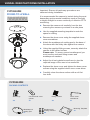
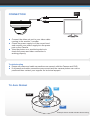
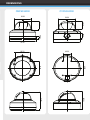
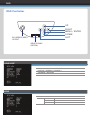
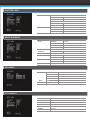
INTERNAL DOME INSTALLATION CBP6324DN FIXING TO A WALL Ceiling Important: Ensure all cautionary procedures are observed during installation. It is recommended the camera is tested during the most demanding environmental conditions such as low light or bright sunlight to ensure continuity of effective CCTV monitoring. Remove the camera unit carefully from the box reserving the accessory contents in a safe place Use the supplied mounting template to mark the space for drilling Remove the dome cover using a suitable coin or screwdriver Using the supplied fitting screws, securely attach the camera to the drilled surface Adjust the tri-axis gimbal zoom/focus to give the required image of the area to be monitored. Replace the dome cover by pushing firmly in place onto the base Carefully clean the dome surface with a soft lint free cloth CBP6324DN PACKING CONTENTS Wall Plugs X4 Fitting Screws X4 Mounting Template X1