1
4&5 RANGE CONDUCTIVITY METERS
Operation Instructions
User Manual for Models EP
EP10
6115 Corte del Cedro
Carlsbad, CA 92009-1516 USA
Tel 760-438-2021
Fax 800-869-7668 / 760-931-9189
www.myronl.com
pH/Conductivity Instrumentation
Accuracy • Reliability • Simplicity
DESCRIPTION
This manual describes your Myron L EP series meter, tells you
how to use it, and how to keep it working accurately for many years.
Myron L EP & EP10 Meters are compact, multi-range instruments
which operate on the principle of electrical conductivity. They each
contain a built-in cell cup and will quickly determine the conductivity
of almost any solution. Both have dials calibrated in micromhos
(pmhos) equivalent to the metric microsiemens (pS). Model EP
features a second dial scale calibrated in megohms/resistivity for
testing ultrapure water.
Both are 3.4" x 4.5" x 4.0" (85 x 129 x 126mm) and weigh less
than one pound (0.45 kg). EP series meters are completely selfcontained. The built-in cell is automatically temperature compensated.
They are powered by two 9 volt batteries good for at least 2000
tests, or one year shelf life.
MODEL RANGES
EP
0-0.5, 0-5, 0-50, 0-500, 0-5,000 micromhos (µmhos)
2-30 Megohms
EP10
0-10, 0-100, 0-1,000, 0-10,000 micromhos (µmhos)
ACCURACY: (Both Models) ±2% of full scale
REPEATABILITY: (Both Models) ±1%
TEMPERATURE COMPENSATION:
EP
32-120°F (0-49°C)
EP10
50-160°F (10-71 °C)
By using an RE-10 Range Extender (see ACCESSORIES), the
maximum range of each meter may be increased ten times.
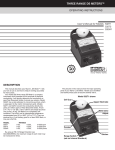
The pictures in this manual show the major operating parts of
your Myron L EP series meter. Handle your meter and identify these
parts to become familiar with it.
USING YOUR METER
1. Turn the Range Switch to the desired range. If you don't know
which range to use, set it to 1000.
2. Rinse the cell cup three times with the sample you want to test.
(For very hot or very cold samples see TEMPERATURE
COMPENSATION below.)
NEVER FILL THE CELL BY DIPPING THE METER INTO WATER!
3. Fill the cell with another sample to at least 1/4" (6mm) above the
upper electrode.
4. Press the black button.
5. Read the dial's black scale value indicated by the pointer. If the
pointer is very low on the left or goes off the scale to the right, try
the next lower or higher range.
6. Multiply the dial's black scale value by the range setting to
determine conductivity in micromhos (microsiemens).
7. If the pointer goes off the scale to the right on the x1000 range,
use an RE-10 range extender (see ACCESSORIES).
1. Turn the range switch to the x.1 range (with the "Ω" symbol around
it).
2. Hold your meter close to the high purity water outlet. While
pressing the button, allow the water to flow into the Cell Cup and
out again, continuously purging the cell. Do not allow air bubbles
to collect.
3. As the cell is washed clean of trace contamination, the reading
will drop and eventually stabilize. Read the resistivity directly in
megohms on the red scale. DO NOT multiply the dial reading by
the range switch value.
NOTE:
The closer the tested water temperature is to 25°C (77°F), and the
less it is exposed to air, the more accurate your reading will be.
CAUTION
ALWAYS rinse the cell cup with pure water immediately after use or
cleaning. This will prevent the build-up of unwanted deposits and
possible contamination of the next sample.
NOTE:
When you are finished with the meter, RINSE THE CELL
CUP with clean water, preferably distilled or deionized.
DO NOT use with samples hotter than specified. The readings WILL
NOT be accurate.
TEMPERATURE COMPENSATION: For very hot or very cold
solutions, let the three rinse samples each remain in the cell for
several seconds. Then immediately fill the cell with the sample you
want to test (step 3 above). This allows the automatic temperature
compensation feature time to work properly.
DO NOT fix or modify the meter. That will void your warranty. See
SERVICE for details or consult Myron L Company
RESISTIVITY MEASUREMENT: Model EP only. Accurate
measurement of high purity water is difficult even under controlled
conditions. Water temperature and even carbon dioxide (CO2) in the
atmosphere will greatly influence resistivity. Use the following
methods for best accuracy:
DO NOT splash solvents such as lacquer thinner, acetone, benzene
or chlorinated solvents on the plastic case.
DO NOT DIP THE INSTRUMENT INTO WATER. If water does get
inside the instrument, see MAINTENANCE for instructions on drying
it.
CALIBRATION/MAINTENANCE
STANDARD SOLUTIONS: A Standard Solution has a known
conductivity and ppm. Your meter was calibrated at the factory using
NIST Standard Solutions. You can keep your meter accurate by using
the same NIST Standard Solutions. To pick the right Myron L
Company Standard Solution for your meter see ACCESSORIES.
How often you calibrate your meter depends on how much you
use it. For once a day use, recalibrate it every three months.
CHECKING CALIBRATION
1. Turn the Range Switch to the x1000 range.
2. Test a sample of appropriate Standard Solution.
CAUTION: Throw the Standard Solution away as you use it. Don't
put the used samples back in the bottle.
3. If the meter does not indicate the same value as is on the Standard
Solution bottle's label, first clean the cell. For directions on how
to do this see CELL CUP. Rinse the cell thoroughly and test the
Standard Solution again. If the meter still does not indicate the
correct value, recalibrate it as described below.
TO RECALIBRATE THE METER
1. Remove the bottom cover using fingernails or a small screwdriver
to loosen the front or rear edge. Identify the Calibration Control
(see photo below) so you can find it by touch while calibrating.
2. Test another sample of the Standard Solution (be careful to not
splash solution inside the meter).
3. Adjust the Calibration Control until the meter indicates the value
that is on the Standard Solution label.
CELL CUP
Self-conditioning of the built-in electrodes occurs each time the
button is pressed with a sample in the cell cup. This ensures
consistent results each time. With some samples a small downward
swing of the pointer is a result of this conditioning action. This action
is powerful and removes normal films of oil and dirt. However, if very
dirty samples — particularly scaling types — are allowed to dry in
the cell cup, a film will build up. This film reduces accuracy. When
there are visible films of oil, dirt or scale in the cell cup or on the
electrodes, scrub them lightly with a small brush and household
cleanser. Rinse out the cleanser and the meter is ready for accurate
measurements.
WATER INSIDE THE METER
Your Myron L EP meter is a rugged instrument and will withstand
water exposure around its cell, meter movement, and switches.
However, care should be taken to keep water from leaking in around
the bottom cover. It is not sealed (to prevent condensation from
forming).
If water is relatively clean (i.e., tap water or better), and there are
only a few drops inside the meter, dry it as described below. Large
amounts of water, or corrosive or very dirty solutions will almost
certainly damage the meter movement or electronics. Such meters
should be returned to the Myron L Company for repair.
To dry your meter:
1. Shake excess water out of the inside of the meter.
2. Dab the exposed surfaces dry with an absorbent cloth or tissue.
Avoid pushing any water into the Calibration Control or switches.
3. Air dry the meter in a warm area with the bottom cover off. Allow
several hours for thorough drying.
If the water entered through a leak in the case or cell, or if the
instrument shows erratic readings or other unusual behavior, return
it to the Myron L Company for servicing.
WARRANTY/SERVICE
Myron L EP and EP10 Meters have a limited one year warranty. If
your instrument fails to operate properly, check the batteries and
calibration. If it still fails to function properly, return it prepaid to the
Myron L Company.
Faulty instruments may be returned to us without proir permission.
METERS WITHIN ONE YEAR WARRANTY PERIOD:
Failures due to materials or workmanship will be repaired or
replaced (our option) without charge if returned freight prepaid. If
failure is deemed by the factory to have been caused by abuse or
tampering, the following procedure will apply.
MAINTENANCE
BATTERY CHECK
Models EP and EP10 have a battery indicator glow light visible
through the small hole on the lower right-hand corner of the meter
face plate. If this light fails to glow when the black button is pressed,
replace both batteries.
BATTERY REPLACEMENT
To replace the batteries detach the battery connectors. Pull on the
vinyl straps to remove the batteries. Replace with fresh zinc carbon
or alkaline 9 volt batteries. Reinsert the vinyl straps to secure batteries.
INSTRUMENTS/CONTROLS OUT OF WARRANTY:
Diagnosis will be made and repairs completed providing the repair
charges are $90.00 or less.
NOTE: Actual repair charges may be less than this amount.
We will diagnose (but not repair) a returned meter and Fax an
estimate of charges if ANY of the following apply:
1. Repair charges will be more than $90.00.
2. You specifically request an estimate of required repairs and
charges.
3. The cost of required repairs exceeds one-half the list price of a
new instrument.
4. The instrument is over ten years old. Because of component
changes and improvements, such instruments can no longer be
repaired.
NOTE: Unrepaired meters are discarded unless you want them
returned to you. If so, there is currently a $25.00 charge per
unrepaired instrument to cover diagnosis and handling.
This warranty is limited to the repair or replacement of the Myron
L EP or EP10 Meter only. The Myron L company assumes no other
responsibility or liability.
STANDARD SOLUTIONS
RANGE EXTENDER
Your EP Meter has been factory calibrated with the appropriate
NIST traceable Standard Solutions. All Myron L Company
Conductivity Standard Solutions are traceable to the National Institute
of Standards and Technology and are within 1.0% of Potassium
Chloride reference solutions. The concentrations of the reference
solutions are calculated from data in the International Critical Tables,
Vol. 6.
The RE-10 Range Extender is a useful accessory for testing high
conductivity solutions beyond the normal range of your EP meter.
Inserting the RE-10 into a sample filled cell cup increases the
maximum range ten times. Use the Range Extender whenever the
reading is off the scale.
RECOMMENDED STANDARD SOLUTIONS
MODEL/RANGE
EP
x.1
x1
x 10
x 100
x 1000
with RE-10
SOLUTION NUMBER
None available
None available
442-30
442-300
442-3000
442-30,000
EP-10
x1
x 10
x 100
x 1000
with RE-10
None available
KCI-70
KCI-700
KCI-7000
442-30,000
STANDARD SOLUTION EOUIVALENT VALUES
Solution
Number
442-30
442-300
442-3000
KCL-70
KCL-700
KCL-7000
442-30,000
Micromhos
Microsiemens
PPM/NaCI
PPM/442™*
46.7
445
3900
70
700
7000
30,100
21.8
214
2027
32.8
340
3740
18,235
30
300
3000
45
478
5687
30,000
*Myron L Company proprietary Natural Water Standard
USING THE RE-10
1. Fill the cell cup three times to rinse it, but each time insert the
Range Extender to rinse it also.
2. Fill the cell cup with your sample. Push the Range Extender into
the cell cup, seating the O-ring seal.
3. Use and read the meter in the normal manner. Multiply the reading
by 10.
4. For best accuracy, repeat the complete test with a fresh sample.
5. When you're done testing, remove the Range Extender.
Thoroughly rinse the cell cup and Extender with clean water
(preferably distilled or deionized) to eliminate dried salts buildup. This is extremely important when the instrument will be used
to test high purity water.
CALIBRATING THE RE-10
1. Calibrate your meter (without RE-10) using Standard Solution
number 442-3000 (EP) or KCL-7000 (EP10).
2. Fill the cell cup with 442-30,000 high conductivity Standard
Solution.
3. Insert RE-10 and press the button. Multiply the reading by 10
and compare it with the value on the Standard Solution label. It
they are not the same the RE-10 must be recalibrated.
NOTE: DO NOT adjust the Calibration Control in your meter.
4. Adjust the white insert of the Extender as follows:
If the reading is too high — push or tap inward.
If the reading is too low — twist or pull outward with pliers.
NOTE: Each Range Extender is calibrated to a particular meter. It
should be recalibrated if it is to be used with another Myron L meter.
PORTA PAK
Carrying Case for use with all
Myron L portable meters, is foam
lined and molded of sturdy ABS plastic.
ORDERING
To order accessories or instruments contact your nearest stocking
distributor, or the Myron L Company.
IF YOU ALSO TEST pH
Our reliable Model EP11/pH pDS meter may be ideal for your
application.
•
•
•
Same four conductivity ranges
as EP10 plus
2-12 pH
pH sensor built-in for maximum
protection, but is field
replaceable
Automatic
temperature
compensation
pH Conductivity Instrumentation
Accuracy • Reliability • Simplicity
Printed in U.S.A.
Specifications subject to change without notice
6115 Corte del Cedro
Carlsbad, CA 92009-1516 USA
Tel 760-438-2021
Fax 800-869-7668 / 760-931-9189
www.myronl.com
© Myron L Company 2001