1
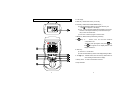
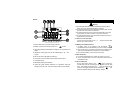
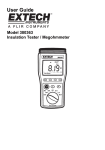
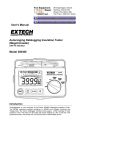
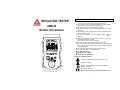
c LCD display.
3. PARTS & CONTROLS
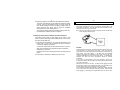
d MEM key : Manual data memory control key.
e LOCK key : Locks the test Insulation Resistance (MΩ).
a). Press and hold down TEST key, then press LOCK key, the
“ LOCK ” icon appears on the display.
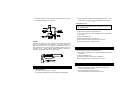
COM
V
b). In MΩ mode continuously applies the test voltage to the circuit to
be tested. The beeper sounds every 2 seconds to remind you
that you are in the LOCK mode.
c). Press Lock or TEST key again to exit the mode.
f READ key: Manual memory data reading control key.
g
key: In Ω function, turns the test lead resistance
compensation ON.
Touch the probe tips together, then press
MEM
READ
VM
key,
icon appears on the display and the main
the
display indicates 0.0Ω.
M
V
h TEST key :
a). Used for MΩ test functions.
b). Press and hold TEST key until the main display reading is stable.
i j ▼▲ keys : In READ mode, select the memory data location for
direct reading the data from the display.
k Rotary switch : To select a measurement function.
l Input terminals.
4
5