1
2
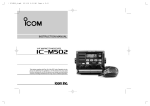
PANEL DESCRIPTION
n Front panel
i
Speaker
o
!0 Function display (p. 4)
q
u
y
t
r
e
w
qPOWER • VOLUME CONTROL [VOL]
➥Rotate to turn the transceiver power ON or OFF.
➥Rotate to adjust the audio level.
wSQUELCH CONTROL [SQL] (p. 7)
Rotate to set the squelch threshold level.
eDISTRESS KEY [DISTRESS] (p. 18)
Hold down for 3 seconds to transmit a Distress call.
rENTER KEY [ENT]
Push to set the DSC menu, a channel comment, etc.
tCLEAR KEY [CLR]
Push to cancel the entered function, or exit the DSC
menu.
2
ySCAN • TAG CHANNEL KEY
[SCAN] • [TAG](SCAN) (p. 11)
➥Push to start and stop the Normal or Priority scan.
➥Hold down for 1 second to set or clear the displayed
channel as a tag (scanned) channel.
➥While holding down [HI/LO] on the microphone, hold
down this key for 3 seconds to set or clear all tag channels in the selected channel group.
uCHANNEL UP/DOWN • CHANNEL GROUP KEYS
[s]/[t] • [U/I/C]
➥Push to select the operating channels, Set mode settings, DSC menu items, etc. (pp. 5, 6, 13, 44)
➥ Hold down [Y] to continuously select higher channels.
➥ Hold down [Z] to continuously select lower channels
➥Push both keys to sequentially select the USA, International or Canadian channel groups. (p. 6)
➥ While holding down [SCAN], push [Y] or [Z] to adjust
the brightness of the LCD and key backlight. (p. 9)
➥While holding down both keys, turn ON the power to
activates the AquaQuake function. (p. 9)
➥ During scan operation, checks TAG channels, changes
scanning direction or manually resumes the scan.
(p. 11)