1
OPERATION INSTRUCTIONS
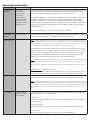
MAIN MENU
Sounds by
Category
All Sounds
Crow Hunting
Deer Hunting
Elk Hunting
Other Hunting
Predator Hunting
Turkey Hunting
Waterfowl Hunting
Woods Sounds
Use to find sounds installed on unit by the type of hunting. For example, enter ‘Deer
Hunting’ folder to find all sounds installed on the unit that pertain to deer hunting.
Enter the Sound Category of your choice and start playing sounds!
Sound Sub-Categories – Some Sound Categories have a lot of sounds, so we have
included sub-categories to make it easier to read and navigate. For example,
‘Predator Hunting’ has the following sub-categories: Bird Sounds, Bobcat Sounds,
Cougar Sounds, Coyote Locator Sounds, Coyote Sounds, Fawn Sounds, Fox Sounds,
Other Sounds, Rabbit Sounds, Raccoon Sounds, Rodent Sounds, Squirrel Sounds
and Wood Sounds.
You can also explore ALL SOUNDS in a sound list by species.
My Favorite
Sounds
(create yourself)
Expert™ Hunts
This feature allows user to place your favorite sounds/most used sounds in a folder so
they are quickly accessible. This folder can hold up to 25 sounds.
Note: In general, HUNTS on this unit are a list of sound tracks that are combined in a specific
sequence with predetermined ‘silent space’. This allows the user to simply hit the PLAY button
and the caller does the rest (just like your stereo playing an audio CD). Some HUNTS might be
1 minute long, other may 30 minutes, just depends on the type of hunting.
This feature allows user to play Expert™ Hunts which are successful sets that Team
Primos™ experts, such as Randy Anderson, have proven to be most effective. These
are the same calling sequences the EXPERTS use successfully on their TV shows…
No longer do you have to be the expert from day one, simply select one-of-many
Expert Hunt™ sets and literally let the experts do the calling for you!
NOTE: When playing EXPERT™ HUNTS, when track is finished playing, caller will automatically
start playing next track in hunt set. When last track of hunt set is finished, caller will stop
playing.
When you exit a playing hunt, track will remain playing until finished but hunt sequence will
stop.
OPERATING TIP: Add Expert™ Hunts
Visit www.primos.com to get the latest Expert™ Hunts. This is the easiest way to call
like successful Professional Hunter, without actually having time to become one!
My Hunts
(create yourself)
Ok, so now you’re confident enough to rival the Professionals! This feature allows you
to combine your own individual sound tracks into a savable and repeatable Hunt.
NOTE: Use EXPERT™ HUNTS or My Hunts for a more pleasurable hunting experience. Having
predetermined calling sequences to play allows the hunter to keep their eye on the field/woods/
animals instead of fooling around with the remote searching for individual sound tracks to play!
When you exit a playing hunt, track will remain playing until finished but hunt sequence will
stop.
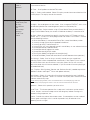
Boss Decoy
Subdued Motion
Aggressive Motion
Playful Motion
With power on decoy, use to select, start and stop decoy motion. Scroll to desired
motion and SELECT to start/stop motion.
SUBDUED CAT:
Continuously selects between 4 random motions to trigger predators to investigate
and attack decoy.
AGGRESSIVE CAT:
Aggressive twitches, turns, and pauses to catch predators attention and curiosity.
PLAYFUL CAT:
Playful turn, twitches, and pauses. Mimics a relaxed vulnerable cat.