1
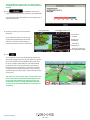
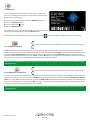
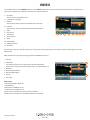
8.0 Understanding the Mapping Screen
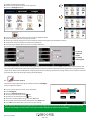
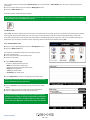
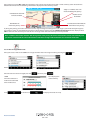
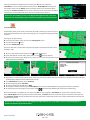
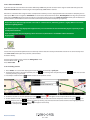
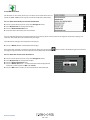
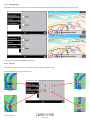
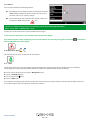
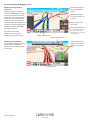
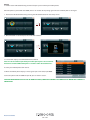
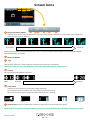
The red line indicates
the route you will be
taking
Distance to next junction or
instruction
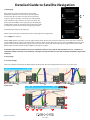
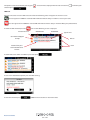
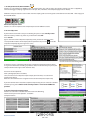
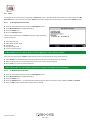
Whilst navigating a calculated
route the S8000 display will show
an information box. This box will
tell you the next road you should
be travelling on and the distance
to that turn. The screen will also
show you either the expected time
of arrival or the time left to go. The
distance left to your destination
will also be displayed.
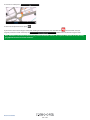
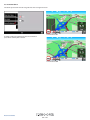
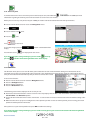
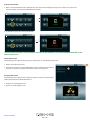
The red line on the map
indicates the route you will
be taking, clearly and precisely.
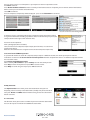
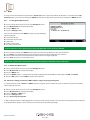
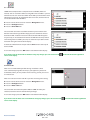
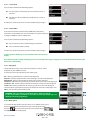
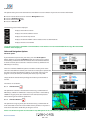
Next motorway exit
or road you are due to
travel on
Distance left to next
instruction
Estimated time of arrival
(If you would like to change
this to Time left to arrival
simply tap the screen on time
left to change it)
Distance left to travel
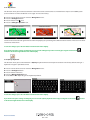
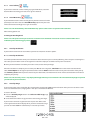
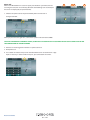
Distance to next road
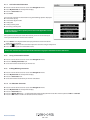
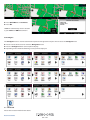
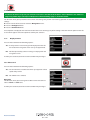
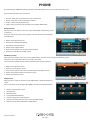
Next turning or instruction
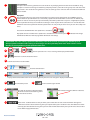
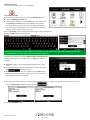
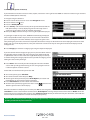
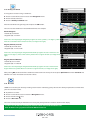
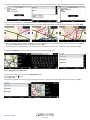
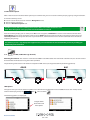
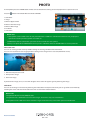
As you approach the next turning
or instruction, a window will
indicate the exact action that you
need to take.
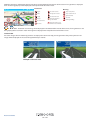
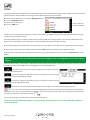
Indicates that you are
approaching a filter lane
and you need to keep
LEFT
Current road
Return to contents
73 • UK