1
1410216
•MP3
•USB Flash
Drive
•CD
Audio
Cable
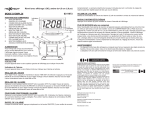
12 VOLT WIRELESS TRANSMITTER
•
•
•
•
MP3 Players
USB Flash Disk
CD’s
SD/MMC Card Compatible
FM
Modulator
MP3 Player
FM Modulator
CARD
SLOT
USB
PORT
FM
Modulator
User Guide
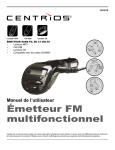
Multi-function
FM Transmitter
Please read this manual carefully before using. This manual is subject to change without prior notification. There may be discrepancies
between this manual and the actual operation of the product. Refer to the products display and actual operation capabilities.
Safety Precautions
For the sake of your safety, please read the following safety cautions before operation
Do not subject the device to severe impact or drop it from a high position.
Do not use the unit in extreme hot or cold, dusty or damp areas.
Do not expose it to direct sunlight.
Avoid using the unit in a strong magnetic field.
Keep the device away from water or other liquids. In the event that water or other liquids
enter the device, power off the product immediately and clean it.
Do not use a chemical solution to clean the device in order to avoid corrosion. Clean it
with a dry cloth.
Do not attempt to disassemble, repair or modify the product, or you will void the
warranty.
1
Features
✇ Read and playback the MP3/WMA file from the memory card/USB flash disk
✇ LCD Displays audio file information and frequency
✇ Two optional play modes: Repeat All and Shuffle (s)
✇ LINE-IN function that enables you to enjoy music from the external audio device such as CD,
MD player
✇ Rotary joint design convenient for you to adjust the device’s position
✇ Channels within 88.1MHz~107.9MHz (0.2 interval)
✇ Car cigar socket power supply (12V DC power)
✇ Restore the last frequency, track number and volume when you restart the device
Package Content
✇ Main Unit ✇ Line-in Cable ✇ Safety Fuse ✇ User Manual
Keys and Display
a.
b.
c.
d.
e.
Memory Card/Removable Disk Indication
Elapsed Time
Play Mode
Current Frequency
Track Title
2
Play Music
[Basic Operations]
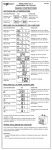
Function
Operation
Play/Pause
Press the
key to play the MP3/WMA file.
The frequency is indicated on the display. To pause during
playback, press the
key. To resume, press it again.
Switch Play Mode
This device provides two play modes:
Repeat All and Random. You can switch the play modes by
pressing and holding the
key for a while.
Previous/Next
Press the
key to play the previous track or press the
key to play the next track.
Switch Channel
Press the “+” or “-” key to switch the preset channels.
When you switch to a certain channel, the frequency is
indicated on the display.
Press and hold the
press and hold the
Adjust Volume
key to decrease the volume, or
key to increase volume.
[Basic Operations]
1. Plug the USB flash disk that stores MP3 files into the USB port.
2. Insert the device into the cigarette lighter socket to draw 12 V DC power.
3. Press the “+” key or “-” key to select the preset channel without signal interference.
You will see the selected frequency indicated on the display.
4. Tune the car FM radio to the same channel as indicated on the display of the transmitter.
5. Now you can enjoy your MP3/WMA music by controlling the keys on the transmitter.
For detailed information about the operation of the transmitter, see the “Basic Operation” section.
[Play music on a memory card]
This device can read audio files stored on a SD/MMC memory card, and transmit the audio signals
to an FM radio.
1. Plug a memory card that stores audio files into the card slot beside the USB port.
2. Insert the device into the cigarette lighter socket to draw 12 V DC power.
3. Press the “+” key or “-” key to select the preset channel without signal interference.
You will see the selected frequency indicated on the display.
4. Tune the car FM radio to the same channel as indicated on the display of the transmitter.
5. Now you can enjoy your MP3/WMA music by controlling the keys on the transmitter.
For detailed information about the operation of the transmitter, see the “Basic Operation” section.
✎ Note: If a removable disk and a memory card are both inserted properly, only the audio files on
the removable disk will transmit and play.
3
[Play music on an extra audio player]
The device supports LINE-IN feature that enables you to play the music from an external audio device
such as CD, MD player, etc. The external audio source comes into the device through the line-in jack
and is transmitted to the FM tuner by the built-in FM transmitter. You will enjoy the music through the
FM stereo audio system on your vehicle.
DO NOT input memory card/USB flash drive or Audio line-in cable at the same time to avoid
voice interference.
1. Connect one end of the LINE-IN cable to the line-in jack of the device and connect the other end to
the earphone jack of the external audio device.
2. Turn on the external audio player and play the music.
3. Press the “+” key or “-” key to select the preset channel without signal interference.
You will see the selected frequency indicated on the display.
4. Tune the car FM radio to the same channel as indicated on the display of the FM transmitter.
5. Now you can enjoy music with the keys on the audio player.
✎ Note: All keys except the channel switch are unavailable when you use the line-in function.
You can only use the keys on the extra audio player to control the playback.
Troubleshooting
Problem
Solution
The frequency display does not light up when I install
the device in the car.
Reinsert the device to the cigarette lighter. If the problem
still exists, try to replace the safety fuse.
I cannot play the music on the removable disk or
memory card.
• Reload the music files.
• Reinsert the removable disk or memory card.
The display lights up, but the keys don’t function.
Reinsert the device to the cigarette lighter.
The display lights up, but there is no sound.
• Check whether the removable disk or memory card is
inserted well.
• Check whether the LINE-IN cable is connected well.
• Check whether the music file is in a supported format.
• Adjust the volume.
There is noise when I tune to a station.
Make sure the frequency on the device and the FM radio is
the same.
4
Notice
✇ Operation voltage for the device is +12V.
Too high or too low voltage could cause damage to the device.
✇ For safety, please insert the USB flash disk or memory card before you plug the device into the
car cigar socket.
✇ The device supports most USB flash disks or memory cards.
✇ Frequency of the car FM tuner should be the same as that of the device.
✇ Do not pull out or insert a USB flash disk or memory card while the device is being powered by
the car cigarette lighter. Remove the device from the socket first and insert or remove the disk
or card before you re-power the device.
✇ The progress may be slow when the USB flash disk or memory card stores too many audio
files.
Safety Fuse Replacement
When the device does not work properly, it may due to the safety fuse failure. Please replace the
safety fuse following these steps if necessary:
1. Remove the device from the cigarette lighter socket.
2. Twist the tip of the cigar plug.
3. Remove the bad safety fuse and insert a new one (provided with the package).
5
Technical Specifications
Item
Description
USB Interface
USB1.1 (USB2.0 Compatible)
FM Frequency Range
88.1~107.9MHz
SNR
≥ 45 dB
FM Frequency Interval
200 kHz
Audio Frequency Response
50 Hz - 15 kHz
Supported File
MP3, WMA
Audio Source
USB flash disk, audio player, memory card
Bit Rate
32Kbps—256Kbps
Safety Fuse
500mA, 250V
Industry Canada Notice
This device complies with RSS-210 of Industry Canada.
Operation is subject to the following two conditions:
(1) this device may not cause interference, and
(2) this device must accept any interference, including interference that may cause undesired
operation of the device.
This digital apparatus does not exceed the Class B limits for radio noise emissions from digital apparatus set out in the Radio
Interference Regulations of Industry Canada.
Industry Canada - ICES-003
CAUTION: To comply with the limits for a Class B digital device, pursuant to Part 15 of the FCC Rules, this device must only be installed on computer
equipment certified to comply with the Class B limits.
This Class B digital apparatus complies with Canadian ICES-003.
Warranty
ORBYX ELECTRONICS WARRANTY
ORBYX Electronics warrants that this product will be free from defects in materials and workmanship for a period of ninety (90) days from the date of
purchase. Within this period, simply take the product and your proof of purchase to any ORBYX Electronics store or dealer and the product will be repaired
without charge for parts and labour. ORBYX Electronics reserves the right to charge for transportation. Any product which has been subject to misuse or
accidental damage is excluded from this warranty.
This warranty is only applicable to a product purchased through ORBYX Electronics’ company owned stores and dealers and to a product that is presented for
repair in a country where ORBYX Electronics offers the product for sale. While this warranty does not confer any legal rights other than those set out above,
you may have additional statutory rights which will vary under the laws of the various countries, states, province and other governmental entities in which
ORBYX Electronics operates. This warranty is subject to all statutory rights you may have in the country of purchase.
Imported in Canada for
Orbyx Electronics,
Concord, Canada, L4K 4M3
Limited Warranty
Manufactured in China
© 2008 ORBYX Electronics.
All Rights Reserved.
For product support please contact
www.orbyxelectronics.com or 1-866-363-3059
6