1
User Manual
COLOR SPLASH
SPECIAL EDITION
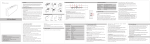
Description
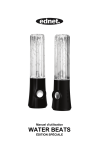
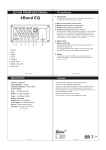
A Speaker
B Speakers’ connect cable
C Audio input jack
D Mini USB port
E 3.5mm audio output jack
F Audio Cable
G Mini USB Cable
Turn the volume to the minimum before connection.
Read the quick guide carefully before connection.
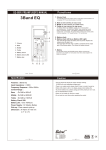
1. Connect the left
speaker to the right with its
connect cable.
2. Connect the left speaker and the computer with USB
power cable.
3. Connect the left speaker and the portable player with
3.5mm mini plug cable.
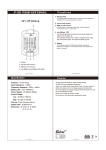
BUTTON FUNCTION:
Button function:
Volume Up
Volume Down
Fountain Effect On/Off
Power On/Off
TROUBLESHOOTING
The Dancing Water speaker is a two-piece multimedia speaker system featuring
controllable fountain effect button. If you experience problems after installing your new
speakers, refer to the following information.
1. No sound – Check the stereo mini-plug connection and turn connector slightly to
ensure proper contact. Make sure that the USB plug is plugged in properly. Also,
make sure sound is coming from your audio unit.
2. Sound is too high/low – Adjust the volumn on the audio unit, or press the volumn
buttons on the speaker unit.
3. Sound cuts out – Check all connections to ensure proper contact, Unplug the
USB Power and restart your Media Program. Adjust the volume settings on your
Media Program. If this does not work, restart the computer.
4. Buzzing – Check stereo mini-plug connection and turn connectors slightly
to ensure proper contact
5. Howling/feedback – Turn down the volume or move the speakers further away
from your microphone. You can also turn off your microphone. To do this , refer to
the documentation that comes with your PC or audio unit.
6. Laptop/Notebook Battery Failure – When using with a laptop we suggest pluging
in laptop/notebook power supply to save battery life.
System Specifications
Total Power
Output(RMS):
3W + 3W
Frequency Response:
90Hz-18KHz
Impedance:
Dimensions:
Weight:
Power:
System Requirements:
Compatibility:
4 Ohms
68.0L x 68.0W x 255.4H (±2mm)
276g±5g (Main); 258g±5g (Sub)
USB Powerd
USB Port
Windows® 2000/XP/7/8
Mac® OS 10.5 or above
Portable audio devices with
an available USB Port