1
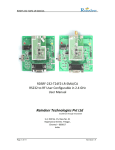
RDSRF-232-A4FZ
RDSRF-232-A4FZ
RS232 to RF User Configurable in 433 MHz
User Manual
Reindeer Technologies Pvt Ltd
Excellence through Innovation
S-2, Old No. 15, New No. 31
Rajamannar Street, T Nagar,
Chennai – 600017
India.
Page 1 of 16
Revision 1.0
RDSRF-232-A4FZ
Document Revision History
Revision No.
1.0
Page 2 of 16
Date
26/2/2011
Description/Changes
Initial Release
Revision 1.0
RDSRF-232-A4FZ
Table of Contents
1 OVERVIEW ............................................................................................................................................ 4
2 FEATURES .............................................................................................................................................. 5
3 APPLICATIONS ....................................................................................................................................... 5
4 CONNECTION DETAILS ........................................................................................................................... 6
5 THEORY OF OPERATION ........................................................................................................................ 7
5.1 RECEIVE MODE ........................................................................................................................................ 7
5.2 TRANSMIT MODE ...................................................................................................................................... 7
6 DATA HANDLING IN RDSRF-232-A4FZ .................................................................................................... 8
7 TIME DELAY CALCULATIONS .................................................................................................................. 9
7.1 EXAMPLE 1: ............................................................................................................................................. 9
7.2 EXAMPLE 2: ........................................................................................................................................... 10
7.3 GENERAL EQUATION FOR CALCULATING TIME DELAY: ..................................................................................... 10
8 USER CONFIGURATION MODE............................................................................................................. 11
9. ORDERING INFORMATION ................................................................................................................. 14
10 ELECTRICAL SPECIFICATIONS ............................................................................................................. 14
11 ACCESSORIES ..................................................................................................................................... 15
12. CONTACT US .................................................................................................................................... 16
12.1 TECHNICAL SUPPORT ............................................................................................................................. 16
12.2 SALES SUPPORT .................................................................................................................................... 16
Page 3 of 16
Revision 1.0
RDSRF-232-A4FZ
1 Overview
Figure 1: RDSRF-232-A4FZBlock Diagram
The RDSRF-232-A4FZ is single board high performance and low power serial to wireless
solution. It is a complete plug and play system where the user can connect two boards
and start a wireless communication between them instantaneously. The RDSRF-232A4FZ can be integrated to existing systems without tedious software or hardware
changes. These boards are intended to be used with systems which already have a
RS232 interface. This device has a link budget of 120dB making it suitable for
applications that require a robust communication from a range of 100 meters to 500
meters line of sight.
Page 4 of 16
Revision 1.0
RDSRF-232-A4FZ
2 Features
Direct RS232 to RF converter with built-in level converter
Transparent RS232 to antenna solution
Input voltage 5V DC
Low Power Consumption
Standard serial and RF baud rates from 1.4 Kbps to 115.2 Kbps possible
Long range communication from 100 meters to 1000 meters line of sight
Software based user configuration of frequency, serial and RF baud rate,
output power, addressing etc (available in selected models only)
3 Applications
Direct RS232 wire replacement
Industrial automation
Crane control systems
Textile instrumentation panels
Instrumentation devices interface
Digital weighing systems
Wireless sensor networking
Remote data logging
Automated meter reading
Page 5 of 16
Revision 1.0
RDSRF-232-A4FZ
4 Connection Details
Page 6 of 16
Revision 1.0
RDSRF-232-A4FZ
5 Theory of operation
The RDSRF-232-A4FZ operates in two different modes.
1) Receive Mode
2) Transmit Mode
5.1 Receive Mode
This is the default mode of operation after power on. In this mode the RF
module will be in the listen mode, ready to receive data over the air and similarly the
main controller will be in the wait mode to receive data either from the RF module or
from the RS232.
When data is received from RF module the main controller will receive the data
and will transfer it through the Tx line of the RS232 connector (ie. the DB-9 connector).
Upon successful reception of data, the Rx LED will blink to acknowledge the
reception.
Alternatively if data is received from the RS232 the main controller will receive
all the data and will switch the RF module to transmit mode. After this the data is sent
over the air.
5.2 Transmit mode
The RDSRF-232-A4FZ will switch to transmit mode only if data is received by the
main controller through the RS232 port. And after successful transmission of the entire
data the Tx LED will blink and the RDSRF-232-A4FZwill switch back to receive mode
automatically.
Page 7 of 16
Revision 1.0
RDSRF-232-A4FZ
6 Data handling in RDSRF-232-A4FZ
The RDSRF-232-A4FZ can transmit or receive any kind of data whether it is in
ASCII or hex or in any other format. It has the capability of handling even user defined
protocols. The maximum packet size allowed is 1024 bytes per transmission. A small
delay has to be present between two packets. This delay will depend on the serial, RF
baud rates and also the packet size. The time delay calculation will be explained in detail
in the following section.
If the user packet length exceeds 1024 bytes an error message will be displayed
as shown below
<ERROR – Maximum Packet Size Exceeded>
The unit also has an inbuilt CRC check. A valid output is receiver on the output of
the receiver only if the CRC check has passed. If the CRC check has failed the following
error message will be displayed.
<ERROR – CRC Check Failed>
Page 8 of 16
Revision 1.0
RDSRF-232-A4FZ
7 Time Delay Calculations
As discussed in the previous section the maximum allowed packet size in
RDSRF-232-A4FZ is 1024 bytes. And a time delay is required in between two packets.
7.1 Example 1:
The serial port settings are
Baud Rate : 9600 bps
Parity : None
Data Bits : 8
Stop Bits : 1
The RF settings are
Baud Rate : 9600 bps
The time delay needed for a packet size of 1024 bytes can be calculated as shown below
Packet size = 1024 bytes
Time taken by the main controller to receive the entire packet = (1024 * 10)/9600.
= 1.066 Sec.
The time taken to transmit the entire packet = ((1024+1024+5)*8)/9600
= 1.711 Sec.
Adding both the time we get a total time of = 1.066+1.711
= 2.77 Sec
Adding an extra buffer time of 10% the total time delay between two packets of size
1024 byte will be 3 Sec.
Page 9 of 16
Revision 1.0
RDSRF-232-A4FZ
7.2 Example 2:
The serial port settings are
Baud Rate : 9600 bps
Parity : None
Data Bits : 8
Stop Bits : 1
The RF settings are
Baud Rate : 9600 bps
The time delay needed for a packet size of 255 bytes can be calculated as shown below
Packet size = 255 bytes
Time taken by the main controller to receive the entire packet = (255 * 10)/9600.
= 0.266 Sec.
The time taken to transmit the entire packet = ((255+255+5)*8)/9600
= 0.429 Sec.
Adding both the time we get a total time of = 0.266+0.429
= 0.695 Sec or 695 ms.
Adding an extra buffer time of 10%, the total time delay between two packets of size
1024 byte will be 0.760 Sec or 760 ms.
7.3 General Equation for calculating time delay:
In general the time delay between packets can be calculated using the below equation.
Time delay between packets = Time 1 + Time 2 + (10% of (Time 1 + Time 2))
Where
Time 1 = (No. of bytes * 10) / serial baud rate
And
Time 2 = (((2 * No. of bytes) + 5) * 8) / RF Baud rate
Page 10 of 16
Revision 1.0
RDSRF-232-A4FZ
8 User Configuration Mode
Figure3: Mode settings
Page 11 of 16
Revision 1.0
RDSRF-232-A4FZ
Figure4: Screenshot of Wireless Module Configuration Utility
Page 12 of 16
Revision 1.0
RDSRF-232-A4FZ
Procedure for using the user configuration mode
1) Change the RDSRF-232-A4FZ to configuration mode by changing the switch
position as shown in figure1.
2) Power on the unit.
3) Run the software on a PC having a serial port.
4) Select all the settings as mentioned below.
a) Serial baud rate
The Serial baud rate can be varied from 1.2 Kbps to 115.2 Kbps.
b) Serial parity
The Parity can be set to either Even, Odd or None.
c) Serial stop bits
The stop bits can be set to either 1 or 2
d) RF baud rate
The RF baud rate can be set from 1.4 Kbps to 38.4 Kbps
e) RF channel
The RF channel can be varied from channel 0 to channel 18
f) RF power output
The RF output can be varied from -16 to +13 dBm.
g) Address
This option can be used to set the address of the devices
h) Select whether the unit behaves as a repeater.
i) Transmit Termination
This option can be used to select whether the transmission should start
automatically or based on any specific used command.
j) COM port
This option is used to select the PC COM port
5) Now use the “Write to Device” button to download the settings to the unit.
6) Upon successful download the message “Programming Successful” is displayed, in
case of any error the message “Programming Not Successful Reset the device and try
again” will appear. In case of error power off the unit and repeat from step1.
Note:
Higher RF power output setting and lower RF baud rate setting will result in
better communication range. More details on these settings are available in the
software help file.
Page 13 of 16
Revision 1.0
RDSRF-232-A4FZ
9. Ordering Information
Product part Number
RDSRF-232-A4FZ
Description
RS232 to RF Module in 433 MHz
10 Electrical Specifications
Page 14 of 16
Revision 1.0
RDSRF-232-A4FZ
11 Accessories
The below mentioned accessories are available upon request. The cost of the
product does not include these accessories.
1) Antenna
The antenna is mandatory for normal operation. The type of antenna can be
selected from the wide ranges of antennae available in our website.
Note: - The device should not be operated without antenna.
2) Power Supply
Power adapters for the unit are available upon request.
3) Serial Cable
RS232 Serial cables are provided upon request
Note: - This product comes without a casing.
Page 15 of 16
Revision 1.0
RDSRF-232-A4FZ
12. Contact Us
12.1 Technical Support
Reindeer Technologies Pvt Ltd has built a solid technical support infrastructure
so that you can get answers to your questions when you need them.
Our technical support engineers are available Mon-Fri between 9:30 am and
6:00 pm Indian standard time. The best way to reach a technical support
engineer is to send an email to [email protected]. E-mail support
requests are given priority because we can handle them more efficiently than
phone support requests.
12.2 Sales Support
Our sales department can be reached via e-mail at [email protected]
or by phone at 91-44-45022335/42606907.
Our sales department is available Mon-Fri between 9:30 am and 6:00 pm.
Reindeer Technologies Pvt Ltd
Excellence Through Innovation
S-2, Old No. 15, New No. 31
Rajamannar Street, T Nagar,
Chennai – 600017
India.
Phone: 91-44-45022335, 91-44-42606907
Fax: 91-44-28154148
Website: www.reindeersystems.com
Page 16 of 16
Revision 1.0
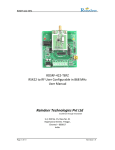
RDSRF-232-T24FZ-LR-SMA/CA
RDSRF-232-T24FZ-LR-SMA/CA
RS232 to RF User Configurable in 2.4 GHz
User Manual
Reindeer Technologies Pvt Ltd
Excellence through Innovation
S-2, Old No. 15, New No. 31
Rajamannar Street, T Nagar,
Chennai – 600017
India.
Page 1 of 14
Revision 1.0
RDSRF-232-T24FZ-LR-SMA/CA
Document Revision History
Revision No.
1.0
Page 2 of 14
Date
26/2/2011
Description/Changes
Initial Release
Revision 1.0
RDSRF-232-T24FZ-LR-SMA/CA
Table of Contents
1 OVERVIEW ............................................................................................................................................ 4
2 FEATURES .............................................................................................................................................. 5
3 APPLICATIONS ....................................................................................................................................... 5
4 CONNECTION DETAILS ........................................................................................................................... 6
5 THEORY OF OPERATION ........................................................................................................................ 7
5.1 RECEIVE MODE ........................................................................................................................................ 7
5.2 TRANSMIT MODE ...................................................................................................................................... 7
6 DATA HANDLING IN RDSRF-232-T24FZ-LR-SMA/CA ............................................................................... 8
7 TIME DELAY CALCULATIONS .................................................................................................................. 8
7.1 EXAMPLE 1: ............................................................................................................................................. 8
7.2 EXAMPLE 2: ............................................................................................................................................. 9
7.3 GENERAL EQUATION FOR CALCULATING TIME DELAY: ....................................................................................... 9
8 USER CONFIGURATION MODE............................................................................................................. 10
9. ORDERING INFORMATION ................................................................................................................. 12
10 ELECTRICAL SPECIFICATIONS ............................................................................................................. 13
11 ACCESSORIES ..................................................................................................................................... 13
12. CONTACT US .................................................................................................................................... 14
12.1 TECHNICAL SUPPORT ............................................................................................................................. 14
12.2 SALES SUPPORT .................................................................................................................................... 14
Page 3 of 14
Revision 1.0
RDSRF-232-T24FZ-LR-SMA/CA
1 Overview
Figure 1: RDSRF-232-T24FZ-LR-SMA/CA Block Diagram
The RDSRF-232-T24FZ-LR-SMA/CA is single board high performance and low power
serial to wireless solution. It is a complete plug and play system where the user can
connect two boards and start a wireless communication between them instantaneously.
The RDSRF-232-T24FZ-LR-SMA/CA can be integrated to existing systems without tedious
software or hardware changes. These boards are intended to be used with systems
which already have a RS232 interface.
Page 4 of 14
Revision 1.0
RDSRF-232-T24FZ-LR-SMA/CA
2 Features
Direct RS232 to RF converter with built-in level converter
Transparent RS232 to antenna solution
Input voltage 5V DC
Low Power Consumption
Standard serial and RF baud rates from 1.4 Kbps to 115.2 Kbps possible
Long range communication from 100 meters to 1000 meters line of sight
Software based user configuration of frequency, serial and RF baud rate,
output power, addressing etc (available in selected models only)
3 Applications
Direct RS232 wire replacement
Industrial automation
Crane control systems
Textile instrumentation panels
Instrumentation devices interface
Digital weighing systems
Wireless sensor networking
Remote data logging
Automated meter reading
Page 5 of 14
Revision 1.0
RDSRF-232-T24FZ-LR-SMA/CA
4 Connection Details
Page 6 of 14
Revision 1.0
RDSRF-232-T24FZ-LR-SMA/CA
5 Theory of operation
The RDSRF-232-T24FZ-LR-SMA/CA operates in two different modes.
1) Receive Mode
2) Transmit Mode
5.1 Receive Mode
This is the default mode of operation after power on. In this mode the RF
module will be in the listen mode, ready to receive data over the air and similarly the
main controller will be in the wait mode to receive data either from the RF module or
from the RS232.
When data is received from RF module the main controller will receive the data
and will transfer it through the Tx line of the RS232 connector (ie. the DB-9 connector).
Upon successful reception of data, the Rx LED will blink to acknowledge the
reception.
Alternatively if data is received from the RS232 the main controller will receive
all the data and will switch the RF module to transmit mode. After this the data is sent
over the air.
5.2 Transmit mode
The RDSRF-232-T24FZ-LR-SMA/CA will switch to transmit mode only if data is
received by the main controller through the RS232 port. And after successful
transmission of the entire data the Tx LED will blink and the RDSRF-232-T24FZ-LRSMA/CA will switch back to receive mode automatically.
Page 7 of 14
Revision 1.0
RDSRF-232-T24FZ-LR-SMA/CA
6 Data handling in RDSRF-232-T24FZ-LR-SMA/CA
The RDSRF-232-T24FZ-LR-SMA/CA can transmit or receive any kind of data
whether it is in ASCII or hex or in any other format. It has the capability of handling even
user defined protocols. The maximum packet size allowed is 1024 bytes per
transmission. A small delay has to be present between two packets. This delay will
depend on the serial, RF baud rates and also the packet size. The time delay calculation
will be explained in detail in the following section.
7 Time Delay Calculations
As discussed in the previous section the maximum allowed packet size in
RDSRF-232-T24FZ-LR-SMA/CA is 1024 bytes. And a time delay is required in between
two packets.
7.1 Example 1:
The serial port settings are
Baud Rate : 9600 bps
Parity : None
Data Bits : 8
Stop Bits : 1
The RF settings are
Baud Rate : 9600 bps
The time delay needed for a packet size of 1024 bytes can be calculated as shown below
Packet size = 1024 bytes
Time taken by the main controller to receive the entire packet = (1024 * 10)/9600.
= 1.066 Sec.
The time taken to transmit the entire packet = ((1024+1024+5)*8)/9600
= 1.711 Sec.
Adding both the time we get a total time of = 1.066+1.711
= 2.77 Sec
Adding an extra buffer time of 10% the total time delay between two packets of size
1024 byte will be 3 Sec.
Page 8 of 14
Revision 1.0
RDSRF-232-T24FZ-LR-SMA/CA
7.2 Example 2:
The serial port settings are
Baud Rate : 9600 bps
Parity : None
Data Bits : 8
Stop Bits : 1
The RF settings are
Baud Rate : 9600 bps
The time delay needed for a packet size of 255 bytes can be calculated as shown below
Packet size = 255 bytes
Time taken by the main controller to receive the entire packet = (255 * 10)/9600.
= 0.266 Sec.
The time taken to transmit the entire packet = ((255+255+5)*8)/9600
= 0.429 Sec.
Adding both the time we get a total time of = 0.266+0.429
= 0.695 Sec or 695 ms.
Adding an extra buffer time of 10%, the total time delay between two packets of size
1024 byte will be 0.760 Sec or 760 ms.
7.3 General Equation for calculating time delay:
In general the time delay between packets can be calculated using the below equation.
Time delay between packets = Time 1 + Time 2 + (10% of (Time 1 + Time 2))
Where
Time 1 = (No. of bytes * 10) / serial baud rate
And
Time 2 = (((2 * No. of bytes) + 5) * 8) / RF Baud rate
Page 9 of 14
Revision 1.0
RDSRF-232-T24FZ-LR-SMA/CA
8 User Configuration Mode
Figure3: Mode settings
Page 10 of 14
Revision 1.0
RDSRF-232-T24FZ-LR-SMA/CA
Figure4: Screenshot of Wireless Module Configuration Utility
Procedure for using the user configuration mode
1) Change the RDSRF-232-T24FZ-LR-SMA/CA to configuration mode by changing the
switch position as shown in figure1.
2) Power on the unit.
3) Run the software on a PC having a serial port.
4) Select all the settings as mentioned below.
a) Serial baud rate
The Serial baud rate can be varied from 1.2 Kbps to 115.2 Kbps.
b) Serial parity
The Parity can be set to either Even, Odd or None.
c) Serial stop bits
The stop bits can be set to either 1 or 2
d) RF baud rate
The RF baud rate can be set from 1.4 Kbps to 250 Kbps
Page 11 of 14
Revision 1.0
RDSRF-232-T24FZ-LR-SMA/CA
e) RF channel
The RF channel can be varied from channel 0 to channel 18
f) RF power output
The RF output can be varied from -5 to +20 dBm.
g) Address
This option can be used to set the address of the devices
h) Select whether the unit behaves as a repeater.
i) Transmit Termination
This option can be used to select whether the transmission should start
automatically or based on any specific used command.
j) COM port
This option is used to select the PC COM port
5) Now use the “Write to Device” button to download the settings to the unit.
6) Upon successful download the message “Programming Successful” is displayed, in
case of any error the message “Programming Not Successful Reset the device and try
again” will appear. In case of error, power off the unit and repeat from step 1.
Note:
Higher RF power output setting and lower RF baud rate setting will result in
better communication range.
9. Ordering Information
Product part Number
RDSRF-232-T24FZ-LR-SMA
RDSRF-232-T24FZ-LR-CA
Page 12 of 14
Description
RS232 to RF Module in 2.4 GHz with
External Antenna
RS232 to RF Module in 2.4 GHz with
Internal Antenna
Revision 1.0
RDSRF-232-T24FZ-LR-SMA/CA
10 Electrical Specifications
Parameter
Vcc – Power Supply
Min
5
Max
5
Unit
V
Operating temperature
-40
+85
°C
RF Output Power
-5
+20
dBm
Frequency of operation
Transmit Current @+20 dBm
2.40
2.5
90
GHz
mA
33
mA
Receive Current
11 Accessories
The below mentioned accessories are available upon request. The cost of the
product does not include these accessories.
1) Antenna
The antenna is mandatory for normal operation. The type of antenna can be
selected from the wide ranges of antennae available in our website.
Note: - The device should not be operated without antenna.
2) Power Supply
Power adapters for the unit are available upon request.
3) Serial Cable
RS232 Serial cables are provided upon request
Note: - This product comes without a casing.
Page 13 of 14
Revision 1.0
RDSRF-232-T24FZ-LR-SMA/CA
12. Contact Us
12.1 Technical Support
Reindeer Technologies Pvt Ltd has built a solid technical support infrastructure
so that you can get answers to your questions when you need them.
Our technical support engineers are available Mon-Fri between 9:30 am and
6:00 pm Indian standard time. The best way to reach a technical support
engineer is to send an email to [email protected]. E-mail support
requests are given priority because we can handle them more efficiently than
phone support requests.
12.2 Sales Support
Our sales department can be reached via e-mail at [email protected]
or by phone at 91-44-45022335/42606907.
Our sales department is available Mon-Fri between 9:30 am and 6:00 pm.
Reindeer Technologies Pvt Ltd
Excellence through Innovation
S-2, Old No. 15, New No. 31
Rajamannar Street, T Nagar,
Chennai – 600017
India.
Phone: 91-44-45022335, 91-44-42606907
Fax: 91-44-28154148
Website: www.reindeersystems.com
Page 14 of 14
Revision 1.0
RDM-A8FZLR
RDM-A8FZLR
Long Range RF Transceiver Module for 850 to 870 MHZ
Datasheet
Reindeer Technologies Pvt Ltd
Excellence Through Innovation
S-2, Old No. 15, New No. 31
Rajamannar Street, T Nagar,
Chennai – 600017
India.
1
Revision 1.0
RDM-A8FZLR
Document Revision History
Revision No.
1.0
Date
14/3/2011
Description/Changes
Initial Release
2
Revision 1.0
RDM-A8FZLR
Table of Contents
1. General Description
4
2. Features
4
3. Applications
5
4. Pin Configuration and Function Description
5
5. Electrical Specifications
8
5.1 General Specifications
5.2 Transmitter Specifications
5.3 Antenna Specifications
8
8
8
6. Interfacing with Microcontroller
9
6.1 General
6.2 Other Signals
6.2.1 Sleep Control
6.2.2 RSSI Request
6.2.3 Mode Select
6.2.4 RST
6.2.5 TX Status and RX Status
6.3 Data Frame Format
6.4 Example Circuit
9
11
11
11
11
12
12
12
13
7. AT Commands
15
8. Mechanical Drawings
34
9. Custom Applications
35
10. Reference
35
11. Ordering Information
35
12. Contact Us
36
12.1 Technical Support
12.2 Sales Support
36
36
3
Revision 1.0
RDM-A8FZLR
1. General Description
This document describes the hardware and firmware features of RDM-A8FZLR,
long range RF Module. The module works as a high power RF transceiver, to transmit
the data given through the UART. The module has UART data interface and do the RF
transmission at 865MHz to 867MHz (License free frequency band for RFID operations in
India). The integrated RF front end gives an output power of +27dBm. Most of the RF
parameters and other network parameters can be configured to the module through
the AT command interface which makes it flexible for use. The UART data transfer
between the Host processor and the high power UART module is done with three
handshaking signals (RTS/CTS/EOF).
2. Features
●
●
●
●
●
●
●
●
●
●
●
●
Long range, high performance transceiver Module
Frequency bands
850 MHz to 870 MHz
Data rates supported
1 kbps to 300 kbps
3.3 to 3.6 V power supply
Configurable Power outputs
Receiver sensitivity (BER)
−116 dBm at 1.0 kbps, 2FSK, GFSK
−107.5 dBm at 38.4 kbps, 2FSK, GFSK
−102.5 dBm at 150 kbps, GFSK, GMSK
−100 dBm at 300 kbps, GFSK, GMSK
−104 dBm at 19.2 kbps, OOK
Very low power consumption
18mA in PHY_RX mode (Max front-end gain)
247mA in PHY_TX mode (27dBm output)
30 µA in PHY_SLEEP Mode
17 µA in PHY_SLEEP Mode (Deep Sleep Mode 1)
RF output power of 9 dBm to +24.1dBm
Digital received signal strength indication (RSSI) Request
240 byte Packet Buffer for TX/RX data
Efficient UART data interface
AT Command Interface for Configuration of parameters
4
Revision 1.0
RDM-A8FZLR
3. Applications
●
●
●
●
●
●
●
Smart Metering
IEEE 802.15.4g
Wireless MBUS
Home Automation
Process and Building Control
Wireless Sensor Networks (WSNs)
Wireless Healthcare
4. Pin Configuration and Function Description
The High power UART module has 2 x 10 headers (JP3 and JP4) for interfacing
with host microcontroller. Figure 1 shows the pin diagram of high power UART Module.
And the description of each pin’s functionality is given in Table 4.1. All the pins operate
at the voltage levels of 0V to 3.3V. The supply for the High Power UART Module should
be 3.3V regulated power supply capable of delivering maximum current of 300mA. TDO,
TDI, TMS and TCK pins can be used to upgrade the firmware of the processor. The RF
module has three general purpose I/Os which can be customized for a particular
application Scenario.
5
Revision 1.0
RDM-A8FZLR
Figure 1. High Power UART Module –Pin Diagram
4.1 Pin Descriptions for High Power UART Module
S.No
Pin Signal
Direction
1.
A1
I/O
General Purpose Input/Output
2.
A2
I/O
General Purpose Input/Output
3.
EOF
I
4.
CTS
O
5.
RTS
I
Description
End of Frame: This signal is used to indicate the
end of frame for the UART data given from the
host processor. The rising edge is given at this
pin to indicate the end of frame.
Clear To Send: This is the signal given by the RF
module to indicate that the module is ready to
receive further UART data.
Request to Send: This signal has to be given
from the host processor as a request to send
UART data. If the RF module is not busy, it will
give CTS in response.
6
Revision 1.0
RDM-A8FZLR
6.
RST
I
Reset: It is the reset signal of the processor in
the RF Module.
7.
TDO
O
Test data output port.
8.
TDI
I
Test data input
9.
TMS
I
10.
TCK
I
11
GND
I
VCC
I
12.
13.
RX STATUS
O
14
TX STATUS
O
15
SLEEP
CONTROL
I
16.
MODE SELECT
I
17.
RSSI REQ
I
18.
A3
I
19.
20.
DATA FROM
RADIO
DATA TO
RADIO
O
I
Test mode select. TMS is used as an input port
for device programming and test.
Test clock. TCK is the clock input port for device
programming and test.
Ground or Negative of 3.3V Supply.
Positive of 3.3V supply.
The logic level of this signal toggles after every
reception. This can be used to check the
reception status
The logic level of this signal toggles after every
RF transmission. This can be used to check the
transmission status.
When the rising edge is detected at this pin, the
RF module goes into sleep state. The RF module
wakes up if UART reception happens or the
rising edge at any one of the following pins RSSI REQ/MODE SELECT/ SLEEP CONTROL /RTS/
RST.
The rising edge at this pin causes the RF module
to enter into the Command Mode. Entering into
command mode enables the host processor to
give the AT Commands to change the settings.
RSSI REQUEST: This signal is used to get the RSSI
value. Once the rising edge at this pin is
detected, the RF module gives 1 byte RSSI value
in dBm (without sign) to UART.
General Purpose I/O
UART Data Output from the RF Module to the
Host Processor.
UART data input to the RF module from the host
processor.
7
Revision 1.0
RDM-A8FZLR
5. Electrical Specifications
5.1 General Specifications
Parameter
Frequency Range
Data Rate
Operating Temperature
Supply Voltage
Transmit Current Consumption
9 dBm
11 dBm
17 dBm
20 dBm
22 dBm
Min
850
1
-40
3.3
Receiver Current Consumption
Sleep Current Consumption
Typ
Max
870
300
+85
3.6
Unit
MHz
Kbps
°C
V
73.8
75.8
101.8
167.0
203.4
mA
mA
mA
mA
mA
20
17
mA
µA
5.2 Transmitter Specifications
Parameter
Min
Maximum Power
Minimum Power
Typ
Max
Unit
+27
9
dBm
dBm
-34.8
-33
-62
-56
dBm
dBm
dBm
dBm
Harmonics
Second Harmonic
Third Harmonic
Fourth Harmonic
Fifth Harmonic
5.3 Antenna Specifications
Parameter
Frequency Range
Bandwidth
Wavelength
VSWR
Impedance
Min
850
Typ
25
¼ wave
≤2
50
Max
870
Unit
MHz
MHz
Ohm
8
Revision 1.0
RDM-A8FZLR
6. Interfacing with Microcontroller
6.1 General
To interface the High Power RF Module with the host processor the typical
hardware connections has to be done as shown in Figure 2.
Figure 2: Typical Hardware Connection Diagram
To transmit the data wirelessly, the host processor has to send the data through UART
to the RF module. This data transfer has to happen after the two way handshake using
RTS/CTS. That is, when the host processor has the data to transmit, it has to send the
9
Revision 1.0
RDM-A8FZLR
RTS signal. After detecting the rising edge of the RTS signal, the RF module issues a CTS
signal if it is not busy. It is recommended to connect the CTS signal to the interrupt of
the host processor. Figure 3 shows the signals associated with the basic data transfer.
After getting the CTS signal, the host processor can send the UART data to RF module
with the baud rate set by the processor. The default baud rate used is 19200 bps. And
the baud rate for the UART communication can be changed by the AT Commands. After
the transmission of UART data, the End Of Frame (EOF) has to be given to initiate the
wireless transmission of the data. Otherwise if the EOF is not given from the host
processor for 200ms then the RF module transmits the data.
RTS (From Host)
CTS (From RF
Module)
DATA (From
Host)
EOF (From Host)
Figure 3. Timing Diagram for basic data transfer between host processor and RF Module
The RF module contains the buffer of 512 bytes. So the host processor can give
512 bytes of UART data at one go. And the RF module stores it in the buffer and
transmits it as multiple wireless packets of packet size 90 bytes. The default packet size
is 90 bytes. The packet size can be changed by using the AT commands. The RF module
uses the Cyclic Redundancy Check (CRC) to ensure the message integrity of the received
wireless packets. The RF module detects the rising edge of the RTS and EOF input
signals. The RF module gives the CTS signal with a pulse width of 50us. It is
recommended to use the edge triggered external interrupt line of the host processor to
detect the CTS signal.
10
Revision 1.0
RDM-A8FZLR
6.2 OTHER SIGNALS:
6.2.1 Sleep Control:
The 15th pin of the high power RF module is the sleep control pin. When the RF
module detects the rising edge at this pin, it goes to the sleep state. The current
consumption of the radio module at the sleep state is measured as 1.3mA. The RF
module wakes up from the sleep state when either UART reception happens or RSSI
REQ/MODE SELECT/RST signal is given.
Figure 4: Timing Diagram for Sleep Control Signal
6.2.2 RSSI Request:
The 17th pin of the RF module is RSSI Request pin. When the RF module detects
the rising edge at this pin, it measures the Received Signal Strength Indicator (RSSI)
value and gives it a one byte RSSI value without sign to UART. For example if the RSSI
measured is -55dBm, then the one byte RSSI given to the host processor is 55d (0x37).
Figure 5: Timing Diagram for RSSI Request Signal
6.2.3 Mode Select:
The 16th pin of the RF module is Mode Select pin. When the RF module detects
the rising edge at this pin, the RF module enters into Command Mode. There are two
modes of operation for the RF module.
They are
1. Data Mode – In this mode, the user data from the host processor has been
received through UART and subsequently that will be transmitted wirelessly.
11
Revision 1.0
RDM-A8FZLR
2. Command Mode – In this mode, the AT commands from the host processor has
been received through UART and the replies are sent back from the RF module.
The Command mode can be entered either through giving consecutive three ‘+’s
from the host processor to RF module through UART or by issuing a pulse as shown in
Figure 6. To exit from the command mode, an AT command ATGEX<CR> is used.
Figure 6.Timing Diagram for Mode Select Input
6.2.4 RST:
The 6th pin of RF module is the hardware reset pin. When the logical low signal
(0V) is given to this pin, it resets the RF module and the firmware execution restarts.
6.2.5 TX STATUS & RX STATUS
The 13th and 14th pin are the Tx Status and Rx Status pins. These pins can be used
to indicate the wireless transmit and receive status. After every wireless transmission
and reception, the signal level at this pin toggles to indicate the transmission and
reception.
6.3. DATA FRAME FORMAT:
Figure 7 shows the wireless packet frame format. The 10 byte preamble and 3
byte Sync word are included with the packet by the transceiver. The first byte of the 9
byte header is packet length and the rest of the 8 bytes are the source address and
destination address. The maximum payload length should be less than or equal to 211
bytes. This length can be configured by the AT command ATSPK, referred in the page
number 28. The two byte CRC ensures the message integrity. The wireless reception
happens only if the CRC matches in the receiver.
12
Revision 1.0
RDM-A8FZLR
Preamble
Sync
Word
Packet
Length
Source
Address
Destination Payload
Address
CRC
Preamble: 10 bytes
Sync word: 3 bytes
Source Address: 4 bytes
Destination Address: 4 bytes
Packet length: 1 byte
Payload: up to 211 bytes
Figure 7: Data Packet format
13
Revision 1.0
RDM-A8FZLR
6.4. EXAMPLE CIRCUIT:
14
Revision 1.0
RDM-A8FZLR
7. AT COMMANDS
1. Command:
ASCII Value - +++
Hex Command - 2B 2B 2B.
Response:
ASCII Value - ..OK..
Hex Command - 0D 0D 4F 4B 0D 0D.
Description:
This AT Command is used to make the RF Module to enter the Command
Mode. The time delay between consecutive ‘+’s should be less than
10ms.
2. Command:
ASCII Value - ATGWR<CR>
Hex Command - 41 54 47 57 52 0D.
Response:
ASCII Value - OK..
Hex Command - 4F 4B 0D 0D.
Description:
This AT Command is used to store the set parameters to permanent
memory. This AT command has to be used after the AT command for setting a
configuration parameter. When this AT command is issued after the AT
command for setting a configuration parameter, it returns “OK..” as the
response. If this AT Command is issued after an AT command which is not used
to set the configuration parameter, then the response for this AT command will
be “ERROR”.
15
Revision 1.0
RDM-A8FZLR
3. Command:
ASCII Value - ATTEMP<CR>
Hex Command - 41 54 54 45 4D 50 0D.
Response:
ASCII Value - OK..
Hex Command –4F 4B 0D 0D.
Description:
This AT Command is used to Store the set parameters to Temporary
memory without affecting the settings stored in permanent memory. After reset
these parameters will be lost. This AT command can be used after setting a
configuration parameter using another AT command. This AT command is
redundant and practically there is no need to use this AT command as AT
command for setting the configuration parameter itself, stores the set value in
the temporary memory.
4. Command:
ASCII Value - ATGEX<X><CR>
Hex Command - 41 54 47 45 38 0D.
Response:
ASCII Value - EXIT..
Hex Command - 45 58 49 54 0D 0D.
Description:
This AT Command is used to exit from command mode. There are three
modes. They are Command Entry Mode, Command Mode and Data Mode. In the
Command Entry mode, three consecutive ‘+’s are required to transit to the
command mode. In this mode, data other than ‘+’ will be discarded. DCT will go
to Command Entry mode after exiting the Data mode or Command Mode
automatically. Command Mode can be entered either by “+++” given to UART or
by giving an pulse to MODE SELECT pin. Issuing ATEXT<CR> command will make
16
Revision 1.0
RDM-A8FZLR
DCT to transit from Command Mode to Command Entry Mode. Issuing the RTS
pulse makes the DCT to go to Data mode.
5. Command:
ASCII Value - ATNCH<CR>
Hex Command - 41 54 4E 43 48 0D.
Response:
ASCII Value – (Channel No.).
Hex Command –(X) 0D 0D,
Where X is the Channel No.
Default Value/Factory Settings: 0x00
Description:
7.1. Channel number and its corresponding Frequencies
CHANNEL
NUMBER
RF
(IN MHz)
REQUENCY
0
865.1
1
865.3
2
865.5
3
865.7
4
865.9
5
866.1
6
866.3
7
866.5
8
866.7
17
Revision 1.0
RDM-A8FZLR
9
866.9
This AT Command is used to read the RF Frequency channel (X) used for
wireless transmission and reception between modules. Range of X = (0 - 9). The
central frequencies corresponding to each Channel Number is given below. The
License Free Frequency band of 865-867MHz (in India) has been used by DCT.
6. Command:
ASCII Value - ATNCH<X><CR>
Hex Command - 41 54 4E 43 48(X) 0D,
Where X is the Channel No.
Response:
If the parameters are with in 0 to 9 and the RF channel has been successfully
changed, then it returns the following.
ASCII Value - OK..
Hex Command - 4F 4B 0D 0D.
If the parameter value is greater than 9 it returns the string “ERROR”
Default Value/Factory Settings: 0x00
Description:
This AT Command is used to set the RF Frequency channel (X) used for
wireless transmission and reception between modules. Range of X = (0 - 9).The
central frequencies associated with the channel number are given in Table 7.1.
7. Command:
ASCII Value - ATNMY<CR>
Hex Command - 41 54 4E 4D 59 0D.
Response:
18
Revision 1.0
RDM-A8FZLR
ASCII Value – (Source Address).
Hex Command –(X) 0D 0D,
Where X is the RF module 32-bit source address.
Default Value/Factory Settings: 0x01000000
Description:
This AT Command is used to read the RF module 32-bit source address(X).
Range of X = (0 - 0xFFFFFFFF). This 4 byte source address will be the part of
header in the wireless packet.
8. Command:
ASCII Value - ATNMY<X><CR>
Hex Command - 41 54 4E 4D 59(X) 0D,
source address.
Where X is the RF module 32-bit
Response:
ASCII Value - OK..
Hex Command - 4F 4B 0D 0D.
Default Value/Factory Settings: 0x01000000
Description:
This AT Command is used to set the RF module 32-bit source address(X).
The host processor can set the source address for the DCT which is the part of
the header in the wireless packet transmission. Range of X =(0 - 0xFFFFFFFF).
9. Command:
ASCII Value - ATNDA<CR>
Hex Command - 41 54 4E 44 41 0D.
19
Revision 1.0
RDM-A8FZLR
Response:
ASCII Value – (Dest. Address).
Hex Command –(X) 0D 0D,
address.
Where X is the RF module 32-bit destination
Default Value/Factory Settings: 0x01000000
Description:
This AT Command is used to read the RF module 32-bit destination
address(X). This 4 byte destination address is part of the header in the wireless
packet. This field is used for unicast data transfer where the data is intended for
a particular receiver. Range of X =(0 - 0xFFFFFFFF).
10. Command:
ASCII Value - ATNDA<X><CR>
Hex Command - 41 54 4E 44 41 (X) 0D,
destination address.
Where X is the RF module’s 32-bit
Response:
ASCII Value - OK..
Hex Command - 4F 4B 0D 0D.
Default Value/Factory Settings: 0x01000000
Description:
This AT Command is used to set the RF module 32-bit destination
address(X). This 4 byte destination address is part of the header in the wireless
packet. This field is used for unicast data transfer where the data is intended for
a particular receiver. Range of X = (0 - 0xFFFFFFFF).
20
Revision 1.0
RDM-A8FZLR
11. Command:
ASCII Value - ATNRR<CR>
Hex Command - 41 54 4E 52 52 0D.
Response:
ASCII Value – (Retries).
Hex Command –(X) 0D 0D,
Where X is the number of packet retries.
Default Value/Factory Settings: 0x00
Description:
This AT Command is used to read the number of packet retries(X). Range of
X =(0 - 6).
Note: The packet retries has not been implemented in the firmware. The
host processor can handle the packet retries as transparent wireless to UART
reception is given by DCT.
12. Command:
ASCII Value - ATNRR<X><CR>
Hex Command - 41 54 4E 52 52 (X) 0D,
retries.
Where X is the number of Packet
Response:
ASCII Value - OK..
Hex Command - 4F 4B 0D 0D.
Default Value/Factory Settings: 0x00
21
Revision 1.0
RDM-A8FZLR
Description:
This AT Command is used to set the number of packet retries(X). Range of
X = (0 - 6).
Note: The packet retries has not been implemented in the firmware. The
host processor can handle the packet retries as transparent wireless to UART
reception is given by DCT.
13. Command:
ASCII Value - ATNPI<CR>
Hex Command - 41 54 4E 50 49 0D.
Response:
ASCII Value – (PAN ID).
Hex Command –(X) 0D 0D,
Where X is the number of PAN ID.
Default Value/Factory Settings: 0xFFFF
Description:
This AT Command is used to read the PAN(Personal Area Network) ID(X).
Range of X =(0 – 0xFFFF).
14. Command:
ASCII Value - ATNPI<X><CR>
Hex Command - 41 54 4E 50 49(X) 0D, Where X is the PAN ID.
Response:
ASCII Value - OK..
Hex Command - 4F 4B 0D 0D.
Default Value/Factory Settings: 0xFFFF
22
Revision 1.0
RDM-A8FZLR
Description:
This AT Command is used to set the PAN(Personal Area Network) ID(X).
Range of X =(0 – 0xFFFF).
15. Command:
ASCII Value - ATNMD<CR>
Hex Command - 41 54 4E 4D 44 0D.
Response:
ASCII Value – (MODE).
Hex Command –(X) 0D 0D,
Where X is the mode of operation.
Default Value/Factory Settings: 0x00
Description:
This AT Command is used to read the mode of operation(X).
Range of X = (0 – Normal mode, 1 – Acknowledged mode)
Note: The current firmware works only on Normal Mode. ACK has to be handled
by the Host Processor.
16. Command:
ASCII Value - ATNMD<X><CR>
Hex Command - 41 54 4E 4D 44(X) 0D, Where X is the mode of operation.
Response:
ASCII Value - OK..
Hex Command - 4F 4B 0D 0D.
Default Value/Factory Settings: 0x00
23
Revision 1.0
RDM-A8FZLR
Description:
This AT Command is used to set the mode of operation(X).
Range of X =(0 – Normal mode, 1 – Acknowledged mode)
17. Command:
ASCII Value - ATPSM<CR>
Hex Command - 41 54 50 53 4D 0D.
Response:
ASCII Value – (SLEEP MODE).
Hex Command –(X) 0D 0D,
Where X is the Sleep mode.
Default Value/Factory Settings: 0x00
Description:
This AT Command is used to read the Sleep mode(X).
Range of X =(0 – None, 1 – Pin Assert, 2 – Cyclic)
18. Command:
ASCII Value - ATPSM<X><CR>
Hex Command - 41 54 50 53 4D(X) 0D, Where X is the Sleep mode.
Response:
ASCII Value - OK..
Hex Command - 4F 4B 0D 0D.
Default Value/Factory Settings: 0x00
Description:
This AT Command is used to set Sleep mode(X).
24
Revision 1.0
RDM-A8FZLR
Range of X =(0 – None, 1 – Pin Assert, 2 – Cyclic)
19. Command:
ASCII Value - ATPST<CR>
Hex Command - 41 54 50 53 54 0D.
Response:
ASCII Value – (SLEEP TIME).
Hex Command –(X) 0D 0D,
Where X is the Sleep time.
Default Value/Factory Settings: 0x000A
Description:
Sleep time reference for different sleep modes. The sleep time is in milli
seconds. The maximum sleep time which can be given is 65535 ms or 65.535
Seconds. Range of X = (0 – 0xFFFF).
20. Command:
ASCII Value - ATPST<X><CR>
Hex Command - 41 54 50 53 54(X) 0D, Where X is the Sleep time.
Response:
ASCII Value - OK..
Hex Command - 4F 4B 0D 0D.
Default Value/Factory Settings: 0x000A
Description:
25
Revision 1.0
RDM-A8FZLR
Sleep time reference for different sleep modes. Range of X = (0 – 0xFFFF).
The sleep time is in milliseconds. The maximum sleep time which can be given is
65535 ms or 65.535 Seconds. This time is used as the sleep time during the cyclic
sleep mode. Range of X = (0 – 0xFFFF).
21. Command:
ASCII Value - ATPBS<CR>
Hex Command - 41 54 50 42 53 0D.
Response:
ASCII Value – (TIME).
Hex Command –(X) 0D 0D,
Where X is the time before sleep.
Default Value/Factory Settings: 0x000A
Description:
This AT Command is used to read the time before sleep. In other words
wake up time (time for which the DCT is in wake up state) can be read by this
command. This time is used as the wake on time for DCT during cyclic sleep
mode (X).
Range of X =(0 – 0xFFFF).
22. Command:
ASCII Value - ATPBS<X><CR>
Hex Command - 41 54 50 42 53(X) 0D, Where X is the time before sleep.
Response:
ASCII Value - OK..
Hex Command - 4F 4B 0D 0D.
Default Value/Factory Settings: 0x000A
Description:
26
Revision 1.0
RDM-A8FZLR
This AT Command is used to set the time before sleep. That is the time
for which the DCT is in wake up state. . This time is used as the wake on time for
DCT during cyclic sleep mode (X).
Range of X = (0 – 0xFFFF).
23. Command:
ASCII Value - ATSTO<CR>
Hex Command - 41 54 53 54 4F 0D.
Response:
ASCII Value – (TIMEOUT).
Hex Command –(X) 0D 0D,
Where X is the packetization time out.
Default Value/Factory Settings: 0xC8
Description:
This AT Command is used to read the packetization time out. In Data
mode, if EOF has not been given after the data transmission to DCT through
UART, then the DCT waits for this timeout period and if this time elapses then
the data will be transmitted wirelessly. This timeout is given in milli seconds (X)
Range of X (0 -255 ms)
24. Command:
ASCII Value - ATSTO<X><CR>
Hex Command - 41 54 53 54 4F(X) 0D, Where X is the packetization time out.
Response:
ASCII Value - OK..
Hex Command - 4F 4B 0D 0D.
27
Revision 1.0
RDM-A8FZLR
Default Value/Factory Settings: 0xC8
Description:
This AT Command is used to set the packetization time out. In Data
mode, if EOF has not been given after the data transmission to DCT through
UART, then the DCT waits for this timeout period and if this time elapses then
the data will be transmitted wirelessly. This timeout is given in milli seconds (X)
Range of X (0 – 255 milli Seconds)
25. Command:
ASCII Value - ATSPK<CR>
Hex Command - 41 54 53 50 4B 0D.
Response:
ASCII Value – (SIZE).
Hex Command –(X) 0D 0D,
Where X is the RF packet size.
Default Value/Factory Settings: 0x5A (90 decimal)
Description:
This AT Command is used to read RF packet size. If the data given to DCT
through UART is above this packet size then the UART data will be made as
multiple wireless packets of size set by this command. (X) .
Range of X =(0 – 211).
26. Command:
ASCII Value - ATSPK<X><CR>
Hex Command - 41 54 53 50 4B(X) 0D, Where X is the RF packet size.
Default Value/Factory Settings: 0x5A (90 decimal)
28
Revision 1.0
RDM-A8FZLR
Response:
ASCII Value - OK..
Hex Command - 4F 4B 0D 0D.
Description:
This AT Command is used to set RF packet size(X).
Range of X =(0 – 211 decimal).
27. Command:
ASCII Value - ATSBR<X><CR>
Hex Command - 41 54 53 42 52(X) 0D, Where X is the RF packet size.
Default Value/Factory Settings: 0x00
Response:
ASCII Value - OK..
Hex Command - 4F 4B 0D 0D.
7.2 Value to be set and its corresponding RF Baud Rate
SE
T VALUE
RF BAUD RATE
(in kbps)
0
12
1
14.4
2
19.2
3
24
4
28
5
33.6
29
Revision 1.0
RDM-A8FZLR
6
38.4
7
43.2
8
48
9
50
28. Command:
ASCII Value – ATPOP <X><CR>
Hex Command - 41 54 50 4F 50<X> 0D,
Response:
ASCII Value - OK..
Hex Command - 4F 4B 0D 0D.
Default Values/Factory Settings: 0x0
Description:
This AT Command is used to set the output power. The output power level
changes from 9dBm – 24.1dBmRange of X =(0x00 – 0x0C).
7.3 Set Value Vs Output Power
SET VALUE
OUTPUT POWER (in dBm)
0x00
9
0x01
11
0x02
13
0x03
15
0x04
17
0x05
18
0x06
19
0x07
20.8
0x08
22.2
30
Revision 1.0
RDM-A8FZLR
0x09
23.3
0x0A
23.8
0x0B
24
0x0C
24.1
29. Command:
ASCII Value – ATSBD <X><CR>
Hex Command - 41 54 53 42 44 <X> 0D,
Response:
ASCII Value - OK..
Hex Command - 4F 4B 0D 0D.
Default Values/Factory Settings: 0x05
Description:
This AT Command is used to set the Serial baud rate.
31
Revision 1.0
RDM-A8FZLR
Range of X =(0x00 – 0x07).
The serial baud rate level changes from 1200 to 115200 bps
7.4. Set Value Vs Serial Baud Rate
SE
T VALUE
Serial Baud Rate (in bps)
0x
1200
0x
2400
0x
4800
0x
9600
0x
19200
0x
38400
0x
56000
0x
115200
00
01
02
03
04
05
06
07
30. Command:
ASCII Value – ATDSY <X Y Z><CR>
Hex Command - 41 54 44 53 59 <x Y Z>0D,
Response:
32
Revision 1.0
RDM-A8FZLR
ASCII Value - OK..
Hex Command - 4F 4B 0D 0D.
Default Values/Factory Settings: 0x10 0x20 0x30
<X Y Z> - X, Y, Z are three byte sync word which should be DC free and
different from preamble bytes which are 0xAA.
Description:
This AT Command is used to set the destination Sync word. Usually the
default sync value for the source and the destination will be the same. When the
multiple modules are transmitting in a same location, then it is recommended to
have different sync words for source and destination. The transceiver will receive
the packet when the sync word in the packet matches with its sync word. The
destination sync word is the sync word which gets transmitted with the packet.
Note: This same command given without parameters can be used to read
the 3 byte destination sync word
31. Command:
ASCII Value – ATSSY <X Y Z><CR>
Hex Command - 41 54 54 53 59 0D,
Response:
ASCII Value - OK..
Hex Command - 4F 4B 0D 0D.
Default Values/Factory Settings: 0x10 0x20 0x30
<X Y Z> - X, Y, Z are three byte sync word which should be DC free and
different from preamble bytes which are 0xAA.
Description:
33
Revision 1.0
RDM-A8FZLR
This AT Command is used to set the Source Sync word. Usually the
default sync value for the source and the destination will be the same. When the
multiple modules are transmitting in a same location, then it is recommended to
have different sync words for source and destination. The transceiver will receive
the packet when the sync word in the packet matches with source sync word.
The destination sync word is the sync word which gets transmitted with the
packet.
Note: This same command given without parameters can be used to read the 3
byte source sync word. The reply for this AT command contains the 3 byte
source sync word.
32. Command:
ASCII Value – ATCST <X><CR>
Hex Command - 41 54 43 53 54 <X> 0D,
Response:
ASCII Value - OK..
Hex Command - 4F 4B 0D 0D.
Default Values/Factory Settings: 90
Description:
This AT Command is used to set the carrier sense threshold which can be
used in the collision avoidance algorithm. The RF module has a persistent Carrier
Sense Multiple Access/Collision Avoidance (CSMA/CA) algorithm for a collision
free data transmission. The parameter for this command is carrier sense
threshold in dBm (without sign). That is the default carrier sense threshold ‘90’
indicates the carrier sense threshold of -90dBm.
7. Mechanical Drawings
34
Revision 1.0
RDM-A8FZLR
Figure 8: Mechanical dimensions of High Power RF Module
9. Custom Applications
For cost-sensitive and custom applications, such as wireless sensors and AMR,
Reindeer Technologies can embed the application software directly into a microcontroller
built into the module. For more information on this service, please contact Reindeer
Technologies.
35
Revision 1.0
RDM-A8FZLR
10. Reference
For detailed information about programming the RDM-A8FZLR module, please
consult the current ADF7023 datasheet which can be found at http://www.analog.com.
11. Ordering Information
Product part Number
RDM_A8FZLR
Description
Long Range RF Transceiver Module (850 –
870 Mhz)
12. Contact Us
12.1 Technical Support
36
Revision 1.0
RDM-A8FZLR
Reindeer Technologies Pvt Ltd has built a solid technical support infrastructure
so that you can get answers to your questions when you need them.
Our technical support engineers are available Mon-Fri between 9:30 am and
6:00 pm Indian standard time. The best way to reach a technical support
engineer is to send an email to [email protected]. E-mail support
requests are given priority because we can handle them more efficiently than
phone support requests.
12.2 Sales Support
Our sales department can be reached via e-mail at [email protected]
or by phone at 91-44-45022335/42606907.
Our sales department is available Mon-Fri between 9:30 am and 6:00 pm.
Reindeer Technologies Pvt Ltd
Excellence Through Innovation
S-2, Old No. 15, New No. 31
Rajamannar Street, T Nagar,
Chennai – 600017
India.
Phone: 91-44-45022335, 91-44-42606907
Fax: 91-44-28154148
Website: www.reindeersystems.com
37
Revision 1.0