1
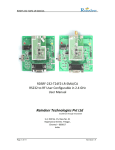
RDSRF-422-T8FZ
RDSRF-422-T8FZ
RS422 to RF User Configurable in 868 MHz
User Manual
Reindeer Technologies Pvt Ltd
Excellence through Innovation
S-2, Old No. 15, New No. 31
Rajamannar Street, T Nagar,
Chennai – 600017
India.
Page 1 of 13
Revision 1.0
RDSRF-422-T8FZ
Document Revision History
Revision No.
1.0
Page 2 of 13
Date
26/2/2011
Description/Changes
Initial Release
Revision 1.0
RDSRF-422-T8FZ
Table of Contents
1 OVERVIEW ............................................................................................................................................ 4
2 FEATURES .............................................................................................................................................. 5
3 APPLICATIONS ....................................................................................................................................... 5
4 CONNECTION DETAILS ........................................................................................................................... 6
5 THEORY OF OPERATION ........................................................................................................................ 7
5.1 RECEIVE MODE ........................................................................................................................................ 7
5.2 TRANSMIT MODE ...................................................................................................................................... 7
6 DATA HANDLING IN RDSRF-422-T8FZ .................................................................................................... 8
7 TIME DELAY CALCULATIONS .................................................................................................................. 8
7.1 EXAMPLE 1: ............................................................................................................................................. 8
7.2 EXAMPLE 2: ............................................................................................................................................. 9
7.3 GENERAL EQUATION FOR CALCULATING TIME DELAY: ....................................................................................... 9
8 USER CONFIGURATION MODE............................................................................................................. 10
9. ORDERING INFORMATION ................................................................................................................. 11
10 ELECTRICAL SPECIFICATIONS ............................................................................................................. 11
11 ACCESSORIES ..................................................................................................................................... 12
12. CONTACT US .................................................................................................................................... 13
12.1 TECHNICAL SUPPORT ............................................................................................................................. 13
12.2 SALES SUPPORT .................................................................................................................................... 13
Page 3 of 13
Revision 1.0
RDSRF-422-T8FZ
1 Overview
Figure 1: RDSRF-422-T8FZ Block Diagram
The RDSRF-422-T8FZ is single board high performance and low power serial to wireless
solution. It is a complete plug and play system where the user can connect two boards
and start a wireless communication between them instantaneously. The RDSRF-422T8FZ can be integrated to existing systems without tedious software or hardware
changes. These boards are intended to be used with systems which already have a
RS422 interface.
Page 4 of 13
Revision 1.0
RDSRF-422-T8FZ
2 Features
Direct RS422 to RF converter with built-in level converter
Transparent RS422 to antenna solution
Input voltage 5V DC
Low Power Consumption
Standard serial and RF baud rates from 1.4 Kbps to 115.2 Kbps possible
Long range communication from 100 meters to 1000 meters line of sight
Software based user configuration of frequency, serial and RF baud rate,
output power, addressing etc (available in selected models only)
3 Applications
Direct RS422 wire replacement
Industrial automation
Crane control systems
Textile instrumentation panels
Instrumentation devices interface
Digital weighing systems
Wireless sensor networking
Remote data logging
Automated meter reading
Page 5 of 13
Revision 1.0
RDSRF-422-T8FZ
4 Connection Details
Page 6 of 13
Revision 1.0
RDSRF-422-T8FZ
5 Theory of operation
The RDSRF-422-T8FZ operates in two different modes.
1) Receive Mode
2) Transmit Mode
5.1 Receive Mode
This is the default mode of operation after power on. In this mode the RF
module will be in the listen mode, ready to receive data over the air and similarly the
main controller will be in the wait mode to receive data either from the RF module or
from the RS422.
When data is received from RF module the main controller will receive the data
and will transfer it through RS422 connector.
Upon successful reception of data, the Rx LED will blink to acknowledge the
reception.
Alternatively if data is received from the RS422 the main controller will receive
all the data and will switch the RF module to transmit mode. After this the data is sent
over the air.
5.2 Transmit mode
The RDSRF-422-T8FZ will switch to transmit mode only if data is received by the
main controller through the RS422 port. And after successful transmission of the entire
data the Tx LED will blink and the RDSRF-422-T8FZwill switch back to receive mode
automatically.
Page 7 of 13
Revision 1.0
RDSRF-422-T8FZ
6 Data handling in RDSRF-422-T8FZ
The RDSRF-422-T8FZ can transmit or receive any kind of data whether it is in
ASCII or hex or in any other format. It has the capability of handling even user defined
protocols. The maximum packet size allowed is 1024 bytes per transmission. A small
delay has to be present between two packets. This delay will depend on the serial, RF
baud rates and also the packet size. The time delay calculation will be explained in detail
in the following section.
7 Time Delay Calculations
As discussed in the previous section the maximum allowed packet size in
RDSRF-422-T8FZ is 1024 bytes. And a time delay is required in between two packets.
7.1 Example 1:
The serial port settings are
Baud Rate : 9600 bps
Parity : None
Data Bits : 8
Stop Bits : 1
The RF settings are
Baud Rate : 9600 bps
The time delay needed for a packet size of 1024 bytes can be calculated as shown below
Packet size = 1024 bytes
Time taken by the main controller to receive the entire packet = (1024 * 10)/9600.
= 1.066 Sec.
The time taken to transmit the entire packet = ((1024+1024+5)*8)/9600
= 1.711 Sec.
Adding both the time we get a total time of = 1.066+1.711
= 2.77 Sec
Adding an extra buffer time of 10% the total time delay between two packets of size
1024 byte will be 3 Sec.
Page 8 of 13
Revision 1.0
RDSRF-422-T8FZ
7.2 Example 2:
The serial port settings are
Baud Rate : 9600 bps
Parity : None
Data Bits : 8
Stop Bits : 1
The RF settings are
Baud Rate : 9600 bps
The time delay needed for a packet size of 255 bytes can be calculated as shown below
Packet size = 255 bytes
Time taken by the main controller to receive the entire packet = (255 * 10)/9600.
= 0.266 Sec.
The time taken to transmit the entire packet = ((255+255+5)*8)/9600
= 0.429 Sec.
Adding both the time we get a total time of = 0.266+0.429
= 0.695 Sec or 695 ms.
Adding an extra buffer time of 10%, the total time delay between two packets of size
1024 byte will be 0.760 Sec or 760 ms.
7.3 General Equation for calculating time delay:
In general the time delay between packets can be calculated using the below equation.
Time delay between packets = Time 1 + Time 2 + (10% of (Time 1 + Time 2))
Where
Time 1 = (No. of bytes * 10) / serial baud rate
And
Time 2 = (((2 * No. of bytes) + 5) * 8) / RF Baud rate
Page 9 of 13
Revision 1.0
RDSRF-422-T8FZ
8 User Configuration Mode
Figure4: Screenshot of Wireless Module Configuration Utility
Procedure for using the user configuration mode
1) Power on the unit.
2) Connect the unit to the PC using the Mini-USB.
3) Run the software on a PC
4) Select all the settings as mentioned below.
a) Serial baud rate
The Serial baud rate can be varied from 1.2 Kbps to 115.2 Kbps.
b) Serial parity
The Parity can be set to either Even, Odd or None.
c) Serial stop bits
The stop bits can be set to either 1 or 2
d) RF baud rate
The RF baud rate can be set from 1.4 Kbps to 38.4 Kbps
Page 10 of 13
Revision 1.0
RDSRF-422-T8FZ
e) RF channel
The RF channel can be varied from channel 0 to channel 18
f) RF power output
The RF output can be varied from -30 to +12 dBm.
g) Address
This option can be used to set the address of the devices
j) COM port
This option is used to select the PC COM port
5) Now use the “Write to Device” button to download the settings to the unit.
6) Upon successful download the message “Programming Successful” is displayed, in
case of any error the message “Programming Not Successful Reset the device and try
again” will appear. In case of error power off the unit and repeat from step1.
Note:
Higher RF power output setting and lower RF baud rate setting will result in
better communication range. More details on these settings are available in the
software help file.
9. Ordering Information
Product part Number
RDSRF-422-T8FZ
Description
RS422 to RF Module in 868 MHz
10 Electrical Specifications
Page 11 of 13
Revision 1.0
RDSRF-422-T8FZ
11 Accessories
The below mentioned accessories are available upon request. The cost of the
product does not include these accessories.
1) Antenna
The antenna is mandatory for normal operation. The type of antenna can be
selected from the wide ranges of antennae available in our website.
Note: - The device should not be operated without antenna.
2) Power Supply
Power adapters for the unit are available upon request.
Note: - This product comes without a casing.
Page 12 of 13
Revision 1.0
RDSRF-422-T8FZ
12. Contact Us
12.1 Technical Support
Reindeer Technologies Pvt Ltd has built a solid technical support infrastructure
so that you can get answers to your questions when you need them.
Our technical support engineers are available Mon-Fri between 9:30 am and
6:00 pm Indian standard time. The best way to reach a technical support
engineer is to send an email to [email protected]. E-mail support
requests are given priority because we can handle them more efficiently than
phone support requests.
12.2 Sales Support
Our sales department can be reached via e-mail at [email protected]
or by phone at 91-44-45022335/42606907.
Our sales department is available Mon-Fri between 9:30 am and 6:00 pm.
Reindeer Technologies Pvt Ltd
Excellence Through Innovation
S-2, Old No. 15, New No. 31
Rajamannar Street, T Nagar,
Chennai – 600017
India.
Phone: 91-44-45022335, 91-44-42606907
Fax: 91-44-28154148
Website: www.reindeersystems.com
Page 13 of 13
Revision 1.0