1
Working with the notebook
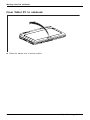
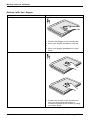
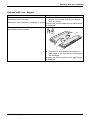
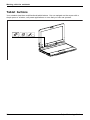
Note the direction of rotation in the following description! No guarantee claims
can be met for damage caused by turning in the wrong direction.
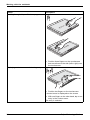
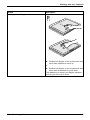
► Hold the display on both sides as far down as possible and then turn the
display. It turns easily and without resistance.
► Turn or move the display further until it has turned 180° and the hinge latches in.
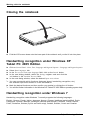
You can now close the notebook as usual.
Switching off the notebook
Notebook
► Close all applications and then shut down the operating system (please
see the "Operating System Manual").
► Slide the ON/OFF switch towards the right.
The ON/OFF switch returns automatically to its original position.
Fujitsu Technology Solutions
27