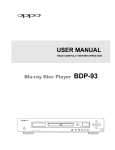
1
® USER MANUAL READ CAREFULLY BEFORE OPERATION Blu-ray Disc Player BDP-95 Table of Contents Important Information ............................................................... 1 Important Safety Instructions .................................................................................... 1 Precautions ................................................................................................................. 2 FCC Statement ............................................................................................................ 2 Trademarks ................................................................................................................. 2 Compatible Disc Types ............................................................................................... 3 'LVFVWKDWFDQQRWEHSOD\HG 'LVFFDUHDQGKDQGOLQJ 1RWHVDERXW%'520FRPSDWLELOLW\ Copyright Protection ................................................................................................... 4 5HJLRQPDQDJHPHQWLQIRUPDWLRQ Accessories ................................................................................................................. 4 INSTALLATION .......................................................................... 5 Front Panel Controls ................................................................................................... 5 Front Panel Display Window ....................................................................................... 5 Rear Panel Connectors ............................................................................................... 6 Remote Control ........................................................................................................... 7 5HPRWH&RQWURO%XWWRQV %DFN6LGH %DWWHU\,QVWDOODWLRQ 8VLQJWKH5HPRWH&RQWURO &KDQJLQJWKH5HPRWH&RGH Connecting to a Display (Recommended Methods) ................................................. 10 +'0,&RQQHFWLRQWRDVLQJOH79 +'0,&RQQHFWLRQWR7ZR 79V '9,&RQQHFWLRQ &RPSRQHQW9LGHR&RQQHFWLRQ Connecting to an Audio System ............................................................................... 14 &RQQHFWLQJWRD5HFHLYHU$PSOLILHUZLWK+'0,,QSXW2XWSXW &RQQHFWLQJWRD5HFHLYHU$PSOLILHUZLWKFKFK$XGLR,QSXW &RQQHFWLQJWRD5HFHLYHU$PSOLILHUZLWK'ROE\'LJLWDORU'76'HFRGHU &RQQHFWLQJWRD6WHUHR$XGLR6\VWHPWKURXJK5&$VW\OH&DEOH &RQQHFWLQJWRD6WHUHR$XGLR6\VWHPWKURXJK;/5%DODQFHG&DEOH Connecting to a Display and Audio System using Dual HDMI ................................. 19 Connecting to the Internet ....................................................................................... 20 ,QWHUQHWFRQQHFWLRQWKURXJK(WKHUQHWFDEOH ,QWHUQHWFRQQHFWLRQWKURXJKZLUHOHVVDGDSWRU Custom Installation ................................................................................................... 22 i ([WHUQDO,5 ,QIUDUHG5HPRWH ,QVWDOODWLRQ 56&RQWURO Setting Up the Player - Easy Setup Wizard .............................................................. 23 $FFHVVWKH(DV\6HWXS:L]DUG &KRRVHWKH3ULPDU\9LGHR2XWSXW 6HOHFWWKH%HVW2XWSXW5HVROXWLRQ 'HWHUPLQHWKH'LVSOD\$VSHFW5DWLR 6HOHFWWKH$XGLR6HWWLQJ &RPSOHWHWKH(DV\6HWXS:L]DUG BASIC OPERATIONS ................................................................ 28 Disc Playback............................................................................................................ 28 Fast Playback............................................................................................................ 28 Pause and Frame-by-Frame ...................................................................................... 29 Slow Playback ........................................................................................................... 29 Blu-ray Disc Menu Playback ..................................................................................... 30 DVD Menu Playback .................................................................................................. 30 On-Screen Display ..................................................................................................... 30 Volume Control ......................................................................................................... 31 Mute ........................................................................................................................... 31 Audio Language/Track Selection ............................................................................. 32 Subtitle Selection ..................................................................................................... 32 Angle Selection ......................................................................................................... 32 Picture-in-Picture and Secondary Audio .................................................................. 33 BD-Live ...................................................................................................................... 33 ADVANCED OPERATIONS ....................................................... 35 TV System Selection ................................................................................................ 35 Output Resolution ..................................................................................................... 35 Zooming and Aspect Ratio Control .......................................................................... 36 =RRP/HYHOVIRU+'0,2XWSXW =RRP/HYHOVIRU+'0, $QDORJ &RPSRQHQW 9LGHR2XWSXW Subtitle Shift ............................................................................................................. 39 Repeat Playback ....................................................................................................... 39 Repeat a Selected Section ....................................................................................... 40 Shuffle and Random Playback .................................................................................. 40 Playback by Chapter or Track Number .................................................................... 40 Playback from a Specific Location .......................................................................... 41 '9'DQG%OXUD\'LVFV &'DQG6$&'GLVFV Memory and Automatic Resume .............................................................................. 43 Viewing Pictures on DVD-Audio Discs ..................................................................... 43 ii Pure Audio Mode ....................................................................................................... 43 MEDIA FILE PLAYBACK ........................................................... 44 Playback from a USB or e-SATA Drive ..................................................................... 44 The Home Menu......................................................................................................... 45 Playing Music Files.................................................................................................... 46 Playing Movie Files.................................................................................................... 47 Viewing Photo Files................................................................................................... 48 Adding Background Music ........................................................................................ 49 SETUP MENU OPTIONS ........................................................... 50 Using the Setup Menu System .................................................................................. 50 Playback Setup.......................................................................................................... 53 Video Setup ............................................................................................................... 55 Picture Adjustment ......................................................................................................................... 58 HDMI Options ................................................................................................................................ 61 Audio Format Setup................................................................................................... 63 Audio Signal Reference Chart ....................................................................................................... 66 Recommended Audio Format Options .......................................................................................... 67 Audio Processing Setup ............................................................................................ 69 Speaker Configuration ................................................................................................................... 69 Other Audio Processing Settings ................................................................................................... 73 Device Setup ............................................................................................................. 75 Network Setup........................................................................................................... 78 REFERENCES ........................................................................... 82 Useful Notes .............................................................................................................. 82 Troubleshooting ........................................................................................................ 82 Specifications ............................................................................................................ 84 User Manual Updates Online .................................................................................... 84 Language Code List .................................................................................................. 85 LIMITED WARRANTY ............................................................... 86 OPPO Digital, Inc. Limited One Year Warranty ........................................................ 86 iii Important Information CAUTION: CAUTION RISK OF ELECTRIC SHOCK. DO NOT OPEN. DANGER OF EXPLOSION IF BATTERY IS INCORRECTLY REPLACED. REPLACE ONLY WITH THE SAME OR EQUIVALENT TYPE. CAUTION: TO REDUCE THE RISK OF ELECTRIC SHOCK, DO NOT REMOVE COVER (OR BACK). NO USER-SERVICEABLE PARTS INSIDE. REFER SERVICING TO QUALIFIED SERVICE PERSONNEL. THIS PRODUCT UTILIZES A LASER. USE OF CONTROLS OR ADJUSTMENTS OR PERFORMANCE OF PROCEDURES OTHER THAN THOSE SPECIFIED HEREIN MAY RESULT IN HAZARDOUS RADIATION EXPOSURE. DO NOT OPEN COVERS AND DO NOT REPAIR YOURSELF. REFER SERVICING TO QUALIFIED PERSONNEL. The lightning flash with arrowhead symbol, within an equilateral triangle, is intended to alert the user to the presence of uninsulated “dangerous voltage” within the product's enclosure that may be of sufficient magnitude to constitute a risk of electric shock to persons. CLASS I LASER PRODUCT The exclamation point within an equilateral triangle is intended to alert the user to the presence of important operation and maintenance (servicing) instruction in the literature accompanying the appliance. WARNING: TO REDUCE THE RISK OF FIRE OR ELECTRIC SHOCK, DO NOT EXPOSE THIS APPLIANCE TO RAIN OR MOISTURE. DANGEROUS HIGH VOLTAGES ARE PRESENT INSIDE THE ENCLOSURE. DO NOT OPEN THE CABINET. REFER SERVICING TO QUALIFIED PERSONNEL ONLY. This label is located on the laser protective housing inside the product. THE APPARATUS SHALL NOT BE EXPOSED TO DRIPPING OR SPLASHING AND THAT NO OBJECTS FILLED WITH LIQUIDS, SUCH AS VASES SHALL BE PLACED ON THE APPARATUS. Important Safety Instructions 1) 2) 3) 4) 5) 6) 7) Read these instructions. Keep these instructions. Heed all warnings. Follow all instructions. Do not use this apparatus near water. Clean only with dry cloth. Do not block any ventilation openings. Install in accordance with the manufacturer’s instructions. 8) Do not install near any heat sources such as radiators, heat registers, stoves, or other apparatus (including amplifiers) that produce heat. 9) Do not defeat the safety purpose of the polarized or grounding-type plug. A polarized plug has two blades with one wider than the other. A grounding type plug has two blades and a third grounding prong. The wide blade or the third prong is provided for your safety. If the provided plug does not fit into your outlet, consult an electrician for replacement of the obsolete outlet. 10) Protect the power cord from being walked on or pinched, particularly at plug, receptacle, and the point where it exits from the apparatus. 11) Only use attachments/accessories specified by the manufacturer. 12) Use only with the cart, stand, tripod, bracket, or table specified by the manufacturer, or sold with the apparatus. When a cart is used, use caution when moving the cart/apparatus combination to avoid injury from tip-over. 13) Unplug this apparatus during lightning storms or when unused for long periods of time. 14) Refer all servicing to qualified service personnel. Servicing is required when the apparatus has been damaged in any way, such as power-supply cord or plug is damaged, liquid has been spilled or objects have fallen into the apparatus, the apparatus has been exposed to rain or moisture, does not operate normally, or has been dropped. 15) Batteries (battery pack or batteries installed) shall not be exposed to excessive heat such as sunshine, fire or the like. 1 I M P O R T A N T I N F O R M A T I O N Precautions x x x x x Before connecting the AC power cord to the appliance, make sure the voltage designation of the appliance corresponds to the local electrical supply. If you are unsure of your power supply, contact your local power company. The acceptable power input range is AC ~ 115V/~230V, 50/60Hz. The player is still receiving power from the AC power source as long as it is connected to the wall outlet, even if the player itself has been turned off. Unplug the power cord if you are not going to use the product for an extended period of time. Hold the power plug when unplugging. Do not pull on the cord. The main plug is used as the mechanism for cutting off power, therefore make sure it is easy to unplug. To ensure proper ventilation around this product, do not place this product on a sofa, bed or rug. When installing this product on a wall or bookshelf, you need to provide appropriate space. We recommend leaving 4 inches (10 cm) of free space at the top, the sides and the rear. High temperature will lead to abnormal operation of this unit. Do not expose this unit or batteries to direct sunlight or near other heating objects. When moving the player from a cold location to a warm one, or vice versa, moisture may condense on the laser pickup unit inside the player. Should this occur, the player may not operate properly. In such a case please turn the unit on for 1-2 hours (without a disc) to facilitate moisture evaporation. x x FCC Statement x This equipment has been tested and found to comply with the limits for a Class B digital device, pursuant to Part 15 of the FCC Rules. These limits are designed to provide reasonable protection against harmful interference in a residential installation. This equipment generates, uses, and can radiate radio frequency energy and, if not installed and used in accordance with the instructions, may cause harmful interference to radio communications. However, there is no guarantee that interference will not occur in a particular installation. If this equipment does cause harmful interference to radio or television reception, which can be determined by turning the equipment off and on, the user is encouraged to try to correct the interference by one or more of the following measures: x x x Increase the separation between the equipment and receiver. Connect the equipment into an outlet on a circuit different from that to which the receiver is connected. Consult the dealer or an experienced radio/TV technician for help. Any unauthorized changes or modifications to this equipment would void the user’s authority to operate this device. This device complies with Part 15 of the FCC Rules. Operation is subject to the following two conditions: (1) This device may not cause harmful interference, and (2) this device must accept any interference received, including interference that may cause undesired operation. Reorient or relocate the receiving antenna. Trademarks x “Blu-ray Disc”, “Blu-ray 3D”, “BONUSVIEW” and “BDLive” are trademarks of Blu-ray Disc Association. x “Qdeo” and “QuietVideo” are trademarks of Marvell or its affiliates. x Java and all Java-based trademarks and logos are trademarks or registered trademarks of Sun Microsystems, Inc. in the United States and other countries. x x DVD Logo is a trademark of DVD Format/Logo Licensing Corp., registered in the U.S., Japan and other countries. x Super Audio CD, SACD and the SACD logo are joint trademarks of Sony Corporation and Philips Electronics N.V. Direct Stream Digital (DSD) is a trademark of Sony Corporation. Manufactured under license under U.S. Patent #’s: 5,451,942; 5,956,674; 5,974,380; 5,978,762; 6,226,616; 6,487,535; 7,392,195; 7,272,567; 7,333,929; 7,212,872 & other U.S. and worldwide patents issued & pending. DTS and the Symbol are registered trademarks, & DTS-HD, DTS-HD Master Audio | Essential and the DTS logos are trademarks of DTS, Inc. Product includes software. © DTS, Inc. All Rights Reserved. x Manufactured under license from Dolby Laboratories. “Dolby” and the double-D symbol are trademarks of Dolby Laboratories. x “AVCHD” and the “AVCHD” logo are trademarks of Panasonic Corporation and Sony Corporation. x x Designed for Windows Media, Microsoft, HDCD, and the HDCD logo are trademarks or registered trademarks of Microsoft Corporation in the United States and/or other countries. HDMI, the HDMI logo and High-Definition Multimedia Interface are trademarks or registered trademarks of HDMI Licensing LLC. x “DivX” and “DivX Plus” are trademarks of DivX, Inc. x “Pandora” is trademark of Pandora, Inc. x All other trademarks are the properties of their respective owners. x “480p/720p/1080i/1080p” up-converting arrow logo, “Source Direct” and “True 24p” logos are trademarks of OPPO Digital, Inc. x “Netflix” is a registered trademark of Netflix, Inc. 2 I M P O R T A N T I N F O R M A T I O N Compatible Disc Types Type/Logo Features Manual Icon +LJK'HILQLWLRQ +' PRYLHDQGPXVLFGLVFV %'520DQG%'5(%'5GLVFVLQ%'09DQG%'$9PRGHLQFOXGLQJFP GLVFV VLQJOHOD\HU DQG'/GLVFV %'9LGHR TM 'LVFVVXSSRUWLQJ'%OXUD\FRQWHQWVSOD\EDFN'FRPSDWLEOH GLVSOD\VDQGDFWLYHVKXWWHUJODVVHVDUHUHTXLUHGIRUIXOO'PRYLHH[SHULHQFH 'LVFVVXSSRUWLQJ%2186VIEWWKDWDOORZV9LUWXDO SDFNDJHVRU3LFWXUHLQ3LFWXUHIXQFWLRQVWREHXVHG 'LVFVVXSSRUWLQJ%'/LYH %'520YHUVLRQ3URILOH WKDWSURYLGHV LQWHUDFWLYHIHDWXUHVZKHQWKHSOD\HULVFRQQHFWHGWRWKH,QWHUQHW '9'9LGHR '9'$XGLR +LJKTXDOLW\PRYLHDQGPXVLFGLVFV &RPPHUFLDOO\UHOHDVHG'9'GLVFV'9'5:'9'5'9'5:'9'5LQ '9'9LGHRIRUPDWILQDOL]HG 0XOWLFKDQQHORUVWHUHRKLJKUHVROXWLRQDXGLRZLWKFRPSUHVVHGGLJLWDOYLGHRRU VWLOOSLFWXUHV6RPH'9'$XGLRGLVFVDOVRFRQWDLQD'9'9LGHRSRUWLRQ '9'$ 6XSHU$XGLR&' 6$&'+LJKUHVROXWLRQDXGLRRQO\GLVFZLWKVWHUHRDQGRUPXOWLFKDQQHODXGLR +\EULGGLVFZLWKERWKKLJKUHVROXWLRQDQG&'FRPSDWLEOHOD\HUV 6$&' &' &RPSDFW'LVFV &' WKDWFRQWDLQDXGLRWUDFNV $9&+' +LJKGHILQLWLRQGLJLWDOYLGHRFDPHUDIRUPDWXVLQJHIILFLHQWGDWDFRPSUHVVLRQ FRGLQJWHFKQRORJ\ Discs that cannot be played x x x x x %'VZLWKFDUWULGJH '9'5$0V +''9'V 'DWDSRUWLRQRI&'([WUDV %'9LGHR'9'9LGHRZLWKDGLIIHUHQWUHJLRQFRGH x x 6RPH'XDO'LVFV$'XDO'LVFLVDWZRVLGHGGLVFZLWK '9'RQRQHVLGHDQGGLJLWDODXGLRRQWKHRWKHUVLGH7KH GLJLWDODXGLRVLGHGRHVQRWPHHWWKHWHFKQLFDO VSHFLILFDWLRQVRIWKH&RPSDFW'LVF'LJLWDO$XGLR &''$ IRUPDWVRSOD\EDFNLVQRWJXDUDQWHHG 0XVLFGLVFVHQFRGHGZLWKFRS\ULJKWSURWHFWLRQ WHFKQRORJLHVLIWKHGLVFVGRQRWFRQIRUPWRWKH&' VWDQGDUGWKH\PD\QRWEHSOD\DEOHRQWKLVSOD\HU Disc care and handling x x x 7RNHHSWKHGLVFFOHDQIURPVFUDWFKHVRUILQJHUSULQWV KDQGOHWKHGLVFE\LWVHGJH'RQRWWRXFKWKHUHFRUGHG VXUIDFH %OXUD\'LVFVUHFRUGGDWDLQYHU\KLJKGHQVLW\DQGWKH UHFRUGHGOD\HULVYHU\FORVHWRWKHGLVFVXUIDFH)RU WKLVUHDVRQ%OXUD\'LVFVDUHPRUHVHQVLWLYHWRGXVW DQGILQJHUSULQWVWKDQ'9'6KRXOG\RXHQFRXQWHU SOD\EDFNSUREOHPVDQGVHHGLUW\VSRWVRQWKHGLVF VXUIDFHFOHDQWKHGLVFZLWKDFOHDQLQJFORWK:LSHWKH GLVFIURPWKHFHQWHURXWDORQJWKHUDGLDOGLUHFWLRQ'R QRWZLSHWKHGLVFLQDFLUFXODUPRWLRQ 'RQRWXVHUHFRUGFOHDQLQJVSUD\VRUVROYHQWVVXFKDV EHQ]HQHWKLQQHUDQGDQWLVWDWLFVSUD\ x x x 3 'RQRWDWWDFKODEHOVRUVWLFNHUVWRGLVFVDVWKLVPD\ FDXVHWKHGLVFWRZDUSEHFRPHLPEDODQFHGRUWRRWKLFN UHVXOWLQJLQSOD\EDFNSUREOHPV $YRLGH[SRVLQJWKHGLVFVWRGLUHFWVXQOLJKWRUKHDW VRXUFHV 'RQRWXVHWKHIROORZLQJGLVFV o 'LVFVZLWKH[SRVHGDGKHVLYHIURPUHPRYHGVWLFNHUV RUODEHOV7KHGLVFPD\JHWVWXFNLQVLGHWKHSOD\HU o :DUSHGRUFUDFNHGGLVFV o ,UUHJXODUO\VKDSHGGLVFVVXFKDVKHDUWRUEXVLQHVV FDUGVKDSHV I M P O R T A N T I N F O R M A T I O N Notes about BD-ROM compatibility 6LQFHWKH%OXUD\'LVFVSHFLILFDWLRQVDUHQHZDQGHYROYLQJVRPHGLVFVPD\QRWSOD\SURSHUO\GHSHQGLQJRQWKHGLVFW\SHYHUVLRQ DQGHQFRGLQJ,WLVSRVVLEOHWKDWD%OXUD\GLVFPDQXIDFWXUHGDIWHUWKHSOD\HUZDVPDQXIDFWXUHGXVHVFHUWDLQQHZIHDWXUHVRIWKH %OXUD\'LVFVSHFLILFDWLRQV7RHQVXUHWKHEHVWSRVVLEOHYLHZLQJH[SHULHQFHWKHSOD\HUPD\QHHGDILUPZDUHRUVRIWZDUHXSGDWH IURPWLPHWRWLPH3OHDVHYLVLW2332'LJLWDO¶VZHEVLWHZZZRSSRGLJLWDOFRPWRFKHFNLIXSGDWHVDUHDYDLODEOH Copyright Protection 7KLVSURGXFWLQFRUSRUDWHVFRS\ULJKWSURWHFWLRQWHFKQRORJ\WKDWLVSURWHFWHGE\86SDWHQWVDQGRWKHULQWHOOHFWXDOSURSHUW\ULJKWV8VHRIWKLV FRS\ULJKWSURWHFWLRQWHFKQRORJ\PXVWEHDXWKRUL]HGE\0DFURYLVLRQ&RUSRUDWLRQDQGLVLQWHQGHGIRUKRPHDQGRWKHUOLPLWHGYLHZLQJXVHV RQO\XQOHVVRWKHUZLVHDXWKRUL]HGE\0DFURYLVLRQ&RUSRUDWLRQ5HYHUVHHQJLQHHULQJRUGLVDVVHPEO\LVSURKLELWHG Region management information 7KLVSOD\HULVGHVLJQHGDQGPDQXIDFWXUHGWRUHVSRQGWRWKHUHJLRQPDQDJHPHQWLQIRUPDWLRQ,IWKHUHJLRQQXPEHURID%'9LGHR RU'9'GLVFGRHVQRWFRUUHVSRQGWRWKHUHJLRQQXPEHURIWKLVSOD\HUWKLVSOD\HUFDQQRWSOD\WKHGLVF %'9LGHR7KLVSOD\HUSOD\V%'9LGHRZLWKPDUNVFRQWDLQLQJWKHUHJLRQFRGH$ '9'9LGHR7KLVSOD\HUSOD\V'9'9LGHRZLWKPDUNVFRQWDLQLQJWKHUHJLRQFRGHDQG$// Accessories 3OHDVHFKHFNWKDWWKHIROORZLQJSDUWVDUHLQFOXGHGLQ\RXU%'3SDFNDJH 2QH 8VHU0DQXDO 2QH IRRW+'0,&DEOH 2QH 86%W\SH:LUHOHVV1$GDSWHU XSWR 0ESVEJQFRPSDWLEOH*+] 2QH 86%([WHQVLRQ&DEOHDERXWIHHW 2QH 3RZHU&DEOHDERXWIHHW 2QH 5HPRWH&RQWUROZLWK2QH 3DLURI $$%DWWHULHV 4 INSTALLATION Front Panel Controls 1 2 3 1. POWER Button 2. POWER Status Indicator 4 3. 5 Front Panel Display Window 4. 6 7 5. OPEN/CLOSE Button 6. IR Sensor Window Disc Tray 8 7. Playback Control and Navigation Buttons 8. USB 2.0 Port 14 15 Front Panel Display Window 1 2 3 4 5 6 8 7 16 9 10 11 12 13 17 1. Audio Type Indication – Indicates the type of audio tracks being played 9. 2. Mute Icon – Indicates that the audio is muted 3. Title – When illuminated, the displayed time applies to a title 10. Playback Status – Indicates playback status such as Play, Pause, Repeat, Repeat All, Random/Shuffle, and AB Repeat 4. Group – When illuminated, the displayed time applies to a group 5. Chapter – When illuminated, the displayed time applies to a chapter 6. Track – When illuminated, the displayed time applies to a track 7. Total – When illuminated, the displayed time is the total play time 8. Remaining – When illuminated, the displayed time is the remaining play time Audio Channel Indication – Indicates whether the audio being played is 2ch stereo or multi-channel surround 11. Internet – Indicates the internet is being accessed 12. Ethernet – Indicates that an active Ethernet cable is attached 13. Wireless – Indicates a Wireless hotspot is connected 14. HDMI Indication – Indicates the active HDMI output(s) 15. Angle Icon – Indicates that the scene contains additional camera angle(s) 16. Disc Type – Indicates the type of the disc that is playing 17. Main Display – Text messages and numeric display 5 I N S T A L L A T I O N Rear Panel Connectors 1 2 3 4 5 6 7 8 9 10 12 11 13 1. Ethernet LAN Port 6. IR IN Port 2. HDMI 2 Output (3D Compatible) 7. USB 2.0 Port 11. Coaxial and Optical Digital Audio Output 3. Balanced Stereo Audio Output 8. Stereo Audio Output 12. RS-232C Port 4. Composite Video Output 9. e-SATA Port 5. Component Video Outputs 10. HDMI 1 Output (3D Compatible) 13. 7.1ch / 5.1ch / Stereo Audio Output In addition to the above connectors, the AC power inlet and the AC voltage switch are also located on the rear panel. The inlet is the IEC60-320 C14 type. The AC voltage switch can be manually adjusted to work at 100V~120V (labeled as ‘115’) or 200V~240V (labeled as ‘230’), please flip the switch according to your power line AC voltage. Only the included AC power cord or an approved power cord with an IEC60-320 C14 type plug should be used. 6 I N S T A L L A T I O N Remote Control Remote Control Buttons 19 1 20 21 22 2 23 3 24 25 4 26 27 5 28 6 29 7 30 8 9 10 11 31 2 12 32 13 33 14 34 15 35 16 36 17 37 18 38 1. POWER: Toggle power STANDBY and ON 2. ON/OFF: Discrete on/off power buttons 3. PURE AUDIO: Turn off/on video 4. NUMBER Buttons: Enter numeric values 5. CLEAR: Clear numeric input 6. TOP MENU: Show BD top menu or DVD title menu 7. ARROW and ENTER Buttons: Navigate menu selection 8. SETUP: Enter the player Setup Menu 9. COLOR Buttons: Function varies by content 10. PLAY: Start playback 11. STOP: Stop playback 12. REV: Fast reverse play 13. PREV: Skip to previous 14. SUBTITLE: Change subtitle language 15. AUDIO: Change audio language or channel 16. SAP: Turn on/off Secondary Audio Program 17. A-B REPLAY: Repeat play the selected section 18. RESOLUTION: Switch output resolution 19. SOURCE: Select the internet media or application source 20. OPEN: Open/close the disc tray 21. P/N: Switch output TV system: NTSC, PAL or MULTI 22. DIMMER: Dim the front panel display 23. VOLUME +/-: Increase/Decrease volume 24. MUTE: Mute audio 25. HOME: Go to Home Menu to select media source 26. PAGE UP/DOWN: Show the previous/next page 27. GOTO: Play from a specified location 28. DISPLAY: Show/hide the On-Screen Display 29. POP-UP MENU: Show BD pop-up menu or DVD menu 30. RETURN: Return to the previous menu or mode 31. PAUSE: Pause playback 32. FWD: Fast forward play 33. NEXT: Skip to the next 34. ANGLE: Change the camera angle 35. ZOOM: Zoom in/out and adjust aspect ratio 36. PIP: Show/hide the Picture-in-Picture 37. REPEAT: Repeat play 38. LIGHT: Activate the back light for the remote control NOTE When a button is pressed but its function is invalid or unavailable at the moment, the TV screen displays a circle with a diagonal line: 7 I N S T A L L A T I O N Back Side 1 2 4 1. Index Finger Notch 1: When your index finger is placed at this notch while holding the remote control, your thumb is within easy reach of the navigation buttons (ARROW, ENTER, TOP MENU and POPUP MENU). 2. Index Finger Notch 2: When your index finger is placed at this notch while holding the remote control, your thumb is within easy reach of the playback control buttons (STOP, PLAY, PAUSE, PREV, NEXT, REV, FWD). 3. Battery Cover: Remove to replace batteries or set remote code. 4. Batteries: Use (2) size AA or LR6 batteries. 5. Remote Code Switch: Adjust the position of the switch to set the remote control to use the indicated remote code (see details on page 9). 3 5 With Battery Cover Battery Cover Removed Battery Installation 1. Remove the battery compartment cover 2. Insert batteries 3. Replace the battery compartment cover Using the Remote Control When using the remote control, the front window of the remote control should be pointed to the infrared sensor on the front panel within an angle of ±30° and a range of about 26 ft. Within about 26ft 8 I N S T A L L A T I O N Changing the Remote Code The remote control supports one of three remote codes. The default is “Code 1”. If you have other OPPO products placed close to the BDP-95, they may inadvertently respond to the BDP-95 remote control. In this case you can select a different remote code to avoid conflicts. To select a new remote code, open the battery compartment cover of the remote control, and then use a ball point pen to flip the switch to one of the positions marked as “1”, “2”, or “3”. Close the battery compartment cover. Make sure that the BDP-95 player is turned on and the disc tray is ejected. Aim the remote control at the player. Press and hold the ENTER button for 5 seconds. The player will start using the new remote code. Battery Compartment Remote Code Switch CAUTIONS x Never drop the remote control or expose it to moisture. x Never expose the infrared remote sensor on the front panel to direct sunlight or other strong light sources. x Remote may not operate consistently when batteries become low. Replace them if operation deteriorates. x If the remote control will not be used for a long time, please remove the batteries. x Use the batteries correctly to avoid possible leakage and corrosion. Do not leave the batteries exposed to direct sunlight or high temperature environment for a long period of time. Do not heat or expose to flame. Do not mix old and new batteries. Do not use batteries of different types at the same time. Do not attempt to recharge the batteries. x If battery leakage occurs, do not touch the liquid with bare hands. Wipe out any liquid inside the battery compartment, and insert new batteries. 9 I N S T A L L A T I O N Connecting to a Display (Recommended Methods) HDMI Connection to a single TV Rear Panel Video In Composite Video Cable (Optional) HDMI In HDMI Cable (to HDMI 1 or 2) Method 1 – HDMI Connection Directly to a single TV x If your TV has an HDMI (High-Definition Multimedia Interface) input, you can use the included HDMI cable to connect the player to the TV. This connection method delivers both video and audio in a pure digital format via a single cable. The HDMI video output of the player allows for the highest possible video quality and resolution. x There are two HDMI output terminals (HDMI 1 and HDMI 2) on the rear panel of BDP-95, both of which can be connected to your TV. We recommend to use HDMI 1 since it benefits from the dedicated Marvell QDEO video processor, and set the “Primary Output” option in the setup menu to “HDMI 1” (please refer to page 55 for more details). x You may connect the composite video cable (not included) to the TV for troubleshooting purposes, in the event that there is a problem with HDMI video. However it is not recommended to use the composite video as the primary method of video delivery to the TV, because it only produces a standard definition video signal and forfeits the advantage of high definition video. 10 I N S T A L L A T I O N HDMI Connection to Two (2) TVs Rear Panel HDMI Cables HDMI In HDMI In Video In Video In Composite Video Cable (optional) TV 2 TV 1 Method 2 –HDMI Connection Directly to two TVs x The two HDMI outputs (HDMI 1 and HDMI 2) available on the rear panel of BDP-95 can be connected to two TVs at the same time, and each output can deliver the digital video and audio signals. x We recommend to connect your main TV (the one with larger screen size or the one that you would watch more often) to HDMI 1 thus to benefit from the dedicated video processor, and set the “Primary Output” option in the setup menu to “HDMI 2” to make sure that the HDMI 2 can output high bit rate audio signals (please see more details on page 55). x You may connect the composite video cable to one of your TVs for trouble-shooting purpose, please refer to page 10 for more details. 11 I N S T A L L A T I O N DVI Connection Rear Panel Video In Composite Video Cable (optional) DVI HDMI (from HDMI 1 or 2) - DVI Cable DVI Audio Audio Cable Method 3 – DVI Connection to TV x If your TV has a DVI input that supports HDCP*, you can purchase an HDMI-DVI adapter cable to connect the player to the TV. This connection method delivers digital video to the TV without any signal degradation. The HDMI video output of the OPPO Blu-ray Disc player presents the highest possible video quality and resolution. We recommend to use HDMI 1 since it can benefit from the dedicated video processor, and set the “Primary Output” option in the setup menu to “HDMI 1” (please see more details on page 55). x Please use the Red/White audio cables (not included) to connect the STEREO AUDIO OUT terminals of the player to the TV. Make sure the audio cables are connected to the same input terminal group on the TV as the DVI input. Usually the input terminals are marked as “DVI Audio” or “PC Audio”. On some TVs you may need to use an RCA-3.5mm Mini-Jack adapter cable to connect the audio. x You may connect the composite video cable to the TV for trouble-shooting purpose, please refer to page 10 for more details. *NOTE HDCP stands for High-bandwidth Digital Content Protection. The HDMI output of the OPPO Blu-ray Disc player uses HDCP to encrypt the digital audio and video content. The TV needs to support HDCP so it can decrypt the content and properly display it. 12 I N S T A L L A T I O N Component Video Connection Rear Panel Component Video Y Component Video Cables Pb/Cb Pr/Cr Audio Audio Cable Method 4 – Component Video Connection to TV x If your TV has no digital video input but has component video inputs, please use a set of component video cables to connect the component video output of the player to the TV, and remember to set the “Primary Output” option in the setup menu to “Analog” (please see more details on page 55). The connectors are color coded, so please make sure the cable connections match on both ends. The component video connection will produce a very clear picture with high color accuracy. x Please use the Red/White audio cables to connect the STEREO AUDIO OUT terminals on the rear panel of the player to the TV. Make sure the audio cables are connected to the same input terminal group on the TV as the chosen component video input. x If the “Primary Output” option in the “Video Setup” section of the Setup menu is set to “HDMI 1” or “HDMI 2” (see page 55 for details), the component video connection will not output video when playing a Blu-ray Disc with 1080p 24Hz content, or will only output video with a low resolution (480i/576i) when playing a DVD. This is not a malfunction. You must set “Primary Output” to “Analog” in order to properly use the component video connection. x When playing a Blu-ray Disc, video resolution over the component output can be up to 1080i. 1080p content will be interlaced into 1080i signal for the component output. x Video up-conversion over the component output is only available for unencrypted discs such as home video and consumer-created contents. Most commercially pressed DVD discs are CSSencrypted and will be limited to 480i/480p resolution. This restriction applies to the component output only. The HDMI output is protected with HDCP and has no such restriction. x You may connect the composite video cable to the TV for trouble-shooting purpose, please refer to page 10 for more details. 13 I N S T A L L A T I O N Connecting to an Audio System Connecting to a Receiver/Amplifier with HDMI Input/Output Rear Panel HDMI Cable (to HDMI 1 or 2) HDMI In HDMI Cable HDMI Out HDMI In AUDIO/VIDEO MULTI-CHANNEL RECEIVER Method 5 – HDMI Connection to Receiver and TV x If you have an HDMI-capable receiver that can support HDMI audio, you can simply run an HDMI cable from the player to your receiver and enable HDMI audio on the receiver (see your receiver’s owners’ manual for more information). The receiver usually has an HDMI output that you can connect to your TV to pass the video signal. x Either of the HDMI output terminals (HDMI 1 and/or HDMI 2) on the rear panel of the BDP-95 can be connected to your receiver. Preference should be given to HDMI 1 for video since it’s the only output on the machine to benefit from the superior Marvell QDEO video processing solution, and set the “Primary Output” option in the setup menu to “HDMI 1” (please refer to page 55). NOTE HDMI is a single cable that can transport both audio AND video from your player to your display. Be aware, however, that HDMI is an evolving standard, and there could be compatibility issues. A receiver that supports audio input over HDMI is required. Some receivers offer HDMI ports solely for video switching. If your receiver does not have audio input capability, please read the following sections regarding other connection methods. In order to play multi-channel audio for all formats, the receiver must support HDMI v1.1 or later. For Blu-ray Disc, a receiver that supports HDMI v1.3 with decoding capability for Dolby TrueHD and DTS-HD Master Audio is preferred. Please check the specifications of your receiver to ensure that it meets the requirements. The HDMI outputs on the BDP-95 are HDMI v1.4, which is compatible with HDMI v1.3 and earlier versions. 14 I N S T A L L A T I O N Connecting to a Receiver/Amplifier with 7.1ch/5.1ch Audio Input Rear Panel Audio Interconnect Cables L L L CENTER R FRONT R R SURROUND SUBWOOFER S. BACK AUDIO/VIDEO MULTI-CHANNEL RECEIVER Receiver/Amplifier with 7.1ch Audio Input Method 6 – 7.1ch Analog Audio Connection x Please use 8 RCA-style audio interconnect cables (not included) to connect the FL (Front Left), FR (Front Right), SL (Surround Left), SR (Surround Right), C (Center), SW (SubWoofer), SBL (Surround Back Left) and SBR (Surround Back Right) analog output terminals of the OPPO Bluray Disc player to the corresponding multi-channel analog audio input jacks of your A/V receiver or amplifier. x If the A/V receiver or amplifier only has 5.1ch audio input, do not connect the SBL (Surround Back Left) and SBR (Surround Back Right) terminals. 15 I N S T A L L A T I O N Connecting to a Receiver/Amplifier with Dolby Digital or DTS Decoder Connect one of these cables: Optical Digital Audio Cable Coaxial Digital Audio Cable Optical In Coaxial In AUDIO/VIDEO MULTI-CHANNEL RECEIVER Receiver/Amplifier with Dolby Digital or DTS Decoder Method 7 – Digital Audio Connection x Please use either a 75-Ohm coaxial digital audio cable with RCA-style connectors, or an S/PDIF optical digital audio cable to connect one of the digital audio outputs to the corresponding input terminal on your A/V receiver. For the detailed setup of coaxial/optical signals, please refer to page 64. NOTE x Due to bandwidth limitations, high resolution audio formats such as Dolby Digital Plus, Dolby TrueHD, DTS-HD High Resolution and DTS-HD Master Audio cannot be sent through the coaxial or optical digital audio output. A reduced resolution version of the same audio track will be output instead. To listen to high resolution audio formats in their best quality, please use the HDMI connection if you have a receiver that handles HDMI audio (see page 14) or use the multi-channel analog outputs if you do not (see page 15). x Due to copyright restrictions, SACD audio cannot be sent through the coaxial or optical digital audio output. To listen to SACD, please use the HDMI or analog audio connections. x Due to copyright restrictions and bandwidth limitations, full resolution audio from DVDAudio discs cannot be sent through the coaxial or optical digital audio output. To listen to DVD-Audio in full resolution, please use the HDMI or analog audio connections. 16 I N S T A L L A T I O N Connecting to a Stereo Audio System through RCA-style Cable Rear Panel L R Audio Interconnect Cable AUDIO IN AUDIO/VIDEO MUL TI-CHANNEL RECEIVER Stereo or Surround Audio System Method 8 – Stereo Analog Audio Connection by RCA cables x If your audio system offers only stereo audio inputs, or if you would like to connect a dedicated stereo audio system in addition to the surround audio system which is already connected to the HDMI, coaxial or optical output, you can connect the dedicated stereo audio system to the STEREO AUDIO OUT terminals of the player. x Two groups of dedicated stereo audio outputs are available on the BDP-95: the RCA-style connectors and the XLR balanced connectors (shown in the next page). Please make the choice according to the available connectors on your audio system. Preference should be given to XLR connectors since they may provide better noise rejection and signal integrity (refer to the NOTE on page 18). NOTE x The STEREO AUDIO OUT terminals automatically down-mix the multi-channel audio source into the stereo signals. However, STEREO AUDIO OUT will NOT be affected by the “Down mix” modes and other speaker settings in the Audio Processing of Setup Menu (described in the page 70). 17 I N S T A L L A T I O N Connecting to a Stereo Audio System through XLR Balanced Cable Rear Panel Female Plug(s) L XLR Balanced Audio Cable(s) R AUDIO IN AUDIO/VIDEO MUL TI-CHANNEL RECEIVER Stereo or Surround Audio System Method 9 – Stereo Analog Audio Connection by Balanced cables x You can also connect the BALANCED STEREO AUDIO OUT to your stereo audio system. Three-pin (XLR3) cables are needed, and the XLR terminals on the player are male type. NOTE x Balanced audio connectors are used mostly in professional audio electronics, such as high quality microphones and inter-equipment connections. BDP-95 utilizes the 3-pin XLR connector (shown below), which transmits a pair of differential signals (positive /negative). The amplifier extracts the voltage difference between differential signals, thus the common noise can be rejected and the signal integrity is improved. x In some audio systems the positions of "hot" (positive) and "cold" (negative) pins are switched. In this case please set “XLR Terminal Polarity” to “Inversion” in the Audio Processing of Setup Menu. XLR Terminal (male) Pins on BDP-95 Return terminal (cold, -) Positive terminal (hot, +) Ground (cable shield) 18 I N S T A L L A T I O N Connecting to a Display and Audio System using Dual HDMI Rear Panel HDMI Cable 1 HDMI Cable 2 HDMI IN HDMI IN AUDIO/VIDEO MULTI-CHANNEL RECEIVER Method 10 – Dual HDMI Connection x BDP-95 provides a Dual HDMI connection to make sure you can enjoy the highest possible video quality and resolution, in addition to the high bit rate audio content. You can use the included HDMI cable to connect the HDMI 1 output to your HDTV and use another HDMI cable (not included) to connect the HDMI 2 output to your receiver, also set the “Primary Output” option in the Video Setup section of the Setup menu to “HDMI 1” (see page 55 for details). In this way you can utilize the dedicated video processor available for HDMI 1 output, and allow your receiver which has no HDMI 1.4 inputs to work without any loss on the digital audio signals. x Keep in mind that while Dual HDMI connection is only a recommended method, in fact, both of the HDMI outputs (HDMI 1 and 2) on the BDP-95 can send out digital audio and video signals at the same time, and can be connected to your TV or receiver/amplifier separately (see page 10 and 14 for details). NOTE x Please refer to the notes of HDMI connection available on page 14. x If your receiver does not have audio input capability, please try alternate connection methods discussed on pages 15 to 17. 19 I N S T A L L A T I O N Connecting to the Internet The OPPO BDP-95 Blu-Ray Disc Player has significantly improved its internet exploration capabilities compared to its predecessors. Currently it supports Netflix for instant online media streaming, as well as in-home network media sharing via My Network which is functionally equivalent to DLNA. Additional network applications may be added with future firmware updates. The BDP-95 also supports the BD-Live feature offered on some Blu-ray Disc titles. BD-Live offers extra downloadable content and additional online interactive programs. Content available on BD-Live vary by discs and studios, and may include additional subtitles, commentaries, movie trailers, games, or online chat. Connecting the player to the Internet will also allow the player to obtain firmware updates via the Internet. (See pages 4 and 75 for more information regarding firmware updates.) In order to utilize the BD-Live feature or update firmware via the Internet, the player needs to be connected to a broadband Internet connection. It is not necessary to connect to the Internet if you do not intend to use the network streaming, BD-Live and online firmware updating functionality. The BDP-95 provides two network connection methods: through Ethernet cable or through the external wireless adaptor included with the player. For the fastest and most stable network connection, we recommend using Ethernet cable whenever it is possible. Internet connection through Ethernet cable Rear Panel Broadband Internet Connection Network Cable (Ethernet) Internet WAN 1 2 LAN 3 4 Broadband Router/Modem x Plug one end of a network cable (Category 5/5E straight Ethernet cable) into the LAN port on back of the OPPO Blu-ray Disc player. x Plug the other end of the network cable into a LAN port on the broadband router or modem. x After physically connecting the player to a broadband Internet connection, some network configuration may be required. Please refer to the Network Setup section on page 78 for details. x Refer to the operating instructions supplied with the broadband router or modem, or contact the Internet service provider for questions related to setting up the router or modem. 20 I N S T A L L A T I O N NOTE x Only connect the LAN port of the player to an Ethernet port that supports 10BASE-T or 100BASE-TX. Connecting to any other ports or jacks, such as a phone jack, may damage the player. x Streaming services such as Netflix may require membership and may also be limited to service in the US only. Internet connection through wireless adaptor Rear Panel USB IN Wireless Adaptor Broadband Internet Connection Internet Internet WiFi 1 2 LAN 3 4 Wireless Router/Access Point x The wireless adaptor included in the BDP-95 package has been pre-configured to work with BDP-95 player. It is compatible with 802.11b/g/n 2.4GHz wireless networks. x Make sure the broadband Internet connection is available and the Wi-Fi function on your wireless router or access point has been turned on, then plug the adaptor into one of the two USB2.0 ports available on your BDP-95. x After the physical connection, some network configuration is required. Please refer to the Network Setup section on page 78 for details. x A 6-foot USB extension cable is also included in the package. Connect it between the USB port on the player and your wireless adaptor if needed. 21 I N S T A L L A T I O N Custom Installation External IR (Infrared Remote) Installation The OPPO BDP-95 Blu-Ray Disc Player features an IR IN port on its back panel. If the player is to be installed in an equipment cabinet where direct line-of-sight is not available for remote control, your custom home theater installer can purchase an external IR Remote Sensor and plug it into the IR IN port. Place the sensor head at a location where there is direct line-of-sight to ensure reliable operation. Rear Panel 3.5mm Mono Cable External IR Remote Sensor NOTE x When an external IR sensor is plugged in, the original IR sensor window on the front panel will be disabled. x OPPO cannot guarantee that the IR IN port will be compatible with devices that are not manufactured by OPPO. Connecting the IR IN port to an incompatible device may result in damage to the connected device or the player. x The IR port on the BDP-95 is NOT compatible with the prior external IR Remote Sensor (IR-ES1) which is used with BDP-83. x Please contact OPPO customer support if you plan to integrate the player into an IR distribution system. Customer support can provide recommendations on how to properly connect the control signals. IR IN Signal Identifications 3.5mm Mono Plug Tip: IR carrier signal Sleeve: Ground RS232 Control The BDP-95 has an RS232 control port and can be integrated into most custom home theater control systems. Please ask your custom installer to contact OPPO for the RS232 control protocol. 22 I N S T A L L A T I O N Setting Up the Player - Easy Setup Wizard Access the Easy Setup Wizard When the player is turned on for the first time, an Easy Setup Wizard screen will appear. It is a series of guided instructions designed to configure the basic settings for the player. To start the Easy Setup Wizard, please follow these steps: 1) Turn on the TV. 2) Turn on the player. 3) Switch the input selection on your TV so that the TV displays the signal from the player. You should see the first step of the Easy Setup Wizard. If the Easy Setup Wizard has previously been completed or canceled, it will no longer initiate when you turn on the player. Instead, you will see the background screen with the OPPO and Blu-Ray Disc logos. To access Easy Setup Wizard, please press the SETUP button on the remote control, select Device Setup, then Reset Factory Default. Select “OK” to confirm loading the factory default settings. Once the factory Easy Setup default settings are loaded the Easy Setup Wizard will appear. Step: 1/6 The first step of the Easy Setup Wizard allows you to skip the entire wizard. If you are familiar with setting up audio/video equipment and would like to customize the player settings using its Setup Menu, you may use the LEFT/RIGHT ARROW buttons to select the “Cancel” option, then press the ENTER key to exit the Easy Setup Wizard. Otherwise, to continue with the Easy Setup Wizard, select the “OK” option and press the ENTER key. The Easy Setup Wizard will help you configure the basic settings for this player. More detailed settings can be accessed at the Setup Menu at any time after finishing or exiting the wizard. Press OK to initiate the Easy Setup Wizard, press Cancel to exit this Wizard immediately. Choose the Primary Video Output The player can output video through its HDMI and component output terminals. (Composite video output is also available but not recommended.) By setting the “Primary Video Output” option, the player can optimize video output of the selected terminal. The choices are “HDMI 1”, “HDMI 2” and “Analog”. If you connect the player to the TV using an HDMI cable (see Method 1 on page 10, Method 2 on page 11, Method 5 on page 14, or Method 10 on page 19), please select “HDMI 1” or “HDMI 2” correspondingly. If you connect the player to the TV using component video cables (see Method 4 on page 13), please select “Analog”. Easy Setup HDMI 1 Step: 2/6 HDMI 2 Choose the primary video output that you use. Better performance will be provided over an HDMI connection. Analog Previous Enter Next Please note: The best performance will be provided over the HDMI connection. Between the two HDMI outputs, HDMI 1 should be given priority for use since it benefits from the superior Marvell QDEO video processing solution. To make your selection, use the UP/DOWN ARROW buttons to highlight the choice, and then press the ENTER button to go to the next step. 23 I N S T A L L A T I O N Select the Best Output Resolution One of the major advantages of the OPPO Blu-Ray Disc Player is its ability to play high-definition Blu-Ray video and also up-convert standard definition video stored on DVD discs to high definition. The sophisticated video processor inside the player ensures that the video will have the best possible color, detail and motion. The player offers several standard and high definition video output resolutions. To get the best visual result, it is important to select an output resolution that best matches your TV or display device. The rule of thumb when selecting an output resolution is to match the “native resolution” of your TV or display device as closely as possible. The “native resolution” is the resolution of the actual display component in the TV, such as the Plasma panel, LCD panel, or DLP™ chip. The TV may accept input signals with lower or higher resolutions than its native resolution. In such cases the electronics in the TV will up-scale or downscale the video to fit its display component. Unfortunately many TVs on the market only do an average job scaling the video. On the other hand, if you set the OPPO Blu-ray Disc Player to output a resolution that matches or is very close to the native resolution of the TV, you are more likely to get a great picture. For the latest generation of 1080p, “Full HD” or “True HD” displays, the best output resolution will naturally be 1080p. (A few early model 1080p displays do not accept 1080p signal. For these displays the best output resolution to use is 1080i.) For all other digital televisions this will likely be 720p. For CRT tube or rear projection televisions this will likely be 1080i. For EDTV displays (very rare if they have HDMI or DVI) this will be 480p (NTSC) or 576p (PAL). These are general recommendations that work for most users, but there can be exceptions. Advanced users may want to try all supported resolutions and choose the one that provides the best visual result. The OPPO Blu-ray Disc Player supports a special “Source Direct” output resolution on its HDMI output. This resolution is recommended for use with external video processors or high-end TVs. In “Source Direct” mode, the player works as a “transport”. It decodes video from the discs and then sends the raw video signal in its native resolution and format, without extra processing, to the external video processor or TV. The actual output resolution varies by content: Content NTSC DVD PAL DVD Most Blu-ray Movies (film-source) Most Blu-ray TV shows or Concerts (video-source) SACD and DVD-Audio Source Direct Output Resolution 480i 576i 1080p 23.976Hz or 1080p 24Hz 1080i 1080i Depending on your selection of “Primary Video Output”, the available output resolution selections will differ. For the HDMI 1 and HDMI 2 output, the following output resolutions are available: Auto, 1080p, 1080i, 720p, 480p/576p, 480i/576i, and Source Direct. If “Auto” is selected, the player will determine its output resolution based on the best signal resolution that the TV can display. Easy Setup Auto Step: 3/6 1080p Choose the output resolution which best matches your TV. 1080i 720p Change will be applied immediately. You will have 15 seconds to either save the new setting or rollback to the previous output resolution. 480p/576p 480i/576i Source Direct For the Analog (component) output, the following output resolutions are available: 1080p, 1080i, 720p, 480p/576p and 480i/576i. Please note Previous Enter Next 1080p only applies to HDMI output, if it is selected for component video outputs, it will automatically be down-scaled to 1080i. Please refer to the specifications of your TV to find the best resolution to use. 24 I N S T A L L A T I O N Press the UP/DOWN ARROW buttons to select the desired output resolution, then press the ENTER button. The player will apply the selected output resolution and ask you to confirm the selection. If your TV supports the selected resolution, you will see a dialog box with a count-down clock. Use the LEFT ARROW button to highlight the “OK” option and press the ENTER button to save the resolution setting. If your TV does not support the selected resolution, you may see a black screen or an error message. In this case please wait for 15 seconds and the Easy Setup screen will reappear. Select a different resolution that your TV can support. Easy Setup Auto Step: 3/6 1080p Confirmwhich Output Resolution Choose the output resolution best matches your TV. 15s Change 15 seco rollback 1080i The output resolution has been changed. 720p Select OK to save the new setting. Select 480p/576p Cancel to rollback to the previous output resolution. 480i/576i Source Direct Previous Enter Next NOTE x If you cannot get a picture using the HDMI or Analog (component) output, please connect the player to the TV using the composite video output, and then use the Setup Menu to adjust the player settings. x Video up-conversion over the Analog (component) output is only available for unencrypted discs such as home video and consumer-created contents. Most commercially pressed DVD discs are CSS-encrypted and will be limited to 480i/480p resolution. This restriction applies to the component output only. The HDMI output is protected with HDCP and has no such restriction. Determine the Display Aspect Ratio Standard Definition, or 4:3 TV Wide screen, or 16:9 TV The aspect ratio is the proportional ratio of a TV screen’s width and height. Older television sets generally have a 4:3 aspect ratio – the width is 4/3 (or 1.33) times the height. Newer wide screen television sets have a 16:9 aspect ratio – the width is 16/9 (or 1.78) times the height. For best performance, the video output of your player needs to match the screen aspect ratio of your TV. Since almost all Blu-ray Discs and many DVD discs are released in the wide screen format, it is highly recommended that you use a wide screen TV with the player. The Aspect Ratio selections are 4:3 Letterbox, 4:3 Pan & Scan, 16:9 Wide and 16:9 Wide/Auto. Depending on your selection and the video format recorded on the discs, image appearance on the TV screen can be one of the following: 25 I N S T A L L A T I O N TV Screen Appearance 4:3 Original Content Letterbox 16:9 Pan & Scan Wide Wide/Auto 4:3 16:9 If you have a 4:3 or standard definition screen, select one of these options: x x 4:3 Letterbox – 4:3 TV Letterbox. Choose when the display is 4:3. Widescreen image is displayed in “letterbox” format with black borders on top and bottom (preferred). 4:3 Pan & Scan – 4:3 TV Pan and Scan. Choose when the display is 4:3. Both sides of a widescreen image are clipped (you lose about 30% of the picture). If you have a widescreen (16:9) display, select one of these options: x x 16:9 Wide – 16:9 (widescreen) sources will be displayed in their native aspect ratio, and 4:3 sources will be horizontally stretched. 16:9 Wide/Auto – 16:9 (widescreen) as well as 4:3 sources will be displayed in their native aspect ratio. Please note that in this mode 4:3 sources will be displayed with black borders on both left and right sides to maintain the correct 4:3 aspect ratio. Press the UP/DOWN ARROW buttons to select the proper aspect ratio for your TV, then press the ENTER button. Easy Setup Step: 4/6 Choose the desired Aspect Ratio for your TV. 4:3 Letterbox: For 4:3 TV. Wide screen content will be displayed in a letterbox. 4:3 Pan & Scan: For 4:3 TV. Wide screen content may be cropped on the sides. 16:9 Wide: For 16:9 TV. 16:9 Wide/Auto: For 16:9 TV. 4:3 content will be displayed with side borders. Previous 4:3 Letterbox 4:3 Pan & Scan 16:9 Wide 16:9 Wide/Auto Enter Next 26 I N S T A L L A T I O N Select the Audio Setting The Blu-ray Disc format brings not only high resolution video, but also high bit rate audio such as Dolby Digital Plus, Dolby TrueHD, DTS-HD High Resolution and DTS-HD Master Audio. Blu-ray Discs may also include additional audio features such as menu click sound and Secondary Audio Program (SAP – audio associated with the secondary video in Picture-in-Picture mode). Depending on the user preferences and other audio/video equipment connected to the player, the audio settings need to be adjusted to achieve the best result. The Easy Setup Wizard offers two basic selections to get you started. The “Compatible” setting configures audio output in a way that is generally compatible with all types of equipment and content. If you connect the player to a television directly, or to a receiver with an HDMI 1.1/1.2 or optical/coaxial input, selecting the “Compatible” setting is recommended. When menu click sound and Secondary Audio Program are presented in the content, those will be mixed into the audio output. Easy Setup Step: 5/6 Select the audio setting. Compatible: For televisions and receivers with HDMI 1.1/1.2 or Optical/Coaxial connections. Advanced: For receivers with HDMI 1.3 or higher version only. Secondary audio program is turned off by default. Audio settings can be further customized in the setup menu. Compatible Advanced The “Advanced” setting configures audio output to send the original main audio content to a connected Previous Enter Next receiver for decoding and reproducing. It requires a receiver capable of decoding all high bit rate audio formats. If you connect the player to a receiver supporting HDMI 1.3 or higher version and high bit rate audio formats, selecting the “Advanced” setting is recommended. Menu click sound and Secondary Audio Program are turned off by default. Press the UP/DOWN ARROW buttons to select one of the audio setting choices, and then press the ENTER button. The two basic audio setting choices may not cover all situations. You can further customize the audio settings using the player’s Setup Menu. Complete the Easy Setup Wizard Once you have selected the audio setting, the initial Easy Setup Wizard is completed. Easy Setup Press the ENTER button to close the Easy Setup Wizard. Your player is now ready for use. You will see a background screen with an OPPO and Bluray Disc logo. Step: 6/6 Easy Setup Wizard completed. Press the Enter button to exit. Please follow the rest of the User Manual for basic and advanced operations. Enjoy your new OPPO Blu-ray Disc Player! Previous Enter Finish 27 BASIC OPERATIONS DVD-A Disc Playback OPEN POWER STOP PLAY SACD 1ˊ Press the POWER button to turn on the player. 2ˊ Press the OPEN/CLOSE (OPEN) button to eject the disc tray. 3ˊ Place the disc with the label side facing up and the recorded side facing down. 4ˊ Press the OPEN/CLOSE (OPEN) button again to retract the tray. 5ˊ The player will read the disc information and starts playback. 6ˊ Depending on the content of the disc, a menu or navigation screen may appear. Please use the navigation ARROW and SELECT buttons to select the content to play. 7ˊ To stop playback, press the STOP button. 8ˊ To turn off the player, press the POWER button. NOTE x During DVD and some Blu-ray Disc playback, pressing the STOP button for the first time brings the player to a pre-stop mode. You can resume playback from the stopped point by pressing the PLAY button. This pre-stop mode allows you to change the player settings and then resume playback. To completely stop playback, press the STOP button twice. x Certain Blu-ray Discs with BD-Java technology do not support the pre-stop mode. Pressing the STOP button during playback of such discs will completely stop the disc. Pressing the PLAY button once the disc is stopped will restart it from the very beginning. x This unit consumes a tiny amount of power even when it is turned off to STANDBY mode. If it is not to be used for a long time, unplug it from the household AC outlet. DVD-A Fast Playback SACD You may fast forward or reverse during playback. REV FWD 1. Press the FWD button on the remote control and the player starts fast forward playback. Each press of the FWD button switches the playback speed in the following sequence: 1 5 4 28 2 3 B A S I C O P E R A T I O N S 2. Press the REV button on the remote control and the player starts fast reverse playback. Each press of the REV button switches the playback speed in the following sequence: 1 5 2 4 3 NOTE x Certain Blu-ray Discs utilizing the BD-Java technology may have their own fast forwarding and reversing control. The actual speed varies by disc, and a progress scale may be displayed by the disc. DVD-A Pause and Frame-by-Frame PLAY PAUSE PREV NEXT SACD 1. During playback, press the PAUSE button to temporarily pause the program. In this mode, a PAUSE icon will appear on the TV screen. 2. While a DVD or Blu-ray Disc is paused, press the PREV or NEXT button to reverse or advance the video frame-by-frame. 3. Press the PLAY button to resume normal playback. NOTE If the screen saver is set to “On” or “Energy Saver” (please refer to page 58 for details), after pausing for 3 minutes the player will activate the screen saver. Slow Playback To play the video in slow-motion, please use the following steps. PLAY PAUSE FWD REV 1. Press the PAUSE button on the remote control to pause the playback first. 2. Press the FWD button to select a forward slow playback speed. Each press of the FWD button switches the playback speed in the following sequence: 1/16 1/2 1/8 1/4 3. Press the REV button to select a reverse slow playback speed. Each press of the REV button switches the playback speed in the following sequence: 1/16 1/2 1/8 1/4 4. To exit the slow playback mode, press the PLAY button. NOTE x Certain Blu-ray Discs utilizing the BD-Java technology may not support slow playback. 29 B A S I C O P E R A T I O N S Blu-ray Disc Menu Playback POP-UP MENU TOP MENU ARROW BUTTONS ENTER COLOR BUTTONS 1. Blu-ray Discs usually contain a Top Menu and a Pop-up Menu. The Top Menu normally appears at the beginning of the playback, after the previews and copyright messages. The Pop-up Menu can be accessed during the movie without interrupting playback. 2. During playback, press the POP-UP MENU button to access the Pop-up Menu. Press the TOP MENU button to access the Top Menu. 3. Navigate the menu using the ARROW buttons, and then press the ENTER button to make the selection. 4. Some menus make use of the COLOR buttons. You can select menu functions by pressing the corresponding COLOR button on the remote control. DVD-A DVD Menu Playback POP-UP MENU (MENU) TOP MENU (TITLE) ARROW BUTTONS ENTER RETURN 1. Some DVD discs contain title menu or chapter menu functions. 2. During playback, press the TOP MENU button to return to the disc title menu. Press the POP-UP MENU button to display the chapter menu. Depending on the disc, one or both menus may not exist. 3. Navigate the menu using the ARROW buttons, and then press the ENTER button to make the selection. 4. Press the RETURN button to return to the previous menu. The return location varies by disc. DVD-A On-Screen Display PAGE UP/DOWN DISPLAY 1. During the playback of a DVD or Blu-ray Disc, press the DISPLAY button on the remote control to show status information; For CD and SACD, the status information is shown automatically. 2. While the status information is shown, press the PAGE UP/DOWN buttons to scroll through several display formats. The playback time information displayed on the front panel changes together with the on-screen display. 3. Press the DISPLAY button again to hide the on-screen display. The playback time information display on the front panel will remain in the selected format. The following display formats are available: DVD and Blu-ray Disc: - Title elapsed time – - Title remaining time - Chapter elapsed time – - Chapter remaining time CD and SACD: - Track elapsed time – SACD - Track remaining time - Disc elapsed time – 30 - Disc remaining time B A S I C O P E R A T I O N S In addition to the playback time, the on-screen display may also contain the following information about the content currently playing: x x x x x x Playback status: an icon indicating play, pause, and fast forward/reverse status. Bit rate meter: an indication of the bit rate of the audio and video stream. Current and total title numbers. (DVD and Blu-ray Discs) Current and total chapter numbers of the current title. (DVD and Blu-ray Discs) Current and total tracks. (CD and SACD) Audio information: current and total available number of audio tracks, language, format, and channels. Subtitle information: current and total available number of subtitle tracks and language. Video format information: encoding type, frame rate and original aspect ratio. x x DVD-A Volume Control VOL + VOL - SACD 1. On the BDP-95, the volume control only affects the analog audio output. It does NOT apply to digital audio output (HDMI, Coaxial and Optical) either in raw bitstream format or in LPCM format. 2. The VOL +/- buttons on the player remote control is provided as an alternative way of controlling the audio volume. It is recommended that you use this control to make the audio volume from the player the same as from other sources, such as TV programs or a VCR. x Press the VOL – button to decrease the volume. x Press the VOL + button to increase the volume. NOTE The volume control does not apply to digital audio output (HDMI, Coaxial and Optical). Mute DVD-A SACD 1. Press the MUTE button on the remote control during content playback to turn off audio output. The TV screen displays a mute icon. The front panel MUTE indicator will also light up. 2. Press the MUTE button again to resume audio output. MUTE NOTE Check the MUTE status on the front panel display of the player when there is no audio output. You may also press the MUTE button to verify the MUTE status. 31 B A S I C O P E R A T I O N S Audio Language/Track Selection DVD-A SACD 1. To select the audio language or track, press the AUDIO button on the remote control during playback. 2. Repeat pressing the AUDIO button or use the UP/DOWN ARROW buttons to choose from all available language or audio tracks. AUDIO NOTE Availability of languages and audio channels varies by disc. Some DVD-Audio discs allow audio track selection with the AUDIO button, while others require the user to select from the audio setup menu of the disc. When playing an SACD with both multi-channel and stereo contents, the AUDIO button can be used to switch between the two formats. Subtitle Selection 1. When playing a DVD, Blu-ray Disc or other video programs recorded with subtitles, press the SUBTITLE button on the remote control to select the desired subtitle. 2. Repeat pressing the SUBTITLE button or use the UP/DOWN ARROW buttons to choose from all available subtitles. 3. To turn off subtitles, select “Off” from the list. SUBTITLE Angle Selection ANGLE 1. When playing a DVD or Blu-ray Disc, an angle mark will be displayed on the screen when the player detects scenes recorded with multiple angles: The angle mark is also presented on the front panel display. 2. Press the ANGLE button on the remote control to select the desired playing angle. 3. To resume normal playback, repeat pressing the ANGLE button until the default angle is displayed. NOTE x x This function is available only when the discs are recorded with multiple angles. The angle mark on the screen can be turned off using the Setup Menu of the player. (see page 57) 32 B A S I C O P E R A T I O N S Picture-in-Picture and Secondary Audio SAP PIP 1. Certain Blu-ray Discs contain secondary video (Picture-inPicture, or PIP) and secondary audio. This feature is often called BONUSVIEW. When such a disc is played, a Picture-in-Picture mark (PIP Mark) and a Secondary Audio Program mark (SAP Mark) may be displayed on the screen to alert you to the availability of the secondary audio/video content. 2. The disc menu usually features interactive controls to turn on/off the Picture-in-Picture video and Secondary Audio Program. Please use those controls to select the desired secondary audio/video content. 3. There is a PIP button on the remote control. If the disc menu does not offer interactive Picturein-Picture controls, please use this button to turn on/off Picture-in-Picture or select from multiple secondary video programs. 4. There is also a SAP button on the remote control. If the disc menu does not offer interactive secondary audio controls, please use this button to turn on/off Secondary Audio Program or select from multiple secondary audio tracks. Secondary Audio Programs are generally only available when Picture-in-Picture is shown. NOTE x This function is available only when the discs are recorded with secondary video and audio programs. x Some discs may not play back according to the PIP and SAP buttons. Certain discs can ignore or override the remote control commands. x The PIP and SAP Marks on the screen can be turned off using the Setup Menu of the player (See page 57-58). BD-Live Some Blu-ray Disc titles are released with the BD-Live feature. BD-Live offers extra downloadable contents and additional online interactive programs. The available BD-Live contents vary by discs and studios, and may include additional subtitles, commentaries, preview trailers, games, and online chat. The player needs to be connected to the Internet in order to play BD-Live contents (See page 20). Depending on how the studios organize their BD-Live contents, some Blu-ray Discs may start downloading BD-Live contents when playback starts; some have a BD-Live selection on its main menu; some may show a prompt to ask whether you would like to start downloading; and some may ask you to sign up for a membership or account. Please follow the instructions that come with the disc to enjoy BD-Live contents. Your Internet connection speed, the overall Internet traffic situation and the capacity of the BD-Live content servers can all affect how fast BD-Live contents can be downloaded. If you encounter slow downloading or intermittent playback, please play the disc without accessing the BD-Live features, or try again at a different time. 33 B A S I C O P E R A T I O N S When you use the BD-Live feature, the player or disc ID and your IP (Internet Protocol) address may be sent to the content provider via the Internet. Generally, no personally identifiable information is sent. However technologies exist to match your IP address to a certain geographical area or service provider. Your Internet service provider also has the knowledge of who is using which IP address. If the BD-Live content provider requires you to login using a membership or account, the content provider will have access to your membership or account information. Please check with your Internet service provider and the BD-Live content providers for their privacy policy. You can choose to restrict BD-Live Access using the player’s Setup Menu (See page 78). 34 ADVANCED OPERATIONS TV System Selection P/N While you may want to set the video output system (NTSC/PAL) to the same as that supported by your TV, realize that the OPPO Blu-ray Disc Player will convert any content that is not in the correct format your TV understands. The default output is NTSC for North America. Press and hold the P/N button for 5 seconds on the remote control to cycle the video output to PAL, NTSC or “Multi” system. The TV screen displays the selected system name. Some points to keep in mind: x x x x When the video output is set to PAL or NTSC system, the player will convert the disc content to the selected system. When the video output is set to “Multi”, the player will not perform system conversion. The “Multi” mode is only to be used if your TV supports both NTSC and PAL systems. Most TV sets only support one of the NTSC or PAL systems. If the wrong output is selected, the TV may not display a picture. In this case repeat pressing the P/N button until a supported system is selected. The output system selected with the P/N button will be remembered when the player is turned off. The output system selection can also be done by setting the “TV System” item in the “Video Setup” section of the player’s Setup Menu. (Refer to page 56 for details.) Output Resolution The OPPO BDP-95 Blu-ray Disc Player supports multiple output resolutions. For detailed discussion on how to choose the best output resolution, please refer to the Select the Best Output Resolution section on page 24 of this manual. RESOLUTION If you would like to change the output resolution, you may do so by pressing the RESOLUTION button on the remote control: 1. Make sure the video cable is properly connected. 2. Turn on the TV. Adjust the TV to use the proper input (HDMI, DVI or Component). 3. Make sure that the player is turned on. Although the output resolution can be changed “on the fly”, it is recommended that you stop playback and take out the disc before changing the output resolution. Press the RESOLUTION button. A “Resolution Setting” menu appears on the TV screen. If the TV does not support the current resolution and you cannot see the “Resolution Setting” menu, the current resolution is also displayed on the front panel. 4. Use the UP/DOWN ARROW buttons to select the new output resolution. You may also press the RESOLUTION button multiple times to cycle through the available output resolutions. The new resolution is also displayed on the front panel if you cannot see the “Resolution Setting” menu on the TV screen. 5. Press the ENTER button to apply the selected output resolution. Or, if you do not want to change the output resolution, press the RETURN button to exit. 35 A D V A N C E D O P E R A T I O N S The following output resolutions are available: NTSC output via HDMI 1 or HDMI 2: Auto Æ 1080p(60Hz/24Hz) Æ 1080i 60Hz Æ 720p 60Hz Æ 480p Æ 480i Æ Source Direct PAL output via HDMI 1 or HDMI 2: Auto Æ 1080p(50Hz/24Hz) Æ 1080i 50Hz Æ 720p 50Hz Æ 576p Æ 576i Æ Source Direct NTSC output via Analog (component): 1080p 60Hz* Æ 1080i 60Hz Æ 720p 60Hz Æ 480p Æ 480i PAL output via Analog (component): 1080p 50Hz* Æ 1080i 50Hz Æ 720p 50Hz Æ 576p Æ 576i * When 1080p is selected for the Analog output, the actual component output resolution will be 1080i. NOTE x Some TV sets do not support one or more output resolutions (particularly 1080p). If an incompatible output resolution is selected, you will get a blank screen or an error message. In this case please select an output resolution that is supported by the TV. x If you cannot get a picture using the HDMI or component output, please connect the player to the TV using the composite video output, then use the Setup Menu to adjust the player settings. x Video up-conversion over the component output is only available for unencrypted discs such as home video and consumer-created contents. Most commercially pressed DVD discs are CSS-encrypted and will be limited to 480i/480p resolution. This restriction applies to the component output only. The HDMI output is protected with HDCP and has no such restriction. Zooming and Aspect Ratio Control DVD-A This feature zooms in or out of the displayed frame and also changes the aspect ratio (image width vs. height). ZOOM To change the zoom level, press the ZOOM button on the remote control. Each press of the ZOOM button will switch the zoom level in sequence. Zoom Levels for HDMI 1 Output The following zoom levels are available when “Primary Output” is set to “HDMI 1”: 1:1 (No zooming) Æ Stretch/Compress Æ Full Screen Æ Under Scan Æ 1.2 Æ 1.3 Æ1.5 Æ 2.0 Æ ½ ÆBack to 1:1 again The zoom level is reset to 1:1 when the disc is ejected, or when the player is turned off. 36 A D V A N C E D O P E R A T I O N S The available zoom levels depend on the “TV Aspect Ratio” setting in the Setup Menu and the aspect ratio of the DVD or Blu-ray Disc. The following zoom levels may be useful for some special applications: 1) Playing 16:9 BD or DVD when “TV Aspect Ratio” is set to “16:9 Wide” or “16:9 Wide/Auto” x Stretch – The image is vertically stretched by 1.33 times. For movies with 2.35:1 aspect ratio, this zoom level cuts off the black borders at the top and bottom of the image. Users of projector with anamorphic lens may find this mode helpful. Original 2.35:1 Widescreen Movie x “Stretch” Zoom Projected through an Anamorphic Lens Full Screen – The image is stretched by 1.33 times for both vertical and horizontal directions. For movies with 2.35:1 aspect ratio, this zoom level cuts off the black borders at the top and bottom of the image while maintaining the correct aspect ratio. The left and right sides of the image are slightly cropped. Original 2.35:1 Widescreen Movie “Full Screen” Zoom 2) Playing 4:3 BD or DVD when “TV Aspect Ratio” is set to “16:9 Wide” x 1:1 - The image fills up the entire 16:9 screen but is horizontally stretched. Figures may look shorter and wider than they should be. x Compress – The player maintains the correct 4:3 aspect ratio and adds borders to the left and right sides of the image. x Full Screen – This zoom level maintains the correct aspect ratio but crops the top and bottom slightly in order to fit the 4:3 image to the 16:9 screen. 1:1 “Compress” Zoom 37 “Full Screen” Zoom A D V A N C E D O P E R A T I O N S 3) Playing 4:3 BD or DVD when “TV Aspect Ratio” is set to “16:9 Wide/Auto” x 1:1 – The player maintains the correct 4:3 aspect ratio and adds borders to the left and right sides of the image. x Stretch – The image is horizontally stretched by 1.33 times. This zoom level fills up the 16:9 screen, but figures may look shorter and wider than they should be. x Full Screen – This zoom level maintains the correct aspect ratio but crops the top and bottom slightly in order to fit the 4:3 image to the 16:9 screen. 1:1 “Stretch” Zoom “Full Screen” Zoom The “Under Scan” zoom level shrinks the image by 5%. This zoom level may be used to compensate for TVs that over scan, so the viewer can see the entire image area with no cropping. All other zoom levels are indicated by their respective zoom ratio. NOTE x Some early DVD titles (released from 1997 until early 2000’s) use a 4:3 non-anamorphic widescreen aspect ratio. When played on a 16:9 display, the content is shown in a small window with black borders on all four sides. The top and bottom borders are encoded into the video. The left and right borders are added by the player to maintain the correct aspect ratio. For this type of discs the “Full Screen” zoom mode can be used to eliminate the borders. x Due to the dominance of wide screen or 16:9 TV, NO specific ZOOM levels are provided for “TV Aspect Ratio” of “4:3 Letterbox” or “4:3 Pan & Scan” Zoom Levels for HDMI 2 & Analog (Component) Video Output The following zoom levels are available when “Primary Output” is set to “HDMI 2 & Analog”: 1:1 (No zooming) Æ Stretch/Compress Æ Full Screen Æ Under Scan Æ 1.2 Æ 1.3 Æ1.5 Æ 2.0 Æ ½ ÆBack to 1:1 again NOTE x The ZOOM feature may not be available when certain DVD or Blu-ray Discs are played because the disc author chooses to disable ZOOM. 38 A D V A N C E D O P E R A T I O N S Subtitle Shift For customers using a 2.35:1 “Constant Image Height” video projection system, subtitles may get cut off because they are positioned outside of the active video area. The Subtitle Shift feature can be useful to these customers. The player can shift subtitles up or down so they are displayed within the active video area. SUBTITLE To shift the display position of subtitles, please follow these steps: 1. When playing a DVD, Blu-ray Disc or other video programs recorded with subtitles, select the desired subtitle from the disc menu or using the remote. (Please refer to page 32 of this manual.) 2. Press and hold the SUBTITLE button on the remote control until the “Shift Subtitle Position” prompt appears on the screen. 3. Wait until some subtitle text is shown on the screen. Use the UP/DOWN ARROW buttons to move the subtitle text to the desired position. 4. Press the ENTER button to set the subtitle display position. Once the “Subtitle Shift” position is set, it is remembered by the player in the Video Setup > Display Options > Subtitle Shift setup menu option. The setting will be applied to subtitles of all DVD and Bluray Discs from now on. You can also change the setup menu item directly. Please refer to the “Video Setup” section beginning at page 57 of this manual for details. DVD-A Repeat Playback SACD To repeat a certain chapter, title, track or disc, press the REPEAT button on the remote control. REPEAT Each press of the REPEAT button switches the repeat mode in the following sequence: DVD and DVD-Audio: Repeat Chapter Repeat Title Repeat All Repeat Off Blu-ray Disc: Repeat Chapter Repeat Title Repeat Off CD and SACD: Repeat One Repeat All NOTE x Certain Blu-ray Discs may not allow for repeating. 39 Repeat Off A D V A N C E D O P E R A T I O N S DVD-A Repeat a Selected Section SACD To repeatedly play a specified section, please follow these steps: 1. During normal playback, press the AB REPLAY button on the remote at the desired beginning point (Point A) for the repeat play. The TV screen displays “A-”. AB REPLAY 2. When playback reaches the desired ending point (Point B) for the repeat play, press the AB REPLAY button again. The player now repeatedly plays back the specified section (A-B). The TV screen displays “A-B”. 3. Press the AB REPLAY button for the third time to resume normal playback. NOTE Not available for all disc formats or contents. repeating. Certain Blu-ray Discs may not allow for SACD Shuffle and Random Playback BLUE When playing a CD or SACD, press the BLUE button on the remote control to activate the Shuffle and Random modes. Each press of the BLUE button switches the playback mode in the following sequence: Shuffle Random Normal In normal playback mode, each track is played back in sequential order. As the name implies, the Random playback mode randomly selects a track to play. The Shuffle mode also plays back the tracks in random order, but it ensures that each track is played only once. Selecting the Shuffle or Random mode cancels any Repeat mode you may be using. Similarly, selecting a Repeat mode cancels any Shuffle or Random mode. DVD-A Playback by Chapter or Track Number During the playback of a disc, you can use the NUMBER buttons on the remote control to directly jump to a specified chapter or track number. For example: NUMBER BUTTONS x To select the seventh track, press the [7] button. x To select the 16th track, press [1] followed by [6] in quick succession: + NOTE x SACD Certain DVD-Audio and Blu-ray Discs may not allow for direct chapter selection. 40 A D V A N C E D O P E R A T I O N S DVD-A Playback from a Specific Location SACD DVD and Blu-ray Discs During the playback of a DVD or Blu-ray Disc, you may specify a location to start playback by entering the title, chapter or time directly. Press the GOTO button to bring up the on-screen display. 1/7 PAGE UP/DOWN NUMBERS DISPLAY GOTO ENTER ARROWS 5 / 25 00:22:14 00:40:06 On top of the video screen, the on-screen display information has the following components (from left to right): Playing Status, Title, Chapter, Time Counter, Progress Indicator, and Total Time. After pressing the GOTO button for the first time, the cursor will be positioned at the Time Counter. This is the “Time Search” mode. Each subsequent press of the GOTO button will switch the search mode in the following sequence: (Title or Chapter) Time Search Chapter Search Title Search On-Screen Display 1. Title time search. For example, search for a specified time within the currently playing title. x Press the GOTO button to bring up the on-screen display. The cursor will be positioned at the Time Counter. Use the NUMBER or ARROW buttons to enter the hours, minutes and seconds for your specified search and press the ENTER button. 1/7 5 / 25 00:22:14 00:40:06 2. Chapter time search. For example, search for a specified time within the currently playing chapter. x Press the DISPLAY button to bring up the on-screen display. Use the PAGE UP or PAGE DOWN button to switch the display to Chapter Time mode (note the icon placed on the left of the Time Counter changes from the Title icon to the Chapter icon). Press the GOTO button to position the cursor at the Time Counter, then use the NUMBER or ARROW buttons to enter the hours, minutes and seconds for your specified search and press the ENTER button. 1/7 5 / 25 00:06:48 00:08:33 3. Chapter search. For example, search for Chapter 7 of the currently playing title. x Repeatedly press the GOTO button until the cursor is positioned at the Chapter location. Use the NUMBER or ARROW buttons to enter or select 7 and press the ENTER button. 1/7 5 / 25 00:22:14 00:40:06 4. Title search. For example, search for Title 6 of the currently playing disc. x Repeatedly press the GOTO button until the cursor is positioned at the Title location. Use the NUMBER or ARROW buttons to enter or select 6 and press the ENTER button. 41 A D V A N C E D O P E R A T I O N S 1/7 5 / 25 00:22:14 00:40:06 NOTE x Some discs may prohibit the search operation. You will not be able to select a search location, or you may get an “invalid operation” icon after specifying a search location. Some Blu-ray Discs feature their own search function. Please follow the on-screen instructions to use the search function provided by such discs. x CD and SACD discs You may specify a point to start playback by entering the disc elapsed time, track elapsed time or track number directly. When playing CD and SACD discs, the on-screen display automatically shows on the TV screen: Play 00˖ 02:40 / 00˖ 05:38 1/8 The on-screen display has the following components (from left to right): Playing Status, Track Number, Time Counter, Progress Indicator, and Total Time. To specify a playback location using one of the following search modes, press the GOTO button. Each press of the GOTO button switches the search mode in the following sequence: (Track or Disc)Time Search Track Search On-screen Display 1. Track time search. For example, search for a specified time within the currently playing track. x Press the GOTO button to place the cursor on the track Time Counter. Use the NUMBER or ARROW buttons to enter the hours, minutes and seconds for your specified search and press the ENTER button. Play 0002:40 / 0005:38 1/8 2. Disc time search. For example, search for a specified elapsed time of the entire disc. x While the on-screen display is shown, press the PAGE UP or PAGE DOWN button to switch the Time Counter to Disc Time mode. Press the GOTO button to place the cursor at the Disc Time Counter. Use the NUMBER or ARROW buttons to enter the hours, minutes and seconds for your specified search and press the ENTER button. Play 0040:46 / 0102:33 1/8 3. Select a track. For example, search for Track 6 of the currently playing disc. x Repeatedly press the GOTO button until the cursor is placed on the Track Number position. Use the NUMBER or ARROW buttons to enter or select Track 6 and press the ENTER button. Play 0002:40 / 0005:38 1/8 42 A D V A N C E D O P E R A T I O N S Memory and Automatic Resume OPEN POWER STOP PLAY DVD-A SACD 1. The player automatically remembers the current position when playback is interrupted. Operations such as STOP, OPEN/EJECT or turning POWER off will cause the player to save the current playing position. 2. The position is memorized even after turning off the unit or changing the disc. 3. When the next time the disc with a memorized playing position is played back, the player will recognize the saved playing position. Playback will automatically resume from this saved position. However if you wish to cancel the automatic resume and start playback from the beginning, you may press the STOP button when prompted. 4. The player can remember playback position for up to 5 discs. When the sixth disc is memorized, the oldest one is replaced. NOTE x Some Blu-ray Discs do not support resuming and will always play from the beginning. DVD-A Viewing Pictures on DVD-Audio Discs PAGE UP/DOWN Some DVD-Audio discs contain static pictures, such as photos of the band or narration of the album. When a DVD-Audio track is playing, you may use the PAGE UP button to select the previous picture or the PAGE DOWN button to select the next picture. NOTE x Availability of static pictures depends on the DVD-Audio disc. DVD-A Pure Audio Mode SACD You can enjoy higher quality audio by turning off the video processing and output. The Pure Audio mode reduces any potential interference between the video and audio signals. 1. Press the PURE AUDIO button on the remote control to turn off video and enter Pure Audio mode. Video output will cease, the power light will dim and the front panel displays will turn off. 2. Press the PURE AUDIO button again to resume video and cancel Pure Audio mode. PURE AUDIO NOTE x x Pure Audio mode is automatically canceled when the unit is switched off or when playback is stopped. Because HDMI carries audio together with video, the HDMI video signal cannot be completely turned off. A black screen is transmitted instead to minimize any potential interference. 43 MEDIA FILE PLAYBACK In addition to playing standard disc-based formats such as Blu-ray Disc, DVD, CD and SACD, the OPPO BDP-95 Blu-ray Disc Player can play media files. You can enjoy digital music, movies and photos stored on an optical disc (recordable CD or DVD), a USB (Universal Serial Bus) drive, or an eSATA (external Serial ATA) drive. Due to the variation of media, encoding software and techniques used, compatibility cannot be guaranteed for all user-created or downloaded contents. Support for such contents is on a best effort basis. Playback from a USB or e-SATA Drive USB Device e-SATA Device The OPPO BDP-95 Blu-ray Disc Player is equipped with two USB ports (one on the front panel and the other on the back) and one e-SATA port on the back. You may use the USB port to plug in a USB drive, or the eSATA port to plug in an e-SATA drive. The USB ports are rated to provide a maximum of 5V, 1000mA power to the USB drive. It is sufficient for USB thumb drives and flash memory card readers, but may not be sufficient for USB hard disks. It is recommended to check with your drive manufacturer for power requirement, or use an external power supply. For the e-SATA port, you need to use an e-SATA drive with an external power supply. The e-SATA port on the BDP-95 does NOT support “hot-plug”. To avoid any damage to your drive and the port, please always plug in or unplug the drive when the player is turned off. NOTE x This unit supports “USB Mass Storage Class Bulk-Only Transport” devices only. Most USB thumbs drives, portable hard disk drives and card readers conform to this device class. Other USB devices such as MP3 players, digital cameras, and mobile phones may not be compatible. x Supported USB drives can be formatted with the FAT (File Allocation Table), FAT32 or NTFS (New Technology File System) file system. x In some cases, an incompatible USB/e-SATA device may cause the player to stop responding. If this occurs simply turn off the power, remove the USB device, and turn the player back on. x The player accesses the USB drive in read-only mode. In order to minimize the risk of data corruption, it is recommended that you only unplug the USB device when playback is completely stopped. x DO NOT attempt to plug in a USB connector to the e-SATA port, or plug in an e-SATA connector to the USB port(s). This might damage both your drive and the port(s). 44 M E D I A F I L E P L A Y B A C K The Home Menu When a USB/e-SATA drive or an optical disc stored with media files is inserted, the player presents a “Home Menu” to assist you in navigating and playing the files. You can also bring up the Home Menu with the HOME button on the remote control. The Home Menu is the starting point for accessing media files. HOME There are twelve selections in the HOME Menu: x Depending on what type of media files that you intend to play, you can choose among the “Music”, “Movie” and “Photo” categories. x “My Network” is an experimental feature right now. It enables the player to stream audio, video and photo from media servers on the home network. x “Netflix” connects you to your Netflix account and provides online movie streaming capability. x “YouTube” provides uninterrupted stream of HD videos from YouTube like you were watching a normal television channel. x “VUDU” connects you to your VUDU HD Movies account and provides online movie and TV Show rental, purchase and streaming capability. x “Film Fresh” connects you to your Film Fresh account and provides online movie and TV Show rental, purchase and streaming capability. x “Picasa” connects you to your Picasa account and provides online photo viewing and sharing capability. x “Pandora” connects you to your Pandora account and provides personalized internet radio service. x “Internet” contains the shortcuts to all the above internet streaming applications, as well as the additional network applications which may be added in the future. x “Setup Menu” selection will bring you to the player’s Setup Menu, just like pressing the SETUP button on the remote control. NOTE The experimental features are not officially supported. OPPO does not offer technical support via email or phone for these experimental features. The OPPO Wiki located at wiki.oppodigital.com can be a useful resource to learn about the experimental features. Different internet streaming applications may have different function mappings to the BDP-95 remote control. To exit Netflix or YouTube, press HOME button. To exit 45 M E D I A F I L E P L A Y B A C K VUDU, Film Fresh and Picasa, either press HOME button or repeatedly press RETURN button till the Home Menu shows. To exit Pandora, either press HOME button or select “Exit Pandora” in Pandora’s Menu selection. Please contact OPPO customer support if you need assistance. Playing Music Files Music 1 / 3 items Data Disc To play digital music files stored on an optical disc, USB or e-SATA drive, select “Music” from the Home Menu. A file browser will appear to assist you in navigating the files and folders. The first step is to select the “Data Disc”, USB or e-SATA device that contains the music files. The player will take a moment to read the media and list the folders and music files. Back Music Title: Artist: Album: Genre: Prelude I C major Various J.S. Bach Classical In the music browser, you can perform the following operations: 01 / 11 items USB1 x .. Prelude I C major Prelude II C minor x C sharp major All Music Playlist Browser Now Playing C sharp minor 0 D major x D minor E flat major Add to Playlist x Back Press the UP/DOWN ARROW or PAGE UP/DOWN buttons to move the cursor and select music files. When a music file is highlighted by the cursor, press the ENTER or PLAY button to start playback. Press the GREEN color button to add the currently highlighted music file to the Playlist. A green check mark will appear in front of the file name, and the Playlist count in the lower left corner of the screen will increase by one. Press the LEFT ARROW button to move the cursor to the Selection Menu in the lower left corner of the screen. This menu contains the following choices: o All Music – List all music files in a flat view without any directory structure. o Playlist – List only music files added to the Playlist. o Browser – List folders and music files according to the original directory structure on the disc or USB drive. o Now Playing – Show the status of the currently playing music file. o Press the RIGHT ARROW button to move the cursor back to the file listing. If a music file starts playing and there is no other user operation, the “Now Playing” screen will appear after a few seconds. You can also get to this screen using the “Now Playing” menu. This screen can show the following information: x x Playback status: Play, Stop, Pause Playback mode: Shuffle, Random, Repeat One, Repeat All 46 M E D I A x x F I L E P L A Y B A C K Playback progress: track and time Other embedded information: If the music file contains supported album art image and tags, those will be displayed. The following operations are available while the “Now Playing” screen is shown: x Prelude I C major Play Title: Artist: Album: Genre: x 00:02:40 / 00:05:38 1 / 11 Prelude I C major Various J.S. Bach Classical x x Shuffle/Random Normal playback control: PLAY, STOP, PAUSE, PREV/NEXT, REV, and FWD Special playback mode: REPEAT and Shuffle/Random (BLUE color button) Return to the Browser without stopping the music: RETURN Stop playback and return to the Browser: Press STOP twice. Back Playing Movie Files To play movie files stored on an optical disc, USB or e-SATA drive, select “Movie” from the Home Menu. A file browser will appear to assist you in navigating the files and folders. Movie 1 / 3 items Data Disc USB1 HDD1 Back 47 The first step is to select the “Data Disc”, USB or e-SATA device that contains the movie files. The player will take a moment to read the media and list the folders and movie files. M E D I A F I L E P L A Y B A C K Movie In the movie browser, you can perform the following operations: 04 / 11 items USB1 x .. CD-R Total Time: Resolution: Frame Rate: Format: 3:00:35 640x352 24 fps AVI Classic x Action New Year Concert Soccer Match Jul-08 Press the UP/DOWN ARROW or PAGE UP/DOWN buttons to move the cursor and select movie files. When a movie file is highlighted by the cursor, press the ENTER or PLAY button to start playback. Kingdom Once a movie file starts playing, the normal playback control functions are available. To stop the movie and return to the file browser, press STOP twice. You can also press the HOME button at any time to get back to the Home Menu. Hitchhiker Back Viewing Photo Files To view digital photo files stored on an optical disc, USB or e-SATA drive, select “Photo” from the Home Menu. A file browser will appear to assist you in navigate the files and folders. Photo The first step is to select the “Data Disc”, USB or e-SATA device that contains the photo files. The player will take a moment to read the media and list the folders and photo files. 1 / 3 items Data Disc USB1 In the photo browser, you can perform the following operations: HDD1 x x Back Photo Format: JPG Size: 0.27M Resolution: 1024x768 Date time: 2007-04-17 Model: The following operations are available during the photo slideshow: 04 / 11 items USB1 x x .. Yellow Stone Yosemite x x New Year Parade Sand Dunes DSCF1023 DSCF1024 x DSCF1025 x Back x Press the UP/DOWN ARROW or PAGE UP/DOWN buttons to move the cursor and select photo files. When a photo file is highlighted by the cursor, press the ENTER or PLAY button to start playback in a full screen slideshow fashion. Rotate left (counterclockwise): LEFT ARROW 48 Show the help screen: DISPLAY Normal playback control: PLAY, STOP, PAUSE, and PREV/NEXT Adjust slideshow speed: REV and FWD Zoom: ZOOM. Once in a zoom mode the ARROW buttons can be used to pan the photo. Reflect (flip the photo along its horizontal axis to make it upside-down): UP ARROW Mirror (flip the photo along its vertical axis to make it a mirror image): DOWN ARROW M E D I A x x x x x x F I L E P L A Y B A C K Rotate right (clockwise): RIGHT ARROW Repeat: REPEAT Show photos in “Digest” mode: RED color button. The “Digest” mode shows the 9 photo thumbnails in a screen to make visual navigation easy. Show EXIF information: GREEN color button Play in random sequence: BLUE color button Change slideshow transition effect: YELLOW color button. Adding Background Music You can add background music to the photo slideshow. The digital music files can be stored on the same disk as the photos, or on a different USB / e-SATA drive. Start music playback first by selecting “Music” from the Home menu. Once the music is playing, press the HOME button to get back to the Home menu, and start the photo slideshow by selecting “Photo” in the usual manner. 49 SETUP MENU OPTIONS The Setup Menu of the OPPO Blu-ray Disc Player presents many setup and configuration options. For most users, the default configuration will be sufficient and will not require any changes to the settings. However if you need to configure the player to perfectly match your home theater setup and viewing preferences, please refer to the following sections for details about each configuration option. Using the Setup Menu System In many places of this guide, the player’s Setup Menu needs to be adjusted to match your specific audio/video configuration. When performing menu adjustments, we will use the following terminology to indicate the location of the desired function: Setup Menu Section > Menu Item > Selection Setup Menu Section is the uppermost Setup Menu level. With the OPPO BDP-95 there are six (6) Setup Menu sections listed in the left column of the Setup Menu screen. They are: Playback Setup, Video Setup, Audio Format Setup, Audio Processing, Device Setup, and Network Setup. Menu Item is the parameter to be adjusted which appears in the center column of the Setup Menu. Once you enter a Setup Menu Section, the list of Menu Items and their current value are displayed in a box. Selection is the actual numeric or descriptive element that represents the change being made to the selected parameter. It is the item located to the right of its corresponding Menu Item. A Scroll Mark appears at the top or bottom of the menu when there are more Menu Items or Selections than what can fit in a screen. You may use the UP and DOWN ARROW buttons to scroll the display in order to access additional items. Setup Menu Section Menu Item Current Value Selection Setup Menu Playback Setup SACD Priority On Video Setup DVD-Audio Mode Off Audio Format Setup Auto Play Mode Audio Processing Auto Resume Device Setup PBC Network Setup Parental Control Exit Language Playback starts when the PLAY button is pressed Exit Navigation Cue Help Hint Scroll Mark 50 S E T U P M E N U O P T I O N S The preceding diagram should give a good description of the various elements and their context. In this screen we could, for example, instruct you to set the Auto Play Mode parameter to Off in the Playback Setup section. To indicate where we were, you would see the following: Playback Setup > Auto Play Mode > Off. NOTE It is possible that some setup items are grayed-out and inaccessible. This can be caused by the disc still being played back or interlocking with mutually exclusive setup items. Please stop playback or eject the disc before trying to change these setup items. If you still cannot access the setup item, please check for configuration conflicts and consistency. For example, if “Video Setup > Primary Output” is set to “Analog”, the “Output Resolution > Auto (or Source Direct)” menu item will be grayed-out. Setting “Primary Output” to “HDMI 1 (or HDMI 2)” will enable the “Auto (or Source Direct)” resolution. To access the player’s Setup Menu simply press the SETUP button on the remote control. Since some Setup Menu options can become inaccessible when the player is playing a disc, it is recommended that you operate the Setup Menu when playback is fully stopped or when there is no disc in the player. 1. Press the SETUP button on the remote control, and the TV screen displays the following: 2. Press the UP/DOWN ARROW buttons to select the section. There are 6 sections: Playback Setup, Video Setup, Audio Format Setup, Audio Processing, Device Setup, and Network Setup. Press the ENTER button or the RIGHT ARROW button to enter the selected section. Setup Menu Playback Setup SACD Priority Multi-Channel Video Setup DVD-Audio Mode DVD-Audio Audio Format Setup Auto Play Mode On Audio Processing Auto Resume On Device Setup PBC On Network Setup Parental Control Exit Language 3. Press the UP/DOWN ARROW buttons to select the setup item to be changed, and press the ENTER or RIGHT ARROW button to change the setting. When the scroll icon is shown at the top or bottom of the Setup Menu, it indicates that there are more menu items that can be accessed by scrolling with the UP/DOWN ARROW buttons. Configure playback preferences Exit Setup Menu Playback Setup SACD Priority Multi-Channel Video Setup DVD-Audio Mode DVD-Audio Audio Format Setup Auto Play Mode On Audio Processing Auto Resume On Device Setup PBC On Network Setup Parental Control Exit Language For example, in the Playback Setup section, you may use the UP/DOWN ARROW buttons to select the “Auto Play Mode” setup item, and press the ENTER button to change the “Auto Play Mode” setting. Set the auto play mode for CD and SACD Exit 51 S E T U P M E N U O P T I O N S 4. To select a value from the list of available settings, press the UP/DOWN ARROW buttons and then press the ENTER button to confirm. Setup Menu Playback Setup SACD Priority On Video Setup DVD-Audio Mode Off Audio Format Setup Auto Play Mode Audio Processing Auto Resume Device Setup PBC Network Setup Parental Control Exit Language For example, to select “Off” for “Auto Play Mode”, use the UP/DOWN ARROW buttons to highlight the “Off” selection and press the ENTER button. 5. To exit the SETUP menu at any time, press the SETUP button on the remote control or select Exit from the Setup Menu sections. Playback starts when the PLAY button is pressed Exit The settings are permanently saved when the player is turned off using either the front panel power button or the remote control. If the AC power is interrupted before the player enters standby status, the settings will not be saved. To ensure proper saving of the SETUP menu settings, please turn off the player and turn it back on after you make major changes to the SETUP menu options. 52 S E T U P M E N U O P T I O N S Playback Setup The “Playback Setup” section is designed to configure playback preferences for various contents. The setup items in this section are: Setup Menu Playback Setup SACD Priority Multi-Channel Video Setup DVD-Audio Mode DVD-Audio Audio Format Setup Auto Play Mode On Audio Processing Auto Resume On Device Setup PBC On Network Setup Parental Control Exit Language Choose which SACD layer to play Exit 1. SACD Priority: To select which audio layer to play for SACD (Super Audio CD). The options are: x x x Multi-Channel – Play the multi-channel surround audio layer Stereo – Play the 2-channel stereo audio layer CD Mode – Play the CD layer of a hybrid SACD disc 2. DVD-Audio Mode: To select which portion of a DVD-Audio disc to play. The options are: x x DVD-Audio – Play the DVD-Audio portion of the disc with high-resolution audio DVD-Video – Play the DVD-Video portion of the disc with Dolby Digital or DTS audio 3. Auto Play Mode (On / Off): To select whether the player shall start playing an audio CD or SACD automatically. When auto play mode is turn on, these discs will start playing upon insertion into the player. When auto play mode is turned off, the player will wait for the user to start playback by pressing the PLAY button. 4. Auto Resume (On / Off): To select whether the disc playback shall start from the previously saved point or not. This setting applies to CD, SACD, DVD and certain Blu-ray disc. When auto resume is turned on, the playback automatically starts from the previously saved point. When auto resume is turned off, the playback starts from the beginning. 5. PBC – Play Back Control: To enable/disable Play Back Control. Play Back Control is a primitive form of disc menu. The options are: x x On – If the disc contains Play Back Control, show the menu. Off – Play back the contents by sequence. 6. Parental Control: To set parental control ratings in order to prevent minors from watching inappropriate content. This function depends on the disc being properly rated and encoded. x x x Press the ENTER button to bring up the rating selection menu. To adjust the parental control settings, you must enter the current parental control password. If you have not set a parental control password yet, the default password is “0000”. The parental control menu contains the following sub-items: 53 S E T U P M E N U O P T I O N S x BD Ratings - Press the UP/DOWN ARROW buttons to select the rating allowed for Blu-ray Discs. “Off” means no ratings control and all discs are allowed to play. Numbers 1 to 21 corresponds to the age limit. Discs encoded with an age limit that is equal to or below the selected age will be allowed, and any rating above the selected age will be blocked. x DVD Ratings - Press the UP/DOWN ARROW buttons to select the rating to allow for DVD. The available ratings are Kid, G, PG, PG-13, PGR, R, NC-17, Adult and Off. The selected rating and below will be allowed, and any rating above will be blocked. If “Off” is selected, all discs are allowed to play. x Area Code – Some Blu-ray Discs may have different parental control ratings for different geographical areas. At this time the player only supports the parental control ratings used in the United States. x Change Password – To change the parental control password, enter a 4-digit number as the new password. Enter the new password again to confirm. If the two entries are matching, the new password replaces the old parental control password. 7. Language: To configure language preferences. The menu contains the following sub-items: x Player Language – To choose the display language for the player’s Setup Menu and the on-screen display. Currently the player supports 8 languages. x Disc Menu Language – To choose the preferred language for displaying DVD and Blu-ray Disc menus. If a disc menu of the selected language is available, that menu will be shown instead of the default disc menu. x Audio Language – To choose the preferred audio language for DVD and Blu-ray Discs. If an audio track of the selected language is available on the disc, the audio track will be played back. x Subtitle Language – To choose the preferred subtitle language for DVD. If a subtitle of the selected language is available, it will be displayed. When “Auto” is selected, the subtitle display is decided by the disc. NOTE If your preferred language is not listed in the Audio, Subtitle or Disc Menu options, select “Other” and enter the Language Code found on page 85 of this manual. 54 S E T U P M E N U O P T I O N S Video Setup The “Video Setup” section of the Setup Menu system allows you to configure video output options. The menu items in this section are: Setup Menu Playback Setup Picture Adjustment Video Setup Primary Output HDMI 1 Audio Format Setup 3D Mode Auto Audio Processing 3D TV Size 46 Device Setup TV Aspect Ratio 16:9 Wide Network Setup TV System NTSC Exit Output Resolution Auto Adjust picture control parameters Exit 1. Picture Adjustment: To adjust picture control parameters. The OPPO BDP-95 Blu-ray Disc Player provides a wide array of picture controls. Please refer to the Picture Adjustment section on page 58 of this manual for details of each control. 2. Primary Output: To select the primary video output port. The options are: x HDMI 1 – Use HDMI 1 as the primary video output port. This setting will ensure that the HDMI 1 output gets the best possible picture quality. The dedicated QDEO DE2750 video processor will be used unless “Source Direct” for output resolution is selected, in which case QDEO DE2750 video processor is bypassed. Component and composite video output may not be available or may be limited to a lower resolution based on content source limitations. x HDMI 2 – Use HDMI 2 as the primary video output port. Similar to “HDMI 1”, this setting ensures that the HDMI 2 output gets the best possible picture quality, except that it utilizes the video decoder in the player to perform necessary video processing, not the DE2750 video processor. x Analog – Use component video as the primary video output port. This setting will ensure that the component output is always available and displays proper video signals. The video decoder in the player performs any necessary format conversion, and the DE2750 video processor is completely bypassed. NOTE Copyright control mechanisms encoded on the disc may limit the output resolution of the component video output. For DVD, if CSS encryption is in use the output resolution is limited to no more than 480p/576p; for Blu-ray Discs, the output resolution is limited to no more than 1080i, and could be lower if the disc contains the Image Constraint Token. 3. 3D Mode: To choose the video output mode for available 3D contents at the HDMI output ports. The options are: x Auto – Output 3D if supported both by the disc content and the display. The player automatically checks for the existence of 3D content on the disc and the 3D compatibility of 55 S E T U P M E N U O P T I O N S the TV or projector. If both are qualified, the player sends 3D video from its HDMI output terminals, otherwise only 2D video is sent out. Active shutter 3D-compatible glasses (which are not sold by OPPO Digital, Inc.) are required to enjoy the 3D movie on your TV. x Off – Always output 2D video format, even when 3D video exists on the disc. This guarantees the video quality if your TV is not 3D compatible, or some necessary part (such as the 3D glasses) is missing. x Forced – Always output 3D video format for 3D Blu-ray discs. You might experience a black screen (no video output) if your TV is not 3D compatible. 4. 3D TV Size: To enter the diagonal screen size of your HDTV. This option applies to 3D mode, to help the player adjust the 3D image for better visual quality. x Use the number buttons on the remote control to enter the actual diagonal size of your TV screen, then press ENTER button to confirm and return. The default is 46 inches. 5. TV Aspect Ratio: To set the aspect ratio of the player’s output image. The options are: x 4:3 Letterbox – Choose this when the display is standard 4:3. A widescreen image is displayed in “letterbox” format with black borders on top and bottom. x 4:3 Pan & Scan – Choose this when the display is standard 4:3. A widescreen image will be stretched. x 16:9 Wide – Choose this when the display is widescreen 16:9. 16:9 materials will be displayed in its native aspect ratio, and 4:3 materials will be stretched horizontally. x 16:9 Wide/Auto – Choose this when the display is widescreen 16:9. 16:9 materials will be displayed in its native aspect ratio, and 4:3 materials will be displayed with black borders on both sides in order to maintain the original 4:3 aspect ratio. For a detailed description on how to choose a proper TV Aspect Ratio, please refer to the Determine the Display Aspect Ratio section on page 25 of this manual. 6. TV System: To choose the output video system or broadcast standard (PAL/NTSC) to match the type of TV. The options are: x NTSC (default) – When playing NTSC-encoded discs, no system conversion is performed. PAL-encoded contents are converted to NTSC output. Blu-ray Discs encoded with 24Hz frame rate are converted to 60Hz frame rate if neither 1080p24 Output nor Source Direct output resolution is enabled. x PAL – When playing PAL-encoded discs, no system conversion is performed. NTSCencoded contents are converted to PAL output. Blu-ray Discs encoded with 24Hz frame rate are converted to 50Hz frame rate if neither 1080p24 Output nor Source Direct output resolution is enabled. x Multi-system – No system conversion is performed. The output video system is the same as that encoded on the disc. Blu-ray Discs encoded with 24Hz frame rate are converted to 60Hz frame rate if neither 1080p24 Output nor Source Direct output resolution is enabled. Requires a TV that supports both NTSC and PAL systems. NOTE DO NOT select “Multi-system” if your TV does not support both NTSC and PAL systems. The TV display may become a black screen upon inserting a disc encoded in a different system than your TV supports. Should this happen, you can press the OPEN button to eject the disc tray, and then use the Setup Menu to correct the “TV System” setting. 56 S E T U P M E N U O P T I O N S 7. Output Resolution: To choose the output resolution that best matches your television’s native resolution. For a detailed description on how to choose a proper output resolution, please refer to the Select the Best Output Resolution section on page 24 of this manual. 8. 1080p24 Output: To set 1080p 24Hz output options. This option only applies to the HDMI output at 1080p resolution. Many Blu-ray Discs that originated from theatrical movies are encoded using 24Hz frame rate, the same number of frames per second as the original theatrical film. If the TV properly supports 1080p 24Hz, smoother motion can be achieved by enabling 1080p24 Output for such discs. The available options are: x Auto(default) – Video encoded in 24Hz frame rate will be output as 1080p 24Hz if the TV informs the player that it can support the 1080p24 signal. x On – Video encoded in 24Hz frame rate will be output as 1080p 24Hz without regard to whether the TV can support the 1080p24 signal or not. This is useful if the TV can actually support 1080p24 but does not properly state its capability. Please note that if the TV cannot support 1080p24, selecting this option will result in no video. x Off – Video encoded in 24Hz frame rate will be converted to 60Hz (NTSC) or 50Hz (PAL) 9. HDMI Options: To configure video options that apply only to the HDMI output. This item contains a sub-menu with multiple configuration options. Please refer to the HDMI Options section on page 61 of this manual for details of each option. 10. Display Options: To configure the options for displaying on-screen information. The following display options are available: x Subtitle Shift – To set the display position for subtitles. When the “Subtitle Shift” is set at 0 (default), subtitles are displayed at the original position as specified on the disc. When it is set at a value between 1 and 5, subtitles are shifted up. When it is set at a value between -1 and -5, subtitles are shifted down. This feature is helpful for customers using a 2.35:1 “Constant Image Height” video projection system. Subtitles can be shifted to the active video area so they do not get cut off. x OSD Position – To set the display position for the on-screen display (OSD). When the “OSD Position” is set at 0, the OSD is shown at the top and bottom of the video screen. When it is set at a value between 1 and 5, the OSD is shifted towards the center of the video screen. Similar to the subtitle shift setting above, the “OSD Position” feature is helpful for customers using a 2.35:1 “Constant Image Height” video projection system. x OSD Mode – To select how long the on-screen display information, such as elapsed or remaining time, stays on the TV screen. The available options are: x Normal – On-screen display information stays on the TV screen until the user cancels it. x Silent – On-screen display information shows on the TV screen for a few seconds and then disappears. The front panel display still maintains the selected display information. x Remaining – On-screen display information stays on the TV screen until the user cancels it. By default displays remaining time instead of elapsed time. x Angle Mark (on/off) – To turn on/off the display of an angle mark when a DVD or Blu-ray Disc with multiple available angles is played. Keeping the angle mark off avoids distraction from normal movie watching. x PIP Mark (on/off) – To turn on/off the display of a Picture-in-Picture mark when a Blu-ray Disc with secondary video is played. Keeping the PIP mark off avoids distraction from normal movie watching. 57 S E T U P M E N U O P T I O N S x SAP Mark (on/off) – To turn on/off the display of a Secondary Audio Program mark when a Blu-ray Disc with secondary video and audio is played. Keeping the SAP mark off avoids distraction from normal movie watching. x Screen Saver – To turn on/off the screen saver function. The screen saver is designed to minimize burn-in concerns for plasma and CRT display devices. The available options are: x On – After about 3 minutes of inactivity, the player will show an animated OPPO logo moving on a black background. This allows most areas of the screen to rest and gives all areas an equal opportunity to refresh. x Off – The screen saver will not be activated. Use this option if your TV does not have a burn-in issue. x Energy Saver – Video output will be turned off after 3 minutes of inactivity. Many projectors and LCD TVs will go into a standby or sleep mode and turn off their projection lamp or LCD backlight lamp, thus saving energy and prolonging the lamp life. When you press any button on the OPPO remote control or the player’s front panel, the screen saver will be canceled and video output will be restored. If your TV is already in standby or sleep mode, you may need to wake up the TV by pressing a button on its remote or control panel. Picture Adjustment Picture Adjustment is a special section of the Video Setup menu. It allows you to fine tune many picture control parameters in order to achieve the optimal picture quality and visual result. To use Picture Adjustment, press the SETUP button on the remote control to enter the player’s Setup Menu and choose “Video Setup” – “Picture Adjustment”, then select the primary video output terminal: Picture Adjustment Please select your video output HDMI 1 HDMI 2 & Analog For information on how to choose your primary video output, please refer to Primary Output on page 55. You can use the LEFT/RIGHT ARROW to select your choice, then press the ENTER button to bring up the Picture Adjustment menu. Depending on your primary video output, the detailed Picture Adjustment menu can be slightly different: Picture Adjustment Menu for HDMI 58 S E T U P M E N U O P T I O N S Picture Adjustment Menu for HDMI 2 & Analog To change a picture adjustment parameter, use the UP/DOWN ARROW buttons to highlight the parameter, and use the LEFT/RIGHT ARROW buttons to change its value. To aid in the adjustment of picture control parameters, the picture adjustment menu will be reduced to only show the parameter being adjusted once you press the LEFT/RIGHT ARROW buttons (except the Picture Mode, which you will directly see the mode name switches between Mode 1, 2 and 3, and all the other parameters are adjusted automatically to the stored value). The reduced menu will be positioned near the bottom of the screen. Brightness 0 -16 +16 You can continue adjusting the current parameter by pressing the LEFT/RIGHT ARROW buttons. To select another parameter, press the UP/DOWN ARROW buttons. Press the ENTER button to return to the large Picture Adjustment menu. To exit the Picture Adjustment menu and return to the Setup Menu, either select “Exit” or press the RETURN button. The following picture adjustment controls are available for all HDMI 1, HDMI 2 and Analog (Component): 1. Picture Mode: To use the customized picture mode saved by you. BDP-95 allows you to save up to three (3) customized modes. Press the LEFT/RIGHT ARROW buttons to switch the mode and all parameters will be automatically adjusted to their stored values. Changes to the current parameter values will be stored automatically when you exit the Picture Adjustment screen or switch to another Picture Mode. 2. Brightness: To adjust the brightness (black level) of the video output. 3. Contrast: To adjust the contrast (white level) of the video output. NOTE Proper brightness and contrast settings are necessary for a quality video output. If you do not have the correct black and white levels, your images can appear washed out or can lose detail in shadows when watching darker scenes. Televisions have brightness (black level) and contrast (white level) controls; however it may require a combination of tweaking both the player and your television to get the optimal result. We recommend using a calibration disc such as the Spears & Munsil™ High Definition Benchmark Blu-ray Edition or Digital Video Essentials HD Basics as aids for adjusting. First adjust the television’s picture controls for 59 S E T U P M E N U O P T I O N S the best possible picture. Once that is done, try changing the player’s settings to further refine the picture to the optimal result. 4. Hue: To adjust the hue (tint) of the video output. 5. Saturation: To adjust the saturation (color intensity level) of the video output. 6. Sharpness: To set the sharpness of video output. Sharpness (also called Detail/Edge Enhancement in previous OPPO players) is a video processing function that can control the image sharpness but at the same time may cause unwanted artifacts. For HDMI 1, the sharpness level can be set between -16 and +16. The default is level 0, which turns off sharpness enhancement. The negative levels may be used to reduce or eliminate overly sharpened video. However, the picture may appear soft. The positive levels increase the sharpness. z At level 1, the player applies low level Detail Enhancement, during which the video processor isolates the detailed parts from the original image, processes them separately and integrates back before the final output. z At level 2, the player increases Detail Enhancement to a higher level. Generally, to make an image “sharper”, we recommend using level 1 and 2. z At level 3 and above, the player adds Luminance Transition Improvement (LTI) and Chroma Transition Improvement (CTI), which further sharpen the luminance transition and chroma transition. However, we do not recommend using level 3 and above unless the source content is poorly produced and blurry. For HDMI 2 & Analog, the sharpness level can be set between 0 and +2. The default is level 0. The higher the level, the sharper the video details are. However, too high a sharpness level may cause while line etching around objects. 7. Noise Reduction: To select whether the player shall apply video noise reduction processing. For HDMI 1, the noise reduction level can be set between 0 and 8. The default is level 0, which turns off noise reduction. z When set to level 1, the player adjusts the picture quality by reducing the “mosquito noise” (artifacts around the outlines of objects) and “block noise” (mosaic-like patterns caused by video compression). These two noise reduction are also called Compression Artifacts Reduction (CAR) and have several levels of aggressiveness. z When set to level 2, the player applies the Motion Adaptive Video Noise Reduction (VNR), which handles the random noise and the film-grain noise (natural variation of picture intensity caused by film grain). Its level is automatic because there is a noise estimator circuitry in the video processor that calculates how much noise presents and adjusts the level of VNR accordingly. z When set to 3 or 4, the player applies both CAR and Motion Adaptive VNR, with more aggressive “block noise” reduction at level 4. z At level 5, the player applies aggressive CAR for low quality video content, and adds Motion Adaptive VNR at level 6. z At level 7, the player applies the most aggressive CAR for very low quality video, and adds Motion Adaptive VNR at level 8. Remember that excessive noise reduction may cause a loss of details. We recommend using the noise reduction function only when you encounter poorly encoded or compressed video that has apparent noise artifacts. 60 S E T U P M E N U O P T I O N S For HDMI 2 & Analog, the noise reduction level can be set between 0 and +3. The default is level 0. When user increases the level, the player adjusts the picture quality by applying mosquito noise reduction, random noise reduction and MPEG block noise reduction at the same time. The higher level user sets, the more aggressive noise reduction functions apply. The following picture adjustment controls are only available for HDMI 1 video output: 8. Color Enhancement: To select the color enhancement level on the video output. This enhances certain colors in the spectrum and enables vivid colors in outdoor scenes without causing hue shifts, loss of detail or changes in skin tones. 9. Contrast Enhancement: To select the contrast enhancement level on the video output. This expands detail in shadows. HDMI Options HDMI Options are a sub-menu of the Video Setup menu. It allows you to configure some video settings that are unique to the HDMI output. To enter this sub-menu, select “HDMI Options” from the Video Setup menu. To exit this sub-menu, press the RETURN button or the LEFT arrow key. The following HDMI options are available: 1. Color Space (HDMI 1) – To select the color space for the HDMI 1 output. The available options are: x Auto (Recommended) – The player checks with the display device to automatically determine what color space to use. If the display device supports YCbCr 4:4:4, then it will be used to avoid extra color space conversion. x RGB Video Level – The HDMI output uses RGB color space and normal signal range suitable for video displays. x RGB PC Level – The HDMI output uses RGB color space and expands the signal range. The expanded signal range is suitable for personal computer (PC) displays. Some TVs are designed to be used as a PC monitor, and expect signal in expanded RGB range when the DVI input is selected. For these displays if the video signal uses the normal RGB range, the black-white contrast will be reduced. You can set the player to use the RGB PC Level output and restore proper contrast. x YCbCr 4:4:4 – The HDMI output uses YCbCr 4:4:4 color space. x YCbCr 4:2:2 – The HDMI output uses YCbCr 4:2:2 color space. Generally this is the color space that is closest to the color space encoded on the discs. (All discs are encoded in YCbCr 4:2:0 color space, and the video decoder decodes it into YCbCr 4:2:2.) 2. Color Space (HDMI 2) – To select the color space for the HDMI 2 output. The available options are the same as those for Color Space (HDMI 1). 3. Deep Color (HDMI 1) – To select the Deep Color mode for the HDMI 1 output. Deep Color is an OPTION for some TVs or projectors that feature HDMI v1.3 or higher input. Normally, each pixel of the video image is transmitted using 24-bit data (8-bit per channel for R, G, B or Y, Cb, Cr). If Deep Color is supported, each pixel of the video image can be transmitted using 30-bit (10-bit per channel) or 36-bit (12-bit per channel) data. The increased bit depth should result in smoother color transitions and better gradients. The available options are: x 36 Bits – Use the 36-bit per pixel Deep Color mode. 61 S E T U P M E N U O P T I O N S x 30 Bits (Dithered) – Use the 30-bit per pixel Deep Color mode with dithering technique. x 30 Bits – Use the 30-bit per pixel Deep Color mode. x Off (Dithered) –Do not use Deep Color, but apply the dithering technique. x Off (default) – Do not use Deep Color. 4. Deep Color (HDMI 2) – To select the Deep Color mode for the HDMI 2 output. The available options are the same as those for HDMI Deep Color (HDMI 1). NOTE Since the Deep Color feature is OPTIONAL and may not be supported by all TVs, enabling Deep Color while connected to a TV without this feature may result in no effect or no video. At this time, no disc is encoded with Deep Color. Enabling Deep Color will not magically make colors richer, but will help preserve the maximum precision as a result of video processing and picture control adjustment. Dithering is a technique to improve the image color depth with limited color quantization. 5ˊ Demo Mode – To enable a special split-screen demonstration mode. This is designed for the demonstration of the Qdeo video processing technology. It can also be used as an aid for setting picture control adjustments for Noise Reduction, Color Enhancement and Contrast Enhancement. It should NOT be used for normal movie watching. The available options are: x On – The video screen will be split in half. The left side shows video without the help of Qdeo video processing, and the right side demonstrates the result of Qdeo video processing. x Off (default) – Normal viewing mode. NOTE The demo mode is canceled automatically after the player is turned off. 6ˊ Video Only (HDMI 1) – To choose whether only send video signal (no audio signal) to HDMI 1 terminal or not. The available options are: x No (default) – Both video and audio signals are sent to HDMI 1 terminal. x Yes – Only video signal is sent to HDMI 1 terminal. This can be useful if you use HDMI 1 only for video display, no need to lower the volume or mute the HDTV connecting to it. 62 S E T U P M E N U O P T I O N S Audio Format Setup The “Audio Format Setup” section of the Setup Menu system allows you to configure preferences for audio output formats. The menu items in this section are: Setup Menu Playback Setup Secondary Audio Off Video Setup HDMI Audio LPCM Audio Format Setup Coaxial/Optical Output LPCM Audio Processing LPCM Rate Limit 192k Device Setup SACD Output PCM Network Setup HDCD Decoding On Exit Set the secondary audio program mixing option Exit 1. Secondary Audio: To set the Secondary Audio Program mixing option. Some Blu-ray Discs contain a secondary audio and video program, such as the director’s commentary. Some Blu-ray Discs have a sound effect when you make menu choices. This Setup Menu item allows you to decide whether to mix the Secondary Audio Program and menu clicking sound into the primary audio. The options are: x On – The Secondary Audio Program and menu clicking sound are mixed into the primary audio. Usually this will cause the primary audio volume to be slightly reduced. x Off – The Secondary Audio Program and menu clicking sound are not mixed into the primary audio and you cannot hear the secondary audio or menu clicking sound. This setting preserves the highest possible audio quality for the primary audio. 2. HDMI Audio: To select digital audio output format from the HDMI port. The options are: x Auto (default) – The player checks with the device connecting to HDMI output to automatically determine which audio format to use. x LPCM – Digital audio output via HDMI will be multi-channel Linear PCM format. When this option is selected, compressed audio bit streams will be decoded by the player. This setting is recommended when connecting the HDMI output directly to a TV or to a receiver without advanced audio decoding capabilities. x Bitstream – Digital audio output via HDMI will be in bitstream format. This option is recommended when connecting the HDMI output to an A/V receiver or processor that supports advanced audio decoding, such as Dolby TrueHD and DTS-HD Master Audio. x Off – No digital audio output via HDMI. NOTE If you use HDMI to connect audio to an HDMI A/V receiver or audio processor, it is important that you choose 720p or higher HDMI output resolution when playing high resolution audio content (DVD-Audio, SACD, Dolby TrueHD and DTS-HD Master Audio). According to the HDMI specification, the bandwidth available for audio is proportional to the total bandwidth used by video. At 480p/576p resolution, the HDMI specification can only support 2 channels 63 S E T U P M E N U O P T I O N S of audio with high sample rate (up to 192kHz), or 8 channels of audio with standard sample rate (up to 48kHz). If you play high resolution audio content at the 480p/576p resolution, you may get reduced audio resolution, incomplete audio channels, or even no audio/video output at all. Choosing a higher output resolution such as 720p or above allows enough bandwidth for all high sample rate audio channels. 3. Coaxial/Optical Output: To set the output format for the coaxial/optical digital audio output for use with Dolby Digital and DTS-compatible receivers. The options are: x LPCM – Forces down-mixed 2-channel digital audio output. Choose this setting if your receiver/amplifier only supports stereo digital (PCM) audio. x Bitstream – Passes audio as compressed bitstream format to the receiver/amplifier. Choose this if your receiver/amplifier can decode Dolby Digital and/or DTS. 4. LPCM Rate Limit: To set the maximum Linear PCM output frequency for the Coaxial/Optical digital output. This menu item is intended to ensure that the audio output is compatible with equipment that cannot support high sample rates. It sets an upper limit to decide whether the player shall down-sample audio. The player does not up-sample audio to higher sample rates. The options are: x 48K – Supported by most equipment. x 96K – Allows a higher sampling rate and frequency response. It can result in better audio quality. Ensure that the receiver/amplifier can support it. x 192K (default) – Allows the highest sampling rate and frequency response. It can result in the best audio quality. However, please ensure your receiver/amplifier can support it. NOTE On the BDP-95, the “LPCM Rate Limit” can also affect the analog audio performance. Setting to “192K” may help to get the best analog audio quality. 5. SACD Output: To select audio output format for SACD. The options are: x PCM – SACD Direct Stream Digital (DSD) data is converted into multi-channel, highresolution PCM data. The converted PCM data is then output through HDMI or the internal DAC (Digital to Analog Converter) for the analog audio output ports. If you use a receiver that supports HDMI v1.1 to listen to SACD, please select this option. You may also want to select this option if you prefer the sound quality of the DSD-to-PCM conversion. x DSD – SACD DSD data is output over HDMI without any conversion. For the analog audio outputs, DSD data is converted into analog signal directly by the internal DAC. If you use a receiver that supports HDMI v1.2a with DSD over HDMI, or you prefer the sound quality of straight DSD to analog, please select this option. 6. HDCD Decoding: To set the audio decoding option for HDCD (High Definition Compatible Digital) discs. The options are: x On – HDCD is decoded by the player. You can enjoy expanded dynamic range and improved audio resolution. x Off – HDCD is treated as regular CD. This is useful when the player is connected to an HDCD-capable A/V receiver via a digital audio output link (Coaxial, Optical, or HDMI) so the A/V receiver can perform HDCD decoding. 64 S E T U P M E N U O P T I O N S NOTE If your receiver is capable of HDCD decoding, it is recommended to set the “HDCD Decoding” to “Off” on the BDP-95, otherwise you might occasionally hear pop or crackle sounds during the HDCD playback. 65 S E T U P M E N U O P T I O N S Audio Signal Reference Chart Blu-ray Discs may contain many types of audio signal formats, some of which are high resolution types such as Dolby TrueHD and DTS-HD Master Audio. Blu-ray Discs also have many optional audio components such as the Secondary Audio Program and menu clicking sound. The player’s Audio Format Setup menu allows you to configure the audio output to meet your specific preference. The following chart provides a reference to what type of audio signal can be expected. When “Secondary Audio” is set to “Off”: Output Ports Setting Source Format LPCM 2ch LPCM 5.1ch LPCM 7.1ch Dolby Digital Dolby Digital Plus Dolby TrueHD DTS DTS-HD High Resolution DTS-HD Master Audio HDMI Output Coaxial/Optical Output Analog MultiChannel Output Bitstream LPCM Bitstream LPCM LPCM 2ch LPCM 5.1ch LPCM 7.1ch Dolby Digital Dolby Digital Plus Dolby TrueHD DTS DTS-HD High Resolution LPCM 2ch LPCM 5.1ch LPCM 7.1ch LPCM 5.1ch LPCM 2ch LPCM 2ch LPCM 2ch Dolby Digital LPCM 2ch LPCM 2ch LPCM 2ch LPCM 2ch 2ch 5.1ch 7.1ch 5.1ch LPCM up to 7.1ch Dolby Digital LPCM 2ch Up to 7.1ch DTS-HD Master Audio LPCM up to 192kHz 24-bit 7.1ch LPCM up to 7.1ch Dolby Digital LPCM 2ch Up to 7.1ch DTS LPCM 2ch Up to 7.1ch LPCM up to 7.1ch DTS (core) LPCM 2ch Up to 7.1ch LPCM up to 96kHz 24-bit 7.1ch or 192kHz 24-bit 2ch DTS (core) LPCM 2ch Up to 7.1ch When “Secondary Audio” is set to “On” and the player encounters a disc with secondary audio track or menu clicking sound: Output Ports Setting Source Format LPCM 2ch LPCM 5.1ch LPCM 7.1ch Dolby Digital Dolby Digital Plus Dolby TrueHD HDMI Output Coaxial/Optical Output Analog MultiChannel Output Bitstream LPCM Bitstream LPCM DTS* 2ch DTS* DTS* DTS* LPCM 2ch LPCM 5.1ch LPCM 7.1ch LPCM 5.1ch DTS* DTS* DTS* DTS* LPCM 2ch LPCM 2ch LPCM 2ch LPCM 2ch 2ch 5.1ch 7.1ch 5.1ch DTS* LPCM up to 7.1ch DTS* LPCM 2ch Up to 7.1ch DTS* LPCM 2ch Up to 7.1ch DTS* LPCM up to 192kHz 24-bit 7.1ch LPCM up to 7.1ch DTS* DTS* LPCM 2ch DTS DTS-HD High DTS* LPCM up to 7.1ch DTS* LPCM 2ch Resolution DTS-HD DTS* LPCM up to 7.1ch DTS* LPCM 2ch Master Audio Note: All audio output signals are mixed with primary, second audio and menu clicking sound. mixed audio re-encoded into DTS bitstream format. 66 Up to 7.1ch Up to 7.1ch Up to 7.1ch DTS* denotes S E T U P M E N U O P T I O N S Recommended Audio Format Options Depending on your specific audio/video connection method, the audio format options of the OPPO Blu-ray Disc Player may need to be adjusted to match your configuration. Please refer to the video and audio connection methods described previously in this guide and the following audio setup guidelines. Audio Connection Directly to TV If the player is connected directly to the TV through HDMI (as described in “Method 1” on page 10), through DVI and analog L/R audio cables (as described in “Method 3” on page 12), or through component video and analog L/R audio cables (as described in “Method 4” on page 13), it is recommended that you use the following audio format options: o o o o o o Secondary Audio: HDMI Audio: SACD Output: HDCD Decoding: Coaxial Optical Output: LPCM Rate Limit: On LPCM PCM On (any – not in use) (any – not in use) Multi-Channel Digital Audio to Receiver through HDMI If the player is connected to an A/V receiver or processor with HDMI inputs \ou FDQsend all currentDXGLR formats to your receiver in pure GLJLWDOIRUP7KLVFRQQHFWLRQPHWKRGZLOOW\SLFDOO\EHDVGHVFULEHGLQ “Method 5” on page 14 of this guide. To get the best possible audio via HDMI, you may need to set the following options on the player’s audio format Setup Menu, depending on the capabilities of your HDMI-capable receiver: x If your receiver supports HDMI v1.3 with decoding capability for high resolution lossless audio formats such as Dolby TrueHD and DTS-HD Master Audio, please set these audio format options: o o o o o o x Secondary Audio: HDMI Audio: SACD Output: HDCD Decoding: Coaxial Optical Output: LPCM Rate Limit: Off (or On if you need secondary audio) Bitstream PCM (or DSD if the receiver supports DSD over HDMI) On (or Off if the receiver can decode HDCD) (any – not in use) (any – not in use) If your receiver supports HDMI v1.1/1.2 Multi-Channel PCM audio, but not high resolution lossless audio formats such as Dolby TrueHD and DTS-HD Master Audio, please set these audio format options: o o o o o o Secondary Audio: HDMI Audio: SACD Output: HDCD Decoding: Coaxial Optical Output: LPCM Rate Limit: Off (or On if you need secondary audio) LPCM PCM (or DSD if the receiver supports DSD over HDMI) On (or Off if the receiver can decode HDCD) (any – not in use) (any – not in use) In this configuration you can enjoy all audio formats using the HDMI connection. 67 S E T U P M E N U O P T I O N S Multi-Channel Analog Audio to Receiver If the player is connected to an A/V receiver through the 7.1ch or 5.1ch analog audio jacks using 8 or 6 RCA cables (as described in “Method 6” on page 15), you can play all supported audio formats and listen to them with your A/V receiver and surround sound systems. The following audio format setup options are recommended: o o o o o o Secondary Audio: HDMI Audio: SACD Output: HDCD Decoding: Coaxial Optical Output: LPCM Rate Limit: audio quality) Off (or On if you need secondary audio) Off PCM or DSD (depending on your listening preference) On (any – not in use) (any – set to 192k may help to get the best analog Also set Speaker Configuration in the “Audio Processing” menu: x x x Set Down Mix to “7.1Ch” or “5.1Ch”. Set the speaker size and subwoofer properly according to your actual audio hardware. (see page 69) Enable or select the multi-channel analog inputs on your receiver Coaxial or Optical Digital Audio to Receiver If your audio connection is as described in “Method 7” on page 16 of this guide, and the A/V receiver supports Dolby Digital and DTS decoding, the following audio format setup options are recommended: o o o o o o Secondary Audio: HDMI Audio: SACD Output: optical/coaxial output) HDCD Decoding: Coaxial Optical Output: LPCM Rate Limit: Off (or On if you need secondary audio) Off (any – SACD is not available through the On (or Off if the receiver can decode HDCD) Bitstream 48k (or higher if supported by the receiver) Stereo Analog Audio to Receiver If you primarily listen to stereo contents or your receiver only offers stereo audio connections, please use the RCA-style cables to connect the dedicated STEREO AUDIO OUT, or use the XLR3 cables to connect the BALANCED STEREO AUDIO OUT of the player to your receiver, as described in “Method 8 or 9” on page 17 to 18 of this guide. The following audio format options are recommended: o o o o o o Secondary Audio: HDMI Audio: SACD Output: HDCD Decoding: Coaxial Optical Output: LPCM Rate Limit: audio quality) Off (or On if you need secondary audio) Off PCM or DSD (depending on your listening preference) On (any – not in use) (any – set to 192k may help to get the best analog 68 S E T U P M E N U O P T I O N S Audio Processing Setup The “Audio Processing Setup” section of the Setup Menu system allows you to configure how the player will process audio signals before sending them to the output. Setup Menu Playback Setup Speaker Configuration Video Setup Crossover Frequency 80Hz Audio Format Setup Dynamic Range Control Auto Audio Processing Output Volume Variable Device Setup XLR Terminal Polarity Normal Network Setup Stereo Signal Down-mixed Stereo Exit Configure speaker arrangement for the analog output Exit Speaker Configuration In the Speaker Configuration menu you can configure speaker settings such as down-mix mode, number of speakers, their distance, size and trim level. The Speaker Configuration menu shows an illustration of the speaker placements to assist you on properly configuring the speaker parameters. Upon entering this menu, the cursor is positioned on the front left speaker. You may use the LEFT/RIGHT ARROW buttons to move the cursor. The RIGHT ARROW button moves the cursor in clockwise sequence, and the LEFT ARROW button moves the cursor in counterclockwise sequence. When the cursor is over the “Down Mix”, “Test Tone” or “Exit” options, you can also use the UP/DOWN ARROW button to highlight these options. Speaker Configuration FL Front Left Speaker FR C SW SR SL SBL SBR Size: Large Distance 12.00ft Trim: 0.0dB Next Speaker Exit Test Tone Test Tone : Off Down Mix Mode: 7.1Ch Configure the front left speaker NOTE 69 Exit S E T U P M E N U O P T I O N S Speaker Configuration applies to the multi-channel analog audio outputs only. All digital bitstream and LPCM outputs are unaffected by these settings. Down Mix Mode Down mix is the process of converting multi-channel audio to less number of channels. For example, converting a 5.1ch source to stereo, or converting a 7.1ch source to 5.1ch. Down mixing allows the audio output from the player to match the exact number of speakers available in your home theater. The current down mix mode is displayed in the lower right corner of the speaker placement illustration. To change the audio down mix setting, press the ENTER button while the cursor is over the “Down Mix” option. The following down mix modes are available: Speaker Configuration FL C Down Mix FR SW LT/RT SR SL Stereo SBL SBR 5.1Ch 7.1Ch Test Tone : Off Down Mix Mode: 7.1Ch Choose down mix mode Exit x LT/RT – Left Total/Right Total. The center and surround channels are mixed into the two front channels according to the LT/RT matrix. A Dolby Pro Logic receiver will decode the twochannel audio into surround audio. x Stereo - This mode down-mixes multi-channel audio to 2-channel stereo output. For original stereo content the output will not change. For original multi-channel content the surround and center channels will be mixed with the left and right front channels. Recommended for use with TV sets or stereo receiver/amplifiers. x 5.1Ch – This mode enables 5.1ch decoded audio output. The number of actual output channels depends on the disc. If the source content has more channels, the surround back channels will be mixed into the surround channels. x 7.1Ch – This mode enables 7.1ch decoded audio output. The number of actual output channels depends on the disc. For 6.1ch contents, the left and right surround back speakers will both output the same surround back audio channel. Test Tone Test tone is a special group of artificially-created sounds that are used to test your audio speaker system and help to identify any wiring faults. By default the Test Tone is set to “Off”, with the status displayed in the lower left corner of the screen. 70 S E T U P M E N U O P T I O N S To begin the test, press the ARROW buttons to highlight the “Test Tone” option, press the Enter button to change the test tone status to “On”. Then press ARROW buttons to select a speaker, you will hear the test sounds. To stop the test process, press ARROW buttons to highlight the “Test Tone” option and press the Enter button to switch the status back to “Off”. Please note these test tones only apply on multi-channel audio outputs. Speaker Settings For each speaker in the home theater system, you can set its size, distance and trim level. To configure a speaker, use the LEFT/RIGHT ARROW buttons to move the cursor to highlight the speaker and press the ENTER button. The Speaker Settings menu on the right side of the screen will be activated. In the Speaker Settings menu, use the UP/DOWN ARROW buttons to select a parameter, and then press the ENTER button to change it. To exit the Speaker Settings menu and return to the Speaker Configuration illustration, press the LEFT ARROW button or select the “Exit” option. You can also move on to configure the next speaker by selecting the “Next Speaker” option. Speaker Configuration FL Front Left Speaker FR C SW SR SL SBL SBR Size: Large Distance: 12.00ft Trim: 0.0dB Next Speaker Exit Test Tone Test Tone : Off Down Mix Mode: 7.1Ch Configure the front left speaker Exit The following speaker parameters can be configured: 1. Size: The speaker size parameter sets bass filtering control for the speakers. The options are: x Large – Bass frequencies are passed to the speakers. The bass frequency is set in the “Crossover Frequency” option of the “Audio Processing” section of the Setup menu (see page 73 for details). x Small – Bass frequencies are not passed to the speakers to reduce possible distortion. If the subwoofer is available, bass frequencies are redirected to the subwoofer. x On (for subwoofer only) – Specify that a subwoofer is available. x Off – Speaker for the corresponding position does not exist. Audio for the missing speaker is redirected to other speakers or discarded if redirection is not possible. NOTE The “Size” for front, surround and surround back speakers are configured as pairs. Changes to the size of one speaker will automatically change the other speaker of the pair. 71 S E T U P M E N U O P T I O N S 2. Distance: The speaker distance parameters set delay control for the corresponding audio channel. The delay is to compensate for the audio propagation time difference caused by the placement of speakers. Speaker distance compensation is not required if the A/V receiver has the capability to adjust channel delay and compensate for speaker distance differences. However, if your receiver does not have such functions (most receivers do not offer these functions for their multi-channel analog input), you may adjust them through the player. Speaker distance delay is only applied if the player is decoding multi-channel audio. If you use bitstream audio output to your A/V receiver, the bitstream audio is not adjusted for speaker distance delay. A typical 7.1-channel speaker layout and their speaker distance measurements are displayed as below: FL FR C SW 2 Speaker Icons: FL - Front Left FR - Front Right C - Center SW - Subwoofer SL - Surround Left SR - Surround Right SBL - Surround Back Left SBR - Surround Back Right Distances: 1 SL 1 - Listener to Front 2 - Listener to Center 3 - Listener to Surround Left SR 3 SBL SBR In the above diagram, measure the distance (in feet) from the primary listening position to the Front Left or Front Right Speaker. Enter the distance of the Front Speakers (n in the above picture) into the “Speaker Configuration” menu. Next, measure the distance (in feet) from center speaker (o) to the listening position. Move the cursor to highlight the Center speaker in the Channel Delay setup page, and enter the distance (as close as possible) in feet. Repeat for each speaker in the system (Center, Surround Left, Surround Right, Surround Back Left, Surround Back Right and Subwoofer) as available. The player will insert appropriate delay to make sure sound waves from different speakers arrive at the listener at the same time. If the channel delay settings cannot match your speaker configuration, please set all distances to the same and use your receiver/amplifier to set the channel delay. NOTE Starting from the firmware version BDP9x-52-0707 (released on July 13, 2011), It is possible to independently set distances for each speaker (previously speaker groups were treated as linked pairs), speaker distances can be set to the actual spatial distance of the speakers (previously no speaker could be set further from listening position and the Front Left/Right speakers), speaker distances can now be set in quarter foot increments. 3. Trim Level: The speaker trim level parameters sets the volume of each individual channel. Channel trim is generally not required since most A/V receivers have the capability to adjust 72 S E T U P M E N U O P T I O N S channel trim and compensate for speaker sensitivity differences. However, if your receiver does not have such functions (many receivers do not support channel trim for their multi-channel analog inputs), you may adjust channel trim through the player. For most accurate results, it is recommended that you use test tones from a calibration disc, such as Digital Video Essentials HD Basics, and a SPL (Sound Pressure Level) meter. The trim level can be set to +/- 10dB in 0.5dB increments. NOTE x Increasing the Trim Level above 0dB may result in distortion if the original audio level is already high. When this occurs the waveform becomes clipped and audible distortion can be heard. In this situation, it is necessary to reduce the Trim Level until the distortion is removed. When using the Trim Level to balance speakers, it is recommended that you set the least sensitive speaker’s Trim Level to 0dB, and set other speakers’ Trim Level to negative values. x Starting from the firmware version BDP9x-52-0707 (released on July 13, 2011), the “Test Tone” can be used in conjunction with the player’s trim control. Each speaker can be set to independent trim levels and there is no linked pair limitation. Other Audio Processing Settings In addition to Speaker Configuration, Crossover Frequency and Dynamic Range Control are audio processing settings that can be configured: 1. Crossover: To set the Bass Management kick-in frequency for all speakers. When the speaker size is set to “Small” in “Speaker Configuration” (see page 70), bass information below this frequency are not passed to the speakers to reduce possible distortion, and if the subwoofer is available, bass information will be redirected to the subwoofer. The available options are: x 40Hz / 60Hz / 80Hz / 90Hz / 100Hz / 110Hz / 120Hz / 150Hz / 200Hz / 250Hz – These are the available crossover frequencies. You can press the UP/DOWN ARROW buttons and the ENTER buttons to select it. This option applies to all speakers (center, front, surround, and surround back speakers). By default the crossover frequency is 80Hz. 2. Dynamic Range Control: To set the Dynamic Range Compression (DRC). DRC can smooth out the sonic peaks and valleys common with wide-range digital audio. Enabling DRC may make low level audio more audible during low-level listening. Turning off DRC restores the sonic energy present in the original recording. The available options are: x Auto – Play at the dynamic range specified by the disc. This option applies to Blu-ray Discs only. For other disc types no dynamic range compression is applied. x On – Turn on dynamic range compression. x Off – Turn off dynamic range compression. NOTE The Dynamic Range Compression is applied on the analog audio output, it also works on the digital audio output (HDMI, Coaxial and Optical) when the audio format is set to PCM. 3. Output Volume: To set to enable or disable the analog volume controls (also known as Variable Audio). The available options are: x Variable – Enable the analog volume control. Use the VOL-/+ buttons on the remote to decrease/increase the analog audio output level (the maximum is 100). x Fixed – Disable the analog volume control. The VOL-/+ buttons on the remote will no longer affect the analog audio output, and the volume level is fixed to 100. 73 S E T U P M E N U O P T I O N S 4. XLR Terminal Polarity: To set the polarity of the BALANCED STEREO AUDIO OUT terminals on BDP-95. Please compare the positions of "hot" (positive) and "cold" (negative) pins on BDP-95 terminals (shown in the page 18) with those on your audio system. The available options are: x Normal – The XLR three-pin positions on your audio system are the same as those on BDP-95 terminals. x Inversion – The positions of "hot" (positive) and "cold" (negative) pins on your audio system are switched comparing with those on BDP-95 terminals. 5. Stereo Signal: To select the audio source that will be processed and sent out through the STEREO AUDIO OUT and the XLR BALANCED STEREO AUDIO OUT terminals. The available options are: x Down-mixed Stereo – The stereo or down-mixed stereo signals are processed and sent out from the dedicated stereo output terminals. x Front Left/Right – The original Front Left (FL) and Front Right (FR) signals are sent out from the dedicated stereo output terminals. The purpose is to fully utilize the better DAC hardware originally assigned to the dedicated stereo outputs for customers who prefer multi-channel speakers and do not need the dedicated stereo output or zone 2 output. When this option is selected, the dedicated stereo output ports should be used as the Front outputs of the 7.1ch / 5.1ch / Stereo Audio group. The original FL/FR RCA connectors should not be connected. 74 S E T U P M E N U O P T I O N S Device Setup The “Device Setup” section of the Setup Menu system allows you to configure additional player options related to the hardware and control functions. The menu items in this section are: Setup Menu Playback Setup Firmware Information Video Setup Firmware Upgrade Audio Format Setup Firmware Notification On Audio Processing Remote Control Code Code 1 Device Setup HDMI CEC Off Network Setup Front Panel Display Standard Exit Persistent Storage View current firmware version and system information Exit 1. Firmware Information: To display the currently installed firmware version. 2. Firmware Upgrade: To upgrade the player’s firmware. Please note that this operation is only available when the playback is completely stopped, or when there is no disc loaded. There are three ways to upgrade the player’s firmware: x Via USB – You may download the firmware files from the OPPO Digital web site to a USB drive and then use the USB drive to upgrade the player. Please follow the instructions on the firmware download web page. x Via Disc – You may requests a firmware upgrade disc from OPPO Digital or download a disc image from the OPPO Digital web site and burn an upgrade disc. Please follow the instructions that come with the upgrade disc. x Via Network – If the player has a working Internet connection (see page 20 and 78), you may upgrade the player directly over the Internet. Please follow the instructions on your TV screen. NOTE The firmware is the system software that controls the features and functions of the player. Since the Bl Disc specifications are still new and evolving, it is quite possible that recentlyreleased Bluray discs use certain new features that were not available when the player was designed and sold. To ensure the best viewing experience, it is important to keep the player’s firmware uptodate. Please visit OPPO Digital website at www.oppodigital.com, choose your player model and check for firmware updates, as well as the instructions. 3. Firmware Notification (on/off): To turn on/off the capability that the player automatically check whether any new firmware versions are available on the server and notify the user about new firmware on the screen. To receive the notification, a working internet connection is required. By default it is turned ON. 4. Remote Control Code: The OPPO BD95 B ray Disc Player can respond to one of 4 sets of remote control codes. The default is “Code 1”. If you have other OPPO products placed close to the 75 S E T U P M E N U O P T I O N S BDP-95, the other products may respond to the BDP-95 remote control. In this case you can select a different remote code to avoid conflicts. The available codes are: x Code 1 – OPPO disc player remote code set 1. This is the default remote code. x Code 2 – OPPO disc player remote code set 2. Use this code if you have other OPPO products placed close to this BDP-95. x Code 3 – OPPO disc player remote code set 3. Use this code if you have other OPPO products placed close to this BDP-95. x Alt. Code – Alternative remote code. The alternative remote control code enables users to program their universal remote controls that come with TV, projector or A/V receiver to operate the OPPO player. If the universal remote control has a DVD player control function, please program it with the code for TOSHIBA, PHILIPS, MAGNAVOX, MARANTZ or ZENITH DVD players. Since each brand of remote control may have several sets of codes, you may need to try several times using different codes to find a working code. If you have selected a new remote code, you must set the remote control handset to use the same code. Please refer to the Changing the Remote Code section on page 9 of this manual for details. If you have selected “Alt. Code”, the supplied handset will not operate the player, and you must use a universal remote control with the properly configured code set. 5. HDMI CEC: To set HDMI Consumer Electronics Control (CEC) mode. CEC is an optional HDMI feature that enables convenient remote control and automatic setup of consumer electronics over the HDMI connection. The remote control function allows you to use a single remote handset to operate multiple devices connected via HDMI. For example, you may use the TV remote to control playback of the Blu-ray Disc player. The automatic setup function can automatically turn on the TV and change to the proper input when you start playing a disc in the Blu-ray Disc player. It can also turn off the player automatically when you turn off the TV. The implementation and compatibility of this feature varies by device manufacturer. Each may only implement part of the features or add their own proprietary functions. The manufacturer-specific implementation of the HDMI CEC function is often given a proprietary name of “…Link” or “…Sync”. The OPPO BDP-95 Blu-ray Disc Player provides three HDMI CEC function modes for each of its HDMI outputs: x HDMI 1 – HDMI CEC is enabled on HDMI 1 output. Use this mode if your other devices are compatible with the player. x HDMI 1 (Limited) – HDMI CEC is enabled on HDMI 1 output, but the BDP-95 will only respond to playback control commands. It will not respond or issue power on/off and input selection commands. Use this mode if you do not want the automatic setup function to turn on/off your devices. x HDMI 2 – HDMI CEC is enabled on HDMI 2 output. Similar to HDMI 1. x HDMI 2 (Limited) – HDMI CEC is enabled on HDMI 2 output, but the BDP-95 will only respond to playback control commands. Similar to HDMI 1 (Limited). x Off (default) – HDMI CEC feature is turned off on both HDMI output terminals. The player will not respond to HDMI CEC commands from other devices, nor will it setup other devices automatically. 6. Front Panel Display: To control the display intensity of the front panel Vacuum Fluorescent Display (VFD) information windows. If you feel that the display becomes a distraction to your enjoyment of the video, this option allows you to dim it or turn it off. The available options are: x Standard (default) - The VFD windows are at full brightness. The display window will automatically turn off after 30 seconds, and resume momentarily if there is any user operation. 76 S E T U P M E N U O P T I O N S x Dim - The VFD windows are at reduced brightness. The display window will automatically turn off after 10 seconds, and resume momentarily if there is any user operation. x Off – The VFD windows are turned off. In this mode the display will resume momentarily if there is any user operation. 7. Persistent Storage: To manage the persistent storage for BD-Video contents. The persistent storage is a data storage area that holds additional contents for BonusView and BD-Live features. The data will be kept even if you turn off the player. The following persistent storage management options are available: x Storage Device – To select which storage device should be used as the persistent storage. The OPPO BDP-95 preserves about 1GB of internal flash memory that can be used for persistent storage. There are also two (2) USB ports on the player that can accept a USB drive to be used as the persistent storage. The choices are: x Internal Flash – Use the internal flash memory for persistent storage. x USB Drive – Use a USB drive for persistent storage. To meet the specification for BD-Live, a USB flash drive of 1GB or larger is required. A USB hard drive is not recommended. NOTE The new storage device choice becomes effective only after the player is restarted. Please make sure that you turn off the player and then turn it back on after changing the “Storage Device” option. x Total Space – To display the total space of the persistent storage. x Available Space – To display the currently available space of the persistent storage. If the available space becomes too low, some Blu-ray Discs may not play properly. x Erase BD-Video Data – To erase the BD-Video data from the persistent storage. 8. Netflix: To de-activate your Netflix account. The available options are: x Netflix ESN – To display the Netflix ESN (Electronic Serial Number) for your player. x De-activate Netflix – To de-activate the access to your Netflix account from your player. Once de-activated, you have to go to the Home menu, enter the Netflix option and go through the activation procedure again to be able to access Netflix from your player. 9 . VUDU: To de-activate your VUDU HD Movies account. 10. DivX® VOD DRM: To register or de-register your player for DivX® digital right management for video on demand. A register or de-register code will be generated and shown. 11. Easy Setup: Choose this option to bring up the Easy Setup procedure (see details on page 23). 12. Reset Factory Defaults: To reset all settings to the factory default value. This operation also removes any application activation and account information, such as your Netflix accounts. However, the remote control code, will not be reset. This operation is only available when the playback is completely stopped or when there is no disc loaded. 77 S E T U P M E N U O P T I O N S Network Setup The “Network Setup” section of the Setup Menu system allows you to configure the parameters for the Internet connection of the player, test the connection and restrict BD-Live access. The menu items in this section are: Setup Menu Not connected Playback Setup Connection Information Video Setup BD-Live Network Access Off Audio Format Setup My Network On Audio Processing Internet Connection Ethernet Device Setup Wireless Setting Network Setup IP Setting Auto (DHCP) Exit Proxy Setting Off Display connection information Exit 1. Connection Information: To display the current internet connection information, such as connection type, IP address, Ethernet MAC, Wireless MAC, etc. 2. BD-Live Network Access: To restrict BD-Live content access. The available options are: x On – BD-Live access is permitted. x Limited – BD-Live access is permitted only for contents that have a valid content owner certificate. Internet access is prohibited if the BD-Live contents do not have a certificate. This option ensures that you are accessing only authentic content, although it may block your access to smaller independent content providers. x Off (recommended) – BD-Live access is prohibited. 3. My Network: To set the My Network (in-home media sharing) client option. My Network option enables the player to stream audio, video and photo from media servers within the home network. The available options are: x On (default) – Enable the My Network client. A broadband internet connection is required (see details on page 20), and the available media servers are listed inside the “My Network” option of the Home menu (see details on page 45). x Off – Disable the My Network client. No media servers will be shown in “My Network” option, and a warning message will pop up once you enter the “My Network” option. 4. Internet Connection: To select the internet connection type. The available options are: x Ethernet (default) – Connect to the internet through the Ethernet cable. Please refer to the connection instructions on page 20. Choosing this will make the “Wireless Setting” option in the next row gray and un-selectable. x Wireless – Connect to the internet through the provided external wireless adaptor. Please refer to the connection instructions on page 21. Selecting “Wireless” will start the wireless setting procedure as described in page 79, and also make the “Wireless Setting” option selectable. 78 S E T U P x M E N U O P T I O N S Off – Internet access is prohibited. This will make all the remaining options in Network Setup screen gray and un-selectable. 5. Wireless Setting – To start the wireless setting procedure. The wireless setting procedure can be started either by selecting the “Wireless Setting” option, or by selecting “Wireless” inside the “Internet Connection” option. The procedure is described as follows: x The player first searches for the last successful wireless settings. If they exist, a message will pop up to remind you. The available options are: Your previous wireless settings have been found Do you want to use them or start with new settings? Use Previous x Start New Use Previous – To use the last successful wireless setting. A summary of the previous wireless settings will pop up showing information like SSID (Service Set Identifier), Security Mode and Security Key (in asterisk *). SSID Your-SSID Security Mode Your-Mode Security Key ********** OK Then a connection test will be automatically performed and the test result is shown on the screen. x Start New – To start a new wireless configuration. The BDP-95 supports three wireless configuration methods and the available options are: Wireless Setting Scan Manual WPS Scan for available wireless hot spots Scan – To scan for available wireless hotspot. The player automatically scans for any available wireless hotspots nearby and the search results are listed in a window. You can press the UP/DOWN ARROW buttons to highlight a hotspot then press the ENTER button to select it. If this hotspot is secured, you need to input the security key using the remote control. Then a connection test will be automatically performed and the test result is shown on the screen. Manual – To manually set the information for a wireless hotspot. You need to use the remote control to input the SSID, select the Security Mode and input the Security Key. Then a connection test will be automatically performed and the test result is shown on the screen. WPS – To start the Wi-Fi Protected Setup. BDP-95 supports the WPS standard to provide an easy and secure establishment of a wireless home network. The available options are: 79 S E T U P M E N U O P T I O N S WPS (Wi-Fi Protected Setup) PIN (Personal Identification Number) PBC (Push Button Connection) Please Enter the security PIN shown below into the software control panel of your wireless router or access point, then click the “NEXT” button below PIN code : Your-PIN Previous Refresh Next 9 PIN – To configure the WPS using a Personal Identification Number. BDP95 will generate a PIN and you need to input it into the software control panel of your wireless router or access point. Please follow the on-screen instructions. 9 PBC - To configure the WPS using Push Button Control. You need to push a PBC button on your wireless router or access point to initiate the wireless connection. Please follow the on-screen instructions. NOTE SSID is short for Service Set Identifier. It is an identifier for each wireless router or access point, and is also referred as a network name. WPS is short for Wi-Fi Protected Setup (WPS). It is the latest standard for easy and secure wireless home network configuration. It is also named Wi-Fi Simple Config. To use WPS, a WPS compatible router or access point is required. 6. IP Setting: To determine how the player obtains its IP address. The available options are: x Auto (DHCP) - The player automatically obtains its IP address information using DHCP (Dynamic Host Configuration Protocol). This is the default setting. In most cases, automatic IP configuration can be used. x Manual – Manually enter the numeric IP address information. Set the IP configuration manually only when the router has no DHCP server functions or when the router’s DHCP server function is disabled. For more information on how to manually configure the Internet connection and what values to use, please consult your broadband router/modem instruction manuals or call your Internet service provider. x Internet Connection – Depending on your choice in “Internet Connection” option, this can be “Wireless” or “Ethernet”. x IP Address: The Internet Protocol address of the player. When “IP Setting” is set to “Auto (DHCP)”, the value displayed here is obtained using DHCP and cannot be changed. x Subnet Mask: Each IP address has an associated subnet mask. It is used by the player to decide whether to route network traffic through the router or directly to another device on the same network. When “IP Setting” is set to “Auto (DHCP)”, the value displayed here is obtained using DHCP and cannot be changed. x Gateway: The IP address of the router. It is also called “default gateway” or “default router”. When “IP Setting” is set to “Auto (DHCP)”, the value displayed here is obtained using DHCP and cannot be changed. 80 S E T U P M E N U O P T I O N S x DNS 1: The IP address of the first (primary) DNS (Domain Name System) server. DNS is the mechanism to translate human-readable addresses (such as www.oppodigital.com) to numeric IP addresses. When “IP Setting” is set to “Auto (DHCP)”, the value displayed here is obtained using DHCP and cannot be changed. x DNS 2: The IP address of the second (secondary) DNS server. When “IP Setting” is set to “Auto (DHCP)”, the value displayed here is obtained using DHCP and cannot be changed. 7. Proxy Setting: To configure the proxy server settings. The proxy server works as an intermediary for network communication between clients and other servers, which can provide benefits like security, anonymity, speedup or circumventing regional restrictions. x x On – To access the Internet via a proxy server. x Proxy Host: To enter the proxy host name using the remote control. x Proxy Port: To enter the proxy host port number using the remote control. Off (default) – Do not use a proxy server. We recommend keeping the Proxy Setting as “Off”, unless you have a working Proxy Host and Proxy Port, and have to use the proxy server in order to access the internet. 8. Connection Test: To test the Internet connection. It is recommended that you test the connection when you initially connect the player to the Internet, or whenever changes to “Connection Method”, “Wireless Setting”, “IP Setting” and other network parameters are made. 81 REFERENCES Useful Notes x x x x x In order to prolong the service life of your player, it is recommended to wait at least 30 seconds before you turn it on again after switching it off. Remove disc and turn power off after operation. Some functions of the player may not be applicable to certain discs. Some discs with special features may not be fully supported by the player. This is not a malfunction of the unit. In the case of player malfunction, please turn it off, wait for 30 seconds and turn it back on. If the problem still exists, please follow the troubleshooting instructions or contact an OPPO service center. Troubleshooting Use this chart to resolve general operational problems. If there are any problems that you cannot resolve, please contact your OPPO service center. Symptom Possible Cause Solution No sound Audio cable is not properly connected Mute is activated Volume is too low SACD is played and the audio connection is coaxial or optical digital audio Check audio cable, and then reconnect if necessary. DVD-Audio is played and the audio connection is coaxial or optical digital audio No picture No color Video cable is not properly connected TV input is not correctly selected “Pure Audio” mode engaged Video output format is not support by the TV Video system is not supported by the TV Video system is not supported by the TV Saturation set too low Loose or damaged component video cables Incorrect video output port Incorrect color Incorrect color space setting Incorrect component video cable connection Press the MUTE button to cancel the mute. Press the VOL + button to increase the volume to 100. This is not supported due to copyright restrictions of SACD. Please use the analog or HDMI audio output. Alternatively, you may set SACD Priority to CD mode and the player will play the CD layer. This is not supported due to copyright restrictions of DVD-Audio. Please use the analog or HDMI audio output. Alternatively, you may switch to the DVDVideo playback mode. Check video cable; reconnect if necessary. Reference Page 10 - 19 31 31 16, 53 16, 53 10 - 13 Select the input to which the player is connected. Press the PURE button to cancel this mode. Select a proper output resolution that is supported by your TV. When playback is completely stopped, press and hold the P/N button or set the correct TV System in the Setup Menu. When playback is completely stopped, press and hold the P/N button or set the correct TV System in the Setup Menu. Check the saturation setting on TV and player. If using component output, check that the three cables are all properly plugged in and not damaged. Make sure the color of the plugs match the jacks on both ends. If using composite video output, check that the cable is not incorrectly plugged into a component video jack. If using HDMI for video output, check the color space setting on the TV and player. If using component video output, check the three component video cables to make sure the signals match on both ends 82 43 35 35, 56 35, 56 60 13 10 61 13 R E F E R E N C E S Picture rolling or split picture Video system is not supported by the TV “No Disc” or “Unknown Disc” error No disc or incompatible disc loaded in player Dirty disc recording surface Disc not properly loaded Remote control failure Temporary function failure Some Setup Menu items are grayed out Condensation on the Laser pick-up head Remote control is out of range Low battery Incorrect remote control code Scratched or damaged disc is used Some functions are not available during playback Interference from other devices Some setup options cannot be changed while a disc is playing. Some setup options may be mutually exclusive with other setup options. When playback is completely stopped, press and hold the P/N button or set the correct TV System in the Setup Menu. Eject disc and check. 35, 56 28 Eject the disc and clean any dirt or fingerprints. Eject disc and make sure the label side is facing up and the record side is facing down. Turn on the player, eject the disc and leave the player on for about an hour. Use the remote control within the effective range. Replace the batteries. Open the disc tray. Aim the remote at the player. Press and hold the ENTER button on the remote for 5 seconds to set the remote code. Replace the disc. 4 28 Stop playback completely, then try again. 28 Identify interference by turning off other devices, and then relocate or replace the offending device Fully stop playback, eject the disc and try the Setup Menu again. 2 83 2 8 8 9 28 23 R E F E R E N C E S Specifications Designs and specifications are subject to change without notice. Disc Types* BD-Video, Blu-ray 3D, DVD-Video, DVD-Audio, AVCHD, SACD, CD, HDCD, Kodak Picture CD, CD-R/RW, DVD±R/RW, DVD±R DL, BD-R/RE BD Profile BD-ROM Version 2.4 Profile 5 for 3D (also compatible with Profile 1 Version 1.0 and 1.1) Internal Storage 2GB (Approximately 1GB available for BD-Live persistent storage. Actual storage varies due to system usage) Output Analog Audio: 7.1ch, 5.1ch, Stereo Dedicated Stereo Analog Audio: XLR balanced, RCA single-ended Digital Audio: Coaxial, Optical HDMI Audio: Stereo, up to 7.1ch high-resolution PCM, up to 5.1ch DSD, bitstream or LPCM conversion of Dolby Digital, Dolby Digital Plus, Dolby TrueHD, DTS, DTS-HD High Resolution Audio, and DTS-HD Master Audio. Analog Video: Composite, Component Video (Y/Pb/Pr, 480i/480p, 720p/1080i available for non-restricted content only) Digital Video: HDMI with HDCP (NTSC: 480i/480p/720p/1080i/1080p/1080p24, PAL 576i/576p/720p/1080i/1080p/1080p24) Video Characteristics Composite Video Amplitude: 1.0Vp-p (75 ) Component Video: Y: 1.0Vp-p (75 ), Pb/Pr: 0.7Vp-p (75 ) Audio Characteristics** Frequency Response: (RCA) 20Hz – 20kHz: ±0.2dB, 20Hz – 96kHz: ±1.0dB. (XLR) 20Hz – 20kHz: ±0.3dB, 20Hz – 96kHz: ±2.5dB Signal-to-Noise Ratio: >130dB (A-weighted, auto-mute), >115dB (A-weighted, no auto-mute) THD+N: <0.0003% or -110dB (1kHz at 48k/24b, 0dBFS, 20kHz LPF), <0.0017% or -96dB (1kHz at 44.1k/16b, 0dBFS, 20kHz LPF) Output Level: 2.1 Vrms (RCA) or 4.2 Vrms (XLR) at 0dBFS Dynamic Range >110dB Channel Separation >100dB General Specification Power Supply: 100V - 120V or 200V - 240V, 50/60Hz AC Power Consumption: 45W (0.5W Standby) Dimensions: 430mm x 311mm x 98mm, 16-7/8 x 12-1/4 x 4 inches Mass: 7.3kg / 16 lbs Operating Temperature 5°C - 35°C 41°F - 95°F Operating Humidity 15% - 75% No condensation * Compatibility with user-encoded contents or user-created discs is on a best effort basis with no guarantee due to the variation of media, software and techniques used. **Nominal specification. User Manual Updates Online An updated version of the User Manual may be available online at the OPPO Digital web site (www.oppodigital.com). To read or download the latest online User Manual, Click on the BDP-95 product, and open its “Support” tab. Occasional updates are needed to reflect new features added to the player since the User Manual was printed. As future firmware updates brings in new features and functions, the online version of the User Manual will be updated accordingly. 84 R E F E R E N C E S Language Code List Code 6565 6566 6570 6577 6582 6583 6588 6590 6665 6669 6671 6672 6678 6679 6682 6765 6779 6783 6789 6865 6869 6890 6976 6978 6979 6983 6984 6985 7065 7073 7074 7079 7082 7089 7165 7168 7176 7178 7185 7265 7273 7282 Language Name Afar Abkhazian Afrikaans Amharic Arabic Assamese Aymara Azerbaijani Bashkir Byelorussian Bulgarian Bihari Bengali, Bangla Tibetan Breton Catalan Corsican Czech Welsh Danish German Bhutani Greek English Esperanto Spanish Estonian Basque Persian Finnish Fi jian Faroese French Frisian Irish Scots Gaelic Galician Guarani Gujarati Hausa Hindi Croatian Code 7285 7289 7365 7378 7383 7384 7387 7465 7473 7487 7565 7575 7576 7577 7578 7579 7583 7585 7589 7665 7678 7679 7684 7686 7771 7773 7775 7776 7778 7779 7782 7783 7784 7789 7865 7869 7876 7879 7982 8065 8076 8083 Language Name Hungarian Armenian Interlingua Indonesian Icelandic Italian Hebrew Japanese Yiddish Javanese Georgian Kazakh Greenlandic Cambodian Kannada Korean Kashmiri Kurdish Kirghiz Latin Lingala Laothian Lithuanian Latvian,Lettish Malagasy Maori Macedonian Malayalam Mongolian Moldavian Marathi Malay Maltese Burmese Nauru Nepali Dutch Norwegian Oriya Panjabi Polish Pashto, Pushto 85 Code 8084 8185 8277 8279 8285 8365 8368 8372 8373 8375 8376 8377 8378 8379 8381 8382 8385 8386 8387 8465 8469 8471 8472 8473 8475 8476 8479 8482 8484 8487 8575 8582 8590 8673 8679 8779 8872 8979 9072 9085 Language Name Portuguese Quechua Rhaeto-Romance Romanian Russian Sanskrit Sindhi Serbo-Croatian Singhalese Slovak Slovenian Samoan Shona Somali Albanian Serbian Sundanese Swedish Swahili Tamil Telugu Tajik Thai Tigrinya Turkmen Tagalog Tonga Turkish Tatar Twi Ukrainian Urdu Uzbek Vietnamese Volapuk Wolof Xhosa Yoruba Chinese Zulu LIMITED WARRANTY OPPO Digital, Inc. Limited One Year Warranty Your OPPO product has been manufactured to precise standards, and with rigid quality control through every process of manufacturing. It is warranted by OPPO DIGITAL, INC. against defective workmanship or materials for one (1) full year from the original date of purchase. This warranty applies only to OPPO brand products imported or manufactured by OPPO Digital, Inc. and sold to the original consumer purchaser in the U.S.A. or Canada by either OPPO Digital, Inc. or an OPPO authorized reseller. This warranty does not apply to OPPO brand products imported and sold by unauthorized dealers, distributors, or other sellers. This warranty does not apply to products purchased or shipped outside of the U.S.A. and Canada. OPPO Digital, Inc. may at its sole discretion, refuse to honor the warranty of any such unauthorized product that may be presented for service. Warranty service can only be performed by OPPO Digital, Inc. or an OPPO authorized service center. The original dated bill of sale must be presented upon request as proof of purchase. OPPO Digital, Inc. will, at its option and at no charge as stipulated herein, repair or replace product which is returned either in person or postpaid and insured to an OPPO service center, with new or reconditioned parts or products. Replacement parts and products assume the remaining original warranty, or ninety (90) days, whichever is longer. This limited warranty covers noncommercial use of this product, and shall not apply to the following, including, but not limited to: applications and uses for which this product was not intended; altered product or serial numbers; cosmetic damage or exterior finish; batteries and cable accessories; accidents, abuse, neglect, fire, water, lightning or other acts of nature; incorrect electrical line voltage, fluctuations and surges; failure to follow operating or maintenance instructions. OPPO Digital, Inc. does not warrant uninterrupted or error-free operation of the product. This limited warranty shall not extend to anyone other than the original purchaser of the product. It is nontransferable and states your exclusive remedy. THE FOREGOING WARRANTY IS THE ONLY WARRANTY WITH RESPECT TO THE PRODUCT AND OPPO DIGITAL, INC. MAKES NO OTHER WARRANTY WHATSOEVER, EXPRESS OR IMPLIED, REGARDING THE PRODUCT INCLUDING MERCHANTABILITY AND FITNESS FOR A PARTICULAR PURPOSE. IN NO EVENT WILL OPPO DIGITAL, INC. OR ITS AUTHORIZED RESELLERS BE LIABLE FOR INCIDENTAL, CONSEQUENTIAL OR SPECIAL DAMAGES, EVEN IF SUCH DAMAGES RESULT FROM NEGLIGENCE OR OTHER FAULT. Some states do not allow limitation on how long an implied warranty lasts, or the exclusion or limitation of incidental or consequential damages, so the above limitations or exclusions may not apply to you. This warranty gives you specific legal rights, and you may also have other rights which vary from state to state. TO REGISTER YOUR PURCHASE FOR WARRANTY, please visit the following Web site: http://www.oppodigital.com/registration.asp TO OBTAIN WARRANTY SERVICE, please follow these instructions: x Contact OPPO customer service via email at [email protected] or by phone at (650) 961-1118 with details of the defect claimed, product model, serial number, date and place of the original purchase. 86 x If it is determined that your product needs service, a Return Merchandise Authorization (RMA) number will be issued to you along with return instructions and address of an OPPO service center. x Pack the product securely, preferably in the original packaging, with your assigned RMA number marked clearly on the outside of the package. Send the package postpaid and insured to the OPPO service center to obtain warranty service. Thank you for choosing OPPO. Your satisfaction is our highest priority. OPPO Digital, Inc. 2629 Terminal Blvd, Suite B Mountain View, CA 94043, U.S.A. www.oppodigital.com [email protected] (650) 961-1118 87 51972878 V1.6 ® www.oppodigital.com