1
K R A ME R E LE CT R O N IC S L T D .
USER MANUAL
MODEL:
MODULAR TBUS-1Axl
Table Connection Bus
P/N: 2900-300055 Rev 3
Contents
1
Introduction
1
2
2.1
2.2
Getting Started
Achieving the Best Performance
Glossary
2
2
2
3
Overview
3
4
4.1
4.2
4.3
4.4
Your TBUS-1Axl Enclosure
TBUS-1Axl Optional Inner Frames
TBUS-1Axl Accessories
Power Socket Options
Power Cord Options
4
5
6
7
9
5
5.1
5.2
5.3
5.4
5.5
5.6
5.7
Installing the TBUS-1Axl
Assembling the Inner Frame
Installing the Inner Frame
Cutting an Opening in the Table
Inserting the TBUS-1Axl through the Cut Out Opening
Connecting the Cables
Inserting the Pass-through Cables
Adjusting the Height of the Inner Frame
10
10
14
15
16
16
17
18
6
Using the TBUS-1Axl
19
7
Technical Specifications of the Assembled TBUS-1Axl
20
Figures
Figure 1: TBUS-1Axl inside a Table
Figure 2: TBUS-1Axl Enclosure Top View
Figure 3: TBUS-1Axl Inner Frame (P/N: 80-000299)
Figure 4: Installing a Kramer TOOL
Figure 5: Installing the T-TBLANK TOOL Blank
Figure 6: T-RC8IR (P/N: 80-000599)
Figure 7: RC-8IR Faceplate holesTable Connection Bus
Figure 8: Cut out Dimensions
Figure 9: Inserting TBUS-1Axl into the Prepared Opening
Figure 10: Cable Pass-through Insert (P/N: 80-000399)
Figure 11: TBUS-1Axl Boardroom Installation
3
4
11
12
12
13
13
15
16
17
19
TBUS-1Axl – Contents
i
U
U
U
U
U
U
U
U
U
U
U
U
U
U
U
U
U
U
U
U
U
U
1
Introduction
Welcome to Kramer Electronics! Since 1981, Kramer Electronics has been
providing a world of unique, creative, and affordable solutions to the vast range of
problems that confront the video, audio, presentation, and broadcasting
professional on a daily basis. In recent years, we have redesigned and upgraded
most of our line, making the best even better!
Our 1,000-plus different models now appear in 11 groups that are clearly defined
by function: GROUP 1: Distribution Amplifiers, GROUP 2: Switchers and Matrix
Switchers, GROUP 3: Control Systems, GROUP 4: Format/Standards Converters,
GROUP 5: Range Extenders and Repeaters, GROUP 6: Specialty AV Products,
GROUP 7: Scan Converters and Scalers, GROUP 8: Cables and Connectors,
GROUP 9: Room Connectivity, GROUP 10: Accessories and Rack Adapters and
GROUP 11: Sierra Products.
Thank you for purchasing the Kramer TBUS-1Axl enclosure, which is ideal for
boardrooms, conference and training rooms!
i
Note that the inner frame, power socket assembly, power cord and
other inserts for the TBUS-1Axl enclosure are purchased
separately.
TBUS-1Axl - Introduction
1
2
Getting Started
We recommend that you:
•
Unpack the equipment carefully and save the original box and packaging
materials for possible future shipment
•
Review the contents of this user manual
•
Use Kramer high-performance high-resolution cables
Go to http://www.kramerelectronics.com to check for up-to-date
user manuals, a complete list of Kramer wall plates and module
connectors, application programs, and to check if firmware
upgrades are available (where appropriate).
i
2.1
Achieving the Best Performance
To achieve the best performance:
•
Use only good quality connection cables to avoid interference, deterioration
in signal quality due to poor matching, and elevated noise levels (often
associated with low quality cables)
•
Avoid interference from neighboring electrical appliances that may adversely
influence signal quality
•
Position your Kramer TBUS-1Axl away from moisture, excessive sunlight
and dust
2.2
2
Glossary
Inner frame
The inner frame fits into the TBUS enclosure
Universal socket
The Universal socket fits almost all power cords, worldwide
Insert
The insert is fitted in the inner frame. Go to our Web site to check for a variety of
single and dual sized inserts
TBUS-1Axl - Getting Started
3
Overview
The TBUS-1Axl is a modular furniture-mounted connection bus enclosure that is
easily installed into a table or podium top. Once assembled, the TBUS-1Axl lets
you connect any equipment to the room’s presentation system installations via
cable access or passive interfaces (see Figure 1). When the cables are not in use,
they can be stored inside the unit, covered by the lid and out of sight.
In addition, the TBUS-1Axl features:
•
A modular design, letting you tailor the TBUS-1Axl according to your
requirements
•
A black anodized or brushed clear aluminum lid with a special opening for
cable pass-through, (note, that other customized colors can also be ordered)
•
Height adjustment screw holes to set the inner frame (ordered separately) to
the desired height
•
Single or dual power socket openings that are suitable for any of the
following power sockets: for the USA, Germany (the Europlug), BelgiumFrance, Italy, Australia, Israel, South Africa or “Universal” for use anywhere
(see compatibility restrictions in Section 7)
Order the power sockets separately from Kramer Electronics
Figure 1: TBUS-1Axl inside a Table
!
Do not place heavy objects on top of the TBUS-1Axl.
TBUS-1Axl - Overview
3
4
Your TBUS-1Axl Enclosure
Figure 2: TBUS-1Axl Enclosure Top View
1
#
Feature
Black Anodized/Brushed
Clear Textured Lid
Function
Includes an opening for cable pass-through; covers the inner
frame, leaving the table surface neat and tidy
2
Outer Rim
Fits over the table surface.
A protective rubber guard protects the outer rim during shipping.
Remove it before installing the unit
3
Enclosure
Inserted into the table cut out
4
TOOL Height Adjustment
Screw Holes
Used for installing Kramer TOOLs
5
Tie Holes
Insert the self-locking tie through the holes to fix the passthrough cables to the inside walls of the unit
6
Bracket Slits
For attaching the two mounting brackets on opposite sides
8
9
10
11
4
Table Clamping Set
7
Rubber Protectors
Protect the table surface when mounting the unit and ensure
soft tightening to the table underside (one for each clamp)
Locking Butterfly
Screws
Tighten to lock the mounting butterfly screw (one for each
clamp)
Mounting Butterfly
Screws
Tighten to secure the unit to the table surface (one for each
clamp)
Mounting Brackets (2
units)
Place in the bracket slits after inserting the enclosure into the
table – for securing the unit to the table surface (one for each
clamp)
Inner Frame Height
Adjustment Screw Holes
For adjusting the height of the mounted inner frame
TBUS-1Axl - Your TBUS-1Axl Enclosure
4.1
TBUS-1Axl Optional Inner Frames
The following inner frames can be installed in the TBUS-1Axl enclosure:
Inner Frames for TBUS-1A
Specifications (define what you can include in this
inner frame):
T1AF-16 (P/N: 80-000299)
1 opening for 1 power socket
2 cable pass-through inserts
4 blank inserts
T1AF-26 (P/N: 80-000399)
1 opening for 2 power sockets
2 cable pass-through inserts
4 blank inserts
T1AF-44 (P/N: 80-000499)
2 openings for 4 power sockets
2 cable pass-through inserts
2 blank inserts
T1AF-14L (P/N: 80-000699)
1 opening for 1 power socket
1 opening for Kramer SI-1VGA / RC-3TB
2 cable pass-through inserts
2 blank inserts
TBUS-1Axl - Your TBUS-1Axl Enclosure
5
T1AF-1T3 (P/N: 80-005199)
1 opening for 1 power socket
2 openings for 3 Kramer TOOLs
T1AF-14T (P/N: 80-005299)
1 opening for 1 power socket
1 opening for 1 Kramer TOOL
2 cable pass-through inserts
2 blank inserts
i
4.2
Custom made inner frames can be designed if required.
Contact Kramer Electronics for more details.
TBUS-1Axl Accessories
Accessories
Description
Inserts
You can install any wall plate devices as well as any of
the single or dual inserts—see our Web site for details.
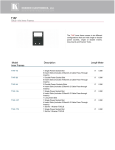
T-RC8IR (P/N: 80-000599)
1 special panel to fit the Kramer RC-8IR Control Panel
into the appropriate frame
(P/N 80-000399 or P/N 80-000499 instead of two power
sockets)
T-2INSERT (P/N: 80-00006699)
The T-2INSERT kit can be installed inside a single
power socket opening and includes:
1 single cable pass-through insert
1 dual cable pass-through insert
T-TBLANK (P/N: 80-005099)
This TOOL blank covers a TOOL opening for the
T1AF-1T3 (P/N: 80-005199) and T1AF-14T (P/N: 80005299) inner frames
6
TBUS-1Axl - Your TBUS-1Axl Enclosure
4.3
Power Socket Options
A choice of one or more power sockets per inner frame is available in several
versions, including power sockets for the USA, Germany (the Europlug), BelgiumFrance, Italy, South Africa, Israel and Australia. A “Universal” socket for general use
is also available (see the compatibility restrictions in the table below).
The Single Power Socket Assemblies
Power Socket
Type
Power Specs
Power Socket Type Power Specs
Universal:
TS/1U (80-000899)
Fully compatible with power plugs in the
UK, India, Italy and Denmark, as well as
with the 2-prong Europlug.
100-240V AC, 50/60Hz,
5A
Maximum 5A per power
outlet
Partially compatible (if the polarity is
reversed) with plugs in China, Switzerland,
Israel and the USA. The universal socket
does not supply grounding to plugs in
Central Europe and France and so you
should order country specific sockets
instead.
Not compatible with South African plugs.
Power Socket
Type
Power Specs
Power Socket
Type
USA:
TS-1US (80-000999)
Italy:
100-240V AC, 50/60Hz, 5A
Maximum 5A per power
outlet
Germany and EU: TS-1DE (80-001299)
Belgium and
France:
South Africa
Power Specs
TS-1IT (80-001499)
100-240V AC, 50/60Hz, 5A
Maximum 5A per power
outlet
Australia:
TS-1AU (80-001599)
100-240V AC, 50/60Hz, 5A
100-240V AC, 50/60Hz, 5A
Maximum 5A per power
outlet
Maximum 5A per power
outlet
TS-1FR (80-001399)
Israel:
TS-1IL (80-001799)
100-240V AC, 50/60Hz, 5A
220V AC, 50/60Hz, 5A
Maximum 5A per power
outlet
Maximum 5A per power
outlet
TS-1ZA (80-001699)
100-240V AC, 50/60Hz, 5A
Maximum 5A per power
outlet
TBUS-1Axl - Your TBUS-1Axl Enclosure
7
Dual power sockets are used for TBUS-1Axl with two or four power sockets:
Dual Power Socket Assemblies:
Universal:
Power Specs
TS-2U (80-001899)
100-240V AC, 50/60Hz, 5A
Maximum 5A/2.5A per power outlet
USA:
TS-2US (80-001999)
100-240V AC, 50/60Hz, 5A
Maximum 5A/2.5A per power outlet
Germany and EU:
TS-2DE (80-002199)
100-240V AC, 50/60Hz, 5A
Maximum 5A/2.5A per power outlet
France:
TS-2FR (80-002299)
100-240V AC, 50/60Hz, 5A
Maximum 5A/2.5A per power outlet
Italy
TS-2IT (80-002399)
100-240V AC, 50/60Hz, 5A
Maximum 5A/2.5A per power outlet
Australia:
TS-2AU (80-002499)
100-240V AC, 50/60Hz, 5A
Maximum 5A/2.5A per power outlet
Israel:
TS-2IL (80-002699)
220V AC, 50/60Hz, 5A
Maximum 5A/2.5A per power outlet
South Africa:
TS-2ZA (80-002599)
220V AC, 50/60Hz, 5A
Maximum 5A/2.5A per power outlet
8
TBUS-1Axl - Your TBUS-1Axl Enclosure
4.4
Power Cord Options
You can order any of the following power cords to use with a modular TBUS:
Power Cord Type
6ft/110V (North America)
Description
P/N
C-AC/US (110V)
91-000099
6ft/125V (Japan)
C-AC/JP (125V)
91-000699
6ft/220V (Europe)
C-AC/EU (220V)
91-000199
6ft/220V (Israel)
C-AC/IL (220V)
91-000999
6ft/250V (UK)
C-AC/UK (250V)
91-000299
6ft/250V (India)
C-AC/IN (250V)
91-001099
6ft/250V/10A (China)
C-AC/CN (250V)
91-001199
6ft/250V/10A (South Africa)
C-AC/ZA (250V)
91-001299
To use one power cord for a 4-socket configuration, you can order any of the
following types of power cords separately:
Power Cord Type
Description
P/N
110V Y-version (6ft), North America
C-ACY/US
91-000399
220V Y-version (6ft), Europe
C-ACY/EU
91-000499
240V Y-version (6ft), UK
C-ACY/UK
91-000599
TBUS-1Axl - Your TBUS-1Axl Enclosure
9
5
Installing the TBUS-1Axl
To install the TBUS-1Axl perform the following steps:
1. Assemble the inner frame (see Section 5.1).
2. Install the inner frame (see Section 5.2).
3. Cut an opening in the table (see Section 5.3).
4. Insert the unit through the opening and secure to the table (see Section 5.4).
5. Connect the cables (see Section 5.5).
6. Insert the pass-through cables (see Section 5.6).
7. Adjust the height of the inner frame (see Section 5.7)
5.1
Assembling the Inner Frame
The modules mounted on the inner frame can include single inserts and/or dual
inserts as well as power sockets and various Kramer devices. This section
describes how to assemble these modules.
i
5.1.1
Each module kit comes with detailed assembly instructions.
Mounting the Inserts
You can rearrange or remove any of the plates mounted on the inner frame and
replace them with Kramer passive wall plates or connector modules for interfacing
A/V type signals.
To mount a Kramer insert or connector module:
1. Unscrew the two screws that fasten the blank plate to the inner frame and
remove the blank plate.
2. Place the required Kramer insert over the opening, insert the two screws to
fix the Kramer insert in place, and tighten them.
10
TBUS-1Axl - Installing the TBUS-1Axl
Figure 3: TBUS-1Axl Inner Frame (P/N: 80-000299)
#
5.1.2
1
Feature
Split Grommets
Function
Push apart slightly to insert cables
2
Split Brackets
Support the split grommet for the pass through-cables
3
Blank Plates
Four blank covers that can be replaced with wall plates as
required
4
Power Socket Opening
Suitable for a single power socket or the T-2INSERT
5
Adjustable Height Screw
Holes
For adjusting the height of the inner frame
Mounting the Power Socket Assemblies
To mount the power socket, place the power socket under the frame in its
appropriate place and tighten with the two screws (supplied).
i
5.1.3
Power socket kits come with assembly instructions.
Mounting a Kramer TOOL
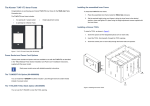
To mount a TOOL (for example, to the T1AF-14T), as shown in Figure 4:
1. Screw the spacers to their designated places (one on each side).
2. Insert the TOOL, from beneath, through the TOOL opening.
TBUS-1Axl - Installing the TBUS-1Axl
11
3. Screw the screws (one on each side) through the frame holes and spacers.
Figure 4: Installing a Kramer TOOL
5.1.4
Installing the TOOL Blank
To install the T-TBLANK, as shown in Figure 5:
1. Insert the T-TBLANK from beneath, through the TOOL opening.
2. Screw the screws (one on each side) through the frame.
Figure 5: Installing the T-TBLANK TOOL Blank
12
TBUS-1Axl - Installing the TBUS-1Axl
5.1.5
Mounting the Special Panel for RC-8IR
The Kramer T-RC8IR for the TBUS-1Axl Table Connection bus is used to fit the
Kramer RC-8IR Control Panel into the appropriate frame (P/N 80-000399 or P/N
80-000499 instead of two power sockets).
Inner Frame Attachment hole
Faceplate Attachment hole
IR IN Opening
Faceplate Attachment hole
Inner Frame Attachment hole
Figure 6: T-RC8IR (P/N: 80-000599)
Remove the RC-8IR Faceplate
1. Before installing the T-RC8IR, unscrew the two faceplate attachment screws
and remove the RC-8IR faceplate.
Faceplate Attachment holes
Faceplate Attachment holes
Figure 7: RC-8IR Faceplate holesTable Connection Bus
TBUS-1Axl - Installing the TBUS-1Axl
13
2. Place the T-RC8IR over the RC-8IR enclosure so that both face plate holes
are aligned with the face plate holes on the RC-8IR enclosure and the IR IN
receiver fits into the IR IN opening.
3. Insert the faceplate screws through the T-RC8IR and RC-8IR enclosure
faceplate holes, and tighten.
Installation Instructions
To install the T-RC8IR:
Insert the T-RC8IR assembly through the dual power socket opening from
1.
beneath.
Use the two power socket screws to tighten the T-RC8IR assembly in
2.
place.
5.1.6
Installing the SI-1VGA / RC-3TB
To install the SI-1VGA / RC-3TB module, place it under the designated opening in
the T1AF-14L (P/N: 80-000699) and then screw and tighten it in place using two
screws supplied with the inner frame.
5.2
Installing the Inner Frame
To install the inner frame:
1. Place the inner frame inside the TBUS-1Axl enclosure.
2. Set the required height using your fingers to bring the inner frame to the
desired position, screw and tighten it in place using the height adjustment
screws (supplied with the inner frame).
i
14
Inner frame kits come with assembly instructions.
TBUS-1Axl - Installing the TBUS-1Axl
5.3
Cutting an Opening in the Table
To cut an opening in the table:
1. Place the included cut out template (that is included with your TBUS-1Axl)
on the surface of the table exactly where you want to install the
TBUS-1Axl.
2. Attach the template to the table with the included screws (if using the cut out
template).
3. Following the inside edge of the template, cut a hole in the table surface
with a sabre or keyhole saw according to the dimensions shown in Figure 8
(not to scale).
i
The thickness of the table should be 76.2 mm / 3 inches or less.
Figure 8: Cut out Dimensions
4. Unscrew and remove the template from the surface of the table and clean
the table surface.
Take care not to damage the table.
If needed, you can download a full-scale template from our Web site.
!
Kramer Electronics is not responsible for any damage caused to the
table.
TBUS-1Axl - Installing the TBUS-1Axl
15
5.4
Inserting the TBUS-1Axl through the Cut Out Opening
To install TBUS-1Axl in the opening:
1. Remove the protective rubber guard from around the outer rim of the
TBUS-1Axl housing. Beware of the sharp edge!
2. Carefully insert the unit into the prepared opening (see Figure 9).
3. Take the support brackets under the table and place them into the support
bracket grooves on both sides of the unit (see Figure 2, item 7).
4. Verify proper alignment of the unit before tightening the mounting screws.
5. Tighten both mounting butterfly screws upward until they reach the table
surface (from underneath). Tighten firmly (see Figure 9).
6. Tighten the locking butterfly screws downward until tight against the
mounting bracket.
Figure 9: Inserting TBUS-1Axl into the Prepared Opening
5.5
Connecting the Cables
When replacing blank inserts with connector inserts (for example, VGA, audio,
HDMI and so on):
1. Insert the cables to their appropriate connectors from underneath.
16
TBUS-1Axl - Installing the TBUS-1Axl
2. Secure the cables to the tie holes on the TBUS-1Axl.
Do not secure the cables too tightly or too loosely. Leave a small amount of
slack.
5.6
Inserting the Pass-through Cables
To insert the pass through cables (for example, to connect a laptop) do the following:
1. Remove the two screws attaching the split pass-through bracket.
2. Remove the split grommet.
3. Insert the cable through the rectangular opening.
4. Open the split grommet slightly and insert the required cables.
5. Place the split bracket around the grommet and position this assembly over
the inner frame.
6. Place the two screws appropriately and tighten the split bracket together
with the grommet and inserted cables to the inner frame.
7. Insert the self-locking ties through the tie holes to secure the cables to the
inside walls of the enclosure.
Figure 10: Cable Pass-through Insert (P/N: 80-000399)
TBUS-1Axl - Installing the TBUS-1Axl
17
5.7
Adjusting the Height of the Inner Frame
If needed, you can adjust the inner frame height to accommodate large or bulky
cables. To adjust, perform the following:
1. Remove the height adjustment screws, while supporting the surface from
underneath with your fingers.
2. Raise or lower the inner frame to the required height, insert the screws, and
tighten them in place.
18
TBUS-1Axl - Installing the TBUS-1Axl
6
Using the TBUS-1Axl
Once the TBUS-1Axl is installed, you can easily customize it to suit your own
requirements by plugging in the required A/V equipment, as illustrated in the
example in Figure 11.
Figure 11: TBUS-1Axl Boardroom Installation
TBUS-1Axl - Using the TBUS-1Axl
19
7
Technical Specifications of the Assembled
TBUS-1Axl
Single Socket Assemblies:
100-240V AC, 50/60Hz, 5A
Universal
Maximum 5A per power outlet
POWER SOURCE
(AC power limits):
Fully compatible with power plugs in the UK, India, Italy and
Denmark, as well as with the 2-prong Europlug.
Partially compatible (if the polarity is reversed) with plugs in China,
Switzerland, Israel and the USA. The universal socket does not
supply grounding to plugs in Central Europe and France (you should
order country specific sockets instead).
Not compatible with South African plugs.
USA
Germany and EU
Belgium and France
Italy
Australia
Israel
South Africa
100-240V AC, 50/60Hz, 5A
Maximum 5A per power outlet
100-240V AC, 50/60Hz, 5A
Maximum 5A per power outlet
100-240V AC, 50/60Hz, 5A
Maximum 5A per power outlet
100-240V AC, 50/60Hz, 5A
Maximum 5A per power outlet
100-240V AC, 50/60Hz, 5A
Maximum 5A per power outlet
220V AC, 50/60Hz, 5A
Maximum 5A per power outlet
220V AC, 50/60Hz, 5A
Maximum 5A per power outlet
Dual Power Kit Assemblies:
Universal
USA
Germany and EU
France
Israel
South Africa
100-240V AC, 50/60Hz, 5A
Maximum 5A/2.5A per power outlet
100-240V AC, 50/60Hz, 5A
Maximum 5A/2.5A per power outlet
100-240V AC, 50/60Hz, 5A
Maximum 5A/2.5A per power outlet
100-240V AC, 50/60Hz, 5A
Maximum 5A/2.5A per power outlet
220V AC, 50/60Hz, 5A
Maximum 5A/2.5A per power outlet
220V AC, 50/60Hz, 5A
Maximum 5A/2.5A per power outlet
FUSE RATING:
T 6.3A 250V
OPERATING TEMPERATURE RANGE:
+5 to +45 Deg. Centigrade
OPERATING HUMIDITY RANGE:
10 to 90% RHL, non-condensing
STORAGE TEMPERATURE RANGE:
-20 to +70Deg. C.
STORAGE HUMIDITY RANGE:
5 to 95% RHL, non-condensing
DIMENSIONS:
22.1cm x 18.2cm x 13cm (8.17" x 5.88" x 5.13") W, D, H
WEIGHT:
TBUS-1A: 1.5kg (3.3lbs) approx.; Table clamps: 0.26kg (0.57lbs);
Metal template: 0.125kg (0.28lbs)
ACCESSORIES:
Power cord, six self-locking ties, metal template
OPTIONS:
Inner frames, passive wall plates and interfaces, power socket kits,
power cord
Specifications are subject to change without notice at http://www.kramerelectronics.com
20
TBUS-1Axl - Technical Specifications of the Assembled TBUS-1Axl
TBUS-1Axl
21
For the latest information on our products and a list of Kramer distributors,
visit our Web site where updates to this user manual may be found.
We welcome your questions, comments, and feedback.
Web site: www.kramerelectronics.com
E-mail: [email protected]
!
SAFETY WARNING
Disconnect the unit from the power
supply before opening and servicing