Download preliminary
Transcript
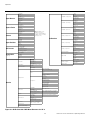
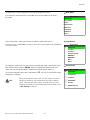
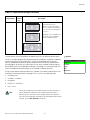
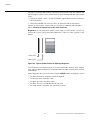
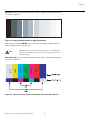
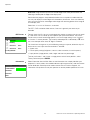
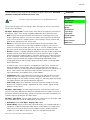
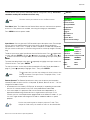
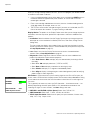
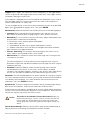
Operation Use the Service menu to access advanced projector configuration settings. This menu should be used by ISF-certified technicians only. Service Service Note You must enter a passcode to access the Service menu. Test Video Input Names Remote Control Analog Out Mode Test Video: Select Test Video from the Service Menu to access the internal test patterns on the VX-2. Four patterns are available, consisting of white/gray or colored bars. Display Device Press MENU to exit test pattern mode. Triggers HD Format EL IM IN A R Y Miscellaneous Input Names: You can give each DHD Controller input a descriptive name. For example, you may want to change the default input name to the type of source component connected to it: “VCR,” “DVD,” “Laptop” et cetera. Composite, S-Video and Component SD input names can be up to 12 characters long; the others can be up to eight characters long. Resolution System Reset Restore Saved Settings Input Names Restore Composite Composite S-Video 1 S-Video 1 To edit an input name, select Input Names from the Service menu. Press or to select an input and press ENTER. Use the or buttons to change a character; press or to select a character to change. When you have finished editing the input name, press MENU. S-Video 2 S-Video 2 HD/RGB 2 HD/RGB 2 To restore the default input name, press “Restore” column. Then, press ENTER. DVI 1 DVI 1 repeatedly to highlight that input name in the Note PR To save input names so that they can be restored after a System Reset (described on page 51), press repeatedly to highlight “Save.” Then, press ENTER. The button takes you from top to bottom in the left column, then from top to bottom in the right column. To highlight “Save,” scroll through both columns. Remote Control: The Remote Control menu shows you the primary and secondary infrared (IR) codes to which the VX-2 will respond. By default, both are set to 17. You can change these codes if either: • Another device in the theater (a DVD player, for example) is responding to commands from the VX-2 remote control in ways that are unpredictable or undesirable. • You have multiple VX-2 projectors and want to control them independently, as opposed to broadcasting commands from a single remote to all of them. In this scenario, you can use multiple remotes programmed to use different IR codes. Or, you can use a single remote and change the IR code as needed to address a specific projector. Tip Use the rear-panel keypad to change a projector IR code. Then, change the code sent by the remote to match as described below. Runco VX-2c/VX-2dc Owner’s Operating Manual 49 Component SD Component SD HD/RGB 1 DVI 2 HD/RGB 1 DVI 2 Save