1
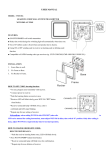
B. Learn Switch: DEL/SET 2 options.
DEL means delete learning code from compatible
receiver.
SET means set up learning code with compatible receiver.
C. Lux. Setting Switch: 3 options – H/M/L.
H- 24 hours in standby. As long as the object is within
detection distance, it will be detected. At “H” setting,
delay-off time switch is disabled.
** When LMDT-810 works with doorbell receiver, set H mode.
M- detects when brightness is below 20 +/-5 lux. (late afternoon)
L- detects when brightness is below 10 +/-5 lux. (late evening )
After switching from “M” to “L” for example, there should be a pause of at least 30 seconds leaving
LMDT-810 detecting unchanged light and no movement, the “L” lux setting can be accurately set up
(activate from the product IC). When it is darker than the “L” lux level, LMDT-810 can detect objects. A
similar situation applies for switching from “H” to “M” or “H” to “L” or vice versa, switching from darker
level to brighter level. There is a need to remain unchanged for 30 seconds as described above.
D. Battery Low Indicator
Battery low indicator is positioned inside the sensor lens. If the battery is low, the indicator flashes after
LMDT-810 delay time ends. Within delay time period, LMDT-810 still works normally until delay time
ends.
When the battery is low, the battery indicator starts to flash to inform the user to replace the battery. When
the battery is low (battery low indicator starts to flash), LMDT-810 does not work until the user replaces
the batteries and re-starts.
OPERATION:
A.
Code learning:
1. Place LMDT-810 in ‘DEL’ mode near to self programming
receiver, which it will work with.
2. Press learning button of the receiver, LED flashes continuously.
3. Slide LMDT-810 learn switch from ‘DEL’ to ‘SET’, LMDT-810
sends code to receiver.
4. Receiver connected lamp flashes twice to confirm the learned
code. Receiver LED stops flashing.