1
SETTING
CALIBRATION
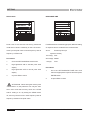
is indentical with the one of the standard SPL
Under normal operation, you may never need
clibrator.
to calibrate your MPAA1. By using sound level
6
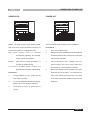
Press the ENTER button to exit to complete
the calibration to return to RTA display.
calibrator with 1/2" diameter adapter that sends out
ATTENTION:
1K Hz tone, anyone can do calibration for MPAA1 and
regain accurate sound pressure level measurement.
(1)
Calibration should be done as long as strange
to calibrate your MPAA1.
measurement data appears or abnormal operation
(2)
occurs. User can use a B&K TYPE 4231 sound level
press the ENTER button to exit before making any
calibrator to do the calibration.
adjustment.
(3)
Under normal operation, you may never need
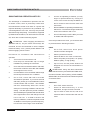
If you want to cancel calibration functon, just
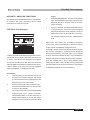
If you want to restore the default setting,
Procedures
simply use the UP/DOWN buttons to adjust the
1
Go to SETTING/PEAK HOLD and set it at
OFFSET value untill it reads 0.0 dB, and then press
OFF.
the ENTER button to complete setting.
2
Go to SETTING/RESP TIME and set it at
250ms(M).
3
Place a sound level calibrator with a
microphone connector of 1/2" diameter tightly
to the microphone of MPAA1.
4
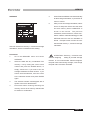
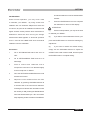
Go to the SETTING/CALIBRATION menu and
activate the function.
5
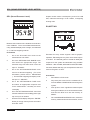
Adjust the level measured from the SPL
calibrator by pressing UP/DOWN buttons till
it reaches that of the sound level calibrator.
Pressing the UP button each time will increase
the value by 0.1dB; pressing the DOWN button
each time will decrease by 0.1 dB. You need to
keep adjusting untill the readout of the MPAA1
THE T. METER CORPORATION
MPAA1 USER’S MANUAL
Page 21