1
Virtual Machine Installation Guide, Release 12.1.3
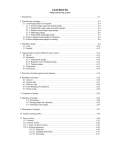
Table of Contents
1.
Install and Configure the EDQ Virtual Machine ......................................................................... 4
1.1.
Prerequisites ......................................................................................................................... 4
1.2.
Terminology .......................................................................................................................... 4
1.3.
About the EDQ-12.1.3-Trn2 Virtual Machine ............................................................................. 4
1.4.
Download the EDQ-12.1.3-Trn2 Virtual Machine ....................................................................... 4
1.5.
Extract the .ova File from the Multi-Part Zip File ....................................................................... 5
1.6.
Import the EDQ-12.1.3-Trn2 Virtual Machine ........................................................................... 5
1.7.
If Possible, Allocate More Base Memory to the Virtual Machine .................................................. 5
1.8.
Set Up a Shared Folder .......................................................................................................... 7
1.9.
Shut Down any instance of the Oracle Database Running on the Host ........................................ 8
1.10.
Start the EDQ-12.1.3-Trn2 Virtual Machine .............................................................................. 9
1.11.
If Possible, Increase Memory Allocated to the EDQ Application Server’s Java Heap and Increase the Oracle
Database’s Memory Target Setting ...................................................................................................... 11
1.11.1.
If Possible, Increase Memory Allocated to EDQ Application Server’s Java Heap .................... 12
1.11.2.
If Possible, Increase Memory Allocated to the Oracle Database .......................................... 14
1.12.
2.
3.
4.
Restart the Virtual Machine .................................................................................................... 16
(Optional): Map Virtual Machine Folders to Windows Drives ................................................... 17
2.1.
About Mapping Drives ............................................................................................................ 17
2.2.
Shut Down the Virtual Machine ............................................................................................... 17
2.3.
Check Virtual Box’s Host-only Network Settings ........................................................................ 18
2.4.
Enable the EDQ-12.1.3-Trn2 Virtual Machine’s Host-only Adapter............................................... 20
2.5.
Start the Virtual Machine ........................................................................................................ 22
2.6.
Map Virtual Machine Folders to Windows Drives ....................................................................... 23
(Optional): Enable Address Verification .................................................................................... 24
3.1.
About Enabling Address Verification ........................................................................................ 24
3.2.
Enable Address Verification .................................................................................................... 24
Open the Oracle Enterprise Data Quality Launchpad and Launch Director .............................. 26
4.1.
About the Lanuchpad ............................................................................................................. 26
4.2.
Navigate to the Launchpad ..................................................................................................... 26
4.3.
Launch Director ..................................................................................................................... 26
5.
Complete the Getting Started With Oracle Enterprise Data Quality Hands-on Lab ................. 29
6.
Appliance Credentials and Other Useful Information ............................................................... 30
7.
Learning More About EDQ .......................................................................................................... 31
Page 3 of 31
Copyright © 2015, Oracle and/or its
affiliates. All rights reserved.