1
DVI to VGA
Conversion Box
Introduction
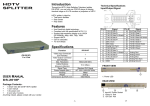
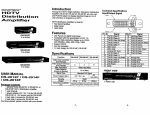
The DV-101 Converter connect computer with DVI-D
connector to analog monitor or projector. The converter
changes your PC digital DVI signal to analog graphic
signal, so that analog display device or projector can be
connected to your PC digital output easily and
conveniently.
Technical Specifications
Input/Output Signal
Features
§ Use PanelLink digital technology
§ Compliant with the specification of DVI 1.0
§ Support high-resolution display up to UXGA
(25-165MHz)
§ Connect PC with DVI-D connector to analog monitor or
projector
Specifications
Function
(DV-101)
USER M ANUAL
DV-101
Package Contents§
§
§
§
Any
1 Smart View DV-101
1 user manual
1 power adapter DC 9V/300mA
1 Smart View 1.2M cable (DVI-D Male to Male)
thing missed, please contact with your vendor.
DV-101
Video Input Connector
(DVI Female)
Video Output Connector
(VGA Female)
Max. Resolution
Cable Distance
(Single end)
Input Signal Type
Output Signal Type
Power Adapter (Min.)
Housing
Weight
Dimensions (LxWxH) mm
1
1
1600x1200 60Hz
Pin #
1
2
3
4
5
6
7
8
9
10
11
12
13
14
15
Signal
T.M.D.S Data 2T.M.D.S Data 2+
T.M.D.S Data 2/4 Shield
T.M.D.S Data 4T.M.D.S Data 4+
DDC Clock
DDC Data
Analog Vert. Sync
T.M.D.S Data 1T.M.D.S Data 1+
T.M.D.S Data 1/3 Shield
T.M.D.S Data 3T.M.D.S Data 3+
+5V Power
GND
Pin #
16
17
18
19
20
21
22
23
24
C1
C2
C3
C4
C5
12 m (Max.)
Standard DVI Signal
Standard VGA Signal
DC 9V 300mA
Metal
300g
118x75x29
FRONT VIEW
Note:
Different cable qualify might effect upon the maximum
resolution and cable distance.
1. “DVI In” Port
2. Input Power Jack
-1-
-2-
Signal
Hot Plug Detect
T.M.D.S Data 0T.M.D.S Data 0+
T.M.D.S Data 0/5 Shield
T.M.D.S Data 5T.M.D.S Data 5+
T.M.D.S Clock Shield
T.M.D.S Clock+
T.M.D.S ClockAnalog Red
Analog Green
Analog Blue
Analog Horz Sync
Analog Ground
REAR VIEW
1. Power LED
2. “VGA Out” Port
Installation
1. Turn off the PC and monitor.
2. Connect the DVI male extension cable between the PC
and the “DVI In” port of DV-101.
3. Connect the VGA male extension cables between the
monitor and the “VGA out” ports of DV-101.
4. Connect the power cord and turn on the DV-101.
5. Turn on the PC and analog monitor or projector.
Trademarks:
All the companies, brand names, and product names
referred to this manual are the trademarks or
registered trademarks belonging to their respective
companies.
-3-
e-mail: [email protected]
tel: 08-52 400 700 fax: 08-520 18121