1
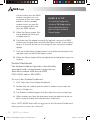
of day.
Track Harassment Types
Default: No
Schools/Facilities may choose to track specific harassment types
for fine-grained identification. With Track Harassment Types enabled,
SWIS provides a list of federally recognized harassment types from
which to select when Harassment is chosen as a problem behavior
during data entry. These types can be edited per school/facility.
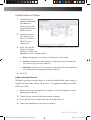
To edit Track Harassment Types, in School Settings:
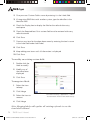
1. Click SWIS under Applications.
2. Click Track Harassment Types.
3. Choose Yes to enable the setting or No to disable the setting.
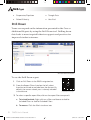
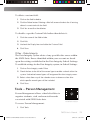
4. To edit an existing type: click to select the label from the list and edit the
information in the Edit Harassment Type box.
5. To add a new type: click the Add button and enter the new label’s
information in the Add Harassment Type box.
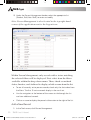
6. To delete an existing type: click to select the label from the list and click
the Delete button.
7. Click Save
Track Weapon Types
Default: No
Schools/Facilities may choose to track specific weapon types to
allow for fine-grained identification. With Track Weapon Types
enabled, SWIS provides a list of the most common weapon types
from which to select when Use/Posession of Weapons is chosen as
a problem behavior during data entry. These types can be edited
per school/facility.
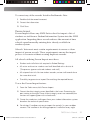
To edit Track Weapon Types, in School Settings:
26
SWIS User’s Manual
SWIS Users Manual B&W with Color Screenshots.indd 26
8/24/2015 8:42:04 AM