1
Auto Power OFF
The meter includes an Auto shut off feature that preserves battery life. The meter
will automatically turn off if no function button is pressed in any 10 minute period. To
disable this feature press the RECORD key to engage the record function.
LCD Contrast Adjust
It may be necessary to adjust the display contrast due to a change in viewing angle or
voltage drift. Use the LCD Contrast adjustment located on the right side of the meter
to set the preferred contrast.
RS-232 PC Interface
The meter includes a RS-232 serial data port. This interface was designed to operate with
the Extech Data Acquisition Software/Hardware kit Part No. 407000. This kit enables the
user to capture, store and display readings using a PC. For more information contact
Extech or refer to the 407000 User Manual for details.
Battery Replacement
The low battery indication LBT appears on the LCD when the battery runs low.
To replace the battery:
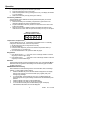
1. Remove the meter's rubber protective cover to access the rear battery
compartment.
2. Remove the battery compartment cover using a small coin or screwdriver and
remove the 9V battery.
3. Replace the 9V battery and reinstall the cover and holster.
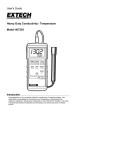
Conductivity Probe Care
To prepare the probe for use, remove the outer protective sheath used during shipping.
Probe Storage
On sheathed cells, replace the sheath over the probe when storing. For non-sheathed
versions, keep the probe’s tip soaking in de-ionized water in storage
Probe Cleaning
After each use the probe tip should be rinsed with de-ionized water. If solids build up
inside the probe, carefully remove them with a cotton swab soaked in solvent.
Caution: Be sure not to touch the metal parts of the inner probe.
4
407303
Ver 1.6 03/01