1
5.5.2 Script Editor
The NetComm IP Cameras can be used in a wide variety of applications. Using the
scripting commands within the Event Manager, you can quickly develop your own
application as required.
For example you may wish to upload images to a remote FTP server on a LAN/WAN
network to accommodate a large audience where a high volume of Web page hits is
anticipated. Or you may want to set up 'triggered recording', via motion detection or
external alarm device triggering - with uploading of pre and/or post alarm images to a
target FTP server, when in-image motion, external alarms, or time-based events occur.
You can also send e-mail alerts with a single image attached.
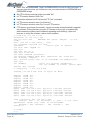
The scripts are easy to produce and enter --- just fill and submit a simple form within
Event Manager. Refer to the NetComm Script Edit user manual for more information
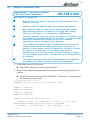
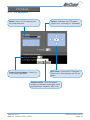
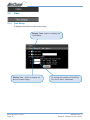
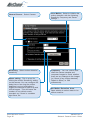
To start the Event Manager, simply click the Event icon, then an event frame will pop up.
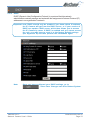
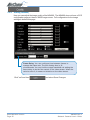
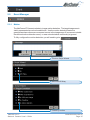
There are two ways to enter your event script. One is to use the "Script Wizard".
Follow the prompts and it will generate and append a new script code to the edit
window. The other way is to edit the form manually and create your own script.
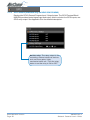
Note:
If you make changes in the "Event Script Edit" window, click "Save
Script" before "Start Script"; otherwise, the new changes will be
lost. Changes are not saved into permanent memory unless you
and select "Save Changes".
go to
YML645 Rev 2
Network Camera User’s Guide
www.netcomm.com.au
Page 37