1
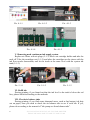
2. Move out cartridge holder
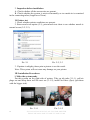
Choose Main menu (3-2-1)->maintenance->cartridge change->cartridge change
tools->next step->next step->confirm, then you can move out the cartridge holder,
pressing button (3-2-2), plug off power source(3-2-3).
Pic. 3-2-1
Pic. 3-2-2
Pic. 3-2-3
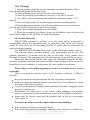
3. Take cartridge cover off
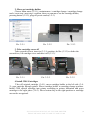
Take screwdriver out, insert in (3-3-1) position, do like (3-3-2) to shake the
screwdriver, lift cartridge cover and take it off (3-3-3).
Pic. 3-3-1
Pic. 3-3-2
Pic. 3-3-3
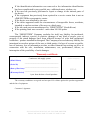
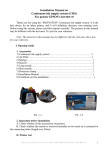
4 Install CISS Cartridges
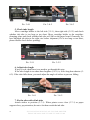
Take off original cartridge (3-4-1), move cartridge holder to the left side (3-42), pass cartridge through printer. Move cartridge holder to cartridge-change position.
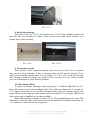
Install CISS special cartridge into printer according to printer indication and press
cartridge to the right place (3-4-3). Move button chip to the right position or cartridge
can not be recognized.
INSTALLATION MANUAL ON CISS FOR PRINTER
EPSON ME Office 600F/ TX 600F/ TX 300F/ Nx300
3