1
LTM-5HD Series Mini Manual_LTM-5HD-Series-Manual 10/7/10 10:50 AM Page 1
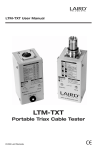
LTM-5HD Series User Manual
LTM-5HDT4
LTM-5HDTR
LTM-5HDT1
LTM-5HDR1D
LTM-5HDR1
Laird HDMI Over Single
CAT5 / CAT6 Systems
© 2008 Laird Telemedia.
CE
LTM-5HD Series Mini Manual_LTM-5HD-Series-Manual 10/7/10 10:50 AM Page 1
LTM-5HD Series User Manual
TECHNICAL DETAILS
Supported Resolutions:
Distance:
Supported Display:
Supported Source:
1080p, 1080i, 720p, 480p, and all computer resolution up to
WUXGA(1920x1200)
150 feet: 1080p, WUXGA(1920x1200), UXGA(1600x1200); 200
feet: Other resolutions/formats. Distance specs are for v1.2.
Distances will be shorter when using V1.3 sources.
HDMI v1.1, v1.2 and v1.3. HDCP compliant.
HDMI v1.1, v1.2 and v1.3. HDCP compliant.
Note: Note: HDMI v1.3 enables 30-, 36-, or 48-bit (deep) color, compared to 24-bit in v1.2. If
an HDMI v1.2 source is connected to a v1.3 display, the result will be v1.2 (i.e. the
source determines color depth).
LTM-5HDT4 1x4 Transmitter / DA
LTM-5HDR1D Daisy Chaining Receiver
HDMI Input: 1 HDMI input to connect to HD
source, such as Blu-ray, HD-DVD
player, computer, Satellite cable TV
and set top box;
HDMI Output: 1 HDMI output to daisy chain to
another transmitter or connect
to HDTV
RJ45 Output: 4 RJ45 output transmission for
connection to LTM-5HDTR up to
150 feet @ 1080p/1080i
As LTM-5HDR1, but includes Daisy Chain RJ45
output to send 1080p 150 feet to next receiver
LTM-5HDTR 3x HDMI Out Receiver
Input:
Output:
Output:
1 RJ45 Input
3 HDMI output to connect to
three HDTV
1 RJ45 output, to daisy chain to
another receiver up to 150 feet
@ 1080p/1080i
LTM-5HDT1 Single Port Transmitter
• One HDMI input
• One RJ45 output - up to 150 feet @
1080p/1080i
• One 12 V DC input
LTM-5HDR1 Single Port Receiver
• One RJ45 input
• One HDMI output
• No power supply is needed
- Page 1 800-898-0759 • 845-339-9555 • Box 720• Mount Marion, NY 12456 • www.lairdtelemedia.com
LTM-5HD Series Mini Manual_LTM-5HD-Series-Manual 10/7/10 10:50 AM Page 2
LTM-5HD Series User Manual
HDMI Over Single CAT5!
Patented New Technology from Laird Makes it Possible.
The Laird PhatCat Platinum Series of HDMI extenders is the only available system to offer
uncompressed 1080p HD digital Video and Audio over a single CAT5e/CAT6 UTP cable.
True ASIC Hi-Def 1080p Over a Single CAT5
Exclusive DA / Repeater Functions up to 1,600 Feet
Unique Daisy-Chain Feature for Over 2,000 Units - Feed Your Entire Facility Solution
HDCP Compliant
Both Video and Audio without Compression
1080p, 1080i, 720p, 480p Video
Computer Resolutions up to WUXGA(1920x1200)
1080p Distances to 150 Feet
WUXGA(1920x1200), UXGA(1600x1200) Distances up to 150 feet
ive
r
- Page 2 800-898-0759 • 845-339-9555 • Box 720• Mount Marion, NY 12456 • www.lairdtelemedia.com
75' to next
receiver
(1080p)
150' to next
receiver
(1080i)
rec
e
75' to next
receiver
(1080p)
ne
xt
150' to next
receiver
(1080i)
15
0'
to
75' to next
receiver
(1080p)
150' to next
receiver
(1080i)
150' to next
receiver
(1080i)
APPLICATIONS
75' to next
receiver
(1080p)
■
■
■
■
■
■
■
■
■
LTM-5HD Series Mini Manual_LTM-5HD-Series-Manual 10/7/10 10:50 AM Page 3
LTM-5HD Series User Manual
INTRODUCTION
All Laird PhatCat Platinum products use the same HDMI-over-single-UTP technology. All products in this product line are interoperable at the UTP level.
The HDMI signals are neither compressed nor buffered, so video quality is not degraded and
no delay is introduced even when daisy-chained. It can extend 1080p with HDCP to 45 meters
(150 feet) for each hop with single UTP cable.
Laird PhatCat Platinum products provide very cost-effective solutions to distribute HDMI
video and audio up to 250 displays within about 300 meters (1000 feet) over UTP.
LTM-5HDT1 Tx and LTM5-HDR1 Rx Basic System Connection
LTM-5HDT1
LTM-5HDR1
1.
2.
3.
4.
5.
Connect your source to LTM-5HDT1 via HDMI
Connect your display to LTM-5HDR1 via HDMI
Connect LTM-5HDT1 and LTM-5HDR1 via CAT5/CAT6 cable
Connect the 12VDC power supply to LTM-5HDT1 and power on the source and display;
You should now see a picture on each display. If you do not see a picture, try unplugging
and re-plugging the HDMI on LTM-5HDT1 or unplugging and re-plugging the 12VDC
power on the LTM-5HDT1. Make sure your CAT5/CAT6 cable is connected.
- Page 3 800-898-0759 • 845-339-9555 • Box 720• Mount Marion, NY 12456 • www.lairdtelemedia.com
LTM-5HD Series Mini Manual_LTM-5HD-Series-Manual 10/7/10 10:50 AM Page 4
LTM-5HD Series User Manual
LTM-5HDT1 / LTM5-HDR1 / LTM-5HDR1D Multi-Connection
1. Connect your source to LTM-5HDT1 via HDMI
2. Connect your display to LTM-5HDR1D via HDMI and any other subsistent LTM-5HDR1D or
LTM-5HD1R units - being certain the last display in the chain is the LTM-5HD1R unit
3. Connect all Tx and Rx units via CAT5/CAT6 cable
4. Connect a 12VDC power supply to LTM-5HDT1
5. Connect a 12VDC to the LTM-5HDR1D keeping in mind the following: When there is a
chain of receivers, only every 3rd receiver needs a power supply. For example: LTM-5HDT1
> LTM-5HDR1D (no PS) > LTM-5HDR1D (no PS) > LTM-5HDR1D (Power Supply) > LTM5HDR1D (no PS), etc.
6. Power on the source and display
7. You should now see a picture. If you do not see a picture, try unplugging and re-plugging
the HDMI on LTM-5HDT1 or unplugging and re-plugging the 12VDC power on the LTM5HDT1. Make sure all CAT5/CAT6 cables connected.
LTM-5HDT4 AND LTM-5HDTR Connection
When Connecting Multiple Displays via the LTM-5HDT4 and LTM-5HDTR
1. Connect your source to LTM-5HDT4 via HDMI cable
2. Connect up to three displays to LTM-5HDTR via HDMI cables
3. Connect LTM-5HDT4 and (up to four) LTM-5HDTR through CAT5/CAT6 cable
4. Connect multiple (if more than four) LTM-5HDTRs through CAT5/CAT6 cables
5. Connect the 12VDC power supply to LTM-5HDT4
6. Connect the 12VDC power supply to each LTM-5HDTR
7. Power on the source and display
8. You should now see a picture on each display. If you do not see a picture, try unplugging
and re-plugging the HDMI on LTM-5HDT4 or unplugging and re-plugging the 12VDC power
on the LTM-5HDTR. Make certain all CAT5/CAT6 cables are connected.
- Page 4 800-898-0759 • 845-339-9555 • Box 720• Mount Marion, NY 12456 • www.lairdtelemedia.com
LTM-5HD Series Mini Manual_LTM-5HD-Series-Manual 10/7/10 10:50 AM Page 5
LTM-5HD Series User Manual
LED STATUS INDICATORS
LTM-5HDT1:
Green (Right)
Yellow (Left)
Power On
Transmitting
LTM-5HDR1:
Green (Right)
Yellow (Left)
Power On
Receiving
LTM-5HDR1D:
RJ45-In: Yellow (Left)
RJ45-In: Green (Right)
Power On
Flashing - Receiving HDMI signals from transmitter;
Solid- Display, EDID is validated, HDCP is active and working
RJ45-Out: Yellow (Left) Power On
RJ45-Out: Green (Right) Flashing - Transmitting HDMI signals to the downstream receiver;
Solid - Downstream receiver is attached, EDID is validated, HDCP
is active and working
LTM-5HDT4:
Green (Right) Power On
Yellow (Left)
Flashing - Transmitting HDMI signals to the receiver
Solid - Receiver is attached, EDID is validated, HDCP is active & working
LTM-5HDTR
RJ45-In: Green (Right)
Power On
RJ45-In: Yellow (Left)
Flashing - Receiving HDMI signals from transmitter
Solid - Display is attached, EDID is validated, HDCP is active
RJ45-Out: Green (Right) Power On
RJ45-Out:Yellow (Left) Flashing - Transmitting HDMI signals to the downstream receiver
Solid - Downstream receiver attached, EDID & HDCP active
- Page 5 800-898-0759 • 845-339-9555 • Box 720• Mount Marion, NY 12456 • www.lairdtelemedia.com
LTM-5HD Series Mini Manual_LTM-5HD-Series-Manual 10/7/10 10:50 AM Page 6
LTM-5HD Series User Manual
FAQ / TROUBLESHOOTING TIPS
What Kind of CAT5/CAT6 should be used?
Solid core CAT5e should be used. For resolution greater than 1280x1024 or 1080i, Laird
Telemedia recommends solid CAT6 cables. Laird’s distributor, TecNec, has a qualified supply
of these cables. Please refer to the TecNec web site @ www.tecnec.com.
I’m getting no video on the display or one of the displays, what do I do?
1. Make sure the display supports the resolution by connecting the display directly to the
source.
Note: If the direct connection does not work, then the HDMI connection of the display may
have a problem or does not work with the source).
2. Other things to check include the CAT5/CAT6 cable connecting the transmitter and receiver, the HDMI connections. Also try powering and unpowering the transmitter.
The picture blanks out sometimes, what do I do?
Blinking images are the result of lost sync between source and display. Try to lower the
source’s output resolution to see whether it solves the problem. If it does, the CAT5 cables
you are using cannot handle higher resolutions. You will need to use CAT6 cables.
I'm getting a 4:3 image and/or no sound. How can this be corrected, and
avoided going forward?
This can be an issue when connected to some DVD players, especially when they go into sleep
or standby modes and/or they are non-HDMI conforming. This is caused by the improper
reporting of format information between the source and display.
There are two methods to "reset" the system and correct the issue:
A) Disconnect the HDMI IN cable on the transmitter, wait 5 seconds and reconnect. This can
be done a second time or third time if needed, without powering down.
B) Power everything down, then power up all but the DVD source, then power the DVD source
last.
To avoid future issues, you can either:
A) Leave the LTM-5HD units powered up at all times (this does not void the warranty).
B) If everything is powered down, when powering up the connected system, supply power to
the DVD source last.
- Page 6 800-898-0759 • 845-339-9555 • Box 720• Mount Marion, NY 12456 • www.lairdtelemedia.com
LTM-5HD Series Mini Manual_LTM-5HD-Series-Manual 10/7/10 10:50 AM Page 7
LTM-5HD Series User Manual
LIMITED WARRANTY
Laird warrants the equipment it manufactures to be free from defects in material and workmanship. If
equipment fails because of such defects and Laird Telemedia is notified within 90 days from the date of
shipment, Laird Telemedia will, at its option, repair or replace the equipment, provided that the equipment has not been subjected to mechanical, electrical, or other abuse or modifications. Equipment that
fails under conditions other than those covered will be repaired at the current price of parts and labor
in effect at the time of repair. Such repairs are warranted for ninety (90) days from the day of reshipment to the buyer. This warranty is in lieu of all other warranties expressed or implied, including without limitation, any implied warranty or merchantability or fitness for any particular purpose, all of which
are expressly disclaimed.
1. Proof of sale may be required in order to satisfy warranty claim.
2. Customers are responsible for shipping charges to and from Laird.
3. The information in this manual has been carefully checked and is accurate at press time. However,
Laird Telemedia assumes no responsibility for any inaccuracies that may be contained in this manual. In no event will Laird Telemedia, be liable for direct, indirect, special, incidental, or consequential
damages resulting from any defect or omission in this manual, even if advised of the possibility of
such damages. The technical information contained herein regarding the Laird PhatCat Platinum
product series features and specifications is subject to change without notice.
- Page 7 800-898-0759 • 845-339-9555 • Box 720• Mount Marion, NY 12456 • www.lairdtelemedia.com
LTM-5HD Series Mini Manual_LTM-5HD-Series-Manual 10/7/10 10:50 AM Page 8
LTM-5HD Series User Manual
SAFETY PRECAUTIONS
1. To prevent fire or shock hazard, do not expose this equipment to the environment of Humidity and/or
dust. Do not use this equipment in an unprotected outdoor installation or any area classified as a
wet area.
2. The operating temperature of this product must be kept between -40°C and +95°C. Direct sunlight
or an intense source of heat, direct or ambient, must not be introduced to the product either by
induction or contact.
3. Always keep the product on a stable and secure base or enclosure. Do not drop the product or subject it to sudden heavy impact.
4. Provide adequate ventilation so that thermal characteristics do not cause an increase in product temperature to resulting in overheating.
5. Do not clean the unit by using electrically conductive or corrosive chemicals. Always be certain to
unplug the unit from AC wall power before any major cleaning. Use a damp cloth only for cleaning.
6. Do not subject the product to electrical mains power over voltage: The product must be used at the
rated supply voltages indicated on the product rear panel only.
7. Do not plug the product into an overloaded electrical outlet. This may result in fire or electrical
shock.
8. Object Ingress and Liquid Entry: Never insert or push sharp metal objects into the product or use such
devices for an attempt at opening or servicing the product. Servicing should be referred to a trained
and qualified technician only. Do not allow liquid of any type to enter the unit. Do not allow the unit
to be submersed in water as this may cause a shock hazard.
9. A trained qualified technician should perform all servicing of the unit. There are no serviceable components within the unit for user access.
- Page 8 800-898-0759 • 845-339-9555 • Box 720• Mount Marion, NY 12456 • www.lairdtelemedia.com
LTM-5HD Series Mini Manual_LTM-5HD-Series-Manual 10/7/10 10:50 AM Page 10
Box 720
Mount Marion, NY 12456
800-898-0759 • 845-339-9555
Fax: 845-339-0231
www.lairdtelemedia.com