1
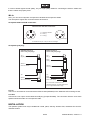
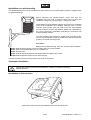
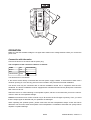
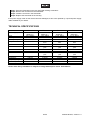
Step 1: Open the fuseholder on the rear panel with a fitting screwdriver.
Step 2: Remove the old fuse from the fuseholder.
Step 3: Install the new fuse in the fuseholder.
Step 4: Replace the fuseholder in the housing.
If the power supply cable of this device becomes damaged, it has to be replaced by a special power supply
cable available at your dealer.
TECHNICAL SPECIFICATIONS
Power supply:
Fuse:
Rated power:
Power (max.):
Components:
Inputs:
1 Mic
1 Line
Outputs:
1 Line Out
Max. SPL:
Impedance:
Frequency-range:
Dimensions (H x W x D):
Weight:
KB-208A
115/230 V AC,
50/60 Hz ~
T 2 A, 250 V
80 W RMS
160 W
8" woofer, 1" horn
XLR
XLR or RCA
KB-210A
115/230 V AC,
50/60 Hz ~
T 2 A, 250 V
120 W RMS
240 W
10" woofer, 1.35"
horn
KB-212A
115/230 V AC,
50/60 Hz ~
T 2 A, 250 V
150 W RMS
300 W
12" woofer, 1.35"
horn
KB-215A
115/230 V AC,
50/60 Hz ~
T 2 A, 250 V
180 W RMS
360 W
15" woofer, 1.75"
horn
XLR or balanced ¼" XLR or balanced ¼" XLR or balanced ¼"
jack
jack
jack
XLR or RCA
XLR or RCA
XLR or RCA
-
XLR or balanced ¼" XLR or balanced ¼" XLR or balanced ¼"
jack
jack
jack
102 dB
110 dB
115 dB
120 dB
4 Ohms
4 Ohms
4 Ohms
4 Ohms
65 Hz - 18 kHz
55 Hz - 18 kHz
50 Hz - 18 kHz
40 Hz - 18 kHz
400 x 277 x 257 mm 510 x 350 x 285 mm 580 x 480 x 325 mm 740 x 555 x 400 mm
8 kg
14 kg
18 kg
27 kg
Please note: Every information is subject to change without prior notice. 29.01.2009 ©
30/30
00029746.DOC, Version 1.3