1
SYSTEM
SYSTEM OVERVIEW
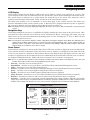
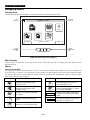
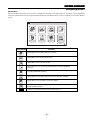
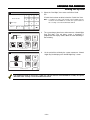
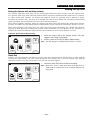
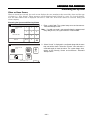
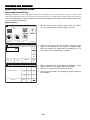
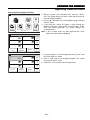
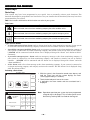
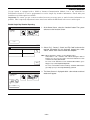
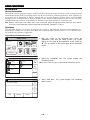
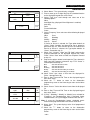
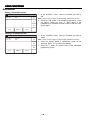
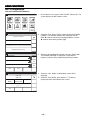
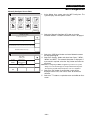
About the Display and Indicators
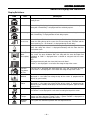
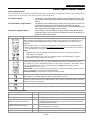
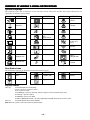
Display Definitions
ICON
TEXT
DEFINITION
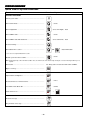
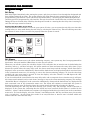
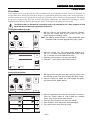
Ready to Arm
Displayed along with the the text “Ready To Arm” when system is Disarmed and
ready to arm.
Armed Away
“Armed Away” is displayed along the top of the screen. An armed away icon
along with “Armed Away” is displayed after the exit delay expires.
Armed Stay
“Armed Stay” is displayed along the top of the screen. An armed stay icon along
with “Armed Stay” is displayed after the exit delay expires.
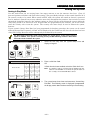
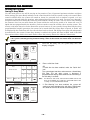
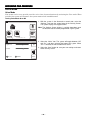
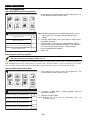
Exit Now
28 Seconds
“Armed Stay – Exit Now” or “Armed Away – Exit Now” is displayed in a red
status bar along the top of the screen. An exit icon along with “Exit Now” and the
time remaining (i.e.; “28 Seconds”) is displayed during the exit delay.
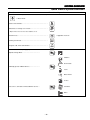
Alarm
“Alarm” is displayed in a red status bar along the top of the screen. An alarm
(bell) icon along with “Alarm” is displayed alternately with the Zone that has
caused the alarm.
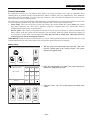
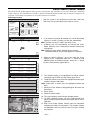
Fault (Zone
No.&
Description)
“Not Ready To Arm – Fault” is displayed in a yellow status bar along the top of
the screen. An open windowor door icon along with the zone descriptor and
“Window” or “Door” is displayed when a window or entry/exit fault has been
detected.
OR
Displayed alternately with the alarm (bell) icon and “Alarm”.
“Alarm” is also displayed in a red status bar along the top of the screen.
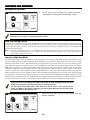
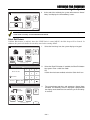
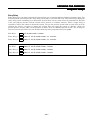
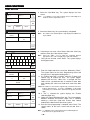
Fire OR
Fire Alarm
95 Fire
The fire icon is displayed with alternating text “Fire” and “Fire Alarm 95 Fire”.
“Fire Alarm” is also displayed in a red status bar along the top of the screen.
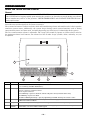
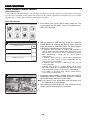
Alarm 96
Medical
The Medical icon displayed when a medical alarm is activated. “Alarm” is also
displayed in a red status bar along the top of the screen. (If programmed for
display by your installer)
Alarm 99
Police
The alarm (bell) icon when a burglary alarm is activated. “Alarm” is also
displayed in a red status bar along the top of the screen. (If programmed for
display by your installer) No display if 24 Hour Silent Response Type has been
programmed.
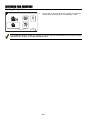
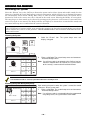
Displayed alternately with Carbon Monoxide when a CO alarm is activated.
“CO Alarm” is also displayed in a red status bar along the top of the screen.
OR
CO Alarm
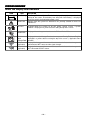
Cover
Tamper
Reporter
Failure
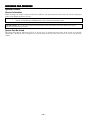
A check system icon along with “Cover Tamper” is displayed when a cover
tamper has been detected. “Ready To Arm – System Trouble” is displayed in a
yellow status bar along the top of the screen.
The system has identified a problem with the telephone dialer.
– 11 –