1
SECURING THE PREMISES
Arming the System
4.
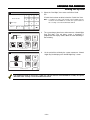
Armed Away
Zones
Disarm
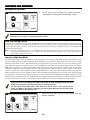
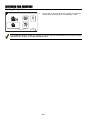
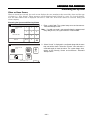
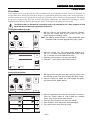
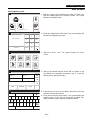
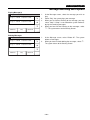
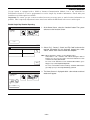
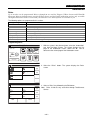
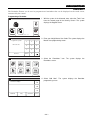
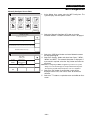
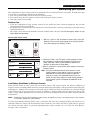
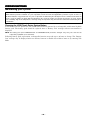
At the end of the exit delay the system will announce “Armed
Away” and displays the “Armed Away” screen.
System
Message
More
10:18 AM June 8, 2010
7000-100-024-V0
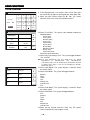
If an invalid User Code is entered or if a valid user code has not been entered within 10 seconds, the system will
return to the “security” screen and it will not be armed.
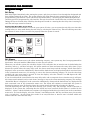
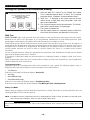
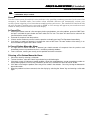
Silent Exit Feature
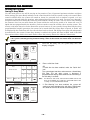
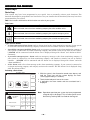
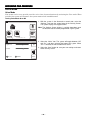
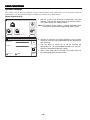
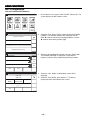
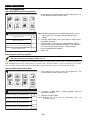
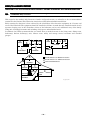
If Silent Exit feature is enabled, when the LYNX Touch is armed AWAY, the Exit beeps will be silenced. In
addition, the panel will double the exit delay time before arming AWAY.
Ready To Arm
Zones
Arm Away
Arm Stay
Delay
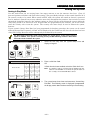
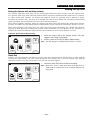
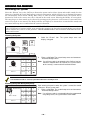
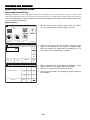
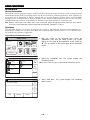
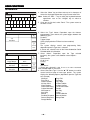
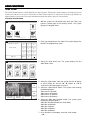
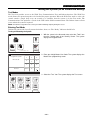
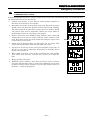
1.
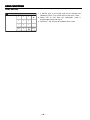
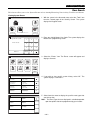
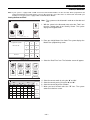
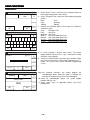
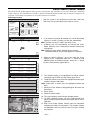
Select the Arm Away icon, the system displays a keypad.
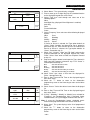
2.
Select the Silent Exit button. If enabled, the Silent Exit button
turns green. Enter a valid User Code.
OR
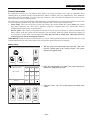
If Quick Arm has been enabled, select the “Quick Arm” icon.
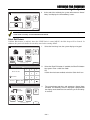
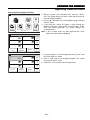
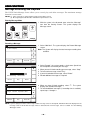
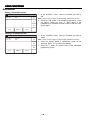
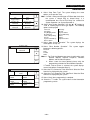
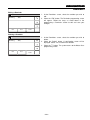
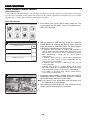
3.
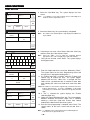
The system beeps two times and announces “Armed Away
Exit Now. The exit delay screen is displayed. If programmed
the display counts down the time remaining in the exit delay
in seconds.
System
Message
More
10:18 AM June 8, 2010
7000-100-020-V0
Ready To Arm
Arm the system in Away
mode
1
2
3
4
5
6
7
8
9
Clear
0
Enter Code:
Silent Exit
Cancel
Quick Arm
5200-100-018-V0
Armed Away - Exit Now
Exit now
28 seconds
Zones
Disarm
Restart
System
Message
10:18 AM June 8, 2010
More
7000-100-023-V0
– 21 –