1
Section 10 Troubleshooting
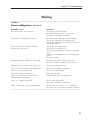
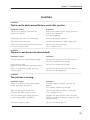
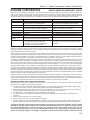
Problem
Ultrasound signal does not start (continued).
Ultrasound cable is loose, not connected, or
not conducting.
Make sure cable is connected and snug. May
need to replace it.
Press/thruster contact leaf not making proper
contact with transducer’s contact button.
Clean any dirt or corrosion from contact leaf
and contact button. Check that there is proper
alignment of contact leaf with transducer
contact button.
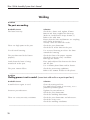
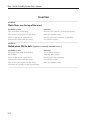
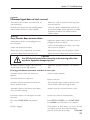
Problem
Press/thruster does not move down.
Loose power cord(s), or not plugged in to
the receptacle.
Tighten the power cord(s) and make sure it is
plugged in to the receptacle.
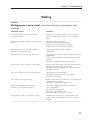
Down speed valve adjusted for no air flow.
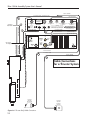
Connect and/or tighten the cables. See Cable
Connections in Section 2.
Adjust down speed valve for proper air flow.
Mechanical Stop adjusted for no travel.
Adjust Mechanical Stop knob counterclockwise.
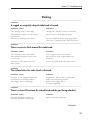
Cables not connected or loose.
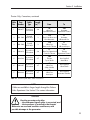
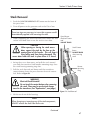
CAUTION
Turn OFF electrical power before connecting or disconnecting cables from
any device. Equipment damage may occur.
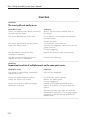
AC power switch(es) on the Ultra-Com and/
or generator are in the OFF position.
Make sure AC power switches are switched
ON.
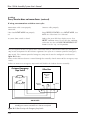
If using push button activation switches to start cycle:
Activation switch cables not connected
properly.
Connect cables properly.
Activation switches are defective.
Replace switches.
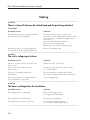
Activation switches not held closed for the
correct amount of time.
These normally open switches must be held
closed until the ultrasound signal starts.
Activation switches held closed preventing
next cycle from starting.
Switches must be released between cycles.
Activation switches are not depressed at the
same time.
Depress the switches simultaneously.
Ultra-Com INITIATE MODE not properly
set.
From PROCESS CONTROL, select INITIATE MODE,
then MANUAL. See Ultra-Com User’s Manual.
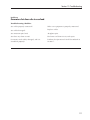
Air filter clogged.
Clean/replace air filter. Source air: clean, dry and
at a higher pressure than expected output
pressure in the 80-100 psi range.
Continued
109