1
Button
Features
#WhatWillYouCreate?
TM
Quick
Start
Guide
1. PLUG IN
& SELECT
TEMP (HI/LO)
It will take 1-2
minutes for your
3Doodler to heat up.
SLOW SPEED
Hold down on the small
button for slow.
FAST SPEED
2. INSERT
YOUR
STRAND
Press the
fast or
slow buton.
3. READY
SET
DOODLE
It will take 30 - 40
seconds for your
plastic to extrude.
HI
SET YOUR 3DOODLER
TO THE CORRECT
TEMPERATURE:
ABS
LO
FLEXY
PLA
WOOD
Hold down on the big
button for fast.
DOUBLE CLICK
Constant Doodling without
holding down any buttons
∙ Hold down button to pause
∙ Single click to stop
BOTH BUTTONS
When switching from a HI temp plastic (like ABS) to a
LO temp plastic (like PLA), run the pen on the HI
setting until the HI temp plastic is fully extruded
(you'll see the plastic color change!). Then switch the
pen to the LO temp setting.
For more detailed instructions and
additional tips please see the user
manual or visit the3Doodler.com
After you have finished using your 3doodler, remove
any remaining plastic.
Plastic
Curling?
GET A GRIP
Push your pen firmly into the paper,
allow the plastic to extrude for a
couple of seconds, and then lift the
pen up off the paper.
DON’T FRET
Snip Snip
NOZZLE REMOVAL
Make sure the pen is HOT (blue or green
LED) before trying to unscrew the nozzle. When
screwing the nozzle back on don’t force it.
1. Hold down on BOTH extrusion buttons at the
same time to reverse the plastic strand.
2. If your strand is too short to fully reverse, you will
not be able to retrieve it. If this happens turn the
pen on and wait for the pen to heat up (the LED
light will change to Blue or Green).
3. Remove the nozzle with the spanner provided in
the box.
5. Replace the nozzle while the pen is hot and then
try the pen again - don’t over-tighten the nozzle
or apply excess force.
Keep it clean. Snip your ends to avoid
any unnecessary jams in your 3Doodler.
Inspiration
Trouble
Reversing?
4. Now take the unblocking tool (or a straightened
paperclip) and feed it into the nozzle end of the
pen to dislodge any blocked plastic. The
dislodged plastic should shake free from the
back of the pen. If it doesn’t shake free, from the
back of the pen. If it doesn’t shake free, please
proceed to remove the maintenance cover to
clear out the plastic.
THOSE ENDS!
Pro Tips
PLASTIC
TRANSITION
Hold down on both buttons
to reverse your strand while the
LED flashes.
Light red
whilst
Doodling?
Your 3Doodler is functioning
normally. The red light / pausing
is caused by the pen heating up
to stay at optimal temperature.
The 3Doodler needs to pause
while doing this. Wait a few
seconds and keep Doodling!
BEFORE SWTICHING
FROM HI TO LO
Plastics &
Accessories
Choose from 60+ vibrant plastic colors. Transform
your Doodling with our latest accessories including
the Nozzle Set.
Nozzle Removal Tool
(included)
TEMPERATURE ADJUSTMENT
Manual temperature optimization for minor flow adjustment
and expertly consistent 3Doodles. Turn it 90° to the
right to crank up the heat, or 90° to the left to turn it down.
Use the mini screwdriver
(included)
WELD PLASTIC
You can join 3Doodled pieces by touching the hot tip of the
3Doodler to both parts to melt them together while extruding.
Don’t worry about rough edges; you can trim those later.
JOIN THE COMMUNITY
Discover and share instant inspiration (and hundreds
of free stencils!) with our global community at:
the3Doodler.com/community
@3Doodler
Nozzle removal tool
with 6 new nozzles
The perfect place
to store your 3Doodler
For more accessories please visit
http://the3doodler.com/store/
For more information,
customer service, repairs, or
warranty inquiries please contact
us at [email protected]
In a
Jam?
PUSH FIRST
If it’s still not working then follow
the step by step instructions in
the user manual or message us
at [email protected] or visit
our YouTube channel at:
youtube.com/3Doodler
TURN OVER >>>>>>
START
#WhatWillYouCreate?
IS THE LIGHT
TURNING ON?
TM
NO
IS THE PLUG WORKING?
YES
3. Push the plastic down the pen and gently
twist it clockwise to get it to engage with the
pen’s gears
NO
YES
Please let us know what type of plastic you’re using (ABS,
PLA or FLEXY)? What color is the LED on the pen once
warmed up?
Please also let us know the full serial number on the
underside of the pen.
NO
YES
TWIST
Feed the plastic and gently
turn it a quarter clockwise,
ensuring the plastic is
gripped by the gears. If the
strand is too short, insert
another and push it
through.
PROBLEM SOLVED?
YES
Slow
Fast
SNIP & HEAT
Remove the strand, snip
the end and reinsert it.
Turn up the heat (temp
adjustment) with mini
screwdriver.
PROBLEM SOLVED?
YES
USE FAST
ABS to PLA
Once you have decent flow,
switch to slow mode.
Extrude all ABS on HI
heat. Do this by keeping
the pen on HI heat, and
inserting PLA - wait for PLA to
start extruding before
switching to LO heat.
YES
PROBLEM SOLVED?
PROBLEM SOLVED?
NO
Still having issues?
If you are still having problems please message us at
[email protected] or call us at:
(US) 718 618 9904
ISSUES WITH
SLOW
MODE?
NO
WAIT TO FEED
YES
YouTube.com/3Doodler
YES
ARE YOU
SWITCHING FROM
ABS TO PLA?
It takes 30 - 40 seconds for
plastic to feed - either
press and hold the
extrusion button or double
click for continuous flow.
4. Extrude all ABS plastic on HI/high heat
before switching to PLA plastic on LO/low
heat
How-to and help videos on our YouTube Channel:
Ensure you are pushing
the HI/LO switch to
the correct position.
YES
BEFORE YOU BEGIN, NOTE THE
FOLLOWING TIPS:
2. It takes 30-40 seconds for extrusion to begin
after first inserting a plastic strand
SWITCH IN THE
CORRECT POSITION?
Use a spare power adapter
to help determine if the
issue is with the pen or
the power cord.
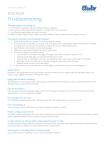
Troubleshooting
Guide
1. Use PLA plastic on LO/low heat setting, and
ABS / FLEXY plastic on HI/high heat setting
(check the pack color)
NO
NO
NO
NO
TIGHTEN NOZZLE
NO
PAPER CLIP
The nozzle may be loose.
While the pen is hot (blue
or green LED), gently
tighten the nozzle
clockwise using the mini
spanner included with your
pen. Don’t apply
excess force.
Remove the nozzle then
get hold of the unblocking
tool or a paper clip that has
been straightened. Stick
the paper clip or
unblocking tool into the
front while continuing to
reverse.
PROBLEM SOLVED?
PROBLEM SOLVED?
YES
YES
Have Fun
Doodling!
MAINTENANCE COVER
Try removing the maintenance
cover. Always press down on
the maintenance cover with
your thumb when removing/
inserting the metal bar. Ensure
the curve of the pin is facing
towards the pen when
inserted.
PROBLEM SOLVED?
YES