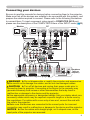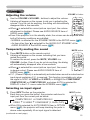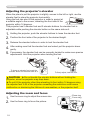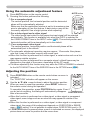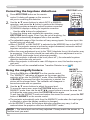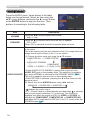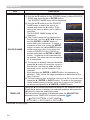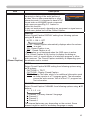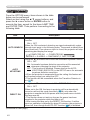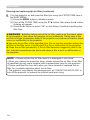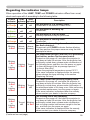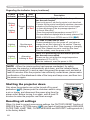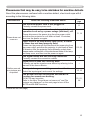
1
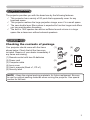
Projector features / Preparations Projector features The projector provides you with the broad use by the following features. ü T his projector has a variety of I/O ports that supposedly cover for any business scene. ü This projector realizes the large projection image, even if in a small space. ü The new double layer filter system is expected to function longer and offers you less maintenance frequency. ü The built-in 16W speaker can deliver sufficient sound volume in a large space like a classroom without external speakers. Preparations Checking the contents of package Your projector should come with the items shown below. Check that all the items are included. Require of your dealer immediately if any items are missing. (1) Remote control with two AA batteries (2) Power cord (3) Computer cable (4) Lens cover (5) User’s manuals (Book x1, CD x1) (6) Security label (1) VIDEO ASPECT MAGNIFY ON AUTO FREEZE SEARCH BLANK PAGE UP VOLUME 㧗 DOWN KEYSTONE (4) MY SOURCE/ COMPUTER DOC.CAMERA OFF MY BUTTON 1 2 MUTE MENU POSITION ENTER ESC RESET (5) (2) (6) (3) NOTE • Keep the original packing materials, for future reshipment. Be sure to use the original packing materials when moving the projector. Use special caution for the lens. 3