1
2008 Acura MDX 2007-09 HVAC Climate Control - MDX 2007-09 HVAC Climate Control - MDX COMPONENT LOCATION INDEX Fig. 1: Identifying Climate Control Component Location (1 Of 3) Courtesy of AMERICAN HONDA MOTOR CO., INC. Microsoft Saturday, May 22, 2010 11:20:50 11:20:29 AM Page 1 © 2006 Mitchell Repair Information Company, LLC. 2008 Acura MDX 2007-09 HVAC Climate Control - MDX Fig. 2: Identifying Climate Control Component Location (2 Of 3) Courtesy of AMERICAN HONDA MOTOR CO., INC. Microsoft Saturday, May 22, 2010 11:20:29 AM Page 2 © 2006 Mitchell Repair Information Company, LLC. 2008 Acura MDX 2007-09 HVAC Climate Control - MDX Fig. 3: Identifying Climate Control Component Location (3 Of 3) Courtesy of AMERICAN HONDA MOTOR CO., INC. A/C SERVICE TIPS AND PRECAUTIONS WARNING: CAUTION: Compressed air mixed with the R-134a forms a combustible vapor. The vapor can burn or explode causing serious injury. Never use compressed air to pressure test R-134a service equipment or vehicle air conditioning systems. Air conditioning refrigerant or lubricant vapor can irritate your eyes, nose, or throat. Be careful when connecting service equipment. Do not breathe refrigerant or vapor. Microsoft Saturday, May 22, 2010 11:20:29 AM Page 3 © 2006 Mitchell Repair Information Company, LLC. 2008 Acura MDX 2007-09 HVAC Climate Control - MDX The air conditioning system uses HFC-134a (R-134a) refrigerant and polyalkyleneglycol (PAG) refrigerant oil, which are not compatible with CFC-12 (R-12) refrigerant and mineral oil. Do not use R-12 refrigerant or mineral oil in this system, and do not attempt to use R-12 servicing equipment; damage to the air conditioning system or your servicing equipment will result. Use only service equipment that is U.L-listed and is certified to meet the requirements of SAE J2210 to remove R-134a from the air conditioning system. If accidental system discharge occurs, ventilate the work area before resuming service. R-134a service equipment or vehicle air conditioning systems should not be pressure tested or leak tested with compressed air. Additional health and safety information may be obtained from the refrigerant and lubricant manufacturers. Always disconnect the negative cable from the battery whenever replacing air conditioning parts. Keep moisture and dirt out of the system. When disconnecting any lines, plug or cap the fittings immediately; don't remove the caps or plugs until just before you reconnect each line. Before connecting any hose or line, apply a few drops of refrigerant oil to the O-ring. When tightening or loosening a fitting, use a second wrench to support the matching fitting. When discharging the system, use an R-134a refrigerant recovery/recycling/charging station; don't release refrigerant into the atmosphere. A/C REFRIGERANT OIL REPLACEMENT Recommended PAG oil: DENSO ND-OIL 8 P/N 38897-PR7-A01AH: 120 mL (4 fl.oz) P/N 38899-PR7-A01: 40 mL (1 1/3 fl.oz) Add the recommended refrigerant oil in the amount listed if you replace any of the following parts. To avoid contamination, do not return the oil to the container once dispensed, and never mix it with other refrigerant oils. Immediately after using the oil, reinstall the cap on the container, and seal it to avoid moisture absorption. Do not spill the refrigerant oil on the vehicle; it may damage the paint; if it gets on the paint, wash it off immediately. A/C condenser (including Dryer Desiccant) Front Evaporator Rear Evaporator Line or hose Receiver/Dryer Desiccant Leakage repair A/C compressor 50 mL (1 2/3 fl.oz) 40 mL (1 1/3 fl.oz) 30 mL (1 fl.oz) 10 mL (1/3 fl.oz) 10 mL (1/3 fl.oz) 25 mL (5/7 fl.oz) For A/C compressor replacement, subtract the volume of oil drained from the removed A/C Microsoft Saturday, May 22, 2010 11:20:29 AM Page 4 © 2006 Mitchell Repair Information Company, LLC. 2008 Acura MDX 2007-09 HVAC Climate Control - MDX compressor from 125 mL (4 2/9 fl.oz), and drain the calculated volumne of oil from the new A/C compressor: 135 mL (4 2/9 fl.oz) - Volume of removed A/C compressor = Volume to drain from new A/C commpressor. NOTE: Even if no oil is drained from the removed A/C compressor, don't drain more than 50 mL (1 2/3 fl.oz) from the new A/C compressor. Fig. 4: Identifying Refrigerant Oil Level Courtesy of AMERICAN HONDA MOTOR CO., INC. FRONT A/C LINE REPLACEMENT Microsoft Saturday, May 22, 2010 11:20:29 AM Page 5 © 2006 Mitchell Repair Information Company, LLC. 2008 Acura MDX 2007-09 HVAC Climate Control - MDX Fig. 5: Identifying Front A/C Line Courtesy of AMERICAN HONDA MOTOR CO., INC. A/C SYSTEM INSPECTION Before troubleshooting any problem with the air conditioning system, do the following: Microsoft Saturday, May 22, 2010 11:20:29 AM Page 6 © 2006 Mitchell Repair Information Company, LLC. 2008 Acura MDX 2007-09 HVAC Climate Control - MDX 1. With the ignition switch in the LOCK (0), inspect the A/C components, pressure lines and hoses for stains that may indicate a refrigerant or a compressor oil leak. Fig. 6: Identifying Compressor Oil Leak Courtesy of AMERICAN HONDA MOTOR CO., INC. 2. Check the condenser for material clogging the fins or for damage to the fins: Carefully clean any material from the condenser fins with water and detergent. Be sure to dry the condenser completely. Fig. 7: Identifying Condenser Courtesy of AMERICAN HONDA MOTOR CO., INC. 3. Inspect the drive belt (see DRIVE BELT INSPECTION ). 4. Make sure no material is blocking the airflow to the condenser. 5. Check the dust and pollen filter, and replace it if it is clogged (see DUST AND POLLEN FILTER REPLACEMENT ). 6. Check the operation of the heater valve. Make sure the cable is adjusted properly (see HEATER VALVE CABLE ADJUSTMENT ). 7. Start the engine, turn the air conditioning system on, and allow it to normalize for a few minutes. 8. Check that the A/C operates at each position of the blower fan switch (except OFF). 9. Check that the compressor clutch is engaged. The pressure plate should be rotating at the same speed as the pulley. Microsoft Saturday, May 22, 2010 11:20:29 AM Page 7 © 2006 Mitchell Repair Information Company, LLC. 2008 Acura MDX 2007-09 HVAC Climate Control - MDX 10. Check that the cooling fans operate when the compressor clutch is engaged. 11. Check that the engine idle speed is correctly maintained when the A/C is switched on and off when the compressor clutch is engaged and disengaged. Fig. 8: Identifying Radiator Fan, A/C Condenser Fan And A/C Compressor Courtesy of AMERICAN HONDA MOTOR CO., INC. GENERAL TROUBLESHOOTING INFORMATION HOW TO CHECK FOR DTCS WITH THE HDS 1. Make sure the ignition switch is LOCK (0). 2. Connect the HDS to the data link connector (DLC) (A) located under the driver's side of the dashboard. Microsoft Saturday, May 22, 2010 11:20:29 AM Page 8 © 2006 Mitchell Repair Information Company, LLC. 2008 Acura MDX 2007-09 HVAC Climate Control - MDX Fig. 9: Connecting HDS To DLC Courtesy of AMERICAN HONDA MOTOR CO., INC. 3. Turn the ignition switch to ON (II). 4. Make sure the HDS communicates with the vehicle and the climate control unit. If it doesn't, troubleshoot the DLC circuit (see DLC CIRCUIT TROUBLESHOOTING ). 5. Select HVAC/CLIMATE CONTROL in the BODY ELECTRICAL menu. 6. Select DTCs in the HVAC/CLIMATE CONTROL menu. 7. Check for DTCs. If any DTCs are indicated, write down the DTCs, then go to the indicated DTC troubleshooting. If no DTCs are indicated, refer to symptom troubleshooting. NOTE: After troubleshooting, clear the DTCs with the HDS. For specific operations, refer to the user's manual that came with the HDS. HOW TO USE THE SELF-DIAGNOSTIC FUNCTION WITH THE HDS 1. 2. 3. 4. Make sure the ignition switch is LOCK (0). Connect the HDS to the data link connector (DLC). Turn the ignition switch to ON (II). Make sure the HDS communicates with the vehicle and the climate control unit. If it doesn't, troubleshoot the DLC circuit (see DLC CIRCUIT TROUBLESHOOTING ). 5. Select HVAC/CLIMATE CONTROL in the BODY ELECTRICAL menu. 6. Select INSPECTION in the HVAC/CLIMATE CONTROL menu. Microsoft Saturday, May 22, 2010 11:20:29 AM Page 9 © 2006 Mitchell Repair Information Company, LLC. 2008 Acura MDX 2007-09 HVAC Climate Control - MDX 7. Select CLIMATE CONTROL SELF TEST in the INSPECTION menu. 8. Check for DTCs. If any DTCs are indicated, write down the DTCs, then go to the indicated DTC troubleshooting. NOTE: After troubleshooting, clear the DTCs with the HDS. For specific operations, refer to the user's manual that came with the HDS. HOW TO USE THE SELF-DIAGNOSTIC FUNCTION WITHOUT THE HDS The climate control unit has a self-diagnostic function. To run the self-diagnostic function, do the following: 1. Turn the ignition switch to LOCK (0), and then ON (II). 2. Press and hold the OFF button, then press the RECIRCULATION CONTROL button five times within 10 seconds. Release the OFF and RECIRCULATION CONTROL buttons; then the self-diagnostic begins. NOTE: The blower motor will run at various speeds regardless of what the panel is displaying. If there is any problem in the system, the system flashes "88 AUTO WINDSHIELD DEFROST" or alternately flashes "88 AUTO WINDSHIELD DEFROST" and one or more of the 14 segments (A through P). Refer to CHECKING FOR DTCS. If there are no problems detected, the segments will not illuminate, and the system will appear to be turned off. Fig. 10: Identifying Auto Button, Driver Temperature Indicator And Rear Window Defogger Courtesy of AMERICAN HONDA MOTOR CO., INC. Canceling the Self-diagnostic Function Microsoft Saturday, May 22, 2010 11:20:29 AM Page 10 © 2006 Mitchell Repair Information Company, LLC. 2008 Acura MDX 2007-09 HVAC Climate Control - MDX 3. Turn the ignition switch to LOCK (0), to cancel the self-diagnostic function. After completing the repair work, run the self-diagnostic function again to make sure that there are no other DTCs. CHECKING FOR DTCS The temperature display indicates single or multiple DTCs. If indicator segments A, B, C, E, G, J, M, N, AUTO, and WINDSHIELD DEFROST are on at the same time, there may be an open in the common ground wire. If no DTCs are present, the indicator remains blank. Fig. 11: Identifying A/C Control Panel Courtesy of AMERICAN HONDA MOTOR CO., INC. DTC (DRIVER'S TEMPERATURE INDICATOR SEGMENT, AUTO, AND WINDSHIELD DEFROST INDICATOR) CHART DTC (Driver's Temperature Indicator Segment, AUTO, and Detection Item WINDSHIELD DEFROST Indicator) An open in the in-car temperature sensor circuit (see DTC B1225 or DTC A and AUTO indicator A and AUTO: An Open in the In-car Temperature Sensor Circuit ) A short in the in-car temperature sensor circuit (see DTC B1226 or DTC B and AUTO indicator B and AUTO: A Short in the In-car Temperature Sensor Circuit ) An open in the outside air temperature sensor circuit (see DTC B1227 or C and AUTO DTC indicator C and AUTO: An Open in the Outside Air Temperature Sensor Circuit ) A short in the outside air temperature sensor circuit (see DTC B1228 or D and AUTO DTC indicator D and AUTO: A Short in the Outside Air Temperature Sensor Circuit ) An open in the sunlight sensor circuit (see DTC B1229 or DTC indicator E and AUTO E and AUTO: An Open in the Sunlight Sensor Circuit ) A short in the sunlight sensor circuit (see DTC B1230 or DTC indicator F F and AUTO and AUTO: A Short in the Sunlight Sensor Circuit ) Microsoft Saturday, May 22, 2010 11:20:29 AM Page 11 © 2006 Mitchell Repair Information Company, LLC. 2008 Acura MDX 2007-09 HVAC Climate Control - MDX G and AUTO Hand AUTO J and AUTO K and AUTO L and AUTO M and AUTO N and AUTO P and AUTO AUTO A B C F G H An open in the front evaporator temperature sensor circuit (see DTC B1231 or DTC indicator G and AUTO: An Open in the Front Evaporator Temperature Sensor Circuit ) A short in the front evaporator temperature sensor circuit (see DTC B1232 or DTC indicator H and AUTO: A Short in the Front Evaporator Temperature Sensor Circuit ) An open in the driver's air mix control motor circuit (see DTC B1233 or DTC indicator J and AUTO: An Open in the Driver's Air Mix Control Motor Circuit ) A short in the driver's air mix control motor circuit (see DTC B1234 or DTC indicator K and AUTO: A Short in the Driver's Air Mix Control Motor Circuit ) A problem in the driver's air mix control linkage, door, or motor circuit (see DTC B1235 or DTC indicator L and AUTO: A Problem in the Driver's Air Mix Control Linkage, Door, or Motor Circuit ) An open in the passenger's air mix control motor circuit (see DTC B1236 or DTC indicator M and AUTO: An Open in the Passenger's Air Mix Control Motor Circuit ) A short in the passenger's air mix control motor circuit (see DTC B1237 or DTC indicator N and AUTO: A Short in the Passenger's Air Mix Control Motor Circuit ) A problem in the passenger's air mix control linkage, door, or motor circuit (see DTC B1238 or DTC indicator P and AUTO: A Problem in the Passenger's Air Mix Control Linkage, Door, or Motor Circuit ) Climate control unit lost communication with gauge control module (ECT message) (see DTC B1205: Climate Control Unit Lost Communication with Gauge Control Module (VSP/NE message); DTC B1206 or DTC indicator AUTO: Climate Control Unit Lost Communication with Gauge Control Module (ECT message); DTC B1207: Climate Control Unit Lost Communication with Gauge Control Module (ILLUMI message) ) An open or short in the front mode control motor circuit (see DTC B1239 or DTC indicator A: An Open or Short in the Front Mode Control Motor Circuit ) A problem in the front mode control linkage, doors, or motor circuit (see DTC B1240 or DTC indicator B: A Problem in the Front Mode Control Linkage, Doors, or Motor Circuit ) A problem in the front blower motor circuit (see DTC B1241 or DTC indicator C: A Problem in the Front Blower Motor Circuit ) An open in the rear air mix control motor circuit (see DTC B1244 or DTC indicator F: An Open in the Rear Air Mix Control Motor Circuit ) A short in the rear air mix control motor circuit (see DTC B1245 or DTC indicator G: A Short in the Rear Air Mix Control Motor Circuit ) A problem in the rear air mix control linkage, door, or motor circuit (see DTC B1246 or DTC indicator H: A Problem in the Rear Air Mix Microsoft Saturday, May 22, 2010 11:20:29 AM Page 12 © 2006 Mitchell Repair Information Company, LLC. 2008 Acura MDX 2007-09 HVAC Climate Control - MDX J K M N P A and WINDSHIELD DEFROST Band WINDSHIELD DEFROST Control Linkage, Door, or Motor Circuit ) An open or short in the recirculation control motor circuit (see DTC B1215 or DTC indicator J: An Open or Short in the Recirculation Control Motor Circuit ) A problem in the recirculation control linkage, door, or motor circuit (see DTC B2983 or DTC indicator K: A problem in the Recirculation Control Linkage, Door, or Motor Circuit ) A problem in the rear blower motor circuit (see DTC B1223 or DTC indicator M: A Problem in the Rear Blower Motor Circuit ) An open in the rear evaporator temperature sensor circuit (see DTC B1213 or DTC indicator N: An Open in the Rear Evaporator Temperature Sensor Circuit ) A short in the rear evaporator temperature sensor circuit (see DTC B1214 or DTC indicator P: A Short in the Rear Evaporator Temperature Sensor Circuit ) An open in the humidity sensor circuit (see DTC B2967 or DTC indicator A and WINDSHIELD DEFROST: An Open in the Humidity Sensor Circuit ), a short in the humidity sensor circuit (see DTC B2968 or DTC indicator A and WINDSHIELD DEFROST: A Short in the Humidity Sensor Circuit ) An open in the A/C pressure sensor circuit (see DTC B2979 or DTC indicator B and WINDSHIELD DEFROST: An Open in the A/C Pressure Sensor Circuit ), a short in the A/C pressure sensor circuit (see DTC B2980 or DTC indicator B and WINDSHIELD DEFROST: A short in the A/C Pressure Sensor Circuit ) DISPLAYING SENSOR INPUTS AT THE CLIMATE CONTROL UNIT The climate control unit has a mode that displays sensor inputs it receives. This mode shows you what the climate control unit is receiving from each of the sensors, one at a time, and it can help you determine if a sensor is faulty. CHECK THESE ITEMS BEFORE USING THE SENSOR INPUT DISPLAY MODE 1. Turn the ignition switch to ON (II), and check the recirculation door function; press the recirculation button to switch from FRESH to RECIRC. The air volume and sound should change slightly. 2. Set the temperature control knob to the desired test temperature. When selecting the test temperature, note these items: "Lo" temperature setting will default to MAX COOL, VENT, and RECIRC. "Hi" temperature setting will default to MAX HOT, FLOOR, and FRESH. 58 through 86°F settings will use the automatic climate control logic. 3. Turn the ignition switch to LOCK (0). TO RUN THE SENSOR INPUT DISPLAY MODE, FOLLOW THESE STEPS Microsoft Saturday, May 22, 2010 11:20:29 AM Page 13 © 2006 Mitchell Repair Information Company, LLC. 2008 Acura MDX 2007-09 HVAC Climate Control - MDX 1. Turn the ignition switch to LOCK (0). 2. Press and hold both the AUTO and RECIRCULATION CONTROL buttons, then start the engine. 3. After the engine starts, release both buttons. The display panel control unit will flash the sensor number and then the value for that sensor. Record the value displayed. 4. To advance to the next sensor, press the REAR WINDOW DEFOGGER button. SENSOR DISPLAYED CHART Sensor 1 2 3 4 5 6 7 8 9 A B C D E F Item In-car Temperature Outside Air Temperature Solar Radiation Sensor Value: Dark = 00, Flashlight = 04, Cloudy = 10, Sunny = 65 Front Evaporator Outlet Air Temperature Driver's and Passenger's Air Mix Opening (Low value indicates cooler air distribution, higher value indicates warmer air distribution) Vent Temperature Air Out (TAO) Vehicle Speed (Vehicle must be driven to display speed) A/C Pressure Rear Air Mix Opening Rear Vent Temperature Air Out (TAO) Rear Evaporator Outlet Air Temperature Humidity Sensor Value Fog Margin Solar Radiation azimuth (With navigation system) Solar Radiation angle of elevation (With navigation system) NOTE: Displayed Value °C °C kcal/m2 .h °C % of opening °C km/h 10 kPa % of opening °C °C %rh °C 10° 10° The sensor values will be displayed in degrees Celsius (°C) or an alphanumeric code. Use the chart to convert the value to degrees Fahrenheit (°F). If the sensor value displays "Er" this indicates there is an open or short in the circuit or sensor. Check for DTCs using the HDS, or refer to CHECKING DTCS by DTC indication. If necessary, compare the sensor input display to a known-good vehicle under the same test conditions. If the sensor is out of the normal range, refer to the sensor test or substitute a known-good sensor, and recheck. 5. To cancel the sensor input display mode, press the AUTO button or turn the ignition switch to LOCK (0). Celsius to Fahrenheit Conversion Table Microsoft Saturday, May 22, 2010 11:20:29 AM Page 14 © 2006 Mitchell Repair Information Company, LLC. 2008 Acura MDX 2007-09 HVAC Climate Control - MDX CELSIUS TO FAHRENHEIT CONVERSION CHART °C °F °C °F °C °F 0 32 10 50 20 68 1 34 11 52 21 70 2 36 12 54 22 72 3 37 13 55 23 73 4 39 14 57 24 75 5 41 15 59 25 77 6 43 16 61 26 79 7 45 17 63 27 81 8 46 18 64 28 82 9 48 19 66 29 84 °C 30 31 32 33 34 35 36 37 38 39 CELSIUS TO FAHRENHEIT CONVERSION CHART °C °F °C °F °C °F 50 122 60 140 70 158 51 124 61 142 71 160 52 126 62 144 72 162 53 127 63 145 73 163 54 128 64 147 74 165 55 131 65 149 75 167 56 133 66 151 76 169 57 135 67 152 77 170 58 136 68 154 78 172 59 139 69 158 79 174 °F 86 88 90 91 93 95 97 99 100 102 °C 80 81 82 83 84 85 86 87 88 89 °F 176 178 180 181 183 185 187 188 190 192 °C 40 41 42 43 44 45 46 47 48 49 °C 90 91 92 93 94 95 96 97 98 99 °F 104 106 108 109 111 113 115 117 118 120 °F 194 196 198 199 201 203 205 207 208 210 Alphanumeric Conversion Table ALPHANUMERIC CONVERSION CHART Display Reading (Alphanumeric) A1 thru A9 B0 thru B9 C0 thru C9 D0 thru D9 E0 thru E9 F0 thru F9 °C - 1 thru -9 - 10 thru -19 -20 thru -29 -30 thru -39 -40 thru -49 -- °F 30 thru 16 14 thru -2 -4 thru -20 -22 thru -38 -40 thru -58 -- % - 1 thru -9 -10 thru -19 -20 thru -29 -30 thru -39 -40 thru -49 +100 thru +109 DTC TROUBLESHOOTING INDEX Checking the DTCs by HDS DTC TROUBLESHOOTING CHART Microsoft Saturday, May 22, 2010 11:20:29 AM Page 15 © 2006 Mitchell Repair Information Company, LLC. 2008 Acura MDX 2007-09 HVAC Climate Control - MDX DTC B1200 B1202 B1205 B1206 B1207 B1213 B1214 B1215 B1223 B1225 B1226 B1227 B1228 B1229 B1230 B1231 B1232 Detection Item or Symptom Communication bus line error (bus-off) Climate control unit internal error Climate control unit lost communication with gauge control module (VSP/NE message) Climate control unit lost communication with gauge control module (ECT message) Climate control unit lost communication with gauge control module (ILLUMI message) An open in the rear evaporator temperature sensor circuit A short in the rear evaporator temperature sensor circuit An open or short in the recirculation control motor circuit A problem in the rear blower motor circuit An open in the in-car temperature sensor circuit A short in the in-car temperature sensor circuit An open in the outside air temperature sensor circuit A short in the outside air temperature sensor circuit An open in the sunlight sensor circuit A short in the sunlight sensor circuit An open in the front evaporator temperature sensor circuit A short in the front ECU Climate control unit DTC type Loss of communication Climate control unit Internal error Climate control unit Loss of communication Climate control unit Loss of communication Climate control unit Loss of communication Climate control unit Signal error Climate control unit Signal error Climate control unit Signal error Climate control unit Signal error Climate control unit Signal error Climate control unit Signal error Climate control unit Signal error Climate control unit Signal error Climate control unit Signal error Climate control unit Signal error Climate control unit Signal error Climate control unit Signal error Microsoft Saturday, May 22, 2010 11:20:29 AM Page 16 © 2006 Mitchell Repair Information Company, LLC. 2008 Acura MDX 2007-09 HVAC Climate Control - MDX B1233 B1234 B1235 B1236 B1237 B1238 B1239 B1240 B1241 B1244 B1245 B1246 B2965 B2967 B2968 B2969 evaporator temperature sensor circuit An open in the driver's air Climate control unit mix control motor circuit A short in the driver's air Climate control unit mix control motor circuit A problem in the driver's Climate control unit air mix control linkage, door, or motor circuit An open in the passenger's Climate control unit air mix control motor circuit A short in the passenger's Climate control unit air mix control motor circuit A problem in the Climate control unit passenger's air mix control linkage, door, or motor circuit An open or short in the Climate control unit front mode control motor circuit A problem in the front Climate control unit mode control linkage, doors, or motor circuit A problem in the front Climate control unit blower motor circuit An open in the rear air Climate control unit mix control motor circuit A short in the rear air mix Climate control unit control motor circuit A problem in the rear air Climate control unit mix control linkage, door, or motor circuit Climate control unit lost Climate control unit communication with rear climate control panel An open in the humidity Climate control unit sensor circuit A short in the humidity Climate control unit sensor circuit Climate control unit lost Climate control unit communication with combination switch control unit (WIPSW Signal error Signal error Signal error Signal error Signal error Signal error Signal error Signal error Signal error Signal error Signal error Signal error Loss of communication Signal error Signal error Loss of communication Microsoft Saturday, May 22, 2010 11:20:29 AM Page 17 © 2006 Mitchell Repair Information Company, LLC. 2008 Acura MDX 2007-09 HVAC Climate Control - MDX B2970 B2979 B2980 B2981 B2983 B2991 message) Climate control unit lost Climate control unit communication with relay control module (RM message) An open in the A/C Climate control unit pressure sensor circuit A short in the A/C Climate control unit pressure sensor circuit Climate control unit lost Climate control unit communication with navigation unit A problem in the Climate control unit recirculation control linkage, door, or motor circuit Climate control unit lost Climate control unit communication with audio unit Loss of communication Signal error Signal error Loss of communication Signal error Loss of communication SYMPTOM TROUBLESHOOTING INDEX SYMPTOM TROUBLESHOOTING CHART Symptom Diagnostic procedure Also check for Rear mode control doors do not change between ceiling vents (cool) and floor vents (hot) Rear mode control motor circuit troubleshooting (see REAR MODE CONTROL MOTOR CIRCUIT TROUBLESHOOTING ) Blower, heater controls, and A/C do not work Climate control unit troubleshooting (see CLIMATE CONTROL UNIT TROUBLESHOOTING ) HVAC DTCs (see GENERAL TROUBLESHOOTING INFORMATION ) Blown fuse No. 30 (10 A) in the under-dash fuse/relay box Cleanliness and tightness of all terminals HVAC DTCs (see GENERAL TROUBLESHOOTING INFORMATION ) Blown fuse No. 30 (10 A) in the under-dash fuse/relay box Poor ground at G506 (see GROUND TO COMPONENTS INDEX ) Cleanliness and tightness of all terminals HVAC DTCs (see GENERAL TROUBLESHOOTING Microsoft Saturday, May 22, 2010 11:20:29 AM Page 18 © 2006 Mitchell Repair Information Company, LLC. 2008 Acura MDX 2007-09 HVAC Climate Control - MDX Both fans do not run at Radiator and A/C condenser fan low speed low speed with the circuit troubleshooting (see RADIATOR A/C on (but the A/C AND A/C CONDENSER FAN LOW compressor runs with SPEED CIRCUIT the A/C on) TROUBLESHOOTING ) The A/C condenser fan does not run at high A/C condenser fan high speed circuit speed (but both fans troubleshooting (see A/C CONDENSER run at low speed and FAN HIGH SPEED CIRCUIT the A/C compressor TROUBLESHOOTING ) operates with the A/C on) Both fans do not run at ECT troubleshooting: ECT sensor 2 circuit high speed with the low voltage (see DTC P2184: ECT A/C on (but both fans SENSOR 2 CIRCUIT LOW run at low speed and VOLTAGE ), ECT sensor 2 circuit high the A/C compressor voltage (see DTC P2185: ECT SENSOR operates with the A/C 2 CIRCUIT HIGH VOLTAGE ) on) The A/C compressor clutch does not engage (but both fans run with the A/C on) A/C compressor clutch circuit troubleshooting (see A/C COMPRESSOR CLUTCH CIRCUIT TROUBLESHOOTING ) Blower fan(s) runs slower than expected in cold weather ECT troubleshooting: ECT sensor 2 circuit low voltage (see DTC P2184: ECT SENSOR 2 CIRCUIT LOW VOLTAGE ), ECT sensor 2 circuit high voltage (see DTC P2185: ECT SENSOR 2 CIRCUIT HIGH VOLTAGE ) NOTE: It is normal for the blower(s) to run slowly until the engine coolant temperature begins to rise. If the blower INFORMATION ) Blown fuse No. 15 (30 A) in the relay block, and No. 30 (10 A) in the under-dash fuse/ relay box Poor ground at G301 (see GROUND TO COMPONENTS INDEX ) Cleanliness and tightness of all terminals HVAC DTCs (see GENERAL TROUBLESHOOTING INFORMATION ) Cleanliness and tightness of all terminals Powertrain DTCs (see GENERAL TROUBLESHOOTING INFORMATION ) Cleanliness and tightness of all terminals HVAC DTCs (see GENERAL TROUBLESHOOTING INFORMATION ) Blown fuse No. 17 (7.5 A) in the relay block, and No. 30 (10 A) in the under-dash fuse/ relay box Blower motor operation Cleanliness and tightness of all terminals Powertrain DTCs (see GENERAL TROUBLESHOOTING INFORMATION ) Blower motor operation Microsoft Saturday, May 22, 2010 11:20:29 AM Page 19 © 2006 Mitchell Repair Information Company, LLC. 2008 Acura MDX 2007-09 HVAC Climate Control - MDX continues to run slowly for an abnormal length of time, continue to troubleshoot the problem. HDS does not communicate with the Troubleshoot the DLC circuit (see DLC climate control unit or CIRCUIT TROUBLESHOOTING ) the vehicle Insufficient heating 1. Check the coolant level (see COOLANT CHECK ) 2. Check the radiator cap (see RADIATOR CAP TEST ) 3. Check the operation of the air mix control motor and door (see DRIVER'S AIR MIX CONTROL MOTOR TEST ) 4. Check the coolant temperature 5. Check the operation of the heater valve (see HEATER VALVE CABLE ADJUSTMENT ) 6. Check the blower motor unit for obstructions Damaged cylinder head gasket 7. Check for air leaks around the ducts and vents 8. Check the inlet hose temperature If it is COLD, check for restrictions in the hose, a damaged or leaking thermostat, and a damaged or leaking water pump. If it is HOT, check for restrictions in the heater core. Back flush the heater core using standard commercially available equipment, or replace the heater core. SYSTEM DESCRIPTION The air conditioning system removes heat from the passenger compartment by transferring heat from the ambient air to the evaporator. The evaporator cools the air with the refrigerant that is circulating through the evaporator. The refrigerant expands in the evaporator, and the evaporator becomes very cold and absorbs the heat from the ambient air. The blower fan pushes air across the evaporator where the heat is absorbed, and then it blows the cool air into the passenger compartment. Microsoft Saturday, May 22, 2010 11:20:29 AM Page 20 © 2006 Mitchell Repair Information Company, LLC. 2008 Acura MDX 2007-09 HVAC Climate Control - MDX Fig. 12: Climate Control System Description Courtesy of AMERICAN HONDA MOTOR CO., INC. This vehicle uses HFC-134a (R-134a) refrigerant, which does not contain chlorofluorocarbons. Pay attention to the following service items: Do not mix refrigerants CFC-12 (R-12) and HFC-134a (R-134a). They are not compatible. Use only the recommended polyalkyleneglycol (PAG) refrigerant oil (DENSO ND-OIL 8) designed for the R-134a A/C compressor. Intermixing the recommended (PAG) refrigerant oil with any other refrigerant oil will result in A/C compressor failure. All A/C system parts (A/C compressor, discharge line, suction line, evaporator, A/C condenser, receiver/dryer, expansion valve, O-rings for joints) are designed for refrigerant R-134a. Do not exchange with R-12 parts. Use a halogen gas leak detector designed for refrigerant R-134a. R-12 and R-134a refrigerant servicing equipment are not interchangeable. Use only a recovery/recycling/charging station that is U.L.-listed and is certified to meet the requirements of SAE J2210 to service the R-134a air conditioning systems. Always recover refrigerant R-134a with an approved recovery/recycling/charging station before disconnecting any A/C fitting. HUMIDITY/IN-CAR TEMPERATURE SENSOR Microsoft Saturday, May 22, 2010 11:20:29 AM Page 21 © 2006 Mitchell Repair Information Company, LLC. 2008 Acura MDX 2007-09 HVAC Climate Control - MDX The humidity sensor consists of two sensors. One sensor is for humidity detection, and the other is for in-car temperature detection. When the climate control unit receives signals about the in-car condition from the humidity sensor, and judges that the humidity in the vehicle is very low, the climate control unit reduces the compressor run-time. Engine power loss is kept to a minimum, and fuel economy is increased. Fig. 13: Identifying Humidity/In-Car Temperature Sensor Component Courtesy of AMERICAN HONDA MOTOR CO., INC. HUMIDITY/IN-CAR TEMPERATURE SENSOR QUALITY The capacitance of the humidity sensor changes by the adsorption and the evaporation of moisture. The resistance change of the humidity sensor changes the output voltage. Microsoft Saturday, May 22, 2010 11:20:29 AM Page 22 © 2006 Mitchell Repair Information Company, LLC. 2008 Acura MDX 2007-09 HVAC Climate Control - MDX Fig. 14: Voltage Vs Humidity Level Graph Courtesy of AMERICAN HONDA MOTOR CO., INC. A/C PRESSURE SENSOR The A/C pressure sensor converts A/C pressure into electrical signals to the PCM. NOTE: The pressures can be monitored using the HDS PGM-FI Data List. Fig. 15: Identifying A/C Pressure Sensor Courtesy of AMERICAN HONDA MOTOR CO., INC. The response of the A/C pressure sensor is shown in the graph. NOTE: When the refrigerant is below 196 kPa (2.0 kgf/cm2 , 28 psi) or above 3,140 kPa (32 kgf/cm2 , 455 psi), the PCM turns the compressor relay off to protect the A/C compressor. Microsoft Saturday, May 22, 2010 11:20:29 AM Page 23 © 2006 Mitchell Repair Information Company, LLC. 2008 Acura MDX 2007-09 HVAC Climate Control - MDX Fig. 16: A/C Pressure Sensor Graph Courtesy of AMERICAN HONDA MOTOR CO., INC. CLIMATE CONTROL DOOR POSITIONS Microsoft Saturday, May 22, 2010 11:20:29 AM Page 24 © 2006 Mitchell Repair Information Company, LLC. 2008 Acura MDX 2007-09 HVAC Climate Control - MDX Fig. 17: Identifying Climate Control Door Positions Courtesy of AMERICAN HONDA MOTOR CO., INC. DUAL AIR MIX CONTROL SYSTEM Microsoft Saturday, May 22, 2010 11:20:29 AM Page 25 © 2006 Mitchell Repair Information Company, LLC. 2008 Acura MDX 2007-09 HVAC Climate Control - MDX Fig. 18: Identifying Dual Air Mix Control System Courtesy of AMERICAN HONDA MOTOR CO., INC. I-DUAL AND I-TRI CLIMATE CONTROL SYSTEM (WITH NAVIGATION SYSTEM) The "i-Dual" climate control system automatically controls the temperature and the vent mode of the air direction to the driver's and passenger's side, depending on the angle of the sun, and the direction of the vehicle. It calculates information such as date, time, longitude, and latitude from the navigation system, as well as the radiant strength of the sun from the sunlight sensor, to determine the appropriate mode position and temperature to be directed to each side. The "i-Tri" climate control system is an addition of the automatic controls with the temperature and the vent mode of the air direction to the rear section to the "i-Dual" climate control system. Microsoft Saturday, May 22, 2010 11:20:29 AM Page 26 © 2006 Mitchell Repair Information Company, LLC. 2008 Acura MDX 2007-09 HVAC Climate Control - MDX Fig. 19: Identifying I-Dual And I-Tri Climate Control System Courtesy of AMERICAN HONDA MOTOR CO., INC. In the event that the navigation system malfunctions, or when driving in areas where the navigation system cannot determine the vehicle position (non-coverage areas, tunnels, etc.), the climate control system will operate the same as a vehicle without a navigation system. CLIMATE CONTROL UNIT INPUTS AND OUTPUTS Microsoft Saturday, May 22, 2010 11:20:29 AM Page 27 © 2006 Mitchell Repair Information Company, LLC. 2008 Acura MDX 2007-09 HVAC Climate Control - MDX Fig. 20: Identifying Climate Control Unit Connector A (40P) Terminals Courtesy of AMERICAN HONDA MOTOR CO., INC. CONNECTOR A CLIMATE CONTROL UNIT INPUTS AND OUTPUTS - CONNECTOR A Cavity Wire color Signal 1 WHT BACKUP 2 YEL NAVIGATION UNIT (SI)(1) 3 YEL IG2 (Power) 4 LT GRN B-CAN 5 LT BLU IN-CAR TEMPERATURE SENSOR 6 GRY COMMON POTENTIAL 5V 8 RED SENSOR COMMON GROUND 9 BLU FRONT BLOWER FEEDBACK 10 RED FRONT POWER TRANSISTOR CONTROL 11 PUR DRIVER'S AIR MIX POTENTIAL 12 PNK DRIVER'S AIR MIX HOT 13 LT BLU DRIVER'S AIR MIX COOL 14 LT GRN PASSENGER'S AIR MIX HOT 15 YEL PASSENGER'S AIR MIX COOL 16 GRN FRONT MODE DEF 17 ORN FRONT MODE VENT 18 YEL FRESH 19 ORN RECIRCULATE 21 BLU NAVIGATION UNIT(CLK)(1) 22 23 24 25 26 RED LT BLU BRN PUR LT GRN NAVIGATION UNIT (SO)(1) ILLUMK+) FRONT EVAPORATOR TEMPERATURE SENSOR ACC A/C PRESSURE SENSOR INPUT INPUT INPUT INPUT/OUTPUT OUTPUT OUTPUT INPUT INPUT OUTPUT INPUT OUTPUT OUTPUT OUTPUT OUTPUT OUTPUT OUTPUT OUTPUT OUTPUT OUTPUT OUTPUT INPUT OUTPUT INPUT OUTPUT Microsoft Saturday, May 22, 2010 11:20:29 AM Page 28 © 2006 Mitchell Repair Information Company, LLC. 2008 Acura MDX 2007-09 HVAC Climate Control - MDX 27 YEL HUMIDITY SENSOR 28 PNK OUTSIDE AIR TEMPERATURE SENSOR 29 PUR SUNLIGHT SENSOR 30 BLU PASSENGER'S AIR MIX POTENTIAL 31 WHT FRONT MODE CONTROL MODE 1 32 LT GRN FRONT MODE CONTROL MODE 2 33 PUR FRONT MODE CONTROL MODE 3 34 BLU FRONT MODE CONTROL MODE 4 35 WHT RECIRCULATION CONTROL MODE 1 36 BLK RECIRCULATION CONTROL MODE 2 37 BLK GROUND (G506) 38 GRN RECIRCULATION CONTROL MODE 3 (1) With navigation system OUTPUT OUTPUT OUTPUT INPUT OUTPUT OUTPUT OUTPUT OUTPUT OUTPUT OUTPUT OUTPUT OUTPUT CLIMATE CONTROL UNIT INPUTS AND OUTPUTS Fig. 21: Identifying Climate Control Unit Connector B (14P) Terminals Courtesy of AMERICAN HONDA MOTOR CO., INC. CONNECTOR B CLIMATE CONTROL UNIT INPUTS AND OUTPUTS - CONNECTOR B Cavity Wire color Signal 1 GRN REAR AIR MIX COOL 2 PNK REAR AIR MIX HOT 3 YEL REAR MODE HEAT 4 BLK REAR MODE VENT 5 PUR REAR AIR MIX POTENTIAL 6 LT BLU REAR EVAPORATOR TEMPERATURE SENSOR 8 BLU AUDIO UNIT (HVAC BUS) 11 ORN REAR CLIMATE CONTROL PANEL (A/C BUS RX) 12 GRN REAR CLIMATE CONTROL PANEL (A/C BUS TX) OUTPUT OUTPUT INPUT INPUT INPUT OUTPUT INPUT/OUTPUT INPUT/OUTPUT INPUT/OUTPUT Microsoft Saturday, May 22, 2010 11:20:29 AM Page 29 © 2006 Mitchell Repair Information Company, LLC. 2008 Acura MDX 2007-09 HVAC Climate Control - MDX 13 14 RED BLU REAR BLOWER FEEDBACK REAR POWER TRANSISTOR CONTROL INPUT OUTPUT REAR CLIMATE CONTROL UNIT INPUTS AND OUTPUTS Fig. 22: Identifying Rear Climate Control Panel 10P Connector Terminals Courtesy of AMERICAN HONDA MOTOR CO., INC. REAR CLIMATE CONTROL UNIT INPUTS AND OUTPUTS Cavity Wire color Signal 1 YEL IG2 (Power) 3 BLK GROUND (G506) 7 LT BLU ILLUMI (+) 9 GRN CLIMATE CONTROL UNIT (A/C BUS TX) 10 ORN CLIMATE CONTROL UNIT (A/C BUS RX) INPUT OUTPUT INPUT INPUT/OUTPUT INPUT/OUTPUT CIRCUIT DIAGRAM Microsoft Saturday, May 22, 2010 11:20:30 AM Page 30 © 2006 Mitchell Repair Information Company, LLC. 2008 Acura MDX 2007-09 HVAC Climate Control - MDX Fig. 23: Climate Control Circuit Diagram (1 Of 4) Courtesy of AMERICAN HONDA MOTOR CO., INC. Microsoft Saturday, May 22, 2010 11:20:30 AM Page 31 © 2006 Mitchell Repair Information Company, LLC. 2008 Acura MDX 2007-09 HVAC Climate Control - MDX Fig. 24: Climate Control Circuit Diagram (2 Of 4) Courtesy of AMERICAN HONDA MOTOR CO., INC. Microsoft Saturday, May 22, 2010 11:20:30 AM Page 32 © 2006 Mitchell Repair Information Company, LLC. 2008 Acura MDX 2007-09 HVAC Climate Control - MDX Fig. 25: Climate Control Circuit Diagram (3 Of 4) Courtesy of AMERICAN HONDA MOTOR CO., INC. Microsoft Saturday, May 22, 2010 11:20:30 AM Page 33 © 2006 Mitchell Repair Information Company, LLC. 2008 Acura MDX 2007-09 HVAC Climate Control - MDX Fig. 26: Climate Control Circuit Diagram (4 Of 4) Courtesy of AMERICAN HONDA MOTOR CO., INC. DTC TROUBLESHOOTING DTC B1202: CLIMATE CONTROL UNIT INTERNAL ERROR NOTE: Check the battery condition (see BATTERY TEST ) and the charging system (see CHARGING SYSTEM INDICATOR CIRCUIT TROUBLESHOOTING ). 1. Clear the DTC with the HDS. Microsoft Saturday, May 22, 2010 11:20:30 AM Page 34 © 2006 Mitchell Repair Information Company, LLC. 2008 Acura MDX 2007-09 HVAC Climate Control - MDX 2. Turn the ignition switch to LOCK (0), and then ON (II). 3. Wait for 6 seconds or more. 4. Do the self-diagnostic with the HDS (see HOW TO USE THE SELF-DIAGNOSTIC FUNCTION WITH THE HDS ). 5. Check for DTCs. Is DTC B1202 indicated? YES - The climate control unit is faulty, replace the climate control unit. NO - Intermittent failure, the climate control unit is OK at this time. DTC B1205: CLIMATE CONTROL UNIT LOST COMMUNICATION WITH GAUGE CONTROL MODULE (VSP/NE MESSAGE); DTC B1206 OR DTC INDICATOR AUTO: CLIMATE CONTROL UNIT LOST COMMUNICATION WITH GAUGE CONTROL MODULE (ECT MESSAGE); DTC B1207: CLIMATE CONTROL UNIT LOST COMMUNICATION WITH GAUGE CONTROL MODULE (ILLUMI MESSAGE) NOTE: If you are troubleshooting multiple DTCs, be sure to follow the instructions in Bcan diagnosis test mode A (see TROUBLESHOOTING - B-CAN SYSTEM DIAGNOSIS TEST MODE A ). 1. 2. 3. 4. Clear the DTC with the HDS. Turn the ignition switch to LOCK (0), and then ON (II). Wait for 6 seconds or more. Do the self-diagnostic with the HDS (see HOW TO USE THE SELF-DIAGNOSTIC FUNCTION WITH THE HDS ) or climate control unit (see HOW TO USE THE SELF-DIAGNOSTIC FUNCTION WITHOUT THE HDS ). 5. Check the DTCs. Are DTCs B1205, and/or B1206 or AUTO, and/or B1207 indicated? YES - Go to step 6. NO - Intermittent failure, check for loose wires or poor connections on the climate control unit connector A (40P). 6. Check for DTCs using the HDS. Are any of the following DTCs indicated; B1011, B1060, B2160, B1357, B1805, B1408, or B2157? YES - Do the gauge control module input test (see GAUGE CONTROL MODULE INPUT TEST ). NO - Do the climate control unit troubleshooting (see CLIMATE CONTROL UNIT Microsoft Saturday, May 22, 2010 11:20:30 AM Page 35 © 2006 Mitchell Repair Information Company, LLC. 2008 Acura MDX 2007-09 HVAC Climate Control - MDX TROUBLESHOOTING ). DTC B1213 OR DTC INDICATOR N: AN OPEN IN THE REAR EVAPORATOR TEMPERATURE SENSOR CIRCUIT 1. Clear the DTC with the HDS. 2. Turn the ignition switch to LOCK (0), and then ON (II). 3. Do the self-diagnostic with the HDS (see HOW TO USE THE SELF-DIAGNOSTIC FUNCTION WITH THE HDS ) or climate control unit (see HOW TO USE THE SELF-DIAGNOSTIC FUNCTION WITHOUT THE HDS ). 4. Check for DTCs. Is DTC B1213 or N indicated? YES - Go to step 5. NO - Intermittent failure, check for loose wires or poor connections on the rear evaporator temperature sensor circuit. 5. Turn the ignition switch to LOCK (0). 6. Remove the rear evaporator temperature sensor (see REAR EVAPORATOR TEMPERATURE SENSOR TEST ), and test it (see REAR EVAPORATOR TEMPERATURE SENSOR TEST ). Is the rear evaporator temperature sensor OK? YES - Go to step 7. NO - Replace the rear evaporator temperature sensor. 7. Disconnect climate control unit connector B (14P). 8. Check for continuity between climate control unit connector B (14P) No. 6 terminal and the rear evaporator temperature sensor 2P connector No. 2 terminal. Microsoft Saturday, May 22, 2010 11:20:30 AM Page 36 © 2006 Mitchell Repair Information Company, LLC. 2008 Acura MDX 2007-09 HVAC Climate Control - MDX Fig. 27: Identifying Continuity Between Climate Control Unit Connector B (14P) No. 6 And No. 2 Terminal Courtesy of AMERICAN HONDA MOTOR CO., INC. Is there continuity? YES - Go to step 9. NO - Repair open in the wire between the climate control unit and the rear evaporator temperature sensor. 9. Check for continuity between climate control unit connector A (40P) No. 8 terminal and the rear evaporator temperature sensor 2P connector No. 1 terminal. Fig. 28: Identifying Continuity Between No. 8 And Rear Evaporator Temperature Sensor 2P Connector No. 1 Terminal Courtesy of AMERICAN HONDA MOTOR CO., INC. Is there continuity? YES - Check for loose wires or poor connections at climate control unit connector A (40P), B (14P), and at the rear evaporator temperature sensor 2P connector. If the connections are good, substitute a knownMicrosoft Saturday, May 22, 2010 11:20:30 AM Page 37 © 2006 Mitchell Repair Information Company, LLC. 2008 Acura MDX 2007-09 HVAC Climate Control - MDX good climate control unit, and recheck. If the symptom/indication goes away, replace the original climate control unit. NO - Repair open in the wire between the climate control unit and the rear evaporator temperature sensor. DTC B1214 OR DTC INDICATOR P: A SHORT IN THE REAR EVAPORATOR TEMPERATURE SENSOR CIRCUIT 1. Clear the DTC with the HDS. 2. Turn the ignition switch to LOCK (0), and then ON (II). 3. Do the self-diagnostic with the HDS (see HOW TO USE THE SELF-DIAGNOSTIC FUNCTION WITH THE HDS ) or climate control unit (see HOW TO USE THE SELF-DIAGNOSTIC FUNCTION WITHOUT THE HDS ). 4. Check for DTCs. Is DTC B1214 or P indicated? YES - Go to step 5. NO - Intermittent failure. 5. Turn the ignition switch to LOCK (0). 6. Remove the rear evaporator temperature sensor (see REAR EVAPORATOR TEMPERATURE SENSOR TEST ), and test it (see REAR EVAPORATOR TEMPERATURE SENSOR TEST ). Is the rear evaporator temperature sensor OK? YES - Go to step 7. NO - Replace the rear evaporator temperature sensor. 7. Disconnect climate control unit connector A (40P) and B(14P). 8. Check for continuity between climate control unit connector B (14P) No. 6 terminal and body ground. Microsoft Saturday, May 22, 2010 11:20:30 AM Page 38 © 2006 Mitchell Repair Information Company, LLC. 2008 Acura MDX 2007-09 HVAC Climate Control - MDX Fig. 29: Identifying Continuity Between Climate Control Unit Connector B (14P) No. 6 Terminal And Body Ground Courtesy of AMERICAN HONDA MOTOR CO., INC. Is there continuity? YES - Repair short to body ground in the wire between the climate control unit and the rear evaporator temperature sensor. NO - Go to step 9. 9. Check for continuity between climate control unit connector A (40P) No. 8 terminal and climate control unit connector B (14P) No. 6 terminal. Fig. 30: Identifying Continuity Between Climate Control Unit Connector A (40P) No. 8 And No. 6 Terminal Courtesy of AMERICAN HONDA MOTOR CO., INC. Is there continuity? YES - Repair short in the wires between the climate control unit and the rear evaporator temperature sensor. NO - Substitute a known-good climate control unit, and recheck. If the symptom/indication goes away, replace the original climate control unit. DTC B1215 OR DTC INDICATOR J: AN OPEN OR SHORT IN THE RECIRCULATION CONTROL MOTOR CIRCUIT 1. Clear the DTC with the HDS. 2. Turn the ignition switch to LOCK (0), and then ON (II). 3. Do the self-diagnostic with the HDS (see HOW TO USE THE SELF-DIAGNOSTIC FUNCTION WITH THE HDS ) or climate control unit (see HOW TO USE THE SELF-DIAGNOSTIC FUNCTION WITHOUT THE HDS ). Microsoft Saturday, May 22, 2010 11:20:30 AM Page 39 © 2006 Mitchell Repair Information Company, LLC. 2008 Acura MDX 2007-09 HVAC Climate Control - MDX 4. Check for DTCs. Is DTC B1215 or J indicated? YES - Go to step 5. NO - Intermittent failure, check for loose wires or poor connections on the recirculation control motor circuit. 5. Turn the ignition switch to LOCK (0). 6. Test the recirculation control motor (see RECIRCULATION CONTROL MOTOR TEST ). Is the recirculation control motor OK? YES - Go to step 7. NO - Replace the recirculation control motor (see RECIRCULATION CONTROL MOTOR REPLACEMENT ). 7. Disconnect the recirculation control motor 7P connector. 8. Disconnect climate control unit connector A (40P). 9. Check for continuity between the following terminals of climate control unit connector A (40P) and the recirculation control motor 7P connector. 40P: 7P: No. 8 No. 7 No. 35 No. 5 No. 36 No. 4 No. 38 No. 3 Microsoft Saturday, May 22, 2010 11:20:30 AM Page 40 © 2006 Mitchell Repair Information Company, LLC. 2008 Acura MDX 2007-09 HVAC Climate Control - MDX Fig. 31: Identifying Continuity Between Climate Control Unit A (40P) And Recirculation Control Motor 7P Connector Courtesy of AMERICAN HONDA MOTOR CO., INC. Is there continuity? YES - Go to step 10. NO - Repair open in the wire(s) between the climate control unit and the recirculation control motor. 10. Check for continuity between body ground and climate control unit connector A (40P) No. 35,36, and 38 terminals individually. Fig. 32: Identifying Continuity Between Body Ground And Climate Control Unit Connector A (40P) No. 35,36, And 38 Terminals Courtesy of AMERICAN HONDA MOTOR CO., INC. Is there continuity? YES - Repair short to body ground in the wire(s) between the climate control unit and the recirculation control motor. Microsoft Saturday, May 22, 2010 11:20:30 AM Page 41 © 2006 Mitchell Repair Information Company, LLC. 2008 Acura MDX 2007-09 HVAC Climate Control - MDX NO - Go to step 11. 11. Check for continuity between climate control unit connector A (40P) terminals as follows. TERMINALS REFERENCE CHART From terminal To terminals 35 36, 38 36 38 Is there continuity between any of the terminals? YES - Repair the short in the wires. NO - Go to step 12. 12. Reconnect climate control unit connector A (40 P). 13. Turn the ignition switch to ON (II), and check the same terminals for voltage to body ground. Fig. 33: Identifying Same Terminals For Voltage To Body Ground Courtesy of AMERICAN HONDA MOTOR CO., INC. Is there any voltage? YES - Repair short to power in the wire(s) between the climate control unit and the recirculation control motor. This short may also damage the climate control unit. Repair the short to power before replacing the climate control unit. NO - Check for loose wires or poor connections at climate control unit connector A (40P) and at the recirculation control motor 7P connector. If the connections are good, substitute a known-good climate control unit, and recheck. If the symptom/indication goes away, replace the original climate control unit. DTC B1223 OR DTC INDICATOR M: A PROBLEM IN THE REAR BLOWER MOTOR CIRCUIT 1. Clear the DTC with the HDS. 2. Turn the ignition switch to LOCK (0), and then ON (II). Microsoft Saturday, May 22, 2010 11:20:30 AM Page 42 © 2006 Mitchell Repair Information Company, LLC. 2008 Acura MDX 2007-09 HVAC Climate Control - MDX 3. Do the self-diagnostic with the HDS (see HOW TO USE THE SELF-DIAGNOSTIC FUNCTION WITH THE HDS ) or climate control unit (see HOW TO USE THE SELF-DIAGNOSTIC FUNCTION WITHOUT THE HDS ). 4. Check for DTCs. Is DTC B1223 or M indicated? YES - Go to step 5. NO - Intermittent failure, check for loose wires or poor connections on the rear blower motor circuit. 5. Turn the ignition switch to LOCK (0). 6. Check the No. 2 (RR BLOWER) (30 A) fuse in the under-hood fuse box, and the No. 30 (10 A) fuse in the under-dash fuse/relay box. Are the fuses OK? YES - Go to step 7. NO - Replace the fuse(s), and recheck. If fuse(s) blow again, check for a short in the No. 2 (RR BLOWER) (30 A) and No. 30 (10 A) fuse(s) circuit. 7. Connect the rear blower motor 2P connector No. 2 terminal to body ground with a jumper wire. Fig. 34: Identifying Rear Blower Motor 2P Connector No. 2 Terminal To Body Ground Courtesy of AMERICAN HONDA MOTOR CO., INC. 8. Turn the ignition switch to ON (II). Does the rear blower motor run at high speed? YES - Go to step 9. NO - Go to step 24. 9. Turn the ignition switch to LOCK (0). Microsoft Saturday, May 22, 2010 11:20:30 AM Page 43 © 2006 Mitchell Repair Information Company, LLC. 2008 Acura MDX 2007-09 HVAC Climate Control - MDX 10. Disconnect the jumper wire. 11. Disconnect the rear power transistor 4P connector. 12. Check for continuity between the rear power transistor 4P connector No. 2 terminal and body ground. Fig. 35: Identifying Continuity Between Rear Power Transistor 4P Connector No. 2 Terminal And Body Ground Courtesy of AMERICAN HONDA MOTOR CO., INC. Is there continuity? YES - Go to step 13. NO - Check for an open in the wire between the rear power transistor and body ground. If the wire is OK, check for poor ground at G503 (see GROUND TO COMPONENTS INDEX ). 13. Connect the rear power transistor 4P connector No. 2 and No. 4 terminals with a jumper wire. Fig. 36: Identifying Rear Power Transistor 4P Connector No. 2 And No. 4 Terminals Courtesy of AMERICAN HONDA MOTOR CO., INC. 14. Turn the ignition switch to ON (II). Does the rear blower motor run at high speed? YES - Go to step 15. NO - Repair open in the ORN wire between the rear power transistor and the rear blower motor. Microsoft Saturday, May 22, 2010 11:20:30 AM Page 44 © 2006 Mitchell Repair Information Company, LLC. 2008 Acura MDX 2007-09 HVAC Climate Control - MDX 15. 16. 17. 18. Turn the ignition switch to LOCK (0). Disconnect the jumper wire. Disconnect climate control unit connector B (14P). Check for continuity between body ground and climate control unit connector B (14P) No. 13 and No. 14 terminals individually. Fig. 37: Identifying Continuity Between Body Ground And Climate Control Unit Connector B (14P) No. 13 And No. 14 Terminals Courtesy of AMERICAN HONDA MOTOR CO., INC. Is there continuity? YES - Repair short to body ground in the wire(s) between the climate control unit and the rear power transistor. NO - Go to step 19. 19. Check for continuity between the following terminals of climate control unit connector B (14P) and the rear power transistor 4P connector. 14P No. 13 No. 14 4P No. 3 No. 1 Microsoft Saturday, May 22, 2010 11:20:30 AM Page 45 © 2006 Mitchell Repair Information Company, LLC. 2008 Acura MDX 2007-09 HVAC Climate Control - MDX Fig. 38: Identifying Continuity Between Climate Control Unit B (14P) And Rear Power Transistor 4P Connector Terminal Courtesy of AMERICAN HONDA MOTOR CO., INC. Is there continuity? YES - Go to step 20. NO - Repair open in the wire(s) between the climate control unit and the rear power transistor. 20. Turn the ignition switch to ON (II). 21. Measure the voltage between body ground and climate control unit connector B (14P) No. 13 and No. 14 terminals individually. Fig. 39: Measuring Voltage Between Body Ground And Climate Control Unit Connector B (14P) No. 13 And No. 14 Terminals Courtesy of AMERICAN HONDA MOTOR CO., INC. Is there any voltage? YES - Repair short to power in the wire(s). NO - Go to step 22. 22. Reconnect climate control unit connector B (14P). Microsoft Saturday, May 22, 2010 11:20:30 AM Page 46 © 2006 Mitchell Repair Information Company, LLC. 2008 Acura MDX 2007-09 HVAC Climate Control - MDX 23. Test the rear power transistor (see REAR POWER TRANSISTOR TEST ). Is the rear power transistor OK? YES - Check for loose wires or poor connections at climate control unit connector B (14P) and at the rear power transistor 4P connector. If the connections are good, substitute a known-good climate control unit, and recheck. If the symptom/ indication goes away, replace the original climate control unit. NO - Replace the rear power transistor (see REAR POWER TRANSISTOR TEST ). 24. Disconnect the jumper wire. 25. Disconnect the rear blower motor 2P connector. 26. Measure the voltage between the rear blower motor 2P connector No. 1 terminal and body ground. Fig. 40: Measuring Voltage Between Rear Blower Motor 2P Connector No. 1 Terminal And Body Ground Courtesy of AMERICAN HONDA MOTOR CO., INC. Is there battery voltage? YES - Replace the rear blower motor (see REAR CLIMATE CONTROL PANEL REMOVAL/INSTALLATION ). NO - Go to step 27. 27. Turn the ignition switch to LOCK (0). 28. Remove the rear blower motor relay from the dashboard wire harness, and test it (see POWER RELAY TEST ). Is the relay OK? YES - Go to step 29. NO - Replace the rear blower motor relay. 29. Measure the voltage between the rear blower motor relay 4P socket No. 1 terminal and body ground. Microsoft Saturday, May 22, 2010 11:20:30 AM Page 47 © 2006 Mitchell Repair Information Company, LLC. 2008 Acura MDX 2007-09 HVAC Climate Control - MDX Fig. 41: Measuring Voltage Between Rear Blower Motor Relay 4P Socket No. 1 Terminal And Body Ground Courtesy of AMERICAN HONDA MOTOR CO., INC. Is there battery voltage? YES - Go to step 30. NO - Repair open in the wire between the No. 2 (RR BLOWER) (30 A) in the under-hood fuse box and the rear blower motor relay. 30. Turn the ignition switch to ON (II). 31. Measure the voltage between the rear blower motor relay 4P socket No. 2 terminal and body ground. Fig. 42: Measuring Voltage Between Rear Blower Motor Relay 4P Socket No. 2 Terminal And Body Ground Courtesy of AMERICAN HONDA MOTOR CO., INC. Is there battery voltage? YES - Go to step 32. NO - Repair open in the wire between the No. 30 (10 A) fuse in the under-dash fuse/relay box and the rear blower motor relay. 32. Turn the ignition switch to LOCK (0). 33. Check for continuity between the rear blower motor relay 4P socket No. 4 terminal and body ground. Microsoft Saturday, May 22, 2010 11:20:30 AM Page 48 © 2006 Mitchell Repair Information Company, LLC. 2008 Acura MDX 2007-09 HVAC Climate Control - MDX Fig. 43: Identifying Continuity Between Rear Blower Motor Relay 4P Socket No. 4 Terminal And Body Ground Courtesy of AMERICAN HONDA MOTOR CO., INC. Is there continuity? YES - Repair open in the GRY wire between the rear blower motor relay and the blower motor. NO - Check for an open in the wire between the rear blower motor relay and body ground. If the wire is OK, check for poor ground at G503 (see GROUND TO COMPONENTS INDEX ). DTC B1225 OR DTC INDICATOR A AND AUTO: AN OPEN IN THE IN-CAR TEMPERATURE SENSOR CIRCUIT 1. Clear the DTC with the HDS. 2. Turn the ignition switch to LOCK (0), and then ON (II). 3. Do the self-diagnostic with the HDS (see HOW TO USE THE SELF-DIAGNOSTIC FUNCTION WITH THE HDS ) or climate control unit (see HOW TO USE THE SELF-DIAGNOSTIC FUNCTION WITHOUT THE HDS ). 4. Check for DTCs. Is DTC B1225 or A and AUTO indicated? YES - Go to step 5. NO - Intermittent failure, check for loose wires or poor connections on the in-car temperature sensor circuit. 5. Turn the ignition switch to LOCK (0). 6. Remove the humidity/in-car temperature sensor (see HUMIDITY/IN-CAR TEMPERATURE SENSOR REPLACEMENT ), and test it (see HUMIDITY/IN-CAR TEMPERATURE SENSOR TEST ). Is the in-car temperature sensor OK? Microsoft Saturday, May 22, 2010 11:20:30 AM Page 49 © 2006 Mitchell Repair Information Company, LLC. 2008 Acura MDX 2007-09 HVAC Climate Control - MDX YES - Go to step 7. NO - Replace the humidity/in-car temperature sensor. 7. Disconnect climate control unit connector A (40P). 8. Check for continuity between climate control unit connector A (40P) No. 5 terminal and the humidity/incar temperature sensor 4P connector No. 4 terminal. Fig. 44: Identifying Continuity Between No. 5 And Humidity/In-Car Temperature Sensor 4P Connector No. 4 Terminal Courtesy of AMERICAN HONDA MOTOR CO., INC. Is there continuity? YES - Go to step 9. NO - Repair open in the wire between the climate control unit and the in-car temperature sensor. 9. Check for continuity between climate control unit connector A (40P) No. 8 terminal and the humidity/incar temperature sensor 4P connector No. 3 terminal. Microsoft Saturday, May 22, 2010 11:20:30 AM Page 50 © 2006 Mitchell Repair Information Company, LLC. 2008 Acura MDX 2007-09 HVAC Climate Control - MDX Fig. 45: Identifying Continuity Between Climate Control Unit Connector A (40P) No. 8 And No. 3 Terminal Courtesy of AMERICAN HONDA MOTOR CO., INC. Is there continuity? YES - Check for loose wires or poor connections at climate control unit connector A (40P) and at the humidity/in-car temperature sensor 4P connector. If the connections are good, substitute a known-good climate control unit, and recheck. If the symptom/ indication goes away, replace the original climate control unit. NO - Repair open in the wire between the climate control unit and the in-car temperature sensor. DTC B1226 OR DTC INDICATOR B AND AUTO: A SHORT IN THE IN-CAR TEMPERATURE SENSOR CIRCUIT 1. Clear the DTC with the HDS. 2. Turn the ignition switch to LOCK (0), and then ON (II). 3. Do the self-diagnostic with the HDS (see HOW TO USE THE SELF-DIAGNOSTIC FUNCTION WITH THE HDS ) or climate control unit (see HOW TO USE THE SELF-DIAGNOSTIC FUNCTION WITHOUT THE HDS ). 4. Check for DTCs. Is DTC B1226 or B and AUTO indicated? YES - Go to step 5. NO - Intermittent failure. 5. Turn the ignition switch to LOCK (0). 6. Remove the humidity/in-car temperature sensor (see HUMIDITY/IN-CAR TEMPERATURE SENSOR REPLACEMENT ), and test it (see HUMIDITY/IN-CAR TEMPERATURE SENSOR TEST ). Is the in-car temperature sensor OK? YES - Go to step 7. NO - Replace the humidity/in-car temperature sensor. 7. Disconnect climate control unit connector A (40P). 8. Check for continuity between climate control unit connector A (40P) No. 5 terminal and body ground. Microsoft Saturday, May 22, 2010 11:20:30 AM Page 51 © 2006 Mitchell Repair Information Company, LLC. 2008 Acura MDX 2007-09 HVAC Climate Control - MDX Fig. 46: Identifying Continuity Between Climate Control Unit Connector A (40P) No. 5 Terminal And Body Ground Courtesy of AMERICAN HONDA MOTOR CO., INC. Is there continuity? YES - Repair short to body ground in the wire between the climate control unit and the in-car temperature sensor. NO - Go to step 9. 9. Check for continuity between climate control unit connector A (40P) No. 5 and No. 8 terminals. Fig. 47: Identifying Continuity Between Climate Control Unit Connector A (40P) No. 5 And No. 8 Terminals Courtesy of AMERICAN HONDA MOTOR CO., INC. Is there continuity? YES - Repair short in the wires between the climate control unit and the in-car temperature sensor. NO - Substitute a known-good climate control unit, and recheck. If the symptom/indication goes away, replace the original climate control unit. DTC B1227 OR DTC INDICATOR C AND AUTO: AN OPEN IN THE OUTSIDE AIR TEMPERATURE SENSOR CIRCUIT Microsoft Saturday, May 22, 2010 11:20:30 AM Page 52 © 2006 Mitchell Repair Information Company, LLC. 2008 Acura MDX 2007-09 HVAC Climate Control - MDX 1. Clear the DTC with the HDS. 2. Turn the ignition switch to LOCK (0), and then ON (II). 3. Do the self-diagnostic with the HDS (see HOW TO USE THE SELF-DIAGNOSTIC FUNCTION WITH THE HDS ) or climate control unit (see HOW TO USE THE SELF-DIAGNOSTIC FUNCTION WITHOUT THE HDS ). 4. Check for DTCs. Is DTC B1227 or C and AUTO indicated? YES - Go to step 5. NO - Intermittent failure, check for loose wires or poor connections on the outside air temperature sensor circuit. 5. Turn the ignition switch to LOCK (0). 6. Remove the outside air temperature sensor (see OUTSIDE AIR TEMPERATURE SENSOR REPLACEMENT ), and test it (see OUTSIDE AIR TEMPERATURE SENSOR TEST ). Is the outside air temperature sensor OK? YES - Go to step 7. NO - Replace the outside air temperature sensor. 7. Disconnect climate control unit connector A (40P). 8. Check for continuity between climate control unit connector A (40P) No. 28 terminal and the outside air temperature sensor 2P connector No. 2 terminal. Fig. 48: Identifying Continuity Between No. 28 And Outside Air Temperature Sensor 2P Connector No. 2 Terminal Courtesy of AMERICAN HONDA MOTOR CO., INC. Microsoft Saturday, May 22, 2010 11:20:30 AM Page 53 © 2006 Mitchell Repair Information Company, LLC. 2008 Acura MDX 2007-09 HVAC Climate Control - MDX Is there continuity? YES - Go to step 9. NO - Repair open in the wire between the climate control unit and the outside air temperature sensor. 9. Check for continuity between climate control unit connector A (40P) No. 8 terminal and the outside air temperature sensor 2P connector terminal No. 1. Fig. 49: Identifying Continuity Between Climate Control Unit Connector A (40P) No. 8 And Terminal No. 1 Courtesy of AMERICAN HONDA MOTOR CO., INC. Is there continuity? YES - Check for loose wires or poor connections at climate control unit connector A (40P) and at the outside air temperature sensor 2P connector. If the connections are good, substitute a known-good climate control unit, and recheck. If the symptom/ indication goes away, replace the original climate control unit. NO - Repair open in the wire between the climate control unit and the outside air temperature sensor. DTC B1228 OR DTC INDICATOR D AND AUTO: A SHORT IN THE OUTSIDE AIR TEMPERATURE SENSOR CIRCUIT 1. Clear the DTC with the HDS. 2. Turn the ignition switch to LOCK (0), and then ON (II). 3. Do the self-diagnostic with the HDS (see HOW TO USE THE SELF-DIAGNOSTIC FUNCTION WITH THE HDS ) or climate control unit (see HOW TO USE THE SELF-DIAGNOSTIC FUNCTION WITHOUT THE HDS ). 4. Check for DTCs. Is DTC B1228 or D and AUTO indicated? Microsoft Saturday, May 22, 2010 11:20:30 AM Page 54 © 2006 Mitchell Repair Information Company, LLC. 2008 Acura MDX 2007-09 HVAC Climate Control - MDX YES - Go to step 5. NO - Intermittent failure. 5. Turn the ignition switch to LOCK (0). 6. Remove the outside air temperature sensor (see OUTSIDE AIR TEMPERATURE SENSOR REPLACEMENT ), and test it (see OUTSIDE AIR TEMPERATURE SENSOR TEST ). Is the outside air temperature sensor OK? YES - Go to step 7. NO - Replace the outside air temperature sensor. 7. Disconnect climate control unit connector A (40P). 8. Check for continuity between climate control unit connector A (40P) No. 28 terminal and body ground. Fig. 50: Identifying Continuity Between Climate Control Unit Connector A (40P) No. 28 Terminal And Body Ground Courtesy of AMERICAN HONDA MOTOR CO., INC. Is there continuity? YES - Repair short to body ground in the wire between the climate control unit and the outside air temperature sensor. NO - Go to step 9. 9. Check for continuity between climate control unit connector A (40P) No. 8 and No. 28 terminals. Microsoft Saturday, May 22, 2010 11:20:30 AM Page 55 © 2006 Mitchell Repair Information Company, LLC. 2008 Acura MDX 2007-09 HVAC Climate Control - MDX Fig. 51: Identifying Continuity Between Climate Control Unit Connector A (40P) No. 8 And No. 28 Terminals Courtesy of AMERICAN HONDA MOTOR CO., INC. Is there continuity? YES - Repair short in the wires between the climate control unit and the outside air temperature sensor. NO - Substitute a known-good climate control unit, and recheck. If the symptom/indication goes away, replace the original climate control unit. DTC B1229 OR DTC INDICATOR E AND AUTO: AN OPEN IN THE SUNLIGHT SENSOR CIRCUIT 1. Clear the DTC with the HDS. 2. Turn the ignition switch to LOCK (0), and then ON (II). 3. Do the self-diagnostic with the HDS (see HOW TO USE THE SELF-DIAGNOSTIC FUNCTION WITH THE HDS ) or climate control unit (see HOW TO USE THE SELF-DIAGNOSTIC FUNCTION WITHOUT THE HDS ). 4. Check for DTCs. Is DTC B1229 or E and AUTO indicated? YES - Go to step 5. NO - Intermittent failure, check for loose wires or poor connections on the sunlight sensor circuit. 5. 6. 7. 8. Turn the ignition switch to LOCK (0). Disconnect the sunlight sensor 5P connector. Disconnect climate control unit connector A (40P). Check for continuity between climate control unit connector A (40P) No. 29 terminal and the sunlight sensor 5P connector No. 4 terminal. Microsoft Saturday, May 22, 2010 11:20:30 AM Page 56 © 2006 Mitchell Repair Information Company, LLC. 2008 Acura MDX 2007-09 HVAC Climate Control - MDX Fig. 52: Identifying Continuity Between No. 29 And Sunlight Sensor 5P Connector No. 4 Terminal Courtesy of AMERICAN HONDA MOTOR CO., INC. Is there continuity? YES - Go to step 9. NO - Repair open in the wire between the climate control unit and the sunlight sensor. 9. Check for continuity between climate control unit connector A (40P) No. 8 terminal and the sunlight sensor 5P connector No. 2 terminal. Fig. 53: Identifying Continuity Between Climate Control Unit Connector A (40P) No. 8 And No. 2 Terminal Courtesy of AMERICAN HONDA MOTOR CO., INC. Is there continuity? YES - Go to step 10. NO - Repair open in the wire between the climate control unit and the sunlight sensor. 10. Reconnect the sunlight sensor 5P connector. Microsoft Saturday, May 22, 2010 11:20:30 AM Page 57 © 2006 Mitchell Repair Information Company, LLC. 2008 Acura MDX 2007-09 HVAC Climate Control - MDX 11. Reconnect climate control unit connector A (40P). 12. Test the sunlight sensor (see SUNLIGHT SENSOR TEST ). Is the sunlight sensor OK? YES - Check for loose wires or poor connections at climate control unit connector A (40P) and at the sunlight sensor 5P connector. If the connections are good, substitute a known-good climate control unit, and recheck. If the symptom/indication goes away, replace the original climate control unit. NO - Replace the sunlight sensor (see SUNLIGHT SENSOR REPLACEMENT ). DTC B1230 OR DTC INDICATOR F AND AUTO: A SHORT IN THE SUNLIGHT SENSOR CIRCUIT 1. Clear the DTC with the HDS. 2. Turn the ignition switch to LOCK (0), and then ON (II). 3. Do the self-diagnostic with the HDS (see HOW TO USE THE SELF-DIAGNOSTIC FUNCTION WITH THE HDS ) or climate control unit (see HOW TO USE THE SELF-DIAGNOSTIC FUNCTION WITHOUT THE HDS ). 4. Check for DTCs. Is DTC B1230 or F and AUTO indicated? YES - Go to step 5. NO - Intermittent failure. 5. 6. 7. 8. Turn the ignition switch to LOCK (0). Disconnect the sunlight sensor 5P connector. Disconnect climate control unit connector A (40P). Check for continuity between climate control unit connector A (40P) No. 29 terminal and body ground. Fig. 54: Identifying Continuity Between Climate Control Unit Connector A (40P) No. 29 Terminal And Body Ground Courtesy of AMERICAN HONDA MOTOR CO., INC. Microsoft Saturday, May 22, 2010 11:20:30 AM Page 58 © 2006 Mitchell Repair Information Company, LLC. 2008 Acura MDX 2007-09 HVAC Climate Control - MDX Is there continuity? YES - Repair short to body ground in the wire between the climate control unit and the sunlight sensor. NO - Go to step 9. 9. Check for continuity between climate control unit connector A (40P) No. 8 and No. 29 terminals. Fig. 55: Identifying Continuity Between Climate Control Unit Connector A (40P) No. 8 And No. 29 Terminals Courtesy of AMERICAN HONDA MOTOR CO., INC. Is there continuity? YES - Repair short in the wires between the climate control unit and the sunlight sensor. NO - Go to step 10. 10. Reconnect the sunlight sensor 5P connector. 11. Reconnect climate control unit connector A (40P). 12. Test the sunlight sensor (see SUNLIGHT SENSOR TEST ). Is the sunlight sensor OK? YES - Substitute a known-good climate control unit, and recheck. If the symptom/indication goes away, replace the original climate control unit. NO - Replace the sunlight sensor (see SUNLIGHT SENSOR REPLACEMENT ). DTC B1231 OR DTC INDICATOR G AND AUTO: AN OPEN IN THE FRONT EVAPORATOR TEMPERATURE SENSOR CIRCUIT 1. Clear the DTC with the HDS. 2. Turn the ignition switch to LOCK (0), and then ON (II). 3. Do the self-diagnostic with the HDS (see HOW TO USE THE SELF-DIAGNOSTIC FUNCTION Microsoft Saturday, May 22, 2010 11:20:30 AM Page 59 © 2006 Mitchell Repair Information Company, LLC. 2008 Acura MDX 2007-09 HVAC Climate Control - MDX WITH THE HDS ) or climate control unit (see HOW TO USE THE SELF-DIAGNOSTIC FUNCTION WITHOUT THE HDS ). 4. Check for DTCs. Is DTC B1231 or G and AUTO indicated? YES - Go to step 5. NO - Intermittent failure, check for loose wires or poor connections on the front evaporator temperature sensor circuit. 5. Turn the ignition switch to LOCK (0). 6. Remove the front evaporator temperature sensor (see FRONT EVAPORATOR TEMPERATURE SENSOR REPLACEMENT ), and test it (see FRONT EVAPORATOR TEMPERATURE SENSOR TEST ). Is the front evaporator temperature sensor OK? YES - Go to step 7. NO - Replace the front evaporator temperature sensor. 7. Disconnect climate control unit connector A (40P). 8. Check for continuity between climate control unit connector A (40P) No. 24 terminal and the front evaporator temperature sensor 2P connector No. 2 terminal. Fig. 56: Identifying Continuity Between No. 24 And Front Evaporator Temperature Sensor 2P Connector No. 2 Terminal Courtesy of AMERICAN HONDA MOTOR CO., INC. Is there continuity? YES - Go to step 9. Microsoft Saturday, May 22, 2010 11:20:30 AM Page 60 © 2006 Mitchell Repair Information Company, LLC. 2008 Acura MDX 2007-09 HVAC Climate Control - MDX NO - Repair open in the wire between the climate control unit and the front evaporator temperature sensor. 9. Check for continuity between climate control unit connector A (40P) No. 8 terminal and the front evaporator temperature sensor 2P connector No. 1 terminal. Fig. 57: Identifying Continuity Between Climate Control Unit Connector A (40P) No. 8 And No. 1 Terminal Courtesy of AMERICAN HONDA MOTOR CO., INC. Is there continuity? YES - Check for loose wires or poor connections at climate control unit connector A (40P) and at the front evaporator temperature sensor 2P connector. If the connections are good, substitute a known-good climate control unit, and recheck. If the symptom/indication goes away, replace the original climate control unit. NO - Repair open in the wire between the climate control unit and the front evaporator temperature sensor. DTC B1232 OR DTC INDICATOR H AND AUTO: A SHORT IN THE FRONT EVAPORATOR TEMPERATURE SENSOR CIRCUIT 1. Clear the DTC with the HDS. 2. Turn the ignition switch to LOCK (0), and then ON (II). 3. Do the self-diagnostic with the HDS (see HOW TO USE THE SELF-DIAGNOSTIC FUNCTION WITH THE HDS ) or climate control unit (see HOW TO USE THE SELF-DIAGNOSTIC FUNCTION WITHOUT THE HDS ). 4. Check for DTCs. Is DTC B1232 or H and AUTO indicated? YES - Go to step 5. Microsoft Saturday, May 22, 2010 11:20:30 AM Page 61 © 2006 Mitchell Repair Information Company, LLC. 2008 Acura MDX 2007-09 HVAC Climate Control - MDX NO - Intermittent failure. 5. Turn the ignition switch to LOCK (0). 6. Remove the front evaporator temperature sensor (see FRONT EVAPORATOR TEMPERATURE SENSOR REPLACEMENT ), and test it (see FRONT EVAPORATOR TEMPERATURE SENSOR TEST ). Is the front evaporator temperature sensor OK? YES - Go to step 7. NO - Replace the front evaporator temperature sensor. 7. Disconnect climate control unit connector A (40P). 8. Check for continuity between climate control unit connector A (40P) No. 24 terminal and body ground. Fig. 58: Identifying Continuity Between Climate Control Unit Connector A (40P) No. 24 Terminal And Body Ground Courtesy of AMERICAN HONDA MOTOR CO., INC. Is there continuity? YES - Repair short to body ground in the wire between the climate control unit and the front evaporator temperature sensor. NO - Go to step 9. 9. Check for continuity between climate control unit connector A (40P) No. 8 and No. 24 terminals. Microsoft Saturday, May 22, 2010 11:20:30 AM Page 62 © 2006 Mitchell Repair Information Company, LLC. 2008 Acura MDX 2007-09 HVAC Climate Control - MDX Fig. 59: Identifying Continuity Between Climate Control Unit Connector A (40P) No. 8 And No. 24 Terminals Courtesy of AMERICAN HONDA MOTOR CO., INC. Is there continuity? YES - Repair short in the wires between the climate control unit and the front evaporator temperature sensor. NO - Substitute a known-good climate control unit, and recheck. If the symptom/indication goes away, replace the original climate control unit. DTC B1233 OR DTC INDICATOR J AND AUTO: AN OPEN IN THE DRIVER'S AIR MIX CONTROL MOTOR CIRCUIT 1. Clear the DTC with the HDS. 2. Turn the ignition switch to LOCK (0), and then ON (II). 3. Do the self-diagnostic with the HDS (see HOW TO USE THE SELF-DIAGNOSTIC FUNCTION WITH THE HDS ) or climate control unit (see HOW TO USE THE SELF-DIAGNOSTIC FUNCTION WITHOUT THE HDS ). 4. Check for DTCs. Is DTC B1233 or J and AUTO indicated? YES - Go to step 5. NO - Intermittent failure, check for loose wires or poor connections on the driver's air mix control motor circuit. 5. Turn the ignition switch to LOCK (0). 6. Test the driver's air mix control motor (see DRIVER'S AIR MIX CONTROL MOTOR TEST ). Is the driver's air mix control motor OK? YES - Go to step 7. Microsoft Saturday, May 22, 2010 11:20:30 AM Page 63 © 2006 Mitchell Repair Information Company, LLC. 2008 Acura MDX 2007-09 HVAC Climate Control - MDX NO - Replace the driver's air mix control motor (see DRIVER'S AIR MIX CONTROL MOTOR REPLACEMENT ). 7. Disconnect the driver's air mix control motor 7P connector. 8. Disconnect climate control unit connector A (40P). 9. Check for continuity between the following terminals of climate control unit connector A (40P) and the driver's air mix control motor 7P connector. 40P No. 6 No. 8 No. 11 7P No. 7 No. 5 No. 3 Fig. 60: Identifying Continuity Between Climate Control Unit A (40P) And Driver's Air Mix Control Motor 7P Connector Terminals Courtesy of AMERICAN HONDA MOTOR CO., INC. Is there continuity? YES - Check for loose wires or poor connections at climate control unit connector A (40P) and at the driver's air mix control motor 7P connector. If the connections are good, substitute a known-good climate control unit and recheck. If the symptom/ indication goes away, replace the original climate control unit. NO - Repair open in the wire(s) between the climate control unit and the driver's air mix control motor. DTC B1234 OR DTC INDICATOR K AND AUTO: A SHORT IN THE DRIVER'S AIR MIX CONTROL MOTOR CIRCUIT 1. Clear the DTC with the HDS. 2. Turn the ignition switch to LOCK (0), and then ON (II). Microsoft Saturday, May 22, 2010 11:20:30 AM Page 64 © 2006 Mitchell Repair Information Company, LLC. 2008 Acura MDX 2007-09 HVAC Climate Control - MDX 3. Do the self-diagnostic with the HDS (see HOW TO USE THE SELF-DIAGNOSTIC FUNCTION WITH THE HDS ) or climate control unit (see HOW TO USE THE SELF-DIAGNOSTIC FUNCTION WITHOUT THE HDS ). 4. Check for DTCs. Is DTC B1234 or K and AUTO indicated? YES - Go to step 5. NO - Intermittent failure. 5. Check for DTCs. Are these DTCs also present; B1237 or N and AUTO, and/or B1245 or G, and/or B2968 or A and WINDSHIELD DEFROST, and/or B2980 or B and WINDSHIELD DEFROST? YES - Go to step 13. NO - Go to step 6. 6. Turn the ignition switch to LOCK (0). 7. Test the driver's air mix control motor (see DRIVER'S AIR MIX CONTROL MOTOR TEST ). Is the driver's air mix control motor OK? YES - Go to step 8. NO - Replace the driver's air mix control motor (see DRIVER'S AIR MIX CONTROL MOTOR REPLACEMENT ). 8. Disconnect the driver's air mix control motor 7P connector. 9. Disconnect climate control unit connector A (40P). 10. Check for continuity between body ground and climate control unit connector A (40P) No. 11 terminal. Fig. 61: Identifying Continuity Between Body Ground And Climate Control Unit Connector A Microsoft Saturday, May 22, 2010 11:20:30 AM Page 65 © 2006 Mitchell Repair Information Company, LLC. 2008 Acura MDX 2007-09 HVAC Climate Control - MDX (40P) No. 11 Terminal Courtesy of AMERICAN HONDA MOTOR CO., INC. Is there continuity? YES - Repair short to body ground in the wire between the climate control unit and the driver's air mix control motor. NO - Go to step 11. 11. Check for continuity between climate control unit connector A (40P) No. 6 and No. 11 terminals. Fig. 62: Identifying Continuity Between Climate Control Unit Connector A (40P) No. 6 And No. 11 Terminals Courtesy of AMERICAN HONDA MOTOR CO., INC. Is there continuity? YES - Repair the short in the wires. NO - Go to step 12. 12. Turn the ignition switch to ON (II), and measure the voltage between climate control unit connector A (40P) No. 11 terminal and body ground. Fig. 63: Measuring Voltage Between Climate Control Unit Connector A (40P) No. 11 Terminal And Microsoft Saturday, May 22, 2010 11:20:30 AM Page 66 © 2006 Mitchell Repair Information Company, LLC. 2008 Acura MDX 2007-09 HVAC Climate Control - MDX Body Ground Courtesy of AMERICAN HONDA MOTOR CO., INC. Is there any voltage? YES - Repair short to power in the wire between the climate control unit and the driver's air mix control motor. This short may also damage the climate control unit. Repair the short to power before replacing the climate control unit. NO - Substitute a known-good climate control unit, and recheck. If the symptom/indication goes away, replace the original climate control unit. 13. Turn the ignition switch to LOCK (0), and disconnect the climate control unit. 14. Disconnect these items: Driver's air mix control motor Passenger's air mix control motor Rear air mix control motor Humidity/in-car temperature sensor A/C pressure sensor 15. Check for continuity between climate control unit connector A (40P) No. 6 terminal and body ground. Fig. 64: Identifying Continuity Between Climate Control Unit Connector A (40P) No. 6 Terminal And Body Ground Courtesy of AMERICAN HONDA MOTOR CO., INC. Is there continuity? YES - Repair short to body ground in the wire. NO - Go to step 16. 16. Turn the ignition switch to ON (II), and check the same terminal for voltage to body ground. Microsoft Saturday, May 22, 2010 11:20:30 AM Page 67 © 2006 Mitchell Repair Information Company, LLC. 2008 Acura MDX 2007-09 HVAC Climate Control - MDX Fig. 65: Identifying Same Terminal For Voltage To Body Ground Courtesy of AMERICAN HONDA MOTOR CO., INC. Is there any voltage? YES - Repair short to power in the wire. This short may have also damaged the climate control unit. Repair the short to power before replacing the climate control unit. NO - Go to step 17. 17. Turn the ignition switch to LOCK (0). 18. Reconnect the climate control unit connector (40P). 19. Turn the ignition switch to ON (II), and measure the voltage between climate control unit connector A (40P) No. 6 terminal and body ground. Fig. 66: Measuring Voltage Between Climate Control Unit Connector A (40P) No. 6 Terminal And Body Ground Courtesy of AMERICAN HONDA MOTOR CO., INC. Is there about 5 V? YES - Go to step 20. NO - Check for a loose wire or poor connection at climate control unit connector A (40P). If the connection is good, substitute a known-good climate control unit and recheck. If the symptom/ indication goes away, replace the original climate control unit. Microsoft Saturday, May 22, 2010 11:20:30 AM Page 68 © 2006 Mitchell Repair Information Company, LLC. 2008 Acura MDX 2007-09 HVAC Climate Control - MDX 20. While checking the same terminal for voltage to ground, reconnect these items individually and note the voltage reading each time: Driver's air mix control motor Passenger's air mix control motor Rear air mix control motor Humidity/in-car temperature sensor A/C pressure sensor Fig. 67: Identifying Climate Control Unit Connector A (40P) Courtesy of AMERICAN HONDA MOTOR CO., INC. Does the voltage remain at about 5 V? YES - Substitute a known-good climate control unit and recheck. If the symptom/indication goes away, replace the original climate control unit. NO - Replace the component that caused the voltage drop. DTC B1235 OR DTC INDICATOR L AND AUTO: A PROBLEM IN THE DRIVER'S AIR MIX CONTROL LINKAGE, DOOR, OR MOTOR CIRCUIT 1. Clear the DTC with the HDS. 2. Turn the ignition switch to LOCK (0), and then ON (II). 3. Do the self-diagnostic with the HDS (see HOW TO USE THE SELF-DIAGNOSTIC FUNCTION WITH THE HDS ) or climate control unit (see HOW TO USE THE SELF-DIAGNOSTIC FUNCTION WITHOUT THE HDS ). 4. Check for DTCs. Is DTC B1235 or L and AUTO indicated? YES - Go to step 5. NO - Intermittent failure, check for loose wires or poor connections on the driver's air mix control motor circuit. Microsoft Saturday, May 22, 2010 11:20:30 AM Page 69 © 2006 Mitchell Repair Information Company, LLC. 2008 Acura MDX 2007-09 HVAC Climate Control - MDX 5. Turn the ignition switch to LOCK (0). 6. Test the driver's air mix control motor (see DRIVER'S AIR MIX CONTROL MOTOR TEST ). Is the driver's air mix control motor OK? YES - Go to step 7. NO - Replace the driver's air mix control motor (see DRIVER'S AIR MIX CONTROL MOTOR REPLACEMENT ), or repair the driver's air mix control linkage or door. 7. Disconnect the driver's air mix control motor 7P connector. 8. Disconnect climate control unit connector A (40P). 9. Check for continuity between the following terminals of climate control unit connector A (40P) and the driver's air mix control motor 7P connector. 40P No. 12 No. 13 7P No. 2 No. 1 Fig. 68: Identifying Continuity Between Climate Control Unit A (40P) And Driver's Air Mix Control Motor 7P Connector Terminal Courtesy of AMERICAN HONDA MOTOR CO., INC. Is there continuity? YES - Go to step 10. NO - Repair open in the wire(s) between the climate control unit and the driver's air mix control motor. 10. Check for continuity between body ground and climate control unit connector A (40P) No. 12 and No. 13 terminals individually. Microsoft Saturday, May 22, 2010 11:20:30 AM Page 70 © 2006 Mitchell Repair Information Company, LLC. 2008 Acura MDX 2007-09 HVAC Climate Control - MDX Fig. 69: Identifying Continuity Between Body Ground And Climate Control Unit Connector A (40P) No. 12 And No. 13 Terminals Courtesy of AMERICAN HONDA MOTOR CO., INC. Is there continuity? YES - Repair short to body ground in the wire(s) between the climate control unit and the driver's air mix control motor. NO - Substitute a known-good climate control unit, and recheck. If the symptom/indication goes away, replace the original climate control unit. DTC B1236 OR DTC INDICATOR M AND AUTO: AN OPEN IN THE PASSENGER'S AIR MIX CONTROL MOTOR CIRCUIT 1. Clear the DTC with the HDS. 2. Turn the ignition switch to LOCK (0), and then ON (II). 3. Do the self-diagnostic with the HDS (see HOW TO USE THE SELF-DIAGNOSTIC FUNCTION WITH THE HDS ) or climate control unit (see HOW TO USE THE SELF-DIAGNOSTIC FUNCTION WITHOUT THE HDS ). 4. Check for DTCs. Is DTC B1236 or M and AUTO indicated? YES - Go to step 5. NO - Intermittent failure, check for loose wires or poor connections on the passenger's air mix control motor circuit. 5. Turn the ignition switch to LOCK (0). 6. Test the passenger's air mix control motor (see PASSENGER'S AIR MIX CONTROL MOTOR TEST ). Is the passenger's air mix control motor OK? Microsoft Saturday, May 22, 2010 11:20:30 AM Page 71 © 2006 Mitchell Repair Information Company, LLC. 2008 Acura MDX 2007-09 HVAC Climate Control - MDX YES - Go to step 7. NO - Replace the passenger's air mix control motor (see PASSENGER'S AIR MIX CONTROL MOTOR REPLACEMENT ). 7. Disconnect the passenger's air mix control motor 7P connector. 8. Disconnect climate control unit connector A (40P). 9. Check for continuity between the following terminals of climate control unit connector A (40P) and the passenger's air mix control motor 7P connector. 40P No. 6 No. 8 No. 30 7P No. 7 No. 5 No. 3 Fig. 70: Identifying Continuity Between Climate Control Unit A (40P) And Passenger's Air Mix Control Motor 7P Connector Terminals Courtesy of AMERICAN HONDA MOTOR CO., INC. Is there continuity? YES - Check for loose wires or poor connections at climate control unit connector A (40P) and at the passenger's air mix control motor 7P connector. If the connections are good, substitute a known-good climate control unit and recheck. If the symptom/ indication goes away, replace the original climate control unit. NO - Repair open in the wire(s) between the climate control unit and the passenger's air mix control motor. DTC B1237 OR DTC INDICATOR N AND AUTO: A SHORT IN THE PASSENGER'S AIR MIX Microsoft Saturday, May 22, 2010 11:20:30 AM Page 72 © 2006 Mitchell Repair Information Company, LLC. 2008 Acura MDX 2007-09 HVAC Climate Control - MDX CONTROL MOTOR CIRCUIT 1. Clear the DTC with the HDS. 2. Turn the ignition switch to LOCK (0), and then ON (II). 3. Do the self-diagnostic with the HDS (see HOW TO USE THE SELF-DIAGNOSTIC FUNCTION WITH THE HDS ) or climate control unit (see HOW TO USE THE SELF-DIAGNOSTIC FUNCTION WITHOUT THE HDS ). 4. Check for DTCs. Is DTC B1237 or N and AUTO indicated? YES - Go to step 5. NO - Intermittent failure. 5. Check for DTCs. Are these DTCs also present; B1234 or K and AUTO, and/or B1245 or G, and/or B2968 or A and WINDSHIELD DEFROST, and/or B2980 or B and WINDSHIELD DEFROST? YES - Go to step 13. NO - Go to step 6. 6. Turn the ignition switch to LOCK (0). 7. Test the passenger's air mix control motor (see PASSENGER'S AIR MIX CONTROL MOTOR TEST ). Is the passenger's air mix control motor OK? YES - Go to step 8. NO - Replace the passenger's air mix control motor (see PASSENGER'S AIR MIX CONTROL MOTOR REPLACEMENT ). 8. Disconnect the passenger's air mix control motor 7P connector. 9. Disconnect climate control unit connector A (40P). 10. Check for continuity between body ground and climate control unit connector A (40P) No. 30 terminal. Microsoft Saturday, May 22, 2010 11:20:30 AM Page 73 © 2006 Mitchell Repair Information Company, LLC. 2008 Acura MDX 2007-09 HVAC Climate Control - MDX Fig. 71: Identifying Continuity Between Body Ground And Climate Control Unit Connector A (40P) No. 30 Terminal Courtesy of AMERICAN HONDA MOTOR CO., INC. Is there continuity? YES - Repair short to body ground in the wire between the climate control unit and the passenger's air mix control motor. NO - Go to step 11. 11. Check for continuity between climate control unit connector A (40P) No. 6 and No. 30 terminals. Fig. 72: Identifying Continuity Between Climate Control Unit Connector A (40P) No. 6 And No. 30 Terminals Courtesy of AMERICAN HONDA MOTOR CO., INC. Is there continuity? YES - Repair the short in the wires. NO - Go to step 12. 12. Turn the ignition switch to ON (II), and measure the voltage between climate control unit connector A (40P) No. 30 terminal and body ground. Microsoft Saturday, May 22, 2010 11:20:30 AM Page 74 © 2006 Mitchell Repair Information Company, LLC. 2008 Acura MDX 2007-09 HVAC Climate Control - MDX Fig. 73: Measuring Voltage Between Climate Control Unit Connector A (40P) No. 30 Terminal And Body Ground Courtesy of AMERICAN HONDA MOTOR CO., INC. Is there any voltage? YES - Repair short to power in the wire(s) between the climate control unit and the passenger's air mix control motor. This short may also damage the climate control unit. Repair the short to power before replacing the climate control unit. NO - Substitute a known-good climate control unit, and recheck. If the symptom/indication goes away, replace the original climate control unit. 13. Turn the ignition switch to LOCK (0), and disconnect the climate control unit. 14. Disconnect these items: Driver's air mix control motor Passenger's air mix control motor Rear air mix control motor Humidity/in-car temperature sensor A/C pressure sensor 15. Check for continuity between climate control unit connector A (40P) No. 6 terminal and body ground. Fig. 74: Identifying Continuity Between Climate Control Unit Connector A (40P) No. 6 Terminal And Body Ground Courtesy of AMERICAN HONDA MOTOR CO., INC. Microsoft Saturday, May 22, 2010 11:20:30 AM Page 75 © 2006 Mitchell Repair Information Company, LLC. 2008 Acura MDX 2007-09 HVAC Climate Control - MDX Is there continuity? YES - Repair short to body ground in the wire. NO - Go to step 16. 16. Turn the ignition switch to ON (II), and check the same terminal for voltage to body ground. Fig. 75: Identifying Same Terminal For Voltage To Body Ground Courtesy of AMERICAN HONDA MOTOR CO., INC. Is there any voltage? YES - Repair short to power in the wire. This short may have also damaged the climate control unit. Repair the short to power before replacing the climate control unit. NO - Go to step 17. 17. Turn the ignition switch to LOCK (0). 18. Reconnect the climate control unit connector (40P). 19. Turn the ignition switch to ON (II), and measure the voltage between climate control unit connector A (40P) No. 6 terminal and body ground. Fig. 76: Measuring Voltage Between Climate Control Unit Connector A (40P) No. 6 Terminal And Body Ground Courtesy of AMERICAN HONDA MOTOR CO., INC. Microsoft Saturday, May 22, 2010 11:20:30 AM Page 76 © 2006 Mitchell Repair Information Company, LLC. 2008 Acura MDX 2007-09 HVAC Climate Control - MDX Is there about 5 V? YES - Go to step 20. NO - Check for a loose wire or poor connection at climate control unit connector A (40P). If the connection is good, substitute a known-good climate control unit and recheck. If the symptom/ indication goes away, replace the original climate control unit. 20. While checking the same terminal for voltage to ground, reconnect these items individually and note the voltage reading each time: Driver's air mix control motor Passenger's air mix control motor Rear air mix control motor Humidity/in-car temperature sensor A/C pressure sensor Fig. 77: Identifying Same Terminal For Voltage To Ground Courtesy of AMERICAN HONDA MOTOR CO., INC. Does the voltage remain at about 5 V? YES - Substitute a known-good climate control unit and recheck. If the symptom/indication goes away, replace the original climate control unit. NO - Replace the component that caused the voltage drop. DTC B1238 OR DTC INDICATOR P AND AUTO: A PROBLEM IN THE PASSENGER'S AIR MIX CONTROL LINKAGE, DOOR, OR MOTOR CIRCUIT 1. Clear the DTC with the HDS. 2. Turn the ignition switch to LOCK (0), and then ON (II). 3. Do the self-diagnostic with the HDS (see HOW TO USE THE SELF-DIAGNOSTIC FUNCTION WITH THE HDS ) or climate control unit (see HOW TO USE THE SELF-DIAGNOSTIC FUNCTION WITHOUT THE HDS ). Microsoft Saturday, May 22, 2010 11:20:30 AM Page 77 © 2006 Mitchell Repair Information Company, LLC. 2008 Acura MDX 2007-09 HVAC Climate Control - MDX 4. Check for DTCs. Is DTC B1238 or P and AUTO indicated? YES - Go to step 5. NO - Intermittent failure, check for loose wires or poor connections on the passenger's air mix control motor circuit. 5. Turn the ignition switch to LOCK (0). 6. Test the passenger's air mix control motor (see PASSENGER'S AIR MIX CONTROL MOTOR TEST ). Is the passenger's air mix control motor OK? YES - Go to step 7. NO - Replace the passenger's air mix control motor (see PASSENGER'S AIR MIX CONTROL MOTOR REPLACEMENT ), or repair the passenger's air mix control linkage or door. 7. Disconnect the passenger's air mix control motor 7P connector. 8. Disconnect climate control unit connector A (40P). 9. Check for continuity between the following terminals of climate control unit connector A (40P) and the passenger's air mix control motor 7P connector. 40P No. 14 No. 15 7P No. 2 No. 1 Fig. 78: Identifying Continuity Between Climate Control Unit A (40P) And Passenger's Air Mix Control Motor 7P Connector Terminal Microsoft Saturday, May 22, 2010 11:20:30 AM Page 78 © 2006 Mitchell Repair Information Company, LLC. 2008 Acura MDX 2007-09 HVAC Climate Control - MDX Courtesy of AMERICAN HONDA MOTOR CO., INC. Is there continuity? YES - Go to step 10. NO - Repair open in the wire(s) between the climate control unit and the passenger's air mix control motor. 10. Check for continuity between body ground and climate control unit connector A (40P) No. 14 and No. 15 terminals individually. Fig. 79: Identifying Continuity Between Body Ground And Climate Control Unit Connector A (40P) No. 14 And No. 15 Terminals Courtesy of AMERICAN HONDA MOTOR CO., INC. Is there continuity? YES - Repair short to body ground in the wire(s) between the climate control unit and the passenger's air mix control motor. NO - Substitute a known-good climate control unit, and recheck. If the symptom/indication goes away, replace the original climate control unit. DTC B1239 OR DTC INDICATOR A: AN OPEN OR SHORT IN THE FRONT MODE CONTROL MOTOR CIRCUIT 1. Clear the DTC with the HDS. 2. Turn the ignition switch to LOCK (0), and then ON (II). 3. Do the self-diagnostic with the HDS (see HOW TO USE THE SELF-DIAGNOSTIC FUNCTION WITH THE HDS ) or climate control unit (see HOW TO USE THE SELF-DIAGNOSTIC FUNCTION WITHOUT THE HDS ). 4. Check for DTCs. Is DTC B1239 or A indicated? Microsoft Saturday, May 22, 2010 11:20:30 AM Page 79 © 2006 Mitchell Repair Information Company, LLC. 2008 Acura MDX 2007-09 HVAC Climate Control - MDX YES - Go to step 5. NO - Intermittent failure, check for loose wires or poor connections on the front mode control motor circuit. 5. Turn the ignition switch to LOCK (0). 6. Test the front mode control motor (see FRONT MODE CONTROL MOTOR TEST ). Is the front mode control motor OK? YES - Go to step 7. NO - Replace the front mode control motor (see FRONT MODE CONTROL MOTOR REPLACEMENT ). 7. Disconnect the front mode control motor 7P connector. 8. Disconnect climate control unit connector A (40P). 9. Check for continuity between the following terminals of climate control unit connector A (40P) and the front mode control motor 7P connector. 40P No. 8 No. 31 No. 32 No. 33 No. 34 7P No. 7 No. 6 No. 5 No. 4 No. 3 Microsoft Saturday, May 22, 2010 11:20:30 AM Page 80 © 2006 Mitchell Repair Information Company, LLC. 2008 Acura MDX 2007-09 HVAC Climate Control - MDX Fig. 80: Identifying Continuity Between Climate Control Unit A (40P) And Front Mode Control Motor 7P Connector Terminals Courtesy of AMERICAN HONDA MOTOR CO., INC. Is there continuity? YES - Go to step 10. NO - Repair open in the wire(s) between the climate control unit and the front mode control motor. 10. Check for continuity between body ground and climate control unit connector A (40P) No. 31,32, 33, and 34 terminals individually. Fig. 81: Identifying Continuity Between Body Ground And Climate Control Unit Connector A (40P) No. 31,32, 33, And 34 Terminals Courtesy of AMERICAN HONDA MOTOR CO., INC. Is there continuity? YES - Repair short to body ground in the wire(s) between the climate control unit and the front mode control motor. NO - Go to step 11. 11. Check for continuity between climate control unit connector A (40P) terminals as follows. TERMINALS REFERENCE CHART From terminal To terminals 31 32, 33, 34 32 33, 34 33 34 Is there continuity between any of the terminals? YES - Repair the short in the wires. Microsoft Saturday, May 22, 2010 11:20:30 AM Page 81 © 2006 Mitchell Repair Information Company, LLC. 2008 Acura MDX 2007-09 HVAC Climate Control - MDX NO - Go to step 12. 12. Turn the ignition switch to ON (II), and check the same terminals for voltage to body ground. Fig. 82: Identifying Same Terminals For Voltage To Body Ground Courtesy of AMERICAN HONDA MOTOR CO., INC. Is there any voltage? YES - Repair short to power in the wire(s) between the climate control unit and the front mode control motor. This short may also damage the climate control unit. Repair the short to power before replacing the climate control unit. NO - Check for loose wires or poor connections at climate control unit connector A (40P) and at the front mode control motor 7P connector. If the connections are good, substitute a known-good climate control unit, and recheck. If the symptom/ indication goes away, replace the original climate control unit. DTC B1240 OR DTC INDICATOR B: A PROBLEM IN THE FRONT MODE CONTROL LINKAGE, DOORS, OR MOTOR CIRCUIT 1. Clear the DTC with the HDS. 2. Turn the ignition switch to LOCK (0), and then ON (II). 3. Do the self-diagnostic with the HDS (see HOW TO USE THE SELF-DIAGNOSTIC FUNCTION WITH THE HDS ) or climate control unit (see HOW TO USE THE SELF-DIAGNOSTIC FUNCTION WITHOUT THE HDS ). 4. Check for DTCs. Is DTC B1240 or B indicated? YES - Go to step 5. NO - Intermittent failure, check for loose wires or poor connections on the mode control motor circuit. 5. Turn the ignition switch to LOCK (0). Microsoft Saturday, May 22, 2010 11:20:30 AM Page 82 © 2006 Mitchell Repair Information Company, LLC. 2008 Acura MDX 2007-09 HVAC Climate Control - MDX 6. Test the front mode control motor (see FRONT MODE CONTROL MOTOR TEST ). Is the front mode control motor OK? YES - Go to step 7. NO - Replace the front mode control motor (see FRONT MODE CONTROL MOTOR REPLACEMENT ), or repair the front mode control linkage or doors. 7. Disconnect the front mode control motor 7P connector. 8. Disconnect climate control unit connector A (40P). 9. Check for continuity between the following terminals of climate control unit connector A (40P) and the front mode control motor 7P connector. 40P No. 16 No. 17 7P No. 2 No. 1 Fig. 83: Identifying Continuity Between Climate Control Unit A (40P) And Front Mode Control Motor 7P Connector Terminals Courtesy of AMERICAN HONDA MOTOR CO., INC. Is there continuity? YES - Go to step 10. NO - Repair open in the wire(s) between the climate control unit and the front mode control motor. 10. Check for continuity between body ground and climate control unit connector A (40P) No. 16 and No. 17 terminals individually. Microsoft Saturday, May 22, 2010 11:20:30 AM Page 83 © 2006 Mitchell Repair Information Company, LLC. 2008 Acura MDX 2007-09 HVAC Climate Control - MDX Fig. 84: Identifying Continuity Between Body Ground And Climate Control Unit Connector A (40P) No. 16 And No. 17 Terminals Courtesy of AMERICAN HONDA MOTOR CO., INC. Is there continuity? YES - Repair short to body ground in the wire(s) between the climate control unit and the front mode control motor. NO - Substitute a known-good climate control unit, and recheck. If the symptom/indication goes away, replace the original climate control unit. DTC B1241 OR DTC INDICATOR C: A PROBLEM IN THE FRONT BLOWER MOTOR CIRCUIT 1. Clear the DTC with the HDS. 2. Turn the ignition switch to LOCK (0), and then ON (II). 3. Do the self-diagnostic with the HDS (see HOW TO USE THE SELF-DIAGNOSTIC FUNCTION WITH THE HDS ) or climate control unit (see HOW TO USE THE SELF-DIAGNOSTIC FUNCTION WITHOUT THE HDS ). 4. Check for DTCs. Is DTC B1241 or C indicated? YES - Go to step 5. NO - Intermittent failure, check for loose wires or poor connections on the front blower motor circuit. 5. Turn the ignition switch to LOCK (0). 6. Check the No. 12 (40 A) fuse in the relay block, and the No. 30 (10 A) fuse in the under-dash fuse/relay box. Are the fuses OK? YES - Go to step 7. NO - Replace the fuse(s), and recheck. If fuse(s) blow again, check for a short in the No. 12 (40 A) and Microsoft Saturday, May 22, 2010 11:20:30 AM Page 84 © 2006 Mitchell Repair Information Company, LLC. 2008 Acura MDX 2007-09 HVAC Climate Control - MDX No. 30 (10 A)fuse(s) circuit. 7. Connect the front blower motor 2P connector No. 2 terminal to body ground with a jumper wire. Fig. 85: Identifying Front Blower Motor 2P Connector No. 2 Terminal To Body Ground Courtesy of AMERICAN HONDA MOTOR CO., INC. 8. Turn the ignition switch to ON (II). Does the front blower motor run at high speed? YES - Go to step 9. NO - Go to step 24. 9. 10. 11. 12. Turn the ignition switch to LOCK (0). Disconnect the jumper wire. Disconnect the front power transistor 4P connector. Check for continuity between the front power transistor 4P connector No. 2 terminal and body ground. Fig. 86: Identifying Continuity Between Front Power Transistor 4P Connector No. 2 Terminal And Body Ground Courtesy of AMERICAN HONDA MOTOR CO., INC. Is there continuity? YES - Go to step 13. Microsoft Saturday, May 22, 2010 11:20:30 AM Page 85 © 2006 Mitchell Repair Information Company, LLC. 2008 Acura MDX 2007-09 HVAC Climate Control - MDX NO - Check for an open in the wire between the front power transistor and body ground. If the wire is OK, check for poor ground at G507 (see GROUND TO COMPONENTS INDEX ). 13. Connect the front power transistor 4P connector No. 2 and No. 4 terminals with a jumper wire. Fig. 87: Identifying Front Power Transistor 4P Connector No. 2 And No. 4 Terminals Courtesy of AMERICAN HONDA MOTOR CO., INC. 14. Turn the ignition switch to ON (II). Does the front blower motor run at high speed? YES - Go to step 15. NO - Repair open in the GRN wire between the front power transistor and the front blower motor. 15. 16. 17. 18. Turn the ignition switch to LOCK (0). Disconnect the jumper wire. Disconnect climate control unit connector A (40P). Check for continuity between body ground and climate control unit connector A (40P) No. 9 and No. 10 terminals individually. Fig. 88: Identifying Continuity Between Body Ground And Climate Control Unit Connector A (40P) No. 9 And No. 10 Terminals Courtesy of AMERICAN HONDA MOTOR CO., INC. Is there continuity? Microsoft Saturday, May 22, 2010 11:20:30 AM Page 86 © 2006 Mitchell Repair Information Company, LLC. 2008 Acura MDX 2007-09 HVAC Climate Control - MDX YES - Repair short to body ground in the wire(s) between the climate control unit and the front power transistor. NO - Go to step 19. 19. Check for continuity between the following terminals of climate control unit connector A (40P) and the front power transistor 4P connector. 40P: 4P: No. 9 No. 3 No. 10 No. 1 Fig. 89: Identifying Continuity Between Climate Control Unit A (40P) And Front Power Transistor 4P Connector Terminals Courtesy of AMERICAN HONDA MOTOR CO., INC. Is there continuity? YES - Go to step 20. NO - Repair open in the wire(s) between the climate control unit and the front power transistor. 20. Turn the ignition switch to ON (II). 21. Measure the voltage between body ground and climate control unit connector A (40P) No. 9 and No. 10 terminals individually. Microsoft Saturday, May 22, 2010 11:20:30 AM Page 87 © 2006 Mitchell Repair Information Company, LLC. 2008 Acura MDX 2007-09 HVAC Climate Control - MDX Fig. 90: Measuring Voltage Between Body Ground And Climate Control Unit Connector A (40P) No. 9 And No. 10 Terminals Courtesy of AMERICAN HONDA MOTOR CO., INC. Is there any voltage? YES - Repair short to power in the wire(s). NO - Go to step 22. 22. Reconnect climate control unit connector A (40P). 23. Test the front power transistor (see FRONT POWER TRANSISTOR TEST ). Is the front power transistor OK? YES - Check for loose wires or poor connections at climate control unit connector A (40P) and at the front power transistor 4P connector. If the connections are good, substitute a known-good climate control unit, and recheck. If the symptom/ indication goes away, replace the original climate control unit. NO - Replace the front power transistor (see FRONT POWER TRANSISTOR TEST ). 24. Disconnect the jumper wire. 25. Disconnect the front blower motor 2P connector. 26. Measure the voltage between the front blower motor 2P connector No. 1 terminal and body ground. Fig. 91: Measuring Voltage Between Front Blower Motor 2P Connector No. 1 Terminal And Body Ground Courtesy of AMERICAN HONDA MOTOR CO., INC. Microsoft Saturday, May 22, 2010 11:20:30 AM Page 88 © 2006 Mitchell Repair Information Company, LLC. 2008 Acura MDX 2007-09 HVAC Climate Control - MDX Is there battery voltage? YES - Replace the front blower motor (see BLOWER UNIT COMPONENT REPLACEMENT ). NO - Go to step 27. 27. Turn the ignition switch to LOCK (0). 28. Remove the front blower motor relay from the relay block, and test it (see POWER RELAY TEST ). Is the relay OK? YES - Go to step 29. NO - Replace the front blower motor relay. 29. Measure the voltage between the front blower motor relay 4P socket No. 1 terminal and body ground. Fig. 92: Measuring Voltage Between Front Blower Motor Relay 4P Socket No. 1 Terminal And Body Ground Courtesy of AMERICAN HONDA MOTOR CO., INC. Is there battery voltage? YES - Go to step 30. NO - Replace the under-hood fuse/relay box (see REMOVAL AND INSTALLATION ). 30. Turn the ignition switch to ON (II). 31. Measure the voltage between the front blower motor relay 4P socket No. 4 terminal and body ground. Microsoft Saturday, May 22, 2010 11:20:30 AM Page 89 © 2006 Mitchell Repair Information Company, LLC. 2008 Acura MDX 2007-09 HVAC Climate Control - MDX Fig. 93: Measuring Voltage Between Front Blower Motor Relay 4P Socket No. 4 Terminal And Body Ground Courtesy of AMERICAN HONDA MOTOR CO., INC. Is there battery voltage? YES - Go to step 32. NO - Repair open in the wire between the No. 30 (10 A) fuse in the under-dash fuse/relay box and the front blower motor relay. 32. Turn the ignition switch to LOCK (0). 33. Check for continuity between the front blower motor relay 4P socket No. 3 terminal and body ground. Fig. 94: Identifying Continuity Between Front Blower Motor Relay 4P Socket No. 3 Terminal And Body Ground Courtesy of AMERICAN HONDA MOTOR CO., INC. Is there continuity? YES - Repair open in the WHT wire between the front blower motor relay and the blower motor. NO - Check for an open in the wire between the front blower motor relay and body ground. If the wire is OK, check for poor ground at G202 (see GROUND TO COMPONENTS INDEX ). DTC B1244 OR DTC INDICATOR F: AN OPEN IN THE REAR AIR MIX CONTROL MOTOR CIRCUIT Microsoft Saturday, May 22, 2010 11:20:30 AM Page 90 © 2006 Mitchell Repair Information Company, LLC. 2008 Acura MDX 2007-09 HVAC Climate Control - MDX 1. Clear the DTC with the HDS. 2. Turn the ignition switch to LOCK (0), and then ON (II). 3. Do the self-diagnostic with the HDS (see HOW TO USE THE SELF-DIAGNOSTIC FUNCTION WITH THE HDS ) or climate control unit (see HOW TO USE THE SELF-DIAGNOSTIC FUNCTION WITHOUT THE HDS ). 4. Check for DTCs. Is DTC B1244 or F indicated? YES - Go to step 5. NO - Intermittent failure, check for loose wires or poor connections on the rear air mix control motor circuit. 5. Turn the ignition switch to LOCK (0). 6. Test the rear air mix control motor (see REAR AIR MIX CONTROL MOTOR TEST ). Is the rear air mix control motor OK? YES - Go to step 7. NO - Replace the rear air mix control motor (see REAR AIR MIX CONTROL MOTOR TEST ). 7. Disconnect the rear air mix control motor 7P connector. 8. Disconnect climate control unit connector A (40P) and B (14P). 9. Check for continuity between the following terminals of climate control unit connector A (40P), B (14P), and the rear air mix control motor 7P connector. 40P No. 6 No. 8 14P No. 5 7P No. 5 No. 7 7P No. 3 Microsoft Saturday, May 22, 2010 11:20:30 AM Page 91 © 2006 Mitchell Repair Information Company, LLC. 2008 Acura MDX 2007-09 HVAC Climate Control - MDX Fig. 95: Identifying Continuity Between Climate Control Unit A (40P), B (14P), And Rear Air Mix Control Motor 7P Connector Terminal Courtesy of AMERICAN HONDA MOTOR CO., INC. Is there continuity? YES - Check for loose wires or poor connections at climate control unit connector A (40P), B (14P), and at the rear air mix control motor 7P connector. If the connections are good, substitute a known-good climate control unit and recheck. If the symptom/ indication goes away, replace the original climate control unit. NO - Repair open in the wire(s) between the climate control unit and the rear air mix control motor. DTC B1245 OR DTC INDICATOR G: A SHORT IN THE REAR AIR MIX CONTROL MOTOR CIRCUIT 1. Clear the DTC with the HDS. 2. Turn the ignition switch to LOCK (0), and then ON (II). 3. Do the self-diagnostic with the HDS (see HOW TO USE THE SELF-DIAGNOSTIC FUNCTION WITH THE HDS ) or climate control unit (see HOW TO USE THE SELF-DIAGNOSTIC FUNCTION WITHOUT THE HDS ). 4. Check for DTCs. Is DTC B1245 or G indicated? YES - Go to step 5. NO - Intermittent failure. Microsoft Saturday, May 22, 2010 11:20:30 AM Page 92 © 2006 Mitchell Repair Information Company, LLC. 2008 Acura MDX 2007-09 HVAC Climate Control - MDX 5. Check for DTCs. Are these DTCs also present; B1234 or K and AUTO, and/or B1237 or N and AUTO, and/or B2968 or A and WINDSHIELD DEFROST, and/or B2980 or B and WINDSHIELD DEFROST? YES - Go to step 13. NO - Go to step 6. 6. Turn the ignition switch to LOCK (0). 7. Test the rear air mix control motor (see REAR AIR MIX CONTROL MOTOR TEST ). Is the rear air mix control motor OK? YES - Go to step 8. NO - Replace the rear air mix control motor (see REAR AIR MIX CONTROL MOTOR TEST ). 8. Disconnect the rear air mix control motor 7P connector. 9. Disconnect climate control unit connector A (40P) and B (HP). 10. Check for continuity between climate control unit connector B (14P) No. 5 terminal and body ground. Fig. 96: Identifying Continuity Between Climate Control Unit Connector B (14P) No. 5 Terminal And Body Ground Courtesy of AMERICAN HONDA MOTOR CO., INC. Is there continuity? YES - Repair short to body ground in the wire between the climate control unit and the rear air mix control motor. NO - Go to step 11. 11. Check for continuity between climate control unit connector A (40P) No. 6 terminal and climate control Microsoft Saturday, May 22, 2010 11:20:31 AM Page 93 © 2006 Mitchell Repair Information Company, LLC. 2008 Acura MDX 2007-09 HVAC Climate Control - MDX unit connector B (14P) No. 5 terminal. Fig. 97: Identifying Continuity Between Climate Control Unit Connector A (40P) No. 6 And No. 5 Terminal Courtesy of AMERICAN HONDA MOTOR CO., INC. Is there continuity? YES - Repair the short in the wires. NO - Go to step 12. 12. Turn the ignition switch to ON (II), and measure the voltage between climate control unit connector B (14P) No. 5 terminal and body ground. Fig. 98: Measuring Voltage Between Climate Control Unit Connector B (14P) No. 5 Terminal And Body Ground Courtesy of AMERICAN HONDA MOTOR CO., INC. Is there any voltage? YES - Repair short to power in the wire between the climate control unit and the rear air mix control motor. This short may also damage the climate control unit. Repair the short to power before replacing Microsoft Saturday, May 22, 2010 11:20:31 AM Page 94 © 2006 Mitchell Repair Information Company, LLC. 2008 Acura MDX 2007-09 HVAC Climate Control - MDX the climate control unit. NO - Substitute a known-good climate control unit, and recheck. If the symptom/indication goes away, replace the original climate control unit. 13. Turn the ignition switch to LOCK (0), and disconnect climate control unit connector A (40P). 14. Disconnect these items: Driver's air mix control motor Passenger's air mix control motor Rear air mix control motor Humidity/in-car temperature sensor A/C pressure sensor 15. Check for continuity between climate control unit connector A (40P) No. 6 terminal and body ground. Fig. 99: Identifying Continuity Between Climate Control Unit Connector A (40P) No. 6 Terminal And Body Ground Courtesy of AMERICAN HONDA MOTOR CO., INC. Is there continuity? YES - Repair short to body ground in the wire. NO - Go to step 16. 16. Turn the ignition switch to ON (II), and check the same terminal for voltage to body ground. Microsoft Saturday, May 22, 2010 11:20:31 AM Page 95 © 2006 Mitchell Repair Information Company, LLC. 2008 Acura MDX 2007-09 HVAC Climate Control - MDX Fig. 100: Identifying Same Terminal For Voltage To Body Ground Courtesy of AMERICAN HONDA MOTOR CO., INC. Is there any voltage? YES - Repair short to power in the wire. This short may have also damaged the climate control unit. Repair the short to power before replacing the climate control unit. NO - Go to step 17. 17. Turn the ignition switch to LOCK (0). 18. Reconnect the climate control unit connector (40P). 19. Turn the ignition switch to ON (II), and measure the voltage between climate control unit connector A (40P) No. 6 terminal and body ground. Fig. 101: Measuring Voltage Between Climate Control Unit Connector A (40P) No. 6 Terminal And Body Ground Courtesy of AMERICAN HONDA MOTOR CO., INC. Is there about 5 V? YES - Go to step 20. NO - Check for a loose wire or poor connection at climate control unit connector A (40P). If the connection is good, substitute a known-good climate control unit and recheck. If the symptom/ indication goes away, replace the original climate control unit. Microsoft Saturday, May 22, 2010 11:20:31 AM Page 96 © 2006 Mitchell Repair Information Company, LLC. 2008 Acura MDX 2007-09 HVAC Climate Control - MDX 20. While checking the same terminal for voltage to ground, reconnect these items individually and note the voltage reading each time: Driver's air mix control motor Passenger's air mix control motor Rear air mix control motor Humidity/in-car temperature sensor A/C pressure sensor Fig. 102: Identifying Climate Control Unit Connector A (40P) Courtesy of AMERICAN HONDA MOTOR CO., INC. Does the voltage remain at about 5 V? YES - Substitute a known-good climate control unit and recheck. If the symptom/indication goes away, replace the original climate control unit. NO - Replace the component that caused the voltage drop. DTC B1246 OR DTC INDICATOR H: A PROBLEM IN THE REAR AIR MIX CONTROL LINKAGE, DOOR, OR MOTOR CIRCUIT 1. Clear the DTC with the HDS. 2. Turn the ignition switch to LOCK (0), and then ON (II). 3. Do the self-diagnostic with the HDS (see HOW TO USE THE SELF-DIAGNOSTIC FUNCTION WITH THE HDS ) or climate control unit (see HOW TO USE THE SELF-DIAGNOSTIC FUNCTION WITHOUT THE HDS ). 4. Check for DTCs. Is DTC B1246 or H indicated? YES - Go to step 5. NO - Intermittent failure, check for loose wires or poor connections on the rear air mix control motor circuit. Microsoft Saturday, May 22, 2010 11:20:31 AM Page 97 © 2006 Mitchell Repair Information Company, LLC. 2008 Acura MDX 2007-09 HVAC Climate Control - MDX 5. Turn the ignition switch to LOCK (0). 6. Test the rear air mix control motor (see REAR AIR MIX CONTROL MOTOR TEST ). Is the rear air mix control motor OK? YES - Go to step 7. NO - Replace the rear air mix control motor (see REAR AIR MIX CONTROL MOTOR TEST ), or repair the rear air mix control linkage or door. 7. Disconnect the rear air mix control motor 7P connector. 8. Disconnect climate control unit connector B (14P). 9. Check for continuity between the following terminals of climate control unit connector B (14P) and the rear air mix control motor 7P connector. 14P No. 1 No. 2 7P No. 2 No. 1 Fig. 103: Identifying Continuity Between Climate Control Unit B (14P) And Rear Air Mix Control Motor 7P Connector Terminals Courtesy of AMERICAN HONDA MOTOR CO., INC. Is there continuity? YES - Go to step 10. NO - Repair open in the wire(s) between the climate control unit and the rear air mix control motor. 10. Check for continuity between body ground and climate control unit connector B (14P) No. 1 and No. 2 terminals individually. Microsoft Saturday, May 22, 2010 11:20:31 AM Page 98 © 2006 Mitchell Repair Information Company, LLC. 2008 Acura MDX 2007-09 HVAC Climate Control - MDX Fig. 104: Identifying Continuity Between Body Ground And Climate Control Unit Connector B (14P) No. 1 And No. 2 Terminals Courtesy of AMERICAN HONDA MOTOR CO., INC. Is there continuity? YES - Repair short to body ground in the wire(s) between the climate control unit and the rear air mix control motor. NO - Substitute a known-good climate control unit, and recheck. If the symptom/indication goes away, replace the original climate control unit. DTC B2965: CLIMATE CONTROL UNIT LOST COMMUNICATION WITH REAR CLIMATE CONTROL PANEL 1. Clear the DTC with the HDS. 2. Turn the ignition switch to LOCK (0), and then ON (II). 3. Do the self-diagnostic with the HDS (see HOW TO USE THE SELF-DIAGNOSTIC FUNCTION WITH THE HDS ). 4. Check for DTCs. Is DTC B2965 indicated? YES - Go to step 5. NO - Intermittent failure, check for loose wires or poor connections on the rear climate control panel and climate control unit circuit. 5. 6. 7. 8. Turn the ignition switch to LOCK (0). Disconnect the rear climate panel 10P connector. Turn the ignition switch to ON (II). Measure the voltage between the rear climate control panel 10P connector No. 1 terminal and body ground. Microsoft Saturday, May 22, 2010 11:20:31 AM Page 99 © 2006 Mitchell Repair Information Company, LLC. 2008 Acura MDX 2007-09 HVAC Climate Control - MDX Fig. 105: Measuring Voltage Between Rear Climate Control Panel 10P Connector No. 1 Terminal And Body Ground Courtesy of AMERICAN HONDA MOTOR CO., INC. Is there battery voltage? YES - Go to step 9. NO - Repair open in the wire between the No. 30 (10 A) fuse in the under-dash fuse/relay box and the rear climate control panel. 9. Turn the ignition switch to LOCK (0). 10. Check for continuity between the rear climate control panel 10P connector No. 3 terminal and body ground. Fig. 106: Identifying Continuity Between Rear Climate Control Panel 10P Connector No. 3 Terminal And Body Ground Courtesy of AMERICAN HONDA MOTOR CO., INC. Is there continuity? YES - Go to step 11. NO - Check for an open in the wire between the rear climate control panel and body ground. If the wire is OK, check for poor ground at G506 (see GROUND TO COMPONENTS INDEX ). Microsoft Saturday, May 22, 2010 11:20:31 AM Page 100 © 2006 Mitchell Repair Information Company, LLC. 2008 Acura MDX 2007-09 HVAC Climate Control - MDX 11. Disconnect climate control unit connector B (14P). 12. Check for continuity between the following terminals of climate control unit connector B (14P) and the rear climate control panel 10P connector. 14P No. 11 No. 12 10P No. 10 No. 9 Fig. 107: Identifying Continuity Between Climate Control Unit B (14P) And Rear Climate Control Panel 10P Connector Terminals Courtesy of AMERICAN HONDA MOTOR CO., INC. Is there continuity? YES - Go to step 13. NO - Repair open in the wire(s) between the climate control unit and the rear climate control panel. 13. Check for continuity between body ground and climate control unit connector B (14P) No. 11 and No. 12 terminals individually. Fig. 108: Identifying Continuity Between Body Ground And Climate Control Unit Connector B Microsoft Saturday, May 22, 2010 11:20:31 AM Page 101 © 2006 Mitchell Repair Information Company, LLC. 2008 Acura MDX 2007-09 HVAC Climate Control - MDX (14P) No. 11 And No. 12 Terminals Courtesy of AMERICAN HONDA MOTOR CO., INC. Is there continuity? YES - Repair short to body ground in the wire(s) between the climate control unit and the rear climate control panel. NO - Go to step 14. 14. Check for continuity between climate control unit connector B (14P) No. 11 and No. 12 terminals. Fig. 109: Identifying Continuity Between Climate Control Unit Connector B (14P) No. 11 And No. 12 Terminals Courtesy of AMERICAN HONDA MOTOR CO., INC. Is there continuity? YES - Repair short in the wires between the climate control unit and the rear climate control panel. NO - Substitute a known-good rear climate control panel, and recheck. If the symptom/indication goes away, replace the original rear climate control panel. DTC B2967 OR DTC INDICATOR A AND WINDSHIELD DEFROST: AN OPEN IN THE HUMIDITY SENSOR CIRCUIT 1. Clear the DTC with the HDS. 2. Turn the ignition switch to LOCK (0), and then ON (II). 3. Do the self-diagnostic with the HDS (see HOW TO USE THE SELF-DIAGNOSTIC FUNCTION WITH THE HDS ) or climate control unit (see HOW TO USE THE SELF-DIAGNOSTIC FUNCTION WITHOUT THE HDS ). 4. Check for DTCs. Is DTC B2967 or A and WINDSHIELD DEFROST indicated? YES - Go to step 5. Microsoft Saturday, May 22, 2010 11:20:31 AM Page 102 © 2006 Mitchell Repair Information Company, LLC. 2008 Acura MDX 2007-09 HVAC Climate Control - MDX NO - Intermittent failure, check for loose wires or poor connections on the humidity sensor circuit. 5. Turn the ignition switch to LOCK (0). 6. Remove the humidity/in-car temperature sensor (see HUMIDITY/IN-CAR TEMPERATURE SENSOR REPLACEMENT ), and test it (see HUMIDITY/IN-CAR TEMPERATURE SENSOR TEST ). Is the humidity sensor OK? YES - Go to step 7. NO - Replace the humidity/in-car temperature sensor. 7. Disconnect the humidity/in-car temperature sensor 4P connector. 8. Disconnect climate control unit connector A (40P). 9. Check for continuity between the following terminals of climate control unit connector A (40P) and the humidity/in-car temperature sensor 4P connector. 40P No. 6 No. 8 No. 27 4P No. 1 No. 3 No. 2 Fig. 110: Identifying Continuity Between Climate Control Unit A (40P) And Humidity/In-Car Temperature Sensor 4P Connector Terminals Courtesy of AMERICAN HONDA MOTOR CO., INC. Is there continuity? YES - Check for loose wires or poor connections at climate control unit connector A (40P) and at the humidity/in-car temperature sensor 4P connector. If the connections are good, substitute a known-good climate control unit, and recheck. If the symptom/ indication goes away, replace the original climate Microsoft Saturday, May 22, 2010 11:20:31 AM Page 103 © 2006 Mitchell Repair Information Company, LLC. 2008 Acura MDX 2007-09 HVAC Climate Control - MDX control unit. NO - Repair open in the wire(s) between the climate control unit and the humidity sensor. DTC B2968 OR DTC INDICATOR A AND WINDSHIELD DEFROST: A SHORT IN THE HUMIDITY SENSOR CIRCUIT 1. Clear the DTC with the HDS. 2. Turn the ignition switch to LOCK (0), and then ON (II). 3. Do the self-diagnostic with the HDS (see HOW TO USE THE SELF-DIAGNOSTIC FUNCTION WITH THE HDS ) or climate control unit (see HOW TO USE THE SELF-DIAGNOSTIC FUNCTION WITHOUT THE HDS ). 4. Check for DTCs. Is DTC B2968 or A and WINDSHIELD DEFROST indicated? YES - Go to step 5. NO - Intermittent failure. 5. Check for DTCs. Are these DTCs also present; B1234 or K and AUTO, and/or B1237 or N and AUTO, and/or B1245 or G, and/or B2980 or B and WINDSHIELD DEFROST? YES - Go to step 13. NO - Go to step 6. 6. Turn the ignition switch to LOCK (0). 7. Remove the humidity/in-car temperature sensor (see HUMIDITY/IN-CAR TEMPERATURE SENSOR REPLACEMENT ), and test it (see HUMIDITY/IN-CAR TEMPERATURE SENSOR TEST ). Is the humidity sensor OK? YES - Go to step 8. NO - Replace the humidity/in-car temperature sensor. 8. Disconnect the humidity/in-car temperature sensor 4P connector. 9. Disconnect climate control unit connector A (40P). 10. Check for continuity between body ground and climate control unit connector A (40P) No. 27 terminal. Microsoft Saturday, May 22, 2010 11:20:31 AM Page 104 © 2006 Mitchell Repair Information Company, LLC. 2008 Acura MDX 2007-09 HVAC Climate Control - MDX Fig. 111: Checking Continuity Between Body Ground And Climate Control Unit Connector A (40P) No. 27 Terminal Courtesy of AMERICAN HONDA MOTOR CO., INC. Is there continuity? YES - Repair short to body ground in the wire between the climate control unit and the humidity sensor. NO - Go to step 11. 11. Check for continuity between climate control unit connector A (40P) No. 6 and No. 27 terminals. Fig. 112: Identifying Continuity Between Climate Control Unit Connector A (40P) No. 6 And No. 27 Terminals Courtesy of AMERICAN HONDA MOTOR CO., INC. Is there continuity? YES - Repair the short in the wires. NO - Go to step 12. 12. Turn the ignition switch to ON (II), and measure the voltage between climate control unit connector A (40P) No. 27 terminal and body ground. Microsoft Saturday, May 22, 2010 11:20:31 AM Page 105 © 2006 Mitchell Repair Information Company, LLC. 2008 Acura MDX 2007-09 HVAC Climate Control - MDX Fig. 113: Measuring Voltage Between Climate Control Unit Connector A (40P) No. 27 Terminal And Body Ground Courtesy of AMERICAN HONDA MOTOR CO., INC. Is there any voltage? YES - Repair short to power in the wire between the climate control unit and the humidity sensor. This short may also damage the climate control unit. Repair the short to power before replacing the climate control unit. NO - Substitute a known-good climate control unit, and recheck. If the symptom/indication goes away, replace the original climate control unit. 13. Turn the ignition switch to LOCK (0), and disconnect climate control unit connector A (40P). 14. Disconnect these items: Driver's air mix control motor Passenger's air mix control motor Rear air mix control motor Humidity/in-car temperature sensor A/C pressure sensor 15. Check for continuity between climate control unit connector A (40P) No. 6 terminal and body ground. Fig. 114: Identifying Continuity Between Climate Control Unit Connector A (40P) No. 6 Terminal And Body Ground Courtesy of AMERICAN HONDA MOTOR CO., INC. Microsoft Saturday, May 22, 2010 11:20:31 AM Page 106 © 2006 Mitchell Repair Information Company, LLC. 2008 Acura MDX 2007-09 HVAC Climate Control - MDX Is there continuity? YES - Repair short to body ground in the wire. NO - Go to step 16. 16. Turn the ignition switch to ON (II), and check the same terminal for voltage to body ground. Fig. 115: Identifying Same Terminal For Voltage To Body Ground Courtesy of AMERICAN HONDA MOTOR CO., INC. Is there any voltage? YES - Repair short to power in the wire. This short may have also damaged the climate control unit. Repair the short to power before replacing the climate control unit. NO - Go to step 17. 17. Turn the ignition switch to LOCK (0). 18. Reconnect the climate control unit connector (40P). 19. Turn the ignition switch to ON (II), and measure the voltage between climate control unit connector A (40P) No. 6 terminal and body ground. Fig. 116: Measuring Voltage Between Climate Control Unit Connector A (40P) No. 6 Terminal And Body Ground Courtesy of AMERICAN HONDA MOTOR CO., INC. Microsoft Saturday, May 22, 2010 11:20:31 AM Page 107 © 2006 Mitchell Repair Information Company, LLC. 2008 Acura MDX 2007-09 HVAC Climate Control - MDX Is there about 5 V? YES - Go to step 20. NO - Check for a loose wire or poor connection at climate control unit connector A (40P). If the connection is good, substitute a known-good climate control unit and recheck. If the symptom/ indication goes away, replace the original climate control unit. 20. While checking the same terminal for voltage to ground, reconnect these items individually and note the voltage reading each time: Driver's air mix control motor Passenger's air mix control motor Rear air mix control motor Humidity/in-car temperature sensor A/C pressure sensor Fig. 117: Identifying Climate Control Unit Connector A (40P) Courtesy of AMERICAN HONDA MOTOR CO., INC. Does the voltage remain at about 5 V? YES - Substitute a known-good climate control unit and recheck. If the symptom/indication goes away, replace the original climate control unit. NO - Replace the component that caused the voltage drop. DTC B2969: CLIMATE CONTROL UNIT LOST COMMUNICATION WITH COMBINATION SWITCH CONTROL UNIT (WIPSW MESSAGE) NOTE: If you are troubleshooting multiple DTCs, be sure to follow the instructions in the B-can system diagnosis test mode A (see TROUBLESHOOTING - B-CAN SYSTEM DIAGNOSIS TEST MODE A ). 1. Clear the DTC with the HDS. 2. Turn the ignition switch to LOCK (0), and then ON (II). Microsoft Saturday, May 22, 2010 11:20:31 AM Page 108 © 2006 Mitchell Repair Information Company, LLC. 2008 Acura MDX 2007-09 HVAC Climate Control - MDX 3. Wait for 6 seconds or more. 4. Do the self-diagnostic with the HDS (see HOW TO USE THE SELF-DIAGNOSTIC FUNCTION WITH THE HDS ). 5. Check the DTCs. Is DTC B2969 indicated? YES - Go to step 6. NO - Intermittent failure, check for loose wire or poor connection on the climate control unit connector A (40P). 6. Check for DTCs with the HDS. Are any of the following DTCs indicated; B1958, B1063, or B1156 indicated? YES - Do the wiper/washer switch (combination switch control unit) input test (see WIPER/WASHER SWITCH (COMBINATION SWITCH CONTROL UNIT) INPUT TEST ). NO - Do the climate control unit troubleshooting (see CLIMATE CONTROL UNIT TROUBLESHOOTING ). DTC B2970: CLIMATE CONTROL UNIT LOST COMMUNICATION WITH RELAY CONTROL MODULE (RM MESSAGE) NOTE: If you are troubleshooting multiple DTCs, be sure to follow the instructions in the B-can system diagnosis test mode A (see TROUBLESHOOTING - B-CAN SYSTEM DIAGNOSIS TEST MODE A ). 1. 2. 3. 4. Clear the DTC with the HDS. Turn the ignition switch to LOCK (0), and then ON (II). Wait for 6 seconds or more. Do the self-diagnostic with the HDS (see HOW TO USE THE SELF-DIAGNOSTIC FUNCTION WITH THE HDS ). 5. Check the DTCs. Is DTC B2970 indicated? YES - Go to step 6. NO - Intermittent failure, check for loose wire or poor connection on the climate control unit connector A (40P). 6. Check for DTCs with the HDS. Microsoft Saturday, May 22, 2010 11:20:31 AM Page 109 © 2006 Mitchell Repair Information Company, LLC. 2008 Acura MDX 2007-09 HVAC Climate Control - MDX Are any of the following DTCs indicated; B1005, B1959, B2162 or B1158 indicated? YES - Do the relay control module input test (see GAUGE CONTROL MODULE INPUT TEST ). NO - Do the climate control unit troubleshooting (see CLIMATE CONTROL UNIT TROUBLESHOOTING ). DTC B2979 OR DTC INDICATOR B AND WINDSHIELD DEFROST: AN OPEN IN THE A/C PRESSURE SENSOR CIRCUIT 1. Clear the DTC with the HDS. 2. Turn the ignition switch to LOCK (0), and then ON (II). 3. Do the self-diagnostic with the HDS (see HOW TO USE THE SELF-DIAGNOSTIC FUNCTION WITH THE HDS ) or climate control unit (see HOW TO USE THE SELF-DIAGNOSTIC FUNCTION WITHOUT THE HDS ). 4. Check for DTCs. Is DTC B2979 or B and WINDSHIELD DEFROST indicated? YES - Go to step 5. NO - Intermittent failure, check for loose wires or poor connections on the A/C pressure sensor circuit. 5. 6. 7. 8. Turn the ignition switch to LOCK (0). Disconnect the A/C pressure sensor 3P connector. Disconnect climate control unit connector A (40P). Check for continuity between the following terminals of climate control unit connector A (40P) and the A/C pressure sensor 3P connector. 40P No. 6 No. 8 No. 26 3P No. 1 No. 3 No. 2 Microsoft Saturday, May 22, 2010 11:20:31 AM Page 110 © 2006 Mitchell Repair Information Company, LLC. 2008 Acura MDX 2007-09 HVAC Climate Control - MDX Fig. 118: Identifying Continuity Between Climate Control Unit A (40P) And A/C Pressure Sensor 3P Connector Terminals Courtesy of AMERICAN HONDA MOTOR CO., INC. Is there continuity? YES - Go to step 9. NO - Repair open in the wire(s) between the climate control unit and the A/C pressure sensor. 9. Reconnect climate control unit connector A (40P). 10. Turn the ignition switch to ON (II). 11. Measure the voltage between climate control unit connector A (40P) No. 6 and No. 8 terminals, and between climate control unit connector A (40P) No. 8 and No. 26 terminals. Fig. 119: Measuring Voltage Between Climate Control Unit Connector A (40P) No. 6 And No. 8 Terminals Courtesy of AMERICAN HONDA MOTOR CO., INC. Is there about 5 V? YES - Replace the A/C pressure sensor. Microsoft Saturday, May 22, 2010 11:20:31 AM Page 111 © 2006 Mitchell Repair Information Company, LLC. 2008 Acura MDX 2007-09 HVAC Climate Control - MDX NO - Check for loose wires or poor connections at climate control unit connector A (40P) and at the A/C pressure sensor 3P connector. If the connections are good, substitute a known-good climate control unit, and recheck. If the symptom/ indication goes away, replace the original climate control unit. DTC B2980 OR DTC INDICATOR B AND WINDSHIELD DEFROST: A SHORT IN THE A/C PRESSURE SENSOR CIRCUIT 1. Clear the DTC with the HDS. 2. Turn the ignition switch to LOCK (0), and then ON (II). 3. Do the self-diagnostic with the HDS (see HOW TO USE THE SELF-DIAGNOSTIC FUNCTION WITH THE HDS ) or climate control unit (see HOW TO USE THE SELF-DIAGNOSTIC FUNCTION WITHOUT THE HDS ). 4. Check for DTCs. Is DTC B2980 or B and WINDSHIELD DEFROST indicated? YES - Go to step 5. NO - Intermittent failure. 5. Check for DTCs. Are these DTCs also present; B1234 or K and AUTO, and/or B1237 or N and AUTO, and/or B1245 or G, and/or B2968 or A and WINDSHIELD DEFROST? YES - Go to step 16. NO - Go to step 6. 6. 7. 8. 9. Turn the ignition switch to LOCK (0). Disconnect the A/C pressure sensor 3P connector. Disconnect climate control unit connector A (40P). Check for continuity between body ground and climate control unit connector A (40P) No. 26 terminal. Fig. 120: Identifying Continuity Between Body Ground And Climate Control Unit Connector A Microsoft Saturday, May 22, 2010 11:20:31 AM Page 112 © 2006 Mitchell Repair Information Company, LLC. 2008 Acura MDX 2007-09 HVAC Climate Control - MDX (40P) No. 26 Terminal Courtesy of AMERICAN HONDA MOTOR CO., INC. Is there continuity? YES - Repair short to body ground in the wire between the climate control unit and the A/C pressure sensor. NO - Go to step 10. 10. Check for continuity between climate control unit connector A (40P) No. 6 and No. 26 terminals. Fig. 121: Identifying Continuity Between Climate Control Unit Connector A (40P) No. 6 And No. 26 Terminals Courtesy of AMERICAN HONDA MOTOR CO., INC. Is there continuity? YES - Repair the short in the wires. NO - Go to step 11. 11. Turn the ignition switch to ON (II), and measure the voltage between body ground and climate control unit connector A (40P) No. 26 terminal. Fig. 122: Measuring Voltage Between Body Ground And Climate Control Unit Connector A (40P) Microsoft Saturday, May 22, 2010 11:20:31 AM Page 113 © 2006 Mitchell Repair Information Company, LLC. 2008 Acura MDX 2007-09 HVAC Climate Control - MDX No. 26 Terminal Courtesy of AMERICAN HONDA MOTOR CO., INC. Is there any voltage? YES - Repair short to power in the wire between the climate control unit and the A/C pressure sensor. This short may also damage the climate control unit. Repair the short to power before replacing the climate control unit. NO - Go to step 12. 12. 13. 14. 15. Turn the ignition switch to LOCK (0). Reconnect climate control unit connector A (40P). Turn the ignition switch to ON (II). Measure the voltage between climate control unit connector A (40P) No. 6 and No. 8 terminals, and between climate control unit connector A (40P) No. 8 and No. 26 terminals. Fig. 123: Measuring Voltage Between Climate Control Unit Connector A (40P) No. 6 And No. 8 And No. 26 Terminals Courtesy of AMERICAN HONDA MOTOR CO., INC. Is there about 5 V? YES - Replace the A/C pressure sensor. NO - Check for loose wires or poor connections at climate control unit connector A (40P) and at the A/C pressure sensor 3P connector. If the connections are good, substitute a known-good climate control unit, and recheck. If the symptom/indication goes away, replace the original climate control unit. 16. Turn the ignition switch to LOCK (0), and disconnect climate control unit connector A (40P). 17. Disconnect these items: Driver's air mix control motor Passenger's air mix control motor Rear air mix control motor Humidity/in-car temperature sensor Microsoft Saturday, May 22, 2010 11:20:31 AM Page 114 © 2006 Mitchell Repair Information Company, LLC. 2008 Acura MDX 2007-09 HVAC Climate Control - MDX A/C pressure sensor 18. Check for continuity between climate control unit connector A (40P) No. 6 terminal and body ground. Fig. 124: Identifying Continuity Between Climate Control Unit Connector A (40P) No. 6 Terminal And Body Ground Courtesy of AMERICAN HONDA MOTOR CO., INC. Is there continuity? YES - Repair short to body ground in the wire. NO - Go to step 19. 19. Turn the ignition switch to ON (II), and check the same terminal for voltage to body ground. Fig. 125: Identifying Same Terminal For Voltage To Body Ground Courtesy of AMERICAN HONDA MOTOR CO., INC. Is there any voltage? YES - Repair short to power in the wire. This short may have also damaged the climate control unit. Repair the short to power before replacing the climate control unit. NO - Go to step 20. 20. Turn the ignition switch to LOCK (0). Microsoft Saturday, May 22, 2010 11:20:31 AM Page 115 © 2006 Mitchell Repair Information Company, LLC. 2008 Acura MDX 2007-09 HVAC Climate Control - MDX 21. Reconnect climate control unit connector (40P). 22. Turn the ignition switch to ON (II), and measure the voltage between climate control unit connector A (40P) No. 6 terminal and body ground. Fig. 126: Measuring Voltage Between Climate Control Unit Connector A (40P) No. 6 Terminal And Body Ground Courtesy of AMERICAN HONDA MOTOR CO., INC. Is there about 5 V? YES - Go to step 23. NO - Check for a loose wire or poor connection at climate control unit connector A (40P). If the connection is good, substitute a known-good climate control unit and recheck. If the symptom/ indication goes away, replace the original climate control unit. 23. While checking the same terminal for voltage to ground, reconnect these items individually and note the voltage reading each time: Driver's air mix control motor Passenger's air mix control motor Rear air mix control motor Humidity/in-car temperature sensor A/C pressure sensor Microsoft Saturday, May 22, 2010 11:20:31 AM Page 116 © 2006 Mitchell Repair Information Company, LLC. 2008 Acura MDX 2007-09 HVAC Climate Control - MDX Fig. 127: Identifying Same Terminal For Voltage To Ground Courtesy of AMERICAN HONDA MOTOR CO., INC. Does the voltage remain at about 5 V? YES - Substitute a known-good climate control unit and recheck. If the symptom/indication goes away, replace the original climate control unit. NO - Replace the component that caused the voltage drop. DTC B2981: CLIMATE CONTROL UNIT LOST COMMUNICATION WITH NAVIGATION UNIT 1. Clear the DTC with the HDS. 2. Turn the ignition switch to LOCK (0), and then ON (II). 3. Do the self-diagnostic with the HDS (see HOW TO USE THE SELF-DIAGNOSTIC FUNCTION WITH THE HDS ). 4. Check the DTCs. Is DTC B2981 indicated? YES - Go to step 5. NO - Intermittent failure, check for loose wires or poor connections on the navigation unit and climate control unit circuit. 5. 6. 7. 8. Turn the ignition switch to LOCK (0). Disconnect navigation unit connector A (20P). Disconnect climate control unit connector A (40P). Check for continuity between the following terminals of climate control unit connector A (40P) and navigation unit connector A (20P). 40P No. 2 No. 21 No. 22 20P No. 4 No. 15 No. 14 Microsoft Saturday, May 22, 2010 11:20:31 AM Page 117 © 2006 Mitchell Repair Information Company, LLC. 2008 Acura MDX 2007-09 HVAC Climate Control - MDX Fig. 128: Identifying Continuity Between Climate Control Unit A (40P) And Navigation Unit Connector A (20P) Terminals Courtesy of AMERICAN HONDA MOTOR CO., INC. Is there continuity? YES - Go to step 9. NO - Repair open in the wire(s) between the climate control unit and the navigation unit. 9. Check for continuity between body ground and navigation unit connector A (20P) No. 4,14, and 15 terminals individually. Fig. 129: Identifying Continuity Between Body Ground And Navigation Unit Connector A (20P) No. 4,14, And 15 Terminals Courtesy of AMERICAN HONDA MOTOR CO., INC. Is there continuity? YES - Repair short to body ground in the wire(s) between the climate control unit and the navigation unit. Microsoft Saturday, May 22, 2010 11:20:31 AM Page 118 © 2006 Mitchell Repair Information Company, LLC. 2008 Acura MDX 2007-09 HVAC Climate Control - MDX NO - Go to step 10. 10. Check for continuity between navigation unit connector A (20P) terminals as follows. TERMINALS REFERENCE CHART From terminal To terminals 4 14, 15 14 15 Is there continuity between any of the terminals? YES - Repair the short in the wires. NO - Substitute a known-good navigation unit, and recheck. If the symptom goes away, replace the original navigation unit. If the symptom remains, substitute a known-good climate control unit and recheck. If the symptom goes away, replace the original climate control unit. DTC B2983 OR DTC INDICATOR K: A PROBLEM IN THE RECIRCULATION CONTROL LINKAGE, DOOR, OR MOTOR CIRCUIT 1. Clear the DTC with the HDS. 2. Turn the ignition switch to LOCK (0), and then ON (II). 3. Do the self-diagnostic with the HDS (see HOW TO USE THE SELF-DIAGNOSTIC FUNCTION WITH THE HDS ) or climate control unit (see HOW TO USE THE SELF-DIAGNOSTIC FUNCTION WITHOUT THE HDS ). 4. Check the DTCs. Is DTC B2983 or K indicated? YES - Go to step 5. NO - Intermittent failure, check for loose wires or poor connections on the recirculation control motor circuit. 5. Turn the ignition switch to LOCK (0). 6. Test the recirculation control motor (see RECIRCULATION CONTROL MOTOR TEST ). Is the recirculation control motor OK? YES - Go to step 7. NO - Replace the recirculation control motor (see RECIRCULATION CONTROL MOTOR REPLACEMENT ), or repair the recirculation control linkage or door. 7. Disconnect the recirculation control motor 7P connector. Microsoft Saturday, May 22, 2010 11:20:31 AM Page 119 © 2006 Mitchell Repair Information Company, LLC. 2008 Acura MDX 2007-09 HVAC Climate Control - MDX 8. Disconnect climate control unit connector A (40P). 9. Check for continuity between the following terminals of climate control unit connector A (40P) and the recirculation control motor 7P connector. 40P No. 18 No. 19 7P No. 1 No. 2 Fig. 130: Identifying Continuity Between Climate Control Unit A (40P) And Recirculation Control Motor 7P Connector Terminals Courtesy of AMERICAN HONDA MOTOR CO., INC. Is there continuity? YES - Go to step 10. NO - Repair open in the wire(s) between the climate control unit and the recirculation control motor. 10. Check for continuity between body ground and climate control unit connector A (40P) No. 18 and No. 19 terminals individually. Fig. 131: Identifying Continuity Between Body Ground And Climate Control Unit Connector A (40P) No. 18 And No. 19 Terminals Microsoft Saturday, May 22, 2010 11:20:31 AM Page 120 © 2006 Mitchell Repair Information Company, LLC. 2008 Acura MDX 2007-09 HVAC Climate Control - MDX Courtesy of AMERICAN HONDA MOTOR CO., INC. Is there continuity? YES - Repair short to body ground in the wire(s) between the climate control unit and the recirculation control motor. NO - Substitute a known-good climate control unit, and recheck. If the symptom/indication goes away, replace the original climate control unit. DTC B2991: CLIMATE CONTROL UNIT LOST COMMUNICATION WITH AUDIO UNIT 1. Clear the DTC with the HDS. 2. Turn the ignition switch to LOCK (0), and then ON (II). 3. Do the self-diagnostic with the HDS (see HOW TO USE THE SELF-DIAGNOSTIC FUNCTION WITH THE HDS ). 4. Check for DTCs. Is DTC B2991 indicated? YES - Go to step 5. NO - Intermittent failure, check for loose wires or poor connections on the rear climate control panel and climate control unit circuit. 5. 6. 7. 8. Turn the ignition switch to LOCK (0). Disconnect climate control unit connector B (14P). Disconnect audio unit connector C (24P). Check for continuity between climate control unit connector B (14P) No. 8 terminal and audio unit connector C (24P) No. 24 terminal. Fig. 132: Identifying Continuity Between Climate Control Unit Connector B (14P) No. 8 And No. 24 Microsoft Saturday, May 22, 2010 11:20:31 AM Page 121 © 2006 Mitchell Repair Information Company, LLC. 2008 Acura MDX 2007-09 HVAC Climate Control - MDX Terminal Courtesy of AMERICAN HONDA MOTOR CO., INC. Is there continuity? YES - Go to step 9. NO - Repair open in the wire between the climate control unit and the audio unit. 9. Check for continuity between climate control unit connector B (14P) No. 8 terminal and body ground. Fig. 133: Identifying Continuity Between Climate Control Unit Connector B (14P) No. 8 Terminal And Body Ground Courtesy of AMERICAN HONDA MOTOR CO., INC. Is there continuity? YES - Repair short to body ground in the wire between the climate control unit and the audio unit. NO - Substitute a known-good climate control unit, and recheck. If the symptom/indication goes away, replace the original climate control unit. If the symptom/indication remains, substitute a known-good audio unit. If the symptom/indication goes away, replace the original audio unit. REAR MODE CONTROL MOTOR CIRCUIT TROUBLESHOOTING 1. Check the No. 30(10 A) fuse in the under-dash fuse/ relay box. Is the fuse OK? YES - Go to step 2. NO - Replace the fuse, and recheck. If the fuse blows again, check for a short in the No. 30 (10 A) fuse circuit. 2. Disconnect the rear mode control motor 7P connector. 3. Turn the ignition switch to ON (II). Microsoft Saturday, May 22, 2010 11:20:31 AM Page 122 © 2006 Mitchell Repair Information Company, LLC. 2008 Acura MDX 2007-09 HVAC Climate Control - MDX 4. Measure the voltage between the rear mode control motor 7P connector No. 1 terminal and body ground. Fig. 134: Measuring Voltage Between Rear Mode Control Motor 7P Connector No. 1 Terminal And Body Ground Courtesy of AMERICAN HONDA MOTOR CO., INC. Is there battery voltage? YES - Go to step 5. NO - Repair open in the wire between the No. 30 (10 A) fuse in the under-dash fuse/relay box and the rear mode control motor. 5. Turn the ignition switch to LOCK (0). 6. Test the rear mode control motor (see REAR MODE CONTROL MOTOR TEST ). Is the rear mode control motor OK? YES - Go to step 7. NO - Replace the rear mode control motor (see REAR MODE CONTROL MOTOR TEST ), or repair the rear mode control linkage or door. 7. Disconnect climate control unit connector B (14P). 8. Check for continuity between body ground and climate control unit connector B (14P) No. 3 and No. 4 terminals individually. Microsoft Saturday, May 22, 2010 11:20:31 AM Page 123 © 2006 Mitchell Repair Information Company, LLC. 2008 Acura MDX 2007-09 HVAC Climate Control - MDX Fig. 135: Identifying Continuity Between Body Ground And Climate Control Unit Connector B (14P) No. 3 And No. 4 Terminals Courtesy of AMERICAN HONDA MOTOR CO., INC. Is there continuity? YES - Repair short to body ground in the wire(s) between the climate control unit and the rear mode control motor. NO - Go to step 9. 9. Turn the ignition switch to ON (II), and check the same terminals for voltage to body ground. Fig. 136: Identifying Same Terminals For Voltage To Body Ground Courtesy of AMERICAN HONDA MOTOR CO., INC. Is there any voltage? YES - Repair short to power in the wire(s) between the climate control unit and the rear mode control motor. This short may also damage the climate control unit. Repair the short to power before replacing the climate control unit. NO - Go to step 10. 10. Turn the ignition switch to LOCK (0). 11. Check for continuity between the following terminals of climate control unit connector B (14P) and the Microsoft Saturday, May 22, 2010 11:20:31 AM Page 124 © 2006 Mitchell Repair Information Company, LLC. 2008 Acura MDX 2007-09 HVAC Climate Control - MDX rear mode control motor 7P connector. 14P No. 3 No. 4 7P No. 5 No. 7 Fig. 137: Identifying Continuity Between Climate Control Unit B (14P) And Rear Mode Control Motor 7P Connector Terminals Courtesy of AMERICAN HONDA MOTOR CO., INC. Is there continuity? YES - Check for loose wires or poor connections at climate control unit connector B (14P) and at the rear mode control motor 7P connector. If the connections are good, substitute a known-good climate control unit, and recheck. If the symptom/ indication goes away, replace the original climate control unit. NO - Repair open in the wire(s) between the climate control unit and the rear mode control motor. CLIMATE CONTROL UNIT TROUBLESHOOTING 1. Check the No. 30 (10 A) fuse in the under-dash fuse/ relay box. Is the fuse OK? YES - Go to step 2. NO - Replace the fuse, and recheck. If the fuse blows again, check for a short in the No. 30 (10 A) fuse circuit. 2. Turn the ignition switch to ON (II). 3. Measure the voltage between climate control unit connector A (40P) No. 3 terminal and body ground. Microsoft Saturday, May 22, 2010 11:20:31 AM Page 125 © 2006 Mitchell Repair Information Company, LLC. 2008 Acura MDX 2007-09 HVAC Climate Control - MDX Fig. 138: Measuring Voltage Between Climate Control Unit Connector A (40P) No. 3 Terminal And Body Ground Courtesy of AMERICAN HONDA MOTOR CO., INC. Is there battery voltage? YES - Go to step 4. NO - Repair open in the wire between the No. 30 (10 A) fuse in the under-dash fuse/relay box and the climate control unit. 4. Turn the ignition switch to LOCK (0). 5. Check for continuity between climate control unit connector A (40P) No. 37 terminal and body ground. Fig. 139: Identifying Continuity Between Climate Control Unit Connector A (40P) No. 37 Terminal And Body Ground Courtesy of AMERICAN HONDA MOTOR CO., INC. Is there continuity? YES - Go to step 6. NO - Check for an open in the wire between the climate control unit and body ground. If the wire is OK, check for poor ground at G506 (see GROUND TO COMPONENTS INDEX ). 6. Disconnect climate control unit connector A (40P). Microsoft Saturday, May 22, 2010 11:20:31 AM Page 126 © 2006 Mitchell Repair Information Company, LLC. 2008 Acura MDX 2007-09 HVAC Climate Control - MDX 7. Disconnect under-dash fuse/relay box connector X (39P). 8. Check for continuity between under-dash fuse/relay box connector X (39P) No. 27 terminal and climate control unit connector A (40P) No. 4 terminal. Fig. 140: Identifying Continuity Between Under-Dash Fuse/Relay Box Connector X (39P) No. 27 And No. 4 Terminal Courtesy of AMERICAN HONDA MOTOR CO., INC. Is there continuity? YES - Check for loose wires and poor connections at climate control unit connector A (40P). If the connections are good, substitute a known-good climate control unit and recheck. If the symptom/ indication goes away, replace the original climate control unit. NO - Repair open in the wire between the MICU and the climate control unit. RADIATOR AND A/C CONDENSER FAN LOW SPEED CIRCUIT TROUBLESHOOTING NOTE: Do not use this troubleshooting procedure if the A/C compressor is inoperative. Refer to the SYMPTOM TROUBLESHOOTING INDEX. Before performing symptom troubleshooting, check for powertrain DTCs (see GENERAL TROUBLESHOOTING INFORMATION ). 1. Check the No. 15 (30 A) fuse in the relay block, and the No. 30 (10 A) fuse in the under-dash fuse/relay Microsoft Saturday, May 22, 2010 11:20:31 AM Page 127 © 2006 Mitchell Repair Information Company, LLC. 2008 Acura MDX 2007-09 HVAC Climate Control - MDX box. Are the fuses OK? YES - Go to step 2. NO - Replace the fuse(s), and recheck. If the fuse(s) blow again, check for a short in the No. 15 (30 A) and No. 30 (10 A) fuse(s) circuit. 2. Remove the A/C condenser fan relay from the relay block, and test it (see POWER RELAY TEST ). Is the relay OK? YES - Go to step 3. NO - Replace the A/C condenser fan relay. 3. 4. 5. 6. Connect the HDS to the DLC. Turn the ignition switch to ON (II). Turn on the A/C. Check the FAN LOW CTRL in the PGM-FI Data List with the HDS. Is the FAN LOW CTRL on? YES - Go to step 7. NO - Substitute a known-good PCM (see SUBSTITUTING THE PCM ), and retest. If the symptom/indication goes away with a known-good PCM, replace the original PCM (see PCM REPLACEMENT ). 7. Measure the voltage between the A/C condenser fan relay 4P socket No. 1 terminal and body ground. Fig. 141: Measuring Voltage Between A/C Condenser Fan Relay 4P Socket No. 1 Terminal And Body Ground Courtesy of AMERICAN HONDA MOTOR CO., INC. Microsoft Saturday, May 22, 2010 11:20:31 AM Page 128 © 2006 Mitchell Repair Information Company, LLC. 2008 Acura MDX 2007-09 HVAC Climate Control - MDX Is there battery voltage? YES - Go to step 8. NO - Replace the under-hood fuse/relay box (see REMOVAL AND INSTALLATION ). 8. Connect the A/C condenser fan relay 4P socket No. 1 and No. 2 terminals with a jumper wire. Fig. 142: Identifying A/C Condenser Fan Relay 4P Socket No. 1 And No. 2 Terminals Courtesy of AMERICAN HONDA MOTOR CO., INC. Do the A/C condenser and radiator fans run on low? YES - Go to step 9. NO - Go to step 18. 9. Disconnect the jumper wire. 10. Turn the ignition switch to ON (II). 11. Measure the voltage between the A/C condenser fan relay 4P socket No. 4 terminal and body ground. Fig. 143: Measuring Voltage Between A/C Condenser Fan Relay 4P Socket No. 4 Terminal And Body Ground Courtesy of AMERICAN HONDA MOTOR CO., INC. Is there battery voltage? Microsoft Saturday, May 22, 2010 11:20:31 AM Page 129 © 2006 Mitchell Repair Information Company, LLC. 2008 Acura MDX 2007-09 HVAC Climate Control - MDX YES - Go to step 12. NO - Go to step 36. 12. Turn the ignition switch to LOCK (0). 13. Reinstall the A/C condenser fan relay. 14. Jump the SCS line with the HDS. NOTE: This step must be done to protect the powertrain control module (PCM) from damage. 15. Disconnect PCM connector A (49P). 16. Connect PCM connector A (49P) No. 4 terminal to body ground with a jumper wire. Fig. 144: Identifying PCM Connector A (49P) No. 4 Terminal To Body Ground Courtesy of AMERICAN HONDA MOTOR CO., INC. 17. Turn the ignition switch to ON (II). Do the A/C condenser and radiator fans run on low? YES - Check for loose wires or poor connections at PCM connector A (49P) terminal No. 4. If the connections are good, substitute a known-good PCM, and recheck. If the symptom/indication goes away, replace the original PCM (see PCM REPLACEMENT ). NO - Repair open in the wire between the A/C condenser fan relay and the PCM. 18. 19. 20. 21. 22. Disconnect the jumper wire. Reinstall the A/C condenser fan relay. Disconnect the A/C condenser fan 2P connector. Turn the ignition switch to ON (II), then set the A/C button and fan control button ON. Measure the voltage between the A/C condenser fan 2P connector No. 2 terminal and body ground. Microsoft Saturday, May 22, 2010 11:20:31 AM Page 130 © 2006 Mitchell Repair Information Company, LLC. 2008 Acura MDX 2007-09 HVAC Climate Control - MDX Fig. 145: Measuring Voltage Between A/C Condenser Fan 2P Connector No. 2 Terminal And Body Ground Courtesy of AMERICAN HONDA MOTOR CO., INC. Is there battery voltage? YES - Go to step 23. NO - Repair open in the wire between the A/C condenser fan relay and the A/C condenser fan. 23. Set the A/C button and fan control button OFF, then turn the ignition switch to LOCK (0). 24. Reconnect the A/C condenser fan 2P connector. 25. Connect the A/C condenser fan 2P connector No. 1 terminal to body ground with a jumper wire. Fig. 146: Identifying A/C Condenser Fan 2P Connector No. 1 Terminal To Body Ground Courtesy of AMERICAN HONDA MOTOR CO., INC. 26. Turn the ignition switch to ON (II), then set the A/C button and fan control button ON. Does the A/C condenser fan run at high speed? YES - Go to step 27. NO - Replace the A/C condenser fan motor (see RADIATOR AND FAN REPLACEMENT ). 27. Set the A/C button and fan control button OFF, then turn the ignition switch to LOCK (0). 28. Disconnect the jumper wire. Microsoft Saturday, May 22, 2010 11:20:31 AM Page 131 © 2006 Mitchell Repair Information Company, LLC. 2008 Acura MDX 2007-09 HVAC Climate Control - MDX 29. Remove the fan control relay from the relay block, and test it (see RELAY CONTROL MODULE TEST ). Is the relay OK? YES - Go to step 30. NO - Replace the fan control relay. 30. Turn the ignition switch to ON (II), then set the A/C button and fan control button ON. 31. Measure the voltage between the fan control relay 5P socket No. 1 terminal and body ground. Fig. 147: Measuring Voltage Between Fan Control Relay 5P Socket No. 1 Terminal And Body Ground Courtesy of AMERICAN HONDA MOTOR CO., INC. Is there battery voltage? YES - Go to step 32. NO - Repair open in the wire between the A/C condenser fan and the fan control relay. 32. Set the A/C button and fan control button OFF, then turn the ignition switch to LOCK (0). 33. Disconnect the radiator fan 2P connector. 34. Check for continuity between the fan control relay 5P socket No. 4 terminal and the radiator fan 2P connector No. 2 terminal. Microsoft Saturday, May 22, 2010 11:20:31 AM Page 132 © 2006 Mitchell Repair Information Company, LLC. 2008 Acura MDX 2007-09 HVAC Climate Control - MDX Fig. 148: Identifying Continuity Between Fan Control Relay 5P Socket No. 4 And No. 2 Terminal Courtesy of AMERICAN HONDA MOTOR CO., INC. Is there continuity? YES - Go to step 35. NO - Repair open in the wire between the fan control relay and the radiator fan. 35. Check for continuity between the radiator fan 2P connector No. 1 terminal and body ground. Fig. 149: Identifying Continuity Between Radiator Fan 2P Connector No. 1 Terminal And Body Ground Courtesy of AMERICAN HONDA MOTOR CO., INC. Is there continuity? YES - Replace the radiator fan motor (see RADIATOR AND FAN REPLACEMENT ). NO - Check for an open in the wire between the radiator fan and body ground. If the wire is OK, check for poor ground at G301 (see GROUND TO COMPONENTS INDEX ). 36. Turn the ignition switch to LOCK (0). 37. Remove A/C diode A from the relay block. Microsoft Saturday, May 22, 2010 11:20:31 AM Page 133 © 2006 Mitchell Repair Information Company, LLC. 2008 Acura MDX 2007-09 HVAC Climate Control - MDX 38. Using the diode setting on a DVOM, check for current flow in both directions between the A/C diode A No. 1 and No. 2 terminals. Fig. 150: Identifying Current Flow In Both Directions Between A/C Diode No. 1 And No. 2 Terminals Courtesy of AMERICAN HONDA MOTOR CO., INC. Is there current flow in only one direction? YES - Go to step 39. NO - Replace A/C diode A. 39. Turn the ignition switch to ON (II). 40. Measure the voltage between A/C diode A 2P socket No. 2 terminal and body ground. Fig. 151: Measuring Voltage Between A/C Diode 2P Socket No. 2 Terminal And Body Ground Courtesy of AMERICAN HONDA MOTOR CO., INC. Is there battery voltage? YES - Replace the under-hood fuse/relay box (see REMOVAL AND INSTALLATION ). NO - Repair open in the wire between the No. 30 (10 A) fuse in the under-dash fuse/relay box and A/C diode A. A/C CONDENSER FAN HIGH SPEED CIRCUIT TROUBLESHOOTING Microsoft Saturday, May 22, 2010 11:20:31 AM Page 134 © 2006 Mitchell Repair Information Company, LLC. 2008 Acura MDX 2007-09 HVAC Climate Control - MDX NOTE: Do not use this troubleshooting procedure if the radiator fan and/or the A/C compressor is inoperative. Refer to the SYMPTOM TROUBLESHOOTING INDEX. Before doing any symptom troubleshooting, check for powertrain DTCs (see GENERAL TROUBLESHOOTING INFORMATION ). 1. Remove the fan control relay from the relay block, and test it (see RELAY CONTROL MODULE TEST ). Is the relay OK? YES - Go to step 2. NO - Replace the fan control relay. 2. Turn the ignition switch to ON (II). 3. Measure the voltage between the fan control relay 5P socket No. 5 terminal and body ground. Fig. 152: Measuring Voltage Between Fan Control Relay 5P Socket No. 5 Terminal And Body Ground Courtesy of AMERICAN HONDA MOTOR CO., INC. Is there battery voltage? YES - Go to step 4. NO - Replace the under-hood fuse/relay box (see REMOVAL AND INSTALLATION ). 4. Turn the ignition switch to LOCK (0). 5. Check for continuity between the fan control relay 5P socket No. 2 terminal and body ground. Microsoft Saturday, May 22, 2010 11:20:31 AM Page 135 © 2006 Mitchell Repair Information Company, LLC. 2008 Acura MDX 2007-09 HVAC Climate Control - MDX Fig. 153: Identifying Continuity Between Fan Control Relay 5P Socket No. 2 Terminal And Body Ground Courtesy of AMERICAN HONDA MOTOR CO., INC. Is there continuity? YES - Go to step 6. NO - Check for an open in the wire between the fan control relay and body ground. If the wire is OK, check for poor ground at G202 (see GROUND TO COMPONENTS INDEX ). 6. Jump the SCS line with the HDS. NOTE: This step must be done to protect the powertrain control module (PCM) from damage. 7. Disconnect PCM connector A (49P). 8. Check for continuity between the fan control relay 5P socket No. 3 terminal and PCM connector A (49P) No. 5 terminal. Fig. 154: Identifying Continuity Between Fan Control Relay 5P Socket No. 3 And No. 5 Terminal Courtesy of AMERICAN HONDA MOTOR CO., INC. Microsoft Saturday, May 22, 2010 11:20:31 AM Page 136 © 2006 Mitchell Repair Information Company, LLC. 2008 Acura MDX 2007-09 HVAC Climate Control - MDX Is there continuity? YES - Check for loose wires or poor connections at PCM connector A (49P) No. 5 terminal. If the connections are good, substitute a known-good PCM, and recheck. If the symptom/indication goes away, replace the original PCM (see PCM REPLACEMENT ). NO - Repair open in the wire between the fan control relay and the PCM. A/C COMPRESSOR CLUTCH CIRCUIT TROUBLESHOOTING NOTE: It is normal for the A/C compressor to turn off under certain conditions, such as low idle, high engine coolant temperature, hard acceleration, or high/low pressure. Do not use this troubleshooting procedure if the fans are also inoperative with the A/C on. Refer to the SYMPTOM TROUBLESHOOTING INDEX. Before doing any symptom troubleshooting, check for powertrain DTCs (see GENERAL TROUBLESHOOTING INFORMATION ). 1. Check the No. 17 (7.5 A) fuse in the relay block, and the No. 30 (10 A) fuse in the under-dash fuse/relay box. Are the fuses OK? YES - Go to step 2. NO - Replace the fuse(s) and recheck. If the fuse(s) blow again, check for a short in the No. 17 (7.5 A) and No. 30 (10 A)fuse(s) circuit. 2. 3. 4. 5. Connect the HDS to the DLC. Start the engine. Turn on the A/C. Check the A/C CLUTCH in the PGM-FI Data List with the HDS. Is the A/C CLUTCH on? YES - Go to step 7. NO - Go to step 6. 6. Using the HDS, confirm the following values in the PGM-FI Data List at idle. A/C SWITCH REFERENCE CHART A/C SWITCH ON A/C PRESSURE SENSOR 196-3, 138 kPa (2-32 kgf/cm2 ) [28-455 psi] Microsoft Saturday, May 22, 2010 11:20:31 AM Page 137 © 2006 Mitchell Repair Information Company, LLC. 2008 Acura MDX 2007-09 HVAC Climate Control - MDX Are all the values within specifications? YES - Go to step 7. NO - Troubleshoot the value that is not within the specifications. 7. Remove the A/C compressor clutch relay from the relay block, and test it (see POWER RELAY TEST ). Is the relay OK? YES - Go to step 8. NO - Replace the A/C compressor clutch relay. 8. Measure the voltage between the A/C compressor clutch relay 4P socket No. 1 terminal and body ground. Fig. 155: Measuring Voltage Between A/C Compressor Clutch Relay 4P Socket No. 1 Terminal And Body Ground Courtesy of AMERICAN HONDA MOTOR CO., INC. Is there battery voltage? YES - Go to step 9. NO - Replace the relay block (see REMOVAL AND INSTALLATION ). 9. Connect the A/C compressor clutch relay 4P socket No. 1 and No. 2 terminals with a jumper wire. Microsoft Saturday, May 22, 2010 11:20:31 AM Page 138 © 2006 Mitchell Repair Information Company, LLC. 2008 Acura MDX 2007-09 HVAC Climate Control - MDX Fig. 156: Identifying A/C Compressor Clutch Relay 4P Socket No. 1 And No. 2 Terminals Courtesy of AMERICAN HONDA MOTOR CO., INC. Does the A/C compressor clutch click? YES - Go to step 10. NO - Go to step 19. 10. Disconnect the jumper wire. 11. Turn the ignition switch to ON (II). 12. Measure the voltage between the A/C compressor clutch relay 4P socket No. 4 terminal and body ground. Fig. 157: Measuring Voltage Between A/C Compressor Clutch Relay 4P Socket No. 4 Terminal And Body Ground Courtesy of AMERICAN HONDA MOTOR CO., INC. Is there battery voltage? YES - Go to step 13. NO - Repair open in the wire between the No. 30 (10 A) fuse in the under-dash fuse/relay box and the A/C compressor clutch relay. 13. Turn the ignition switch to LOCK (0). 14. Reinstall the A/C compressor clutch relay. 15. Jump the SCS line with the HDS. NOTE: This step must be done to protect the powertrain control module (PCM) from damage. 16. Disconnect PCM connector A (49P). 17. Connect PCM connector A (49P) No. 13 terminal to body ground with a jumper wire. Microsoft Saturday, May 22, 2010 11:20:31 AM Page 139 © 2006 Mitchell Repair Information Company, LLC. 2008 Acura MDX 2007-09 HVAC Climate Control - MDX Fig. 158: Identifying PCM Connector A (49P) No. 13 Terminal To Body Ground Courtesy of AMERICAN HONDA MOTOR CO., INC. 18. Turn the ignition switch to ON (II). Does the A/C compressor click? YES - Check for loose wires or poor connections at PCM connector A (49P). If the connections are good, check the PCM grounds. If the grounds are good, substitute a known-good PCM, and recheck. If the symptom/indication goes away, replace the original PCM (see PCM REPLACEMENT ). NO - Repair open in the wire between the A/C compressor clutch relay and the PCM. 19. Disconnect the jumper wire. 20. Disconnect the A/C compressor clutch 1P connector. 21. Check for continuity between the A/C compressor clutch relay 4P socket No. 2 terminal and the A/C compressor clutch 1P connector No. 1 terminal. Fig. 159: Identifying Continuity Between A/C Compressor Clutch Relay 4P Socket No. 2 And No. 1 Microsoft Saturday, May 22, 2010 11:20:31 AM Page 140 © 2006 Mitchell Repair Information Company, LLC. 2008 Acura MDX 2007-09 HVAC Climate Control - MDX Terminal Courtesy of AMERICAN HONDA MOTOR CO., INC. Is there continuity? YES - Check the A/C compressor clutch clearance, and the compressor clutch field coil (see A/C COMPRESSOR CLUTCH CHECK ). Repair as needed. NO - Repair open in the wire between the A/C compressor clutch relay and the A/C compressor clutch. HUMIDITY/IN-CAR TEMPERATURE SENSOR TEST HUMIDITY SENSOR TEST 1. Remove the humidity/in-car temperature sensor (see HUMIDITY/IN-CAR TEMPERATURE SENSOR REPLACEMENT ). 2. Connect the humidity/in-car temperature sensor 4P connector. 3. Turn the ignition switch to ON (II). Measure the voltage between the terminals with the (+) probe on the No. 2 terminal and the (-) probe on the No. 3 terminal with the connector connected. Fig. 160: Measuring Voltage Between Terminals With (+) Probe On No. 2 And (-) Probe On No. 3 Terminal Microsoft Saturday, May 22, 2010 11:20:31 AM Page 141 © 2006 Mitchell Repair Information Company, LLC. 2008 Acura MDX 2007-09 HVAC Climate Control - MDX Courtesy of AMERICAN HONDA MOTOR CO., INC. 4. If the voltage is not as specified, replace the humidity/in-car temperature sensor (see HUMIDITY/INCAR TEMPERATURE SENSOR REPLACEMENT ). IN-CAR TEMPERATURE SENSOR TEST 1. Remove the humidity/in-car temperature sensor (see HUMIDITY/IN-CAR TEMPERATURE SENSOR REPLACEMENT ). 2. Connect the humidity/in-car temperature sensor 4P connector. 3. Test the humidity/in-car temperature sensor while holding it in front of the dashboard center vent. Measure the resistance with the system set to Max Cool. Measure the resistance with the system set to Max Hot. 4. Compare the resistance reading between the No. 4 and No. 3 terminals of the humidity/in-car temperature sensor with the specifications shown in the graph; the resistance should be within the specifications. Fig. 161: Resistance To Temperature Graph Courtesy of AMERICAN HONDA MOTOR CO., INC. 5. If the resistance is not as specified, replace the humidity/in-car temperature sensor (see HUMIDITY/INCAR TEMPERATURE SENSOR REPLACEMENT ). HUMIDITY/IN-CAR TEMPERATURE SENSOR REPLACEMENT 1. Remove the driver's dashboard lower cover (see DRIVER'S DASHBOARD LOWER COVER REMOVAL/INSTALLATION ). Microsoft Saturday, May 22, 2010 11:20:31 AM Page 142 © 2006 Mitchell Repair Information Company, LLC. 2008 Acura MDX 2007-09 HVAC Climate Control - MDX 2. Remove the humidity/in-car temperature sensor (A) from the driver's dashboard lower cover (B). Fig. 162: Identifying Humidity/In-Car Temperature Sensor And Driver's Dashboard Lower Cover Courtesy of AMERICAN HONDA MOTOR CO., INC. 3. Install the sensor in the reverse order of removal. Be sure to connect the air hose securely. OUTSIDE AIR TEMPERATURE SENSOR TEST 1. Remove the outside air temperature sensor (see OUTSIDE AIR TEMPERATURE SENSOR REPLACEMENT ). 2. Dip the sensor in ice water, and measure the resistance. Then pour warm water on the sensor, and check for a change in resistance. 3. Compare the resistance reading between the No. 1 and No. 2 terminals of the outside air temperature sensor with the specifications shown in the graph; the resistance should be within the specifications. Microsoft Saturday, May 22, 2010 11:20:31 AM Page 143 © 2006 Mitchell Repair Information Company, LLC. 2008 Acura MDX 2007-09 HVAC Climate Control - MDX Fig. 163: Resistance To Temperature Graph Courtesy of AMERICAN HONDA MOTOR CO., INC. 4. If the resistance is not as specified, replace the outside air temperature sensor (see OUTSIDE AIR TEMPERATURE SENSOR REPLACEMENT ). OUTSIDE AIR TEMPERATURE SENSOR REPLACEMENT 1. Remove the bulkhead cover (see FRONT BULKHEAD COVER REPLACEMENT ). 2. Lift the tab (A) to release the lock, then remove the outside air temperature sensor (B) from the back of the front bumper. Disconnect the 2P connector (C) from the outside air temperature sensor. Fig. 164: Identifying Tab,Air Temperature Sensor And 2P Connector Courtesy of AMERICAN HONDA MOTOR CO., INC. 3. Install the sensor in the reverse order of removal. SUNLIGHT SENSOR TEST 1. Remove the sunlight sensor from the dashboard (see SUNLIGHT SENSOR REPLACEMENT ). 2. Connect the sunlight sensor 5P connector. 3. Turn the ignition switch to ON (II). Measure the voltage between the terminals with the (+) probe on the No. 4 terminal and the (-) probe on the No. 2 terminal with the connector connected. NOTE: The voltage readings will not change under the light of a flashlight or a fluorescent lamp. Voltage should be: 3.6-3.7 V or more with the sensor out of direct sunlight. 3.3-3.5 V or less with the sensor in direct sunlight. Microsoft Saturday, May 22, 2010 11:20:31 AM Page 144 © 2006 Mitchell Repair Information Company, LLC. 2008 Acura MDX 2007-09 HVAC Climate Control - MDX Fig. 165: Measuring Voltage Between Terminals With (+) Probe On No. 4 And (-) Probe On No. 2 Terminal With Connector Courtesy of AMERICAN HONDA MOTOR CO., INC. 4. If the voltage is not as specified, replace the sunlight sensor (see SUNLIGHT SENSOR REPLACEMENT ). SUNLIGHT SENSOR REPLACEMENT 1. Remove the sunlight sensor (A) from the dashboard, then disconnect the 5P connector (B). Be careful not to damage the sensor and the dashboard. Fig. 166: Identifying Sunlight Sensor And 5P Connector Courtesy of AMERICAN HONDA MOTOR CO., INC. 2. Install the sensor in the reverse order of removal. FRONT EVAPORATOR TEMPERATURE SENSOR TEST 1. Remove the evaporator front temperature sensor (see FRONT EVAPORATOR TEMPERATURE SENSOR REPLACEMENT ). 2. Dip the sensor in ice water, and measure the resistance between its terminals. Microsoft Saturday, May 22, 2010 11:20:31 AM Page 145 © 2006 Mitchell Repair Information Company, LLC. 2008 Acura MDX 2007-09 HVAC Climate Control - MDX Fig. 167: Measuring Resistance Between Evaporator Front Temperature Sensor Connector Terminals Courtesy of AMERICAN HONDA MOTOR CO., INC. 3. Then pour warm water on the sensor, and check for a change in the resistance. 4. Compare the resistance readings with the specifications shown in the graph; the resistance should be within the specifications. Fig. 168: Resistance To Temperature Graph Courtesy of AMERICAN HONDA MOTOR CO., INC. 5. If the resistance is not as specified, replace the front evaporator temperature sensor (see FRONT EVAPORATOR TEMPERATURE SENSOR REPLACEMENT ). FRONT EVAPORATOR TEMPERATURE SENSOR REPLACEMENT 1. Remove the driver's dashboard undercover (see DRIVER'S DASHBOARD UNDERCOVER REMOVAL/INSTALLATION ). 2. Remove the TPMS control unit (see TPMS CONTROL UNIT REPLACEMENT ). 3. Disconnect the connector (A) from the front evaporator temperature sensor (B), then remove the connector clip (C). Remove the self-tapping screw and the front evaporator temperature sensor. Microsoft Saturday, May 22, 2010 11:20:31 AM Page 146 © 2006 Mitchell Repair Information Company, LLC. 2008 Acura MDX 2007-09 HVAC Climate Control - MDX Fig. 169: Identifying Front Evaporator Temperature Sensor, Connector And Connector Clip Courtesy of AMERICAN HONDA MOTOR CO., INC. 4. Install the sensor in the reverse order of removal. FRONT POWER TRANSISTOR TEST 1. Remove the passenger's dashboard undercover (see PASSENGER'S DASHBOARD UNDERCOVER REMOVAL/INSTALLATION ). 2. Disconnect the 4P connector from the front power transistor. 3. Measure the resistance between the No. 3 and No. 4 terminals of the front power transistor. It should be about 1.5 kohms. If the resistance is within the specifications, go to step 4. If the resistance is not within the specifications, replace the front power transistor. NOTE: Also check the front blower motor. Front power transistor failure can be caused by a defective front blower motor. Microsoft Saturday, May 22, 2010 11:20:31 AM Page 147 © 2006 Mitchell Repair Information Company, LLC. 2008 Acura MDX 2007-09 HVAC Climate Control - MDX Fig. 170: Measuring Resistance Between No. 3 And No. 4 Terminals Of Front Power Transistor Courtesy of AMERICAN HONDA MOTOR CO., INC. 4. Carefully release the lock tab on the No. 1 terminal (RED) (A) in the 4P connector, then remove the terminal and insulate it from body ground. Fig. 171: Identifying 4P Connector Terminal Courtesy of AMERICAN HONDA MOTOR CO., INC. 5. Reconnect the 4P connector to the front power transistor. 6. Make sure the RED wire is completely isolated, then supply 12 V to the No. 1 cavity with a jumper wire. 7. Turn the ignition switch to ON (II), and check that the front blower motor runs. If the front blower motor does not run, replace the front power transistor. NOTE: A faulty front blower motor can cause the front power transistor to fail. If the front power transistor is replaced, also check the front blower motor for binding, and replace it if necessary. If the front blower motor runs, the front power transistor is OK. DRIVER'S AIR MIX CONTROL MOTOR TEST NOTE: Before testing, check for HVAC DTCs (see GENERAL TROUBLESHOOTING INFORMATION ). 1. Disconnect the 7P connector from the driver's air mix control motor. NOTE: Incorrectly applying power and ground to the driver's air mix control motor will damage it. Follow the instructions carefully. 2. Connect battery power to the No. 1 terminal of the driver's air mix control motor, and ground the No. 2 Microsoft Saturday, May 22, 2010 11:20:31 AM Page 148 © 2006 Mitchell Repair Information Company, LLC. 2008 Acura MDX 2007-09 HVAC Climate Control - MDX terminal; the driver's air mix control motor should run, and stop at Max Cool. If it doesn't, reverse the connections; the driver's air mix control motor should run, and stop at Max Hot. When the driver's air mix control motor stops running, disconnect battery power immediately. Fig. 172: Identifying Driver's Air Mix Control Motor Connector Terminals Courtesy of AMERICAN HONDA MOTOR CO., INC. 3. If the driver's air mix control motor did not run in step 2, remove it, then check the driver's air mix control linkage and door for smooth movement. If the linkage and door move smoothly, replace the driver's air mix control motor (see DRIVER'S AIR MIX CONTROL MOTOR REPLACEMENT ). If the linkage or door sticks or binds, repair them as needed. If the driver's air mix control motor runs smoothly, go to step 4. 4. Measure the resistance between the No. 5 and No. 7 terminals. It should be between 4.2 to 7.8 kohms. 5. Reconnect the driver's air mix control motor 7P connector, then turn the ignition switch to ON (II). 6. Using the backprobe set, measure the voltage between the No. 3 and No. 5 terminals. Max Cool: about 0.5 V Max Hot: about 4.5 V 7. If either the resistance or voltage readings are not as specified, replace the driver's air mix control motor (see DRIVER'S AIR MIX CONTROL MOTOR REPLACEMENT ). DRIVER'S AIR MIX CONTROL MOTOR REPLACEMENT 1. Remove the driver's dashboard undercover (see DRIVER'S DASHBOARD UNDERCOVER REMOVAL/INSTALLATION ). 2. Disconnect the 7P connector (A) from the driver's air mix control motor (B). Remove the self-tapping screws and the driver's air mix control motor from the heater unit. Microsoft Saturday, May 22, 2010 11:20:31 AM Page 149 © 2006 Mitchell Repair Information Company, LLC. 2008 Acura MDX 2007-09 HVAC Climate Control - MDX Fig. 173: Identifying Driver's Air Mix Control Motor And 7P Connector With Screws Courtesy of AMERICAN HONDA MOTOR CO., INC. 3. Install the motor in the reverse order of removal. Make sure the pin on the motor is properly engaged with the linkage. After installation, make sure the motor runs smoothly. PASSENGER'S AIR MIX CONTROL MOTOR TEST NOTE: Before testing, check for HVAC DTCs (see GENERAL TROUBLESHOOTING INFORMATION ). 1. Disconnect the 7P connector from the passenger's air mix control motor. NOTE: Incorrectly applying power and ground to the passenger's air mix control motor will damage it. Follow the instructions carefully. 2. Connect battery power to the No. 1 terminal of the passenger's air mix control motor, and ground the No. 2 terminal; the passenger's air mix control motor should run, and stop at Max Cool. If it doesn't, reverse the connections; the passenger's air mix control motor should run, and stop at Max Hot. When the passenger's air mix control motor stops running, disconnect battery power immediately. Fig. 174: Identifying Passenger's Air Mix Control Motor Connector Terminals Courtesy of AMERICAN HONDA MOTOR CO., INC. 3. If the passenger's air mix control motor did not run in step 2, remove it, then check the passenger's air mix Microsoft Saturday, May 22, 2010 11:20:32 AM Page 150 © 2006 Mitchell Repair Information Company, LLC. 2008 Acura MDX 2007-09 HVAC Climate Control - MDX control linkage and door for smooth movement. If the linkage and door move smoothly, replace the passenger's air mix control motor (see PASSENGER'S AIR MIX CONTROL MOTOR REPLACEMENT ). If the linkage or door sticks or binds, repair them as needed. If the passenger's air mix control motor runs smoothly, go to step 4. 4. Measure the resistance between the No. 5 and No. 7 terminals. It should be between 4.2 to 7.8 k ohms. 5. Reconnect the passenger's air mix control motor 7P connector, then turn the ignition switch to ON (II). 6. Using the backprobe set, measure the voltage between the No. 3 and No. 5 terminals. Max Cool: about 1.5 V Max Hot: about 4.5 V 7. If either the resistance or voltage readings are not as specified, replace the passenger's air mix control motor (see PASSENGER'S AIR MIX CONTROL MOTOR REPLACEMENT ). PASSENGER'S AIR MIX CONTROL MOTOR REPLACEMENT 1. Remove the glove box (see GLOVE BOX REMOVAL/INSTALLATION ). 2. Disconnect the 7P connector (A) from the passenger's air mix control motor (B). Remove the self-tapping screws and the passenger's air mix control motor from the heater unit. Fig. 175: Identifying Passenger's Air Mix Control Motor And 7P Connector With Screws Courtesy of AMERICAN HONDA MOTOR CO., INC. 3. Install the motor in the reverse order of removal. Make sure the pin on the motor is properly engaged with the linkage. After installation, make sure the motor runs smoothly. FRONT MODE CONTROL MOTOR TEST Microsoft Saturday, May 22, 2010 11:20:32 AM Page 151 © 2006 Mitchell Repair Information Company, LLC. 2008 Acura MDX 2007-09 HVAC Climate Control - MDX NOTE: Before testing, check for HVAC DTCs (see GENERAL TROUBLESHOOTING INFORMATION ). 1. Disconnect the 7P connector from the front mode control motor. NOTE: Incorrectly applying power and ground to the front mode control motor will damage it. Follow the instructions carefully. 2. Connect battery power to the No. 1 terminal of the front mode control motor, and ground the No. 2 terminal; the front mode control motor should run smoothly, and stop at Vent. If it doesn't, reverse the connections; the front mode control motor should run smoothly, and stop at Defrost. When the front mode control motor stops running, disconnect battery power immediately. Fig. 176: Identifying Front Mode Control Motor Connector Terminals Courtesy of AMERICAN HONDA MOTOR CO., INC. 3. If the front mode control motor did not run in step 2, remove it, then check the front mode control linkage and doors for smooth movement. If the linkage and doors move smoothly, replace the front mode control motor (see FRONT MODE CONTROL MOTOR REPLACEMENT ). If the linkage or doors stick or bind, repair them as needed. If the front mode control motor runs smoothly, go to step 4. 4. Use a digital multimeter with an output of 1 mA or less at the 20 kohms range. With the front mode control motor running as in step 2, check for continuity between the No. 3, 4,5, and 6 terminals and the No. 7 terminal individually. There should be continuity for a moment at each terminal as the motor moves past the switch's terminal. 5. If there is no continuity for a moment at each terminal, replace the front mode control motor (see FRONT MODE CONTROL MOTOR REPLACEMENT ). FRONT MODE CONTROL MOTOR REPLACEMENT 1. Remove the glove box (see GLOVE BOX REMOVAL/INSTALLATION ). 2. Disconnect the 7P connector (A) from the front mode control motor (B). Remove the self-tapping screws and the front mode control motor from the heater unit. Microsoft Saturday, May 22, 2010 11:20:32 AM Page 152 © 2006 Mitchell Repair Information Company, LLC. 2008 Acura MDX 2007-09 HVAC Climate Control - MDX Fig. 177: Identifying Front Mode Control Motor And 7P Connector With Screws Courtesy of AMERICAN HONDA MOTOR CO., INC. 3. Install the motor in the reverse order of removal. Make sure the pin on the motor is properly engaged with the linkage. After installation, make sure the motor runs smoothly. RECIRCULATION CONTROL MOTOR TEST NOTE: Before testing, check for HVAC DTCs (see GENERAL TROUBLESHOOTING INFORMATION ). 1. Disconnect the 7P connector from the recirculation control motor. NOTE: Incorrectly applying power and ground to the recirculation control motor will damage it. Follow the instructions carefully. 2. Connect battery power to the No. 1 terminal of the recirculation control motor, and ground the No. 2 terminal; the recirculation control motor should run smoothly, and stop at Fresh. If it doesn't, reverse the connections; the recirculation control motor should run smoothly, and stop at Recirculate. When the recirculation control motor stops running, disconnect battery power immediately. Microsoft Saturday, May 22, 2010 11:20:32 AM Page 153 © 2006 Mitchell Repair Information Company, LLC. 2008 Acura MDX 2007-09 HVAC Climate Control - MDX Fig. 178: Identifying Recirculation Control Motor Connector Terminals Courtesy of AMERICAN HONDA MOTOR CO., INC. 3. If the recirculation control motor did not run in step 2, remove it, then check the recirculation control linkage and door for smooth movement. If the linkage and door move smoothly, replace the recirculation control motor (see RECIRCULATION CONTROL MOTOR REPLACEMENT ). If the linkage or door stick or bind, repair them as needed. If the recirculation control motor runs smoothly, go to step 4. 4. Use a digital multimeter with an output of 1 mA or less at the 20 kohms range. With the recirculation control motor running as in step 2, check for continuity between the No. 3,4, and 5 terminals and the No. 7 terminal individually. There should be continuity for a moment at each terminal as the motor moves past the switch's terminal. 5. If there is no continuity for a moment at each terminal, replace the recirculation control motor (see RECIRCULATION CONTROL MOTOR REPLACEMENT ). RECIRCULATION CONTROL MOTOR REPLACEMENT 1. Remove the glove box (see GLOVE BOX REMOVAL/INSTALLATION ). 2. Disconnect the 7P connector (A) from the recirculation control motor (B). Remove the self-tapping screws and the recirculation control motor from the heater unit. Fig. 179: Identifying Recirculation Control Motor And 7P Connector With Screws Microsoft Saturday, May 22, 2010 11:20:32 AM Page 154 © 2006 Mitchell Repair Information Company, LLC. 2008 Acura MDX 2007-09 HVAC Climate Control - MDX Courtesy of AMERICAN HONDA MOTOR CO., INC. 3. Install the motor in the reverse order of removal. Make sure the pin on the motor is properly engaged with the linkage. After installation, make sure the motor runs smoothly. CLIMATE CONTROL UNIT REMOVAL/ INSTALLATION 1. Remove the audio unit (see AUDIO UNIT REMOVAL/INSTALLATION ). 2. Remove the self-tapping screws, bolts, brackets (A), and the climate control unit (B). Fig. 180: Identifying Self-Tapping Screws, Bolts, Brackets And Climate Control Unit Courtesy of AMERICAN HONDA MOTOR CO., INC. 3. Install the control unit in the reverse order of removal. After installation, operate the various functions to see whether works properly. 4. Run the self-diagnostic function to confirm that there are no problems in the system (see HOW TO USE THE SELF-DIAGNOSTIC FUNCTION WITHOUT THE HDS ). DUST AND POLLEN FILTER REPLACEMENT 1. Open the glove box. Remove the glove box stop on right side, then let the glove box hang down (see GLOVE BOX REMOVAL/INSTALLATION ). 2. Remove the dust and pollen filter assembly (A) from the blower unit. Microsoft Saturday, May 22, 2010 11:20:32 AM Page 155 © 2006 Mitchell Repair Information Company, LLC. 2008 Acura MDX 2007-09 HVAC Climate Control - MDX Fig. 181: Identifying Dust And Pollen Filter Assembly Courtesy of AMERICAN HONDA MOTOR CO., INC. 3. Remove the filter (A) from the housing (B), and replace the filter. Fig. 182: Identifying Filter And Housing Courtesy of AMERICAN HONDA MOTOR CO., INC. 4. Install the filter in the reverse order of removal. Make sure that there is no air leaking out of the blower unit. BLOWER UNIT REMOVAL/INSTALLATION 1. Remove the glove box (see GLOVE BOX REMOVAL/INSTALLATION ). 2. Remove the harness clips (A), the bolts, and the glove box frame (B). Fig. 183: Identifying Harness Clips And Glove Box Frame With Bolts Courtesy of AMERICAN HONDA MOTOR CO., INC. 3. Cut the plastic cross brace (A) in the glove box opening with diagonal cutters in the area shown, and discard it. Microsoft Saturday, May 22, 2010 11:20:32 AM Page 156 © 2006 Mitchell Repair Information Company, LLC. 2008 Acura MDX 2007-09 HVAC Climate Control - MDX Fig. 184: Identifying Plastic Cross Brace Cutting Area Courtesy of AMERICAN HONDA MOTOR CO., INC. 4. Remove the wire harness clips (A), the self-tapping screws, and the passenger's heater duct (B). Fig. 185: Identifying Wire Harness Clips And Passenger'sHeater Duct With Screws Courtesy of AMERICAN HONDA MOTOR CO., INC. 5. Disconnect the connector (A) from the front blower motor. Remove the wire harness clips (B). Microsoft Saturday, May 22, 2010 11:20:32 AM Page 157 © 2006 Mitchell Repair Information Company, LLC. 2008 Acura MDX 2007-09 HVAC Climate Control - MDX Fig. 186: Identifying Front Blower Motor Connector And Wire Harness Clips Courtesy of AMERICAN HONDA MOTOR CO., INC. 6. Disconnect the connectors (A) from the recirculation control motor and adaptive front lighting control unit, then remove the harness clip (B). Remove the self-tapping screws, the mounting nuts, and the blower unit (C). Fig. 187: Identifying Recirculation Control Motor Connector, Harness Clip And Blower Unit With Screws With Torque Specification Courtesy of AMERICAN HONDA MOTOR CO., INC. 7. Install the unit in the reverse order of removal. Make sure that there is no air leakage. BLOWER UNIT COMPONENT REPLACEMENT Microsoft Saturday, May 22, 2010 11:20:32 AM Page 158 © 2006 Mitchell Repair Information Company, LLC. 2008 Acura MDX 2007-09 HVAC Climate Control - MDX Note these items when overhauling the blower unit: The recirculation control motor (A), front blower motor (B) and the dust and pollen filter (C) can be replaced without removing the blower unit. Before reassembly, make sure that the recirculation control linkage and door move smoothly without binding. After reassembly, make sure the recirculation control motor runs smoothly (see RECIRCULATION CONTROL MOTOR REPLACEMENT ). Fig. 188: Identifying Recirculation Control Motor, Front Blower Motor And Dust And Pollen Filter Courtesy of AMERICAN HONDA MOTOR CO., INC. FRONT EXPANSION VALVE REPLACEMENT 1. Recover the refrigerant with a recovery/recycling/ charging station (see REFRIGERANT RECOVERY ). 2. Remove the front evaporator core (see FRONT EVAPORATOR CORE REPLACEMENT ). 3. Remove the bolts, then remove the front expansion valve (A) and O-rings (B). Fig. 189: Identifying Front Expansion Valve And O-Rings Bolts With Torque Specification Courtesy of AMERICAN HONDA MOTOR CO., INC. Microsoft Saturday, May 22, 2010 11:20:32 AM Page 159 © 2006 Mitchell Repair Information Company, LLC. 2008 Acura MDX 2007-09 HVAC Climate Control - MDX 4. Install the front expansion valve in the reverse order of removal, and note these items: Replace the O-rings with new ones at each fitting, and apply a thin coat of refrigerant oil before installing them. Be sure to use the correct O-rings for HFC-134a (R-134a) to avoid leakage. Immediately after using the oil, reinstall the cap on the container, and seal it to avoid moisture absorption. Do not spill the refrigerant oil on the vehicle; it may damage the paint; if the refrigerant oil contacts the paint, wash it off immediately. Make sure that there is no air leakage. Charge the system (see SYSTEM CHARGING ). FRONT EVAPORATOR CORE REPLACEMENT 1. Recover the refrigerant with a recovery/recycling/ charging station (see REFRIGERANT RECOVERY ). 2. Remove the bolts. Fig. 190: Identifying Front Evaporator Core Bolts With Torque Specification Courtesy of AMERICAN HONDA MOTOR CO., INC. 3. Remove the bolts, then disconnect the front receiver line (A) and the front suction line (B) from the front evaporator core. Microsoft Saturday, May 22, 2010 11:20:32 AM Page 160 © 2006 Mitchell Repair Information Company, LLC. 2008 Acura MDX 2007-09 HVAC Climate Control - MDX Fig. 191: Identifying Front Receiver Line And Front Suction Line Bolts With Torque Specification Courtesy of AMERICAN HONDA MOTOR CO., INC. 4. Remove the blower unit (see BLOWER UNIT REMOVAL/INSTALLATION ). 5. Disconnect the connector (A) from the front power transistor, then remove the harness clip (B). Remove the self-tapping screws, the expansion valve cover (C), and the seal (D). Fig. 192: Identifying Front Power Transistor Connector, Harness Clip, Expansion Valve Cover And Seal Courtesy of AMERICAN HONDA MOTOR CO., INC. 6. Remove the bolts, the inlet and outlet pipes (A), and expansion valve (B). Carefully pull out the front Microsoft Saturday, May 22, 2010 11:20:32 AM Page 161 © 2006 Mitchell Repair Information Company, LLC. 2008 Acura MDX 2007-09 HVAC Climate Control - MDX evaporator core (C), then remove the plate (D). Fig. 193: Identifying Inlet And Outlet Pipes, Expansion Valve. Front Evaporator Core And Plate Courtesy of AMERICAN HONDA MOTOR CO., INC. 7. Install the core in the reverse order of removal, and note these items: If you're installing a new front evaporator core, add refrigerant oil (DENSO ND-OIL 8) (see A/C SERVICE TIPS AND PRECAUTIONS ). Replace the O-rings with new ones at each fitting, and apply a thin coat of refrigerant oil before installing them. Be sure to use the correct O-rings for HFC-134a (R-134a) to avoid leakage. Immediately after using the oil, reinstall the cap on the container, and seal it to avoid moisture absorption. Do not spill the refrigerant oil on the vehicle; it may damage the paint; if the refrigerant oil contacts the paint, wash it off immediately. Make sure that there is no air leakage. Charge the system (see SYSTEM CHARGING ). HEATER UNIT/CORE REPLACEMENT SRS components are located in this area. Review the SRS component locations (see COMPONENT LOCATION INDEX ) and the precautions and procedures (see PRECAUTIONS AND PROCEDURES ) before doing repairs or service. 1. Do the battery terminal disconnection procedure.(see BATTERY TERMINAL DISCONNECTION AND RECONNECTION ). 2. Disconnect the front receiver line and front suction line from the front evaporator core (see FRONT EVAPORATOR CORE REPLACEMENT ). Microsoft Saturday, May 22, 2010 11:20:32 AM Page 162 © 2006 Mitchell Repair Information Company, LLC. 2008 Acura MDX 2007-09 HVAC Climate Control - MDX 3. From under the hood, open the cable clamp (A), then disconnect the heater valve cable (B) from the heater valve arm (C). Turn the heater valve arm to the fully opened position as shown. Fig. 194: Turning Heater Valve Arm Courtesy of AMERICAN HONDA MOTOR CO., INC. 4. When the engine is cool, drain the engine coolant from the radiator (see COOLANT CHECK ). 5. Remove the clamp (A). Slide the hose clamps (B) back. Remove the nut and the water valve (C), then disconnect the inlet heater hose (D) and the outlet heater hose (E) from the heater unit. Engine coolant will run out when the hoses are disconnected; drain it into a clean drip pan. Be sure not to let coolant spill on the electrical parts or the painted surfaces. If any coolant spills, rinse it off immediately. Fig. 195: Identifying Clamp, Slide Hose Clamps, Water Valve, Heater Hose And Outlet Heater Hose Nut With Torque Specification Courtesy of AMERICAN HONDA MOTOR CO., INC. 6. Remove the mounting nuts from the heater unit. Take care not to damage or bend the fuel lines or brake lines, etc. Microsoft Saturday, May 22, 2010 11:20:32 AM Page 163 © 2006 Mitchell Repair Information Company, LLC. 2008 Acura MDX 2007-09 HVAC Climate Control - MDX Fig. 196: Identifying Heater Unit Mounting Nuts With Torque Specification Courtesy of AMERICAN HONDA MOTOR CO., INC. 7. Remove the dashboard (see DASHBOARD REPLACEMENT ). 8. Disconnect the connector (A) from the front blower motor. Remove the wire harness clips (B). Fig. 197: Identifying Front Blower Motor Connector And Harness Clips Courtesy of AMERICAN HONDA MOTOR CO., INC. 9. Disconnect the connector (A) from the adaptive front lighting control unit, then remove the harness clip (B). Microsoft Saturday, May 22, 2010 11:20:32 AM Page 164 © 2006 Mitchell Repair Information Company, LLC. 2008 Acura MDX 2007-09 HVAC Climate Control - MDX Fig. 198: Identifying Adaptive Front Lighting Control Unit Connector And Harness Clip Courtesy of AMERICAN HONDA MOTOR CO., INC. 10. Disconnect the connectors (A) from the front mode control motor, the passenger's air mix control motor, the recirculation control motor, and the front power transistor. Remove the wire harness clips (B). Fig. 199: Identifying Front Mode Control Motor Connector And Wire Harness Clip Courtesy of AMERICAN HONDA MOTOR CO., INC. 11. Disconnect the connectors (A) from the driver's air mix control motor and the front evaporator temperature sensor. Remove the wire harness clips (B) and the wire harness (C). Microsoft Saturday, May 22, 2010 11:20:32 AM Page 165 © 2006 Mitchell Repair Information Company, LLC. 2008 Acura MDX 2007-09 HVAC Climate Control - MDX Fig. 200: Identifying Driver's Air Mix Control Motor Connector And Wire Harness Clips And Wire Harness Courtesy of AMERICAN HONDA MOTOR CO., INC. 12. Turn over the carpet. Remove the wire harness clips (A), the rear heater duct mounting clips (B), and the rear heater duct (C). Fig. 201: Identifying Wire Harness Clips Courtesy of AMERICAN HONDA MOTOR CO., INC. 13. Remove the mounting nuts. Slide the blower-heater unit (A), then remove the drain hose (B) and blowerheater unit. Microsoft Saturday, May 22, 2010 11:20:32 AM Page 166 © 2006 Mitchell Repair Information Company, LLC. 2008 Acura MDX 2007-09 HVAC Climate Control - MDX Fig. 202: Identifying Blower-Heater Unit And Drain Hose With Mounting Nuts With Torque Specification Courtesy of AMERICAN HONDA MOTOR CO., INC. 14. Remove the self-tapping screws and the passenger's heater duct (A). Remove the self-tapping screws and the expansion valve cover (B). Remove the self-tapping screw and the front heater core cover (C). Remove the self-tapping screws, the heater pipe brackets (D), the grommets (E), and carefully pull out the front heater core (F). Fig. 203: Identifying Passenger's Heater Duct, Expansion Valve Cover, Front Heater Core Cover And Grommets Courtesy of AMERICAN HONDA MOTOR CO., INC. 15. Install the front heater core, and the front evaporator core in the reverse order of removal. 16. Install the heater unit in the reverse order of removal, and note these items: Microsoft Saturday, May 22, 2010 11:20:32 AM Page 167 © 2006 Mitchell Repair Information Company, LLC. 2008 Acura MDX 2007-09 HVAC Climate Control - MDX Do not interchange the inlet and outlet heater hoses, and install the hose clamps securely. Refill the cooling system with engine coolant (see COOLANT CHECK ). Adjust the heater valve cable (see HEATER VALVE CABLE ADJUSTMENT ). Make sure that there is no coolant leakage. Make sure that there is no air leakage. Refer to the FRONT EVAPORATOR CORE REPLACEMENT . 17. Do the battery terminal reconnection procedure.(see BATTERY TERMINAL DISCONNECTION AND RECONNECTION ). HEATER VALVE CABLE ADJUSTMENT 1. From under the hood, open the cable clamp (A), then disconnect the heater valve cable (B) from the heater valve arm (C). Fig. 204: Identifying Cable Clamp, Heater Valve Cable And Heater Valve Arm Courtesy of AMERICAN HONDA MOTOR CO., INC. 2. From under the dash, disconnect the heater valve cable housing from the cable clamp (A), and disconnect the heater valve cable (B) from the driver's air mix control linkage (C). Fig. 205: Identifying Cable Clamp, Heater Valve Cable And Driver's Air Mix Control Linkage Microsoft Saturday, May 22, 2010 11:20:32 AM Page 168 © 2006 Mitchell Repair Information Company, LLC. 2008 Acura MDX 2007-09 HVAC Climate Control - MDX Courtesy of AMERICAN HONDA MOTOR CO., INC. 3. Set the temperature control dial to Max Cool (Lo) with the ignition switch to ON (II). 4. Attach the heater valve cable (B) to the driver's air mix control linkage (C) as shown step 2. Snap the heater valve cable housing into the cable clamp (A). NOTE: Make sure the ring-end of the cable is pushed all the way to the base of the pin on driver's air mix control linkage. 5. From under the hood, turn the heater valve arm (A) to the fully closed position as shown, and hold it. Attach the heater valve cable (B) to the heater valve arm, and gently pull on the heater valve cable housing to take up any slack, then install the heater valve cable housing into the cable clamp (C). Fig. 206: Identifying Heater Valve Arm Courtesy of AMERICAN HONDA MOTOR CO., INC. A/C COMPRESSOR REPLACEMENT NOTE: Do not install the A/C compressor into a system unless you are completely sure that the system is free of contamination. Installing the A/C compressor into a contaminated system can result in premature A/C compressor failure. 1. If the A/C compressor is marginally operable, run the engine at idle speed, and let the air conditioning work for a few minutes, then shut the engine off. 2. Recover the refrigerant with a recovery/recycling/ charging station (see REFRIGERANT RECOVERY ). 3. Remove the drive belt (see DRIVE BELT INSPECTION ). 4. Remove the front splash shield (see SPLASH SHIELD REPLACEMENT ). 5. Remove the front undercover (see FRONT UNDERCOVER REPLACEMENT ). 6. Support the front subframe with the engine support. Remove the bolts and the front subframe stiffener (A). NOTE: Install the new front subframe mounting bolt(B). Microsoft Saturday, May 22, 2010 11:20:32 AM Page 169 © 2006 Mitchell Repair Information Company, LLC. 2008 Acura MDX 2007-09 HVAC Climate Control - MDX Fig. 207: Identifying Front Subframe Stiffener And Mounting Bolts With Torque Specifications Courtesy of AMERICAN HONDA MOTOR CO., INC. 7. Disconnect the A/C compressor clutch connector (A). Remove the bolts and the nut, then disconnect the suction hose (B) and discharge hose (C) from the A/C compressor. Plug or cap the lines immediately after disconnecting them to avoid moisture and dust contamination. Fig. 208: Identifying A/C Compressor Clutch Connector, Suction Hose And Discharge Hose With Torque Specification Courtesy of AMERICAN HONDA MOTOR CO., INC. 8. Remove the mounting bolts and the A/C compressor (A). Be careful not to damage the radiator fins when removing the compressor. Microsoft Saturday, May 22, 2010 11:20:32 AM Page 170 © 2006 Mitchell Repair Information Company, LLC. 2008 Acura MDX 2007-09 HVAC Climate Control - MDX Fig. 209: Identifying Mounting Bolts And A/C Compressor With Torque Specification Courtesy of AMERICAN HONDA MOTOR CO., INC. 9. Install the A/C compressor in the reverse order of removal, and note these items: Inspect the A/C lines for any signs of contamination. If you're installing a new A/C compressor, you must calculate the amount of refrigerant oil to be removed from it (see A/C REFRIGERANT OIL REPLACEMENT ). A new A/C compressor comes with a full charge of oil. Replace the O-rings with new ones at each fitting, and apply a thin coat of refrigerant oil before installing them. Be sure to use the correct O-rings for HFC-134a (R-134a) to avoid leakage. Use refrigerant oil (DENSO ND-OIL 8) for HFC-134a DENSO piston type A/C compressor only. To avoid contamination, do not return the oil to the container once dispensed, and never mix it with other refrigerant oils. Immediately after using the oil, reinstall the cap on the container, and seal it to avoid moisture absorption. Do not spill the refrigerant oil on the vehicle; it may damage the paint; if the refrigerant oil contacts the paint, wash it off immediately. Be careful not to damage the radiator fins when installing the compressor and the A/C condenser fan shroud. Charge the system (see SYSTEM CHARGING ). A/C COMPRESSOR CLUTCH CHECK 1. Check the pressure plate for discoloration, peeling, or other damage. If there is damage, replace the clutch set (see A/C COMPRESSOR CLUTCH OVERHAUL ). Microsoft Saturday, May 22, 2010 11:20:32 AM Page 171 © 2006 Mitchell Repair Information Company, LLC. 2008 Acura MDX 2007-09 HVAC Climate Control - MDX 2. Check the pulley bearing play and drag by rotating the pulley by hand. Replace the clutch set with a new one if it is noisy or has excessive play/drag (see A/C COMPRESSOR CLUTCH OVERHAUL ). Fig. 210: Identifying Bearing Play Courtesy of AMERICAN HONDA MOTOR CO., INC. 3. Measure the clearance between the pulley (A) and the pressure plate (B) all the way around. If the clearance is not within specified limits, remove the pressure plate (see A/C COMPRESSOR CLUTCH OVERHAUL ) and add or remove shims as needed to increase or decrease clearance. Clearance: 0.30-0.60 mm (0.012-0.024 in.) NOTE: The shims are available in three thicknesses: 0.1 mm, 0.3 mm, and 0.5 mm. Fig. 211: Measuring Clearance Between Pulley And Pressure Plate Courtesy of AMERICAN HONDA MOTOR CO., INC. 4. Measure the resistance of the field coil. If the resistance is not within specifications, replace the field coil (see A/C COMPRESSOR CLUTCH OVERHAUL ). Microsoft Saturday, May 22, 2010 11:20:32 AM Page 172 © 2006 Mitchell Repair Information Company, LLC. 2008 Acura MDX 2007-09 HVAC Climate Control - MDX Fig. 212: Measuring Resistance Of Field Coil Courtesy of AMERICAN HONDA MOTOR CO., INC. A/C COMPRESSOR CLUTCH OVERHAUL Special Tools Required A/C clutch holder, Robin air 10204 or Kent-Moore J37872, or Honda Tool and Equipment KMT-J33939, commercially available 1. Remove the center bolt while holding the pressure plate (A) with a commercially available A/C clutch holder (B). Fig. 213: Identifying Center Bolt While Holding Pressure Plate With Torque Specification Courtesy of AMERICAN HONDA MOTOR CO., INC. 2. Remove the pressure plate (A) and shim(s) (B), taking care not to lose the shim(s). If the clutch needs adjustment, increase or decrease the number and thickness of shims as necessary, then reinstall the pressure plate, and recheck its clearance (see A/C COMPRESSOR CLUTCH CHECK ). NOTE: The shims are available in three thicknesses: 0.1 mm, 0.3 mm, and 0.5 mm. Microsoft Saturday, May 22, 2010 11:20:32 AM Page 173 © 2006 Mitchell Repair Information Company, LLC. 2008 Acura MDX 2007-09 HVAC Climate Control - MDX Fig. 214: Identifying Pressure Plate And Shim Courtesy of AMERICAN HONDA MOTOR CO., INC. 3. If you are replacing the field coil, remove the snap ring (A) with snap ring pliers, then remove the pulley (B). Be careful not to damage the pulley or the A/C compressor. Fig. 215: Identifying Snap Ring And Pulley Courtesy of AMERICAN HONDA MOTOR CO., INC. 4. Remove the screw from the field coil ground terminal (A) and bracket (B). Disconnect the connector (C) from the field coil, then remove the wire harness clip (D). Remove the snap ring (E) with snap ring pliers, then remove the field coil (F). Be careful not to damage the field coil or the A/C compressor. Microsoft Saturday, May 22, 2010 11:20:32 AM Page 174 © 2006 Mitchell Repair Information Company, LLC. 2008 Acura MDX 2007-09 HVAC Climate Control - MDX Fig. 216: Identifying Field Coil Ground Terminal, Bracket, Connector, Wire Harness Clip And Snap Ring Courtesy of AMERICAN HONDA MOTOR CO., INC. 5. Reassemble the clutch in the reverse order of disassembly, and note these items: Install the field coil with the wire side facing down, and align the boss on the field coil with the hole in the A/C compressor. Clean the pulley and A/C compressor sliding surfaces with contact cleaner or other non-petroleum solvent. Install new snap rings, note the installation direction, and make sure they are fully seated in the groove. Make sure that the pulley turns smoothly after it's reassembled. Route and clamp the wires properly or they can be damaged by the pulley. A/C COMPRESSOR RELIEF VALVE REPLACEMENT 1. Recover the refrigerant with a recovery/recycling/ charging station (see REFRIGERANT RECOVERY ). 2. Remove the front splash shield (see SPLASH SHIELD REPLACEMENT ). 3. Remove the front undercover (see FRONT UNDERCOVER REPLACEMENT ). 4. Remove the relief valve (A) and the O-ring (B). Plug the opening to keep foreign matter from entering the system and the A/C compressor oil from running out. Microsoft Saturday, May 22, 2010 11:20:32 AM Page 175 © 2006 Mitchell Repair Information Company, LLC. 2008 Acura MDX 2007-09 HVAC Climate Control - MDX Fig. 217: Identifying Relief Valve And O-Ring With Torque Specification Courtesy of AMERICAN HONDA MOTOR CO., INC. 5. Clean the mating surfaces. 6. Replace the O-ring with a new one at the relief valve, and apply a thin coat of refrigerant oil before installing it. 7. Remove the plug, and install and tighten the relief valve. 8. Charge the system (see SYSTEM CHARGING ). A/C CONDENSER REPLACEMENT 1. Recover the refrigerant with a recovery/recycling charging station (see REFRIGERANT RECOVERY ). 2. Remove the front bumper (see FRONT BUMPER REMOVAL/INSTALLATION ). 3. Remove the bolt, then disconnect the discharge hose (A) from the A/C condenser. Fig. 218: Identifying A/C Condenser Discharge Hose Bolt With Torque Specification Courtesy of AMERICAN HONDA MOTOR CO., INC. 4. Remove the bolt, then disconnect the front receiver line (A) from the A/C condenser. Microsoft Saturday, May 22, 2010 11:20:32 AM Page 176 © 2006 Mitchell Repair Information Company, LLC. 2008 Acura MDX 2007-09 HVAC Climate Control - MDX Fig. 219: Identifying A/C Condenser Front Receiver Line With Bolt With Torque Specification Courtesy of AMERICAN HONDA MOTOR CO., INC. 5. Remove the bolts, nut, and the ATF cooler bracket (A). Fig. 220: Identifying ATF Cooler Bracket Nut And Bolts With Torque Specification Courtesy of AMERICAN HONDA MOTOR CO., INC. 6. Loosen the bolts, then remove the A/C condenser upper mount brackets (A). Microsoft Saturday, May 22, 2010 11:20:32 AM Page 177 © 2006 Mitchell Repair Information Company, LLC. 2008 Acura MDX 2007-09 HVAC Climate Control - MDX Fig. 221: Identifying A/C Condenser Upper Mount Brackets Bolts With Torque Specification Courtesy of AMERICAN HONDA MOTOR CO., INC. 7. Remove the hood latch (see HOOD LATCH REPLACEMENT ). 8. Remove the A/C condenser (A) by lifting it up. Be careful not to damage the radiator and A/C condenser fins when removing the A/C condenser. Fig. 222: Identifying A/C Condenser Courtesy of AMERICAN HONDA MOTOR CO., INC. 9. Install the A/C condenser in the reverse order of removal, and note these items: If you're installing a new A/C condenser, add refrigerant oil (DENSO ND-OIL 8) (see A/C REFRIGERANT OIL REPLACEMENT ). Replace the O-rings with new ones at each fitting, and apply a thin coat of refrigerant oil before installing them. Be sure to use the correct O-rings for HFC-134a (R-134a) to avoid leakage. Immediately after using the oil, reinstall the cap on the container, and seal it to avoid moisture absorption. Do not spill the refrigerant oil on the vehicle; it may damage the paint; if the refrigerant oil contacts Microsoft Saturday, May 22, 2010 11:20:32 AM Page 178 © 2006 Mitchell Repair Information Company, LLC. 2008 Acura MDX 2007-09 HVAC Climate Control - MDX the paint, wash it off immediately. Be careful not to damage the radiator or the A/C condenser fins when installing the A/C condenser. Charge the system (see SYSTEM CHARGING ). Adjust the hood latch (see HOOD ADJUSTMENT ). RECEIVER/DRYER DESICCANT REPLACEMENT NOTE: Install the receiver/dryer as quickly as possible to prevent the system from absorbing moisture from the air. 1. Remove the A/C condenser (see A/C CONDENSER REPLACEMENT ). 2. Remove the cap (A) from the bottom of the A/C condenser. Remove the O-ring (B) and the desiccant (C). Fig. 223: Identifying A/C Condenser Cap, O-Ring And Desiccant With Torque Specification Courtesy of AMERICAN HONDA MOTOR CO., INC. 3. Install the receiver/dryer in the reverse order of removal, and note these items: Replace the O-rings with new ones, and apply a thin coat of refrigerant oil (DENSO ND-OIL 8) before installing them. Be sure to use the correct O-rings for HFC-134a (R-134a) to avoid leakage. Install the cap to the specified torque. It is made of resin and can be easily stripped. REFRIGERANT RECOVERY CAUTION: NOTE: Air conditioning refrigerant or lubricant vapor can irritate your eyes, nose, or throat. Be careful when connecting service equipment. Do not breathe refrigerant or vapor. If accidental system discharge occurs, ventilate the work area before Microsoft Saturday, May 22, 2010 11:20:32 AM Page 179 © 2006 Mitchell Repair Information Company, LLC. 2008 Acura MDX 2007-09 HVAC Climate Control - MDX resuming service. Additional health and safety information may be obtained from the refrigerant and lubricant manufacturers. 1. Connect an R-134a refrigerant recovery/recycling/ charging station (A) to the high-pressure service port (B) and the low-pressure service port (C), as shown, following the equipment manufacturer's instructions. Fig. 224: Connecting R-134A Refrigerant Recovery/Recycling/ Charging Station To High And Low Pressure Service Port Courtesy of AMERICAN HONDA MOTOR CO., INC. 2. Measure the amount of refrigerant oil removed from the A/C system after the recovery process is completed. Be sure to put the same amount of new refrigerant oil back into the A/C system before charging. SYSTEM EVACUATION CAUTION: Air conditioning refrigerant or lubricant vapor can irritate your eyes, nose, or throat. Be careful when connecting service equipment. Do not breathe refrigerant or vapor. NOTE: Microsoft Saturday, May 22, 2010 11:20:32 AM Page 180 © 2006 Mitchell Repair Information Company, LLC. 2008 Acura MDX 2007-09 HVAC Climate Control - MDX If accidental system discharge occurs, ventilate the work area before resuming service. Additional health and safety information may be obtained from the refrigerant and lubricant manufacturers. 1. When an A/C System has been opened to the atmosphere, such as during installation or repair, it must be evacuated using an R-134a refrigerant recovery/recycling/charging station. If the system has been open for several days, the receiver/dryer should be replaced, and the system should be evacuated for several hours. 2. Connect an R-134a refrigerant recovery/recycling/ charging station (A) to the high-pressure service port (B) and the low-pressure service port (C), as shown, following the equipment manufacturer's instructions. Evacuate the system. Fig. 225: Connecting R-134A Refrigerant Recovery/Recycling/ Charging Station To High And Low Pressure Service Port Courtesy of AMERICAN HONDA MOTOR CO., INC. 3. If the low-pressure does not reach more than 93.3 kPa (700 mmHg, 27.6 in.Hg) in 15 minutes, there is probably a leak in the system. Partially charge the system, and check for leaks (see step 3 on REFRIGERANT LEAK TEST ). SYSTEM CHARGING CAUTION: Air conditioning refrigerant or lubricant vapor can irritate your eyes, nose, or throat. Microsoft Saturday, May 22, 2010 11:20:32 AM Page 181 © 2006 Mitchell Repair Information Company, LLC. 2008 Acura MDX 2007-09 HVAC Climate Control - MDX NOTE: Be careful when connecting service equipment. Do not breathe refrigerant or vapor. If accidental system discharge occurs, ventilate the work area before resuming service. Additional health and safety information may be obtained from the refrigerant and lubricant manufacturers. 1. Connect an R-134a refrigerant recovery/recycling/ charging station (A) to the high-pressure service port (B) and the low-pressure service port (C), as shown, following the equipment manufacturer's instructions. Fig. 226: Connecting R-134A Refrigerant Recovery/Recycling/ Charging Station To High And Low Pressure Service Port Courtesy of AMERICAN HONDA MOTOR CO., INC. 2. Evacuate the system (see SYSTEM EVACUATION ). 3. Add the same amount of new refrigerant oil to the system that was removed during recovery. Use only DENSO ND-OIL 8 refrigerant oil. 4. Charge the system with the specified amount of R-134a refrigerant. Do not overcharge the system; the A/C compressor will be damaged. Select the appropriate units of measure for your refrigerant charging station. Microsoft Saturday, May 22, 2010 11:20:32 AM Page 182 © 2006 Mitchell Repair Information Company, LLC. 2008 Acura MDX 2007-09 HVAC Climate Control - MDX Refrigerant Capacity: 600 to 650 g 0.60 to 0.65 kg 1.32 to 1.43 lbs 21.2 to 22.9 oz 5. Check for refrigerant leaks (see REFRIGERANT LEAK TEST ). 6. Check the system performance (see A/C SYSTEM TEST ). REFRIGERANT LEAK TEST SPECIAL TOOLS REQUIRED Leak detector, Honda Tool and Equipment YGK-H-10PM or commercially available CAUTION: NOTE: Air conditioning refrigerant or lubricant vapor can irritate your eyes, nose, or throat. Be careful when connecting service equipment. Do not breathe refrigerant or vapor. If accidental system discharge occurs, ventilate the work area before resuming service. Additional health and safety information may be obtained from the refrigerant and lubricant manufacturers. 1. Connect an R-134a refrigerant recovery/recycling/ charging station (A) to the high-pressure service port (B) and the low-pressure service port (C), as shown, following the equipment manufacturer's instructions. Microsoft Saturday, May 22, 2010 11:20:32 AM Page 183 © 2006 Mitchell Repair Information Company, LLC. 2008 Acura MDX 2007-09 HVAC Climate Control - MDX Fig. 227: Connecting R-134A Refrigerant Recovery/Recycling/ Charging Station To High And Low Pressure Service Port Courtesy of AMERICAN HONDA MOTOR CO., INC. 2. Open the high pressure valve to charge the system to the specified capacity, then close the supply valve, and disconnect the charging station fittings. Select the appropriate units of measurement for your refrigerant charging station. Refrigerant Capacity: 600 to 650 g 0.60 to 0.65 kg 1.32 to 1.43 lbs 21.2 to 22.9 oz 3. Check the system for leaks using an R-134a refrigerant leak detector with an accuracy of 14 g (0.5 oz) per year or better. 4. If you find leaks that require the system to be opened (to repair or replace hoses, fittings, etc.), do the refrigerant recovery. 5. After checking and repairing leaks, the system must be evacuated. Microsoft Saturday, May 22, 2010 11:20:32 AM Page 184 © 2006 Mitchell Repair Information Company, LLC. 2008 Acura MDX 2007-09 HVAC Climate Control - MDX A/C SYSTEM TEST PERFORMANCE TEST CAUTION: Air conditioning refrigerant or lubricant vapor can irritate your eyes, nose, or throat. Be careful when connecting service equipment. Do not breathe refrigerant or vapor. The performance test will help determine if the A/C system is operating within specifications. NOTE: If accidental system discharge occurs, ventilate the work area before resuming service. Additional health and safety information may be obtained from the refrigerant and lubricant manufacturers. 1. Connect an R-134a refrigerant recovery/recycling/ charging station to the high-pressure service port and the low-pressure service port, following the equipment manufacturer's instructions. 2. Determine the relative humidity and air temperature. 3. Open the glove box. Remove the glove box stop on right side, then let the glove box hang down (see GLOVE BOX REMOVAL/INSTALLATION ). 4. Insert a thermometer (A) in the center vent. Fig. 228: Identifying Thermometer Courtesy of AMERICAN HONDA MOTOR CO., INC. 5. Place a thermometer (B) near the blower unit's recirculation inlet duct. 6. Test conditions: Avoid direct sunlight. Open hood. Open front doors. Microsoft Saturday, May 22, 2010 11:20:32 AM Page 185 © 2006 Mitchell Repair Information Company, LLC. 2008 Acura MDX 2007-09 HVAC Climate Control - MDX Set the temperature control switch to Max Cool, the mode control switch to Vent, and the recirculation control switch to Recirculate. Turn the A/C switch ON and the fan switch to Max. Run the engine at 1,500 rpm. No driver or passengers in vehicle. 7. After running the air conditioning for 10 minutes under the above test conditions, read the delivery temperature from the thermometer in the center vent, the intake temperature near the blower unit, and the discharge (high) and suction (low) pressures on the A/C gauges. 8. To complete the vent (delivery)/ambient air (intake) temperature chart: Mark the vent (delivery) temperature on the vertical line. Mark the ambient air (intake) temperature on the bottom line. Draw a vertical line from the ambient air (intake) temperature mark. Draw a horizontal line from the vent (delivery) temperature mark until it intersects the vertical line. NOTE: The vent temperature and ambient air temperature should intersect in the shaded area. Any measurements outside the area may indicate the need for further inspection. Microsoft Saturday, May 22, 2010 11:20:32 AM Page 186 © 2006 Mitchell Repair Information Company, LLC. 2008 Acura MDX 2007-09 HVAC Climate Control - MDX Fig. 229: Ambient (Intake) Temperature Vs Vent (Delivery) Temperature Graph Courtesy of AMERICAN HONDA MOTOR CO., INC. 9. To complete the high side (discharge) pressure/ambient air (intake) temperature chart: Mark the high side (discharge) pressure pressure on the vertical line. Mark the ambient air (intake) temperature on the bottom line. Draw a vertical line from the ambient air (intake) temperature mark. Draw a horizontal line from the high side (discharge) pressure mark until it intersects the vertical line. Microsoft Saturday, May 22, 2010 11:20:32 AM Page 187 © 2006 Mitchell Repair Information Company, LLC. 2008 Acura MDX 2007-09 HVAC Climate Control - MDX NOTE: The high side pressure and ambient air temperature should intersect in the shaded area. Any measurements outside the area may indicate the need for further inspection. Fig. 230: Ambient (Intake) Temperature Vs High Side (Discharge) Pressure Graph Courtesy of AMERICAN HONDA MOTOR CO., INC. 10. To complete the low side (suction) pressure/ambient air (intake) temperature chart: Mark the low side (suction) pressure along the vertical line. Mark the ambient air (intake) temperature along the bottom line. Microsoft Saturday, May 22, 2010 11:20:32 AM Page 188 © 2006 Mitchell Repair Information Company, LLC. 2008 Acura MDX 2007-09 HVAC Climate Control - MDX Draw a vertical line from the ambient air (intake) temperature mark. Draw a horizontal line from the low side (suction) pressure mark until it intersects the vertical line. NOTE: The low side pressure and ambient air temperature should intersect in the shaded area. Any measurements outside the area may indicate the need for further inspection. Fig. 231: Ambient (Intake) Temperature Vs Low Side (Suction) Pressure Graph Courtesy of AMERICAN HONDA MOTOR CO., INC. Microsoft Saturday, May 22, 2010 11:20:32 AM Page 189 © 2006 Mitchell Repair Information Company, LLC. 2008 Acura MDX 2007-09 HVAC Climate Control - MDX PRESSURE TEST PRESSURE TEST REFERENCE CHART Test results Related symptoms Probable cause After stopping A/C compressor, pressure drops about 196 kPa (2.0 kgf/cm2 , Air in system 28 psi) quickly, and then falls gradually. Discharge (high) pressure abnormally high Reduced or no airflow through A/C condenser. Line to A/C condenser is excessively hot. Discharge pressure abnormally low High and low-pressures are balanced soon after stopping A/C compressor. Low side is higher than normal. Outlet of expansion valve is not frosted, low-pressure gauge indicates vacuum. Clogged condenser or radiator fins A/C condenser or radiator fan not working properly Restricted flow of refrigerant in system Expansion valve is not frosted, and low-pressure line is not cold. Low-pressure gauge indicates vacuum. Clean. Check voltage and fan rpm. Check fan direction. Restricted lines. Faulty A/C compressor discharge valve Replace the A/C compressor. Faulty A/C compressor seal Faulty expansion valve Moisture in system Frozen expansion valve (Moisture in system) Faulty expansion valve Suction (low) Discharge temperature is low, pressure abnormally low and the airflow from vents is Frozen evaporator restricted. Clogged expansion Expansion valve is frosted. valve Receiver/dryer outlet is cool, and inlet is warm (should be Clogged receiver/dryer warm during operation). Low-pressure hose and service port are cooler than Remedy Recover, evacuate (see REFRIGERANT RECOVERY ), and recharge with specified amount (see SYSTEM CHARGING ). Replace. Recover, evacuate, and recharge with specified amount. Recover, evacuate, and recharge with specified amount. Replace the expansion valve. Run the fan with A/C compressor off, then check evaporator temperature sensor. Clean or replace. Replace. Repair or replace. Expansion valve open Microsoft Saturday, May 22, 2010 11:20:32 AM Page 190 © 2006 Mitchell Repair Information Company, LLC. 2008 Acura MDX 2007-09 HVAC Climate Control - MDX the temperature around evaporator. Suction pressure is lowered when A/C condenser is cooled by water. Suction pressure abnormally high High and low-pressures are equalized as soon as the A/C compressor is stopped, and both gauges fluctuate while running. too long Excessive refrigerant in system Recover, evacuate, and recharge with specified amount. Faulty gasket Faulty highpressure valve Replace the A/C compressor. Foreign particle stuck in highpressure valve Clogged A/C condenser or Suction and radiator fins discharge Reduced airflow through A/C A/C condenser pressures condenser. or radiator fan abnormally high not working properly Low-pressure hose and metal Clogged or kinked fittings are cooler than low-pressure hose Suction and evaporator. parts discharge Temperature around pressures Clogged high-pressure abnormally low expansion valve is too low compared with that around line receiver/dryer. A/C compressor clutch is A/C compressor shaft dirty. seal leaking A/C compressor bolt(s) are Leaking around bolt(s) dirty. Refrigerant leaks A/C compressor gasket is wet Gasket leaking with oil. A/C fitting is dirty. Clean. Check voltage and fan rpm. Check fan direction. Repair or replace. Repair or replace. Replace the A/C compressor. Tighten bolt(s) or replace A/C compressor. Replace the A/C compressor. Leaking O-ring Clean the A/C fitting and replace the O-ring. Page 191 © 2006 Mitchell Repair Information Company, LLC. Microsoft Saturday, May 22, 2010 11:20:32 AM







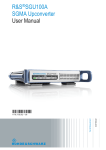

![[ For FX951-51 -up ] Service Manual](http://vs1.manualzilla.com/store/data/006022140_1-0f4cb22e78fbda3a4f7c4fb90e43baab-150x150.png)