1
Dome Camera Control
Dome Camera Connection & Settings:
•
See section Pin Definition of Alarm I/O & RS-485, and Audio In for RS-485 port pin definition.
•
Refer to the following figure. Connect the R+, R- terminals on the dome camera to the D+, Dterminals on the RS-485 port by RS-485 cable respectively.
•
To set up dome camera’s protocol and ID, press MENU to access the OSD main menu, and
select <Camera Setup>. The available protocols include <DSCP>, <AD422>, <Pelco D>,
<Pelco P>, <Fastrax 2>, <JVC>, <Panasonic_C>, and <Panasonic_N>. The default is
<None>. Note that ID number must match the ID address defined by the dome camera.
•
To configure the RS-485 parameters, select <System Setup> from OSD main menu, and then
select <RS485 Setup>. The default RS-485 settings are 9600 Baud, 8 Data Bits, 1 Stop Bit and
No Parity.
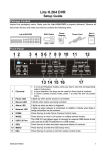
Control Buttons in Dome Camera Control Mode:
1
2
Set / Go Preset
Toggle Hint Screen
5
6
3
Go Presets 1~6
7
4
Enter / Auto
8
ESC
9 Focus Far
Pan / Tilt
10 Iris Close
Enter Dome Camera
11 Iris Open
Control Mode
Focus Near
12 Zoom Out
13 Zoom In
5